
Canon Color imageCLASS LBP646Cdw
4.1Editor score
Fast 26 ppm speed
Wireless duplex printing
5-inch LCD screen
This guide compares the top duplex color laser printers for 2026, evaluating speed, connectivity, print quality, and features to help you choose the right
Finding the right duplex color laser printer is essential for modern offices that need efficient, high-quality document production. These devices offer fast printing speeds and automatic two-sided output to save paper and boost productivity.
We compared ten top models based on print speed, connectivity options, toner capacity, and overall reliability. Each product was evaluated for its ability to handle diverse printing tasks in professional environments effectively.
Each pick highlights key strengths and ideal use cases for different business sizes. Please note that prices and availability may change, so verify current details before making your final purchasing decision.
4.1Editor score

4.4Editor score

4.2Editor score
This comparison table provides a quick overview of the key specifications and features for each of the ten selected duplex color laser printers to help you decide.


The Brother MFC-L8930CDW stands out as a top-tier business printer with impressive speed and comprehensive features. It delivers high-quality color prints and includes advanced security measures for protecting sensitive data in modern office environments.
We may earn a commission when you buy through this link, at no additional cost to you.
Its standout strength lies in its rapid 33 pages per minute speed and efficient automatic duplex scanning. The 7-inch touchscreen provides intuitive navigation while supporting cloud services and offering 64 customizable shortcuts for streamlined workflows.
While the upfront investment is significant compared to smaller models, the low-cost printing capabilities and durable design justify the expense for busy teams. The included toner cartridges help manage operational costs effectively over the long term.
This model is ideal for medium to large offices requiring high-volume printing with secure document handling. If you need reliability, speed, and advanced connectivity, the MFC-L8930CDW is a strong recommendation for professional use.
The printer includes Triple Layer Security with NFC badge authentication to safeguard networks and protect documents during transit to and from the device.
With a 7-inch touchscreen and 80-page ADF, scanning and editing Microsoft Office documents becomes seamless for improved productivity across teams.
We may earn a commission when you buy through this link, at no additional cost to you.
The Canon Color imageCLASS LBP646Cdw offers excellent value for users who primarily need high-speed color printing without multifunction features. Its simple design focuses on delivering crisp text and vibrant graphics efficiently for home offices and small teams.
We may earn a commission when you buy through this link, at no additional cost to you.
Key strengths include a rapid 26 pages per minute speed and a quick first print time of roughly 10 seconds. The wireless setup is straightforward, and mobile printing support via AirPrint and Mopria ensures convenience from various devices.
While it lacks scanning and fax capabilities, this limitation keeps the unit compact and budget-friendly. The high-capacity toner helps reduce replacement frequency, making it cost-effective for consistent daily printing needs.
Ideal for individuals or small businesses focused strictly on printing tasks, this model provides reliable performance without unnecessary complexity. Choose it if you need fast, quality output in a space-saving design.
Dedicated to print-only tasks, this laser printer saves space and energy while delivering professional-quality color documents efficiently.
Users can print directly from smartphones and tablets using free apps and standard services like AirPrint for seamless remote workflow integration.
We may earn a commission when you buy through this link, at no additional cost to you.
The Canon Color imageCLASS MF753Cdw II delivers a balanced package of print, scan, copy, and fax functions in a sleek wireless duplex design. It is well-suited for professional environments seeking dependable multifunction capabilities without excessive bulk.
We may earn a commission when you buy through this link, at no additional cost to you.
Its standout qualities include consistent color output and straightforward connectivity options. The unit handles mixed office tasks smoothly, offering users a practical solution for document management and production needs within compact workspaces.
While not packed with advanced touchscreen shortcuts, its simplicity reduces learning curves and potential operational errors. The reliable hardware ensures steady performance for daily workflows without requiring intensive maintenance or troubleshooting.
This printer is an excellent choice for small to medium offices needing a complete all-in-one solution at a reasonable price point. Opt for it if you value reliability and a tidy workspace with efficient color printing.
The 4-in-1 suite consolidates print, scan, copy, and fax into one compact unit, maximizing workspace utility and productivity.
Automatic two-sided printing and wireless connectivity reduce paper waste while allowing flexible access from multiple office devices.
We may earn a commission when you buy through this link, at no additional cost to you.
The Brother HL-L3220CDW brings professional-quality color laser printing to home offices and small workgroups with reliable wireless capabilities. It focuses on delivering crisp text and vibrant graphics while maintaining secure document handling through built-in protocols.
We may earn a commission when you buy through this link, at no additional cost to you.
Its main strengths include a generous 250-sheet paper tray that minimizes refills and a manual slot for envelopes. Automatic duplex printing saves paper and time, ensuring efficient workflow for daily business document production.
Print speed is moderate at 19 pages per minute, which may be slower for high-volume environments but sufficient for typical office use. The integration with mobile platforms and cloud services enhances convenience for remote and flexible work setups.
Ideal for home office users or small teams prioritizing print quality and security over raw speed, this model offers solid performance. Choose it if you need dependable color outputs with easy mobile access and paper-saving features.
Built-in security protocols safeguard sensitive business documents during wireless transmission from laptops, smartphones, and tablets.
The 250-sheet tray combined with a manual feed slot supports versatile media handling and reduces frequent paper refilling.
We may earn a commission when you buy through this link, at no additional cost to you.
The Brother MFC-L3720CDW provides a robust all-in-one solution for businesses needing efficient printing, scanning, copying, and faxing. It combines professional output quality with advanced connectivity options to support seamless document workflows in modern office settings.
We may earn a commission when you buy through this link, at no additional cost to you.
Key features include a 50-sheet auto document feeder and dual-band wireless networking for uninterrupted performance. The intuitive touchscreen offers customizable shortcuts and direct access to popular cloud services for streamlined document management and remote tasks.
While it lacks advanced premium features found in higher-end models, its balanced performance meets most small to medium business needs effectively. The mobile companion app enables easy management of toner levels and settings from anywhere.
This printer is ideal for teams requiring consistent connectivity and productivity-enhancing features at a reasonable price point. Opt for it if you need reliable fax, scan, and print capabilities with flexible network integration.
Supports 2.4GHz and 5GHz wireless networking along with USB for flexible connection options across multiple devices.
The touchscreen provides 48 customizable shortcuts and direct cloud access to services like Google Drive and Dropbox.
We may earn a commission when you buy through this link, at no additional cost to you.
The Brother HL-L3280CDW is a compact digital color printer designed for small offices and home environments requiring professional document output. It consistently produces dependable laser-quality results with efficient automatic duplex printing for streamlined two-sided workflows.
We may earn a commission when you buy through this link, at no additional cost to you.
Its key strengths include impressive 27 pages per minute speeds and an integrated 2.7 touchscreen for easy navigation. The built-in ethernet port offers stable connectivity while wireless options support mobile and cloud-based printing from various apps.
While the display is smaller than premium models, it provides sufficient access to common functions and cloud services. This balance makes it suitable for entrepreneurs and small teams needing quick, reliable color prints without extensive hardware needs.
Ideal for small business users seeking efficiency and consistent quality, this model delivers solid performance. Choose it if you need a dependable color printer with fast speeds and versatile connectivity options.
A capable timesaver achieving 27 ppm speeds with consistent laser-quality output suitable for varied business documents.
Supports wireless, mobile, and ethernet connections to ensure reliable access across different devices and networks.
We may earn a commission when you buy through this link, at no additional cost to you.
The Canon Color imageCLASS MF665Cdw is a wireless all-in-one duplex laser printer delivering fast print speeds and comprehensive functionality for busy offices. Its application library touchscreen offers easy access to frequently used features for streamlined daily document tasks.
We may earn a commission when you buy through this link, at no additional cost to you.
Key strengths include a quick first print time and a 50-sheet duplex automatic document feeder that saves time. The high-capacity toner ensures high page yields, reducing replacements while maintaining vibrant color and clear black output quality.
While the standard paper tray is modest, the multipurpose slot adds flexibility for special media and envelopes. The extended three-year warranty provides peace of mind for long-term reliability and professional support coverage.
Ideal for small to medium offices needing fast scanning and printing with minimal downtime, this model offers solid value. Opt for it if you prioritize speed, convenience, and reliable support with intuitive workflow features.
The 5-inch color touchscreen includes an Application Library for quick access to custom and frequent workflow tasks.
Uses Canon Genuine Toner 075 for high page yields that help limit replacements and maintain quality output.
We may earn a commission when you buy through this link, at no additional cost to you.
The Canon Color imageCLASS MF662Cdw offers a reliable wireless duplex 3-in-1 solution for small to medium offices needing print, scan, and copy functions. Its intuitive 5-inch color touchscreen provides easy navigation through common features for efficient daily workflows.
We may earn a commission when you buy through this link, at no additional cost to you.
Key strengths include fast 26 pages per minute speeds and a quick first print time to reduce waiting. The high-capacity toner ensures high page yields and vibrant color quality while limiting the frequency of replacements during active use.
While it lacks fax capabilities, the core functions are robust and well-integrated for standard office needs. The extended three-year warranty provides added confidence in reliability and professional support for long-term usage in business settings.
Ideal for teams prioritizing speed, color quality, and intuitive operation without fax requirements, this model offers solid value. Choose it if you need a dependable all-in-one printer with strong warranty coverage.
The 5-inch color touchscreen includes an Application Library for customized access to features you use most.
Uses Canon Genuine Toner 075 high-capacity for high-quality output and high page yields that limit replacements.
We may earn a commission when you buy through this link, at no additional cost to you.
The HP Color Laserjet Pro 3201dw is designed for small teams needing professional color documents and reports with trusted brand reliability. It delivers 26 pages per minute speeds with vivid colors thanks to next-generation TerraJet toner technology.
We may earn a commission when you buy through this link, at no additional cost to you.
Its standout features include a 250-sheet input tray and dual-band Wi-Fi with self-reset capabilities that resolve connection issues automatically. The printer offers award-winning reliability ready for the high demands of consistent business document production.
While user ratings are lower than competitors, it remains a solid choice for HP loyalists valuing color quality and connectivity. Note that it requires cartridges with original HP chips, so verify toner compatibility before purchase.
Ideal for small offices prioritizing reliable performance and vivid color outputs, this model fits standard workflows. Choose it if you need a dependable printer with fast speed and resilient wireless connection features.
TerraJet toner brings business documents to life with more vivid colors and reliable professional quality.
Dual-band Wi-Fi with self-reset detects and resolves connection issues automatically to keep printing seamless.
We may earn a commission when you buy through this link, at no additional cost to you.
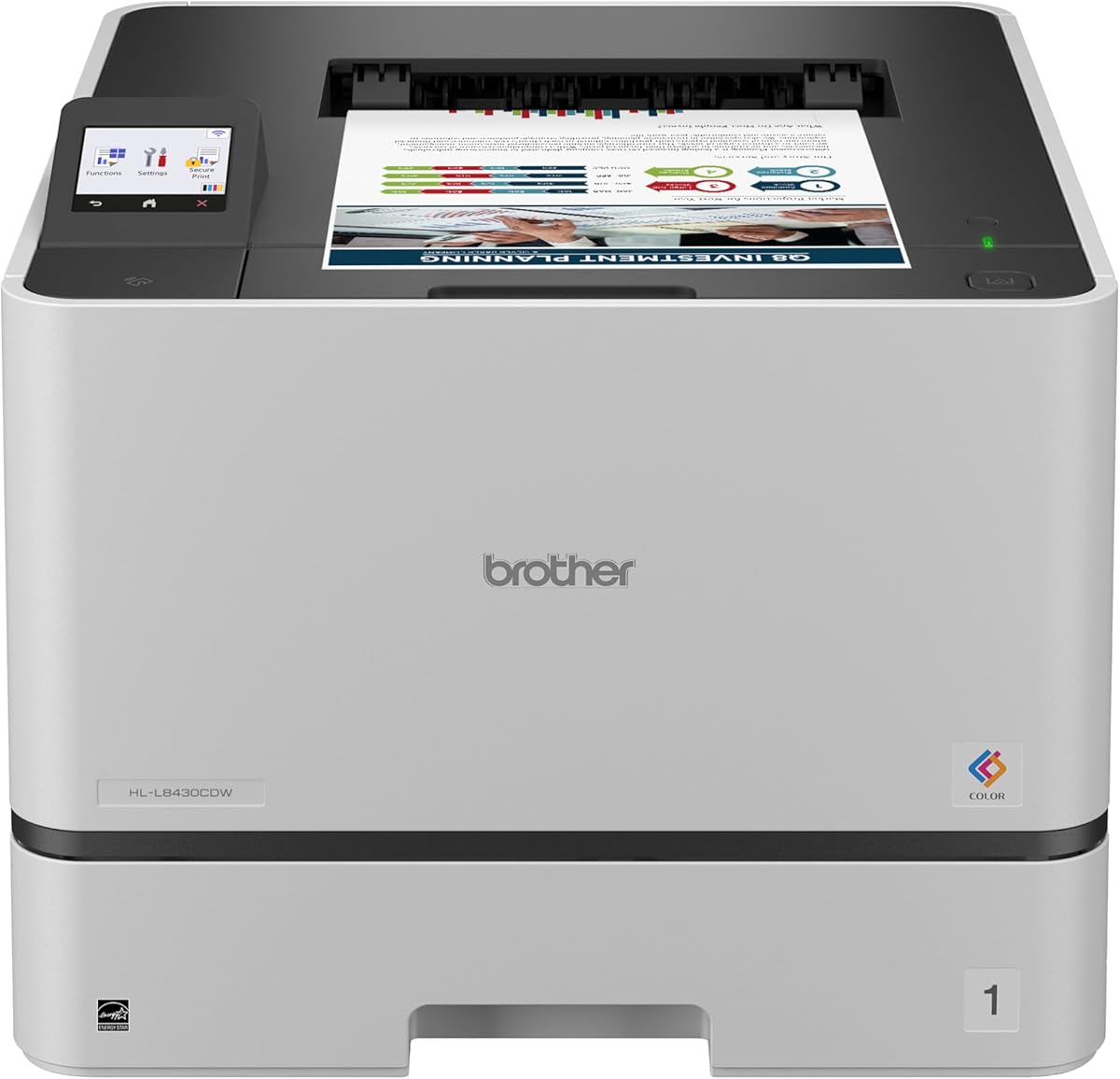
The Brother HL-L8430CDW is built for dependable performance with professional results and fast 33 pages per minute speeds. It offers vibrant color and sharp black output in a durable design suitable for busy offices and teams.
We may earn a commission when you buy through this link, at no additional cost to you.
Key strengths include low-cost printing with included high-yield toner cartridges and advanced security features like an integrated NFC card reader. The flexible connectivity options support mobile devices and cloud services directly from the touchscreen.
While it does not include an automatic document feeder, the multipurpose tray and optional tray expansion allow high paper capacity up to 1,340 sheets. This makes it adaptable for varied workloads without needing immediate hardware upgrades.
Ideal for businesses needing fast, secure, and cost-efficient color printing with room to expand, this model offers strong performance. Choose it if you value speed, security, and long-term scalability in your printer investment.
Advanced security with NFC card reader helps keep devices secure and protects documents in transit.
Expandable up to 1,340 sheets with optional trays to support high-volume printing needs.
We may earn a commission when you buy through this link, at no additional cost to you.
Selecting the right duplex color laser printer requires understanding your office's specific needs regarding speed, volume, and connectivity.
Print speed measured in pages per minute directly affects workflow efficiency especially when producing multiple documents simultaneously. Evaluate your monthly volume to ensure the printer can handle peak loads without overheating or slowing down.
Choose a model with sufficient speed to match your team size and document complexity for optimal productivity and minimal delays.
Modern offices rely heavily on flexible connectivity including wireless, Ethernet, and mobile options for seamless integration across devices. Ensure the printer supports protocols like AirPrint and Mopria if you use iOS or Android devices regularly.
Prioritize dual-band Wi-Fi and Ethernet ports to maintain stable network connections even during high traffic periods in busy environments.
Toner yield and replacement costs significantly impact the total cost of ownership over time. High-capacity cartridges reduce how often you must replace supplies which helps maintain consistent output quality.
Look for printers offering both standard and high-yield toner options to balance upfront costs with long-term savings and convenience.
Paper capacity determines how often staff must refill trays which affects productivity especially during high-volume printing sessions. Consider models with 250-sheet trays or options to expand capacity if your office frequently handles large document batches.
A multipurpose tray adds flexibility for envelopes and specialty media which is essential for diverse printing tasks beyond standard reports.
For businesses handling sensitive information security features like NFC authentication and encrypted wireless protocols protect your network. Advanced layers of security ensure documents are only accessed by authorized personnel and remain private during transmission.
Choose a printer with triple layer security or similar measures if data protection is a priority for your organization compliance needs.
Decide whether you need scanning copying and fax capabilities alongside printing to save space and equipment costs. Multifunction devices streamline workflows but may add complexity while single-function units focus on speed and simplicity.
Match the device features to your office tasks; select all-in-one models if you need document handling beyond just printing daily.
A strong warranty ensures peace of mind against hardware failures and provides timely repairs to minimize office downtime. Extended service periods are valuable for businesses relying on consistent printer performance throughout the year.
Check the manufacturer support options and warranty terms before buying to confirm you receive reliable assistance when needed.
Energy efficiency ratings like ENERGY STAR help lower utility costs and reduce environmental impact from office operations. Efficient printers consume less power during standby and active modes which supports sustainability goals.
Select models certified for energy savings to ensure responsible resource use and potential cost reductions in your facility budget.
Proper placement ensures optimal performance and longevity by keeping the printer on a stable, level surface away from direct sunlight or moisture sources. This helps maintain consistent print quality and prevents hardware malfunctions due to temperature or humidity changes.
Regularly update firmware through the manufacturer portal to access new features and security patches that protect against vulnerabilities and enhance connectivity. These updates often improve network stability and speed ensuring smooth wireless and mobile operations.
Use manufacturer-recommended toner and paper to avoid jams and maintain color accuracy throughout document production. High-quality consumables reduce maintenance needs and ensure the printer delivers vibrant professional prints consistently.
A duplex color laser printer automatically prints on both sides of the paper which reduces paper consumption and helps produce professional-looking documents efficiently. This feature saves time on manual flipping and lowers overall operational costs for offices.
Duplex models typically maintain similar speeds to simplex units but may slightly reduce total page output due to the dual-side processing. However the time saved from automatic double-sided output outweighs this minor difference for most business workflows.
Most modern duplex color laser printers support mobile printing through AirPrint Mopria and dedicated apps allowing seamless printing from smartphones and tablets. This flexibility enhances remote work capabilities and simplifies on-the-go document handling.
Regularly clean the printer rollers and ensure you use quality toner and paper to prevent smudges and color inconsistencies. Updating firmware also helps optimize performance and maintain sharp text and vibrant graphics throughout usage.
Look for wireless encryption NFC badge authentication and user access controls to protect sensitive data and prevent unauthorized printing. These measures are essential for businesses handling confidential documents and requiring network security.
Paper tray capacity affects how frequently staff must refill supplies which can interrupt workflow during busy printing sessions. Models with at least 250 sheets or expandable trays reduce downtime and support higher volume needs.
The Brother MFC-L8930CDW and Canon Color imageCLASS LBP646Cdw stand out for their speed and value in professional settings. Each model balances performance and functionality to suit diverse office needs effectively.
When selecting a printer prioritize features that align with your daily volume connectivity requirements and budget constraints. Security and toner costs should also guide your choice for sustainable long-term operation.
Always verify current prices and availability as these change frequently. Checking official listings ensures you receive the best deals and accurate specifications before purchasing.