
SCRIB3D P1 3D Printing Pen
4.4Editor score
Adjustable speed slider
Includes three starter colors
Compatible with PLA and ABS
This guide compares the top 3D printing pens for kids based on safety, ease of use, and creative potential for young artists and STEM learners.
3D printing pens offer a unique way for children to bring their drawings to life in three dimensions. These tools melt plastic filament to create tangible objects, fostering creativity and spatial reasoning skills in a fun, hands-on manner.
We evaluated ten leading models focusing on safety features, temperature control, ease of use, and included accessories. Our analysis considers user feedback and technical specifications to identify the most reliable options for young creators starting their journey.
Each selection highlights specific strengths such as child-safe nozzles, adjustable speeds, or bundled kits. Prices and availability fluctuate regularly, so please verify current details on the product pages before making your final purchase decision.
4.4Editor score
4.4Editor score
4.5Editor score
The following table provides a side-by-side comparison of all ten selected products to help you quickly identify the best fit for your needs and budget.


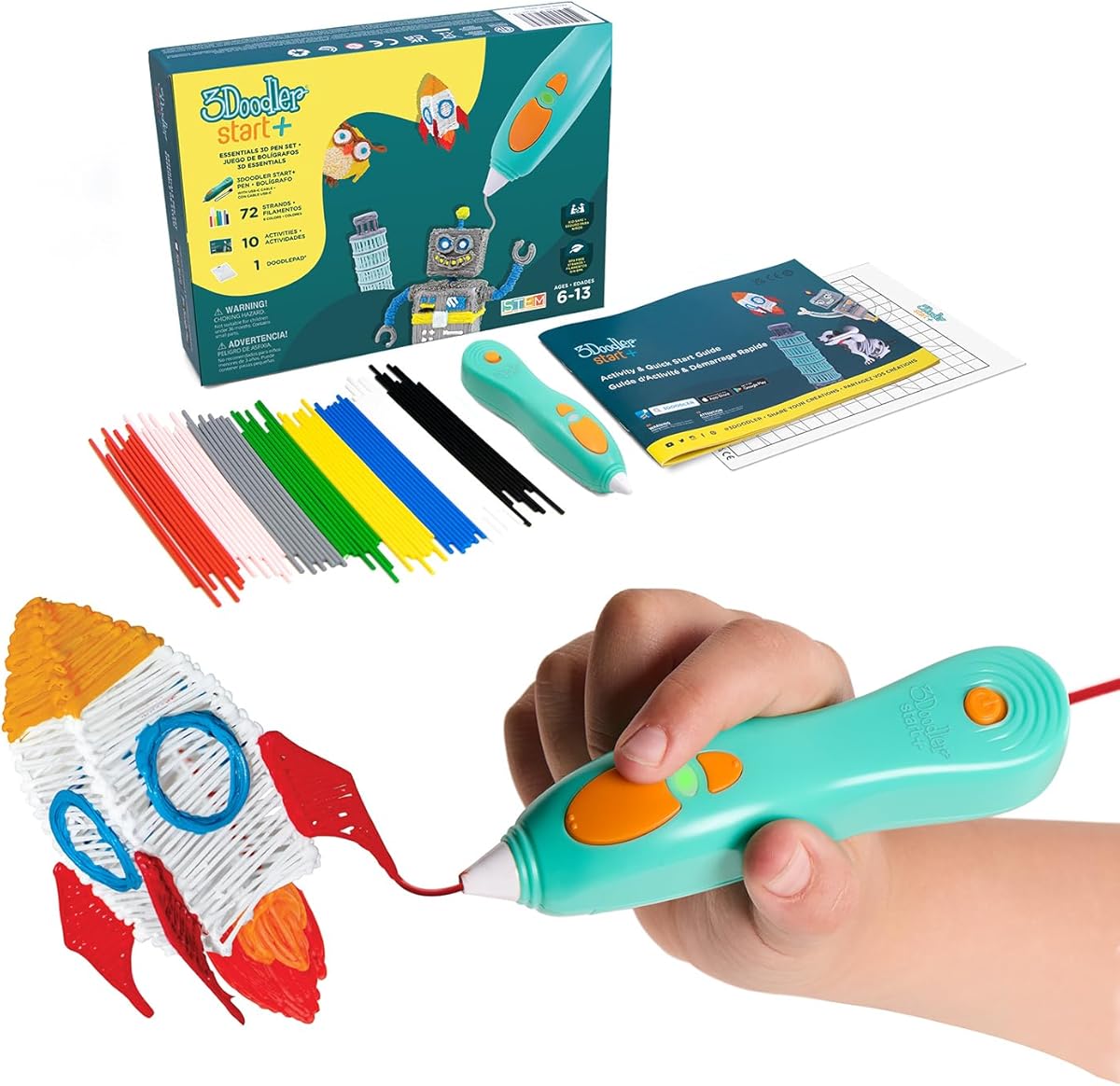
The 3Doodler Start+ stands out as the premier choice for introducing children to 3D printing technology. With a rating of 4.4 stars, it is praised for its unique safety design that eliminates hot parts entirely.
We may earn a commission when you buy through this link, at no additional cost to you.
This pen uses a special low-temperature filament that cools instantly, allowing kids to touch the nozzle without risk. The kit includes 72 strands of mixed color plastic and ten new stencils to get started immediately.
While it costs more than some alternatives, the investment ensures safety and longevity. The packaging is eco-friendly and the device charges significantly faster than previous models.
Parents seeking a worry-free creative tool will find this the best option. It effectively reduces screen time while teaching STEM concepts through tactile play.
The pen operates at a temperature that does not burn skin, making it safe for kids as young as six to use independently.
Includes a DoodlePad and comprehensive activity guide that encourages structured learning and creative exploration without parental supervision.
We may earn a commission when you buy through this link, at no additional cost to you.
The SCRIB3D P1 is an excellent entry-level pen that balances performance with affordability. It offers a temperature display and stepless speed control, features often found in more expensive models.
We may earn a commission when you buy through this link, at no additional cost to you.
Users appreciate the versatility of using both PLA and ABS filaments. The stepless slider allows for precise adjustments, which is crucial for intricate projects or rapid infill work.
Although the nozzle does get hot, the auto sleep function enhances safety when not in use. It requires a bit more supervision than child-safe pens but rewards with greater flexibility.
This is the ideal pick for families wanting to try 3D printing without a large initial investment. It supports creativity across different skill levels.
Unlike single-filament pens, the P1 handles both standard PLA and durable ABS, giving users more material choices for their projects.
The simple button interface combined with visual temperature feedback makes it easy for beginners to understand how the pen works.
We may earn a commission when you buy through this link, at no additional cost to you.
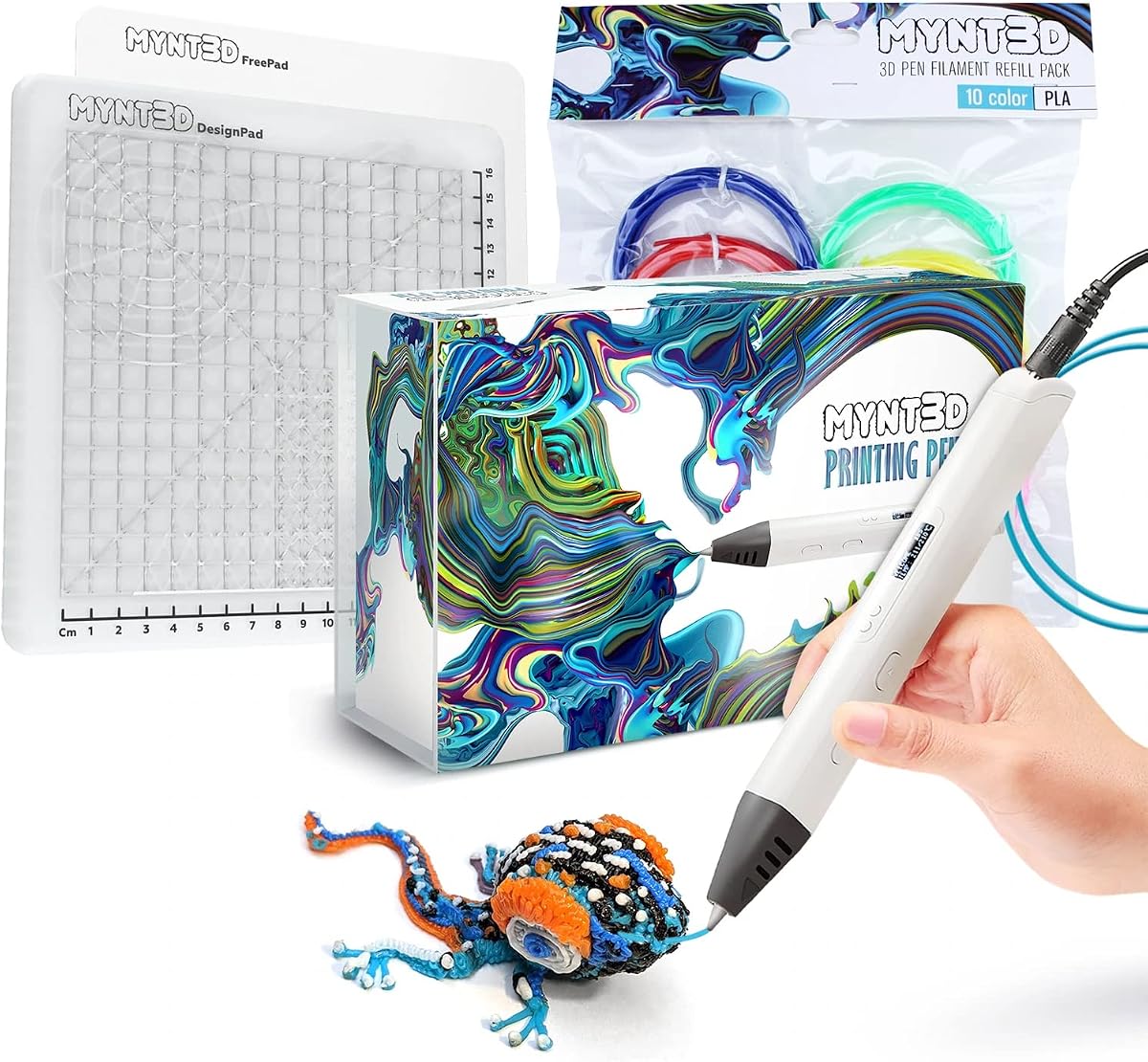
The MYNT3D Professional offers a premium experience with its OLED display that shows exact temperature readings. This feature allows for unprecedented control over the printing material.
We may earn a commission when you buy through this link, at no additional cost to you.
The pen is slim and ergonomic, reducing hand fatigue during long creative sessions. It includes three colors of PLA filament and a limited warranty for peace of mind.
While it may require some guidance for younger children, the precision it offers is unmatched. It is perfect for kids who are ready to move beyond basic doodling.
Buyers looking for a tool that grows with their child's skills should consider this model. It bridges the gap between a toy and a professional instrument.
The OLED display lets users see the exact degree of heat, ensuring the plastic melts correctly for consistent line thickness and adhesion.
Designed for extended use, the slim profile fits naturally in the hand, allowing for steady lines and detailed work without strain.
We may earn a commission when you buy through this link, at no additional cost to you.
The MYNT3D Super is known for its ultrasonic sealed nozzle that resists clogging. This feature ensures long-lasting operation and reduces frustrating interruptions during projects.
We may earn a commission when you buy through this link, at no additional cost to you.
It maintains the speed control of the professional model but at a slightly lower price point. The pen is suitable for kids, artists, and engineers alike.
The lack of a screen means you rely on the light indicators, but the reliability of the motor makes up for it. It is a robust choice for heavy use.
Families looking for a durable pen that withstands frequent use will appreciate this option. It offers a balance of professional features and practical reliability.
The ultrasonic sealed nozzle is a significant upgrade that prevents clogs, ensuring a smooth flow of plastic throughout the creative process.
Compatible with both ABS and PLA, this pen allows users to experiment with different plastic types for varying levels of strength and flexibility.
We may earn a commission when you buy through this link, at no additional cost to you.
The SCRIB3D Advanced enhances the P1 model with an LCD screen and more speed options. It is designed to provide a smooth and accurate drawing experience for all ages.
We may earn a commission when you buy through this link, at no additional cost to you.
The soft touch surface makes it very comfortable to hold during long sessions. It includes five colors of filament and a free stencil guide to kickstart creativity.
The larger interface may be slightly heavier but offers clear feedback on temperature and settings. It is a great step up for those ready to refine their skills.
Parents wanting more control options without the complexity of professional models will find this ideal. It balances ease of use with advanced features.
The LCD screen provides clear visual feedback, allowing users to adjust temperature and speed with precision and confidence.
Designed with a curved soft-touch surface, the pen fits naturally in the hand to reduce fatigue and improve control.
We may earn a commission when you buy through this link, at no additional cost to you.
This bundle offers the most complete experience with a pro pen, ten colors of filament, and a specialized DesignPad mat. It is designed to take creativity to the next level.
We may earn a commission when you buy through this link, at no additional cost to you.
The DesignPad provides channels for geometric shapes, making it easier to draw straight lines and perfect circles. The filament is vacuum sealed to ensure freshness.
While it is an investment, the inclusion of the mat and high-quality materials makes it worth the price for serious creators. The pen supports stepless control for precise flow.
Families ready for a premium experience will love this kit. It removes the need for additional purchases and provides everything needed to start immediately.
The DesignPad mat includes channels and patterns that guide your hand, helping to create professional-looking geometric shapes with ease.
With ten different colors of high-quality PLA, you can mix and match to bring complex and vibrant 3D designs to life.
We may earn a commission when you buy through this link, at no additional cost to you.
Similar to the Pro bundle, this kit pairs the Super pen with ten colors of filament and a DesignPad mat. It offers a great balance of durability and features.
We may earn a commission when you buy through this link, at no additional cost to you.
The Super pen's ultrasonic sealed nozzle ensures reliability. The DesignPad helps users create consistent shapes and patterns for projects.
This package is excellent for those who want a durable pen without paying for the Pro's specific upgrades. It provides all necessary tools in one box.
It is a solid choice for hobbyists and older kids ready to take on challenges. The variety of colors and accessories keeps the creative fun going.
The Super pen combines durability with precision, ensuring that every line extrudes smoothly without clogs or interruptions.
With a complete set of colors and a guiding mat, you have all the resources needed to build complex and colorful 3D structures.
We may earn a commission when you buy through this link, at no additional cost to you.
The 3Doodler Flow is designed for more advanced users who want to experiment with different materials like wood. It features an LCD for real-time temperature monitoring.
We may earn a commission when you buy through this link, at no additional cost to you.
It is compact and lightweight, making it easy to carry anywhere. The pen is compatible with standard 1.75mm filaments which expands the creative possibilities significantly.
Although it has a lower rating than other models, it is highly reliable for experienced creators. It brings value to those looking for practical household fixes or unique decor.
Teens and adults will appreciate the range of materials supported. It is a robust tool for those who have mastered the basics of 3D pens.
The ability to use wood filaments and standard 1.75mm plastics opens up unique textural and structural possibilities for your creations.
Its compact and lightweight design allows you to take your pen on the go for creative sessions anywhere inspiration strikes.
We may earn a commission when you buy through this link, at no additional cost to you.
This bundle adds a silicone mat to the classic P1 pen, offering a practical surface for tracing and practice. The mat is heat-resistant and easy to wipe clean.
We may earn a commission when you buy through this link, at no additional cost to you.
It includes built-in shapes and patterns to guide designs, helping beginners create consistent work. This is particularly helpful for those new to 3D pens.
The mat is durable and reusable, making it a cost-effective addition. It protects your table and provides a better surface for the plastic to adhere to temporarily.
Families who want a tidy and organized workspace should choose this bundle. It enhances the standard P1 experience with a key accessory.
The heat-resistant silicone mat keeps your table safe from hot plastic and provides a dedicated area for your 3D projects.
Built-in shapes on the mat serve as a helpful reference for creating consistent patterns and perfect circles.
We may earn a commission when you buy through this link, at no additional cost to you.
This bundle includes the Start+ pen plus over 1250 feet of additional filament. It is the ultimate choice for families who want a supply that lasts years.
We may earn a commission when you buy through this link, at no additional cost to you.
The pen remains completely safe with no hot parts, ideal for young children. It comes with the DoodlePad and a comprehensive activity guide.
While the price is high, the volume of plastic makes it a value investment. You do not need to worry about running out of materials during creative sessions.
If you plan to use the pen frequently, this is the best option. It ensures uninterrupted fun and learning without the need for constant refills.
With over 1250 feet of extra filament, children can experiment freely without worrying about running out of material during their projects.
The pen is compatible with a free app that offers stencils and step-by-step instructions to guide young users through new designs.
We may earn a commission when you buy through this link, at no additional cost to you.
Selecting the right 3D pen involves considering safety, features, and budget. This guide outlines the key factors to ensure you choose a model that matches your child's age and skill level.
Safety is the most critical factor when choosing a 3D pen for children. Look for pens with no hot parts or low-temperature filaments that cool quickly to prevent burns.
A model that allows kids to touch the nozzle safely is ideal for younger users who may not have fully developed motor control or heat awareness.
The pen should have intuitive controls that are easy for small hands to manage. Simple loading mechanisms and clear buttons help avoid frustration during use.
Choose a pen that does not require complex setup to keep the focus on creativity rather than technical troubleshooting.
Check what type of plastic filament the pen uses. Some pens only work with specific proprietary plastics which may be costly over time.
Models compatible with standard PLA or ABS filaments offer more variety and often lower costs for refills.
Advanced pens offer adjustable temperature settings to work with different materials. This flexibility allows kids to grow into more challenging projects.
However, beginners might prefer a fixed temperature to simplify the learning process and reduce the risk of errors.
Adjustable speed sliders let users regulate how fast the plastic is extruded. This feature is essential for controlling line thickness and detail.
Look for stepless speed control which provides smoother transitions and better precision than discrete speed settings.
A display screen showing temperature and status helps users monitor the pen's condition. Indicators for heat and filament status are also useful.
While not essential for young kids, these features provide valuable feedback for those wanting to understand how the pen functions.
Kits often come with stencils, mats, and activity guides. These extras add significant value and help kids get started immediately.
A good bundle should include enough filament and tools to support several projects without requiring immediate additional purchases.
Prices vary widely from affordable starter pens to premium professional models. Determine a budget that fits your needs without compromising safety.
A warranty and responsive customer service are important investments that protect your purchase and provide support if issues arise.
To begin, plug the pen into a power source and wait for the warm-up indicator to turn off. This ensures the plastic has melted properly before you start drawing.
Insert a filament strand into the back and press the feed button. Continue until the plastic reaches the nozzle and begins to extrude slightly.
Store the pen in a cool dry place and clean the nozzle after use to prevent clogs. Always unplug the device when not in use to ensure safety.
Many pens are designed with child-safe features like low-temperature filaments that cool instantly. Always check the age recommendation and avoid touching the hot nozzle on standard models.
Most pens use PLA which is biodegradable and easy to use. Some advanced models support ABS which is stronger but requires higher temperatures.
A standard bundle includes about 72 to 120 feet of filament. Usage depends on project size but typical bundles last for several creative sessions.
Not strictly but a silicone mat helps protect your table and aids in cleaning. It also provides a better surface for adhering designs during creation.
No you must use the specific filament diameter and type recommended by the manufacturer. Using incompatible plastic can damage the pen.
Heat the pen and feed a small amount of cleaning filament or wipe the nozzle with a damp cloth. Be careful not to touch the hot metal parts.
We have reviewed ten excellent options ranging from safe starter kits to professional-grade tools. Each pen offers unique benefits depending on age and experience level.
Prioritize safety and ease of use for younger children while older kids might benefit from advanced controls and material variety.
Remember to check current prices and availability before purchasing as details change frequently to find the best deal.