
SUPVAN E11 Keyboard & Bluetooth Label Maker Machine with 4 Tapes
4.5Editor score
Rechargeable battery included
Bluetooth app connectivity
Minimal margin printing
This guide compares the top label printers with clear tape for home and office organization, evaluating features, compatibility, and ease of use for clear
Finding the right label printer with clear tape can transform how you organize your home or office. Clear labels offer a sleek look that blends seamlessly with shelves and containers while providing essential information at a glance.
We compared ten top-rated models based on printing technology, tape compatibility, ease of use, and overall value. Our analysis focuses on devices that deliver crisp text on transparent backgrounds for professional and personal labeling tasks.
Each pick highlights key strengths and limitations to help you choose wisely. Product availability and pricing change frequently, so verify current details before purchasing to ensure you get the best deal available today.
4.5Editor score

4.6Editor score

4.6Editor score
This side-by-side comparison evaluates ten leading label printers capable of using clear tape. Each model is assessed on portability, tape variety, printing quality, and user interface to help you find the perfect fit for your labeling needs.




This handheld label maker stands out for its bundle value and ease of use. With a solid rating, it delivers reliable performance for home and office organization tasks.
We may earn a commission when you buy through this link, at no additional cost to you.
The inclusion of both black on white and black on clear labels means you can start labeling immediately. The QWERTY keyboard speeds up text entry, while the graphical display lets you preview fonts and effects before printing.
While it relies on AA batteries and lacks Bluetooth connectivity, these trade-offs are acceptable for a straightforward, battery-powered device. The compact size makes it easy to carry between rooms or to different workspaces.
If you need a simple, effective tool for clear labeling without complex app setup, this bundle is an excellent starting point. It balances functionality with affordability for most casual users.
The bundle includes one roll each of black on white and black on clear labels, ensuring you can label items right out of the box.
The 13-character graphical display allows you to see exactly how your label will look, reducing waste and ensuring accuracy.
We may earn a commission when you buy through this link, at no additional cost to you.
The SUPVAN E11 offers impressive features at an affordable price point. It combines a physical keyboard with Bluetooth app connectivity for flexible labeling options.
We may earn a commission when you buy through this link, at no additional cost to you.
Its standout feature is the minimal margin printing, which saves material by reducing unused space around labels. The rechargeable battery provides up to a month of use per charge, making it cost-effective over time.
While the app offers extensive customization with fonts and icons, some users may prefer a dedicated device without smartphone reliance. The small form factor is convenient but may be less comfortable for extended typing sessions.
This model is ideal for budget-conscious buyers who want modern features like Bluetooth and app editing without compromising on basic labeling performance. It is well-suited for home organization and school supplies.
The built-in 1200 mAh rechargeable battery reduces ongoing costs compared to models requiring disposable AA or AAA batteries.
The companion app provides over 30 fonts, 50 frames, and 660 icons for personalized labels, all available free without registration.
We may earn a commission when you buy through this link, at no additional cost to you.
This handheld model from DYMO offers a premium experience with a generous bundle. It is designed for users who value reliability and convenience in everyday labeling tasks.
We may earn a commission when you buy through this link, at no additional cost to you.
The inclusion of a clear plastic label tape alongside paper and plastic options gives immediate versatility. The graphical display ensures labels print exactly as anticipated, reducing errors and material waste.
While it is priced higher than some competitors, the build quality and brand reputation justify the investment. The auto-off feature conserves battery life, which is helpful for intermittent use.
If you prioritize ease of use and quality output for home or office organization, this model delivers consistent results. It is a strong choice for those already invested in the DYMO ecosystem.
The bonus pack includes paper, plastic, and clear tapes, allowing you to label various surfaces immediately.
The graphical display shows font and effects before printing, ensuring your labels meet expectations every time.
We may earn a commission when you buy through this link, at no additional cost to you.
The SUPVAN T50M Pro is a compact Bluetooth label maker designed for both home and small business needs. It excels in versatility and modern connectivity features.
We may earn a commission when you buy through this link, at no additional cost to you.
Its app allows you to import images directly from your phone or tablet, enabling professional-looking labels with logos and barcodes. The auto size recognition simplifies the process, ensuring the right fit every time.
Without a physical keyboard, typing longer text may be slower compared to handheld devices with keys. However, the app interface is intuitive and supports extensive customization for creative projects.
This model is perfect for small businesses needing branded labels or home users who prefer app-based design. It offers a balance of functionality and modern convenience at an accessible price.
The app supports importing images from your device, allowing for custom logos and detailed graphics on labels.
Compatible with square, round, address, and file labels, it meets diverse labeling needs without requiring multiple devices.
We may earn a commission when you buy through this link, at no additional cost to you.
This personal desktop label maker focuses on vibrant, personalized labeling using Brother's Btag tape system. It is designed for creative home use and dorm organization.
We may earn a commission when you buy through this link, at no additional cost to you.
The available in 17 colorful options allows for expressive labeling that stands out visually. The built-in cutter ensures clean, smooth edges on every label, enhancing the professional finish.
While the tape width is limited to 12mm, the design options compensate with frames, symbols, and font styles. The 16-character display helps preview content to avoid mistakes before printing.
Ideal for users who want to add personality to their organization, this device supports creative expression. It is best suited for small labels and items where visual appeal matters most.
The Btag system offers 17 colorful tape options, allowing you to create vibrant labels that stand out on any surface.
A built-in cutter ensures each label has clean, smooth edges, making application easier and results more professional.
We may earn a commission when you buy through this link, at no additional cost to you.
The PTD220 is designed for everyday home and office use with a focus on efficiency and durability. It supports Brother's genuine TZe tapes for long-lasting labels.
We may earn a commission when you buy through this link, at no additional cost to you.
Its memory feature allows you to save up to 30 frequently used labels, speeding up reprints for recurring tasks. The 25 preset templates help create professional-looking labels instantly without manual design.
While the base model focuses on white tapes, you can purchase compatible clear tapes separately if needed. The familiar QWERTY keyboard makes entry intuitive for most users.
For office organization and frequent labeling tasks, this model offers robust performance and reliability. It is an excellent choice for users who prioritize durability and professional output.
Save up to 30 labels for quick reprinting, reducing time spent on frequently used labels like file folders or storage bins.
Access 25 pre-set templates to create professional-looking labels quickly for various home and workplace organization needs.
We may earn a commission when you buy through this link, at no additional cost to you.
This starter kit provides everything needed to begin labeling immediately. It is an affordable entry point for home and office organization using reliable thermal technology.
We may earn a commission when you buy through this link, at no additional cost to you.
The inclusion of both paper and clear plastic tapes ensures versatility from day one. The 13-character LCD screen allows clear viewing of messages and effects before printing.
While it lacks advanced app features, its simplicity is a benefit for users seeking straightforward operation. The automatic power-off saves energy, making it efficient for occasional use.
If you need a basic, effective tool with clear tape included, this kit is a practical choice. It balances ease of use with essential features for everyday labeling tasks.
The kit includes the printer plus two rolls of tape, ensuring you have what you need to start labeling right away.
Automatic power off functionality extends battery life, making it efficient for users who do not label frequently.
We may earn a commission when you buy through this link, at no additional cost to you.
The Phomemo D30 is a compact thermal printer designed for portability and Bluetooth convenience. It offers a lightweight solution for on-the-go labeling needs.
We may earn a commission when you buy through this link, at no additional cost to you.
The included clear tape roll ensures you can start labeling immediately. Its app supports features like voice recognition and OCR, adding creative options for label design beyond simple text.
Being monochrome, it prints only black text, which is sufficient for most tasks but limits color flexibility. The rechargeable battery supports extended use without needing constant battery replacements.
For users who value mobility and smartphone integration, this mini printer is a compelling option. It is well-suited for travel, students, and quick labeling tasks anywhere.
Its mini size and rechargeable battery make it easy to carry anywhere, perfect for labeling while moving between locations.
The app supports voice recognition, OCR, and over 1000 symbols, enabling fun and versatile label designs from your phone.
We may earn a commission when you buy through this link, at no additional cost to you.
This version of the LT-100H offers an expanded bundle including three tape types for maximum versatility. It holds a high user rating, reflecting its reliability and value.
We may earn a commission when you buy through this link, at no additional cost to you.
The inclusion of paper, plastic, and clear tapes ensures you can label diverse surfaces immediately. The graphical display provides a clear preview, reducing the risk of printing errors.
While it lacks modern connectivity, its simplicity and robust build quality make it ideal for basic labeling needs. The easy peel backing speeds up application and reduces frustration.
For users seeking a highly rated, straightforward device with comprehensive tape options, this model delivers. It is a practical choice for home and office environments.
Three tape types included ensure you can label paper, plastic, and clear surfaces immediately without additional purchases.
This bundle version holds a 4.7 rating, indicating strong user satisfaction with its performance and value proposition.
We may earn a commission when you buy through this link, at no additional cost to you.
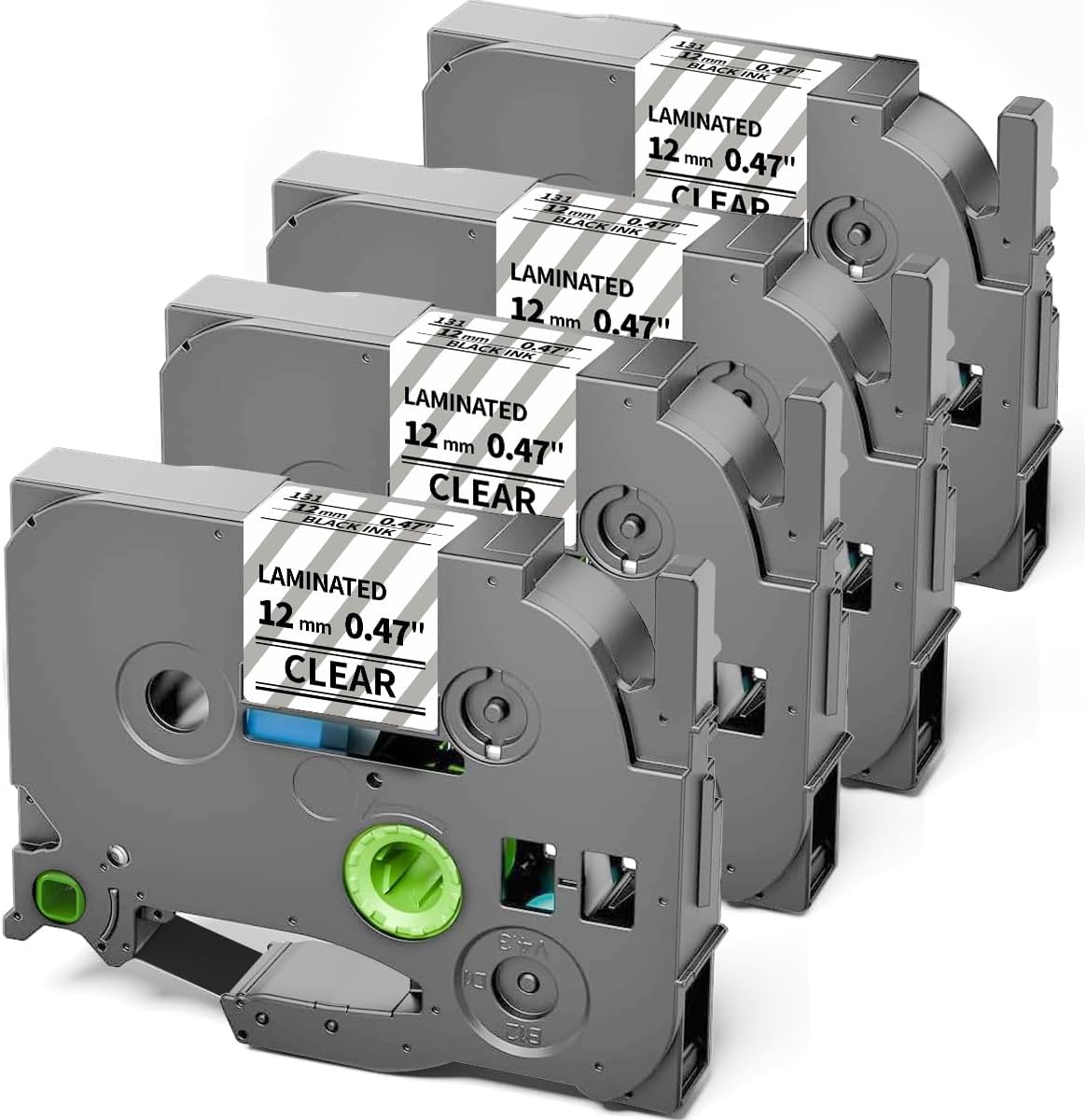
This laminated clear tape refill is essential for Brother P-Touch users needing durable labels. It provides high-quality transparent labeling for long-lasting organization solutions.
We may earn a commission when you buy through this link, at no additional cost to you.
Its laminated finish protects against abrasions, temperature changes, and spills, ensuring labels remain clear and readable over time. The split backing makes application straightforward and mess-free.
While it is not a printer itself, it is a vital component for those using compatible models. The compatibility list is extensive, covering many Brother P-Touch variants for flexible use.
If you already own a compatible Brother label maker, this tape ensures your labels stay legible in demanding environments. It is a practical accessory for maintaining organized spaces.
The laminated clear tape withstands abrasions and temperature changes, ensuring your labels remain clear and legible over time.
Compatible with a wide range of Brother P-Touch models, making it a versatile refill option for many users.
We may earn a commission when you buy through this link, at no additional cost to you.
Selecting the right label printer requires considering several factors to ensure it meets your specific labeling needs. This guide outlines key aspects to evaluate before making a purchase.
Ensure the printer supports clear tape rolls in the width you need. Some models are brand-specific, limiting your options for clear refills.
Check the product description for compatible tape widths and types to avoid purchasing a printer that cannot use clear tape.
Thermal printers use heat instead of ink, which is cost-effective and reduces mess. They are ideal for labels that do not require color.
Consider if you need color labels or if black text on clear tape meets your requirements before deciding on the technology type.
Bluetooth models allow you to design labels via smartphone apps, offering more creative freedom. Wired or standalone devices are simpler for quick text entry.
Choose based on your preference for app design versus immediate physical keyboard input for labeling tasks.
Portable devices are battery-powered, making them convenient for labeling on the go. Desktop models often require AC power or frequent battery changes.
Evaluate where you will use the printer most often to determine if battery life and weight are critical factors for you.
A graphical display lets you preview label content before printing, reducing waste. Simple LCD screens may only show basic text.
Look for models with clear screens if you plan to use multiple fonts or decorative elements regularly.
Some printers save frequently used labels, allowing for quick reprinting without retyping. This feature enhances efficiency for repeated tasks.
If you label similar items often, memory capacity can significantly speed up your workflow.
Many models come with starter tapes, including clear options. Bundles save money upfront and ensure you can start labeling immediately.
Check what tapes are included to assess whether you will need to buy additional refills soon after purchase.
Intuitive interfaces and keyboards make labeling faster and less frustrating. Consider if you prefer physical buttons or a touchscreen app.
Prioritize models with features that match your comfort level to ensure consistent use and organization success.
Load the clear tape correctly by aligning the roll in the cartridge slot and pressing down until it clicks. Ensure the label side faces down for thermal printers to avoid printing on the wrong side.
Connect the printer to your device via Bluetooth or USB if applicable. For standalone models, power it on and navigate the menu to select font size and style settings before typing your content.
Store your printer and tapes in a cool, dry place to preserve adhesive quality and prevent tape degradation. Avoid direct sunlight which can fade labels or weaken the clear material over time.
No, clear tape compatibility depends on the specific model and brand. You must check if the printer is designed to accept clear rolls in the correct width. Many brands have proprietary tape systems that restrict use to their own products.
Standard clear tape may not withstand harsh outdoor conditions. Look for laminated or weather-resistant clear tapes that are rated for UV protection and moisture resistance. These options will last longer in challenging environments.
Yes, thermal printers work effectively with clear labels as long as the tape is designed for thermal printing. The heat transfers the image directly onto the clear surface. Ensure the backing material is compatible to prevent jams.
Peeling may occur due to surface texture, residue, or using the wrong tape type. Clean the surface before applying and ensure the tape is rated for the material. Using laminated clear tapes often improves adhesion and durability.
If you need custom designs, images, or frequent changes, app-connected printers offer significant value. For simple text labels, a standalone model may suffice. Consider your design needs to decide if the connectivity justifies the price.
Use a soft cloth to wipe the exterior and avoid cleaning the print head unless necessary. If the head is dirty, gently clean it with a cotton swab moistened with isopropyl alcohol. Ensure the printer is powered off before cleaning.
We reviewed ten top options ranging from portable Bluetooth makers to desktop models. The DYMO LetraTag Bundle leads for its immediate usability and included clear tape, while the SUPVAN E11 offers a budget-friendly alternative with modern connectivity.
Prioritize the features that matter most to you, such as battery life, tape bundle variety, or app design capabilities. Your specific use case will determine which device provides the best balance of convenience and value.
Remember to check current pricing and availability before purchasing as deals change frequently. Verifying the included tapes ensures you have everything you need to start organizing with clear labels right away.