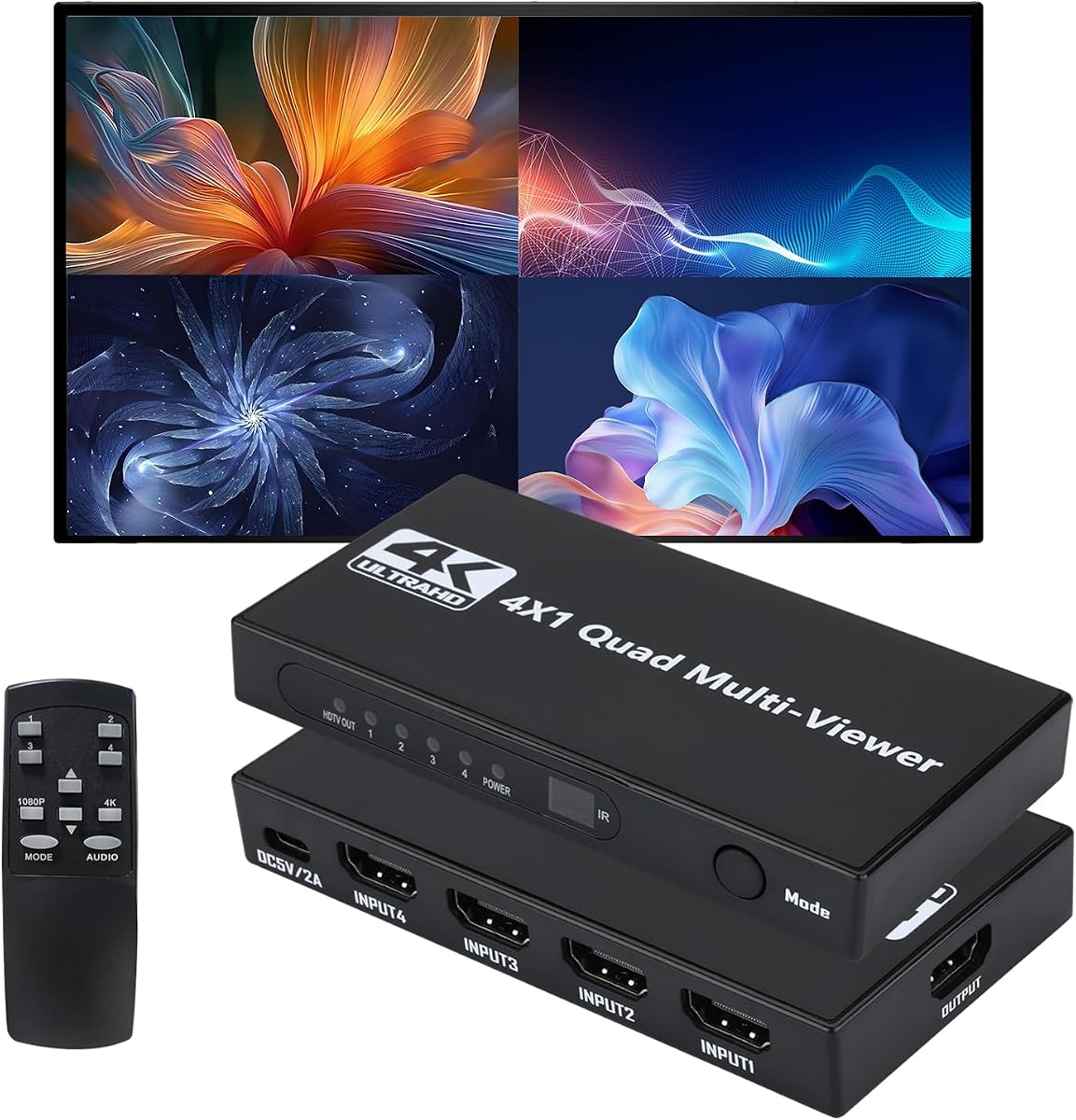
HDMI Multiviewer Switch 4 in 1 Out
4.8Editor score
Twelve display modes
Plug and play setup
4K at 30Hz support
This guide compares the top ten HDMI Multiviewer models for 2026, evaluating features like resolution support, viewing modes, and compatibility to help you
Finding the right HDMI Multiviewer can transform how you monitor multiple video sources on a single display. Whether for gaming, security, or professional setups, a quality unit ensures seamless switching and clear picture quality without signal loss.
We evaluated ten leading models based on resolution support, viewing flexibility, and ease of use. Our analysis covers everything from budget-friendly options to high-end matrix controllers to ensure you find a device that matches your specific needs.
Each pick below highlights key strengths and potential trade-offs to guide your decision. Please note that availability and costs may vary over time, so checking current listings is recommended before making your final purchase decision today.
4.8Editor score

4.3Editor score

4.2Editor score
The following table provides a side-by-side comparison of the top ten HDMI Multiviewer units available in 2026, highlighting their core specifications to help you quickly identify the best match for your setup requirements.




This PORTTA HDMI Multiviewer Switch offers a balanced mix of features and performance for users needing to monitor multiple HDMI sources. With a solid 4.3 rating, it stands out for its ability to switch seamlessly between inputs without visible lag. The inclusion of Toslink audio and 3.5mm outputs ensures flexibility for sound systems.
We may earn a commission when you buy through this link, at no additional cost to you.
The six viewing modes provide significant versatility, allowing you to display four equal screens or use picture-in-picture for focused monitoring. Seamless switching is particularly useful in full screen mode, making it ideal for presentations or live feeds where timing matters. The device supports HDCP 1.4, ensuring compatibility with most modern media players and consoles.
While it does not support 4K resolution, its handling of 1080p at 60Hz is reliable and smooth. The RS232 control adds a layer of professional utility for integration into larger systems. However, users seeking higher resolution output may find this model limiting for ultra-high-definition content.
This unit is best suited for home theaters, security setups, or gaming rooms where 1080p is sufficient. If you need a reliable device with flexible audio options and solid switching capabilities, this multiviewer delivers strong value and consistent performance in daily use.
The six different viewing modes allow you to customize how sources appear on screen, from quad views to single full screen, adapting to various workflow needs seamlessly.
Seamless switching eliminates black screens or delays during input changes, ensuring a smooth experience especially when transitioning between active video sources in real time.
We may earn a commission when you buy through this link, at no additional cost to you.
The OREI 4×1 Out Quad Screen Multiviewer is designed for users who need a straightforward solution to combine four HDMI inputs into one display. With a 4.3 rating, it is praised for its ability to handle standard HD resolutions effectively. The inclusion of a VGA output adds an extra layer of connectivity for older monitors or projectors.
We may earn a commission when you buy through this link, at no additional cost to you.
This device supports up to 1080p resolution and offers five display modes for flexible viewing. You can switch sources using the IR remote or front panel buttons, giving you control options based on your setup preferences. It is compatible with various devices including gaming consoles and media players.
While it lacks 4K support, the 1080p performance is solid for most general applications. The 1-year warranty provides peace of mind for buyers. However, if you require higher resolution for detailed graphics or modern gaming, you might need to consider a different model.
This multiviewer is a practical choice for budget-conscious users who need basic quad-view functionality. It works well for monitoring feeds or connecting older devices where VGA output is beneficial, making it a versatile tool for simple home or office setups.
With five display modes available, you can easily switch between side-by-side views or full screen to suit your current viewing or monitoring requirements.
The addition of a VGA output alongside HDMI allows you to connect a wider range of displays, including older monitors that do not support HDMI signals.
We may earn a commission when you buy through this link, at no additional cost to you.
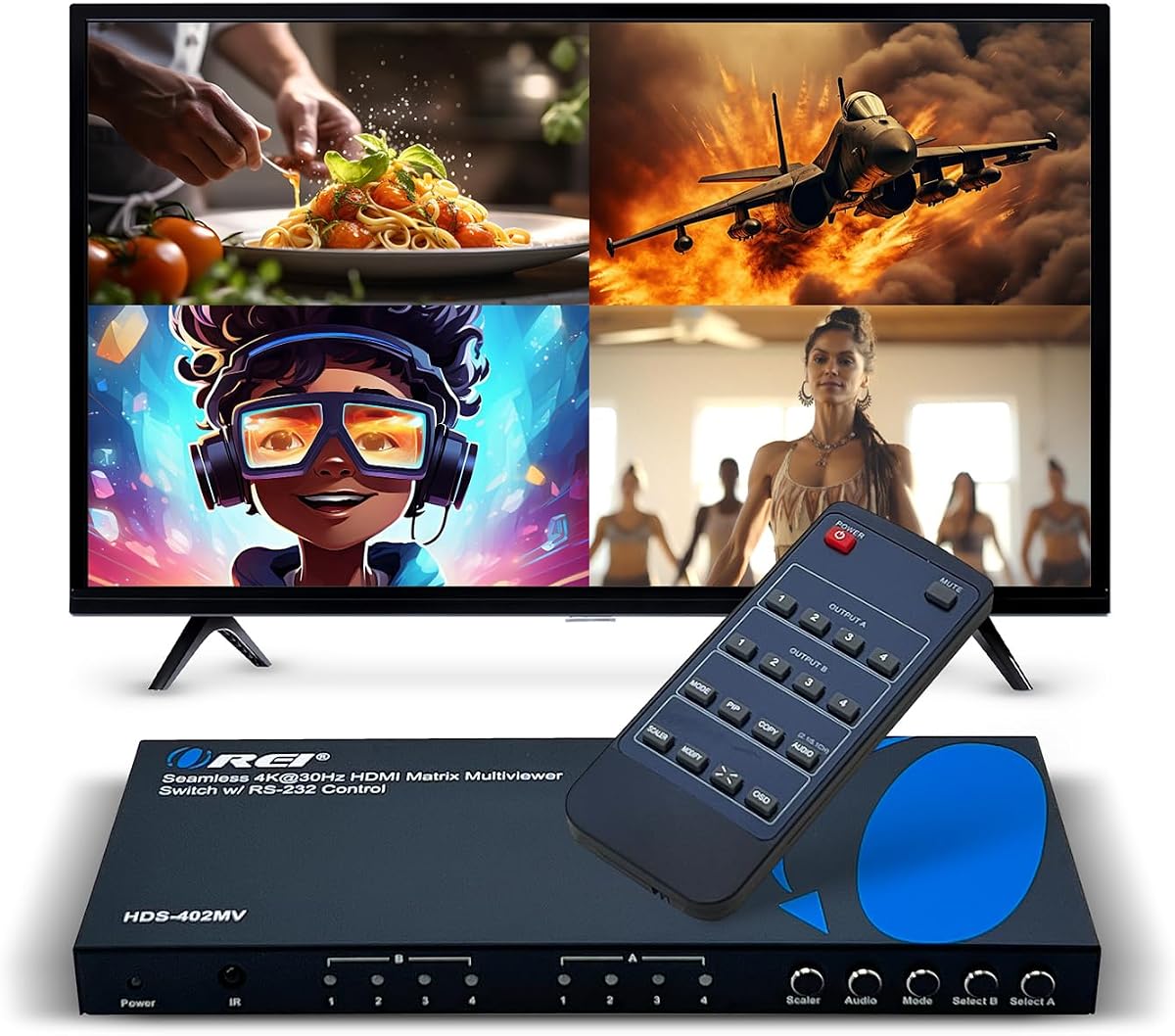
This OREI model steps up the resolution game by supporting 4K at 30Hz, making it a step above standard 1080p multiviewers. It features audio extraction capabilities and RS-232 control for professional integration. The inclusion of EDID management helps maintain signal stability across different displays.
We may earn a commission when you buy through this link, at no additional cost to you.
The device displays up to four HDMI input sources on one screen with real-time switching. It supports various audio formats like DTS and Dolby Digital, ensuring sound quality remains intact. The dual voltage supply makes it suitable for international use with the provided adapter.
While the 4K support is impressive, it is capped at 30Hz which may limit smooth motion in fast-paced content. The RS-232 control is great for automation but adds complexity for casual users. It remains a strong choice for professional setups needing higher resolution.
Ideal for users needing 4K input with advanced control options, this switch bridges the gap between home and prosumer gear. If your priority is higher resolution and audio flexibility, this model offers robust features to meet those demands.
Integrated audio conversion allows for simultaneous digital and analog outputs, ensuring you can connect to various sound systems without extra hardware.
Supporting 4K at 30Hz allows for sharper image quality compared to standard HD models, benefiting users with 4K monitors or TVs.
We may earn a commission when you buy through this link, at no additional cost to you.
This OREI unit stands out by offering two HDMI outputs instead of one, allowing you to mirror or extend your multiviewer setup to two displays. With a high 4.7 rating, it is praised for its reliability and flexibility. The advanced PIP feature lets you position windows freely on the screen.
We may earn a commission when you buy through this link, at no additional cost to you.
It supports four HDMI input sources and handles resolutions up to 4K at 30Hz. The RS-232 control interface adds professional utility for large systems. You can select sources using the remote, front buttons, or control interface. It includes mounting brackets for secure installation.
The dual output capability is rare in this category and useful for multi-room setups. However, the 4K support is limited to 30Hz which might be a constraint for high frame rate content. It is a premium tool for specialized professional environments.
Best for users needing dual-display monitoring with 4K input, this viewer provides unique versatility. If your setup requires splitting the signal to two screens without losing resolution quality, this model offers the necessary hardware and control options.
With two HDMI output ports, you can connect two monitors simultaneously for mirrored displays or expanded workspace options.
The RS-232 control interface allows for integration into larger automation systems, making it suitable for corporate or security installations.
We may earn a commission when you buy through this link, at no additional cost to you.
This premium OREI viewer supports 4K at 60Hz which is a significant step up for smooth video playback. It features HDCP 2.2 compliance ensuring compatibility with the latest content protection standards. The unit includes RS-232 control for advanced integration into AV systems.
We may earn a commission when you buy through this link, at no additional cost to you.
It supports four HDMI input sources with five display modes. Audio support is extensive including DTS and Dolby formats. The device is compatible with dual voltage power supplies. You can switch sources using the remote or front panel buttons easily.
The 4K at 60Hz capability makes it ideal for high-end gaming and media playback. However the high price point and limited reviews mean you should ensure your setup justifies the investment. It is built for those who need top-tier performance without compromise.
If you need 4K at 60Hz and professional control, this unit delivers high-end performance. It is best suited for users with high-resolution displays and demanding content requirements who want reliable multiviewer functionality.
Supporting 4K at 60Hz ensures smooth motion and high fidelity for modern content and gaming applications requiring higher refresh rates.
Compatible with multiple digital audio formats including DTS and Dolby TrueHD for immersive sound experiences across all channels.
We may earn a commission when you buy through this link, at no additional cost to you.
This multiviewer offers eight viewing modes and supports 4K at 60Hz for high-resolution needs. It features seamless switching which ensures a smooth experience when changing sources. The device supports HDCP 2.2 ensuring compatibility with newer streaming devices and consoles.
We may earn a commission when you buy through this link, at no additional cost to you.
It functions as both a switch and multiviewer with options like quad screen and picture-in-picture. The universal compatibility covers a broad range of devices from security cameras to gaming consoles. You can switch via remote or onboard buttons for convenience.
The high resolution and mode flexibility make it a strong contender for demanding users. However mixed reviews suggest varying experiences with performance or reliability. It is a solid choice if you prioritize mode options and resolution support over brand history.
Ideal for setups requiring high resolution and flexible viewing, this device offers modern features for 4K content. If you need smooth switching and multiple display configurations, this model provides the necessary options for advanced monitoring.
Eight different viewing modes let you customize how inputs appear on the screen to suit different scenarios like meetings or monitoring.
Seamless switching allows for smooth transitions between inputs without interruptions ensuring a professional viewing experience for live feeds.
We may earn a commission when you buy through this link, at no additional cost to you.
This budget-friendly HDMI Multiviewer Switch offers impressive features at an accessible price. With a 4.8 rating, it is praised for its ease of use and flexible modes. It supports 4K at 30Hz in full screen and 1080p at 60Hz in multiviewer mode.
We may earn a commission when you buy through this link, at no additional cost to you.
It offers twelve screen switching modes which is a rare feature for this price range. The device is plug and play requiring no drivers and works with various OS systems. It is compatible with many HDMI devices including consoles and laptops.
While it does not support 4K at 60Hz, the 30Hz option is sufficient for most media. The remote requires batteries not included which is a minor inconvenience. However the value and functionality it provides make it a top contender for home users.
Best for home users wanting high flexibility without breaking the bank, this switch delivers great value. If you need multiple viewing options and basic 4K support, this model offers reliable performance and easy setup for daily use.
With twelve screen switching modes, you have extensive options to arrange your video feeds to suit specific monitoring or entertainment needs.
It works with various operating systems without requiring driver installation ensuring compatibility with most laptops and media devices.
We may earn a commission when you buy through this link, at no additional cost to you.
This J-Tech Digital unit supports 4K at 60Hz with seamless switching for high-quality video. It features eight viewing modes including PiP and PBP for flexible layouts. Audio extraction is supported via RCA and Optical outputs for easy integration into sound systems.
We may earn a commission when you buy through this link, at no additional cost to you.
The device has a durable design with mounting ears for professional installation. It is supported by lifetime technical support from the manufacturer. You can use OSD or PC software to rearrange sources and adjust aspect ratios for precise control.
The 4K at 60Hz support makes it suitable for high-end media and gaming. However the price is high and user feedback is mixed. It is best for those who need professional-grade features and support rather than basic home use.
Ideal for professional environments needing high resolution and audio flexibility, this viewer offers advanced control. If you prioritize high frame rate support and durable build quality, this model delivers strong performance with dedicated manufacturer support.
Equipped with RCA and Optical outputs allowing you to send high-quality sound to external amplifiers or speakers easily.
Use On-Screen Display or PC software to customize window sizes and aspect ratios for a tailored viewing experience.
We may earn a commission when you buy through this link, at no additional cost to you.
This OREI multiviewer supports 1080p and 2K at 60Hz for crisp image quality. It offers five display modes for flexible layouts and includes VGA output for older displays. With a 4.4 rating, it is well-regarded for compatibility with many devices.
We may earn a commission when you buy through this link, at no additional cost to you.
It supports high-quality PCM audio output via both HDMI and 3.5mm connections. The dual voltage supply ensures it works internationally. You can choose sources via IR remote or front panel buttons easily. It is designed for fast seamless switching.
While it does not support 4K, the 2K support offers a good balance for many users. The VGA output makes it versatile for mixed setups. It is a reliable unit for home or office environments needing multiple video inputs.
Best for users needing solid HD and 2K support without 4K costs, this model offers strong value. If you require VGA compatibility and reliable switching, this multiviewer is a dependable choice for daily monitoring.
Includes a VGA output port allowing connection to older monitors or projectors that do not support HDMI directly.
Supports PCM audio output via both HDMI and 3.5mm ensuring you can connect to various speaker systems.
We may earn a commission when you buy through this link, at no additional cost to you.
This advanced matrix allows you to route any input to any output with seamless switching. It supports 4K at 60Hz input and 4K at 30Hz output for high-quality displays. With ten video wall modes, it offers extensive layout options for professional installations.
We may earn a commission when you buy through this link, at no additional cost to you.
It features LAN and web control for remote management via software or web browser. RS-232 is also supported for automation. You can rotate images 180 degrees for flexible display orientation. This unit is ideal for large-scale or corporate environments.
The price is high and setup is complex but the features are unmatched in this list. If you need a full matrix controller with web access this model delivers. It is built for users needing professional-grade flexibility and reliability.
Best for corporate or large setups needing full matrix control, this unit delivers unmatched versatility. If you require routing freedom and remote web access this model offers the necessary hardware and software for advanced video management.
With a 4×4 matrix you can route any input to any output ensuring complete flexibility for any display configuration.
LAN and web control allow you to manage the device remotely via a browser for easy operation without physical access.
We may earn a commission when you buy through this link, at no additional cost to you.
Choosing the right HDMI Multiviewer involves considering resolution support, number of inputs and outputs, and control features.
Resolution support determines the quality of video you can display. Most units support 1080p, but some offer 4K at 30Hz or 60Hz. Higher resolution is essential for detailed images or modern gaming.
Ensure the unit supports your display capabilities to avoid bottlenecks or downscaling issues.
Standard multiviewers have 4 inputs and 1 output, but dual output models exist. More outputs allow you to send the multiviewer signal to multiple screens. This is useful for large rooms or multi-monitor setups.
Check if your setup needs multiple displays before selecting a unit with extra outputs.
Viewing modes dictate how sources are arranged on the screen. Options range from quad views to PIP. More modes provide flexibility for different tasks like monitoring or presentations.
Look for units with at least 5 modes to ensure you can arrange your feeds effectively.
Seamless switching ensures transitions between inputs occur without black screens or lag. This is critical for live feeds or presentations. It is a premium feature found in higher-end models.
If continuous viewing is important prioritize models explicitly advertising seamless switching.
Audio extraction allows you to send sound to external speakers. HDMI audio is often digital, so optical or 3.5mm outputs add compatibility. This is useful for surround sound setups or older audio equipment.
Ensure the unit has the audio output you need if you plan to use external speakers.
Remote controls are standard, but RS-232 or LAN control adds professional utility. These allow automation or integration into larger systems. If you need remote management, look for these features.
Consider your environment and if you need physical buttons or advanced network control.
HDCP compatibility ensures content from streaming services and consoles plays correctly. HDCP 2.2 is required for modern 4K content. Without it some sources may not output video.
Check the HDCP version before buying to ensure your media sources will work.
Durability matters for long-term use. Units with mounting brackets are easier to install. Warranties vary from one year to lifetime. A longer warranty protects against defects and hardware failures.
Prioritize units with solid support and warranty terms to protect your investment.
Connect your HDMI sources to the input ports and your monitor to the output port using high-quality cables. Ensure all devices are powered on before switching modes. Most units will detect signals automatically.
Use the remote or front panel buttons to select your desired viewing mode. Adjust the source selection to prioritize which inputs are active. You can also use software or RS-232 for advanced control.
To maintain performance keep the device in a well-ventilated area. Avoid exposing it to extreme temperatures or humidity. Check cables regularly for damage and ensure ports are clean for consistent signal transmission.
Yes but the output will be downscaled to the monitor's native resolution. You can still view the content but you will not get 4K detail on a 1080p display. Ensure the unit supports downscaling.
Seamless switching avoids black screens or delays when changing inputs. Normal switching may briefly lose signal or wait for a handshake. Seamless switching is better for live feeds or presentations.
Yes you need High Speed HDMI cables to support 4K resolutions. Standard cables may not carry the bandwidth required. Check the specs of your cables to ensure they support 4K at the desired refresh rate.
Yes but keep HDCP compatibility in mind. Most consoles support HDCP 1.4 or 2.2. If your multiviewer matches the console's HDCP version it will work correctly. Some consoles may limit features like PIP.
You need an audio extractor or a multiviewer with audio outputs. Optical or 3.5mm outputs allow you to connect to speakers. Check if your unit handles digital audio correctly.
For home use it is usually not necessary unless you automate your setup. It is more useful for professional environments. You can still use the remote or front buttons for basic control.
This may be due to HDCP handshake issues. Try disconnecting and reconnecting the HDMI cable. Ensure the unit supports your source's HDCP version. Sometimes a quick restart of all devices resolves this.
The ten HDMI Multiviewer models reviewed offer a range of features to suit different needs. From the affordable budget pick to the high-end matrix controller there is something for every setup. Consider resolution and inputs carefully before deciding.
Prioritize what matters most to you whether that is 4K support or flexible audio options. Ensure the unit has enough modes and control features for your workflow. Professional setups may need RS-232 or LAN while home users can stick to remotes.
Remember that availability and prices may vary over time. Always check current listings for the latest offers before buying. With the right device you can enjoy seamless monitoring of multiple video sources on a single display.