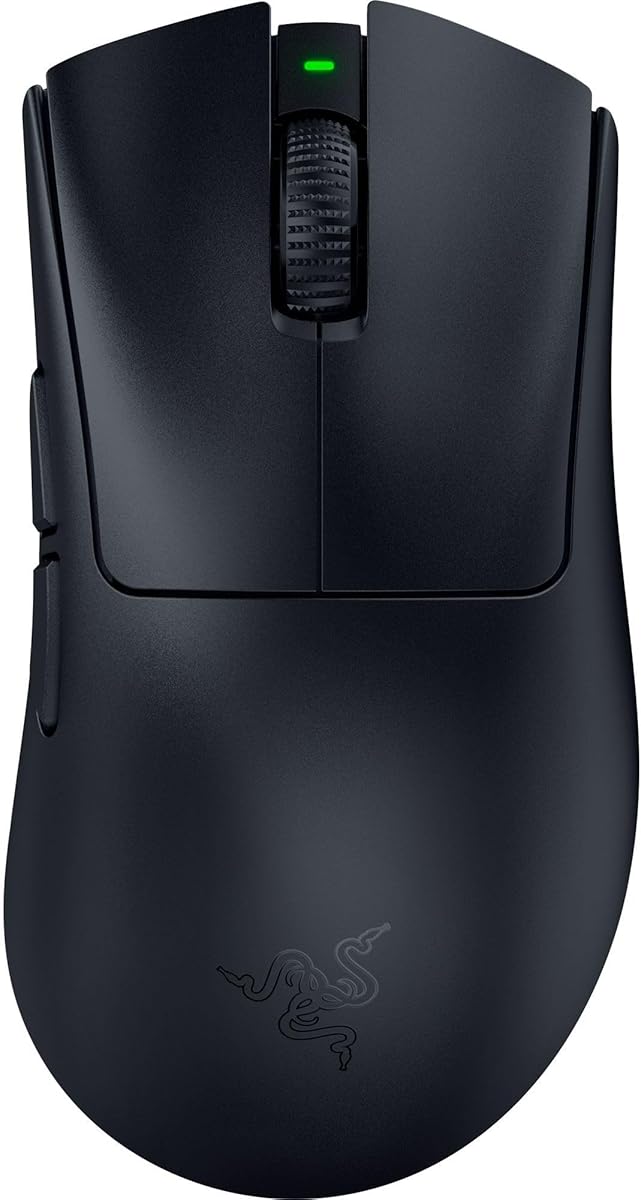
Razer DeathAdder V4 Pro Wireless Gaming Mouse, 8K Polling Rate, 56g, Black
4.4Editor score
45K DPI Focus Pro Sensor
8K Polling Rate Wireless
56 Gram Ultra Light
This guide compares the top ten High Dpi Mouse for 4K Gaming Precision options available in October 2026 featuring detailed specs and expert insights.
Finding the right High Dpi Mouse for 4K Gaming Precision is crucial for competitive players seeking pixel perfect accuracy. Modern sensors offer unprecedented control allowing gamers to execute precise movements without lag or jitter on large displays.
We evaluated ten top rated models based on sensor performance build quality and wireless reliability. Our analysis focuses on DPI accuracy polling rates and ergonomics to ensure each pick delivers the performance needed for high resolution gaming.
Each section below highlights specific strengths and weaknesses to help you choose confidently. Please note that availability and pricing change frequently so verify current details before purchasing your next precision gaming peripheral today.
4.4Editor score

4.4Editor score

4.6Editor score
The following table offers a side by side comparison of all ten selected models highlighting key specifications that impact gaming precision and user experience in 2026.
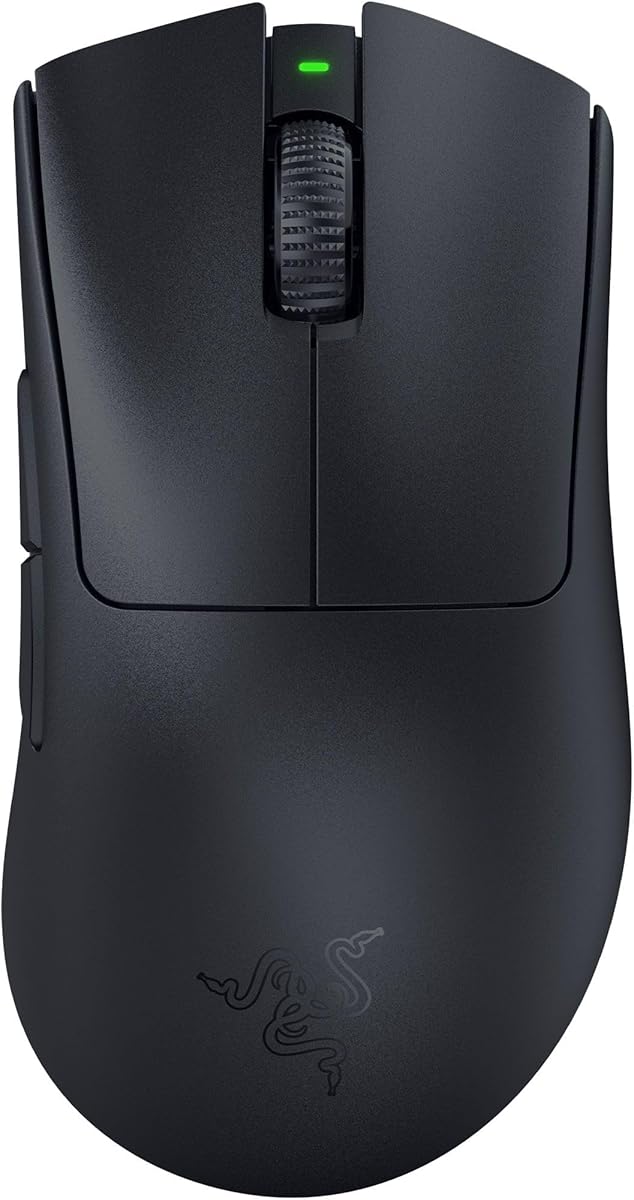




The Razer Basilisk V3 Pro stands out as a top contender for precision gaming with its Focus Pro 35K optical sensor. It delivers flawless tracking across surfaces including glass making it ideal for high DPI setups on 4K monitors.
We may earn a commission when you buy through this link, at no additional cost to you.
Its HyperScroll tilt wheel offers unique versatility allowing users to switch between tactile and free spin modes instantly. The 140 hour battery ensures you can game for days without needing to recharge which is rare for wireless premium mice.
While the weight might be a slight drawback for ultra light seekers the ergonomic design compensates with comfort. The optical switches provide consistent click feedback and durability ensuring your inputs are registered accurately over time.
This mouse is perfect for players who need a balance of speed customization and battery life. If you value precision and ergonomic support the Basilisk V3 Pro delivers an outstanding experience for competitive 4K gaming.
The Focus Pro 35K sensor provides 1 DPI step adjustments for granular aim control essential for sniper rifles in shooters.
With up to 140 hours of continuous play you can extend your gaming sessions without interruption or frequent charging.
We may earn a commission when you buy through this link, at no additional cost to you.
The DeathAdder V3 Pro maintains the iconic shape gamers love while shedding unnecessary weight for faster movements. Its Focus Pro 30K sensor ensures that even at high DPI settings tracking remains smooth and precise on any surface.
We may earn a commission when you buy through this link, at no additional cost to you.
At only 63 grams this mouse is incredibly light yet robust enough for intense sessions. The optical switches eliminate double clicking issues and provide a crisp actuation feel that competitive players appreciate during rapid fire exchanges.
While it lacks some programmable features found in other models its simplicity is a strength for pure aim focused users. The 90 hour battery life keeps you in the game longer than many competitors offering reliable performance without anxiety.
Ideal for FPS fans who prioritize speed and comfort this mouse excels at rapid flicks and tracking. The ergonomic form reduces strain allowing you to maintain focus and precision throughout long tournament matches.
Weighing just 63 grams this design reduces hand fatigue and enables quicker swipes for reactive gameplay.
Partnered with pros this shape supports natural hand positioning for extended gaming without discomfort.
We may earn a commission when you buy through this link, at no additional cost to you.
This model brings the beloved Basilisk V3 into the wireless era with a focus on total control for users. The 10 programmable buttons allow for complex macros and shortcuts making it versatile beyond just gaming scenarios.
We may earn a commission when you buy through this link, at no additional cost to you.
The 13 zone Chroma lighting adds a visual flair that syncs with games enhancing immersion during play. The sensor delivers consistent accuracy across surfaces while the scroll wheel offers tactile or free spin modes based on preference.
Although the RGB can impact battery life the mouse still offers up to 110 hours of usage. The wireless performance remains responsive with low latency ensuring your inputs are registered instantaneously during critical moments.
Best for users who want a balance of style and functionality this mouse offers deep customization options. Its ergonomic design supports comfortable use for hours making it a strong pick for both work and play.
Ten programmable buttons let you assign macros and actions for ultimate control in any game.
Thirteen RGB zones react dynamically with games to create a fully immersive visual experience.
We may earn a commission when you buy through this link, at no additional cost to you.
The DeathAdder V4 Pro represents the pinnacle of ergonomic performance with advanced sensor technology. Its 45K Focus Pro sensor ensures that every micro movement is captured accurately essential for competitive play on high resolution screens.
We may earn a commission when you buy through this link, at no additional cost to you.
Supporting an 8K polling rate in wireless mode provides input response times that match wired peripherals. The optical scroll wheel offers precise tactile feedback which is crucial for weapon switching or scrolling through inventory quickly.
At just 56 grams it is one of the lightest ergonomic mice available reducing fatigue during long sessions. The dual wireless and wired flexibility allows you to switch modes seamlessly without losing performance or responsiveness.
For professionals and enthusiasts demanding the absolute best this mouse offers unmatched control and speed. While expensive it justifies the cost through superior engineering and features that enhance competitive performance significantly.
Input data is sent 8000 times per second for ultra responsive feedback in high stakes scenarios.
Optical technology ensures consistent feedback and durability up to 100 million clicks.
We may earn a commission when you buy through this link, at no additional cost to you.
The Mercury M1 Pro distinguishes itself with a magnesium alloy shell that feels solid and durable in hand. This build quality provides a unique tactile experience appealing to those who value aesthetics alongside gaming performance.
We may earn a commission when you buy through this link, at no additional cost to you.
Tri mode connectivity allows instant switching between Bluetooth 2.4GHz and wired modes ensuring flexibility across different setups. The PAW3395 sensor paired with 4K polling delivers smooth tracking ideal for precision tasks and competitive gaming.
Weighing 88 grams it is heavier than ultra light options but offers a sense of robustness. The 200 hour battery life ensures you rarely need to charge it keeping you focused on your gameplay.
If you appreciate a premium feel and strong battery life this mouse is an excellent choice. It balances style with utility making it suitable for both gaming and professional workstation use effectively.
The sculpted shell offers a distinctive look and solid build quality that stands out from plastic alternatives.
Switch instantly between Bluetooth 2.4G and wired modes for ultimate flexibility in any setup.
We may earn a commission when you buy through this link, at no additional cost to you.
The RS3 ULTRA brings high end specs to a budget friendly price point making it a standout choice. Its carbon fiber hybrid shell provides strength while keeping the weight low for fast movements during intense sessions.
We may earn a commission when you buy through this link, at no additional cost to you.
Supporting up to 8K polling rate in wireless mode it delivers professional level responsiveness without the high cost. The PAW3955MAX sensor offers incredible tracking accuracy and 52K DPI range ensuring precision on any surface.
Battery life is exceptional with up to 800 hours at 1000Hz meaning you rarely need to charge the device. Using a web driver simplifies customization by allowing you to tweak settings without installing desktop software.
This is the top pick for value seekers who do not want to compromise on performance. If you need a high DPI wireless mouse that performs like a premium unit this model is a smart investment.
High end features like 8K polling and carbon fiber are available at a fraction of typical prices.
Browser based driver allows quick customization without cluttering your hard drive with software.
We may earn a commission when you buy through this link, at no additional cost to you.
The G502 Hero is a classic choice for gamers who prefer the stability of a wired connection. Its HERO sensor delivers precise tracking up to 25600 DPI ensuring your movements are translated accurately on screen.
We may earn a commission when you buy through this link, at no additional cost to you.
The adjustable weight system lets you tailor the feel of the mouse to your preference perfectly. With 11 programmable buttons you can map every command you need for a fully customized gaming experience.
While the default weight might feel heavy to some the modular design allows you to remove weights for a lighter feel. The dual mode scroll wheel offers both precision and speed making it versatile for various tasks.
For users seeking reliability and customization this mouse remains a benchmark in the industry. It is ideal for those who value consistent input and ergonomic comfort over wireless freedom.
The next gen HERO sensor tracks movement with zero smoothing for pixel perfect precision.
Customize the weight and balance to match your personal playing style and grip preferences.
We may earn a commission when you buy through this link, at no additional cost to you.
The M916 Wireless offers an ultra lightweight design at just 49 grams allowing for rapid movements and flicks. Its 4K report rate ensures low latency performance making it suitable for competitive shooters and fast paced games.
We may earn a commission when you buy through this link, at no additional cost to you.
With tri mode connectivity you can switch between Bluetooth 2.4G and wired easily for different scenarios. The 26K DPI sensor provides accurate tracking ensuring that your aim stays true even during high speed maneuvers.
Although the software is not as advanced as premium brands it covers the essentials for remapping keys. The ergonomic shape fits comfortably in the hand reducing strain during extended sessions of work or play.
This is a great option for those seeking light weight without breaking the bank. If you want performance that rivals expensive models but at a lower price this is a solid contender.
At 49 grams the design allows for effortless aiming and reduces fatigue significantly.
4000Hz report rate ensures your actions are registered instantly for precise control.
We may earn a commission when you buy through this link, at no additional cost to you.
The Basilisk V3 Wired combines the beloved ergonomic form with zero latency performance for consistent inputs. Its Focus Plus 26K DPI sensor tracks movements flawlessly making it a reliable choice for high DPI gamers.
We may earn a commission when you buy through this link, at no additional cost to you.
The HyperScroll tilt wheel adds a layer of utility allowing you to scroll through pages or maps quickly. With 11 programmable buttons you can map macros and actions that streamline your workflow or gameplay.
Although it uses a cable the braided design ensures durability and reduces tangling. The RGB lighting adds a personalized touch that syncs with your other peripherals creating a cohesive setup aesthetic.
For users who prioritize ergonomic comfort and wired reliability this mouse is ideal. It balances features with ease of use making it accessible for both casual and competitive players effectively.
The signature shape supports the hand naturally reducing strain during long gaming sessions.
Free spin or tactile modes let you choose the scrolling experience that fits best.
We may earn a commission when you buy through this link, at no additional cost to you.
The G703 Lightspeed offers professional responsiveness with its LIGHTSPEED wireless technology ensuring no lag during gameplay. The HERO 25K sensor provides high precision tracking making it suitable for demanding precision gaming tasks.
We may earn a commission when you buy through this link, at no additional cost to you.
With POWERPLAY compatibility you can keep the mouse charged while using it if you have the separate mat. The ergonomic design fits comfortably in the hand with rubber side grips providing secure control during rapid movements.
Battery life supports extended play sessions which is crucial for long gaming marathons or work days. The advanced button tensioning system ensures consistent click feedback every time you press a button.
This mouse is perfect for those seeking a reliable wireless experience with proven performance. Its compatibility with charging systems makes it a practical choice for users who want uninterrupted usage.
LIGHTSPEED technology delivers input speeds that rival wired mice for competitive play.
Compatible with POWERPLAY charging systems for uninterrupted power during use.
We may earn a commission when you buy through this link, at no additional cost to you.
Selecting the right mouse requires understanding key factors that impact performance and comfort. This section breaks down the essential elements to consider before making your purchase.
Sensor quality is the most critical factor for precision gaming. Look for sensors with high DPI capabilities and low latency to ensure your movements translate accurately on screen.
Always choose a mouse with a reputable sensor that supports 1 DPI steps for granular control.
Polling rate determines how often the mouse sends data to your computer. Higher rates like 8KHz offer faster response times which can be the difference between winning and losing.
Prioritize models that support at least 1000Hz polling with options to upgrade to 4K or 8K.
The shape and size of the mouse must fit your hand naturally. An ergonomic design reduces fatigue during long sessions and improves overall comfort significantly.
Test shapes in person if possible or check return policies to ensure a perfect fit.
Decide between wireless and wired options based on your needs. Wireless mice offer freedom but ensure they have low latency tech to avoid lag.
Wired mice are always reliable but can limit movement with cable drag.
For wireless models battery life impacts how often you need to recharge. Look for models that offer over 50 hours of continuous play to avoid interruptions.
Some models offer power saving modes that extend battery life for extended gaming marathons.
Programmable buttons allow you to map macros and actions specific to your games. This versatility can give you a competitive edge by speeding up your workflows.
Ensure the software is intuitive and allows complex command assignments for full control.
Materials and construction affect durability and feel. Look for high quality plastics or metals that resist wear over time.
Opt for mice with rated switch lifecycles to ensure longevity of performance.
Some sensors perform better on specific surfaces. If you use glass or reflective surfaces ensure the mouse supports tracking on those materials.
Check product specs for surface recommendations to avoid tracking issues during gameplay.
Start by calibrating your mouse settings in the operating system. Disable enhance pointer precision to ensure raw data tracking which is vital for muscle memory.
Regularly clean the sensor lens and mouse feet to maintain smooth movement. Dust can interfere with tracking and cause jitter on the screen.
Update firmware frequently to ensure your mouse benefits from performance improvements. This ensures stability and compatibility with the latest games.
For 4K monitors a DPI range of 1600 to 3200 is ideal. Higher DPI allows you to track movements easily on large displays without moving your hand excessively.
Yes optical switches eliminate debounce delay and reduce wear from physical contact. They offer faster actuation and longer lifespans for consistent performance.
Wired mice do not require batteries so battery life is irrelevant. This ensures uninterrupted play without needing to recharge or manage power.
Absolutely gaming mice often have programmable buttons useful for productivity. Ensure the software supports non gaming tasks to leverage extra controls effectively.
8K polling offers lower latency for competitive play. While not essential for casual users it provides a tangible benefit for pros needing every millisecond.
Use compressed air to remove dust from sensors and crevices. Wipe surfaces with a soft cloth to remove oils without scratching the finish.
Yes a quality mouse pad improves tracking consistency. Fabric pads offer speed while hard pads offer precision and control for different play styles.
Lift off distance is how high the mouse can move before tracking stops. Lower values prevent accidental tracking repositions on the pad.
We have reviewed ten outstanding options ranging from budget picks to premium models for every need. Our top choices balance sensor precision with ergonomics to deliver consistent performance.
Prioritize sensor accuracy and polling rate over extra features if your main goal is competitive play. A reliable foundation ensures your skills are not hindered by hardware limitations.
Remember to check current pricing and availability as deals change frequently. Invest in the model that best fits your grip style and budget for the best results.