
SANSUI 24 Inch Curved 160Hz Gaming Monitor
4.4Editor score
160Hz Refresh Rate
1500R Curved Panel
1ms MPRT Response
Finding the right curved 160Hz gaming monitor can transform your setup by delivering smooth motion and immersive visuals. These screens combine high refresh rates with curvature to reduce eye strain and enhance focus during intense gaming sessions.
We evaluated ten models based on panel quality, refresh rate consistency, response times, and connectivity options. Each product offers unique features like varying curvature radii, resolution options, and adaptive sync technologies to suit different player needs.
Each pick below highlights specific strengths such as budget value, ultra-wide immersion, or premium color accuracy. Please note that specifications and availability may change, so verify current details before making your final decision.
4.4Editor score
4.5Editor score

4.6Editor score
As an Amazon Associate we earn from qualifying purchases.
This side-by-side comparison outlines the key specifications and features of each monitor to help you decide which model fits your specific gaming or workstation requirements most effectively.






The SANSUI 24 Inch Curved Gaming Monitor offers a compelling entry point into high refresh rate gaming. With a 4.4 user rating, it balances cost and performance effectively for casual gamers seeking smooth visuals without breaking the bank.
We may earn a commission when you buy through this link, at no additional cost to you.
Its 160Hz refresh rate ensures fluid motion in fast-paced titles like shooters or racing games. The 1500R curved panel wraps around your field of view to reduce eye strain during long sessions while enhancing immersion significantly.
Trade-offs include the absence of speakers and limited connectivity options compared to premium models. However, for users focused purely on performance per dollar, these compromises are acceptable given the reliable VA panel performance.
This monitor is ideal for budget-conscious gamers or those upgrading from older 60Hz screens. It delivers essential features like FreeSync and low response times, making it a solid choice for entry-level setups.
The 160Hz refresh rate delivers significantly smoother gameplay than standard 60Hz displays, reducing motion blur and input lag effectively.
A 1500R curvature matches the natural field of view reducing eye strain and increasing focus during extended gaming sessions.
We may earn a commission when you buy through this link, at no additional cost to you.
The SANSUI 27 Inch model expands the screen real estate to 27 inches while maintaining the 160Hz refresh rate. This size provides more room for HUDs and maps in competitive games without increasing the price significantly.
We may earn a commission when you buy through this link, at no additional cost to you.
Features like a 4000:1 contrast ratio offer deeper blacks and richer colors typical of VA panels. The included game assistant tools like crosshair and timer help players track performance and improve precision during matches.
While it supports HDR, the mode is restricted to HDMI connections which limits flexibility. Additionally, the 1080p resolution at 27 inches may appear slightly less sharp compared to higher resolution alternatives.
This monitor suits gamers who prioritize screen size over pixel density. It is an excellent upgrade path for those wanting a bigger view and higher refresh rate without investing in 1440p hardware.
Moving to a 27 inch display offers more workspace for multitasking and a wider field of view in immersive gaming environments.
A 4000:1 contrast ratio ensures deep blacks and vibrant colors making dark scenes in games appear more detailed and realistic.
We may earn a commission when you buy through this link, at no additional cost to you.
The SANSUI 24 Inch Curved Gaming Monitor stands out with improved color coverage claiming 97% DCI-P3. This makes it a better option for content creators or gamers who value accurate colors alongside high refresh rates.
We may earn a commission when you buy through this link, at no additional cost to you.
With a 160Hz refresh rate and 1ms response time, motion remains sharp and responsive. Flicker-free technology helps reduce eye fatigue allowing you to play longer sessions without discomfort or strain on the eyes.
It lacks built-in speakers but includes an HDMI cable for immediate setup. The stand offers tilt adjustment which is standard but might not suit users seeking height or swivel adjustments out of the box.
This model is great for users wanting better color performance on a budget. It balances gaming speed with visual fidelity making it versatile for both entertainment and creative tasks.
With 97% DCI-P3 coverage this monitor renders more vivid and accurate colors compared to standard sRGB displays in this price range.
Flicker-free technology minimizes screen flickering which reduces eye strain and headaches during extended usage periods.
We may earn a commission when you buy through this link, at no additional cost to you.
The CRUA 32 Inch 4K Monitor delivers exceptional clarity with a 4K UHD resolution combined with a 160Hz refresh rate. This combination provides incredibly sharp visuals suitable for detailed games and media consumption.
We may earn a commission when you buy through this link, at no additional cost to you.
Built-in speakers simplify your desk setup by removing the need for external audio. The 32 inch screen offers a massive view that is perfect for open-world games where environmental details matter most.
However driving 4K at 160Hz requires a powerful graphics card which may increase your overall system cost. Also the price is higher than 1080p models reflecting the premium resolution and larger panel size.
This monitor is best for users with high-end PCs looking for a single all-in-one display. It delivers top-tier visual fidelity without needing external speakers or additional setup hassles.
The 4K resolution offers four times the pixel density of 1080p making textures and text appear razor sharp and detailed.
Integrated speakers provide decent sound quality without adding extra clutter to your workspace or requiring separate power cables.
We may earn a commission when you buy through this link, at no additional cost to you.
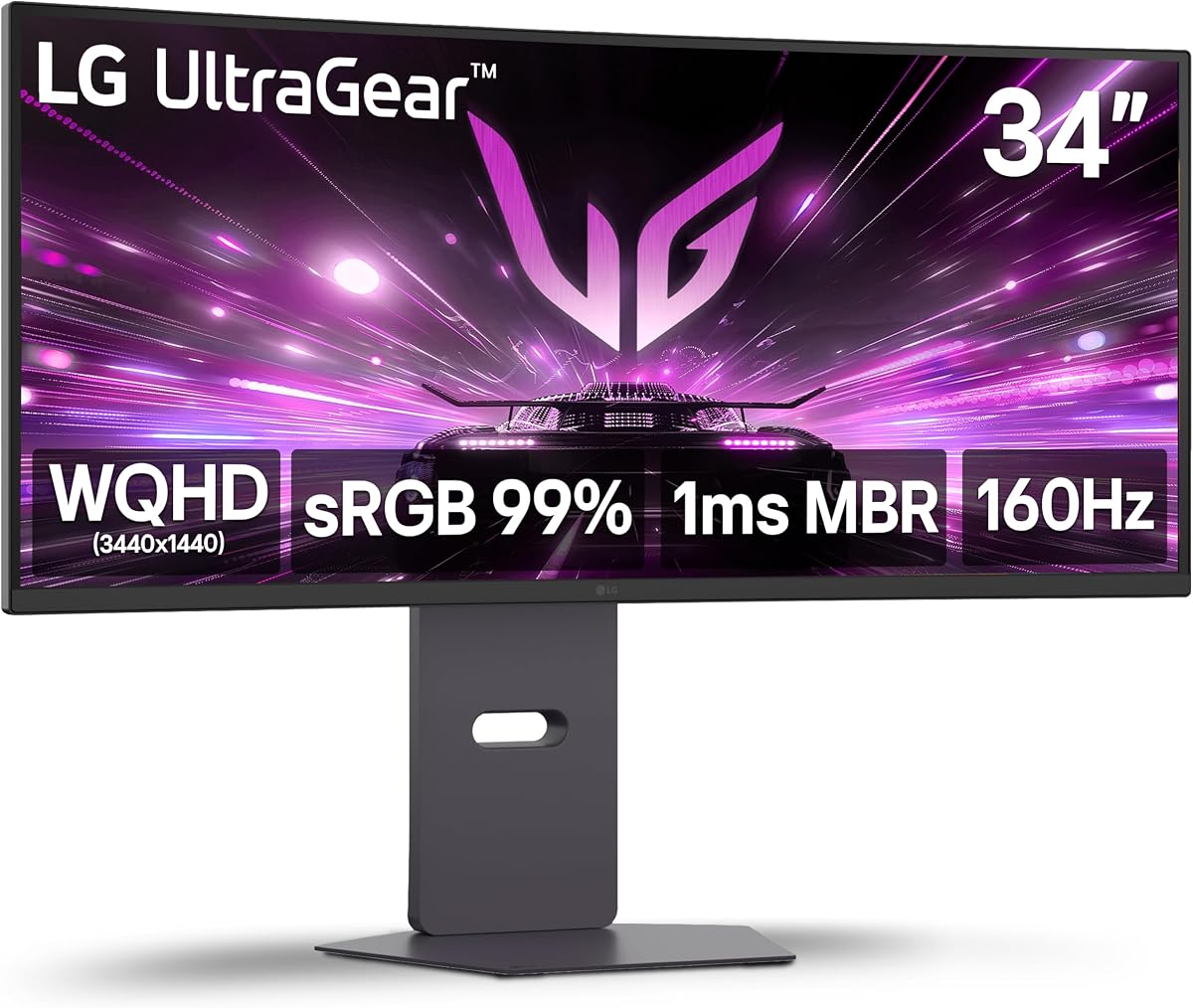
The LG UltraGear 34-inch model is a top-tier choice offering a 3440×1440 resolution and a wide 21:9 aspect ratio. This screen shape provides significantly more horizontal space which is perfect for multitasking and immersive gaming experiences.
We may earn a commission when you buy through this link, at no additional cost to you.
It features AMD FreeSync Premium and a 160Hz refresh rate ensuring tear-free gameplay even in HDR scenes. The adjustable stand allows height and swivel adjustments making it easy to find a comfortable viewing position.
While it is priced higher than basic models the build quality and feature set justify the investment. HDR10 support enhances contrast and brightness in supported content bringing more detail to shadows and highlights.
This monitor is ideal for enthusiasts who want a premium ultrawide experience. It combines speed resolution and ergonomics into a single package that performs well for both work and play.
The 21:9 aspect ratio expands your field of view significantly allowing you to see more of the game world and surrounding UI.
The stand supports height tilt and swivel adjustments ensuring you can position the screen perfectly to reduce neck strain during long sessions.
We may earn a commission when you buy through this link, at no additional cost to you.
This renewed version of the LG UltraGear offers the same high-end features as the new model at a reduced cost. Users have given it a perfect 5.0 rating indicating that the refurbishment process maintains excellent quality and performance.
We may earn a commission when you buy through this link, at no additional cost to you.
It retains the 3440×1440 resolution and 160Hz refresh rate ensuring smooth visuals and detailed graphics. Buying renewed is a smart move for budget conscious shoppers who still want premium features without paying full retail price.
The main caveat is that as a renewed item it may have minor cosmetic signs of wear or a shorter warranty. However for many the value gained from saving money makes this a safe and appealing choice.
This monitor is perfect for those seeking premium performance with a lower price tag. It offers a proven track record of satisfaction making it a reliable option for your desk setup.
Buying renewed allows you to access high-end specifications like WQHD and 160Hz without paying the full retail price for a brand new unit.
With a perfect user rating this model has been proven to deliver consistent performance and durability even after refurbishment.
We may earn a commission when you buy through this link, at no additional cost to you.
The Samsung Odyssey G55C features an intense 1000R curvature that matches the human eye for maximum immersion. This aggressive curve wraps the image tightly around your vision making you feel like you are inside the game.
We may earn a commission when you buy through this link, at no additional cost to you.
It runs at 165Hz with a 1ms response time ensuring smooth and fast visuals. Eye Saver Mode and flicker-free technology help keep your eyes comfortable during late night gaming sessions by reducing harmful blue light.
Some users might find the 1000R curve too strong for non-gaming tasks or text work. Additionally while the screen is excellent the stand might not offer the same ergonomic adjustments as premium competitors.
This monitor is best for pure gamers who want maximum immersion. If you prioritize visual impact and speed over ergonomics or multi-use this model delivers an incredible experience.
The 1000R curvature is designed to match the curvature of the human eye creating a highly immersive viewing experience.
Eye Saver Mode reduces blue light emission which helps prevent eye strain and fatigue during extended use.
We may earn a commission when you buy through this link, at no additional cost to you.
The Sceptre 34-inch WQHD monitor offers a high refresh rate up to 180Hz and a wide aspect ratio. This setup provides ample screen space for multitasking and delivers smooth motion for gaming on a budget.
We may earn a commission when you buy through this link, at no additional cost to you.
Features like built-in speakers and LED backcover lights add convenience and style to your setup. The 99% sRGB coverage ensures colors look vivid and accurate across various games and applications.
While it is competitive on paper some users report variability in build quality and stand stability. This is common with budget brands and might require some manual adjustment or desk mounting for best results.
This monitor suits users who want big screen space without spending a fortune. It balances performance and features well making it a good entry point for ultrawide gaming enthusiasts.
With refresh rates reaching 180Hz this monitor can deliver exceptionally smooth motion for competitive gaming and fast action titles.
Built-in speakers reduce cable clutter and allow for immediate audio playback without needing external speakers for basic needs.
We may earn a commission when you buy through this link, at no additional cost to you.
The Alienware 34 Curved Gaming Monitor represents a premium choice with an 180Hz refresh rate and high-quality panel. It is designed to deliver flawless performance with minimal motion blur and excellent color coverage.
We may earn a commission when you buy through this link, at no additional cost to you.
A dedicated console mode ensures the screen adapts perfectly for console gaming making it versatile for PC and console owners. Hardware-based low blue light reduces eye strain while preserving color accuracy better than software solutions.
It carries a higher price tag reflecting its premium construction and features. The stand is large and robust which adds to stability but requires significant desk real estate for proper placement.
This monitor is ideal for enthusiasts seeking the highest quality experience. If you want top-tier performance and build quality for your gaming setup it is a strong investment.
Dedicated console mode optimizes settings specifically for console input reducing lag and enhancing picture quality for next-gen consoles.
Hardware-based low blue light filters harmful light at the panel level maintaining color accuracy while protecting your eyes.
We may earn a commission when you buy through this link, at no additional cost to you.
The AOC 34 Inch Monitor pushes performance limits with a 200Hz refresh rate and a 0.3ms response time. This ensures the fastest possible reaction speed for competitive gamers who need every advantage in fast-paced matches.
We may earn a commission when you buy through this link, at no additional cost to you.
It features an ultrawide WQHD panel with a 1500R curve providing immersive visuals alongside speed. The stand includes height adjustment and swivel capabilities making it ergonomic for long gaming or work sessions.
While the speed is incredible it demands a powerful GPU to utilize the full refresh rate at this resolution. HDR support exists but is limited to contrast enhancement rather than true high dynamic range brightness.
This monitor is perfect for competitive players demanding maximum speed. It combines ultrawide immersion with extreme responsiveness making it a top choice for FPS and MOBA enthusiasts.
A 0.3ms response time minimizes ghosting and blur giving you the clearest image during rapid movements and quick turns.
The 200Hz refresh rate delivers incredibly smooth motion that helps you track enemies and aim more precisely.
We may earn a commission when you buy through this link, at no additional cost to you.
Choosing the right monitor involves balancing several factors to match your gaming style and desk setup. This guide covers key elements to consider for making an informed purchase.
Refresh rate determines how many frames per second the display can show. Higher rates like 160Hz or above ensure smoother motion which is critical for fast games.
Look for models that support 160Hz natively to reduce motion blur and input lag.
Curvature bends the screen to wrap around your vision. Ranging from 1500R to 1000R tighter curves provide more immersion but might look strange from side angles.
Choose a 1500R curve for a balance of immersion and general usability.
VA panels offer deep blacks and high contrast which look great in dark rooms. IPS panels provide better color accuracy and viewing angles but may lack contrast.
Prioritize high sRGB and DCI-P3 coverage for vibrant visuals in games and media.
Response time measures how quickly a pixel changes color. A lower time like 1ms ensures clear images during quick movements without ghosting.
Seek monitors with 1ms MPRT or gray-to-gray specs for competitive gaming performance.
Adaptive sync like FreeSync or G-Sync prevents screen tearing by syncing refresh rates. This ensures smooth visuals even when frame rates fluctuate.
Ensure your graphics card supports the same sync technology as your monitor.
Modern monitors need HDMI 2.0 or DisplayPort 1.4 to support high refresh rates and resolutions. Ensure you have the right cables for your setup.
Verify that at least one port supports 160Hz at your desired resolution.
Adjustable stands allow you to tilt height and swivel the screen to a comfortable viewing angle. This prevents neck strain during long sessions.
Look for stands with full adjustment options to suit your posture needs.
A good warranty protects against defects and dead pixels. Lifetime technical support or money-back guarantees indicate manufacturer confidence.
Choose brands with solid customer support for easier troubleshooting and claims.
Calibrate your settings using the OSD menu to enable adaptive sync and set the refresh rate to maximum. This ensures you get the smoothest visuals and lowest input lag possible.
Clean the screen gently with a microfiber cloth to avoid scratches on the curved glass. Do not use harsh chemicals or press too hard on the surface during cleaning.
Position the monitor at eye level to reduce neck strain and use blue light filters during late night sessions. This helps protect your vision over long term daily use.
Yes 160Hz offers a slight edge in smoothness over 144Hz especially in competitive games. The difference is subtle but noticeable if your hardware can consistently output frames at that speed.
Curvature does not improve performance directly but enhances immersion and reduces eye strain by keeping all edges equidistant. It helps you focus better on the center of the screen.
For 160Hz WQHD (2560×1440) is a sweet spot balancing clarity and performance. Full HD (1080p) is lighter on the GPU while 4K requires high-end hardware to drive smoothly.
Yes these monitors are versatile for work and gaming. The wide aspect ratio offers more screen space for multitasking though text might look slightly curved depending on the model.
Yes you need HDMI 2.0 or DisplayPort 1.4 to reach 160Hz at higher resolutions. Using older cables might cap the refresh rate to lower speeds like 60Hz or 120Hz.
Enable AMD FreeSync or NVIDIA G-Sync in your graphics settings to sync the refresh rate with frame output. This eliminates tearing and stuttering effectively without reducing performance.
The SANSUI budget picks offer incredible value for those entering high refresh gaming while the LG and Alienware models deliver premium experiences for enthusiasts.
Prioritize features like adaptive sync and ergonomic stands to ensure long term comfort and performance. Your choice depends on whether you value immersion resolution or pure speed.
Always check current prices and compatibility before buying to ensure the monitor fits your specific PC setup. Availability and deals change frequently so timing your purchase can save money.