
Maxone 1TB Ultra Slim Portable External Hard Drive HDD USB 3.0 Compatible
4.4Editor score
Ultra slim metal design
USB 3.0 fast transfer
Plug and play ready
This guide compares the top 10 external hard drives for Chromebook to help you find reliable storage with fast USB speeds and plug-and-play compatibility.
Chromebooks are beloved for their simplicity and cloud-first approach, but local storage can fill up quickly. An external hard drive expands your capacity effortlessly, letting you store photos, videos, and projects without constant cleanup or cloud fees.
We evaluated ten popular portable drives based on compatibility with Chrome OS, transfer speeds, build quality, and ease of setup. Our selection focuses on models that require no software installation and work smoothly with Chromebook USB-C or USB-A ports.
Each pick below highlights key strengths and trade-offs so you can match a drive to your needs. Prices and availability fluctuate frequently, so check current listings before purchasing to ensure you get the best value for your budget.
4.4Editor score

4.7Editor score
4.6Editor score
The table below summarizes key specifications for all ten drives we reviewed, including capacity, interface type, and standout features to help you compare at a glance.




The WD Elements Portable stands out with a 4.7 rating and 2TB capacity, ideal for Chromebook users needing reliable cloud backup. Its SuperSpeed USB 3.2 Gen 1 interface ensures quick file transfers without software installation.
We may earn a commission when you buy through this link, at no additional cost to you.
This drive offers vast storage up to 6TB in some models, accommodating photos, videos, and documents effortlessly. The lightweight enclosure makes it perfect for travel, maintaining durability while staying slim.
While it lacks advanced backup software or password protection, these trade-offs are acceptable for most users prioritizing simplicity. The plug-and-play nature means you can use it immediately with your Chromebook.
If you seek a trusted brand with high capacity and straightforward use, the WD Elements is a top choice. It balances performance and portability for everyday Chromebook storage needs effectively.
SuperSpeed USB 3.2 Gen 1 provides up to 5Gbps, letting you move large files quickly without lag.
The small enclosure fits in pockets or bags, ensuring you can carry extra storage wherever you go.
We may earn a commission when you buy through this link, at no additional cost to you.
Maxone delivers a 1TB drive with a sturdy aluminum design, rated 4.4 for its durability and slim profile. It uses USB 3.0 for fast transfers, making it a cost-effective solution for Chromebook storage expansion.
We may earn a commission when you buy through this link, at no additional cost to you.
The anti-scratch metal case keeps the drive cool during use, ensuring stability over time. With a 19-inch cable included, you have enough length to connect comfortably without additional accessories.
Though it lacks USB-C compatibility or advanced features, the budget-friendly price and reliable performance make it a strong contender. The 3-year warranty adds peace of mind for long-term use.
Choose this if you want an affordable, reliable drive that fits in a bag easily. It suits users prioritizing value and basic storage needs without extra frills.
The all-aluminum anti-scratch model provides remarkable strength, protecting your data from daily wear and drops.
Powered directly via USB 3.0, it requires no external power supply, keeping setup simple and portable.
We may earn a commission when you buy through this link, at no additional cost to you.
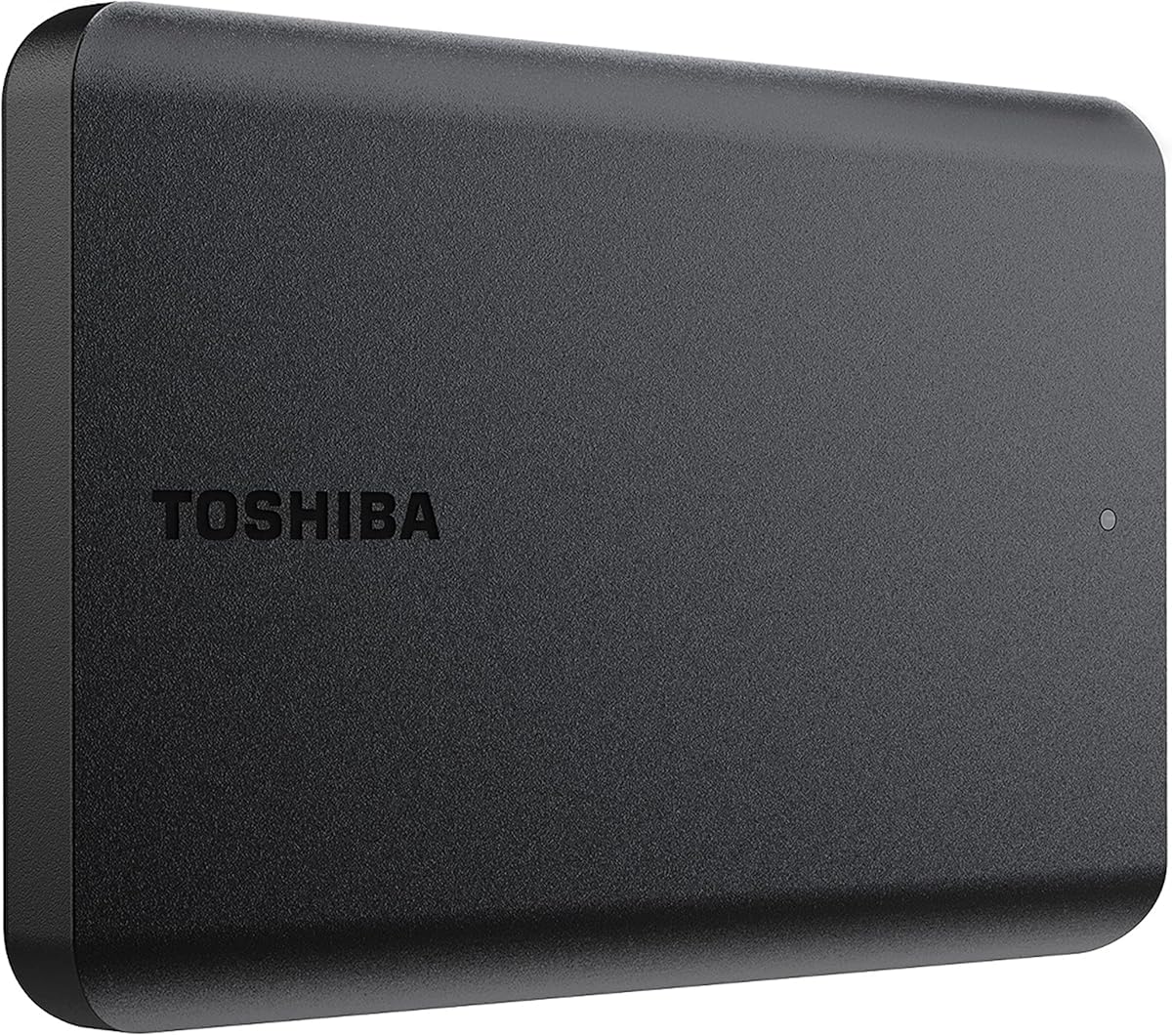
The Toshiba Canvio Basics offers 2TB storage with a sleek, smudge-resistant finish, rated 4.6 for its reliable performance. It connects via USB 3.0 and requires no external power, making it convenient for Chromebook users.
We may earn a commission when you buy through this link, at no additional cost to you.
Its matte finish resists fingerprints, maintaining a professional look over time. The plug-and-play functionality ensures you can start storing files immediately without configuring software or drivers.
Reformatting might be needed for Mac compatibility, and it lacks built-in backup tools. These are minor trade-offs given the durable build and capacity it offers for the price.
This drive is ideal for users seeking a polished, premium look with ample storage. It balances aesthetics and function well for everyday Chromebook backups.
The matte, smudge-resistance finish keeps the drive looking clean and modern, even with frequent handling.
Compatible with USB 3.0 and 2.0 ports, it works with a wide range of devices without extra cables.
We may earn a commission when you buy through this link, at no additional cost to you.
Seagate provides a 2TB portable drive with a 4.6 rating, known for easy setup and compatibility. It uses USB 3.0 to ensure fast transfers, working seamlessly with Chromebooks without extra software.
We may earn a commission when you buy through this link, at no additional cost to you.
The automatic recognition feature lets you connect and start using it immediately. The included 18-inch cable offers reasonable length for desktop or laptop use, though not ideal for tight spaces.
Without password protection or backup tools, it focuses on raw storage and reliability. For users who prefer simplicity over extra features, this drive delivers consistent performance.
Choose this if you trust a well-known brand and need substantial storage. It fits well into a Chromebook workflow for backing up photos and documents.
Connect the drive to your computer for automatic recognition, with no software required to start.
Easily store and access 2TB of content on the go, perfect for Chromebook users needing space.
We may earn a commission when you buy through this link, at no additional cost to you.
This 500GB drive offers a lightweight, portable solution with a 4.3 rating. It uses USB 3.0 for speeds up to 110MB/s, making it quick for small backups on a Chromebook.
We may earn a commission when you buy through this link, at no additional cost to you.
At only 0.35 lbs, it is easy to carry in a pocket or bag. The slim design ensures it does not get in the way during travel or daily use.
While capacity is limited compared to other options, it suits users with basic storage needs. Formatting may be required for Mac systems, but it works well with Windows-based Chrome OS.
Select this if you need an inexpensive, lightweight drive for occasional backups. It is a solid choice for students or travelers with minimal data to store.
Weighing only 0.35 Lbs, this drive is easy to carry and fits in tight spaces without bulk.
The USB 3.0 cable provides theoretical read speeds up to 133MB/s, speeding up file movement.
We may earn a commission when you buy through this link, at no additional cost to you.
Aiolo Innovation offers a 500GB drive with a 4.5 rating, featuring a noise-free solution for quiet operation. It includes a Type-C adapter, making it compatible with newer Chromebook models with USB-C ports.
We may earn a commission when you buy through this link, at no additional cost to you.
The aluminum anti-interference layer protects data and improves heat dissipation, ensuring stable performance. Its ultra-thin design fits easily in a pocket, adding to its portability.
While capacity is limited, the inclusion of an adapter and quiet operation make it stand out. It is well-suited for users who need a silent drive for focus-heavy work.
Choose this if you want a quiet, portable drive with modern connectivity. It provides a good balance of features for basic Chromebook storage needs.
The motherboard adopts a noise-free solution, giving you a quiet working environment during file transfers.
Includes a USB to Type-C adapter, allowing seamless connection to modern laptops and Chromebooks.
We may earn a commission when you buy through this link, at no additional cost to you.
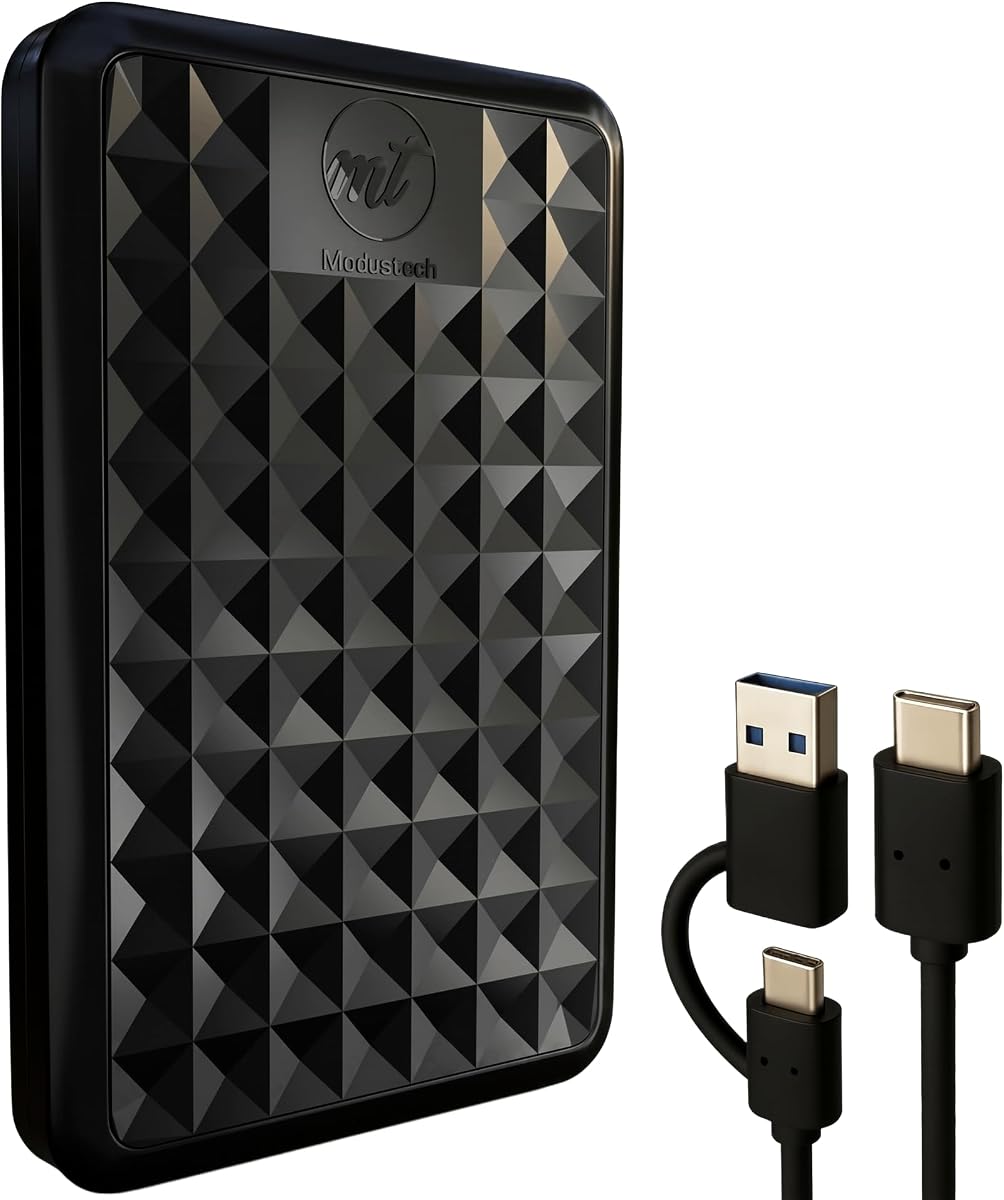
The Facet drive stands out with USB-C and USB 3.1 connectivity, rated 4.1. It ships with a USB-C cable and USB-A adapter, ensuring compatibility with older and newer Chromebooks.
We may earn a commission when you buy through this link, at no additional cost to you.
Preformatted in exFAT, it works out of the box with Windows, macOS, and Chrome OS. The slim shock-resistant casing protects your data while keeping the drive lightweight at 160g.
Though the rating is slightly lower, the modern connectivity and gaming compatibility are strong points. It is a good choice for users with USB-C Chromebooks seeking plug-and-play ease.
Opt for this if you need USB-C support without extra adapters. It provides a practical solution for modern Chromebook storage requirements.
Ships with a USB-C cable and tethered USB-A adapter, connecting to any laptop without buying extra cables.
Preformatted in exFAT and ready to use the moment you plug it in, no drivers needed.
We may earn a commission when you buy through this link, at no additional cost to you.
This 1TB drive explicitly lists Chromebook compatibility, rated 4.3 for stable and fast loading. It uses USB 3.0 for transfer speeds ten times faster than USB 2.0, ensuring quick backups.
We may earn a commission when you buy through this link, at no additional cost to you.
The pocket-sized design fits comfortably in your palm, making it highly portable. Included Type-C adapters allow connection to newer devices, adding versatility to its use.
While it lacks advanced security features, the 3-year warranty adds value. It suits users who want a straightforward drive for personal or office backups.
Pick this if you need a reliable, portable drive that works directly with Chromebooks. It balances capacity and portability for everyday tasks.
Compatible with Windows, Mac, Linux, Android, and Chromebook, it works across most operating systems.
The 3-year warranty with free technical support offers peace of mind for long-term usage.
We may earn a commission when you buy through this link, at no additional cost to you.
UnionSine delivers a 1TB drive with an upgraded design featuring heat dissipation stripes, rated 4.4. The noise-free solution ensures a quiet working environment, ideal for shared spaces.
We may earn a commission when you buy through this link, at no additional cost to you.
Pairing with USB 3.0 provides blazing-fast data transfers, with theoretical read speeds up to 125MB/s. The aluminum anti-interference layer protects data while increasing heat dissipation for stability.
It offers a three-year warranty and free support, adding to its value. For users seeking a quiet, slim drive with good performance, this model is a solid contender.
Choose this if you prioritize quiet operation and heat management. It provides a reliable and portable solution for Chromebook users.
The striped non-slip design and rounded corners improve grip and heat dissipation during use.
Wrapped with an aluminum anti-interference layer to increase heat dissipation and protect your data.
We may earn a commission when you buy through this link, at no additional cost to you.
Toshiba Canvio Advance features a 1TB capacity with 4.6 rating, offering backup and password software. While primarily for Windows, its USB 3.0 performance works well for Chromebook storage expansion.
We may earn a commission when you buy through this link, at no additional cost to you.
The compact design with a textured finish fits your lifestyle and resists fingerprints. Its automatic backup software simplifies protecting your files on supported systems.
The password protection adds security for sensitive data, a bonus many drives lack. However, the software limitations on Chrome OS may require workarounds for full functionality.
Select this if you value added security features despite minor setup hurdles. It is a great option for users seeking more than just basic storage.
Password protection software helps prevent unauthorized access to your data, offering peace of mind.
Automatic backup software makes it easy to back up your content without manual intervention.
We may earn a commission when you buy through this link, at no additional cost to you.
Choosing the right external hard drive for your Chromebook involves evaluating capacity, speed, compatibility, and durability to match your workflow.
Capacity determines how much data you can store. For Chromebooks with limited internal storage, consider at least 1TB to accommodate files, photos, and videos without constant cleanup. If you work with large media files, 2TB or more offers better long-term value.
Prioritize capacity based on your typical data load to avoid frequent drive replacements.
USB 3.0 and USB-C interfaces provide faster transfer speeds, crucial for large backups. USB 3.2 Gen 1 offers up to 5Gbps, ensuring quick file movement. Older USB 2.0 drives are slower and may bottleneck performance on modern Chromebooks.
Look for USB 3.0 or higher to keep workflows efficient.
Ensure the drive works with Chrome OS without drivers. Plug-and-play models formatted in exFAT or FAT32 work seamlessly. Windows NTFS drives may require reformatting, which can erase data, so verify preformatting or plan accordingly.
Choose drives explicitly compatible with Chrome OS for immediate use.
Chromebook users often travel, so portability matters. Slim, lightweight drives fit easily in bags or pockets. Shock-resistant casings protect against drops. Bus-powered drives avoid the need for separate power adapters, reducing clutter.
Opt for compact, bus-powered models to maintain mobility.
Sturdy materials like aluminum help dissipate heat and resist damage. Metal designs often run cooler and last longer than plastic. A durable shell protects internal components during travel, ensuring data safety over time.
Select metal or shock-resistant designs for longevity.
Some drives include backup software or password protection, though often limited to Windows. Chromebook users may not benefit fully from these. Focus on core reliability rather than extra software you cannot easily use on Chrome OS.
Value reliability over unused software features.
A good warranty, such as three years, signals manufacturer confidence and protects your investment. Free technical support helps resolve connection or setup issues quickly. This peace of mind is valuable for external storage.
Check warranty terms and support options before buying.
Prices range from budget-friendly 500GB models to premium 2TB+ options. Determine your needs first. A reliable 1TB drive often balances cost and utility well. Avoid overly cheap drives that may compromise performance or durability.
Invest in a reliable mid-range drive for best value.
To use your drive, connect it directly to your Chromebook USB or USB-C port. Wait for it to appear in the Files app. Drag and drop files to back up data. Eject safely by clicking the eject icon before unplugging.
Keep your drive away from extreme heat, moisture, and direct sunlight. Store it in a protective case when traveling. Avoid dropping or shaking the drive during use to prevent internal damage and data loss.
Periodically check for errors using Chromebook tools and ensure your backups are complete. If you use multiple devices, keep the drive updated. Regular maintenance extends the lifespan and keeps your data safe.
Most modern external hard drives work with Chromebook without drivers. Look for plug-and-play models formatted in exFAT or FAT32. Avoid drives requiring specific software. The Files app recognizes compatible drives automatically.
A 1TB drive suits most users, offering ample space for media and documents. If you work with large files, 2TB provides more breathing room. Consider capacity based on your storage habits and backup needs.
Generally, Chrome OS does not run installed programs from external drives. The drive is best for file storage and backups. Some apps may cache data, but expect external drives primarily for media and document storage.
Yes, USB-C matches Chromebook ports and enables faster speeds with USB-C drives. For USB-A drives, you may need an adapter. USB-C cables often support charging, keeping your setup simple.
Open the Files app, locate the drive in the sidebar, click the three-dot menu, and select Eject. This ensures no files are writing before unplugging. Never unplug without ejecting to avoid data corruption.
Manufacturers use decimal measurements, while systems use binary. A 500GB drive may show as 465GB. This difference is normal due to calculation methods. Ensure your drive is formatted correctly to avoid discrepancies.
Yes, if formatted in a compatible file system like exFAT. This allows use across Windows, macOS, and Chromebook. Avoid NTFS if you need macOS compatibility. Always eject properly before switching devices.
You need a USB-C external drive or an adapter. Many drives come with USB-C cables or adapters. Without one, a USB-C to USB-A adapter is essential. This ensures connectivity without compromising speed or reliability.
Choosing from the top 10 external hard drives for Chromebook in November 2026 ensures you find reliable storage tailored to your needs. The WD Elements leads with capacity and speed, while Maxone offers budget-friendly value.
Prioritize compatibility, speed, and portability to match your workflow. A USB 3.0 or USB-C drive with sufficient space reduces bottlenecks. Check warranty and build quality to safeguard your data long-term.
Prices fluctuate, so review current listings before purchasing. Whether you pick premium or budget options, ensuring plug-and-play compatibility keeps your Chromebook experience seamless and efficient.