
DK177 Magnetic Phone Holder, Laptop or Desktop Monitor Side Mount Phone Holder
4.1Editor score
Affordable price point
Slim portable design
Works with all phones
Discover the 10 best magnetic phone holder for laptop options to boost productivity. We compare features, compatibility, and design for your workspace.
In today’s fast-paced digital workspace, keeping your phone accessible without disrupting your workflow is essential. A magnetic phone holder for laptop allows you to mount your device securely on your monitor or laptop side. This setup enhances multitasking and keeps your hands free for typing or other tasks.
We evaluated ten top-rated models based on magnet strength, build quality, and ease of installation. Each product was analyzed for its ability to support various phone sizes and cases. Our comparison highlights the most reliable options for professionals, students, and Tesla drivers alike.
Every pick in this guide showcases unique features like foldable designs or wireless charging capabilities. Prices fluctuate frequently due to market demand and promotions. Check the current links before purchasing to ensure you get the best deal available today.
4.1Editor score

4.5Editor score

4.0Editor score
This side-by-side comparison details the key specifications and unique attributes of each model. It helps you quickly identify which holder fits your specific laptop type and phone needs.
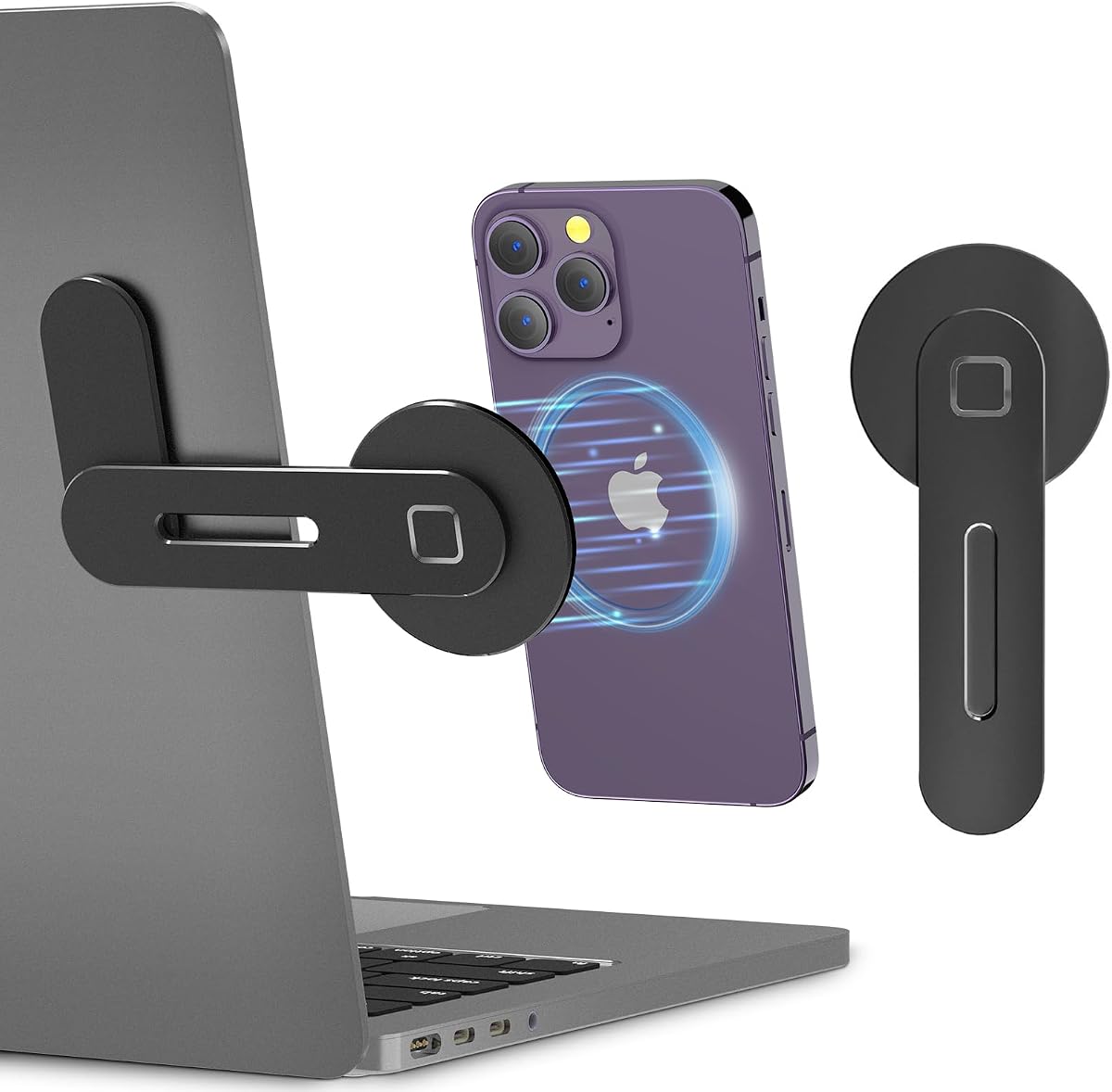


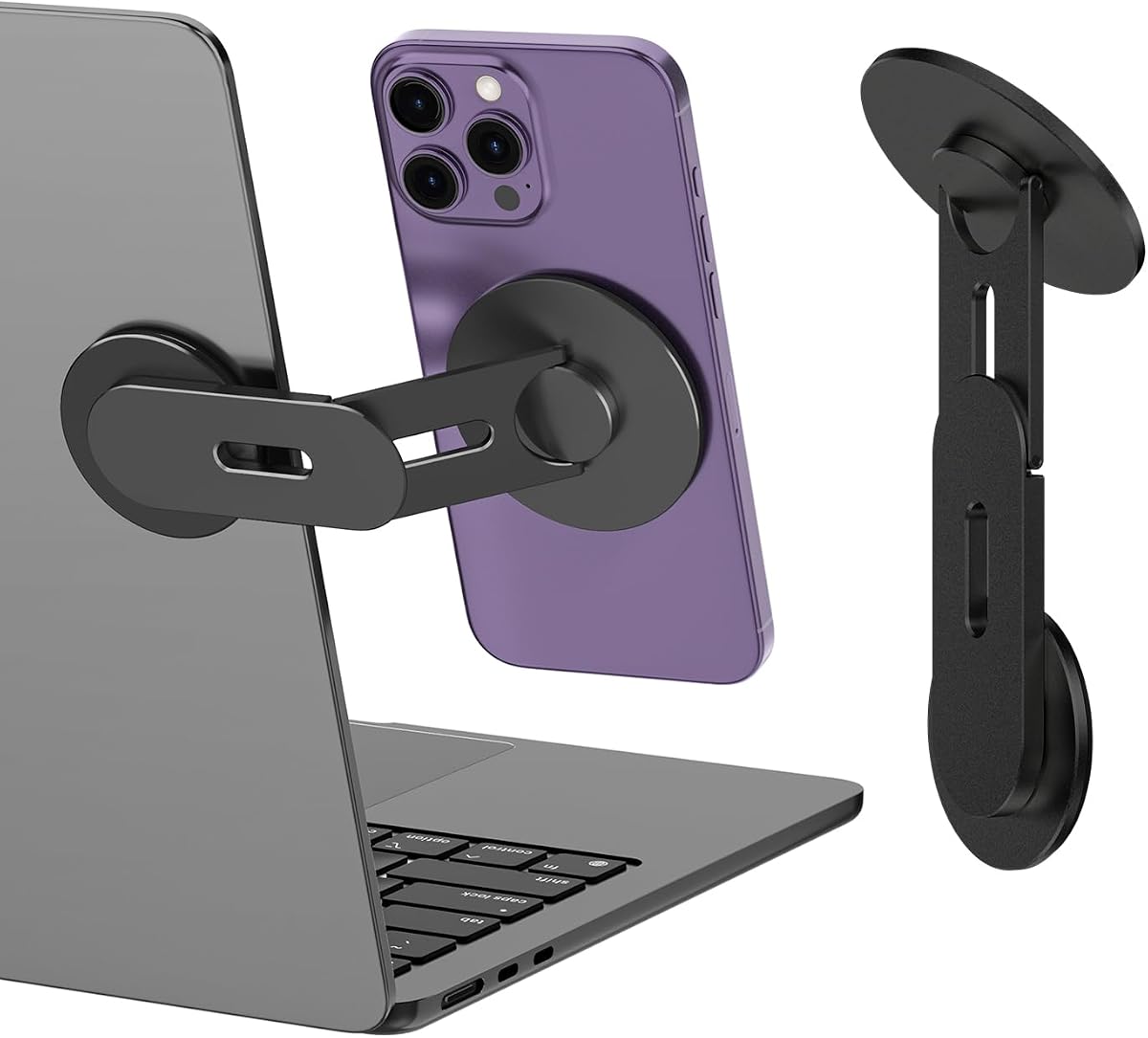


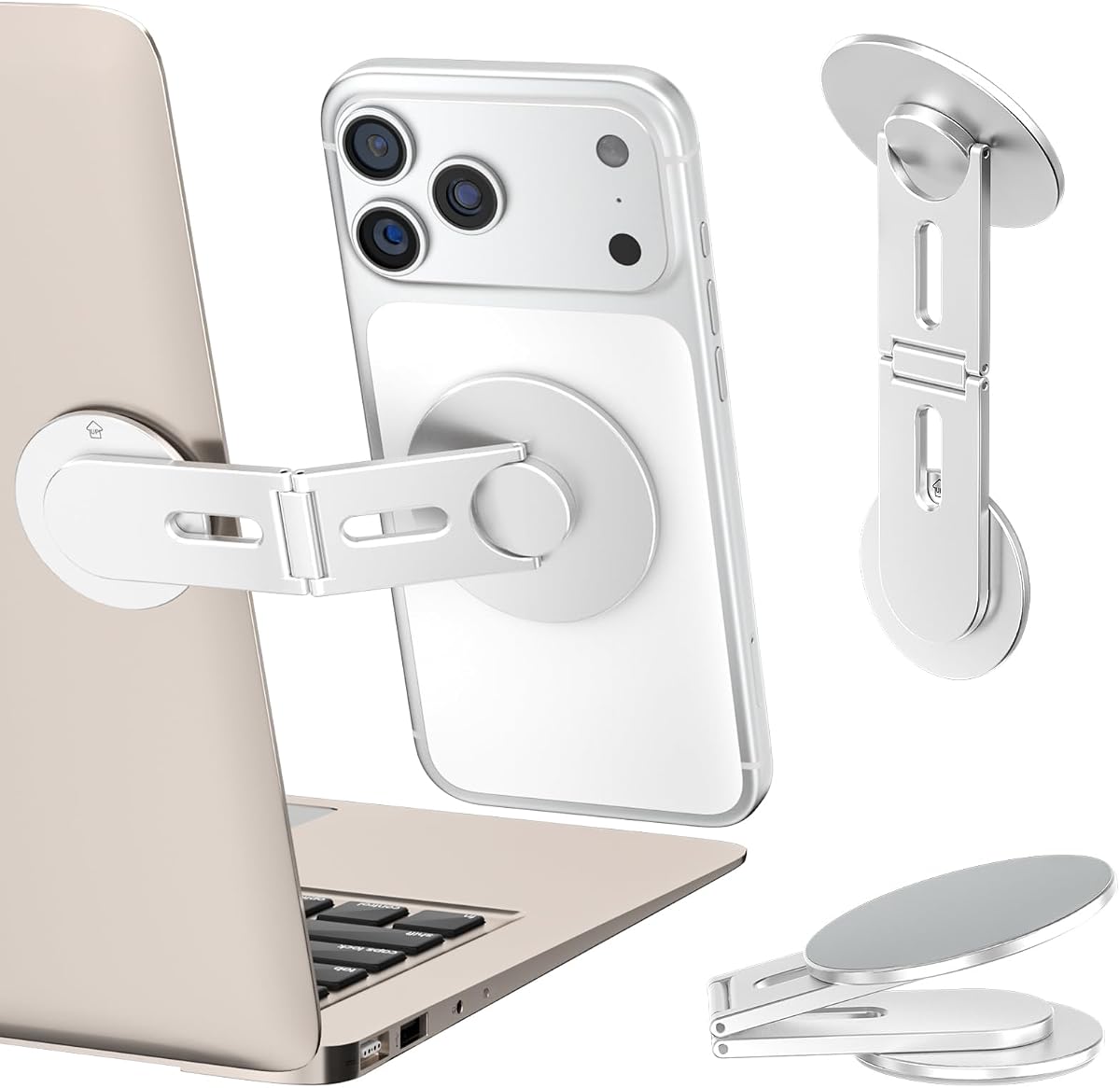
This magnetic phone holder is designed to keep your iPhone securely mounted while you work. It boasts a rating of 4.5 stars and features a unique multi-axis adjustment function that solves the issue of fixed viewing angles. Users find it ideal for freeing their hands during fitness or cooking tasks.
We may earn a commission when you buy through this link, at no additional cost to you.
The mount uses high-quality aluminum alloy for a lightweight and compact design. It integrates seamlessly with your personal computer, presenting a sense of luxury. The magnetic ring supports all Android devices and other gadgets, ensuring broad compatibility. This allows you to focus on work without worrying about your device falling.
One trade-off is the strong 3M adhesive which makes removal difficult. The instructions suggest waiting 30 minutes after installation for the bond to set. However, an extra adhesive plate is provided for reinstallation. This ensures your setup remains stable even during heavy typing or screen adjustments.
It is best for professionals who need a reliable secondary screen setup. The holder allows you to monitor notifications without breaking focus. If you want a sturdy and well-designed mount that integrates with your workspace aesthetics, this is the top choice.
The multi-axis adjustable design allows you to find the best viewing angle for any task.
Made from lightweight aluminum alloy, it feels luxurious and fits well with MacBooks.
We may earn a commission when you buy through this link, at no additional cost to you.
The DK177 is a straightforward solution for those needing a simple and affordable holder. It fits any flat computer display and helps you view messages while working. With a rating of 4.1 stars, it proves reliable for basic multitasking needs.
We may earn a commission when you buy through this link, at no additional cost to you.
Its magnetic expansion bracket allows for multi-display computing experiences without the bulk. The silver finish is slim and portable, making it easy to carry. It also works as a headphone hanger to reduce desk clutter during busy office days.
While it lacks advanced features like charging, its primary function is solid. The adhesive ensures it stays put, and the magnetic hold is strong for standard phones. It is a no-frills option that gets the job done efficiently.
This model is perfect for students or home office users on a tight budget. If you need a basic extension bracket to keep your phone visible without spending much, this is the ideal pick.
A cost-effective way to extend your screen and improve office efficiency immediately.
Can be used as a headphone hanger to eliminate desk clutter effectively.
We may earn a commission when you buy through this link, at no additional cost to you.
This premium model integrates a 15W wireless charger directly into the magnetic mount. It keeps your iPhone powered while you work or drive. With a 4.0 rating, it stands out for its advanced utility and high-end features for Apple users.
We may earn a commission when you buy through this link, at no additional cost to you.
You can connect it to a laptop USB-C port for a steady trickle or use a wall adapter for full speed. The foldable design hides the mount when not in use, maintaining a clean aesthetic. It also supports macOS Continuity Camera features for professional video calls.
The N55 magnets are ultra-strong, ensuring the phone stays secure even during heavy typing. The design works well on the rear of Tesla screens for navigation. While it is pricier, the added convenience of charging is a significant benefit.
Ideal for professionals who want a unified power and display solution. If you need your phone charged and visible simultaneously, this charger-holder hybrid is the top premium choice.
Keep your iPhone powered with 15W fast wireless charging technology during work.
Elevate your video presence on Zoom and Teams using iPhone Continuity Camera.
We may earn a commission when you buy through this link, at no additional cost to you.
This stand uses upgraded magnetic mount technology designed for laptops and monitors. It supports dual-screen interaction to boost office efficiency. The aluminum alloy is high-hardness with CNC precision machining for durability. It has a 4.3 rating for its solid build quality.
We may earn a commission when you buy through this link, at no additional cost to you.
The heat dissipation design prevents overheating, ensuring no signal interference. It includes two metal rings for non-magnetic phones or cases. The matte finish is anti-scratch, looking professional on your desk. It works with all phone models from 12 to 18 series.
Installation uses 3M adhesive which is strong and secure. Once placed, it is difficult to move without losing stickiness. This ensures your phone stays fixed while you work. The foldable arm allows for easy portability when folded.
It is best for those who want a reliable side mount for their MacBook. If dual-screen multitasking is your main goal, this model offers the necessary support and sturdiness.
Support dual-screen interaction on laptops and desktop monitors seamlessly.
Ring-shaped heat dissipation design prevents overheating for long sessions.
We may earn a commission when you buy through this link, at no additional cost to you.
This gray mount helps streamline workflows by fixing your phone on the monitor. It aims to boost processing speed by reducing unnecessary repositioning time. The alignment card makes it easy to locate the magnetic ring. With a 4.4 rating, it is a popular choice for multitaskers.
We may earn a commission when you buy through this link, at no additional cost to you.
The N52 magnets provide robust fixing on flat monitors or Tesla screens. It supports iPhone 12 to 18 series and non-MagSafe phones with a ring. The design is grab-and-go ready for travel or business. It helps keep hands free for other tasks.
The 180° adjustable feature allows for vertical or horizontal viewing. However, the adhesive is non-removable so choose the spot carefully. Instructions warn to wait 6 hours before use to ensure stability. This ensures your phone does not fall during use.
It is best for users who prioritize speed and efficiency. If you handle many threads of work and need quick access to notifications, this mount is highly effective.
Streamline workflows by fixing your phone on the monitor to reduce repositioning time.
Perfectly fits Tesla cars keeping you more focused for safe driving navigation.
We may earn a commission when you buy through this link, at no additional cost to you.
This innovative holder attaches securely to the side of laptops. The foldable arm hides away when not in use for a sleek look. It supports wireless charging and works with most cases. With a 4.4 rating, it is ideal for space-saving setups.
We may earn a commission when you buy through this link, at no additional cost to you.
Setup is instant with peel and stick base for monitors or laptops. The magnetic mount holds the device without wobble. It includes extra metal rings for non-MagSafe phones. The premium aluminum finish ensures durability on any desk.
When folded, it saves space and travels easily with a laptop. This makes it great for business trips or remote meetings. However, it is not a stand with magnetic attachment on both sides so plan accordingly. It remains a robust option for dual screens.
It is best for those who want a clean desk without clutter. If hiding the mount when not in use is a priority, this stand fits the bill perfectly.
The foldable arm hides away when not in use to save space.
Simply peel and stick the base to the back of your laptop.
We may earn a commission when you buy through this link, at no additional cost to you.
This model solves the issue of non-removable mounts with a detachable design. You can detach the base and flip it over to use as a stand. With a 4.4 rating, it offers flexibility for different environments like the gym or kitchen.
We may earn a commission when you buy through this link, at no additional cost to you.
The N52 magnet secures the phone next to the monitor for dual tasks. It works well for video calls on Zoom or Teams. The folded thickness is just 0.67 inches so it is very thin. It includes metal rings for non-MagSafe phones.
Installation involves waiting 6 hours before use to ensure strong bonding. The included cleaning kits help prep surfaces properly. While the adhesive is permanent, the magnetic base allows for versatile repositioning. This unique design stands out in its category.
It is best for users who need a multi-mode stand. If you want a laptop mount that converts to a desktop or wall stand, this model is unique.
The double-sided magnetic design on the base allows it to be detached.
Flip it over to serve as a desktop phone stand when detached.
We may earn a commission when you buy through this link, at no additional cost to you.
This black mount offers 360° rotating capability for flexible viewing. It attaches firmly to laptops and monitors. With a 4.3 rating, it is praised for its ability to improve efficiency. The design supports all cell phones using metal rings.
We may earn a commission when you buy through this link, at no additional cost to you.
The upgrade makes it easy to view messages or answer calls. It allows for dual-screen interaction without hassle. The adhesive base sticks to the back of monitors securely. It fits Tesla Model 3 and other cars as well.
Instructions suggest adsorbing the phone before installing to reserve space. You must rotate the stand arm after installing to reveal the magnetic part. The metal plates are included for Android devices. The compact design is easy to carry.
It is best for users who want full rotational control. If you need to switch between portrait and landscape often, the 360 feature is essential.
This upgraded stand can firmly attach your phone to your laptop.
Designed for all cell phones with support for both MagSafe and non-MagSafe phones.
We may earn a commission when you buy through this link, at no additional cost to you.
This model is designed for iPhone 12 to 18 series and cases. It supports new macOS 13 Ventura systems for continuity cameras. With a 4.1 rating, it works well with MacBooks. It is light and portable for travel or business trips.
We may earn a commission when you buy through this link, at no additional cost to you.
The metal ring attaches to cases without MagSafe for compatibility. It allows you to view text messages or video conferences while working. The setup involves sticking the base to the monitor back. The aluminum alloy material is high-quality.
It is an affordable option for those needing a dedicated mount. The included metal plates ensure it works with Android devices too. Just ensure you wait for the adhesive to set properly for stability. It remains a solid companion for mobile devices.
It is best for those who want continuity camera support. If you use an iPhone as a webcam, this model integrates seamlessly with Apple ecosystems.
Compatible with macOS Ventura to use iPhone as webcam for flexibility.
Light and portable choice for travel and business travel needs.
We may earn a commission when you buy through this link, at no additional cost to you.
This innovative holder features a dual-axis 180° rotation and folding design. It works with Tesla and Hyundai car models effectively. With a 4.3 rating, it ensures a secure fit even on bumpy roads. It is designed for iPhone 12 to 18 series.
We may earn a commission when you buy through this link, at no additional cost to you.
The adhesive is super strong and durable even in extreme temperatures. The N52 magnets provide powerful suction for the phone. It also supports continuous camera features for better video sharing. It is very suitable for travel and business trips.
Once torn off the adhesive leaves no glue residue which is helpful. However, the hinge only allows 180 degrees of rotation. The foldable design keeps it slim when stored. This is a robust choice for those in automotive environments.
It is best for Tesla drivers needing navigation support. If you want a mount that handles car vibration well, this model is excellent.
Fits Tesla Hyundai Model 3/X/Y/S display screen for navigation.
No glue will be left after the 3M adhesive is torn off.
We may earn a commission when you buy through this link, at no additional cost to you.
Choosing the right holder requires considering material, magnets, and compatibility. This guide explains the factors to help you pick the best option.
Look for aluminum alloy which provides durability and a premium look. It resists wear and scratch better than plastic. High-hardness metal ensures the arm stays rigid over time.
Prioritize aluminum for longevity and professional aesthetics.
Magnet strength determines if your phone stays secure. N52 and N55 magnets offer higher holding force. This prevents accidental drops during typing or transport.
Ensure the magnets are rated N52 or higher for stability.
3M adhesive is standard but check if it is removable. Some options leave residue while others do not. If you move devices often, a detachable base is better.
Check adhesive instructions to avoid permanent damage.
Confirm support for your specific iPhone model and case type. Some holders require metal rings for non-MagSafe phones. Universal compatibility allows for wider device support.
Verify iPhone and Android compatibility before buying.
Rotation range impacts your viewing angle. 360 degrees allow portrait and landscape views. 180 degrees offer basic tilt adjustments.
Choose higher degrees for flexible viewing.
Foldable hidden designs save space when not in use. Compact options are better for travel. Non-foldable stands are bulkier.
Opt for foldable designs to save space.
Some models include wireless charging ports. This helps keep battery levels up while viewing. Ensure it supports fast charging speeds.
Select wireless charging for extended usage.
Budget options are cheaper but may lack durability. Premium models offer more features like charging. Evaluate features against cost to find balance.
Compare features to price for best value.
First apply the adhesive to the clean surface of your monitor or laptop. Press firmly and wait for at least 30 minutes or 6 hours as instructed before use to ensure it bonds properly.
Next attach the metal rings to your phone or case if it is not MagSafe. Align the magnetic base with the metal ring to snap your phone securely into place.
Regularly clean the surface of the holder and adhesive to prevent dust from affecting grip. Check the metal rings periodically for any signs of wear to maintain strong adhesion.
Most holders support iPhone 12 to 18 series directly. Non-MagSafe models may require a metal ring. Always check the specific compatibility list for the model you choose.
Standard 3M adhesive is permanent and may leave residue. Detachable options exist but are rarer. If removing, use heat to soften the glue first.
Generally magnets do not interfere with laptops or screens. Modern devices are shielded. However keep it away from credit cards or hard drives.
Only specific models with built-in chargers support this. Standard mounts do not charge. Look for 15W wireless charging features if you need this.
Yes many models work with Tesla screens. Ensure the adhesive is strong for bumpy roads. It allows for hands-free navigation and safety.
Most holders support standard smartphones up to 8 inches. Larger tablets may require extra support. Check the product weight limits in details.
We reviewed ten options ranging from basic brackets to premium charging hybrids. The top picks highlight flexibility, charging, and efficiency boost. Each model serves a different need for your workspace setup.
Prioritize magnet strength and compatibility for your specific devices. Consider whether you need portability or a fixed station. The best choice depends on your daily multitasking requirements.
Prices change frequently so check the current links for up-to-date offers. Ensure the adhesive type matches your needs before purchasing. Stay productive with the right accessory for your laptop.