
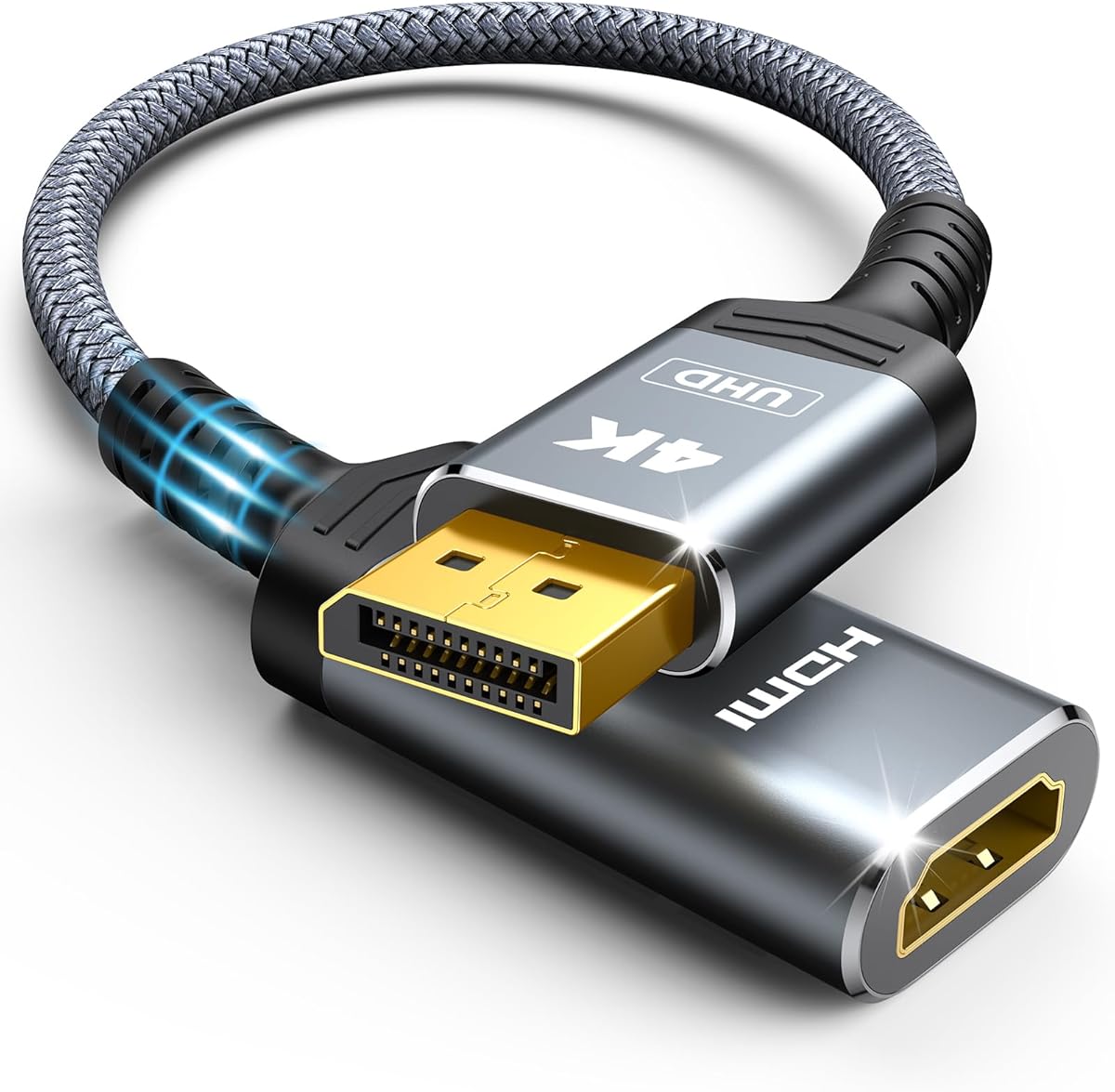
Moread 4K DisplayPort to HDMI Adapter
4.6Editor score
Supports 4K at 30Hz
Gold plated connectors
Compact design
This guide compares the top HDMI to Displayport Converter models for 2026, evaluating resolution support, build quality, and compatibility to help you choose
Connecting modern displays often requires bridging different video standards. An HDMI to Displayport Converter allows you to link HDMI sources to Displayport monitors. This versatility is essential for gaming setups and professional workstations alike.
We evaluated ten leading converters based on resolution support, build durability, and compatibility. Each model was reviewed for signal stability, ease of use, and real-world performance. Our goal is to help you find the most reliable adapter for your needs.
Each pick highlights key strengths and potential limitations to guide your decision. We focus on technical specs and user feedback to ensure accuracy. Please note that availability and pricing can change frequently across retailers.
4.6Editor score
4.6Editor score

5.0Editor score
The following table provides a side-by-side comparison of the top ten converters. It highlights key specifications and performance metrics to assist in your selection process.



The Highwings 4K DisplayPort to HDMI Adapter stands out as a reliable choice for connecting DP sources to HDMI displays. With a solid rating, it delivers consistent performance for streaming and gaming. Its design ensures stable signal transmission over long periods.
We may earn a commission when you buy through this link, at no additional cost to you.
Key strengths include support for 4K resolutions at 30Hz and backward compatibility with lower resolutions. The synchronized audio and video output enhances the immersive experience. Gold-plated ports and a nylon design add to its durability and reliability.
Honest trade-offs involve its passive nature, which limits compatibility with certain docking stations. It is strictly uni-directional from DP to HDMI. Despite these limitations, it offers excellent value for most standard setups.
This adapter is ideal for users needing a dependable DP to HDMI connection for monitors or TVs. It suits office workstations and home entertainment systems. We recommend it for those prioritizing stability and resolution support.
Supports up to 4K@30Hz for crisp visuals.
Military-grade nylon ensures long-lasting flex resistance.
We may earn a commission when you buy through this link, at no additional cost to you.
The BENFEI 4K DisplayPort to HDMI Adapter offers a compact solution for connecting laptops to displays. Its lightweight design makes it easy to carry for presentations. The build quality ensures consistent performance across various resolutions.
We may earn a commission when you buy through this link, at no additional cost to you.
Strengths include the latches design for a secure connection and gold-plated connectors for better transmission. It supports 4K at 30Hz and 1080p at 60Hz. The 18-month warranty provides additional peace of mind for users.
Trade-offs involve a resolution limit of 30Hz for 4K content. It may not suit high-refresh-rate gaming needs. However, it remains a solid choice for general productivity and media consumption.
Best for professionals needing a portable adapter for travel or presentations. It connects well with most DP sources to HDMI displays. We suggest it for users prioritizing portability and secure connections.
Lightweight design fits easily in a laptop bag.
Latches prevent accidental disconnection during use.
We may earn a commission when you buy through this link, at no additional cost to you.
The Cable Matters HDMI to DisplayPort Adapter is an active solution for connecting HDMI sources to DP monitors. It allows laptops with HDMI output to drive DP displays effectively. Active conversion ensures compatibility where passive adapters fail.
We may earn a commission when you buy through this link, at no additional cost to you.
Key strengths include the included USB power cable for stable performance at higher resolutions. It supports 4K at 30Hz and 1080p at 60Hz. The gold-plated connectors and sturdy housing add to its reliability.
Trade-offs involve the need for external power to ensure consistent signal. It is not designed for high-refresh-rate gaming. Still, it is a robust choice for office workstations and home desktops.
Ideal for users needing to connect HDMI laptops to DP monitors. It handles screen mirroring and extension well. We recommend it for setups requiring active conversion support.
Enables HDMI source to DP monitor connections.
USB power ensures signal stability at 4K.
We may earn a commission when you buy through this link, at no additional cost to you.
The Answin HDMI to DisplayPort Adapter excels in high refresh rate support. It connects HDMI consoles to DP monitors effectively. Active conversion ensures smooth gameplay without lag. This model is highly rated for performance.
We may earn a commission when you buy through this link, at no additional cost to you.
Strengths include support for 4K at 60Hz and 2K at 144Hz. It works with various devices like Xbox and PS5. The included USB power cable guarantees stable signal transmission. Plug and play convenience eliminates driver needs.
Trade-offs involve the requirement for a USB power source and a higher price point. These are necessary for the high performance offered. Most users find the investment worthwhile for gaming setups.
Perfect for gamers needing HDMI to DP conversion with high refresh rates. It connects seamlessly to modern consoles. We recommend it for those prioritizing smooth visual experiences.
Supports 4K at 60Hz for smooth gaming.
Compatible with Xbox, PS5, and PCs.
We may earn a commission when you buy through this link, at no additional cost to you.
The Moread 4K DisplayPort to HDMI Adapter provides exceptional value for budget-conscious users. It delivers reliable performance for basic tasks. The design is compact and portable. A 5-year warranty adds significant value.
We may earn a commission when you buy through this link, at no additional cost to you.
Key strengths include support for 4K at 30Hz and 1080p at 60Hz. Gold-plated connectors resist corrosion. The latching connector prevents accidental disconnection. It works well with most DP sources.
Trade-offs involve the resolution limit and passive nature. It may not suit advanced users needing higher refresh rates. However, it offers great value for standard office or home use.
Ideal for users seeking a reliable yet affordable adapter. It connects laptops to monitors efficiently. We suggest it for those needing long-term protection via warranty.
Five years of coverage ensures satisfaction.
Lightweight and easy to store.
We may earn a commission when you buy through this link, at no additional cost to you.
The HDMI to DisplayPort Adapter offers robust performance for gaming setups. It connects consoles to DP monitors effectively. Active conversion ensures stable signals. The aluminum housing aids in heat dissipation.
We may earn a commission when you buy through this link, at no additional cost to you.
Strengths include 4K at 60Hz support and HDCP 2.2 compliance. Gold-plated connectors minimize signal loss. Plug and play functionality simplifies setup. It supports a wide range of HDMI sources.
Trade-offs involve limited support for 1440p at 144Hz. It is incompatible with VR headsets. These limitations are minor compared to its performance strengths.
Best for gamers needing HDMI to DP conversion for consoles. It delivers smooth visuals. We recommend it for those prioritizing resolution and build quality.
Aluminum housing keeps device cool during use.
Gold connectors ensure minimal signal loss.
We may earn a commission when you buy through this link, at no additional cost to you.
The UGREEN 4K DisplayPort to HDMI Adapter 2-Pack offers convenience for multiple setups. Two adapters allow connections for different devices. The compact design is easy to store. Aluminum cases ensure durability.
We may earn a commission when you buy through this link, at no additional cost to you.
Strengths include support for 4K at 30Hz and audio transmission. Aluminum cases improve heat dissipation. The no-buckle design prevents damage. It is suitable for DP sources to HDMI displays.
Trade-offs involve the passive nature limiting advanced features. 30Hz may not satisfy gamers. However, it provides good value for office or home use.
Ideal for users needing multiple adapters for various devices. It simplifies connections. We recommend it for those prioritizing quantity and reliability.
Includes two adapters for multiple connections.
Aluminum cases aid in cooling.
We may earn a commission when you buy through this link, at no additional cost to you.
The UGREEN 4K DisplayPort to HDMI Adapter Cable provides a compact solution for close setups. Its short length avoids clutter. The braided sheath ensures flexibility. It supports high-resolution video and audio.
We may earn a commission when you buy through this link, at no additional cost to you.
Strengths include support for 4K at 30Hz and 1080p at 120Hz. Aluminum housing aids heat dissipation. Strain relief protects the ports. The design is ideal for limited desk space.
Trade-offs involve the short length, which may not reach distant displays. It is strictly DP to HDMI. These are acceptable trade-offs for the flexibility offered.
Best for users needing a short adapter for close connections. It simplifies setup. We recommend it for those prioritizing cable management and flexibility.
Short length prevents desk clutter.
Strain relief ensures long life.
We may earn a commission when you buy through this link, at no additional cost to you.
The BENFEI HDMI to DisplayPort Adapter delivers high-resolution performance for demanding users. It connects HDMI sources to DP monitors effectively. The braided nylon cable adds durability. It supports high refresh rates.
We may earn a commission when you buy through this link, at no additional cost to you.
Strengths include 4K at 60Hz and up to 1080p at 165Hz. Audio support is robust with 8 channels. Aluminum casing aids insulation. It works with various consoles and PCs.
Trade-offs involve the need for USB power and higher price. These are standard for active high-performance adapters. Most users find the performance justifies the cost.
Ideal for users needing high refresh rates and resolution. It connects devices seamlessly. We recommend it for those prioritizing visual quality.
Supports 8 channels for immersive sound.
Supports 165Hz for 1080p.
We may earn a commission when you buy through this link, at no additional cost to you.
The BENFEI HDMI to DisplayPort Adapter offers a versatile solution for connecting HDMI sources to DP displays. It supports high resolutions and refresh rates. The compact design ensures portability. It handles various devices well.
We may earn a commission when you buy through this link, at no additional cost to you.
Strengths include 4K at 60Hz and 2K at 144Hz support. Gold connectors ensure stable signals. Compact design fits easily in bags. The warranty offers protection.
Trade-offs involve the need for power and uni-directionality. These are standard for active adapters. Most users find it reliable for home and office use.
Best for users needing a flexible adapter for HDMI sources. It simplifies connections. We recommend it for those prioritizing performance and warranty.
Works with laptops, consoles, and PCs.
High resolution and refresh rates supported.
We may earn a commission when you buy through this link, at no additional cost to you.
Choosing the right converter requires understanding specific technical needs and compatibility requirements. Here are key factors to consider before purchasing.
HDMI to DisplayPort converters come in two directions. Ensure the adapter converts from HDMI source to DisplayPort monitor if connecting consoles to monitors. Conversely, DP to HDMI adapters connect PCs to TVs.
Always verify the conversion direction matches your setup needs.
Check the maximum resolution supported by the adapter. Most support 4K at 30Hz, but active models offer 60Hz. This determines the clarity and smoothness of your visuals.
Prioritize higher refresh rates for gaming to ensure smooth performance.
Passive adapters rely on native signal conversion, whereas active ones use chips to enable specific formats. Active adapters are often required for HDMI source to DisplayPort connections.
Active converters provide better compatibility for HDMI sources driving DP monitors.
Many active converters require external power via USB cables. This ensures stable signal transmission at higher resolutions. Ensure your power source is available for consistent performance.
Use the included USB cable to prevent signal instability.
Durability depends on materials like aluminum or braided nylon. Gold-plated connectors resist corrosion. Strain relief helps prevent cable damage over time.
Select adapters with robust housing for longevity.
Verify compatibility with your specific devices. Some adapters work with consoles, while others support PCs. Check for HDCP compliance to ensure content protection works.
Ensure the adapter supports your device type and content requirements.
Connect the adapter to your source device first. For HDMI to DP adapters, plug the HDMI end into your console or laptop.
Next, connect a DisplayPort cable from the adapter to your monitor. Ensure connections are secure to prevent signal loss.
Power the adapter if required by connecting the USB cable. Adjust display settings to match the supported resolution and refresh rate.
HDMI to DP adapters convert HDMI signals to DisplayPort format, used for connecting HDMI sources to DP monitors. DP to HDMI adapters work the opposite way for PCs to TVs. They are not interchangeable due to signal direction.
Most modern adapters support 4K, but refresh rates vary. Many support 4K at 30Hz, while active models support 60Hz. Check specifications carefully to ensure your desired resolution and speed are covered.
Active adapters use internal chips for complex conversions like HDMI to DP. Passive adapters rely on native support. Active ones are necessary for certain setups but may require power.
Unstable connections often result from insufficient power or loose cables. Ensure the USB power cable is connected if required. Also check for compatible resolution settings on your device.
Many adapters explicitly state incompatibility with VR headsets. This is due to specific power and signal requirements. Always verify VR support before purchasing.
Most adapters are plug and play with no driver installation needed. They work directly with the operating system. Ensure your OS is updated for best compatibility.
Lifespan varies by build quality and usage frequency. Adapters with metal housing and nylon cables last longer. Regular inspection of connectors helps maintain performance over years.
We have reviewed ten top converters offering various features and price points. From budget-friendly options to premium gaming adapters, each serves specific needs effectively. Choosing the right one depends on your primary use case.
Prioritize resolution and refresh rate support if you game. Active adapters are essential for HDMI sources driving DP monitors. Consider build quality for long-term reliability.
Always check current availability and compatibility before finalizing your purchase. These adapters provide valuable flexibility for diverse setups. With the right choice, your connectivity experience will be seamless.