
Infomir MAG544w3 4K Linux Set-Top Box
4.0Editor score
4K HDR support
Dual-band Wi-Fi
Linux ecosystem
This guide compares the top Freeview Box models for 2026 including converters antennas and streaming boxes to help you find the perfect over-the-air solution
Finding the right Freeview Box can transform your home entertainment setup by granting access to local channels without costly cable subscriptions. Whether you need a simple converter for analog TVs or a modern 4K streaming device this guide covers the essential options available right now.
We evaluated each product based on performance features compatibility and user feedback to ensure you receive reliable information. The list includes digital converters antennas and smart boxes designed to work with various television models and broadcast standards across different regions.
Each pick highlights key specifications and real-world use cases so you can make an informed decision. Keep in mind that availability and pricing may shift over time so always verify details before completing your purchase online or in-store.
4.0Editor score

3.9Editor score

3.8Editor score
The following table provides a side-by-side overview of every product reviewed here. Compare key features and capabilities to identify the model that fits your specific viewing needs and setup requirements.


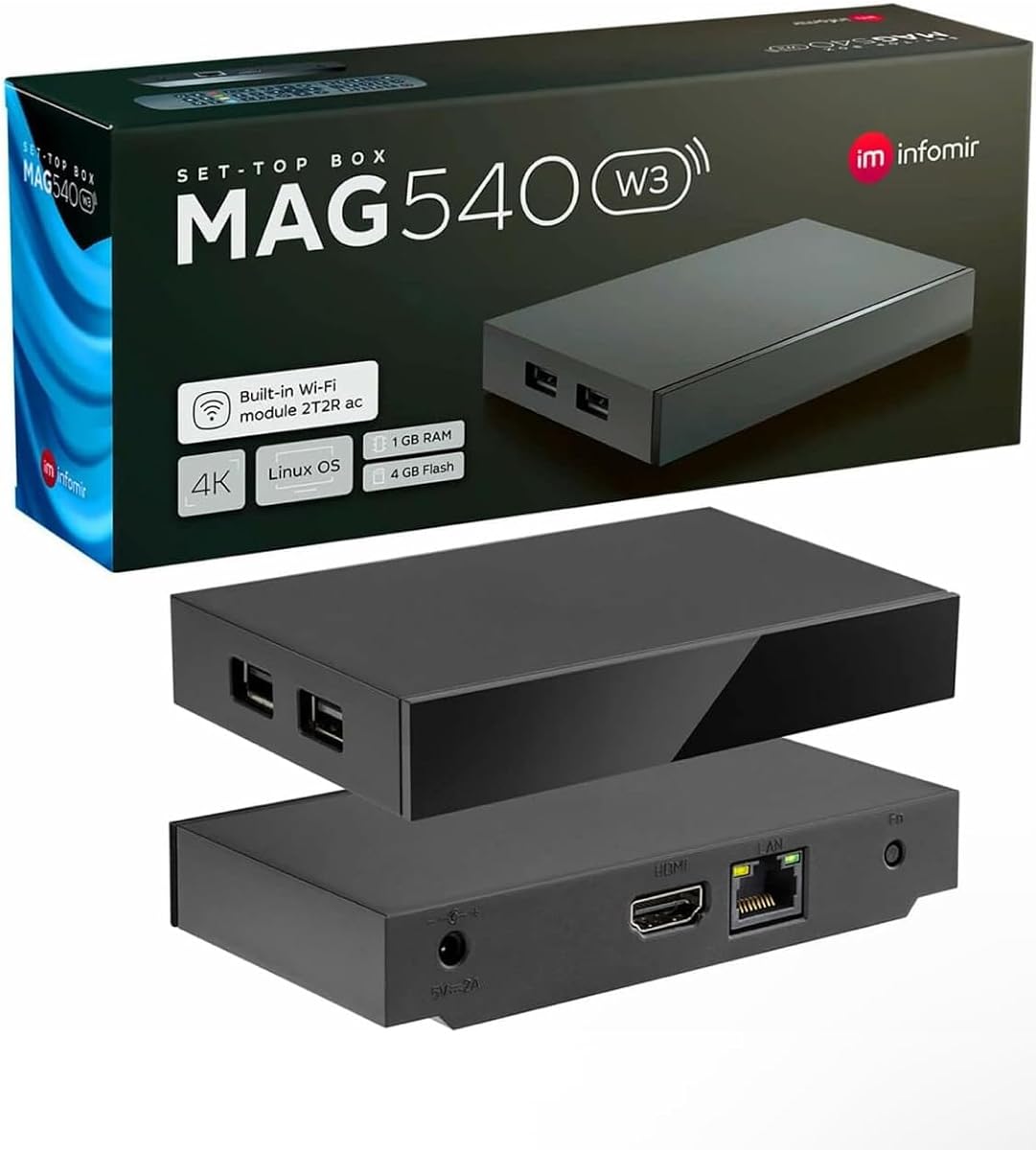
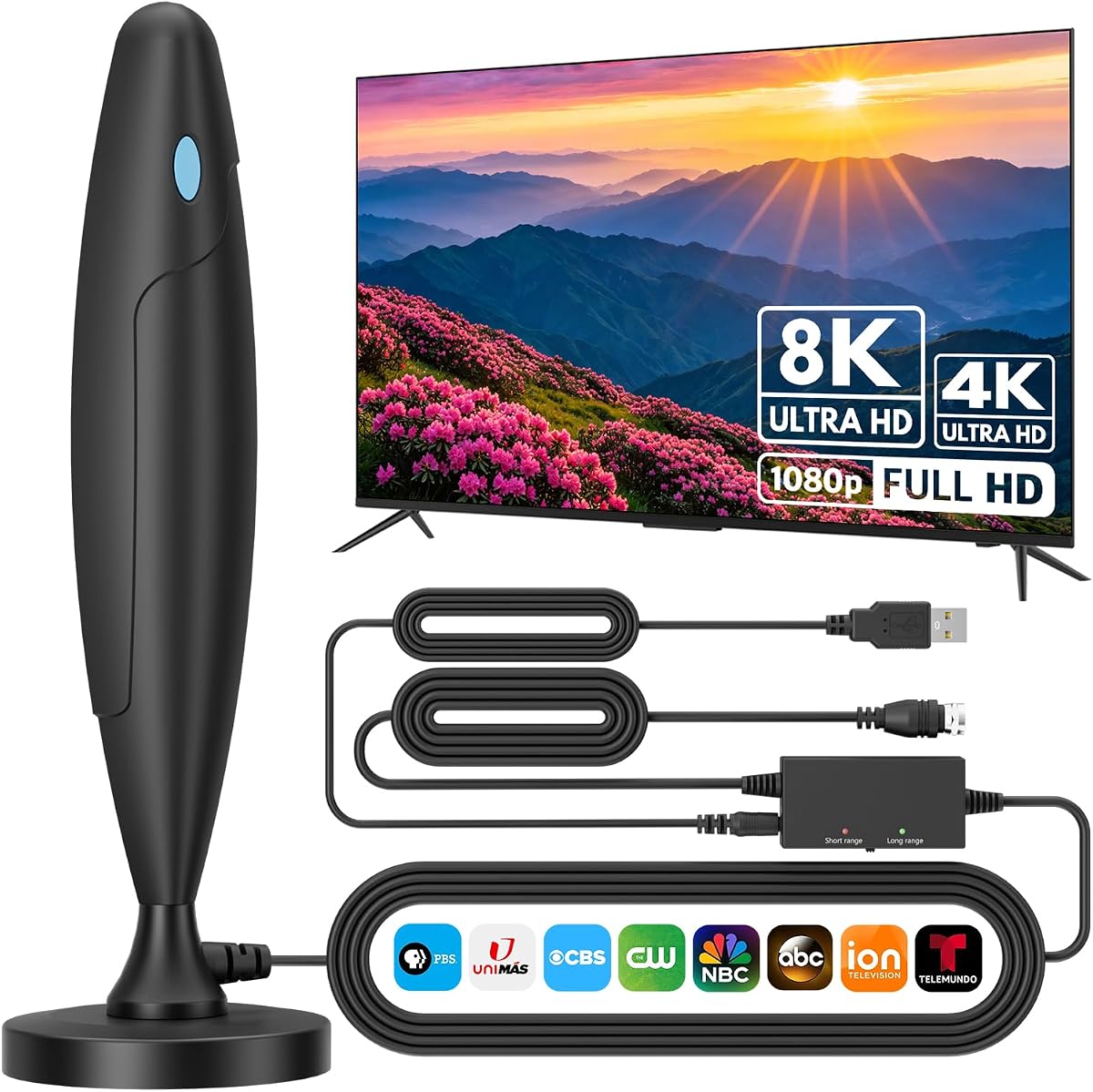


The Infomir MAG544w3 stands out as a high-performance option for users seeking premium viewing quality. With a 4.0 rating from verified buyers it delivers smooth operation for streaming and local media playback alike.
We may earn a commission when you buy through this link, at no additional cost to you.
Its Amlogic S905Y4-B chipset ensures fast processing while the HDMI 2.1 port supports modern display standards. The Linux-based OS offers security and stability ideal for professional setups or enterprise integration needs.
While it excels in hardware capabilities the device requires integration with authorized operators or services. This means casual users might find it less flexible than generic Android boxes but it remains robust for specific use cases.
Choose this model if you demand top-tier performance and plan to use it within a controlled or subscription-based environment. The premium pricing is justified by its superior build quality and reliability.
The device supports HEVC and AV1 codecs for efficient 4K streaming at 60 frames per second ensuring sharp visuals.
Built on Linux 4.9 the box provides a stable environment optimized for official video services and operator applications.
We may earn a commission when you buy through this link, at no additional cost to you.
For budget-conscious shoppers the ZJBOX converter provides a straightforward way to access free over-the-air channels on older televisions. Its 3.8 rating reflects solid functionality for basic viewing needs without excessive complexity.
We may earn a commission when you buy through this link, at no additional cost to you.
The unit supports 1080p resolution and allows recording to an external USB drive. This makes it versatile for watching live shows or saving content for later playback on various devices.
One limitation is the lack of built-in storage meaning you must provide your own hard drive or flash drive. Additionally updates are infrequent so long-term firmware improvements might be limited for advanced users.
This box is perfect for those transitioning from analog to digital broadcasting. It offers essential features at a low cost making it accessible for families needing a simple solution.
Receive and convert ATSC digital signals to formats your older analog TV can display without needing a new set.
Use an external USB storage device to save your favorite programs and watch them anytime at your convenience.
We may earn a commission when you buy through this link, at no additional cost to you.
The OWERSLYN converter earns our Editor's Choice award for balancing performance with convenience in a tiny package. Its 3.9 rating highlights satisfaction among users who value ease of setup and reliable daily operation.
We may earn a commission when you buy through this link, at no additional cost to you.
At 75 percent smaller than standard tuners it hides neatly behind most televisions. The inclusion of both HDMI and RCA cables ensures compatibility with a wide range of TV types including older models.
While it lacks an RF output for old TVs with only coax inputs it covers most modern needs. The remote control can learn signals from other remotes simplifying your entertainment control setup significantly.
Select this model if you want a discreet and capable converter that requires minimal clutter. It offers excellent value and support for those seeking a hassle-free digital TV experience.
Its small footprint lets you place it directly behind your TV reducing visible cables and maintaining a clean look.
Play music and videos from USB drives directly through the box adding extra utility beyond live TV viewing.
We may earn a commission when you buy through this link, at no additional cost to you.
This indoor antenna is an essential companion for any Freeview setup looking to capture local broadcasts without cables. With a 4.2 rating it has impressed users with its ability to pick up clear signals in diverse environments.
We may earn a commission when you buy through this link, at no additional cost to you.
The Smart IC chip helps reduce interference from cellular networks and other electronics. This results in cleaner pictures and more stable channel reception even in areas with moderate signal strength.
Be aware that results depend heavily on your distance from towers and local terrain. You may need to experiment with placement near windows to get the best possible performance for your specific location.
For households wanting free access to ABC CBS and NBC this antenna offers a simple effective solution. It pairs well with digital converters or smart TVs to maximize your viewing options today.
Switch between short and long range modes to optimize reception based on your distance from local broadcast towers.
Setup requires no tools and takes just minutes with clear instructions for scanning channels on your TV.
We may earn a commission when you buy through this link, at no additional cost to you.
The iView 3300STB is a dependable converter that handles both analog and digital inputs efficiently. Its 3.9 rating shows it meets expectations for users needing to keep older TVs functional in a digital world.
We may earn a commission when you buy through this link, at no additional cost to you.
This unit supports ClearQAM which allows it to work with unscrambled cable channels without extra hardware. It also functions as a media player so you can enjoy your own files via USB storage easily.
Note that it is designed for use in the USA Canada and Mexico only. If you live elsewhere this model may not support local broadcast standards and could be incompatible with regional signals.
Consider this box if you have a mix of TV types and need one device to handle multiple signal formats. It offers consistent performance and useful features at a reasonable cost for general users.
The QAM tuner allows you to access basic cable channels without needing a separate cable box from your provider.
Connect portable hard drives up to 4TB to record shows or play media files directly through the device.
We may earn a commission when you buy through this link, at no additional cost to you.
This latest MAG model brings modern processing power to your home theater setup. While specific user ratings are pending early reviews suggest it delivers smooth performance for 4K streaming and local playback.
We may earn a commission when you buy through this link, at no additional cost to you.
The upgrade to an ARM Cortex-A35 CPU provides faster navigation and app loading times compared to older STB versions. It is designed to handle high-resolution content without stuttering or lag during use.
Keep in mind that MAG boxes often integrate best with specific streaming services or IPTV providers. Check compatibility with your preferred apps before purchasing to ensure it meets your content needs.
This box is a strong candidate for tech-savvy users seeking future-ready hardware. It combines speed and connectivity in a compact design suitable for modern entertainment systems.
The Cortex-A35 CPU ensures rapid performance for running apps and decoding high-bitrate video streams.
Built-in WiFi removes the need for ethernet cables letting you place the box anywhere in your room.
We may earn a commission when you buy through this link, at no additional cost to you.
This antenna stands out for its focus on safety and durability alongside strong reception. With a 4.1 rating it appeals to users who want peace of mind regarding electrical protection while enjoying free local channels.
We may earn a commission when you buy through this link, at no additional cost to you.
Features like built-in surge protection and an isolated structure help prevent damage from lightning or electrical shocks. This makes it a safer choice for areas prone to storms or unstable power conditions.
The magnetic base allows you to stick it on metal surfaces for optimal height without tools. This flexibility helps you find the strongest signal spot quickly in apartments or houses with varied layouts.
Choose this option if you prioritize long-term reliability and safety in your antenna setup. It offers a robust way to receive local broadcasts without risking damage to your expensive TV equipment.
Built-in surge protection shields your TV from power spikes and electrical noise for safer operation.
Use the magnetic base to easily move the antenna to different spots for better signal reception.
We may earn a commission when you buy through this link, at no additional cost to you.
The DP CTCB105 serves as a fundamental converter for those needing basic signal conversion without extra complexity. Its 3.7 rating suggests it works for simple needs but might lack the polish of higher-end models.
We may earn a commission when you buy through this link, at no additional cost to you.
This unit focuses on converting digital signals to formats compatible with your TV display. It provides essential DVR functions that allow you to record content for later viewing at your convenience.
Advanced users might find the features too limited compared to modern smart boxes. It is best suited for households with minimal requirements who just want to access free local channels reliably.
Consider this model if you need a no-frills converter to keep an older TV running. It offers basic functionality at a low price point for straightforward viewing needs.
Converts over-the-air signals to ensure your TV displays channels clearly without additional equipment.
Designed for easy use with minimal settings so you can start watching TV quickly after setup.
We may earn a commission when you buy through this link, at no additional cost to you.
This updated version of the iView converter includes new firmware to improve performance and fix prior issues. It maintains a 3.9 rating reflecting its reliability for users in supported regions like the USA and Canada.
We may earn a commission when you buy through this link, at no additional cost to you.
The new firmware ensures smoother operation and potentially better compatibility with newer TV inputs. It retains the useful recording and media player features that make the original model popular among budget buyers.
Like its predecessor it is restricted to specific regions so confirm compatibility before purchasing. It serves as a solid fallback for older TVs needing digital conversion without a major investment.
Opt for this box if you need an affordable and reliable converter with updated software. It offers balanced features for everyday viewing and media playback tasks.
The new firmware version aims to resolve known issues and enhance overall system stability and speed.
Continue to enjoy your photos and music files directly through the box using external USB storage devices.
We may earn a commission when you buy through this link, at no additional cost to you.
The Mediasonic HW250STB stands out for its metal case which provides a sturdy feel compared to plastic alternatives. Its 3.8 rating reflects reliable performance for users needing basic recording and playback features.
We may earn a commission when you buy through this link, at no additional cost to you.
The front display panel lets you see channel numbers and the time without turning on the TV. This simple feature adds convenience especially if you often use the device as a clock or info display.
Note that it does not support ATSC 3.0 so future broadcast updates might not be compatible. It works well for current HD channels but may need replacement if standards shift significantly over time.
Choose this model if you prefer a robust build and clear display features. It is a practical option for stable viewing and recording in a home environment.
The metal case offers durability and heat dissipation for more reliable operation during long viewing sessions.
View channel info and clock details on the front screen for easy access without extra remote controls.
We may earn a commission when you buy through this link, at no additional cost to you.
Selecting the right Freeview Box involves understanding your specific needs and technical requirements. This section breaks down key factors to help you find the perfect match for your home entertainment setup.
Ensure the device supports the signal standards used in your region such as ATSC or DVB-T. Mismatched standards will result in no reception and a useless device.
Check your local broadcaster specifications before purchasing to confirm compatibility and avoid unnecessary returns.
Decide if you need 1080p or 4K resolution based on your TV capabilities. Higher resolution options provide better image clarity on modern displays.
Look for boxes with HDR support and modern codecs to ensure optimal picture quality and efficient streaming.
If you want to save shows for later verify that the box supports recording to external USB drives. Some models require specific drive formats like FAT32.
Check storage limits and file management options to ensure you can record multiple programs easily without issues.
Make sure the box has HDMI and RCA outputs to match your TV inputs. Newer models offer HDMI 2.1 for better performance and audio standards.
Also verify USB ports are present for media playback and storage connections to expand the device functionality.
Some boxes require an external antenna while others include built-in tuners. Determine if you need to buy an antenna separately for your setup.
High-gain antennas with surge protection can improve reception in areas with weaker signals and protect your equipment.
A simple and responsive interface makes navigation easier especially if multiple family members use the device. Look for intuitive menus and remote designs.
Smart boxes might offer app ecosystems but basic converters focus on direct channel viewing and recording features.
Confirm that the device is supported in your country as many converters are region-locked. Firmware updates can also affect functionality and security.
Choose brands with active support to ensure you receive updates and technical help when needed.
Set a reasonable budget based on the features you truly need. High-end boxes offer more performance but basic ones often suffice for simple channel viewing.
Compare pricing against warranty terms and included accessories like cables to assess overall value before buying.
Start by connecting the device to your TV using an HDMI or RCA cable depending on your display inputs. Ensure you power the unit with the included adapter and place it in a ventilated area.
Attach the antenna or cable input to the designated port and run a channel scan through the menu system. Adjust antenna placement if signal strength is low for better reception quality.
Regularly clean dust from the vents and avoid blocking airflow to prevent overheating. Keep firmware updated and backup recorded content to external drives to avoid data loss.
Yes most Freeview Boxes require an external antenna to receive over-the-air broadcast signals. Some models might combine tuner and antenna functions but a separate antenna is often needed for best results.
Many models support recording to external USB drives. Check if your device has a recording function and connect a formatted hard drive to save your favorite programs.
Digital converters can work with analog TVs via RCA cables. However you need a converter box to translate digital signals into a format your analog TV can display.
ATSC is used mainly in North America while DVB standards are common in Europe and Asia. Always match your box to the local broadcast standard to avoid compatibility issues.
No Freeview Boxes typically provide access to free over-the-air channels without a subscription. Some advanced boxes may allow paid streaming services but the core feature is free broadcast TV.
Most boxes allow updates via USB or internet connection. Check the manufacturer website for the latest files and follow the instructions provided in the user manual carefully.
Check antenna placement and signal strength first. Ensure you selected the correct input on your TV and ran a channel scan properly to detect available stations.
Basic converters cannot stream apps but smart boxes often can. Verify if the device supports streaming apps before buying if you want services like Netflix alongside live TV.
We reviewed ten top models ranging from premium streaming boxes to budget-friendly converters. Each offers unique features to help you enjoy local channels without cable subscriptions.
Prioritize resolution support and recording features based on your daily viewing habits. Ensure compatibility with your TV inputs and local broadcast standards before making a final decision.
Prices and availability may change so always check current details on the product pages. Choose the model that best fits your setup and enjoy free high-quality TV viewing today.