
Lenovo Chromebook 14 WUXGA
5.0Editor score
8-core MediaTek Kompanio CPU
14-inch WUXGA Touchscreen
Lightweight Portable Design
Chromebooks have evolved significantly to embrace artificial intelligence capabilities directly within the operating system. Modern devices now offer built-in tools that assist with writing, editing, and creative tasks through Google AI integration.
We compared ten leading models based on their processors, memory, display quality, and specific AI features like Gemini Pro access. This list covers a range of options from budget-friendly student laptops to premium workstations.
Each pick highlights key specifications and real-world benefits for AI-enhanced workflows. Keep in mind that prices and availability can change frequently so always verify current details before purchasing your next device.
5.0Editor score

4.9Editor score

As an Amazon Associate we earn from qualifying purchases.
This side-by-side comparison outlines the core specifications and unique selling points of each Chromebook featured in our guide to help you make an informed decision.


The Acer Chromebook Plus 514 stands out as a top choice for AI workflows with its powerful Intel Core i3-1315U processor and extensive Google AI Pro features. Its high rating reflects user satisfaction with performance and versatility for both work and creative tasks.
We may earn a commission when you buy through this link, at no additional cost to you.
This model offers 5TB of storage through a complimentary Google AI Pro subscription making it ideal for heavy users. The display is crisp with 1920×1080 resolution and touch capability enhancing interaction with AI tools like Gemini and handwriting conversion.
While the memory is not upgradeable the 8GB LPDDR5 ensures smooth multitasking for most AI applications. Some users may find the initial storage modest but the cloud expansion options mitigate this concern effectively.
Ideal for professionals and students needing a secure and fast device this Chromebook delivers on its promises. We recommend it for anyone wanting a seamless blend of hardware power and cloud AI integration.
Gemini integration allows quick conversion of handwriting to text and simplifies complex content effortlessly.
Wi-Fi 7 support ensures you stay connected with the latest network speeds for large AI data transfers.
We may earn a commission when you buy through this link, at no additional cost to you.
The ASUS Chromebook Plus CX34 emphasizes generative AI tools that help users create unique backgrounds and reimagine photos. While the rating is lower the features target creative workflows effectively.
We may earn a commission when you buy through this link, at no additional cost to you.
Equipped with an Intel Core i3-1215U processor and 8GB RAM it handles daily tasks with ease. The AI tools like Magic Eraser and lighting enhancement are built into the video call experience for better communication.
The trade-off involves slower storage speed compared to PCIe SSDs but the 256GB UFS is sufficient for light use. Users should be aware of the redemption terms for the Google One AI Premium offer.
Best suited for creative students and professionals this laptop offers compelling AI enhancements at an accessible point. It balances performance with utility for those prioritizing media editing features.
Generative AI features allow you to design unique backgrounds and enhance photos directly within the OS.
Built-in AI noise cancellation ensures clear audio during video calls and meetings.
We may earn a commission when you buy through this link, at no additional cost to you.
The Acer Chromebook Plus 515 provides a spacious 15.6-inch screen ideal for multitasking and detailed AI work. Its 4.3 rating indicates solid performance for users needing more visual real estate.
We may earn a commission when you buy through this link, at no additional cost to you.
With the Intel Core i3-1305U and LPDDR5X memory it processes tasks efficiently. The inclusion of NotebookLM in the AI Pro subscription adds significant value for researchers and note-takers.
While the extra screen size adds weight it remains portable enough for travel. Battery life is decent but not class-leading which may require frequent charging for all-day use.
This model is perfect for students and professionals who prioritize screen size. The advanced AI features and security make it a reliable choice for secure environments.
NotebookLM integration helps organize research materials and simplify complex documents efficiently.
LPDDR5X memory offers faster data access than standard DDR4 for smoother multitasking.
We may earn a commission when you buy through this link, at no additional cost to you.
The acer Chromebook Plus Spin 714 targets premium users with the latest Intel Core Ultra 5 processor which includes a dedicated AI engine. Its features justify the premium price for those wanting the best hardware.
We may earn a commission when you buy through this link, at no additional cost to you.
The 120Hz display offers fluid visuals enhancing the experience of touch-based AI tools. Thunderbolt 4 provides fast data transfer and docking options for professional workflows.
Without a published rating yet the hardware specs suggest high performance and reliability. The premium build quality and advanced features make it a top contender for early adopters.
Ideal for professionals who demand the latest technology this device sets a high bar for AI laptops. It is recommended for users willing to invest in future-proof hardware.
The dedicated AI engine unlocks new immersive graphics and low-power processing capabilities.
A 120Hz high-resolution screen provides a smooth and responsive visual experience.
We may earn a commission when you buy through this link, at no additional cost to you.
This Acer model offers a significant storage upgrade with 512GB of SSD space which is rare in this category. The 4.3 rating highlights its value and durability for daily use.
We may earn a commission when you buy through this link, at no additional cost to you.
The Intel Core i3-N355 is an efficient processor for everyday tasks. Its rugged design meets military standards making it suitable for harsh environments or students on the go.
The extra storage is a major advantage for users needing local space for files. However the processor is less powerful than newer Core i3 options which may limit heavy AI work.
Best for users needing durable and spacious local storage this laptop is a practical choice. The external monitor support adds flexibility for desktop setups.
Built to MIL-STD 810H standards this device withstands drops and harsh conditions.
512GB SSD offers ample room for apps and files without relying on cloud.
We may earn a commission when you buy through this link, at no additional cost to you.
This Lenovo Chromebook achieves a perfect 5.0 rating due to its value and user satisfaction. It is designed primarily for students who need a reliable and portable device.
We may earn a commission when you buy through this link, at no additional cost to you.
The 8-core MediaTek processor is efficient for basic tasks. The 14-inch WUXGA touchscreen is impressive for the price offering a sharp and responsive experience.
The main trade-offs are limited RAM and storage which may require cloud reliance. However for writing and browsing these limitations are rarely problematic.
Ideal for students on a budget this laptop balances performance and cost well. It is a top recommendation for those who prioritize portability and screen quality.
Designed for campus life with lightweight design and long battery life.
Vivid WUXGA touchscreen offers clear visuals for digital textbooks.
We may earn a commission when you buy through this link, at no additional cost to you.
This Acer model is a solid mid-range option with 512GB of storage and 8GB of RAM. The 4.3 rating confirms its reliability for students and home users.
We may earn a commission when you buy through this link, at no additional cost to you.
It features a backlit keyboard and strong connectivity options for daily use. The Auto Update Expiration date of 2035 ensures long-term support which adds to its value.
While the processor is not the fastest it handles common tasks well. The durability and storage make it a practical choice for long-term use.
Recommended for users needing a reliable daily driver this Chromebook offers good balance. Its support duration and storage are key selling points.
Auto updates continue until 2035 providing years of security and performance patches.
A backlit keyboard lets you work in any lighting condition with ease.
We may earn a commission when you buy through this link, at no additional cost to you.
This model stands out for its strong connectivity options including Wi-Fi 6E and Bluetooth 5.3. The 4.0 rating reflects consistent performance for standard tasks.
We may earn a commission when you buy through this link, at no additional cost to you.
The processor is adequate for browsing and document work. The 512GB SSD and 8GB RAM are generous at this price range.
It lacks some advanced AI features compared to Plus models but remains a solid choice for connectivity. Users should check if Google AI Pro is included.
Best for users needing strong network performance this Chromebook delivers on speed. Its storage capacity is a bonus for local file management.
Wi-Fi 6E ensures fast internet speeds even in congested networks.
Bluetooth 5.3 allows seamless pairing with peripherals and devices.
We may earn a commission when you buy through this link, at no additional cost to you.
This Acer variant uses an AMD Ryzen processor and earns a high 4.5 rating from users. It offers good durability with spill-resistant features.
We may earn a commission when you buy through this link, at no additional cost to you.
The battery life is excellent supporting up to 12 hours of work. The AMD chip handles daily tasks efficiently but the storage is limited.
Users will need to rely heavily on cloud storage for files. The keyboard durability makes it a strong candidate for classroom or office use.
Ideal for users prioritizing battery and durability this model is a great choice. The limited storage is a manageable trade-off for many.
Up to 12 hours of battery life supports full workdays without charging.
MIL-STD and spill-resistant features ensure the device survives accidents.
We may earn a commission when you buy through this link, at no additional cost to you.
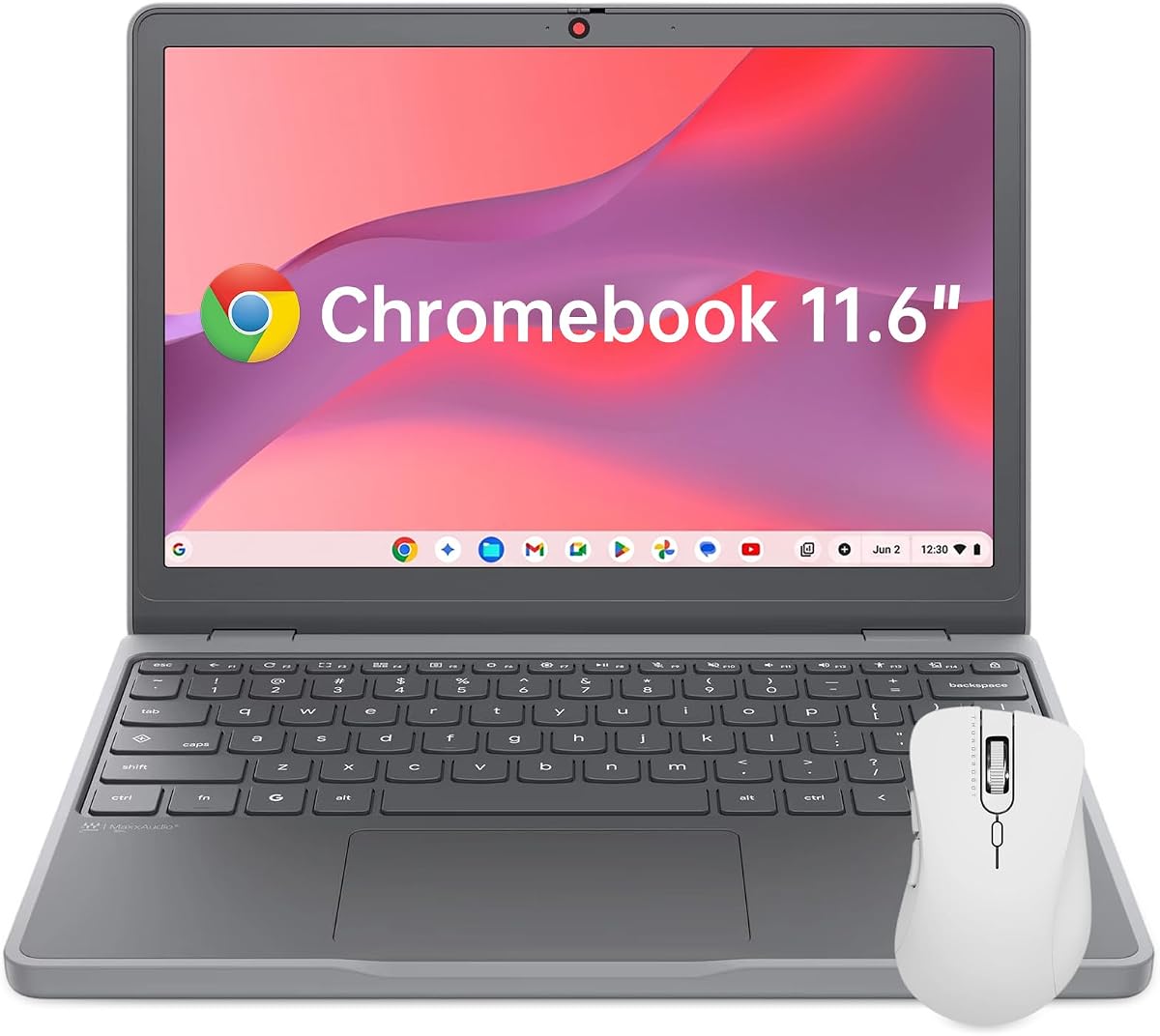
The Lenovo Chromebook 11.6 is an ultra-portable option weighing just 2.69 lbs. Its 4.4 rating highlights its reliability for travelers and students.
We may earn a commission when you buy through this link, at no additional cost to you.
It features a rugged design and security chip for peace of mind. The 65W USB-C charging ensures you can get back to work quickly.
The small screen and low specs are expected trade-offs for portability. It is best for light tasks like reading and web browsing on the go.
Perfect for users needing a lightweight device this Chromebook is a solid companion. The security features add value for business travelers.
Weighing under 3 lbs this device slips easily into any backpack.
Integrated H1 Security Chip protects your data and school work.
We may earn a commission when you buy through this link, at no additional cost to you.
Choosing the right Chromebook for AI requires evaluating processor power, memory, and specific AI features like Google AI Pro access. This guide covers the essential factors to consider.
AI tasks often require efficient multi-core processing. Look for Intel Core i3 or Ryzen 3 processors or newer for smooth operation. Dedicated AI engines in Intel Core Ultra chips further enhance performance.
At least 8GB of RAM is recommended for multitasking with AI tools. Storage can vary but models with 256GB or more are preferable to reduce reliance on cloud storage.
Check for Google AI Pro inclusion which offers Gemini access and extra storage. Tools like NotebookLM or Magic Eraser add unique value for specific creative tasks.
A high-resolution touchscreen improves interaction with AI tools. WUXGA or Full HD displays with anti-glare coating ensure clear visuals in various lighting conditions.
Wi-Fi 6E or Wi-Fi 7 support ensures fast internet for cloud AI tasks. Bluetooth 5.3 is useful for connecting peripherals and accessories seamlessly.
Weight and battery life matter for on-the-go use. Aim for models under 3 lbs and with at least 10 hours of battery life for maximum flexibility.
MIL-STD certifications and Titan H1 security chips protect your device and data. These features are vital for students and professionals in harsh environments.
Determine your price range and prioritize features that match your needs. Higher cost often brings better processors and more storage which justify the investment.
Start by signing in with your Google account to enable all AI features. Ensure your device is connected to a fast Wi-Fi network for optimal performance with cloud AI tools.
Google AI Pro is a subscription plan included free for 12 months with select Chromebooks. It provides access to Gemini AI tools, 5TB of cloud storage, and advanced productivity features within Gmail and Docs.
Most AI features require an internet connection to process data in the cloud. Basic tasks like editing documents can be done offline but advanced AI capabilities like Gemini need a connection.
Yes Chromebooks include built-in protection like Titan or H1 security chips. These features protect your data and ensure a secure environment for AI processing.
Not all Chromebooks have touchscreens but most AI-optimized models do. Touchscreens enhance interaction with visual AI tools and handwriting conversion features.
Adjust screen brightness and close unused apps to extend battery life. Enabling power saving modes helps maximize runtime during travel or school days.
You can use the included Google One cloud storage or connect external USB drives. Upgrading internal storage is usually not possible on most Chromebooks.
The Acer Chromebook Plus 514 leads our list with excellent performance and rich AI features. It offers a balanced mix of hardware and software for most users.
When choosing consider your specific needs like screen size or storage capacity. Budget options like the Lenovo models provide great value for students.
Prices and offers change frequently so always verify current details before buying. We hope this guide helps you find the perfect Chromebook for your AI needs.