
HP 17 Laptop
5.0Editor score
AMD Ryzen 5 7520U
8GB DDR5 RAM
17.3 Inch FHD Display
Finding the right laptop for vlogging requires balancing power, portability, and screen quality. Vloggers need machines that can handle video editing, live streaming, and file management without slowing down during critical moments on set.
We compared ten leading models based on processor speed, graphics capability, memory capacity, and display accuracy. Our analysis focuses on real-world performance for content creation tasks like rendering 4K footage and managing large media libraries efficiently.
Each pick highlights specific strengths for different creator needs, from budget-friendly editors to premium workstation users. Keep in mind that prices and availability can change frequently, so verify current details before making your final purchase decision today.
5.0Editor score

4.3Editor score

4.9Editor score
As an Amazon Associate we earn from qualifying purchases.
This side-by-side comparison highlights the key specifications of all ten laptops to help you find the perfect match for your vlogging workflow and budget requirements.




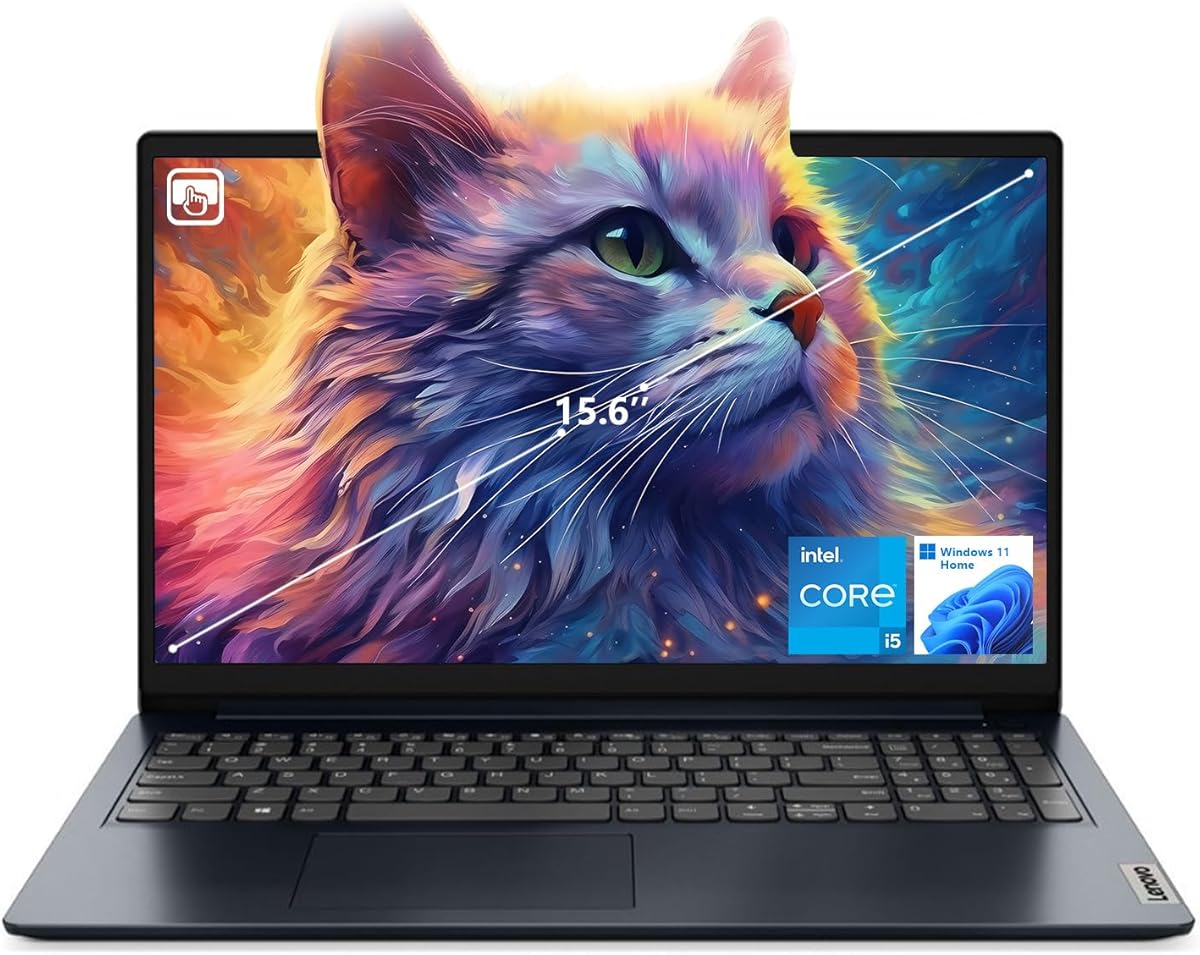

The NIMO 15.6 AI Creator Laptop stands out as a highly accessible option for vloggers starting their journey. With a perfect 5.0 rating from verified users, this device offers reliable performance for everyday editing tasks without breaking the bank.
We may earn a commission when you buy through this link, at no additional cost to you.
Powered by the AMD Ryzen 5 6600H processor, it handles multitasking smoothly, making it suitable for running editing software alongside browser tabs. The 16GB DDR5 RAM ensures that you can manage multiple projects without experiencing lag during critical workflow moments.
While the integrated Radeon 660M graphics are not designed for heavy 4K rendering, they suffice for 1080p vlogging needs. The 512GB SSD provides fast boot times and storage for initial files, though external drives may be needed for larger archives.
This laptop is ideal for students or beginner creators who need a dependable machine for recording and light editing on a budget. Its upgradeability ensures it can grow with your needs as you invest in better peripherals over time.
The Ryzen 5 6600H delivers strong single-core and multi-core performance for general office work and light content creation tasks without overheating.
With USB-C, HDMI, and USB-A ports, you can connect external monitors and camera media directly without needing constant dongle swapping.
We may earn a commission when you buy through this link, at no additional cost to you.
The GEEKOM GeekBook X14 Pro is a top choice for professional vloggers who prioritize screen quality and portability. Its 2.8K OLED display delivers true blacks and vibrant colors essential for accurate color grading during post-production workflows.
We may earn a commission when you buy through this link, at no additional cost to you.
Weighing only 2.2 lbs, this laptop is easy to carry to shoots or co-working spaces. The Core Ultra 9 185H processor provides significant processing power for encoding video files quickly, while the dedicated NPU enhances AI features like background blur in calls.
The 32GB LPDDR5x memory ensures smooth operation even with dozens of browser tabs and creative apps open simultaneously. Storage is handled by a 1TB PCIe Gen4 SSD which offers rapid read and write speeds crucial for transferring large raw footage files.
While it commands a premium price, the build quality and display accuracy justify the investment for serious creators. It is best suited for those who need a reliable companion for editing and presenting content on the go.
The 100% DCI-P3 coverage on the OLED panel ensures your edits match the final output on most modern displays and social media platforms.
Intel's dedicated NPU handles AI tasks locally allowing for real-time video effects and noise reduction without draining the battery excessively.
We may earn a commission when you buy through this link, at no additional cost to you.
The HP 17 Laptop offers a spacious viewing experience with its 17.3-inch Full HD display, making it excellent for detailed video editing on a desktop setup. The anti-glare screen ensures you can work in various lighting conditions without eye strain.
We may earn a commission when you buy through this link, at no additional cost to you.
Powered by the Ryzen 5 7520U, it beats older i7 models in multi-core benchmarks, providing efficient multitasking for standard vlogging software. The narrow bezel design maximizes the screen real estate allowing you to see more of your timeline without external monitors.
Windows 11 Pro adds enterprise-level security features beneficial for creators handling sensitive client content. The physical camera shutter provides added peace of mind regarding privacy during breaks or when the laptop is not in active use for recording.
However, the 8GB RAM may limit performance when running multiple heavy applications simultaneously. It is a solid choice for creators who prefer a larger screen for editing but do not need heavy 4K rendering capabilities on a budget.
The 17.3 inch display provides ample space for toolbars and timelines reducing the need for external monitors in a home studio setup.
The included physical camera shutter allows you to physically block the lens ensuring privacy when the laptop is left unattended.
We may earn a commission when you buy through this link, at no additional cost to you.
This HP 17 model earns a perfect 5.0 rating due to its excellent value proposition for creators needing a larger workspace. It includes accessories like a mouse and tablet stand which streamline the mobile workstation setup immediately upon arrival.
We may earn a commission when you buy through this link, at no additional cost to you.
The Ryzen 5 7520U processor delivers high-efficiency multitasking suitable for streaming and light video editing tasks. Wi-Fi 6 ensures fast file uploads to cloud storage which is crucial for backing up footage regularly without bottlenecks.
With a 17.3-inch display, you gain significant screen real estate for managing complex spreadsheets or detailed video timelines. The anti-glare coating helps reduce reflections allowing for clearer viewing during long editing sessions in bright environments.
It is an ideal pick for budget-conscious vloggers who want a reliable machine with good connectivity and screen size. While not a high-end powerhouse, it covers the basics efficiently for 1080p content creation and daily productivity.
The package includes a mouse and tablet stand enhancing the immediate usability and setup convenience for video editing workflows.
Wi-Fi 6 support allows for rapid data transfers and stable connections essential for uploading large video files to the cloud.
We may earn a commission when you buy through this link, at no additional cost to you.
The Dell 16 Laptop brings business-class reliability to the vlogging world with its Intel Core 7 150U processor and 16GB RAM. The FHD+ screen with a 16:10 aspect ratio provides more vertical space for viewing timelines and chat windows simultaneously.
We may earn a commission when you buy through this link, at no additional cost to you.
ComfortView Plus helps reduce harmful blue light emissions which is beneficial for creators working late nights on editing projects. The up-to-FHD camera ensures you look professional during live streams or meetings even in varying lighting conditions.
Dell Services includes a 1 Year Onsite Service which means support can come to your home or office if a hardware issue arises. This support structure is a significant advantage for professionals who cannot afford downtime due to technical failures.
This laptop is well-suited for corporate vloggers or those needing robust security and support alongside good editing performance. It balances efficiency and comfort making it a safe choice for daily professional content creation workflows.
ComfortView Plus technology maintains color accuracy while reducing eye strain during long editing sessions or late night content review.
The camera features temporal noise reduction to deliver sharp images in low light which is ideal for live streaming environments.
We may earn a commission when you buy through this link, at no additional cost to you.
This NIMO model delivers desktop-level performance in a laptop form factor making it perfect for heavy 4K video editing and rendering tasks. The AMD Ryzen 7 8745HS processor handles compiling code and exporting videos with zero lag during intensive workflows.
We may earn a commission when you buy through this link, at no additional cost to you.
With 32GB of high-speed DDR5 RAM, you can keep numerous apps open without stuttering. The 1TB PCIe 4.0 NVMe SSD provides instant bootups and rapid file access which saves valuable time when working on tight deadlines for client projects.
The integrated Radeon 780M graphics offer discrete-GPU level performance allowing for smooth 1080p gaming and efficient Premiere Pro exports. It is a balanced solution for creators who need raw power without the heat and battery drain of a dedicated GPU.
Ideal for professional video editors and software engineers, this laptop combines speed with long battery life for on-the-go work. Its upgradeable design ensures it remains relevant as your storage and memory needs grow over years of use.
The 8 core Ryzen 7 processor ensures fast render times and smooth multitasking essential for professional video production workflows.
A massive 75Wh battery supports up to 12 hours of office work providing flexibility for editing sessions away from power outlets.
We may earn a commission when you buy through this link, at no additional cost to you.
The Acer Aspire Laptop 2026 stands out for its generous 2TB storage and touchscreen interface which simplifies content management and editing tasks. The Intel Core Ultra 7 258V processor with NPU enables local AI features for real-time video effects and background blur.
We may earn a commission when you buy through this link, at no additional cost to you.
32GB of LPDDR5X RAM ensures smooth operation even with dozens of browser tabs and multiple applications running simultaneously. The 2TB PCIe SSD provides ample space for massive video libraries without needing external drives immediately for daily projects.
A USB hub is included to provide HDMI, Ethernet, and SD card ports which eliminates the need for multiple adapters during setup. This complete home office solution allows you to set up a professional workspace quickly in any location.
Best suited for creators who need significant storage and AI tools for automation this laptop is a powerful tool for productivity. It balances portability with robust specs making it a strong contender for full-time remote work and content creation.
The 2TB SSD allows you to store thousands of videos and photos locally reducing the dependency on cloud storage subscriptions.
Local AI features like Copilot+ PC drafts emails and automates tasks saving time during busy content creation schedules.
We may earn a commission when you buy through this link, at no additional cost to you.
The Lenovo Yoga 7i offers a unique 360 flip-and-fold design that transitions easily between laptop, tablet, and tent modes for presentations. The 16-inch 2K touchscreen provides vivid color and clarity making it excellent for detailed image retouching and client reviews.
We may earn a commission when you buy through this link, at no additional cost to you.
Powered by the Ultra 7 155U processor it delivers smart processing power with better energy efficiency for long work sessions. The IPS technology offers wide viewing angles so others can see your screen clearly during collaborative design or editing meetings.
With WiFi 6E support you benefit from lower latency and better network performance in crowded areas. The inclusion of a Gigabit LAN port ensures a strong wired connection for gaming or other high-demand tasks where wireless might be unstable.
This model is perfect for creators who need versatility for sketching ideas on the screen or presenting in tent mode. It combines robust performance with a flexible form factor making it a standout choice for visual designers and vloggers.
The 1920 x 1200 resolution and IPS tech provide vivid colors essential for accurate visual content review and creation.
Multiple ports including USB Type-C and Micro SD allow easy access to camera media and external storage devices.
We may earn a commission when you buy through this link, at no additional cost to you.
The Lenovo IdeaPad 1i provides a cost-effective entry point for vloggers needing a balance of performance and portability. It features 16GB DDR4 RAM which offers smooth multitasking across multiple applications and browser tabs during daily work routines.
We may earn a commission when you buy through this link, at no additional cost to you.
With a Core i5-1235U processor delivering up to 4.4 GHz at max turbo speed, it handles light editing and social media uploads efficiently. The touchscreen interface allows for intuitive navigation and precise editing with stylus support if needed for creative tasks.
The 512GB PCIe NVMe SSD ensures rapid boot-up and data transfer keeping your workflow moving quickly. It is a compact device that fits easily into backpacks making it convenient for travel and on-location editing shoots.
Best for beginners or students on a tight budget, this laptop covers essential tasks without high costs. While not a powerhouse for heavy 4K rendering it is a reliable tool for learning content creation and managing daily video files.
16GB of DDR4 RAM ensures smooth multitasking and faster data processing for basic editing software and web browsing.
The lightweight build and standard connectivity make it easy to carry around campus or to client meetings easily.
We may earn a commission when you buy through this link, at no additional cost to you.
This NIMO laptop is designed for longevity with a hardware design that supports RAM upgrades up to 64GB and additional SSD slots. The AMD Ryzen 7 8745HS processor delivers stable and robust performance suitable for professional creation and entertainment scenarios.
We may earn a commission when you buy through this link, at no additional cost to you.
It switches freely between gaming and 4K rendering tasks thanks to the efficient integrated graphics and high-speed memory. The 100W PD fast charging allows quick power replenishment which is vital when you are moving between shoots and editing sessions.
The 15.6-inch FHD screen with 16:9 ratio provides an immersive visual experience for video editing and design work. A backlit full-size keyboard ensures comfortable typing in dim environments like classrooms or cabins during late night work.
Ideal for students and creators who need a device that grows with their needs this laptop offers excellent upgradeability. With a 2-year warranty and 90-day returns you get peace of mind alongside a powerful machine for daily tasks.
The dual-slot upgradeable design lets you expand storage and RAM anytime ensuring the device meets growing needs.
The universal 100W PD fast charging replaces bulky adapters and powers up 50% in just 30 minutes.
We may earn a commission when you buy through this link, at no additional cost to you.
Selecting the right laptop involves assessing your specific workflow needs from resolution requirements to portability. This guide outlines the critical factors to consider before making a purchase.
A strong processor with multiple cores is essential for handling video encoding and rendering tasks efficiently. Look for models with at least 6 cores to ensure smooth performance during complex editing sessions.
Prioritize CPUs with high clock speeds to minimize render times and allow for real-time previewing of effects.
Random Access Memory determines how many applications you can run simultaneously without lag. For video editing, 16GB is the minimum recommended amount to handle modern software requirements comfortably.
Consider models with 32GB if you plan on working with 4K footage or using resource-intensive effects plugins.
Solid State Drives (SSDs) are crucial for fast boot times and rapid file transfers. Aim for NVMe PCIe drives as they offer significantly faster speeds than traditional SATA SSDs.
At least 512GB of storage is needed to store raw footage and projects locally before exporting to external drives.
Color accuracy and resolution are vital for editing content that looks good across different screens. OLED or high-quality IPS panels with 100% sRGB coverage ensure your colors remain consistent.
A larger screen or external monitor setup helps manage timelines and toolbars more effectively during editing.
Vloggers often work away from power outlets so battery life is a key consideration for portable setups. Look for laptops that offer at least 8 to 10 hours of usage on a single charge.
Fast charging support is also beneficial to quickly top up your device between shooting sessions or meetings.
Weight and dimensions affect how easy the laptop is to carry to various shooting locations. Lighter laptops under 3 lbs are preferable for travel and daily commuting.
A thin chassis is also helpful for fitting into backpacks and bags alongside cameras and other gear.
Having a range of ports simplifies connecting cameras external drives and monitors without dongles. Ensure the laptop has USB-C, HDMI, and SD card slots for direct media access.
USB4 or Thunderbolt support is a plus for high-speed data transfer and external GPU capabilities if needed.
The ability to upgrade RAM and storage extends the lifespan of your laptop as your needs grow. Check if the device has accessible slots rather than soldered memory for future-proofing.
This feature is particularly important for users who want to save money over time by upgrading components later.
To maximize battery life keep your laptop on a hard surface while editing to allow proper airflow and cooling. Avoid using it on soft fabrics like beds which can trap heat and cause the fans to work harder.
Regularly update your drivers and operating system to ensure compatibility with new editing software versions and security patches. This practice helps prevent crashes and maintains the performance of your machine over time.
Use a sleeve or padded case when transporting your laptop to protect it from scratches and accidental impacts during travel. Keeping the screen clean with a microfiber cloth also prevents buildup that can affect visibility during work.
For standard 1080p editing, 16GB of RAM is recommended to ensure smooth performance. If you plan to work with 4K footage, 32GB provides the extra headroom needed to prevent stuttering during rendering.
While not strictly necessary, an OLED screen offers better contrast and color accuracy which helps in grading footage. However, high-quality IPS panels are often sufficient and more durable for daily work.
At least 512GB is a good starting point for active projects. Since video files are large, investing in external drives or cloud storage is advisable for archiving completed content.
Budget laptops may struggle with 4K rendering due to limited processing power and GPU capabilities. It is generally better to use 1080p proxies for editing on budget machines to maintain a smooth workflow.
Vloggers often work on location away from power sources where access to outlets is limited. A long battery life ensures you can continue editing or recording without interruption during travel.
A 17-inch laptop provides more screen real estate for complex timelines but is less portable. A 14-inch is easier to carry but you might need an external monitor for detailed editing work.
We reviewed ten diverse laptops ranging from budget-friendly options to premium workstations suitable for professional creators. The GEEKOM GeekBook X14 Pro leads in display quality while the NIMO models offer exceptional performance and upgradeability.
Your choice depends on whether you prioritize portability, screen accuracy, or raw processing power. Consider your specific editing software needs and how often you travel with your device to narrow down the options.
Always check current prices and availability before purchasing since deals can change frequently. Investing in a machine that meets your needs today will ensure you can focus on creating great content without technical limitations.