
RisoPhy Mechanical Gaming Keyboard
4.5Editor score
Clicky Blue Switches
Rainbow Backlit Keyboard
104 Keys Full-Size
This guide compares the top loud mechanical keyboard options for gamers and typists who love audible clicky feedback and tactile feedback in their typing
Finding the right loud mechanical keyboard can transform your typing experience into something truly satisfying. Many users crave the audible click and tactile bump that signals every keystroke with precision and style.
We evaluated ten top-rated models based on switch type, build quality, and user feedback. Our comparison focuses on keyboards known for their distinct auditory feedback and reliable performance across various tasks.
Each pick highlights specific strengths like hot-swappability or retro designs. Prices and availability change frequently, so check current listings before making your final decision for your setup.
4.5Editor score
4.6Editor score

4.6Editor score
Below is a side-by-side comparison of all ten mechanical keyboards featured in this guide. We highlight key specifications to help you quickly identify the model that best fits your typing preferences and budget constraints.





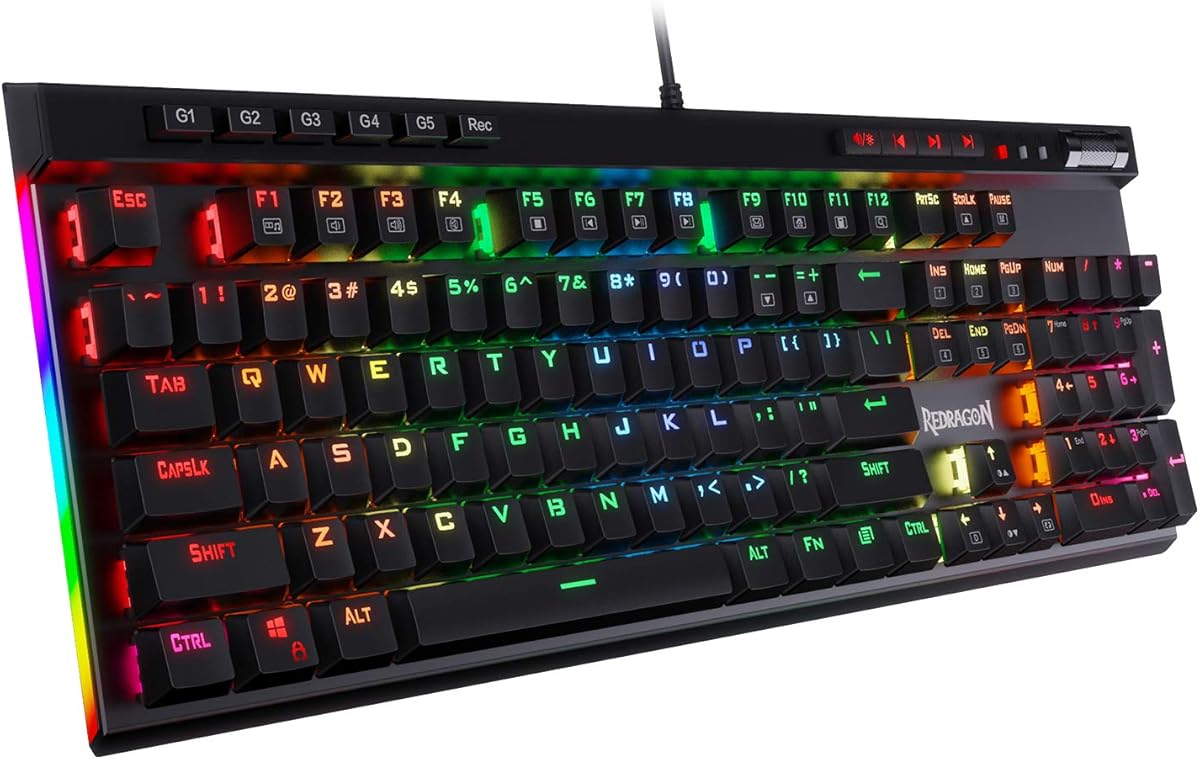
The Redragon K671 is a solid entry-level mechanical keyboard designed for users seeking customizability without breaking the bank. It scores well for its hot-swap capability and bright lighting modes.
We may earn a commission when you buy through this link, at no additional cost to you.
Its main strength lies in the ability to change switches easily using the provided extra parts. The double-shot keycaps ensure clear backlighting and durability over time.
However, the stock red switches are linear and quieter than clicky options. This might not satisfy those specifically hunting for loud auditory feedback immediately.
This keyboard is ideal for beginners who want to learn about mechanical customization before investing more. It offers a reliable foundation for building a louder setup later.
The hot-swap socket allows you to try different switches without soldering, making it perfect for experimenting with louder clicky types.
Eleven unique backlight modes provide ample choice for setting the mood in any room or gaming environment.
We may earn a commission when you buy through this link, at no additional cost to you.
The RisoPhy Mechanical Gaming Keyboard delivers the classic loud clicky sound many typists and gamers crave. With blue switches, it ensures every keystroke registers with satisfying auditory feedback.
We may earn a commission when you buy through this link, at no additional cost to you.
Its design includes spill-resistant holes to protect internal components from accidental liquid damage. The rainbow backlight enhances visibility in dark environments without needing complex software.
While the ABS keycaps are durable, they may develop a shine over time. Users wanting long-term texture preference might consider upgrading keycaps eventually.
This model is a fantastic choice for those seeking a loud, reliable keyboard under fifty dollars. It meets basic gaming and typing needs with distinct feedback.
Blue switches provide a distinct tactile bump and audible click that confirms every keystroke for users who enjoy sound.
Spill-resistant design offers peace of mind for accidental drinks near your workspace during intense sessions.
We may earn a commission when you buy through this link, at no additional cost to you.
The SteelSeries Apex 5 combines hybrid mechanical switches with premium features like an OLED display and aircraft-grade aluminum frame. It stands out for its robust build and unique customization options.
We may earn a commission when you buy through this link, at no additional cost to you.
Hybrid blue switches offer tactile click feedback while maintaining membrane smoothness. The OLED smart display allows dynamic information like game stats to be shown directly on the board.
The premium price reflects the high-quality materials and advanced features. Those seeking basic loud typing might find cheaper alternatives sufficient for their needs.
This keyboard is ideal for enthusiasts wanting a high-end setup with visual flair and reliable performance. It balances aesthetics with functional design elements well.
The OLED display lets you customize gifs and game info, adding a unique visual layer to your desk setup.
Aircraft-grade aluminum alloy ensures the keyboard remains sturdy and resistant to flex during intense use.
We may earn a commission when you buy through this link, at no additional cost to you.
The RK Royal Kludge S108 brings a distinct retro typewriter vibe with round keycaps and clicky switches. It appeals to users seeking visual uniqueness alongside loud tactile feedback.
We may earn a commission when you buy through this link, at no additional cost to you.
Its full-size layout includes a number pad, essential for data entry tasks. The detachable wrist rest adds comfort during long typing or gaming sessions.
The yellow backlight is functional but less versatile than RGB options. Additionally, software support is currently limited to Windows systems.
This model suits those who value vintage design and reliable clicking switches. It delivers strong performance for both work and play in a unique form.
Retro round keycaps mimic vintage typewriters, offering a stylish look that stands out on modern desks.
Full-size design ensures all keys are accessible, supporting both gaming and productivity tasks seamlessly.
We may earn a commission when you buy through this link, at no additional cost to you.
The Redragon K668 offers hot-swappable switches, enabling you to change from stock linear to clicky variants easily. This flexibility makes it a strong candidate for customizing loudness.
We may earn a commission when you buy through this link, at no additional cost to you.
Four extra hotkeys provide quick access to functions like mute or calculator, improving workflow efficiency. The vibrant RGB lighting adds a competitive edge to your setup.
Stock switches are quieter than desired for loud mechanical preferences, but hot-swap capability allows upgrades. Build quality is decent but relies mostly on plastic.
This keyboard is perfect for hobbyists wanting to experiment with sound profiles. It balances affordability with features that encourage personalization.
Hot-swap sockets let you try clicky switches without soldering, offering an easy path to louder sound.
Four dedicated hotkeys streamline access to media and system controls, reducing reliance on software shortcuts.
We may earn a commission when you buy through this link, at no additional cost to you.
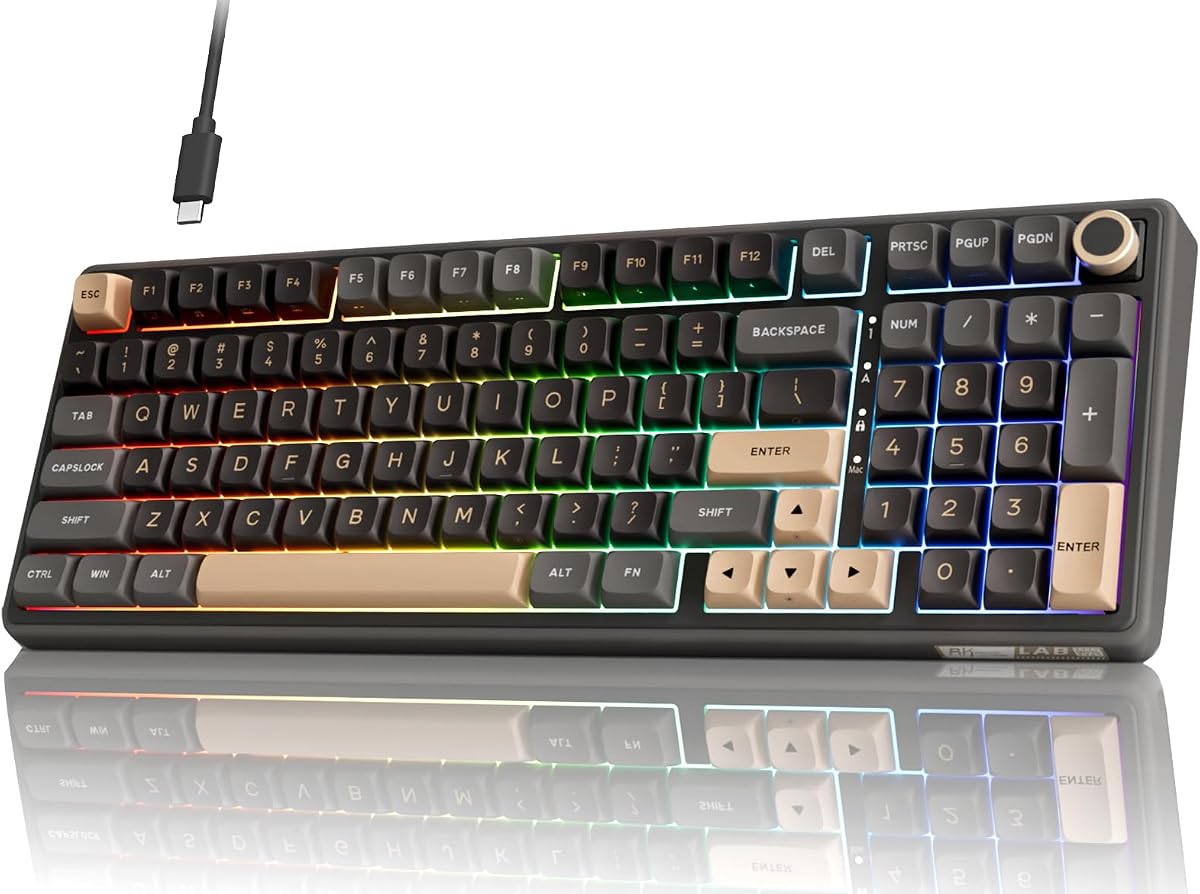
The RK Royal Kludge R98 Pro features a gasket mount design that enhances sound isolation and typing comfort. It retains essential keys in a compact 96% layout.
We may earn a commission when you buy through this link, at no additional cost to you.
Hot-swappable switches allow replacing the smooth linear ones with clicky options for louder feedback. The detachable volume knob adds convenient control for audio adjustments.
Stock switches are linear and creamy, which lacks the distinct click some users seek. You will need to swap switches to achieve loud mechanical sound.
This keyboard is suited for users wanting modern features like gasket mounting in a smaller footprint. It is a great base for building a custom loud setup.
Gasket mount construction reduces hollow sounds, providing a solid typing feel that improves with switch upgrades.
96% layout keeps essential keys while saving space, ideal for desks needing mouse room.
We may earn a commission when you buy through this link, at no additional cost to you.
The Logitech G413 SE offers a reliable full-size mechanical experience backed by a trusted brand. Its tactile switches provide clear feedback for precise typing and gaming.
We may earn a commission when you buy through this link, at no additional cost to you.
PBT keycaps resist wear and shine, ensuring long-term texture retention. The aluminum top case adds structural integrity and a premium aesthetic to your setup.
The white LED lighting is functional but lacks RGB versatility. Tactile feedback is present but may not be as loud as dedicated clicky blue switches.
This keyboard is best for those prioritizing brand reliability and durability over flashy features. It delivers consistent performance for daily work and gaming.
PBT keycaps resist fading and shine, maintaining texture and appearance much longer than standard ABS materials.
Aluminum top case prevents flex and adds a solid feel, enhancing overall keyboard durability over time.
We may earn a commission when you buy through this link, at no additional cost to you.
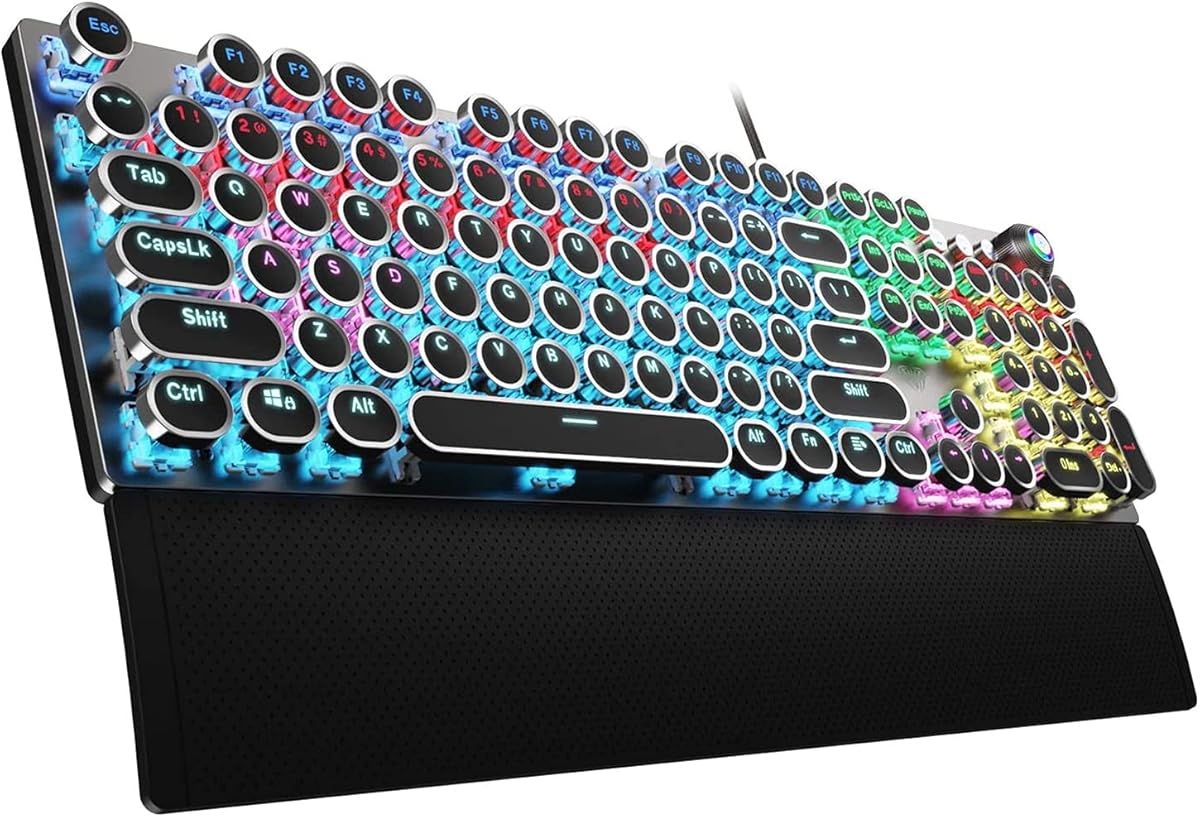
The AULA F2088 features retro round keycaps and mechanical blue switches for that classic typing click sound. It offers a visually distinct approach to gaming and work.
We may earn a commission when you buy through this link, at no additional cost to you.
A dedicated multimedia control knob allows quick adjustment of volume and lighting effects. The magnetic wrist rest ensures stability during long sessions.
Lack of software limits deep customization options for users wanting complex macros. The build is sturdy but relies on plug-and-play simplicity.
This keyboard suits users who want a stylish retro look with simple setup. It delivers satisfying clicky feedback without requiring technical configuration.
Round keycaps mimic vintage typewriters, giving your desk a nostalgic vibe while maintaining mechanical responsiveness.
Dedicated knob allows quick access to volume and light settings, improving workflow efficiency during use.
We may earn a commission when you buy through this link, at no additional cost to you.
The AULA F99 wireless supports three connection methods, offering versatility across multiple devices. It combines this with hot-swappable switches for future customization.
We may earn a commission when you buy through this link, at no additional cost to you.
Gasket structure and sound-absorbing foam reduce noise, creating a solid typing base. While default switches are linear, the hot-swap feature lets you install clicky alternatives.
Wireless convenience is a major plus for multi-device setups. The higher price reflects the advanced connectivity and build features.
This keyboard is ideal for users needing wireless flexibility without sacrificing mechanical customization. It is a strong choice for versatile modern setups.
Triple mode connectivity allows switching between devices easily, supporting workflows across PC and tablet seamlessly.
Hot-swap slots enable installing louder switches, while gasket mount dampens cavity noise for better acoustics.
We may earn a commission when you buy through this link, at no additional cost to you.
The Redragon K580 combines hot-swap capability with stock blue clicky switches, delivering loud tactile feedback immediately. It is perfect for gamers needing macro support.
We may earn a commission when you buy through this link, at no additional cost to you.
Five dedicated macro keys allow complex commands without software, useful for MMORPGs. The media wheel offers convenient volume control during games.
The basic software limits deep customization for advanced users. However, the hardware setup works well without configuration.
This keyboard is highly recommended for those wanting loud typing and macro efficiency out of the box. It balances performance with affordability effectively.
Five dedicated macro keys allow complex combinations to be executed quickly without needing companion software.
Stock blue switches provide immediate loud clicky feedback, satisfying users who want distinct sound without upgrades.
We may earn a commission when you buy through this link, at no additional cost to you.
Choosing a loud mechanical keyboard involves considering switch types, build quality, and extra features. This guide breaks down key factors to help you make an informed decision.
The switch type dictates the sound and feel of your keyboard. Blue switches are known for their loud click and tactile bump, making them ideal for those who prefer audible feedback. Brown switches offer tactile feedback with a quieter click, while red switches are smooth and quiet. If you want a loud mechanical keyboard, look specifically for blue or similar clicky variants.
Hot-swappable keyboards allow you to change switches without soldering. This feature is crucial if you want to experiment with different sounds later. If the keyboard comes with linear switches, ensure it has hot-swap sockets so you can replace them with clicky ones easily.
Materials like aluminum frames and PBT keycaps enhance durability. A solid frame prevents flex, improving typing stability. PBT keycaps resist shine and wear better than ABS. Look for keyboards with metal plates or sturdy construction if you plan heavy use.
Keyboards come in full-size, tenkeyless, or compact layouts. Full-size includes a number pad, beneficial for data entry. Compact layouts save desk space but may remove essential keys. Choose a layout that fits your desk and workflow requirements.
Wired connections ensure zero latency, ideal for gaming. Wireless options offer flexibility but may introduce lag. Consider tri-mode keyboards if you need multi-device support. Ensure the connection type matches your usage scenario.
Features like media wheels, macro keys, or volume knobs improve convenience. RGB lighting enhances aesthetics but may consume power. Ensure extra features align with your needs without cluttering the interface.
Prices vary from budget to premium. Budget options offer basic functions, while premium models include advanced customization. Decide how much you are willing to spend for specific features like hot-swap or wireless connectivity.
Proper care extends the life of your mechanical keyboard. Regularly clean keycaps with a brush to remove dust and debris. Use compressed air to clear internal components gently.
Loud mechanical keyboards may disturb colleagues in quiet environments. Consider noise dampening or quieter switches if working in shared spaces.
Blue switches are durable and rated for millions of keystrokes. They may feel less tactile over time but generally last years with regular use.
Hot-swap keyboards allow easy replacement without tools. If not hot-swap, you will need soldering skills or professional help to change switches.
Full-size layouts include a number pad, ideal for data entry. It suits workstations needing quick numerical input without moving hands.
RGB lighting increases power consumption on wireless keyboards. Disable or dim lights to extend battery life during mobile usage sessions.
Use O-rings or foam pads inside the case to dampen sound. Also ensure desk mats reduce vibration transmission to the desk surface.
Mechanical switches provide faster response and durability. Many gamers prefer them for precise inputs, though preference depends on playstyle.
The ten mechanical keyboards reviewed offer diverse solutions for loud tactile typing. From budget-friendly options to premium builds, each model has unique strengths tailored to specific needs.
Prioritize switch type and build quality when making your decision. Ensure the keyboard supports your workflow and environment requirements for maximum satisfaction.
Check current prices and availability before purchasing to secure the best deal. Your ideal loud mechanical keyboard awaits to enhance your typing experience.