
Keyboard Cleaning Brush, 6 Pcs
4.9Editor score
Six-piece set for various cleaning needs
High-grade plastic handles and nylon bristles
Lightweight and portable for travel use
Compare the top 10 laptop cleaning brushes to find the best anti-static tools for keyboards, screens, and delicate electronics in October 2026.
Keeping your laptop clean is essential for performance and longevity. Dust and debris can accumulate in hard-to-reach places, causing overheating and keyboard malfunctions. Using the right cleaning brushes ensures safe and efficient removal without damaging sensitive components or generating static electricity.
We compared ten highly rated laptop cleaning brush sets based on durability, versatility, and anti-static properties. Each product was evaluated for its ability to clean screens, keyboards, and other electronic devices. Our list covers various designs, from compact retractable tools to comprehensive kits with multiple accessories.
Each pick highlights key features, pros, cons, and ideal use cases. These tools help maintain your devices effectively whether you are at home, in the office, or traveling. Note that product prices and availability may change over time, so check current listings before purchasing.
4.9Editor score

4.6Editor score

4.8Editor score
This side-by-side comparison highlights the unique features of each laptop cleaning brush kit. Review the specifications below to decide which tool best fits your cleaning requirements and budget.


The Ordilend Keyboard Cleaner is a comprehensive kit designed for thorough maintenance of laptops and computers. With a rating of 4.6, it stands out for its variety of tools included in one package. It offers everything from keycap pullers to soft cloths for screen cleaning.
We may earn a commission when you buy through this link, at no additional cost to you.
This kit excels in versatility. The retractable large brush handles general dust removal while the mini high-density brush reaches deep between keys. The metal pen tip is particularly useful for removing stubborn grime around key switches without causing scratches to the keyboard surface.
While the kit is extensive, some users might find the smaller tools less durable than the main brush. However, the cost-effectiveness makes these trade-offs acceptable. The 5 replacement cloths ensure you have backups for dirty or worn-out ones over time.
Ideal for office users or gamers who need deep cleaning capabilities, this kit is a strong recommendation. It ensures your laptop and peripherals remain free from dust and debris. Its comprehensive nature makes it a top choice for those seeking an all-in-one solution.
The inclusion of various brush types and a keycap puller allows for cleaning any electronic device effectively.
High-quality microfiber cloths prevent streaks and lint residue on sensitive laptop screens.
We may earn a commission when you buy through this link, at no additional cost to you.
This premium kit offers specialized anti-static brushes designed to protect sensitive electronics from electrostatic discharge. Rated 4.8, it is built for professionals or tech enthusiasts who prioritize component safety. The brushes come in various stiffness levels to handle different surfaces.
We may earn a commission when you buy through this link, at no additional cost to you.
The standout feature is the ESD-rated bristles that dissipate static charge effectively. This is crucial when cleaning computer motherboards or camera sensors where static can cause permanent damage. The zipper pouch ensures all tools stay organized and protected when not in use.
The main drawback is the cost, which is higher than standard kits. However, for protecting valuable equipment, this investment is justified. The durability of the brushes ensures they will last through many cleaning sessions without shedding bristles.
Recommended for tech repair pros or serious hobbyists, this kit delivers precision and safety. It keeps your gear running like new without risk of static damage. It is the best choice for those working with delicate internal components frequently.
Anti-static materials prevent harmful buildup that could damage sensitive circuit boards and components.
The included zipper pouch keeps all brushes secure and ready for mobile use.
We may earn a commission when you buy through this link, at no additional cost to you.
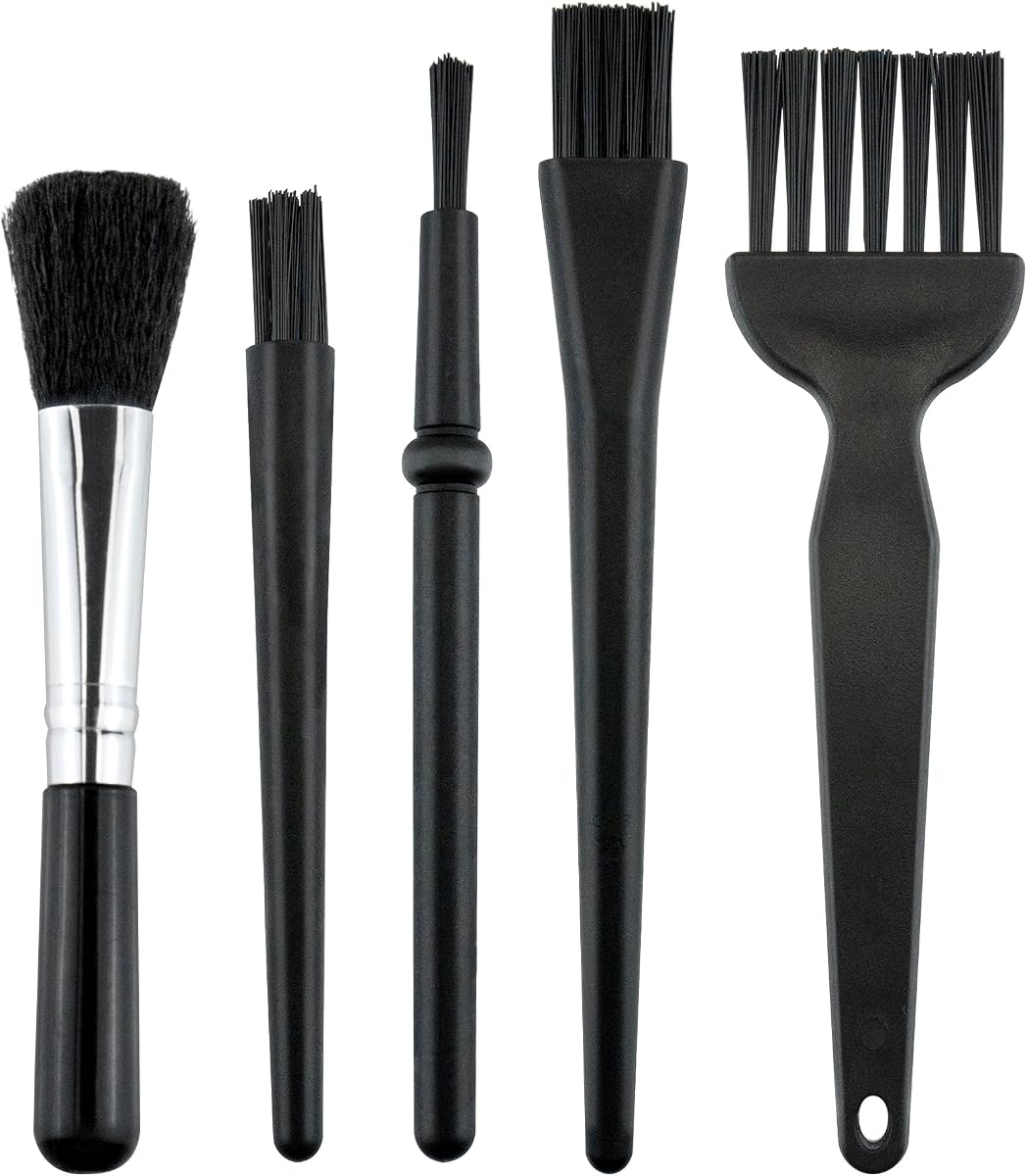
This six-piece set offers remarkable value without compromising on quality. With a 4.9 rating, it is a favorite for those wanting multiple cleaning tools at a low cost. The brushes are designed for various conditions ensuring you always have the right tool.
We may earn a commission when you buy through this link, at no additional cost to you.
High-grade plastic handles provide a comfortable grip while nylon bristles ensure effective dust removal. They are suitable for laptops, phones, and car interiors. The set covers all basic cleaning needs without the extra cost of specialized kits.
The only limitation is the lack of extra tools like cloths or suction. However, for pure brushing needs, this set is sufficient. The durability ensures they last long even with frequent use on hard surfaces.
Perfect for budget-conscious buyers, this kit is ideal for general maintenance. It keeps devices clean and free of debris effortlessly. If you need reliable brushes without spending much, this is the perfect choice.
Get six durable brushes that cover all your basic cleaning needs for a fraction of the cost.
Lightweight design allows for easy storage in drawers or laptop bags.
We may earn a commission when you buy through this link, at no additional cost to you.
This set of five mini brushes is designed for tackling small and hard-to-clean areas effectively. Rated 4.6, they are made of durable materials that do not easily break. Each shape is distinct to fit into specific slots and corners.
We may earn a commission when you buy through this link, at no additional cost to you.
The anti-static property ensures safety for computer keyboards and circuit boards. They are lightweight making them easy to carry for home or work use. The variety of shapes ensures you can clean vents and phone ports easily.
While the brushes are small, they lack a case for protection which may lead to damage. However, their durability mitigates this risk. They are perfect for daily quick cleaning tasks without hassle.
Ideal for quick maintenance, this set covers essential cleaning needs. They keep your devices safe and functional with ease. If you need simple tools for small spots, these brushes are the right pick.
Different brush profiles ensure access to tight corners and vents easily.
Static-free bristles prevent damage to sensitive electronic components during cleaning.
We may earn a commission when you buy through this link, at no additional cost to you.
This 10-piece value set is designed for long-term use across multiple devices. Rated 4.7, it offers sufficient quantity for daily cleaning and backups. The mini design allows access to narrow gaps that regular tools miss.
We may earn a commission when you buy through this link, at no additional cost to you.
The anti-static function is crucial for protecting motherboards and cameras. Soft nylon bristles ensure efficient cleaning without scratching delicate surfaces. Having ten brushes means you can leave some at home and take others on the go.
The compact size means they might be easy to lose. Keeping track of all ten requires organization. However, the value and protection offered outweigh this minor inconvenience for most users.
Best for multi-device owners, this set ensures every gadget stays clean. It is an essential tool for enthusiasts who value component safety. For those needing backups and reach, this kit is highly recommended.
With ten brushes you can maintain multiple devices without frequent repurchase.
Built-in anti-static design shields sensitive electronics from potential static damage.
We may earn a commission when you buy through this link, at no additional cost to you.
This kit includes 10 different sizes allowing versatile cleaning of various components. Rated 4.4, it features 7 hard brushes for deep dust and 3 soft for delicate surfaces. The range ensures you can clean anything from fans to lenses.
We may earn a commission when you buy through this link, at no additional cost to you.
Anti-static protection makes it safe for computer motherboards and circuits. The deep cleaning power removes debris efficiently preventing buildup. It saves on potential repairs by keeping internal components dust free.
Some users note the yellow soft brush is not anti-static so caution is needed. Also build quality varies between brushes in the set. However, for the price, it remains a strong option for general cleaning needs.
Ideal for varied cleaning tasks, this kit offers great value. It is perfect for hobbyists or general use. With careful selection of brushes, you can keep your devices in top shape.
Hard bristles effectively clear stubborn debris from tight keyboard gaps and vents.
Soft bristle options provide gentle cleaning for monitors and camera lenses.
We may earn a commission when you buy through this link, at no additional cost to you.
This portable brush features a retractable design with three steps to adjust bristle length. Rated 4.6, it is made of durable ABS material. The sliding mechanism allows you to control the brush intensity based on surface needs.
We may earn a commission when you buy through this link, at no additional cost to you.
The static absorption design attracts dust electrostatically making removal efficient. It is easy to clean by shaking or rinsing with water. The compact size makes it ideal for travel and daily office use.
The adjustment mechanism can collect dust over time requiring cleaning. Also, the value pack means you buy two at once. However, the flexibility and ease of use make this a standout tool.
Best for frequent travel and cleaning, this brush adapts to different tasks. It ensures your laptop stays clean with minimal effort. The durable construction makes it a reliable daily tool for many.
Three-step retractable design lets you control bristle extension for different intensities.
Electrostatic charge helps attract dust and debris for effective removal.
We may earn a commission when you buy through this link, at no additional cost to you.
This dual-action tool features a microfiber pad and a soft brush in one sleek package. Rated 4.5, it is perfect for cleaning both screens and keyboards quickly. The design ensures both ends stay protected with a retractable cover.
We may earn a commission when you buy through this link, at no additional cost to you.
The microfiber pad effectively removes fingerprints and smudges from laptop screens. The brush side sweeps away dust without scratching. It is a convenient solution for quick cleanups at desks or while traveling.
While great for surface cleaning, it lacks deep cleaning tools for key gaps. The pad might need eventual replacement if used heavily. However, its convenience and brand reliability make it a solid choice.
Ideal for quick daily touch-ups, this tool simplifies cleaning. It keeps your laptop looking pristine without effort. If you prioritize screen cleanliness alongside dust removal this is a strong candidate.
One tool handles both dust removal and fingerprint smudge cleaning effectively.
Retractable cover protects both ends ensuring cleanliness and durability.
We may earn a commission when you buy through this link, at no additional cost to you.
This brush is designed for gentle cleaning of screens and small electronics. Rated 4.5, it features a silicone wiper to grab dirt from hard-to-reach places. The bristles retract to avoid damage when not in use.
We may earn a commission when you buy through this link, at no additional cost to you.
The soft bristles ensure safe cleaning for delicate surfaces. The silicone wiper is useful for removing smudges and dust quickly. It is ideal for keyboards and phones where precision is needed.
The wiper area is small so it is not great for large surfaces. However for targeted cleaning it works very well. The design ensures longevity and easy storage without mess.
Best for precise cleaning tasks, this tool offers reliability. It is great for touchups and delicate surfaces. If you need a small durable tool this OXO brush fits the bill.
Combines soft bristles and a silicone wiper for versatile cleaning options.
Retractable bristles and wiper cap prevent damage when not in use.
We may earn a commission when you buy through this link, at no additional cost to you.
This set holds a perfect 5.0 rating and offers reliable anti-static protection. It includes 7 hard brushes for deep cleaning and 3 soft for delicate tasks. The nylon bristles dissipate static charge safely for sensitive electronics.
We may earn a commission when you buy through this link, at no additional cost to you.
The ergonomic design ensures comfortable grip during use. Each brush is durable and resists shedding. The resealable bag keeps all pieces organized and ready for quick use at home or travel.
Users may need to sort through brushes to find the right one. However, the anti-static benefits are unmatched for protecting hardware. The perfect rating speaks to the quality of materials and design.
Ideal for static-sensitive electronics, this kit is top rated. It ensures safe and thorough cleaning of laptops and PCs. For those prioritizing safety and quality this set is a clear winner.
A 5.0 rating reflects exceptional build quality and effective cleaning performance.
Dissipates static charge to protect motherboards and other sensitive components.
We may earn a commission when you buy through this link, at no additional cost to you.
Choosing the right cleaning brush requires considering your specific device needs and safety features. This guide outlines key factors to help you select the best tool for your setup.
Anti-static brushes are crucial for cleaning sensitive electronics like motherboards and circuits. Static discharge can damage internal components even if not visible. Look for brushes explicitly rated as ESD safe or anti-static.
Always choose anti-static materials to ensure device safety.
Bristles should be soft enough not to scratch surfaces but stiff enough to remove dust. Nylon is common for durability. Hard bristles are for deep key cleaning while soft ones suit screens.
Select bristle softness based on the surface you clean most often.
Retractable brushes offer better protection and portability. Fixed brushes may be simpler but can suffer damage in bags. Consider where you will store the tool most.
Choose retractable designs for travel and safe storage.
Comprehensive kits include cloths and pullers for all needs. Simple brushes focus on dust removal. Determine if you need extra tools for deep cleaning.
Opt for kits with accessories if you need multi-purpose cleaning.
Comfortable handles reduce hand strain during extended cleaning sessions. Look for textured grips or ergonomic shapes. This ensures better control during detailed work.
Prioritize tools with comfortable handles for frequent use.
High-quality materials like ABS plastic prevent breakage. Avoid cheap plastics that snap easily. Invest in brushes that will last through many cleaning sessions.
Choose durable materials to ensure long-lasting performance.
Compact tools fit easily in laptop bags and drawers. Larger kits may require more storage space. Balance size with the number of tools you need.
Select portable sizes if you clean on the go often.
Turn off your laptop before cleaning to prevent electrical shorts or accidental inputs. Use compressed air to blow out larger debris first. This ensures the brushes do not push large particles deeper into key mechanisms.
Gently sweep the brush across keyboard keys and vents. For stubborn dust, use the angled tips to reach between switches. Always move the brush away from sensitive components like ports to avoid scratches.
Clean the brushes regularly by rinsing with water or wiping with a damp cloth. Allow them to dry completely before storing. Proper care extends the lifespan of your tools and keeps them effective.
Static electricity can damage sensitive electronic components like motherboard circuits. Even small discharges can cause failures. Using anti-static brushes prevents these risks and keeps your devices safe.
Yes, but only use soft bristle brushes or microfiber pads. Hard brushes may scratch the screen surface. Always check product details to ensure suitability for screens.
It is recommended to clean your laptop monthly or as needed. Regular maintenance prevents dust buildup and overheating. Use brushes weekly for visible debris accumulation.
Yes, soft and anti-static brushes are safe for mechanical switches. For deep cleaning, you may also need a keycap puller. Always avoid harsh chemicals during the process.
Soft bristle brushes are best for fans to avoid bending blades. Combine with compressed air for thorough results. Always power down the device before starting.
A kit offers variety for different cleaning tasks like screens and vents. A single brush is fine for basic dusting. Consider your specific needs when deciding.
We have reviewed ten top-rated laptop cleaning brushes suitable for various needs. The Ordilend kit offers comprehensive tools while the 6-piece set provides great value. Each option has unique features to keep your devices clean.
When choosing, prioritize anti-static properties and durability. Ensure the brush size matches your cleaning tasks. A well-chosen tool extends the life of your electronics effectively.
Check current prices and availability before purchasing to get the best deal. Your laptop deserves regular maintenance to perform at its best. Use the right brush to keep it running smoothly.