
SONOFF TX Gen2 Smart Wall Touch Switch
4.6Editor score
Matter compatible with Alexa and HomeKit
Independent relay mode for control
Dimmable LED night indicator
This guide compares the top Matter Compatible Double Smart Switch models for seamless integration across Apple Home, Google Home, and Alexa ecosystems in 2026.
Finding the right smart switch means balancing reliability, ease of installation, and true cross-platform compatibility. A good double switch lets you control two fixtures from one gang, saving space while supporting Matter for unified control.
We evaluated ten verified products based on protocol support, wiring needs, and real-world performance. Each entry shows core features, pros and cons, and who it fits best so you can compare options with confidence.
Each pick highlights standout benefits, trade-offs, and ideal use cases. Prices and availability change frequently, so check current listings before buying to ensure you get the best value for your home setup.
4.6Editor score

4.0Editor score
4.5Editor score
The side-by-side comparison below shows each model's core capabilities, wiring needs, and platform support. Use it to quickly identify which switch fits your existing smart home setup and electrical constraints.


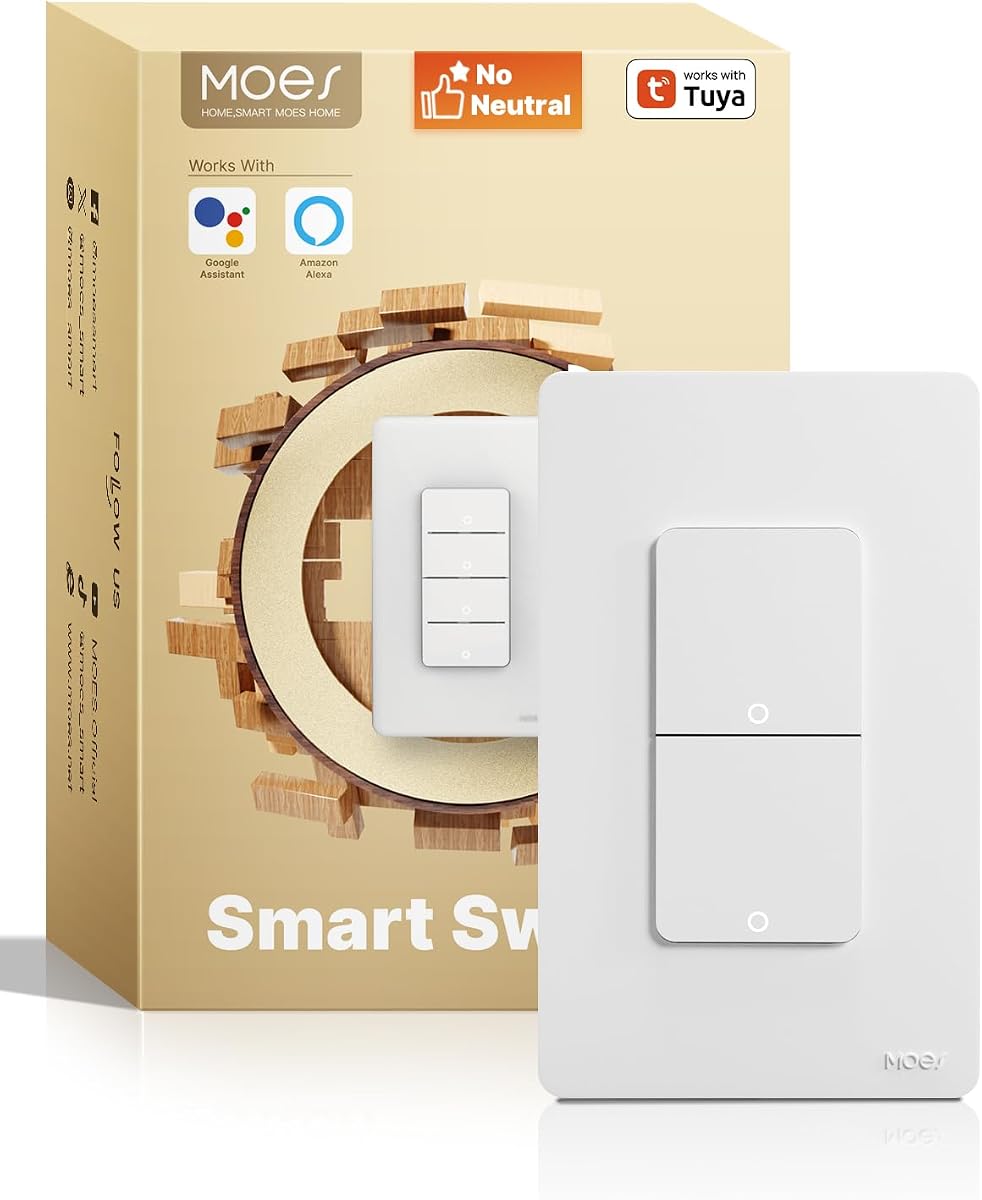


The MOES Matter-WiFi Smart Double Switch delivers true cross-platform control with its native Matter protocol. It earns a solid 4.0 rating for bridging SmartThings, HomeKit, and Alexa without extra apps.
We may earn a commission when you buy through this link, at no additional cost to you.
Its standout feature is the shallow body design that fits a single gang box while controlling two fixtures. The outgoing ground and neutral wires simplify wiring, and you can set timers directly in the app.
Trade-offs include no dimming and a strict 2.4GHz requirement. These are acceptable since the unit focuses on reliable on-off control and seamless Matter integration for modern smart homes.
This switch is ideal for homeowners upgrading old 2-gang setups. If you need unified Matter control and space savings, this model is a strong recommendation.
Matter support means you can manage lights via SmartThings, HomeKit, or Alexa without juggling multiple apps.
Replacing a 2-gang switch with this single gang unit opens up wall space while maintaining dual fixture control.
We may earn a commission when you buy through this link, at no additional cost to you.
At a lower price point, the SONOFF TX Gen2 offers Matter compatibility and impressive reliability with a 4.6 rating. It breaks ecosystem barriers and syncs with Apple Home, Google Home, and Alexa.
We may earn a commission when you buy through this link, at no additional cost to you.
Its independent relay mode keeps your lights controllable even if physical buttons are pressed accidentally. The dimmable LED indicator helps locate switches in the dark without disturbing sleep.
The eWeLink app is the central hub for scenes and timers, which adds a layer of setup compared to native apps. Still, the price and feature set make it a great value pick.
Budget-conscious buyers who want Matter support and flexible control should consider this model. It balances cost with solid smart home performance.
This feature ensures your smart device stays online even after a physical button press.
A dimmable LED indicator makes the switch easy to find at night without bright light.
We may earn a commission when you buy through this link, at no additional cost to you.
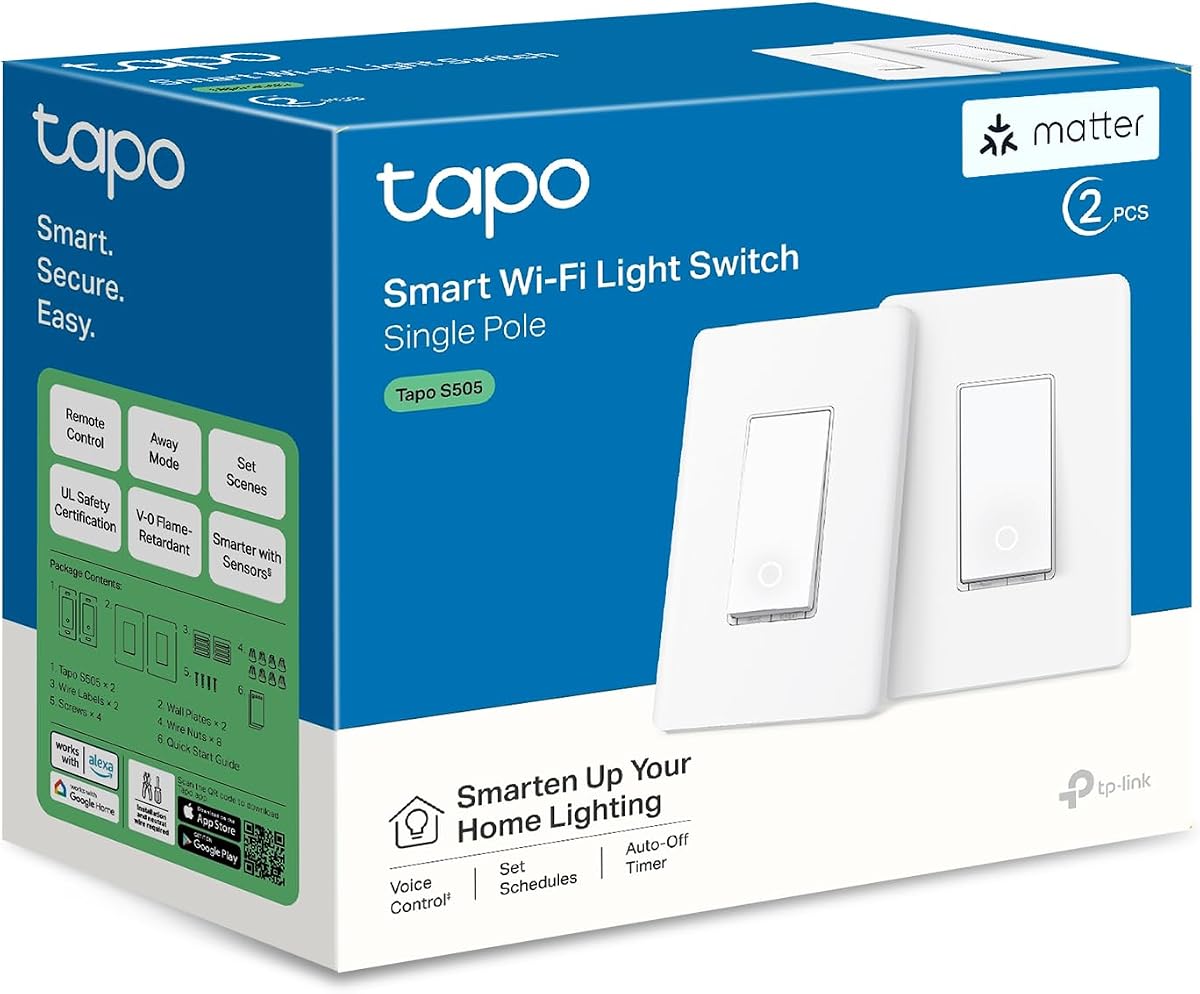
The TP-Link Tapo Matter Smart Light Switch earns premium status with Multi-Admin support and LAN control that works offline. It holds a 4.5 rating for delivering unified control across Samsung, Amazon, Apple, and Google.
We may earn a commission when you buy through this link, at no additional cost to you.
Its ability to let devices talk directly on the local network removes reliance on cloud services for basic tasks. The Tapo app guides you through wiring, making installation smoother for less experienced users.
Limitations include a strict neutral wire requirement and no built-in dimming. These trade-offs are acceptable given the robust security and cross-platform flexibility it offers.
This switch fits households investing in a multi-platform smart home. If you value direct LAN control and app guidance, Tapo is a premium choice.
Matter devices on your network can interact directly, keeping control active even during internet outages.
You can control the same switch from different apps simultaneously without conflicts or setup duplication.
We may earn a commission when you buy through this link, at no additional cost to you.
The SONOFF Matter Smart Light Switch connects easily to Google Home, Alexa, and SmartThings apps with native Matter support. It rates 3.9, reflecting decent performance for basic switching needs.
We may earn a commission when you buy through this link, at no additional cost to you.
You can set routines and schedules through the app to automate lighting based on daily habits. Voice control is straightforward, allowing hands-free operation while cooking or cleaning.
A limitation is the lack of HomeKit support, which may limit Apple users. Still, its FCC certification and simple setup make it a reliable choice for Android or Alexa-focused homes.
Buyers seeking a straightforward Matter switch without extra features will find this suitable. Check compatibility with your ecosystem before purchase.
Set specific times for your lights to adjust to your lifestyle without manual input.
Certified safety standards provide peace of mind for family use in everyday environments.
We may earn a commission when you buy through this link, at no additional cost to you.
This MOES model combines Matter compatibility with a premium 2.5D Acr glass touch panel. It rates 4.2 and offers scratch resistance along with a minimalist look that fits modern walls.
We may earn a commission when you buy through this link, at no additional cost to you.
It supports up to 10A loads and includes random on/off modes for security. Voice control via Alexa and Google is seamless, making it hands-free when entering dark rooms.
The unit does not support dimming and requires a neutral wire. These constraints are balanced by its stylish design and robust power handling for standard fixtures.
Style-focused buyers needing reliable Matter switching will appreciate this switch. Ensure your wiring matches its requirements before buying.
The curved glass edges and responsive touch provide a modern, durable interface.
Randomized lighting modes deter intruders by simulating occupancy when you are away.
We may earn a commission when you buy through this link, at no additional cost to you.
While not Matter-native, this Nexete double switch offers strong Wi-Fi control via Tuya or Smart Life apps. It holds a 4.4 rating for reliability in operating two fixtures from one gang.
We may earn a commission when you buy through this link, at no additional cost to you.
You can set timing events and custom scenes from anywhere using the app. The FCC approval ensures safety and quality assurance for long-term use.
The lack of Matter compatibility means it may not unify as seamlessly across platforms. Still, for Tuya users seeking budget-friendly double control, it is a solid choice.
This switch suits homes already invested in the Tuya ecosystem. Verify app preferences before installing to avoid fragmentation.
Manage separate lights or fans from the same wall location without extra gang usage.
Schedule events remotely so lights adjust automatically to your daily routine.
We may earn a commission when you buy through this link, at no additional cost to you.
This older MOES WiFi model focuses on solid Tuya integration and space-saving design. It rates 4.0 and features an upgraded sensitive button plus a shallow body that fits single gang boxes.
We may earn a commission when you buy through this link, at no additional cost to you.
The app lets you set timers and remote schedules to automate lighting or cultivate habits like turning off lights at night. Voice control works via Alexa and Google.
It lacks Matter protocol and relies on 2.4GHz Wi-Fi. These constraints suit homes without Matter yet but expect limited cross-platform flexibility compared to newer models.
Buyers needing simple double control with Tuya support will find this reliable. Check app alignment before purchase.
The shallow design fits most wall boxes while allowing more control in tight spaces.
A more sensitive touch improves response speed for frequent on-off interactions.
We may earn a commission when you buy through this link, at no additional cost to you.
This MOES model stands out by supporting both no-neutral and neutral wiring setups. It rates 3.9 and is ideal for homes without neutral wires in the switch box.
We may earn a commission when you buy through this link, at no additional cost to you.
Included capacitors enable the no-neutral configuration safely. The outgoing wire design simplifies installation and adds extra protection during setup.
It does not support Matter and is limited to 2.4GHz Wi-Fi. These limitations are acceptable for legacy wiring but reduce flexibility in modern Matter setups.
Use this if your home lacks neutral wires. Ensure you follow the included capacitor guidance to avoid issues.
Accommodates both neutral and no-neutral home wiring with included accessories.
Special outgoing wires provide extra protection during installation and daily use.
We may earn a commission when you buy through this link, at no additional cost to you.
The Kasa Matter Smart Light Switch ranks high for its trusted brand reputation and Multi-Admin support. It rates 4.6 and provides unified control across Apple, Amazon, Google, and Samsung.
We may earn a commission when you buy through this link, at no additional cost to you.
Its away mode randomly switches lights on and off to deter intruders. The Kasa app guides you through installation and lets you monitor status remotely from work or vacation.
Limitations include a strict neutral wire requirement and no dimming. These trade-offs are acceptable for users prioritizing reliability and brand trust.
Homeowners valuing security and broad compatibility will find this switch compelling. Check your wiring before purchasing.
Randomized lighting helps mimic occupancy to protect your home while you are traveling.
Check light status and control from anywhere using your smartphone with the Kasa app.
We may earn a commission when you buy through this link, at no additional cost to you.
This Tapo S515 model supports single-pole, 3-way, and 4-way configurations with Matter certification. It rates 4.4 and includes unique features like energy monitoring and flame-retardant materials.
We may earn a commission when you buy through this link, at no additional cost to you.
You can track energy usage of connected lights to make eco-conscious adjustments. Grouping with other smart devices allows one-tap control for whole-room automation.
It requires a neutral wire and needs regular firmware updates for performance. These are minor trade-offs for the added functionality and safety certifications.
Buyers needing multi-way setups will find this switch versatile. Keep the Tapo app updated for best performance.
Manage a single light from multiple locations, ideal for hallways and large living rooms.
Track usage in real time to reduce energy bills and optimize consumption.
We may earn a commission when you buy through this link, at no additional cost to you.
Selecting the right Matter double switch depends on protocol support, wiring needs, and smart home goals. This guide outlines key factors to simplify your decision process.
Matter ensures your switch works across Apple Home, Alexa, Google Home, and SmartThings without extra bridges. Look for Matter-over-Wi-Fi support for direct control without needing a separate hub.
Verify that the product supports the latest Matter version to avoid compatibility issues as ecosystems evolve.
Most switches require a neutral wire for stable power. If your home lacks neutral wires, choose a model that supports no-neutral wiring with included capacitors to avoid rewiring the wall box.
Confirm wire types and gauge in the product specs to ensure safe installation without electrical upgrades.
Check the amperage and wattage rating to ensure the switch can handle your fixtures. Heavy-duty switches support higher loads while maintaining safety and reliability over time.
Match the switch rating to your total connected load to prevent overheating or failure.
A double switch should fit into a single gang box to save space. Shallow body designs are essential for older walls with limited depth behind the plate.
Measure your existing box depth before buying to avoid compatibility issues during installation.
Align the switch with your primary smart home platform. Matter bridges platforms, but some models have native apps that offer extra features like detailed schedules or scenes.
Prioritize models with apps that integrate smoothly with your existing routines and automations.
Hands-free control via Siri, Alexa, or Google Assistant adds convenience. Ensure the switch explicitly lists voice assistant compatibility before purchase.
Test voice commands after setup to confirm responsiveness for daily use.
Look for FCC, UL, or ETL certification to ensure electrical safety. Certified products undergo testing to meet fire and shock risk standards for home use.
Prioritize certified units to reduce hazards and maintain warranty coverage.
Check if the companion app supports scheduling, scenes, and remote control. Some apps allow LAN communication for offline control when internet is down.
Test the app's interface before buying to ensure it matches your workflow.
Begin by turning off the breaker and checking the existing wiring. Match the neutral, ground, and hot wires to the switch terminals as shown in the manual. Secure connections and mount the switch into the gang box.
Connect the switch to your 2.4GHz Wi-Fi network via the provided app. Follow the guided setup to link it to your Matter ecosystem. Add it to rooms or groups to simplify control.
Keep the firmware updated through the app to maintain performance and security. Clean the touch surface with a dry cloth and avoid harsh chemicals that could damage the finish.
Most Matter switches require a neutral wire for reliable power. Some models support no-neutral wiring with included capacitors. Check your home wiring before purchasing to avoid extra costs or complications.
Matter over LAN enables direct device-to-device communication without internet. If both your switch and bulbs are Matter-certified, local control works offline. Confirm LAN support in product specs.
Single-pole controls one fixture from one switch. 3-way lets you control one fixture from two locations. Ensure the switch type matches your existing wiring configuration before buying.
Most Matter double switches do not support dimming unless explicitly stated. They are designed for on-off control. Check product specs if you need brightness adjustment capabilities.
Matter switches work with Apple Home, Alexa, Google Home, and SmartThings. Multi-Admin support lets you control devices from multiple platforms simultaneously. Verify brand-specific compatibility in product details.
Turn off the breaker and use a voltage tester to confirm power is off. Match wires to terminals and secure connections. If unfamiliar with electrical work, hire a licensed electrician for safety.
No hub is required for Matter-over-Wi-Fi switches. They connect directly to your 2.4GHz Wi-Fi network. This simplifies setup and removes extra hardware costs.
Yes, many double switches replace two separate switches using one gang. This saves wall space while maintaining control of two fixtures. Check physical dimensions before installation.
The MOES Matter-WiFi, SONOFF TX Gen2, and TP-Link Tapo models lead with strong Matter support and diverse features. Each offers space-saving designs and reliable control suitable for modern smart homes.
Prioritize wiring compatibility, platform needs, and load ratings. Safety certifications and app functionality also matter for long-term satisfaction. Choose a switch that aligns with your current setup.
Prices and availability shift regularly, so check current listings before buying. Verify your switch type and wiring before installation to ensure a smooth upgrade to Matter-enabled control.