
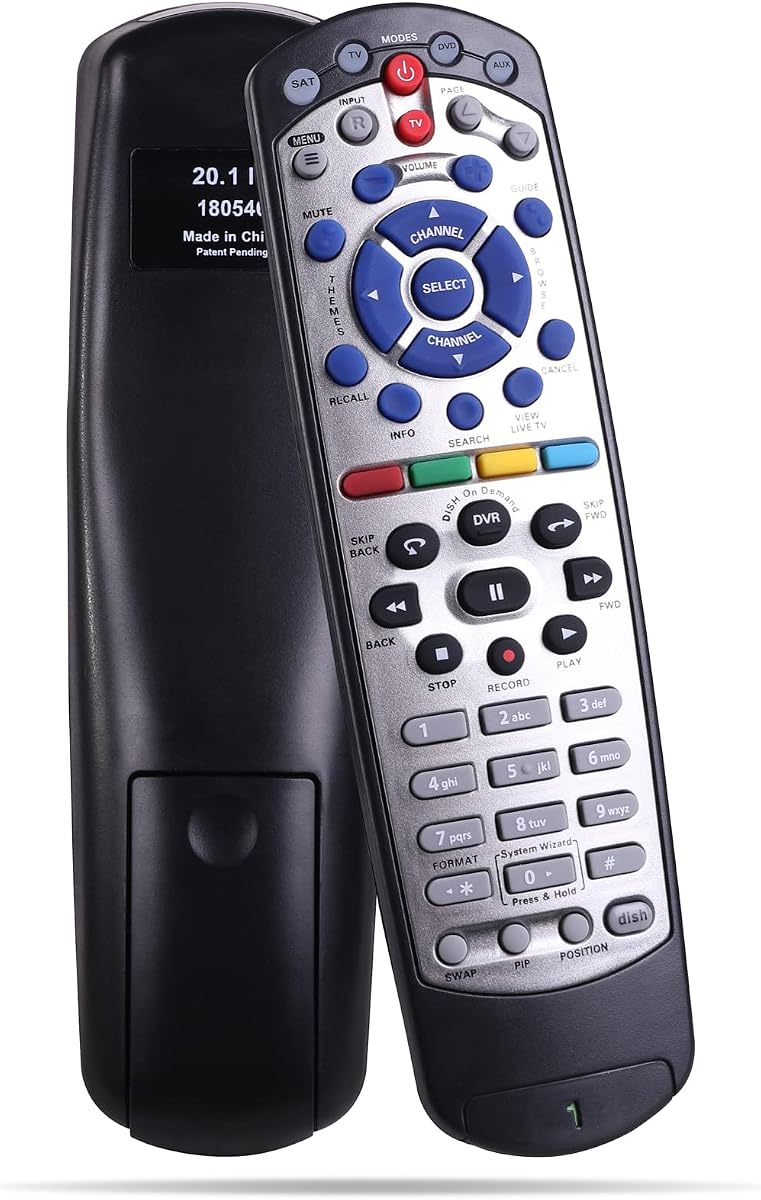
New IR Remote Control Replecement for Dish Network 20.1 IR Satellite Receiver TV DVD VCR
3.7Editor score
Affordable pricing
IR technology
One year warranty
Setup required
This comprehensive guide compares the top ten Dish Network Replacement Remote options available in October 2026 to help you find the perfect controller for
Finding a reliable Dish Network Replacement Remote can be challenging when your original controller stops working or gets lost. A good remote should offer seamless compatibility with your receiver, responsive buttons, and essential features like voice search or backlit keys for ease of use in any lighting condition.
We have carefully evaluated ten distinct replacement options based on compatibility, user ratings, feature sets, and ease of pairing. This list covers everything from budget-friendly IR remotes to advanced UHF models designed for the latest Hopper systems, ensuring you have the information needed to make an informed decision.
Each pick in this guide highlights specific strengths, technical specifications, and real-world performance details drawn from verified user feedback and product documentation. Please note that availability and pricing can fluctuate frequently, so always check the current details on the retailer page before making your final purchase decision today.
3.7Editor score

4.5Editor score

4.6Editor score
The following table provides a side-by-side comparison of all ten replacement remotes evaluated in this guide. Review the specifications and compatibility details to quickly identify which model aligns best with your specific receiver type and functional requirements.

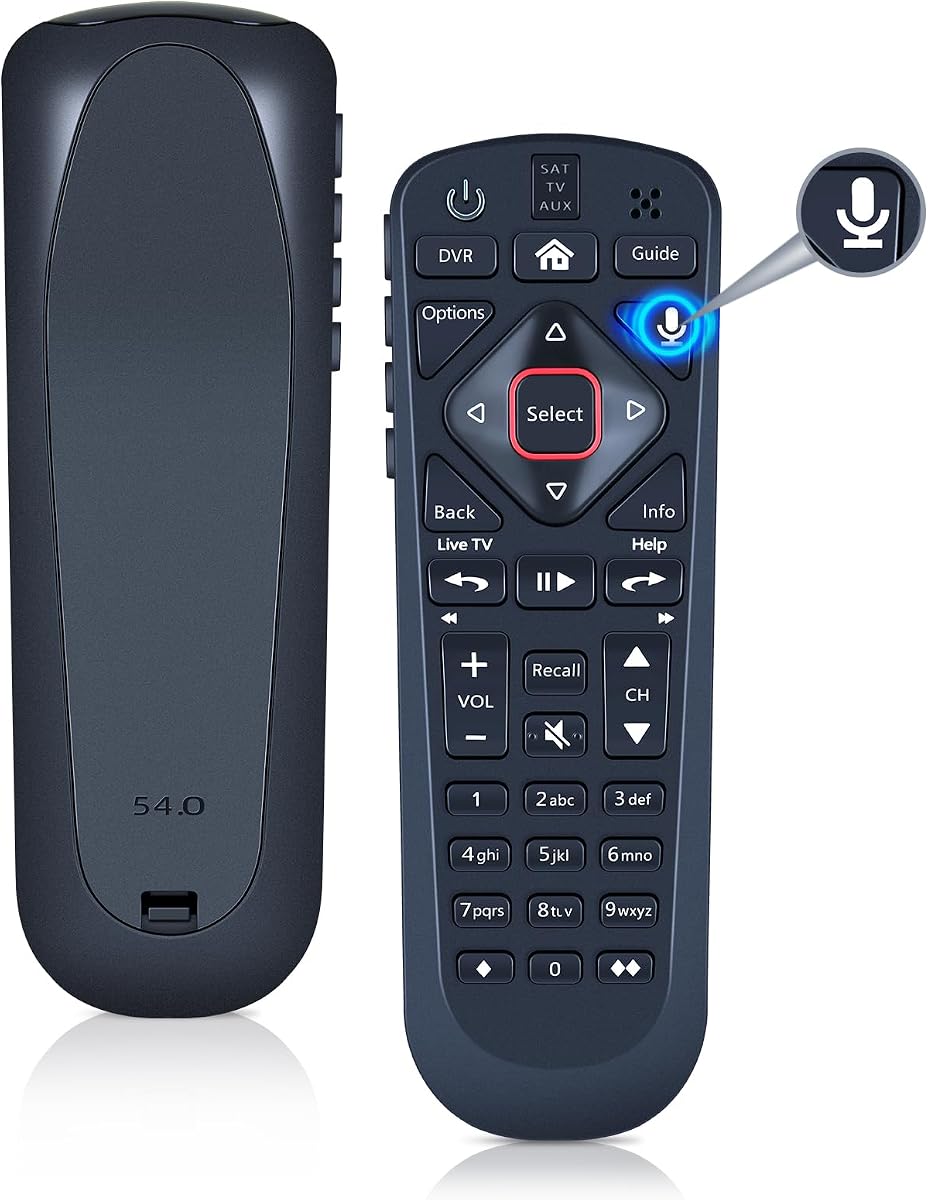



This replacement remote stands out as a top choice for users with upgraded Dish Network 54 series receivers. It offers robust UHF connectivity and integrated voice search capabilities that enhance navigation speed and convenience during daily viewing sessions.
We may earn a commission when you buy through this link, at no additional cost to you.
The pairing process is straightforward, requiring you to press the SYS INFO button on the receiver and the SAT button on the remote. Once paired, the remote supports auxiliary devices like Blu-ray players, providing a unified control solution for your entire entertainment system.
While the initial setup involves multiple steps to configure TV pairing, the reliability gained from the UHF connection outweighs the effort. Users appreciate the consistent performance and the ability to control multiple devices without switching remotes constantly.
This model is ideal for households seeking a versatile and modern replacement controller. We recommend it for anyone looking to upgrade their control experience with voice commands and reliable wireless performance without compromising on compatibility.
The built-in microphone allows for quick voice searches, reducing the need to type channel numbers or show titles manually with arrow keys.
Beyond controlling the satellite receiver, this remote can pair with auxiliary devices, consolidating your home theater control into one handheld unit.
We may earn a commission when you buy through this link, at no additional cost to you.
The official Dish 54.0 remote is engineered specifically for the Hopper family of receivers, offering a seamless integration that third-party alternatives often struggle to match. Its premium features include a backlit keypad and a remote locator function for added convenience.
We may earn a commission when you buy through this link, at no additional cost to you.
One of the most useful features is the remote locator, which beeps and blinks when activated from the DVR. This eliminates the frustration of searching for the remote in a dark room or under couch cushions. Additionally, the backlit keys illuminate automatically when picked up in low light.
While it offers exceptional functionality, some users note that full search capabilities require an internet connection. However, the convenience of programmed hot keys for apps and closed captioning makes up for this minor limitation in most modern households.
This remote is the best choice for Hopper owners who value original quality and specific premium features. If you want a controller that integrates perfectly with your receiver's ecosystem and offers thoughtful conveniences like lighting and location tracking, this is the ideal pick.
The keypad lights up automatically when you pick up the remote, ensuring you can see the buttons clearly in dark viewing environments.
You can program hot keys to launch specific apps or enable features like closed captioning instantly, streamlining your navigation experience.
We may earn a commission when you buy through this link, at no additional cost to you.
For users with older 20.1 IR satellite receivers, this budget-friendly remote provides a functional and cost-effective solution. It replicates the essential functions of the original controller without the premium price tag associated with newer UHF models.
We may earn a commission when you buy through this link, at no additional cost to you.
The remote requires a setup process where you must choose the correct code for your TV brand during programming. While this adds a step to the initial use, it ensures the remote can control your TV volume and power alongside the receiver functions.
Some users report mixed feedback regarding the lack of learning functions, which means it cannot copy signals from other remotes. However, for straightforward replacement needs, it performs reliably and comes with a one-year warranty for peace of mind.
We recommend this model for budget-conscious buyers with older equipment who need a basic replacement. If you do not require advanced features like voice search or universal learning, this remote offers solid value and performance.
This option provides a significantly lower price point compared to premium remotes while still delivering essential control functions for compatible receivers.
A one-year warranty is included with the purchase, offering support in case of defects or issues during normal use.
We may earn a commission when you buy through this link, at no additional cost to you.
This alternative replacement remote shares many similarities with the top-ranked model, offering voice search and UHF compatibility for the 54 series receivers. It serves as a viable backup option for users looking for specific features at a competitive price point.
We may earn a commission when you buy through this link, at no additional cost to you.
It is crucial to note that this remote is explicitly not compatible with the Dish Hopper 3 receiver. Users must verify their receiver model before purchasing to ensure proper functionality. The pairing process follows standard steps involving the SYS INFO and SAT buttons.
While the voice search function is a strong selling point, user feedback suggests that signal reliability might vary compared to original equipment. However, for those with compatible 54 series units, it provides a convenient way to add modern control features.
This remote is worth considering if the top-rated option is unavailable or out of stock. Just ensure your receiver model matches the supported list to avoid compatibility issues during setup or daily use.
The remote includes a built-in microphone that enables voice search, making it easier to find content without manual navigation.
Always check that your receiver is a 54 series model and not a Hopper 3 before purchasing to guarantee compatibility.
We may earn a commission when you buy through this link, at no additional cost to you.
This WDZP replacement remote is designed to support the upgraded 54 series receivers with a built-in microphone for voice search. It provides a balanced mix of features and compatibility, making it a strong contender for users needing a reliable replacement.
We may earn a commission when you buy through this link, at no additional cost to you.
The remote supports pairing with auxiliary devices such as DVD players or stereos, allowing for centralized control of your entertainment setup. The pairing process is clearly outlined, guiding users through the menu settings to establish a connection successfully.
One downside is the six-month warranty, which is shorter than the one-year coverage offered by other brands in this category. However, the responsive customer service and willingness to exchange defective units help mitigate concerns about long-term reliability.
We recommend this remote for users who prioritize voice search capabilities and auxiliary control. It is a solid choice for those who want modern features without the premium price of official manufacturer remotes.
Pair with auxiliary devices to manage your entire entertainment setup from a single remote without switching devices frequently.
The seller offers prompt customer service and exchange options, ensuring you are supported if you encounter any quality issues.
We may earn a commission when you buy through this link, at no additional cost to you.
The 21.1 IR/UHF PRO Universal Remote offers dual technology support, allowing it to work with a wide range of receiver configurations. It is particularly useful for setups that require both IR line-of-sight and UHF wireless capabilities for different zones.
We may earn a commission when you buy through this link, at no additional cost to you.
This remote supports both TV1 and TV2 locations, making it a versatile choice for multi-room installations. The universal design means it can adapt to various receiver models, though users should check compatibility lists carefully before purchasing.
While it offers powerful features, the setup process can be more complex compared to simpler plug-and-play models. Users need to ensure they select the correct mode for their specific TV and receiver to avoid signal conflicts.
This remote is best suited for advanced users or specific installation scenarios requiring dual signal types. It provides the flexibility needed for complex home theater setups where one remote needs to handle multiple tasks.
Supports both TV1 and TV2 locations, allowing you to control different receivers from different rooms without needing separate units.
Combines IR and UHF technologies to ensure compatibility with both line-of-sight and wireless receiver configurations.
We may earn a commission when you buy through this link, at no additional cost to you.
This replacement remote is designed for immediate use with Dish 20.1 receivers, eliminating the need for complex pairing processes. Simply insert batteries and it is ready to operate, making it an excellent choice for users seeking simplicity.
We may earn a commission when you buy through this link, at no additional cost to you.
The remote includes high-quality keys that feel comfortable to hold, along with pre-loaded device codes for various TV brands. It stores receiver settings directly in the remote, ensuring consistent performance without requiring constant adjustments.
While it lacks advanced features like voice search or backlit keys, its reliability and ease of use make it a strong contender for basic replacement needs. It covers essential functions like TV, DVD, and SAT control efficiently.
We recommend this model for anyone who wants a straightforward replacement without a learning curve. It is ideal for users who prioritize functionality and ease of setup over premium features.
The remote works immediately after battery insertion, saving time and avoiding the frustration of complex setup menus.
High-quality keys provide a comfortable feel and responsive feedback during use, enhancing the overall user experience.
We may earn a commission when you buy through this link, at no additional cost to you.
This two-pack option offers exceptional value for households that need a backup remote or units for different rooms. Both remotes are designed for Dish Network 20.1 IR receivers, ensuring they work seamlessly with compatible devices.
We may earn a commission when you buy through this link, at no additional cost to you.
Each remote is compact and easy to hold, with a stable performance profile that mimics the original controller. The package includes simple instructions and detailed sheets to guide you through the setup process efficiently.
While the feature set is basic, the convenience of having two remotes outweighs the limitations for many users. The one-year warranty adds confidence to the purchase, ensuring you are covered if any issues arise.
This option is perfect for families who want a spare remote ready to go or need to equip multiple viewing areas. It delivers reliability and convenience at a cost-effective price point.
Having a second remote ensures you always have a working unit if the primary one is lost or damaged.
The remotes are designed to be comfortable and stable in your hand, reducing the risk of slips during use.
We may earn a commission when you buy through this link, at no additional cost to you.
This IR remote is a straightforward replacement option designed to perform like your original 20.1 controller. It focuses on providing essential functionality without unnecessary bells and whistles, making it a practical choice for everyday use.
We may earn a commission when you buy through this link, at no additional cost to you.
You will need to finish the setup before using the remote, which involves pairing and choosing the correct code for your TV. The manual provides clear instructions to help you complete this process quickly and correctly.
While it lacks advanced features like voice search, it performs the core tasks required for satellite and TV control. The one-year warranty ensures that you are supported if the remote fails to work as expected.
This remote is suitable for users who need a reliable replacement for an older receiver. It offers solid value and performance for those who prefer a simple and effective solution.
The remote delivers the core functionality needed for standard viewing without complicating the interface with extra features.
A one-year warranty is included to protect your purchase and provide support in case of defects or malfunctions.
We may earn a commission when you buy through this link, at no additional cost to you.
The Dish Network Remote 52.0 is a classic model that works with all Hopper, Joey, and Wally receivers. It features backlit keys that illuminate automatically, making it easy to use in dark rooms without needing an external light source.
We may earn a commission when you buy through this link, at no additional cost to you.
One of its standout features is the remote finder tool, which allows you to locate the remote by pressing a button on your receiver. This is particularly useful if you frequently misplace your remote or have trouble finding it in the dark.
The remote supports hot key programming, allowing you to customize buttons for apps like Netflix or closed captioning. This customization enhances your viewing experience by providing quick access to your most-used functions.
This remote is an excellent choice for Hopper owners who want reliable and user-friendly features. The combination of backlit keys and a remote finder makes it a convenient tool for any home theater setup.
The keypad lights up when you pick up the remote, ensuring clear visibility in low light conditions during night viewing.
Program hot keys to launch specific apps or enable features instantly, streamlining your control experience.
We may earn a commission when you buy through this link, at no additional cost to you.
Selecting the right replacement remote requires careful consideration of compatibility, features, and connectivity type. Use the following factors to narrow down your choices and ensure you find a model that meets your specific needs.
Ensure the remote is explicitly listed as compatible with your specific receiver model. Different remotes are designed for different receiver families, such as the 20.1 IR, 54 series UHF, or Hopper systems. Using an incompatible remote can lead to pairing failures or missing functions.
Always verify your receiver model number before purchasing to avoid returns or wasted money.
Determine whether your receiver requires IR (Infrared) or UHF (Ultra High Frequency) connectivity. IR remotes need a direct line of sight, while UHF remotes work through walls and obstacles. Choose the type that matches your receiver's capabilities and your viewing room setup.
UHF is generally preferred for larger rooms or multi-zone setups.
Consider what features are essential for your daily use. Some remotes offer voice search, backlit keys, or the ability to control auxiliary devices. Evaluate if these features justify the potential price difference compared to basic models.
Voice search and backlit keys are highly convenient for modern viewing habits.
Some remotes require complex pairing or programming steps, while others work out of the box. Check the product description to understand the setup process before buying, especially if you prefer a plug-and-play experience.
Look for instructions that match your technical comfort level.
Quality of materials and button responsiveness can vary between replacement models. Read user reviews to gauge durability and ensure the remote feels comfortable to hold over extended use.
High-quality buttons reduce the risk of accidental presses or unresponsive controls.
Check the warranty terms provided by the seller. A one-year warranty is standard for many replacements, while some offer shorter terms. Warranty coverage protects you against manufacturing defects and provides peace of mind.
Prioritize sellers that offer clear warranty policies.
Compare prices relative to the features offered. While budget models are affordable, they may lack advanced functionalities. Decide on a budget range that balances cost with the features you actually need.
Avoid paying for features you will never use to maximize value.
To begin using your new remote, insert two fresh AAA batteries into the compartment located on the back of the unit. Ensure the polarity is correct by aligning the battery ends with the markings inside the battery compartment.
Follow the pairing instructions specific to your receiver model. Typically, this involves pressing the SYS INFO button on the receiver and a designated button like SAT on the remote until beeps are heard. Some models may require a code entry.
To maintain longevity, store the remote in a dry place and remove batteries if it will not be used for an extended period. Clean the buttons and surface with a soft, dry cloth to prevent dust buildup and ensure smooth operation.
Yes, most replacement remotes require a pairing process to communicate correctly with your receiver. For UHF models, this involves pressing specific buttons to sync the signal. IR models usually need code entry. Check your manual for exact steps.
If the remote is not working, check the battery orientation and ensure they are fresh. Try unpairing and re-pairing the remote. Verify that your receiver model is compatible with the specific remote you purchased to avoid signal issues.
Many replacement remotes include TV control functionality. You may need to program a specific code for your TV brand during the setup process. If the remote has a learning function, it can copy signals from your existing TV remote.
Some remotes come with a remote locator feature. If your receiver supports it, press a button on the receiver to make the remote beep. If not, check if the remote has a built-in finder button for audio feedback.
IR remotes require a direct line of sight to the receiver, meaning you must point them directly at the device. UHF remotes use wireless signals that can penetrate walls, allowing you to control the receiver from another room or behind furniture.
Specific replacement remotes are designed for older models like the 20.1 IR. Always check the product compatibility list to confirm it supports your older receiver model. Using a newer UHF remote on an old IR-only receiver will not work.
We have explored ten distinct options ranging from budget-friendly IR remotes to feature-rich UHF models. The best choice depends on your specific receiver model and whether you require modern features like voice search or backlit keys.
Prioritize compatibility and ease of setup when making your decision. A remote that is easy to configure and reliable in daily use will provide a better long-term value than one with advanced features you cannot utilize.
Remember that product availability and pricing can change quickly. Before making your purchase, visit the retailer page to confirm current stock and verify the product details match your requirements.