
Dell Optiplex 3050 SFF
4.2Editor score
Affordable reliable performance
16GB DDR4 RAM included
Compact small form factor
Discover the best Desktop PC for Teens in October 2026. This guide compares top models for gaming, schoolwork, and creativity to find your perfect match.
Finding the right Desktop PC for Teens involves balancing performance, budget, and versatility. Whether your teen needs a machine for coding, gaming, or school projects, the right setup can empower their digital creativity and productivity without breaking the bank.
We compared ten diverse desktop systems based on processor power, memory capacity, storage speed, and expandability. Each option was evaluated for reliability, connectivity, and overall value to ensure it meets the dynamic needs of modern teenage users across various use cases.
Each pick highlights key strengths and potential trade-offs to help you make an informed decision. Keep in mind that product availability and pricing can change frequently, so verify current details before purchasing to ensure you get the best value for your specific requirements.
4.2Editor score
4.3Editor score

4.1Editor score
This side-by-side comparison highlights key specifications across all ten models to help you quickly identify the system that best fits your teen's specific needs and budget constraints.





The DELL Optiplex 7060 SFF stands out with its powerful 8th Gen i7 processor and generous 32GB RAM, making it ideal for demanding teenage workloads. It rates well for reliability and offers excellent multitasking capabilities straight out of the box.
We may earn a commission when you buy through this link, at no additional cost to you.
Its 512GB NVMe SSD ensures quick application launches and file access, while the included wireless keyboard and mouse simplify setup. The Windows 11 Pro OS provides a modern interface tailored for productivity and learning tasks.
While it lacks a dedicated graphics card, the integrated graphics handle standard tasks smoothly. The renewed status means physical condition may vary, but functional testing ensures it meets performance expectations for daily use.
This model is perfect for teens needing a reliable workstation for school, research, and light creative work. Its balance of power and compact design makes it a top recommendation for most home office setups.
With 32GB of RAM, users can run multiple browser tabs and applications simultaneously without slowdowns or lag issues.
The spacious desktop tower case allows for future upgrades to storage or components as needs grow over time.
We may earn a commission when you buy through this link, at no additional cost to you.
This bundle offers exceptional convenience by including a 20-inch monitor and RGB peripherals alongside the desktop unit. It is well-suited for users who want a complete setup without extra purchases.
We may earn a commission when you buy through this link, at no additional cost to you.
The Intel Quad-Core i5 processor handles everyday tasks effectively, though the 8GB DDR3 RAM may limit heavy multitasking. The HDD storage is reliable but slower compared to modern SSDs.
Performance is adequate for web browsing and document editing. The older hardware components are a trade-off for the included monitor, which adds significant value to the total package.
Best for budget-conscious buyers needing a ready-to-use office station. Ensure the monitor size meets your space requirements before committing to this bundle option.
Everything arrives in one box, saving time on finding compatible peripherals and displays for immediate daily use.
Pre-installed Windows 11 Pro provides the latest features and security updates right after unboxing the system.
We may earn a commission when you buy through this link, at no additional cost to you.
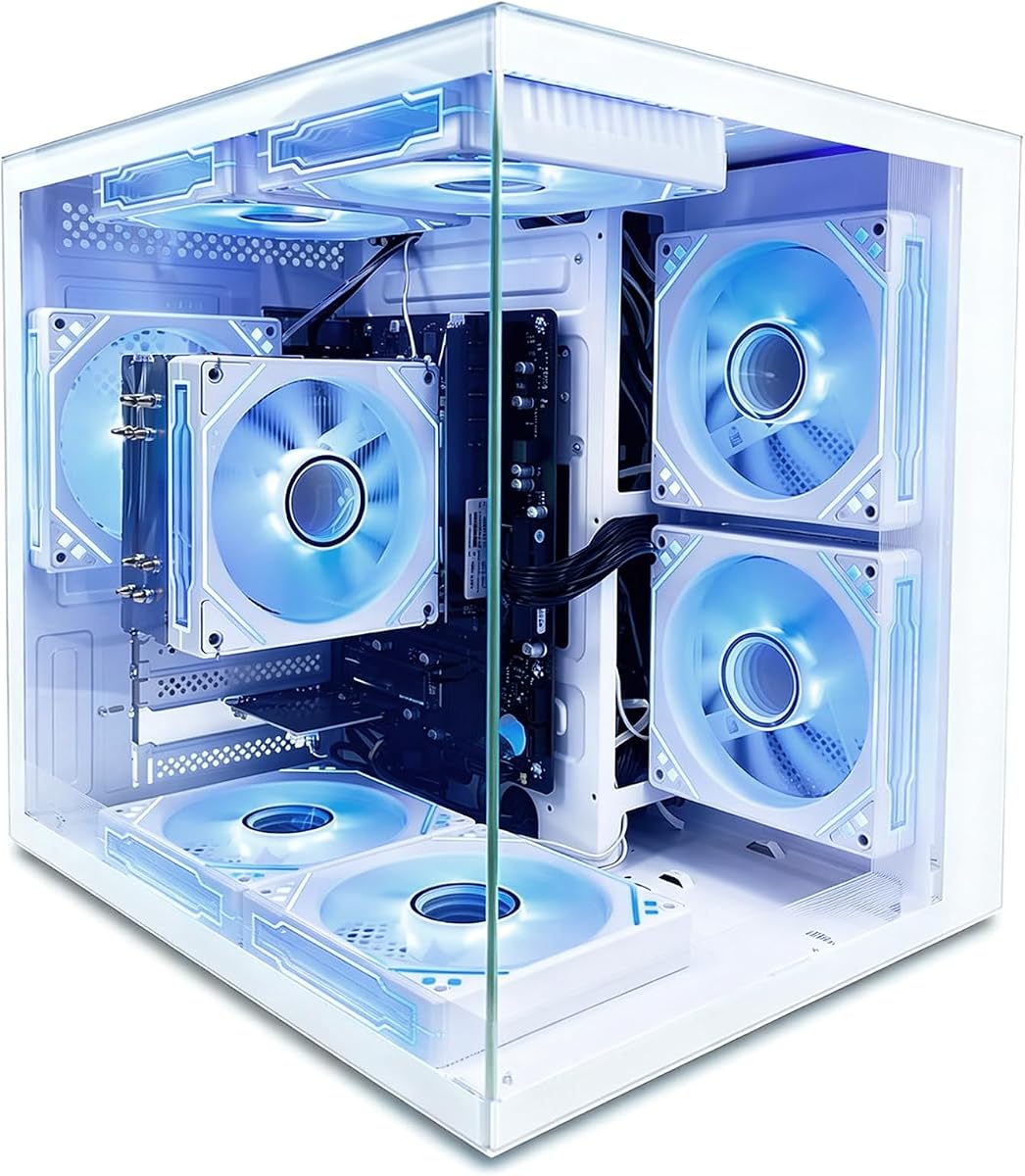
The suevery Prebuilt Desktop PC Tower delivers solid performance for casual gaming thanks to its integrated Radeon RX Vega 11 graphics. It earns a high rating for versatility and aesthetic appeal with RGB lighting.
We may earn a commission when you buy through this link, at no additional cost to you.
Its Ryzen 5 processor and 16GB DDR4 RAM ensure smooth operation during online classes and creative projects. The Wi-Fi 6 technology guarantees fast and stable internet connectivity for streaming or downloads.
Storage is limited to 256GB, which fills up quickly with games and media. However, the system includes expansion slots for future memory or storage upgrades to accommodate growing needs.
Ideal for teens who want a ready-to-gaming PC without a discrete GPU. The RGB fans add a fun visual element while maintaining efficient cooling for stable performance during extended sessions.
Integrated graphics handle casual titles at 1080p, offering an entry point into gaming without expensive hardware.
Wi-Fi 6 provides faster speeds and lower latency, improving online multiplayer experiences and streaming quality.
We may earn a commission when you buy through this link, at no additional cost to you.
This Small Form Factor model is perfect for tight spaces due to its slim design while maintaining robust processing power. The included SSD ensures rapid boot times and responsive application performance for daily tasks.
We may earn a commission when you buy through this link, at no additional cost to you.
The 16GB DDR4 RAM supports smooth multitasking across multiple programs. Its Intel HD Graphics 630 handles basic visual tasks well, though it is not intended for heavy gaming workloads.
The wired keyboard and mouse are reliable but may require a nearby USB connection. The compact case restricts future expansion, so consider your long-term needs before purchase.
Excellent for home office setups or study desks with limited room. It offers a professional look and solid reliability for standard productivity and educational software.
The slim tower fits easily on or under a desk, freeing up valuable workspace for books or notes.
NVMe storage provides fast file access and system responsiveness, reducing wait times during boot and launch.
We may earn a commission when you buy through this link, at no additional cost to you.
This package stands out with its 24-inch monitor and RGB panel, providing a visually engaging setup for teens. The inclusion of a headset and keyboard makes it a ready-to-use entertainment and work solution.
We may earn a commission when you buy through this link, at no additional cost to you.
The Intel Core i7 processor supports everyday applications and web browsing efficiently. Its 512GB SSD ensures quick data access, while the RGB lighting adds a customizable aesthetic touch to any room.
Lack of a dedicated graphics card limits high-end gaming capabilities. The renewed status means checking return policies carefully to ensure physical condition meets expectations upon arrival.
Perfect for teens prioritizing aesthetics and immediate usability. It serves well for streaming media, online classes, and casual computing without needing extra hardware purchases.
RGB light panels allow users to change colors and effects to match personal style or room decor preferences.
Included headset ensures clear communication during online meetings and gaming sessions right out of the box.
We may earn a commission when you buy through this link, at no additional cost to you.
This model delivers impressive value with 16GB of RAM and 4K support at a budget-friendly price. It ensures smooth performance for productivity tasks and supports high-resolution external displays for better visuals.
We may earn a commission when you buy through this link, at no additional cost to you.
The Intel i5-6500 processor provides reliable computing power for standard workloads. The 256GB SSD is faster than traditional drives, though storage space may require management for large media libraries.
Wi-Fi connectivity ensures wireless freedom for internet browsing. While it lacks newer CPU generations, it remains a capable system for everyday tasks and educational software requirements.
An excellent choice for users on a tight budget who need reliable performance and modern connectivity features. It balances cost and capability well for general home use scenarios.
Supports 4K displays, allowing for crisp text and detailed images during work or media consumption.
Built-in Wi-Fi adapter simplifies setup and reduces cable clutter around the workspace for a cleaner look.
We may earn a commission when you buy through this link, at no additional cost to you.
The 1TB SSD offers ample space for large files, making it ideal for teens storing extensive media or projects. Combined with 32GB RAM, it handles complex tasks without slowdowns or performance bottlenecks.
We may earn a commission when you buy through this link, at no additional cost to you.
Its Intel i5-8500 processor ensures consistent performance for multitasking. Built-in Bluetooth allows easy connection to wireless devices like headphones or printers without extra adapters required.
Performance is reliable for both home and office use. While not designed for heavy gaming, it excels in productivity and creative applications requiring significant data access and processing power.
Best suited for users needing massive storage and memory in a compact unit. The lack of a monitor means additional setup, but the internal specs are robust for demanding workflows.
1TB solid state drive allows storing thousands of files, videos, and applications without needing external drives.
Built-in Bluetooth facilitates connection to wireless peripherals for cleaner cable management around the desk.
We may earn a commission when you buy through this link, at no additional cost to you.
Equipped with a GeForce GT 1030 GPU, this PC can handle popular titles at decent frame rates for casual gaming. The bundle includes a monitor, headset, and keyboard, making it a comprehensive package for young gamers.
We may earn a commission when you buy through this link, at no additional cost to you.
The Core i7 processor supports smooth operation during gameplay and background tasks. RGB lighting adds visual flair to the front panel, enhancing the gaming atmosphere in any room environment.
While not for high-end titles at max settings, it offers a solid entry point into PC gaming. Renewed quality may vary, but functional testing ensures basic requirements are met before shipment.
Ideal for teens looking for a ready-made gaming station without building a custom rig. It balances gaming capability with everyday productivity needs effectively.
GeForce GT 1030 provides better performance than integrated graphics, enabling smoother gameplay in esports titles.
Includes monitor and audio gear, saving money on separate purchases and simplifying initial setup process.
We may earn a commission when you buy through this link, at no additional cost to you.
The Dell OptiPlex 7070 SFF delivers high-end performance with its 8-core processor and Wi-Fi 6E support. It is built for users requiring significant processing speed for video editing or heavy multitasking.
We may earn a commission when you buy through this link, at no additional cost to you.
Its 1TB NVMe SSD ensures lightning-fast load times and ample storage for large projects. The 32GB DDR4 RAM handles intensive workflows without slowdowns or latency issues during operation.
Wireless connectivity is optimized for modern networks, providing stable speeds for streaming. The compact case restricts internal component swaps, so initial specs should match long-term requirements.
Best for professionals or teens needing a powerhouse system for creative work. The latest connectivity standards ensure future-proofing against network upgrades in modern homes.
Wi-Fi 6E delivers faster speeds and lower latency, improving responsiveness for online tasks and streaming.
32GB of RAM enables running dozens of applications and tabs simultaneously without system slowdowns.
We may earn a commission when you buy through this link, at no additional cost to you.
This system offers balanced specs with 16GB RAM and a 512GB SSD for stable daily performance. It supports 4K displays, enhancing media consumption quality while remaining affordable for most households.
We may earn a commission when you buy through this link, at no additional cost to you.
The Intel i5 7500 processor handles common applications smoothly. Built-in Wi-Fi and Bluetooth ensure easy connection to peripherals and networks without extra dongles or cables.
Windows 11 Pro is installed, though older TPM versions may require attention for security features. Despite minor limitations, it remains a solid choice for general home use needs.
Ideal for users seeking a reliable desktop for basic computing and media. Its blend of connectivity and performance suits standard educational and personal tasks efficiently.
Supports 4K resolution, allowing connection to high-definition monitors for sharper text and clearer visuals.
Built-in Wi-Fi and Bluetooth simplify device pairing, reducing cable clutter and improving workspace organization.
We may earn a commission when you buy through this link, at no additional cost to you.
Choosing the right desktop requires evaluating key components that align with your teen's specific needs. This guide breaks down the most critical factors to consider before making a purchase decision.
The processor acts as the brain of the computer, determining how quickly tasks are completed. For teens doing heavy multitasking or coding, look for at least an i5 or Ryzen 5 equivalent. Ensure the processor can handle modern operating systems without lag.
Prioritize recent generations like 8th or 9th Gen Intel for better efficiency and longevity in performance.
RAM affects how many applications can run simultaneously without slowing down the system. 8GB is a minimum baseline, but 16GB or 32GB is better for open tabs and creative software. Higher memory ensures smoother transitions between programs.
Choose models offering upgrade slots if you plan to expand memory needs as requirements grow over time.
Solid State Drives (SSD) provide much faster boot and load times compared to Hard Disk Drives (HDD). Aim for at least 256GB or 512GB of storage. SSDs also consume less power and are more durable against accidental drops.
Selecting a larger capacity or upgrade-ready system helps manage growing media libraries without external drives.
For standard schoolwork and media, integrated graphics are sufficient. If your teen plays modern games, a dedicated GPU is necessary for smooth frame rates. Integrated Vega or modern Intel HD chips cover casual needs well.
Check if the system allows adding a graphics card later if gaming needs increase beyond basic requirements.
Ensure the desktop has enough USB ports for peripherals, along with HDMI or DisplayPort for monitors. Wi-Fi 6 or Bluetooth support is essential for wireless devices and streaming. Ethernet ports remain useful for stable connections.
Verify the availability of Type-C ports for modern accessories and future compatibility with new devices.
Windows 11 is the current standard, offering improved security and interface features. Ensure the hardware meets TPM requirements for full OS functionality. Check for driver updates to maintain system stability and security.
Confirm the unit ships with a legitimate license to avoid legal issues or security risks later on.
Small Form Factor (SFF) models save space on desks but may limit internal upgrades. Mid-tower cases offer better airflow and expansion potential. Consider where the PC will sit in the room before purchasing.
Balance compact design with thermal needs to ensure consistent performance during long usage sessions.
Renewed models often come with limited warranties like 90 days, so check return policies carefully. Inspect unit grades to understand cosmetic wear. Quality refurbishers ensure functional testing before shipment to you.
Buy from trusted sellers offering support to protect your investment against potential hardware failures or defects.
Proper placement in a well-ventilated area prevents overheating during long study or gaming sessions. Keep dust away from vents by cleaning them periodically to maintain airflow efficiency and system longevity over time.
Install antivirus software and keep the operating system updated to protect against online threats and data breaches. Regularly back up important projects to the cloud or an external drive to avoid losing academic work unexpectedly.
Teach responsible usage by setting reasonable screen time limits and encouraging breaks. Proper cable management helps prevent accidental disconnections and keeps the workspace organized and visually appealing for everyone.
Yes, several models in this list include dedicated graphics or capable integrated GPUs for casual gaming. However, high-end titles require specific hardware configurations. Check the graphics section of the specs to confirm compatibility before purchasing.
Some bundles include a monitor, but most sold as single units do not. Always check the product description carefully to confirm if accessories or displays are part of the specific item you are ordering.
SSDs provide significantly faster boot times and application loading compared to traditional hard drives. They are also more durable and quieter since they lack moving parts. This results in a much snappier overall user experience.
Many models have expandable memory slots allowing future upgrades. Always verify the motherboard's maximum supported capacity before purchasing extra modules. Some compact units might have onboard memory that cannot be changed.
Most listings explicitly state Windows 11 Pro pre-installed or ready for upgrade. Ensure TPM compatibility for full features. If uncertain, check the system requirements on the product page for confirmation.
Renewed systems offer significant cost savings while providing reliable performance tested by experts. They often come with warranties and support options. It is a budget-friendly way to access higher specs without paying new prices.
Our top picks highlight diverse options ranging from budget-friendly bundles to high-performance machines capable of creative work. The suevery Prebuilt and Dell Optiplex models stand out for their balance of specs and value in the current market.
Prioritize RAM and storage speed over raw CPU power unless specific applications demand it. A well-balanced system will serve better across school and play without requiring expensive upgrades in the near future.
Prices and availability shift regularly, so verify current listings before making your final decision. Use the comparison table to find the model that fits your exact requirements and budget constraints perfectly today.