
BOOX Tablet Go Color 7 Gen II
4.0Editor score
Compact seven inch display
Android thirteen operating system
Active stylus support
Color e ink tablets are transforming how professionals and students read and write. These devices offer a paper-like experience with the convenience of digital storage. They reduce eye strain while allowing you to highlight, annotate, and organize content effortlessly.
We evaluated ten leading models based on display technology, processing power, and stylus compatibility. Our analysis focuses on real-world usability for note-taking, document review, and extended reading sessions. Each product was assessed for battery life, screen clarity, and ecosystem integration.
Every selection highlights unique strengths whether you need portability or a large workspace. Prices and availability may shift so always check current listings before purchasing. This guide helps you find the right balance between features and value for your specific workflow needs.
4.0Editor score

4.2Editor score

4.3Editor score
As an Amazon Associate we earn from qualifying purchases.
This side by side comparison evaluates all ten devices across key specifications and user experience metrics to help you decide quickly.



The BOOX Tablet Go Color 7 Gen II offers an accessible entry point into color e ink technology. With a 4.0 rating users appreciate its versatility for reading comics and documents. Its compact size makes it ideal for daily commuting or casual reading sessions.
We may earn a commission when you buy through this link, at no additional cost to you.
This device runs Android 13 allowing installation of third party apps for enhanced productivity. The Kaleido 3 screen supports 4096 colors which is excellent for visual content. Battery life is robust due to the efficient e ink display technology.
However the stylus is not included in the box which adds to the total cost. Color resolution is lower than black and white which is typical for this tech. Users should expect a darker screen compared to LCD tablets.
This tablet is best for budget conscious readers who want color capability without a premium price tag. Its support for diverse file formats ensures compatibility with most digital libraries and work documents.
Weighing only 195g it fits easily in small bags for on the go usage.
Android 13 lets you customize your reading and note-taking environment.
We may earn a commission when you buy through this link, at no additional cost to you.
The reMarkable Paper Pro stands out as a dedicated tool for focused writing and reading. Rated 4.2 stars it delivers an unmatched paper-like experience with color capabilities. The large 11.8 inch screen provides ample space for complex documents and sketches.
We may earn a commission when you buy through this link, at no additional cost to you.
Included in the box is the Marker Plus pen with a built-in eraser. This creates a seamless workflow for note-takers and designers. The device keeps you focused by avoiding notifications and complex apps found on general tablets.
The trade-off is a higher price and a closed ecosystem compared to Android devices. You cannot install arbitrary third party apps freely. However for pure productivity this simplicity is often a benefit not a drawback.
Ideal for professionals and students who prioritize quality over quantity this tablet excels at deep work. Its cloud sync and handwriting conversion tools ensure your ideas are captured and organized efficiently.
The textured surface mimics friction of real paper for natural control.
Folder and tag systems keep thousands of documents easy to find.
We may earn a commission when you buy through this link, at no additional cost to you.
Amazon Kindle Scribe Colorsoft is a top-tier device for those deeply integrated into the Amazon ecosystem. With a 4.3 rating it offers a vibrant colorsoft display that is easy on the eyes. The included pen never needs charging which adds significant convenience.
We may earn a commission when you buy through this link, at no additional cost to you.
The built-in notebook and AI tools allow for smart organization and summarization of notes. You can read millions of Kindle titles and write directly on the pages. This integration is powerful for researchers and avid readers alike.
While it offers excellent features it leans heavily on Kindle services. Some might find the ecosystem restrictive compared to open Android tablets. The price is also at the high end of the market.
This premium tablet is best for professionals and students who want a polished writing experience with advanced AI aids. Its ability to review documents without printing saves time and reduces paper waste.
AI tools let you ask questions about your written content instantly.
Long battery life supports weeks of reading and writing on one charge.
We may earn a commission when you buy through this link, at no additional cost to you.
The Ocean C 64GB+4GB is a highly rated option offering robust performance at a competitive price. With a 4.5 rating it delivers a smooth experience for reading and note-taking. The octa-core processor handles multitasking well on Android.
We may earn a commission when you buy through this link, at no additional cost to you.
Its stylus syncs perfectly with the flexible screen for precise control. Users praise the paper-like texture which reduces fatigue during long sessions. Storage is generous allowing thousands of books and documents locally.
The main drawback is that the stylus must be purchased separately. While not a major cost it is an extra step compared to all-in-one bundles. Some may prefer a more well-known brand for support.
This device is great for value seekers who want strong hardware without a premium brand markup. It suits comic readers and students who need a reliable tool for daily tasks.
Strong processor ensures smooth navigation through apps and documents.
Engineered tip and tracking provide natural control for notes.
We may earn a commission when you buy through this link, at no additional cost to you.
This bundle version of the reMarkable Paper Pro adds a stylish book folio cover. The 4.2 rating reflects satisfaction with the device quality and accessories. It ensures your device stays protected while maintaining its ultra-slim profile.
We may earn a commission when you buy through this link, at no additional cost to you.
The folio features a premium mosaic weave that looks professional in meetings. Along with the included pen and tips it provides everything needed to start immediately. This convenience is valuable for busy professionals.
The added cost might not be worth it for all users. If you already have a case the base model is sufficient. However for gift buyers the complete package is more appealing.
Best for those who want a turnkey solution with high quality accessories. The protection ensures longevity and the included items simplify the initial setup experience.
The stylish cover adds durability and a professional aesthetic to your device.
All accessories in the box let you start writing immediately.
We may earn a commission when you buy through this link, at no additional cost to you.
The BOOX Note Air 5 C is a large workstation for those needing significant storage and RAM. With a 3.8 rating it offers power but users note typical e ink limitations. The Android 15 system ensures future proofing for apps.
We may earn a commission when you buy through this link, at no additional cost to you.
The 10.3 inch screen is great for PDFs and multi-column documents. 6GB of RAM helps when running multiple heavy apps simultaneously. Security is enhanced with a built-in fingerprint sensor on the power button.
Some users report color limitations and slower refresh rates for apps. E ink is not designed for video or high refresh scrolling. It is better suited for static content tasks.
This device is ideal for engineers and researchers who handle large files. The combination of high RAM and storage supports complex workflows on a paper-like screen.
Ten point three inches provides room to view multiple document sections.
Fingerprint recognition adds a layer of security for sensitive notes.
We may earn a commission when you buy through this link, at no additional cost to you.
The Penstar eNote Pro C stands out with its focus on AI productivity tools. Rated 4.0 it helps organize notes through voice-to-text and summarization. The included bundle with pen and cover saves money on accessories.
We may earn a commission when you buy through this link, at no additional cost to you.
Its 6500mAh battery supports up to three weeks of use. The pressure sensitive stylus feels natural and has zero lag during writing. This responsiveness is crucial for capturing fast thoughts and ideas.
As a newer brand support might vary compared to established competitors. Users should research community feedback before committing. The AI features are strong but depend on software updates.
Great for those who want AI help to manage workflow without a steep learning curve. Its long battery life makes it perfect for travel or long work days.
AI tools convert handwriting to text and summarize long notes instantly.
High capacity battery ensures weeks of continuous usage between charges.
We may earn a commission when you buy through this link, at no additional cost to you.
This variant of the BOOX Go Color 7 includes page turn buttons for easier navigation. With a 3.7 rating it offers a solid hardware package but software quirks exist. The buttons help when holding the tablet with one hand for reading.
We may earn a commission when you buy through this link, at no additional cost to you.
It supports a wide range of formats including PDF and EPUB. The Android 13 OS allows customization for different reading habits. The stylus is not included which adds cost for note-takers.
Users note the screen is darker than LCDs which is normal for e ink. Refresh rates are slower so scrolling apps are not smooth. It is better for static books and documents.
This model is best for avid readers who prefer physical controls over touch. Its compact design makes it easy to carry anywhere without weighing you down.
Physical buttons allow for comfortable navigation while holding the device.
Supports most file types so you can use existing digital libraries.
We may earn a commission when you buy through this link, at no additional cost to you.
The reMarkable Paper Pro Move is designed for those who travel frequently. With a 3.9 rating it balances size with the full reMarkable experience. The 7.3 inch screen fits easily into a jacket pocket for instant capture.
We may earn a commission when you buy through this link, at no additional cost to you.
It keeps your thoughts organized with tags and cloud syncing. You can search handwritten notes across devices. The included pen ensures you can write immediately without extra purchases.
The screen is smaller than the standard Pro which limits space for complex layouts. It is better for quick notes than full document review. The premium price remains a barrier for some.
Ideal for professionals who need a reliable tool on the go. Its distraction-free nature helps you focus during flights or coffee shop sessions.
Smaller than a paperback it slips into any bag for easy access.
Cloud sync ensures your ideas are available on desktop and mobile.
We may earn a commission when you buy through this link, at no additional cost to you.
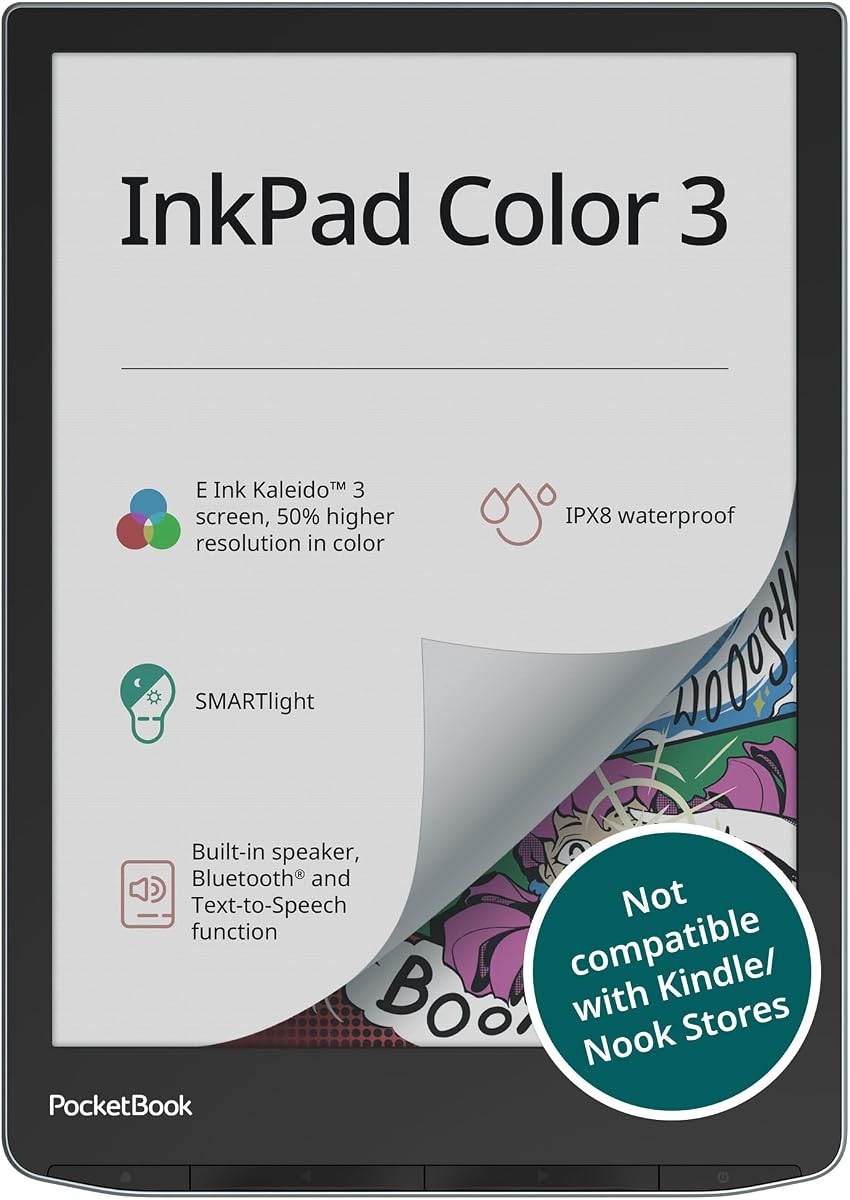
The PocketBook InkPad Color 3 focuses on reading features including water resistance. With a 4.0 rating it offers peace of mind for beach or bath reading. The IPX8 rating ensures protection against accidental spills or rain.
We may earn a commission when you buy through this link, at no additional cost to you.
It includes a built-in speaker for audiobooks and text-to-speech. The SMARTlight adjusts color temperature for comfortable reading day or night. Storage is decent for thousands of books locally.
Unlike other models it does not support a stylus for writing. It is purely for consumption which limits versatility for note-takers. However for pure readers it is excellent.
Best for those who want a durable device for casual reading. Its audio features add value for users who prefer listening while commuting.
IPX8 protection lets you read near water without fear of damage.
Built-in speaker supports audiobooks and text-to-speech for accessibility.
We may earn a commission when you buy through this link, at no additional cost to you.
Selecting the right color e ink tablet depends on your specific workflow and budget. Here are key factors to consider.
Screen size ranges from 7 inches to 11.8 inches. Smaller devices are portable while larger ones offer more workspace for documents. Consider where you will use it most to decide.
Most tablets use Kaleido 3 technology which supports 4096 colors. Resolution is lower in color mode than black and white. Expect a darker screen compared to traditional LCD tablets.
Check if the stylus is included or sold separately. Active stylus types vary between brands and pressure sensitivity levels affect writing comfort. Ensure compatibility before purchasing.
Android models allow third party apps which adds flexibility. Some proprietary systems focus on distraction-free writing. Choose based on whether you need app diversity or simplicity.
E ink batteries last weeks on a single charge. However active color features may reduce longevity. Check capacity to ensure it meets your daily needs.
Verify support for formats like PDF, EPUB, and DOCX. Some devices support more formats natively than others. This affects how easily you can import work files.
Look for water resistance if you read outdoors. Protective cases or folios are often sold separately. Consider the build quality for long-term daily usage.
Budget models range from 200 to 400 dollars while premium ones exceed 700. Weigh the cost against included accessories and ecosystem benefits to find best value.
Clean the screen regularly with a microfiber cloth to avoid scratches. Avoid harsh chemicals as they can damage the e ink coating. Use only recommended styluses to prevent tip wear and screen damage.
Adjust the refresh rate settings to balance speed and quality. Higher refresh modes may reduce ghosting but use more power. Choose modes based on whether you are reading static text or navigating apps.
Update your firmware regularly to ensure optimal performance. Check manufacturer guidelines for software updates that fix bugs or improve stylus sensitivity. This keeps your device running smoothly for years.
No each brand supports specific stylus types. Some use EMR while others require active Bluetooth pens. Check compatibility before buying to ensure it works with your device model.
Color resolution is lower than black and white on e ink screens. This is due to the technology used to filter colors. It is still sufficient for comics and highlighted text.
Android models support Google Drive for importing files. Proprietary systems may have limited sync options. Check cloud compatibility to ensure smooth access to your documents.
Battery life varies between two to six weeks. Usage intensity affects this significantly. Reading static pages uses less power than scrolling through apps constantly.
Most are not waterproof. Some models like the PocketBook offer IPX8 protection. If you plan to read near water ensure the device is rated for water resistance.
Yes Android tablets support the Kindle app for reading books. Some offer full Kindle ecosystem integration. You can browse store content and sync progress across devices.
E ink screens reflect light instead of emitting it. This is intentional to save power and reduce eye strain. The darker appearance is standard for the technology.
Most support PDF, EPUB, TXT, and common image formats. Some also handle Word docs and CBR comics. Check specific model specs to ensure compatibility with your files.
We highlighted the best options across different needs from budget to premium. Each device offers unique strengths for reading and note-taking. Your choice depends on whether you prioritize size, apps, or pure writing focus.
Prioritize features that match your daily workflow to avoid regret. If you write often a stylus included bundle is vital. If you read comics a larger screen may be worth the extra cost.
Always check current prices before buying as deals change frequently. The market evolves rapidly with new models and discounts. This ensures you get the best value for your investment.