
Creality Ender 3 V3 SE
4.1Editor score
Affordable entry point
Auto leveling
Direct drive extruder
This guide compares the top easy to use 3D printers for beginners and experts, highlighting features like auto leveling, speed, and connectivity for seamless
Finding an easy to use 3D printer can transform your creative journey from frustrating to fulfilling. Modern machines now include automatic calibration and user friendly interfaces that remove the technical barriers traditionally associated with additive manufacturing.
We analyzed ten leading models based on setup time, operational simplicity, and community support. Our comparison focuses on how quickly you can move from unboxing to printing successful parts without needing extensive technical knowledge or manual adjustments.
Each pick below highlights specific strengths like speed, multi color capability, or kid friendly safety features. Keep in mind that prices and availability change frequently so verify current details before making your final purchasing decision for your workspace.
4.1Editor score

4.7Editor score

4.5Editor score
This side by side comparison outlines the key specifications and capabilities of each selected model to help you identify the machine that best fits your specific printing needs and environment constraints.




The Bambu Lab A1 stands out as a top choice for those seeking an easy to use 3D printer without sacrificing performance. With a stellar 4.7 rating it delivers high speed precision and reliability that impresses both beginners and experienced makers immediately.
We may earn a commission when you buy through this link, at no additional cost to you.
Its standout feature is the full-auto calibration system which eliminates the tedious manual bed leveling that often frustrates new users. The active flow rate compensation ensures smooth prints every time while the quiet motor noise canceling keeps your workspace peaceful during long jobs.
While the printer itself is excellent note that multi-color printing requires purchasing the AMS lite separately if you want that capability. This adds to the total cost but the core printing experience remains seamless and highly efficient for most standard projects.
Anyone looking to start printing immediately with minimal setup hassle should consider this model. Its combination of speed, quality, and simplicity makes it a strong recommendation for home offices and creative studios alike.
The printer handles Z offset and bed leveling automatically ensuring perfect first layers without manual dials or tools.
High acceleration allows quick print times while active noise canceling keeps decibel levels low for comfortable home use.
We may earn a commission when you buy through this link, at no additional cost to you.
The FLASHFORGE Adventurer 5M targets users who need rapid prototyping capabilities without complex configuration. It features a CoreXY all metal structure that supports speeds up to 600mm/s making it ideal for high volume or time sensitive projects.
We may earn a commission when you buy through this link, at no additional cost to you.
Setup is simplified through one click automatic printing and bed leveling which reduces the risk of failed first layers. The direct extruder allows for quick 3-second nozzle swaps and the 35-second warm up gets you printing almost immediately after power on.
While it boasts impressive speed the 3.9 rating suggests some users may experience consistency issues compared to slower machines. The vibration compensation helps but quality can vary depending on the complexity of the geometry being printed in a session.
This machine suits workshop environments where throughput matters more than perfect aesthetic details. The smart app monitoring lets you adjust settings remotely ensuring you stay productive even when away from the printer during long prints.
The metal structure supports rapid movements and acceleration enabling efficient production cycles and faster turnaround on parts.
Flash Studio mobile app allows you to monitor progress and receive alerts so you can manage prints from anywhere.
We may earn a commission when you buy through this link, at no additional cost to you.
The Bambu Lab A1 mini is designed to make 3D printing accessible from day one for beginners who want simplicity and connectivity. It brings your ideas to life with the included LED Lamp Kit allowing you to create functional decorative lights right away.
We may earn a commission when you buy through this link, at no additional cost to you.
This model features automatic calibration and a smooth printing experience that lets you focus on creating instead of troubleshooting mechanical issues. Access to MakerWorld’s huge library of ready-to-print models helps new users find projects that match their skill level instantly.
While the build volume is smaller than full size printers it fits naturally into home studios or desks without taking up too much space. The quiet operation ensures it won’t disturb others in shared living spaces while you work on your creative projects.
Ideal for hobbyists and families this printer offers a seamless entry point into the Bambu Lab ecosystem. The reliable performance and included creative kit make it a standout choice for those who want to start building immediately.
The included LED lamp kit allows you to print and assemble functional lights immediately without needing extra tools or plans.
MakerWorld offers thousands of optimized models that work flawlessly with the printer reducing the need for complex slicing.
We may earn a commission when you buy through this link, at no additional cost to you.
The Bambu Lab P1S is a robust choice for users who want the convenience of automation with the capability to handle advanced filaments. Its enclosed body improves print performance for materials like ABS and ASA which typically require stable thermal environments.
We may earn a commission when you buy through this link, at no additional cost to you.
With speeds up to 500mm/s and automatic bed leveling this machine saves you time on both printing and setup. You can spend more time printing and less time setting up thanks to a user-friendly design that ensures a hassle-free assembly experience.
While it costs more than open frame models the enclosure and higher power ensure reliable results with a wider range of materials. It supports standard filaments like PLA and PETG as well as advanced options like PA and PC for functional parts.
This printer is perfect for professionals or advanced hobbyists who need reliability and speed in one package. The combination of features makes it a premium investment that pays off through consistent high quality output and minimal downtime.
The fully enclosed body helps maintain stable temperatures allowing for successful prints with ABS ASA and other engineering filaments.
Setup takes roughly 15 minutes and the system is ready to print almost immediately after initial configuration.
We may earn a commission when you buy through this link, at no additional cost to you.
The AOSEED AI 3D Printer brings a toy factory home helping families make new toys without extra store trips. It is designed for kids with an enclosed pinch-resistant design and TÜV Rheinland certified PLA for a safer printing experience at home.
We may earn a commission when you buy through this link, at no additional cost to you.
With AI Doodle children can create custom 3D models using voice text or image prompts without needing design skills. This AI-powered creativity made simple transforms photos into fun cartoon-style 3D figures and supports personalized avatars for unique DIY projects.
The machine supports single-color printing only meaning multi-color designs require separate parts and assembly. Despite this limitation the fast 400mm/s speeds allow small toy projects to be completed in as little as 20 minutes keeping kids engaged.
Parents and kids can enjoy the excitement together from designing the model to watching the final piece come to life. The built-in camera and time-lapse features make it easy to capture and share each step of a child’s creative process.
Voice text and image prompts let kids design models instantly fostering creativity without complex software or prior knowledge.
Enclosed design and one-tap printing ensure a safe and straightforward experience tailored for young users and families.
We may earn a commission when you buy through this link, at no additional cost to you.
The Entina Tina2C is designed for first-time users and kids with guided setup through the Poloprint Cloud app. It allows users to start their first 3D print in as fast as 8 minutes making the process simple fun and frustration-free.
We may earn a commission when you buy through this link, at no additional cost to you.
Powered by the app users can access AI-powered search photo-to-print features and 20+ creative modules for learning. Regularly updated STEM learning courses and interactive tools turn creativity into an engaging educational experience for kids and families at home.
With a compact body and rounded edges it is well-suited for classrooms and offices. The flexible magnetic build plate allows easy model removal while the quick-swap printhead structure makes maintenance simple even for first-time users.
This mini printer is ideal for STEM education school projects and small creative builds. Compatible with multiple operating systems it works with standard slicing software for flexible customization and learning expansion over time.
Integrated STEM modules and app features provide structured learning paths for kids to understand design and engineering concepts.
Supports 2.4G WiFi and TF card offline mode giving users flexible ways to create anytime without internet access.
We may earn a commission when you buy through this link, at no additional cost to you.
The AD5M combines brand-new technology and superior craftsmanship to meet the needs of all users whether you're just starting or a seasoned professional. It features a durable CoreXY all-metal motion structure that ensures high-speed printing without compromising quality.
We may earn a commission when you buy through this link, at no additional cost to you.
Achieve perfect prints with ease thanks to a fully automatic one-click leveling system that precisely measures the nozzle-to-build plate distance. Say goodbye to manual calibration and leveling tools which ensures a flawless first layer every time you print.
If the electricity shuts down the printer will save the ongoing layer and resume from that point when the power is restored. The flexible double-sided PEI steel plate makes it easy to remove the printed model by bending it after printing.
This printer turns ideas into reality effortlessly allowing you to enjoy a stress-free creative journey. The enhanced control and efficiency provided by the Orca-flashforge slicer and network monitoring make it a smart choice for makers.
The stable and smooth motion structure enables reliable low-noise performance even during high-speed printing sessions.
Ongoing prints are saved automatically so power interruptions do not ruin your project or waste material time.
We may earn a commission when you buy through this link, at no additional cost to you.
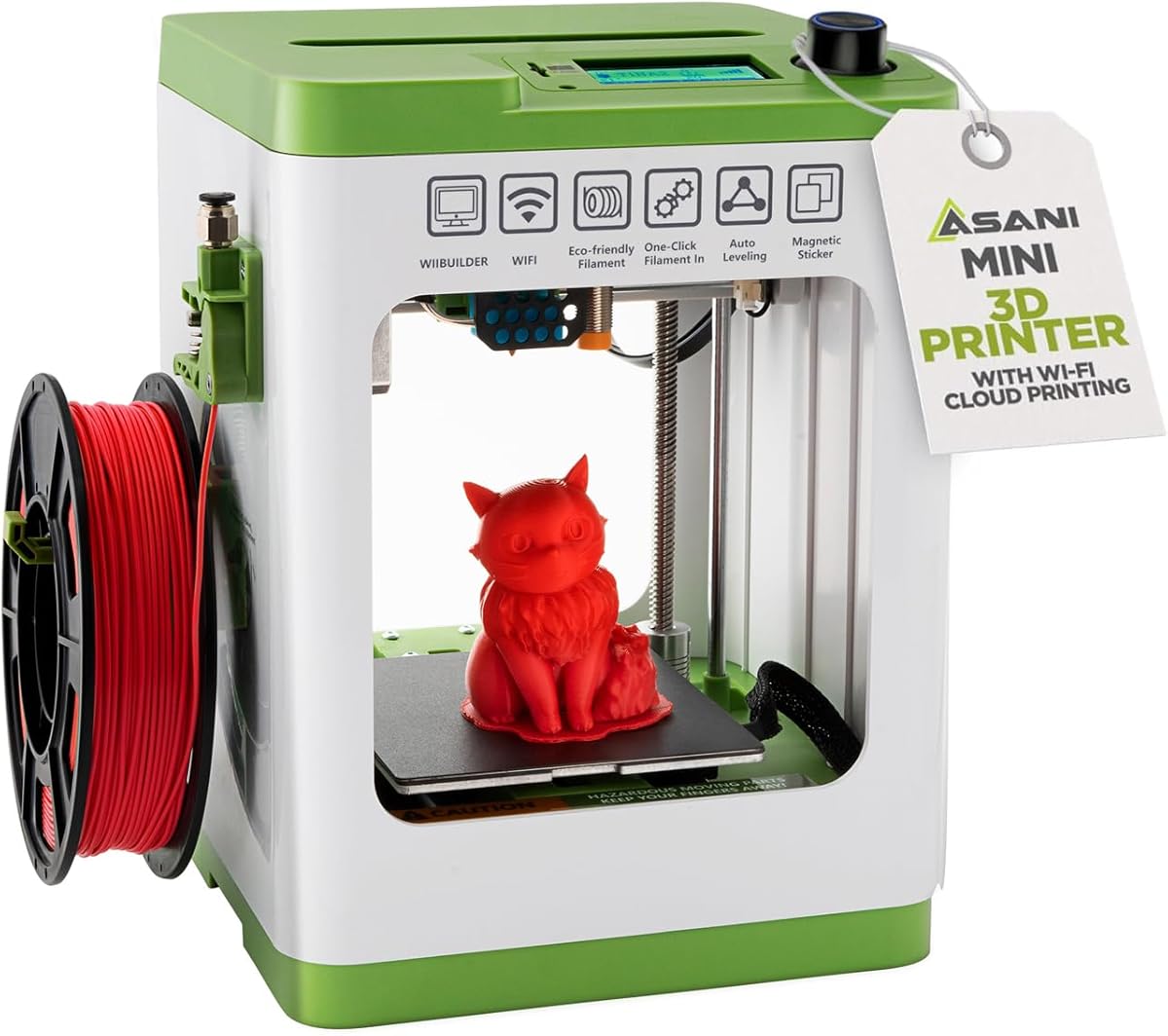
Everything is included in this 3D printer starter kit coming with a mini printer 10M of PLA filament and accessories. Unlike other printers that may malfunction if not assembled correctly this unit is designed for reliable long-term use right out of the box.
We may earn a commission when you buy through this link, at no additional cost to you.
Made with kids and beginners in mind it features auto-leveling and a dual z-axis rail for high-precision prints. The 2.4 LCD screen and flexible magnetic build plate ensure easy removal and control over the printing process.
Use MAC Windows or Linux to bring your imagination to life with open source printing capabilities. The WiFI-capable printer is also compatible with a majority of slicing software including Cura and Simplify3D for flexible learning.
Note that you must use the included platform plate or a comparable metal plate to ensure the proximity sensor functions properly. This requirement helps maintain consistent performance and prevents malfunctions during use for new users.
Fully assembled design eliminates the need for complex setup so you can start printing projects right after unboxing.
Compatible with major operating systems and slicers allowing you to customize prints and learn software skills easily.
We may earn a commission when you buy through this link, at no additional cost to you.
Designed for a fast and straightforward setup the Ender 3 V3 SE can be assembled in just a few simple steps. It offers high-speed printing up to 250mm/s helping you complete prototypes functional parts and everyday projects more efficiently.
We may earn a commission when you buy through this link, at no additional cost to you.
CR Touch Auto Leveling and automatic Z-offset calibration help achieve a reliable first layer reducing manual adjustments. This makes printing easier for both beginners and experienced users who want consistent results without tweaking the machine constantly.
The upgraded Sprite Direct Drive Extruder provides smooth and consistent filament feeding for PLA PETG and TPU. Dual synchronized Z-axis lead screws and precision Y-axis linear shafts work together to help reduce vibration and Z wobble.
A 32-bit silent mainboard helps reduce operating noise for a more comfortable printing experience. The flexible PC spring steel build plate allows printed models to be removed quickly with minimal effort saving time on post-processing.
Auto-leveling and quick assembly mean you spend less time configuring and more time printing your first models.
The Sprite extruder supports a wide range of materials ensuring smooth feeding and reliable layers for diverse projects.
We may earn a commission when you buy through this link, at no additional cost to you.
The Kobra X comes born with 4 colors built-in making it an innovative 3D printer easily expandable up to 19 colors with ACE 2 Pro units. It reduces filament waste and machine travel path allowing for 2X the speed and cutting material costs.
We may earn a commission when you buy through this link, at no additional cost to you.
LeviQ 3.0 uses a 49-point calibration and advanced leveling algorithm to ensure 100% bed flatness. This ensures flawless first layers and the printer is ready to print just 15 minutes after pickup reducing waiting times for creators.
Smart AI monitoring features Spaghetti detection and foreign object detection to prevent failed prints remotely. Dual-band Wi-Fi with stable 2.4G/5G and LAN connectivity allows live status monitoring through the Anycubic App and Slicer.
Supports mixed printing of rigid and flexible filaments including PLA PETG TPU PVA and ASA. A vast library of models and a large print size make it perfect for home use schools and makerspaces looking for versatility.
Four built-in color channels enable vibrant multicolor designs without additional purging or expensive add-ons for starters.
AI detection monitors for spaghetti and foreign objects to save materials and prevent wasted prints during long jobs.
We may earn a commission when you buy through this link, at no additional cost to you.
Selecting the right printer involves evaluating several key factors that impact ease of use and long-term satisfaction for your specific environment.
Automatic leveling is critical for beginners to avoid manual adjustments that often lead to print failures. Look for CR Touch or sensor-based systems that calibrate the bed for you before every print.
Choose a machine that handles Z-offset automatically to ensure perfect first layers without requiring a user to feel the nozzle height.
High speeds reduce waiting time allowing you to complete projects faster. Modern printers now offer travel speeds over 500mm/s which significantly cuts down production cycles.
Ensure the acceleration is stable enough to maintain detail at high speeds to avoid wobble or loss of precision in your prints.
A user-friendly interface or mobile app lets you control prints remotely and monitor progress without hovering over the machine. Look for WiFi capability for remote slicing and updates.
Consider whether the printer supports open-source slicers if you want flexibility to tweak settings for different materials or complex geometries.
The physical footprint should fit your desk or workspace without dominating the room. Mini printers save space but limit the size of objects you can create.
Match the build volume to your typical projects to ensure you aren't wasting money on capacity you won't use or struggling with size constraints.
Enclosed designs help maintain stable temperatures for advanced filaments like ABS and prevent hot parts from causing injury. This is vital for homes with children or pets.
Look for features like pinch-resistant designs and certified materials if you are buying a printer specifically for kids or educational environments.
Check which filaments the printer supports out of the box. Some models are optimized for PLA while others can handle high-temp materials like PC or Nylon.
Ensure the hotend temperature and extruder type match your intended materials to avoid clogging or poor adhesion during prints.
A large user community means more shared models troubleshooting help and firmware updates. Systems with proprietary ecosystems often provide ready-to-print libraries to simplify the process.
Choose a brand with active support forums to ensure you have help available if you encounter issues during your first few prints.
Easy maintenance features like quick-swap nozzles reduce downtime when parts wear out. Regular users benefit from designs that allow tool-free adjustments.
Opt for models with self-cleaning nozzles or simple filament change mechanisms to keep operation smooth without specialized tools.
Always start by leveling the bed if your machine requires manual steps before the first print. If it has auto leveling simply run the calibration routine on the menu to ensure the nozzle height is correct for your first layer.
Keep the nozzle and build plate clean by removing dust or residue after each print. Use a soft brush or cloth to wipe down the bed and check the nozzle tip for any plastic buildup that could affect flow.
Store your filament in a dry place to prevent moisture absorption which can cause bubbling or clogging. Regularly update the printer's firmware and app to access the latest features and bug fixes from the manufacturer.
Yes many modern printers include safety features like enclosed covers and pinch-resistant designs. Look for models with low-noise operation and simple interfaces to ensure a safe experience for young users at home.
No most beginner-friendly models come with ready-to-print models and simple app controls. You can design or select models visually without needing to write any code or use complex CAD software.
It is recommended to clean the build plate after every print and the nozzle once a week. Regular maintenance prevents clogs and ensures consistent adhesion for future projects without major disassembly.
Not all models support color changes mid-print without extra hardware. Some advanced systems like the Anycubic Kobra X offer native multi-color capabilities while others may require manual pauses and swaps.
With proper maintenance these machines can last for several years of regular use. Replacing parts like nozzles and build plates helps extend the life of the printer significantly over time.
While WiFi is helpful for remote monitoring the core printing functions do not require a constant internet connection. You can also use SD cards or USB drives to transfer models offline if needed.
Yes most popular models support both Windows and macOS for slicing and control. Always check the manufacturer's specifications to confirm compatibility with your specific operating system before buying.
Many modern printers claim to be ready in under 15 minutes out of the box. Auto-leveling and simple assembly steps significantly reduce the time needed before you can print your first object.
We reviewed ten top models ranging from affordable beginner kits to high-speed premium options. Each pick offers unique features like auto leveling AI design tools or multi-color capabilities to suit different needs.
Prioritize what matters most to you such as print speed material compatibility or safety features. The right choice depends on whether you want to print toys educational models or professional prototypes.
Remember that prices and availability fluctuate so verify current details before making your final purchase decision for your workspace. Keep checking the latest reviews to ensure you get the best value today.