
AOC 27G51Z
4.6Editor score
240Hz Native Refresh
Affordable Pricing
Adaptive Sync Support
Choosing the right display can dramatically impact your performance in fast-paced tactical shooters like Valorant. A high refresh rate ensures smooth motion and reduced input lag, allowing you to react faster to enemy movements.
We evaluated ten leading models based on panel technology, response times, and adaptive sync support. Each entry offers distinct advantages for competitive play, balancing visual fidelity with raw speed for optimal tracking.
Our selections highlight key features that matter most to competitive players. Note that availability and pricing may fluctuate frequently, so verify current details before making your final purchasing decision online.
4.6Editor score
4.5Editor score

4.8Editor score
As an Amazon Associate we earn from qualifying purchases.
This side-by-side comparison highlights the core specifications and unique strengths of each model to help you select the ideal display for your specific needs.




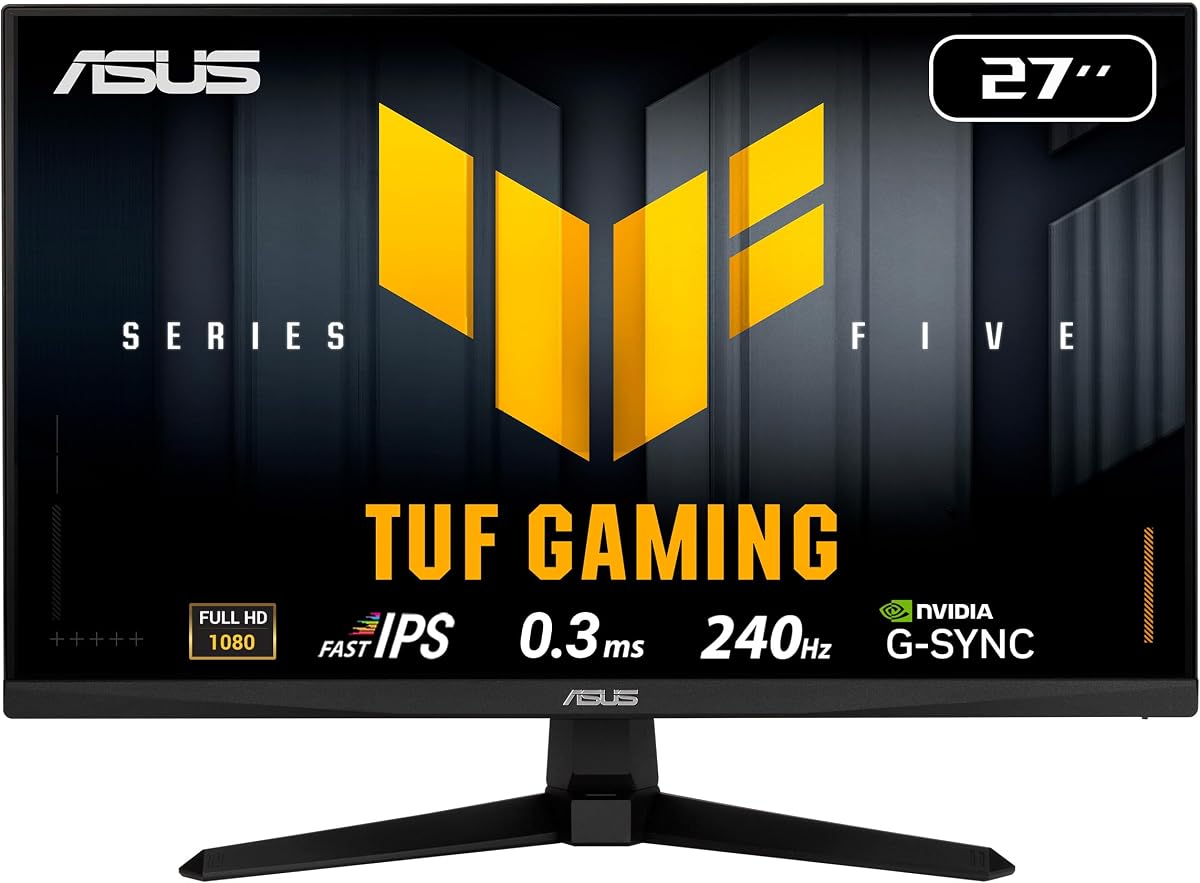
The ASUS TUF VG279QM5A stands out as a top contender for competitive Valorant players seeking a blend of speed and visual clarity. With a 240Hz refresh rate and Fast IPS panel, it delivers crisp images without motion blur during intense firefights.
We may earn a commission when you buy through this link, at no additional cost to you.
Its Ultra-Fast Response Time of 0.3ms ensures that moving targets remain sharp, allowing you to track enemies accurately. The inclusion of ELMB SYNC technology further reduces ghosting, providing a competitive edge when aiming at opponents across the map.
While the monitor offers exceptional performance, it comes with a higher price tag compared to budget alternatives. Additionally, the stand lacks height adjustment, which might require a separate riser for proper ergonomic positioning during long sessions.
This monitor is ideal for serious gamers who prioritize motion clarity and adaptive sync support. If you value reliable performance and fast response times above all else, this model is a solid investment for your competitive setup.
ELMB SYNC allows variable refresh rate and motion blur reduction to work simultaneously for sharper visuals.
99% sRGB coverage ensures vibrant and accurate colors that help distinguish enemies against various backgrounds.
We may earn a commission when you buy through this link, at no additional cost to you.
The AOC 27G51Z offers incredible value for players looking to upgrade to a high refresh rate display without breaking the bank. Its 240Hz native refresh rate ensures smooth gameplay that is essential for competitive titles like Valorant.
We may earn a commission when you buy through this link, at no additional cost to you.
With an overclocked speed of 260Hz, this monitor pushes beyond standard limits to provide even fluid motion. The IPS panel delivers consistent colors and wide viewing angles, making it versatile for both gaming and casual use.
While it lacks premium features like extensive ergonomic adjustments, the functionality it provides is robust for the price. The stand only tilts, so you may need to adjust your desk or add an arm for optimal comfort.
This model is perfect for budget-conscious gamers who need reliable performance. It balances cost and quality effectively, making it a strong recommendation for those entering competitive play or upgrading an older setup.
The 260Hz overclock option provides a slight edge in smoothness for compatible systems and drivers.
Adaptive-Sync technology works with both AMD and NVIDIA GPUs to eliminate screen tearing during gameplay.
We may earn a commission when you buy through this link, at no additional cost to you.
The msi MAG 274CF X24 stands out with its unique AI Vision technology that enhances visibility in dark corners where enemies often hide. This feature is particularly useful in tactical shooters where spotting movement in shadows can mean the difference between life and death.
We may earn a commission when you buy through this link, at no additional cost to you.
Its Rapid VA Panel provides deep blacks and high contrast, which helps distinguish characters from the background. Despite being a VA panel, it achieves a 0.5ms response time that minimizes blur during typical gameplay scenarios.
VA panels sometimes struggle with faster response compared to IPS, so ghosting might be slightly more noticeable in fast pans. Additionally, the port selection is basic, lacking USB hubs which some users might prefer for peripherals.
For players who value contrast and unique AI features, this premium option is compelling. It delivers a highly immersive experience and ensures you do not miss critical visual cues during high-stakes matches.
AI Vision analyzes the scene to reveal details in dark areas, ensuring enemies are never hidden in shadows.
Deep blacks from the VA panel improve depth perception and make bright elements pop during night maps.
We may earn a commission when you buy through this link, at no additional cost to you.
The SANSUI 24.5 Inch Monitor pushes speed with a refresh rate of up to 300Hz, surpassing standard 240Hz models. This extra smoothness can be beneficial for players with high-end GPUs capable of pushing extreme frame rates in Valorant.
We may earn a commission when you buy through this link, at no additional cost to you.
It features a Fast IPS panel that ensures vibrant colors and quick pixel transitions. The inclusion of a Crosshair assistant helps new players align shots more accurately without relying solely on screen crosshairs.
While the specs are impressive, the build quality is basic and the warranty terms vary compared to major brands. The stand is minimal, so mounting it on a VESA arm might be necessary for optimal viewing height and angle.
This monitor is best suited for tech-savvy gamers who want maximum speed without paying a premium. If you have a system that can support 300fps, this model offers a future-proofed experience.
The built-in crosshair overlay can be customized to help improve your aim alignment during practice.
300Hz refresh provides even smoother visuals than 240Hz if your hardware can sustain high frame rates.
We may earn a commission when you buy through this link, at no additional cost to you.
The Amzfast 24 Inch Curved Monitor uses a curved screen to immerse you in the action, making it easier to track movement across the field. This curvature reduces eye strain by keeping the center and edges at similar distances.
We may earn a commission when you buy through this link, at no additional cost to you.
It includes a 5-way joystick for OSD control, making it easy to toggle game modes and adjust settings quickly. The 240Hz refresh rate ensures fluid gameplay, which is crucial for maintaining focus during competitive matches.
However, user reviews indicate inconsistencies in build quality and panel uniformity compared to major brands. The limited adjustability might cause discomfort over long sessions if you cannot position the screen at eye level.
This monitor is a good option for those wanting a curved immersive experience on a budget. If you prioritize immersion over perfect uniformity, it offers a unique visual style at a competitive price.
The curved panel helps peripheral vision focus better on the action without excessive head turning.
Quick access to settings via joystick allows fast switching between game presets without menus.
We may earn a commission when you buy through this link, at no additional cost to you.
The SANSUI 24 Inch Curved Monitor features a deep 1500R curve that wraps around your field of vision. This is ideal for players who prefer immersion and want to feel connected to the map layout during matches.
We may earn a commission when you buy through this link, at no additional cost to you.
It includes a Shadow Booster feature that brightens dark areas, helping you spot enemies hiding in corners. The 240Hz refresh rate ensures that motion remains smooth and predictable for accurate tracking.
While it offers good features for the price, it lacks built-in speakers and has a very basic stand. You may need external speakers and a monitor arm to achieve a fully ergonomic setup for extended play.
This model is a solid choice for budget gamers who want curvature and essential gaming features. It balances performance and cost well, making it accessible for those entering the competitive scene.
The 1500R curve provides a wider field of view and reduces eye strain during long sessions.
Adjustable black levels help reveal details in shadowy areas where opponents might be camping.
We may earn a commission when you buy through this link, at no additional cost to you.
The AOC Q27G41ZE offers 1440p resolution with 240Hz refresh rate, providing sharper details than standard FHD monitors. This extra clarity helps you identify enemies from further away and notice small movements instantly.
We may earn a commission when you buy through this link, at no additional cost to you.
With a 0.3ms MPRT response time, motion blur is minimized even at higher resolutions. Adaptive sync support ensures smooth visuals regardless of frame rate fluctuations during intense fights.
Running at QHD with 240Hz requires a powerful graphics card which might strain older systems. Additionally, the monitor consumes more power than lower resolution models which could impact heat in small setups.
This monitor is best for players with high-end PCs who want clarity and speed combined. If you can drive 240fps at 1440p, this model delivers a visually superior competitive experience.
1440p resolution provides sharper text and enemy models than 1080p for better recognition.
Game mode presets and OSD tuning allow quick adjustments to optimize performance for Valorant.
We may earn a commission when you buy through this link, at no additional cost to you.
The Dell SE2426HG combines trusted build quality with a 240Hz refresh rate and Fast IPS technology. It ensures smooth motion and vibrant colors essential for competitive gaming while maintaining a compact footprint on your desk.
We may earn a commission when you buy through this link, at no additional cost to you.
Its TÜV Rheinland 3-Star certification means reduced blue light exposure during long sessions. This feature is beneficial for players who play for hours and want to minimize eye strain without sacrificing color quality.
The stand only tilts and lacks height adjustment which might limit ergonomics for some users. While it is reliable, it does not offer advanced gaming overlays or AI features found in higher-end competitors.
This monitor is ideal for gamers who prefer reliability and eye comfort. It is a dependable choice for competitive play without unnecessary extra features driving up the cost significantly.
Reduced blue light helps prevent eye fatigue during marathon gaming sessions on weekends.
FreeSync Premium support ensures synchronized refresh rates for smooth and tear-free gameplay.
We may earn a commission when you buy through this link, at no additional cost to you.
The ASUS TUF VG249QML5A brings premium features to a 24-inch form factor which is perfect for smaller desks. With a 0.3ms response time and 240Hz refresh rate, it delivers the speed competitive players require.
We may earn a commission when you buy through this link, at no additional cost to you.
It includes a height adjustable stand, which is rare at this price point and improves ergonomics significantly. The ELMB SYNC technology ensures sharp visuals by reducing ghosting without compromising refresh rate.
The 24-inch size might feel small if you are used to wider screens but offers better focus for aim. Also, the inclusion of Adobe Creative Cloud is a nice bonus for content creators who game.
This is a great option for those who want ergonomic adjustment and speed in a compact package. It balances professional features with competitive performance effectively for most user setups.
Adjustable stand allows you to set the optimal height to prevent neck strain during matches.
Free Creative Cloud subscription adds value if you also edit videos or create content.
We may earn a commission when you buy through this link, at no additional cost to you.
The ASUS TUF VG259QM5A offers a 25-inch screen which sits between standard 24 and 27-inch sizes. This size provides enough screen real estate without forcing excessive head movement during gameplay.
We may earn a commission when you buy through this link, at no additional cost to you.
Its 0.3ms response time and 240Hz refresh rate ensure that fast-paced action is rendered smoothly. The G-SYNC compatibility helps prevent tearing and stuttering when playing with NVIDIA graphics cards.
Lacking height adjustment limits ergonomic flexibility compared to more expensive models. However, the solid build and generous warranty provide peace of mind for long-term daily use without issues.
This monitor is suitable for players wanting a balance of screen size and performance. It delivers the necessary speed and clarity for competitive play while maintaining a versatile desk footprint.
25 inches offers a comfortable middle ground for visibility and desk space optimization.
Three-year coverage ensures reliability and support for your investment over several years.
We may earn a commission when you buy through this link, at no additional cost to you.
Selecting the right monitor involves balancing refresh rate response times and panel type to suit your specific play style and hardware.
A 240Hz refresh rate means the screen updates 240 times per second which allows for smoother motion and faster reaction times. This is crucial in Valorant where every millisecond counts.
Prioritize monitors that guarantee 240Hz at your preferred resolution to ensure the gameplay feels fluid and responsive.
Response time measures how quickly a pixel changes color which affects motion blur and ghosting. Look for 1ms or lower GtG time to keep moving targets sharp and clear.
Fast response times are essential for competitive play as they help you track enemies accurately without visual lag.
IPS panels offer better color accuracy and viewing angles which helps with spotting enemies and vibrant visuals. VA panels provide deeper blacks which can improve contrast in dark maps.
Choose IPS for speed and color consistency or VA for contrast depending on your visual preference and environment.
Adaptive Sync technologies like G-SYNC or FreeSync prevent screen tearing by syncing the monitor with your GPU. This ensures smoother gameplay even if frame rates fluctuate during intense moments.
Select a monitor that supports the sync technology compatible with your graphics card for the best tear-free experience.
Adjustable stands with tilt and height adjustments help you position the monitor at eye level to reduce strain. Proper ergonomics are vital for long practice sessions to maintain focus and health.
Look for VESA mount compatibility if the built-in stand lacks flexibility so you can use an external arm.
1080p is standard for 240Hz monitors and ensures high frame rates without taxing your PC. Higher resolutions like 1440p offer sharper images but require more powerful hardware to maintain speed.
Decide based on your GPU power whether you want maximum speed at 1080p or sharper visuals at 1440p.
Ensure the monitor has the correct ports like HDMI 2.0 or DisplayPort to support 240Hz at your chosen resolution. Older cables might not support the bandwidth required for high refresh rates.
Check the included cables and ports to avoid bottlenecks that could limit the monitor's performance capabilities.
High sRGB coverage ensures colors are vibrant and consistent which helps distinguish enemies from the background. Accurate colors can also improve your visual experience during casual viewing.
Look for monitors with wide color gamut coverage if visual fidelity is a priority alongside speed.
Properly connect your monitor using DisplayPort to ensure you unlock the full 240Hz refresh rate. Use the provided drivers to adjust settings like overdrive for optimal motion clarity without introducing artifacts.
Position the monitor at arm's length with the center slightly below eye level to reduce neck strain during long sessions. Clean the screen gently with a microfiber cloth to avoid scratches and maintain clarity.
Adjust brightness and blue light settings to suit your ambient light which reduces eye fatigue. Regularly check for firmware updates to keep the monitor's features and performance up to date.
Yes, 240Hz provides smoother motion and reduced input lag which is essential for competitive shooters like Valorant. It allows you to track enemies more accurately and react faster to threats.
To fully benefit from 240Hz, your PC must consistently output high frame rates. Valorant is optimized for performance so mid-range systems can often reach these speeds with proper settings.
IPS panels are generally preferred for their speed and color accuracy. However, VA panels with fast response times can also work well if they offer better contrast for your setup.
Higher refresh rates like 240Hz reduce motion blur making it easier to track moving targets accurately. This consistency helps improve muscle memory and aim precision during gameplay.
Adaptive sync prevents screen tearing which can be distracting during matches. While not mandatory, it improves visual stability and is recommended for a smoother experience.
Most consoles do not support 240Hz natively so this feature is best utilized on PC gaming setups. Check your console's supported refresh rates before purchasing to ensure compatibility.
We selected ten outstanding monitors that balance speed, clarity, and reliability for competitive gameplay. Our top picks like the ASUS TUF and AOC models offer exceptional performance for various budgets.
Prioritize response time and refresh rate to ensure smooth tracking and quick reactions. A good ergonomic stand also matters to keep you comfortable during intense ranked matches.
Remember to check current availability and prices as they change frequently. Verify your system compatibility before purchasing to ensure you get the best experience possible.