
LG 24G411A-B
4.5Editor score
144Hz overclock speed
1ms MBR clarity
HDR10 visuals
Finding the right display for competitive gaming requires careful attention to refresh rates and synchronization technologies. A 24 Inch G Sync Monitor offers the ideal balance of size and speed for FPS titles and fast-paced action games.
We evaluated ten leading models based on panel technology, response times, and adaptive sync compatibility. Each product was assessed for color accuracy, build quality, and feature sets to ensure they meet rigorous gaming standards.
Every pick highlights key strengths and potential trade-offs for different user needs. Prices and availability fluctuate frequently, so verify current listings before making your final decision on a new gaming monitor.
4.5Editor score

4.4Editor score

As an Amazon Associate we earn from qualifying purchases.
This side-by-side comparison highlights the core specifications and unique features of each selected monitor to help you quickly identify the model that best fits your gaming requirements.




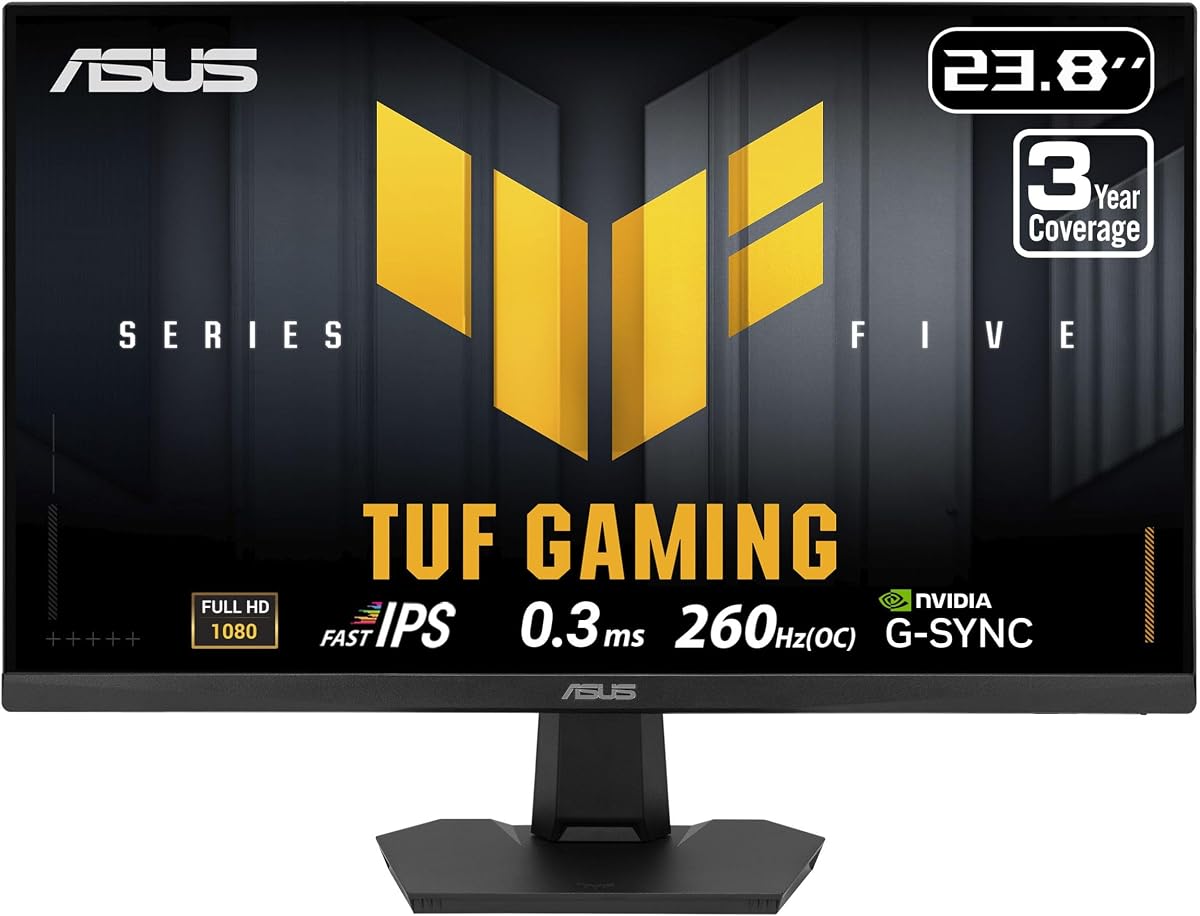
The ASUS TUF Gaming VG249QML5A stands out as a top contender in the 24 Inch G Sync Monitor category with its impressive 240Hz refresh rate. This display offers a fluid experience for competitive gamers who prioritize motion clarity above all else.
We may earn a commission when you buy through this link, at no additional cost to you.
Its Fast IPS panel delivers vibrant colors with 99% sRGB coverage while maintaining fast response times. The combination of G-Sync compatibility and ELMB Sync ensures tear-free visuals without ghosting artifacts during intense gameplay.
While the HDR performance is modest compared to high-end models, the core gaming features are robust. The ergonomic stand allows for height adjustments which reduces strain during long sessions.
Competitive FPS players will find this monitor ideal for its speed and clarity. It balances cost and performance well for those seeking high refresh rates in a 24-inch form factor.
The 0.3ms response time minimizes ghosting effectively during fast moving scenes.
Vibrant colors remain accurate across wide viewing angles thanks to the IPS panel.
We may earn a commission when you buy through this link, at no additional cost to you.
The LG 24G411A-B delivers exceptional value for gamers seeking a reliable 24 Inch G Sync Monitor without breaking the bank. It combines a 144Hz overclocked rate with HDR10 visuals for an immersive experience.
We may earn a commission when you buy through this link, at no additional cost to you.
Vivid colors are ensured by 99% sRGB coverage on its IPS panel. The 1ms Motion Blur Reduction keeps action sharp and reduces ghosting effectively during fast-paced titles.
Features like Black Stabilizer enhance visibility in dark scenes which is crucial for tactical games. The Switch app allows for easy multitasking making it versatile for work and play.
Budget-conscious gamers should consider this model for its balance of price and features. It offers core G-Sync compatibility and responsive performance suitable for entry to mid-level setups.
Black Stabilizer helps spot threats in low-light game environments.
Includes HDMI and DisplayPort for broad device compatibility.
We may earn a commission when you buy through this link, at no additional cost to you.
The ASUS TUF Gaming 24" FHD IPS offers high-end specifications suitable for serious competitive gaming. Its 200Hz refresh rate paired with a 0.3ms response time ensures fluid visuals with minimal lag.
We may earn a commission when you buy through this link, at no additional cost to you.
The fast IPS panel covers 99% of the sRGB color space for vivid consistent visuals. G-Sync and FreeSync Premium compatibility eliminates tearing and stuttering for seamless frame performance.
Anti-glare matte screen support makes it versatile for different lighting conditions. Multiple ports including DP 1.4 and dual HDMI 2.0 cater to diverse connection needs across systems.
Enthusiasts looking for top-tier motion clarity will appreciate this monitor's capabilities. It justifies the cost with professional grade response times and robust connectivity options.
Fast reaction times reduce input delay for quicker in-game responses.
Wide viewing angles maintain color consistency from various seating positions.
We may earn a commission when you buy through this link, at no additional cost to you.
The LG 24G414B-B provides a balanced experience for gamers needing a reliable 24 Inch G Sync Monitor with solid speed. Its 144Hz native refresh rate keeps gameplay fluid and responsive.
We may earn a commission when you buy through this link, at no additional cost to you.
Vivid colors are supported by 99% sRGB coverage on the IPS panel. The 1ms Motion Blur Reduction ensures sharp visuals with minimal ghosting during action sequences.
Built-in stereo speakers add convenience for casual listening without needing a headset. Height and tilt adjustments enhance ergonomics for comfortable extended usage.
Mid-range users will find this model suitable for general gaming needs. It delivers core G-Sync performance at an accessible price point with useful design features.
Adjustable stands help reduce strain during long gaming sessions.
Built-in speakers offer basic sound for quick media playback.
We may earn a commission when you buy through this link, at no additional cost to you.
The Dell 24 240Hz is a strong choice for competitive players seeking ultra-fast refresh rates. Its 240Hz speed provides crystal clear visuals with minimized motion blur.
We may earn a commission when you buy through this link, at no additional cost to you.
The Fast IPS technology delivers excellent color accuracy across wide viewing angles. TÜV 3-Star certification ensures blue light reduction while preserving color quality for eye comfort.
FreeSync Premium and HDMI VRR eliminate tearing for smooth responsive gameplay. The 0.5ms response time further enhances clarity during rapid movement on screen.
Gamers prioritizing high refresh rates will find this Dell model effective. It balances speed and visual quality effectively within a compact 24-inch design.
Certified eye care technologies reduce strain during extended use.
VRR support ensures smooth transitions between different frame rates.
We may earn a commission when you buy through this link, at no additional cost to you.
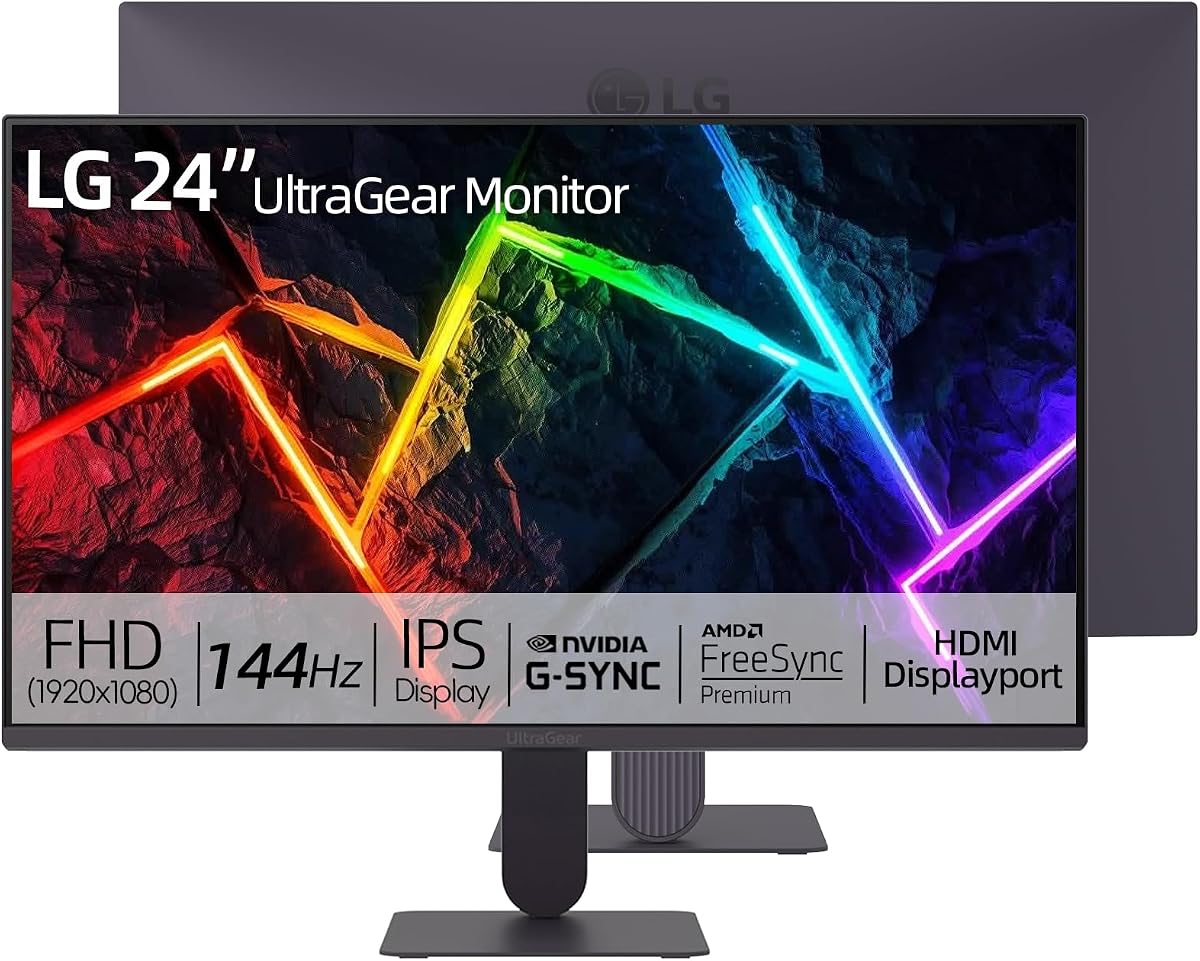
The LG 24" Ultragear FHD Gaming Monitor offers an immersive experience with its vivid IPS display. It features a 144Hz overclocked refresh rate that ensures fluid movement and sharp visuals.
We may earn a commission when you buy through this link, at no additional cost to you.
Officially validated NVIDIA G-SYNC Compatibility reduces screen tearing and stuttering for seamless gameplay. Pro-level tools like Dynamic Action Sync further enhance responsiveness for competitive matches.
Black Stabilizer reveals details in dark scenes helping players spot targets quickly. The ultra-slim bezel maximizes field of view for a more focused experience.
Users valuing visual fidelity will appreciate this monitor's clarity and color. It is a solid option for those needing a reliable display for various gaming genres.
Dynamic Action Sync helps reduce lag for quicker reactions.
Slim bezels reduce distractions and blend into any setup.
We may earn a commission when you buy through this link, at no additional cost to you.
The LG 24 inch Ultragear Gaming Monitor brings true color experience through HDR10 technology. It delivers richer nuanced color gradations suitable for both gaming and multimedia entertainment.
We may earn a commission when you buy through this link, at no additional cost to you.
The native 120Hz refresh rate boosts to 144Hz for significantly reduced motion blur. NVIDIA G-SYNC Compatible and AMD FreeSync synchronize refresh rates to eliminate stuttering effectively.
Gaming-grade visual enhancement tools like 1ms MBR reduce ghosting effectively. Slim minimalist design supports efficient multitasking with ultra-narrow bezels.
Those needing a reliable display for mixed use will find this model suitable. It balances visual performance with productivity features well.
Customizable layouts boost productivity alongside gaming performance.
HDR10 ensures authentic visual performance across applications.
We may earn a commission when you buy through this link, at no additional cost to you.
The ASUS 24" FHD Gaming Monitor delivers ultra-smooth competitive play with its 200Hz refresh rate. It pairs this with a 0.3ms response time to minimize blur during fast-paced games.
We may earn a commission when you buy through this link, at no additional cost to you.
ELMB Sync technology further reduces ghosting ensuring clearer motion clarity. Low Blue Light and Flicker-Free technologies reduce eye strain during extended sessions.
Vibrant colors are supported by 99% sRGB coverage. Flexible connectivity includes dual HDMI 2.0 and DisplayPort 1.4 for wide compatibility.
Gamers focused on speed will find this monitor highly responsive. It offers professional grade features for competitive environments.
ELMB Sync keeps action sharp during high frame rate gaming.
Multiple ports allow easy connection to various devices.
We may earn a commission when you buy through this link, at no additional cost to you.
This LG 24" Ultragear model ensures authentic natural visual performance with HDR10. It delivers richer nuanced color gradations ideal for gaming and design work.
We may earn a commission when you buy through this link, at no additional cost to you.
The 144Hz overclock provides seamless fluidity for both competitive and casual play. Synchronization technologies eliminate tearing and stuttering for a stable visual experience.
Tools like Black Stabilizer enhance visibility in dark areas. Slim bezels deliver an immersive experience with minimal distractions.
Those needing a reliable display for various tasks will find it effective. It balances visual quality with essential gaming features well.
Adaptive sync keeps visuals stable across different games.
Adjustable tilt ensures comfortable viewing angles.
We may earn a commission when you buy through this link, at no additional cost to you.
The ASUS TUF Gaming VG249QM5F delivers blazing-fast 260Hz refresh rates for ultra-sharp visuals. It targets competitive gamers who need every millisecond of reaction time.
We may earn a commission when you buy through this link, at no additional cost to you.
ELMB SYNC technology works alongside FreeSync Premium to eliminate tearing and ghosting. Vivid color performance covers 99% of sRGB space for accurate visuals.
Smart gaming features like TUF Gaming A.I. enhance gameplay. Built-in speakers and extensive connectivity make it versatile for daily use.
Elite esports players will appreciate its top-tier speed. It justifies the premium with professional grade performance features.
260Hz rate ensures minimal lag during intense moments.
Fast IPS panel maintains color accuracy at high refresh.
We may earn a commission when you buy through this link, at no additional cost to you.
Selecting the right monitor involves balancing performance specs with ergonomic features.
Higher refresh rates like 144Hz or 240Hz ensure smooth motion clarity essential for competitive gaming. A fast response time under 1ms helps reduce ghosting artifacts.
IPS panels offer wider viewing angles and better color accuracy than VA or TN alternatives. Look for high sRGB coverage to ensure vibrant visuals.
G-Sync Compatibility and FreeSync Premium prevent screen tearing. Ensure the monitor supports your GPU vendor's specific technology for optimal synchronization.
Height and tilt adjustments are crucial for long-term comfort. A flexible stand reduces neck strain during extended gaming sessions.
Multiple ports including HDMI and DisplayPort allow versatile connections. USB-C can simplify setups but is not always necessary for gaming.
HDR10 support adds depth to visuals but brightness levels vary. Ensure the panel offers sufficient nits to make HDR content visible.
Prices fluctuate based on features and demand. Focus on performance metrics that match your gaming style rather than chasing every premium feature.
Standard warranties often cover pixels and hardware issues. Longer warranty periods provide peace of mind for long-term investments.
Connect your monitor using a DisplayPort cable to access full refresh rates and adaptive sync features. HDMI cables are also effective but check version compatibility for high bandwidth.
Adjust brightness and contrast settings to match your room lighting. Use eye-care modes to reduce strain during long gaming or work sessions.
Clean the screen gently with a microfiber cloth to avoid scratches. Avoid spraying cleaners directly on the panel to protect internal electronics.
Yes, these monitors offer high refresh rates and fast response times crucial for esports. The synchronization technology reduces tearing ensuring a smoother visual experience.
Ensure your graphics card drivers are updated. Enable G-Sync in the NVIDIA Control Panel settings and use a DisplayPort connection for best results.
A 24-inch screen is standard for competitive gaming as it keeps the entire view within peripheral vision. This reduces head movement and improves reaction times.
FreeSync is typically cheaper and works with AMD and some NVIDIA cards. G-Sync is validated by NVIDIA for stricter performance standards.
IPS panels provide better color accuracy and wider viewing angles. VA panels offer higher contrast but may suffer from slower response times.
Yes, many offer high color accuracy and ergonomic stands suitable for productivity. Fast refresh rates are an added benefit for multitasking.
We highlighted the top models including the ASUS TUF VG249QML5A and LG 24G411A-B for their balance of speed and value. These options cater to both competitive and casual gamers.
Prioritize refresh rates and synchronization features that match your hardware. Comfort features like adjustable stands also contribute to long-term satisfaction.
Check current pricing before buying to ensure you get the best deal. Availability changes frequently so verify specifications for your region.