
Asustor Drivestor 4 Gen 2 AS1204T
4.0Editor score
Affordable entry-level storage
2.5GbE high-speed network
Btrfs snapshot protection
This guide compares the top ten 4 Bay NAS devices for home and business, evaluating performance, storage, and software to help you choose the right private
Finding the right 4 Bay NAS can transform how you store and access your digital life. These devices offer centralized storage, automatic backups, and secure remote access without relying on public cloud services.
We evaluated ten leading models based on hardware performance, software features, and expansion options. Our analysis focuses on real-world usability for families, creators, and small office teams seeking reliable data management.
Each pick highlights key strengths and ideal use cases to simplify your decision. Keep in mind that pricing fluctuates often, so check current offers before finalizing your purchase to get the best value.
4.0Editor score

4.6Editor score

4.4Editor score
This side-by-side comparison details the core specifications of all ten models to help you quickly identify the device that matches your storage and performance requirements.



The TERRAMASTER F4-425 stands out as a powerful 4 Bay NAS designed for families and media enthusiasts. It combines solid hardware with efficient software to deliver smooth 4K transcoding and file management. Its user-friendly design and quiet operation make it an excellent choice for home offices or living rooms where noise matters.
We may earn a commission when you buy through this link, at no additional cost to you.
This model excels in performance thanks to its Intel x86 quad-core processor and 4GB RAM. It handles multitasking effortlessly, supporting simultaneous access from multiple users without lag. The hardware-level 4K decoding ensures seamless playback on streaming apps like Plex and Jellyfin. The 2.5GbE port further enhances file transfer speeds, making large media backups quick and efficient.
While the F4-425 offers strong hardware, its software ecosystem is less expansive than competitors like Synology. The TNAS Mobile app is functional but lacks some advanced features found in more premium systems. Users might find the interface slightly less intuitive initially, though the setup process is straightforward. This trade-off is acceptable for those prioritizing raw performance over app variety.
Ideal for home users seeking a robust media server, the F4-425 delivers value through its powerful CPU and generous storage options. It supports up to 120TB of capacity, ensuring you never run out of space. If you want a quiet, fast, and reliable 4 Bay NAS without paying a premium price, this model is a top recommendation.
The F4-425 supports 4K H.265 decoding for smooth playback on Plex and Jellyfin with minimal CPU load.
Tool-free Push-Lock HDD trays let you install drives in just ten seconds without any screws.
We may earn a commission when you buy through this link, at no additional cost to you.
The UGREEN NAS DXP4800 GT is a high-performance 4 Bay NAS tailored for creators, tech enthusiasts, and small office teams. It offers robust multitasking capabilities and advanced networking options that cater to demanding workflows. With its powerful AMD processor and expandable memory, it handles Docker apps, virtual machines, and media processing with ease.
We may earn a commission when you buy through this link, at no additional cost to you.
Performance is this device's standout feature. The AMD Ryzen Embedded R2514 processor delivers smooth handling of backups and media tasks. Dual 10GbE networking ports provide incredibly fast data transfer speeds, essential for large file workflows. The built-in Surveillance Center allows you to manage IP cameras directly, turning your NAS into a comprehensive security hub without extra hardware.
Despite its strengths, the DXP4800 GT comes with a higher price tag than entry-level options. The pre-installed RAM is non-ECC, requiring an upgrade for error correction, which might deter users seeking plug-and-play reliability. However, the expandability and performance justify the cost for those needing serious processing power. It balances professional features with user-friendly software effectively.
For creators and professionals who need reliable, fast storage and advanced capabilities, the DXP4800 GT is an ideal investment. It supports up to 144TB storage, ensuring you have space for extensive media libraries and projects. Choose this model if you want a versatile 4 Bay NAS that grows with your technical needs and performance demands.
Dual 10GbE ports enable up to 2.5GB/s theoretical throughput for rapid large file transfers and backups.
Surveillance Center supports ONVIF/RTSP cameras with live multi-view and timeline playback without cloud fees.
We may earn a commission when you buy through this link, at no additional cost to you.
The Synology DS425+ is a premium 4 Bay NAS designed for teams needing secure file sharing and robust media streaming. It emphasizes productivity and centralized data management with advanced access controls. Its reliable performance and professional features make it a strong candidate for small offices and businesses prioritizing data security and collaboration.
We may earn a commission when you buy through this link, at no additional cost to you.
This device stands out for its team productivity features, enabling concurrent access from ten or more users. The centralized repository stores documents and media assets with granular permissions to maintain data integrity. Multi-layered data protection combines RAID redundancy, automated backups, and snapshots to prevent loss. The surveillance system supports up to thirty IP cameras for comprehensive monitoring.
The DS425+ commands a premium price and may be overkill for simple home users. Its interface and advanced features are tailored toward business environments, which might be complex for beginners. However, the dedicated technical account management and three-year warranty provide peace of mind for critical production environments. It delivers enterprise-level reliability in a compact form.
Teams seeking secure file sharing and reliable storage should consider the DS425+ as a top choice. It replaces expensive cloud services with local storage while maintaining ease of use. For businesses needing granular controls and robust data protection, this 4 Bay NAS offers the perfect balance of performance and security tailored to collaborative workflows.
Stores company documents and client files with granular access controls and audit logs for compliance.
Monitors home or business with support for 30 IP cameras, motion detection, and secure remote access.
We may earn a commission when you buy through this link, at no additional cost to you.
The UGREEN NAS DXP4800 Plus is a versatile 4 Bay NAS ideal for families, creators, and small teams. It combines powerful hardware with smart software features to simplify data management. Its support for Docker and virtual machines unlocks advanced workflows, while the user-friendly app ensures easy file sharing across Windows, macOS, iOS, and Android devices.
We may earn a commission when you buy through this link, at no additional cost to you.
This device excels in performance and flexibility. The powerful processor enables smooth collaboration and supports Docker for running self-hosted apps like Plex. The 10GbE network port ensures super-fast transfers, making backups quick and efficient. The AI-powered photo album automatically organizes your photos by recognizing faces and scenes, freeing up space by removing duplicates.
While impressive, the DXP4800 Plus requires a wired connection and does not support Wi-Fi directly, which might inconvenience wireless-only setups. Plex also needs manual setup via Docker, adding complexity for non-technical users. Despite this, the device offers massive 144TB capacity and strong encryption to keep your data private. It is a great middle ground for growing teams.
For those wanting a reliable private cloud with advanced features, the DXP4800 Plus is an excellent pick. It supports centralized storage and automatic backups to prevent data loss. Choose this model if you want a balance of high performance, AI tools, and collaboration features in a user-friendly 4 Bay NAS package.
AI organizes photos by faces and scenes, removing duplicates automatically to save storage space.
Retain full data ownership with advanced encryption and flexible permissions for secure collaboration.
We may earn a commission when you buy through this link, at no additional cost to you.
The UGREEN NAS DH4300 Plus is an entry-level 4 Bay NAS perfect for home users and remote workers transitioning from cloud services. It focuses on ease of use and practical features like smart photo backup and family media sharing. Its user-friendly app and NFC setup make it accessible even for those new to network storage solutions.
We may earn a commission when you buy through this link, at no additional cost to you.
This model offers significant value by avoiding recurring cloud fees. You can store millions of photos and movies locally with automatic backups to all devices. The AI-powered album organizes photos by recognizing faces and objects, simplifying memory management. It supports Docker for basic app hosting and features a magnetic dust cover for easy access and cooling.
While cost-effective, the DH4300 Plus lacks support for virtual machines and Wi-Fi connectivity, limiting advanced use cases. It is designed for basic storage and media rather than heavy server tasks. However, for families wanting secure local data control and smart organization, these limitations are minor. The device delivers solid performance for its price class.
Beginners seeking a private cloud without technical complexity should consider the DH4300 Plus. It provides secure, local storage with easy remote access. If you want to save money long-term and keep full control over your files, this 4 Bay NAS offers an intuitive and reliable solution for home and family use.
AI photo backup and smart albums help organize family memories without manual sorting.
One-time purchase avoids monthly subscription fees, saving significant money over ten years.
We may earn a commission when you buy through this link, at no additional cost to you.
The Synology 4-Bay DiskStation DS925+ is a reliable 4 Bay NAS designed for stable home and office storage. It emphasizes consistent performance with dual 2.5GbE ports for fast network transfers. Its built-in file and photo management tools, coupled with a three-year warranty, make it a safe choice for users valuing long-term reliability.
We may earn a commission when you buy through this link, at no additional cost to you.
This device delivers sequential read/write throughput up to 522 MB/s for steady data handling. The dual network ports provide redundancy and increased speed for large file workflows. Synology's mature software ecosystem ensures robust file management, photo sorting, and virtualization support. It backs all this with professional-grade data protection to keep your assets safe.
The DS925+ comes with a higher price point and fixed RAM, which may limit future upgrades. It is less focused on high-speed transcoding compared to media-specific models. However, for users prioritizing data integrity and a stable platform for daily backups, these trade-offs are minimal. It offers a balanced package for general storage needs.
For those wanting a dependable 4 Bay NAS with strong software support, the DS925+ is a great fit. It ensures your data remains secure and accessible with minimal fuss. Choose this model if you need consistent performance and reliable hardware for your home or small office data storage.
Dual 2.5GbE ports increase redundancy and transfer speeds for smoother data operations.
File and photo management combined with data protection ensures assets are safe and accessible.
We may earn a commission when you buy through this link, at no additional cost to you.
The Yxk Zero1 Pro is a beginner-friendly 4 Bay NAS that simplifies home media management. It offers guided setup steps and supports 4K HDMI output for direct TV connections. With solid Intel N100 performance and AI photo organization, it serves well as a home theater storage hub or family file server.
We may earn a commission when you buy through this link, at no additional cost to you.
This device shines in multimedia use with its 4K HDMI output allowing playback on your TV directly. The Intel N100 processor handles daily tasks like file backups and media streaming efficiently. Dual 2.5GbE ports support link aggregation for faster transfers, while the aluminum housing ensures good cooling. AI tools organize photos by faces and scenes automatically.
While versatile, Yxk offers less official software support than major brands like Synology. Advanced users can install third-party OS options, but beginners might prefer pre-configured systems. The device supports Docker but lacks ECC RAM, which could matter for long-term stability. Still, its affordable pricing and media features make it compelling for casual users.
Home users wanting a simple, direct-connect media solution should consider the Zero1 Pro. It removes the need for a separate computer by streaming directly to your TV. If you value ease of use and a compact design for your living room, this 4 Bay NAS provides a straightforward entry into local storage.
4K HDMI output connects the NAS directly to a TV for a home theater experience.
AI tools recognize faces and scenes to organize photos into smart albums instantly.
We may earn a commission when you buy through this link, at no additional cost to you.
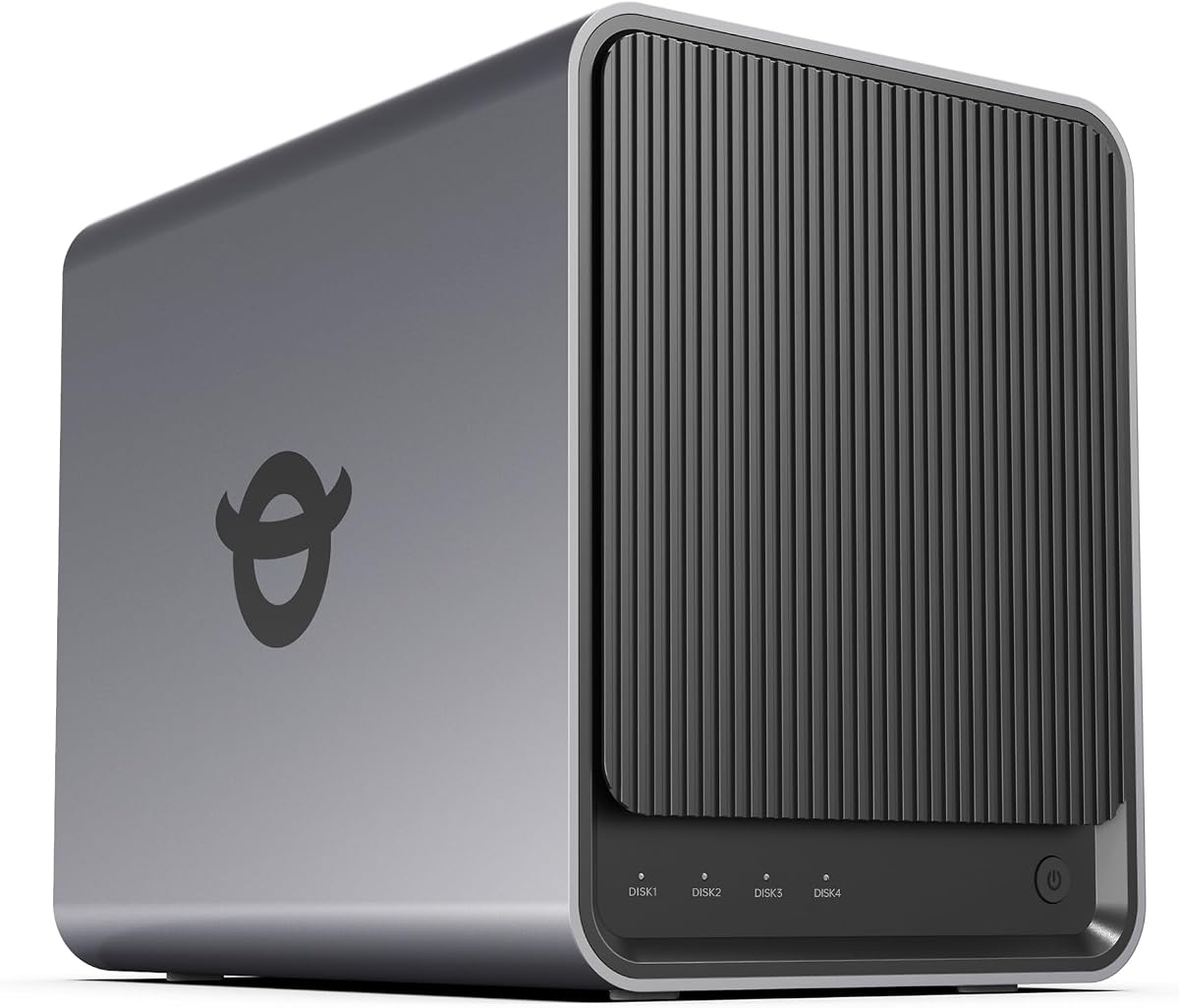
The Asustor Drivestor 4 Gen 2 is a budget-friendly 4 Bay NAS offering essential cloud features. It provides secure remote access, automatic backups, and smooth 4K streaming for home entertainment. Despite its affordable price, it includes enterprise-grade data protection with Btrfs snapshots to guard against accidental deletion and ransomware.
We may earn a commission when you buy through this link, at no additional cost to you.
This model features an optimized Quad-Core processor for smooth multitasking and data management. The 2.5GbE port upgrade ensures faster file transfers compared to standard Gigabit networks. You can connect compatible drives and enjoy flexible RAID configurations. Its personal cloud capability allows remote access without relying on third-party services.
The hardware specs, particularly the 1GB RAM, are basic and may limit heavy virtualization tasks. It is best suited for simple storage and media streaming rather than complex apps. However, for users needing a secure, low-cost private cloud, it delivers solid value. The Btrfs support is a standout feature at this price point.
For budget-conscious users wanting reliable home cloud storage, the Drivestor 4 Gen 2 is a strong choice. It combines speed, security, and accessibility in an affordable package. Choose this model if you need a straightforward 4 Bay NAS for file sharing and media without breaking the bank.
Btrfs snapshots allow instant restoration of data to a previous point in time.
Create your own private cloud for secure remote file access and multi-device sync.
We may earn a commission when you buy through this link, at no additional cost to you.
The Synology DS423 is a versatile 4 Bay NAS built for secure file sharing and comprehensive data protection. It focuses on safeguarding your photos and documents with ransomware-resistant backups and snapshots. Its integrated video surveillance capability allows you to monitor your home or business efficiently.
We may earn a commission when you buy through this link, at no additional cost to you.
This device prioritizes security with immutable snapshots and versioned file strategies to prevent data loss. You can access and share files from anywhere while keeping partners on the same page. The surveillance system supports up to thirty IP cameras for archiving and analysis. A file server function replaces expensive cloud services like SharePoint.
While not the fastest in raw speed, the DS423 excels in reliability and protection features. It may lack high-end expansion options compared to larger models. However, for families and small businesses concerned about security, these limitations are outweighed by the robust data safeguards. The two-year warranty provides additional confidence.
For users prioritizing data security and surveillance, the DS423 is an ideal 4 Bay NAS. It ensures your critical files remain safe from malware and physical loss. Choose this model if you want a reliable, secure, and easy-to-use storage solution for your home or business data.
Protect against malware with immutable snapshots and multi-destination backup strategies.
Protect your home or business with intuitive monitoring, archiving, and analysis tools.
We may earn a commission when you buy through this link, at no additional cost to you.
The UGREEN NAS DXP4800 Pro is a premium 4 Bay NAS engineered for demanding workflows. It delivers exceptional performance with an Intel Core i3 processor and high-speed DDR5 RAM. Designed for IT professionals and developers, it supports virtual machines and Docker containers effortlessly, serving as a versatile private workstation.
We may earn a commission when you buy through this link, at no additional cost to you.
Performance is unmatched with dual high-speed network ports enabling up to 1.25GB/s transfers. The massive 144TB capacity accommodates extensive data for videos and development projects. Local AI processing ensures privacy for photo organization. Robust data vaults and permissions grant granular control over sensitive files.
This device carries a high price and might be overkill for casual users. It is intended for advanced tasks requiring serious computing power and storage space. However, power users will appreciate the scalability and security features. It offers enterprise-grade capabilities at a price that fits growing businesses needing top-tier solutions.
For professionals seeking top-tier performance and flexibility, the DXP4800 Pro is the ultimate 4 Bay NAS. It handles virtualization, development, and massive data storage with ease. Choose this model if you need a powerful, secure, and scalable solution to support your most demanding technical workflows.
Intel Core i3 with DDR5 RAM delivers a significant performance lead for virtualization and Docker.
Data Vault, granular permissions, and encryption protect sensitive files and ensure privacy.
We may earn a commission when you buy through this link, at no additional cost to you.
Selecting the right 4 Bay NAS requires evaluating several key factors to match your storage and performance needs.
The processor dictates how smoothly your NAS handles tasks like video transcoding and running apps. Higher-end models feature Intel or AMD CPUs with more cores for multitasking.
Choose a CPU that matches your workload intensity to avoid lag during heavy use.
RAM affects system responsiveness and the ability to run multiple apps simultaneously. Look for models with at least 4GB, expandable if possible.
More RAM ensures smoother operation when running virtual machines or heavy services.
Network ports determine how fast data moves between your NAS and computers. Gigabit is standard, but 2.5GbE or 10GbE options boost transfer speeds significantly.
Select faster ports if you work with large media files frequently.
The OS provides the interface for managing files, users, and backups. User-friendly systems simplify setup, while advanced ones offer more features.
Pick a system that balances ease of use with the features you require.
Data protection features like RAID and snapshots safeguard your files from drive failure or accidental loss. Btrfs supports restore to previous states easily.
Prioritize models with strong protection features for peace of mind.
Consider how easily you can upgrade storage or add more drives later. M.2 slots and flexible bays allow future growth.
Choose a model with room to grow as your data needs increase.
Apps enable functions like media streaming, surveillance, and cloud sync. A rich app store expands your device capabilities.
Ensure the OS supports essential tools for your specific use cases.
A solid warranty guarantees hardware reliability and manufacturer support. Look for multi-year coverage and responsive service.
Select devices with strong warranties to protect your investment.
Start by installing your hard drives into the trays securely. Connect the NAS to your router via an Ethernet cable for a stable connection. Follow the guided setup app on your phone or computer to initialize the storage and create user accounts.
Configure automatic backups for your devices to ensure your files are always safe. Set up remote access if you need to retrieve files away from home. Organize your data into folders with appropriate permissions to keep everything tidy.
Keep your NAS updated with the latest software patches for security. Ensure proper ventilation by placing the device in a cool spot. Regularly check drive health to catch any issues before they cause data loss.
A 4 Bay NAS is a storage device with four drive bays for hard drives. It connects to a network to store files and share them across devices. This setup provides more space and reliability than single drives.
Yes, most 4 Bay NAS units are sold diskless without internal drives. You must purchase compatible hard drives separately to store your data. Check the manufacturer's compatibility list before buying.
Absolutely. A 4 Bay NAS allows you to access and share files remotely without relying on public cloud services. It provides a secure, local private cloud tailored to your needs.
RAID is a method to combine multiple drives for redundancy or speed. It protects your data if one drive fails. Most 4 Bay NAS devices support various RAID configurations for flexibility.
Yes, many models support direct HDMI output or media apps that work with smart TVs. They can decode high-quality video formats like 4K for smooth playback.
A 4 Bay NAS offers more control, privacy, and long-term savings than monthly cloud fees. It is ideal for large media libraries and sensitive data. However, it requires initial hardware setup.
Most modern models support drives up to 30TB each, totaling over 100TB. This ample space handles extensive photo, video, and document collections easily.
Many 4 Bay NAS units allow RAM upgrades to improve performance. Check if the model has user-accessible slots. Upgrading helps when running more apps or virtual machines.
We reviewed ten top 4 Bay NAS options ranging from budget-friendly to high-performance models. Each serves distinct needs from home media to professional development. Selecting the right one depends on your storage capacity and software demands.
Prioritize hardware performance and data protection features that fit your usage patterns. Consider networking speed and OS usability to ensure a smooth experience. A well-matched device will serve your data needs effectively for years.
Remember that current offers change often, so verify pricing before purchasing. These units offer great value compared to long-term cloud subscriptions. Investing in a reliable 4 Bay NAS secures your digital assets with privacy and control.