
SYNCO AI Mini
4.2Editor score
AI noise reduction
Auto voice leveling
No subscription required
This guide compares the top AI Lapel Devices for transcription, meeting notes, and translation to help professionals choose the right wearable assistant.
AI Lapel Devices are revolutionizing how professionals capture conversations. These wearable recorders combine advanced microphones with powerful artificial intelligence to transcribe, summarize, and organize audio instantly. They free you from manual note-taking and ensure you never miss a critical detail during meetings.
We evaluated ten leading models based on audio quality, battery life, and AI capabilities. Our analysis covers transcription accuracy, privacy standards, and ease of use across different workflows. Each product offers unique strengths for specific needs like legal documentation, language translation, or simple voice memos.
This article breaks down every device to help you find the perfect fit. You will see detailed reviews, comparison tables, and buying advice tailored to your situation. Please note that prices and availability change frequently, so verify current details before purchasing any technology product.
4.2Editor score

4.5Editor score

4.8Editor score
This table provides a quick side by side look at the key specifications and features of all ten devices reviewed. Compare battery life, microphone count, and AI capabilities to determine which model aligns best with your professional needs and workflow requirements.




The Plaud Note Pro stands out as the top choice for professionals needing a reliable AI lapel device. With a 4.5 rating, it delivers crystal clear audio and robust transcription features that handle complex meeting environments effectively. Its slim design ensures it remains unobtrusive during long recording sessions.
We may earn a commission when you buy through this link, at no additional cost to you.
This device excels in audio quality thanks to its four MEMS microphones and AI directional audio capabilities. It automatically switches between call and meeting modes to optimize capture. The multimodal input lets you snap photos or type notes to enrich context. Ask Plaud features allow interactive questioning of your recordings.
While the price is higher than entry level options, the build quality and feature set justify the cost. You must use the app for full AI functionality which may require a subscription for advanced plans. However, the included starter plan offers ample minutes for most users.
Buy this if you need a premium recorder for legal or business use where accuracy and privacy are paramount. The ISO compliance and local encryption make it safe for sensitive data. It is the best all around option for serious professionals.
You can snap photos or type notes during recording to provide richer context for AI summaries.
Built with ISO 27001 and GDPR compliance to protect sensitive conversation data.
We may earn a commission when you buy through this link, at no additional cost to you.
Pocket is designed as an AI personal assistant for everyday productivity. It captures meetings and calls instantly with a simple tap. The 4.6 rating reflects its strong performance in turning voice into actionable structured notes. It works seamlessly with iPhones via MagSafe.
We may earn a commission when you buy through this link, at no additional cost to you.
The MagSafe compatibility allows for hands free recording which is perfect for busy professionals. Ask Pocket features enable you to query your recordings for key insights without listening back. The battery lasts four days which covers most work weeks without recharging.
Basic features are included but power tools need an optional subscription. This is a minor trade off for the convenience. The device focuses on core productivity without unnecessary bloat. It is ideal for those who want simplicity.
Choose Pocket if you rely on an iPhone and need a magnetic recorder. The AI insights are reliable for quick reviews. It balances ease of use with smart automation effectively for daily tasks.
Easily attaches to your iPhone for convenient hands free recording on the go.
Instantly ask questions across meetings to extract insights and generate next steps.
We may earn a commission when you buy through this link, at no additional cost to you.
The Plaud NotePin S is a wearable AI recorder that fits effortlessly into any workflow. Weighing only 0.61 ounces it is barely noticeable on your collar. The 4.4 rating shows solid performance for capturing conversations accurately across different languages and settings.
We may earn a commission when you buy through this link, at no additional cost to you.
It offers multiple ways to wear via included accessories like pins clips and lanyards. The dedicated physical button allows precise control. Plaud Intelligence transforms audio into structured insights using leading models. It handles over 112 languages for global utility.
Lack of a screen means you must rely on the app for status checks. This is a design choice for discretion. Privacy remains a priority with ISO compliance and local data encryption. It suits those who prefer minimal hardware.
Buy this if you want a discreet recorder for daily meetings. The pin design keeps it accessible yet unobtrusive. It is perfect for creative and business professionals handling sensitive info.
Adapt the device to any workflow with accessories for necklace wristband clip or pin.
Uses leading AI models to turn raw audio into structured mind maps and to do lists.
We may earn a commission when you buy through this link, at no additional cost to you.
EurekaMind works as a smart note taker with built in Ask AI for web search. It captures meetings and interviews instantly. The 4.4 rating indicates good balance between portability and functionality. Unlimited transcription is included in the starter plan.
We may earn a commission when you buy through this link, at no additional cost to you.
The one tap recording allows for effortless capture without interruptions. It transforms recordings into accurate transcripts and highlights key action items. The credit card sized design makes it easy to slide into a wallet or card holder.
Basic features are free but advanced tools require an optional subscription. The web search feature adds depth by finding insights beyond just recordings. Privacy is protected with ISO certified security standards and encrypted processing.
Choose EurekaMind if you want a portable recorder with internet search capabilities. It is ideal for quick daily use and simple tasks. The unlimited starter plan makes it accessible immediately.
Use Ask AI to search the web for deeper insights beyond your recordings.
Only 3mm thin and adheres magnetically to phones or slides into card holders.
We may earn a commission when you buy through this link, at no additional cost to you.
Comulytic Note Pro is built for professionals students and journalists needing reliable transcription. It offers a lifetime free starter plan with unlimited transcription. The 4.4 rating highlights its strong audio quality and industry specific knowledge base.
We may earn a commission when you buy through this link, at no additional cost to you.
Triple mic array with AI noise reduction captures clear speech even in crowded rooms. It supports 113 languages and includes a real time translator. The vertical knowledge base captures terms for insurance real estate and law precisely.
Premium features like deep dive analysis require an optional upgrade. Syncing is faster than Bluetooth which improves workflow. Privacy is ensured with AES encryption and CCPA compliance. It offers great value for the price.
Buy this if you work in specific industries needing specialized vocabulary. The lifetime free plan reduces ongoing costs. It is a powerful tool for translators and global travelers.
Vertical knowledge base captures industry terms for insurance real estate and law precisely.
Pushes recordings to the cloud at up to 10 times Bluetooth speed without interruption.
We may earn a commission when you buy through this link, at no additional cost to you.
Comu Action Pro stands out for its ability to generate professional AI documents. It turns conversations into editable slides emails and reminders without prompts. The 4.8 rating reflects top tier performance in accuracy and battery life.
We may earn a commission when you buy through this link, at no additional cost to you.
The adaptive six mic setup captures the clearest sound in interviews and meetings. It transcribes in 113 languages and offers 70 hours of battery. Unlimited access to basic services is included with the device.
The cost is higher but the automated features save significant time. You can turn words into action with a dedicated AI button. This eliminates the need to manually search notes later. It is efficient for executives.
Choose this if you need automated document outputs from meetings. The battery life supports long work days. It is the best option for those valuing productivity over cost.
Comu decides on a suitable model and turns conversations into editable slides and emails.
Combines omnidirectional directional and bone conduction mics with motion sensor.
We may earn a commission when you buy through this link, at no additional cost to you.
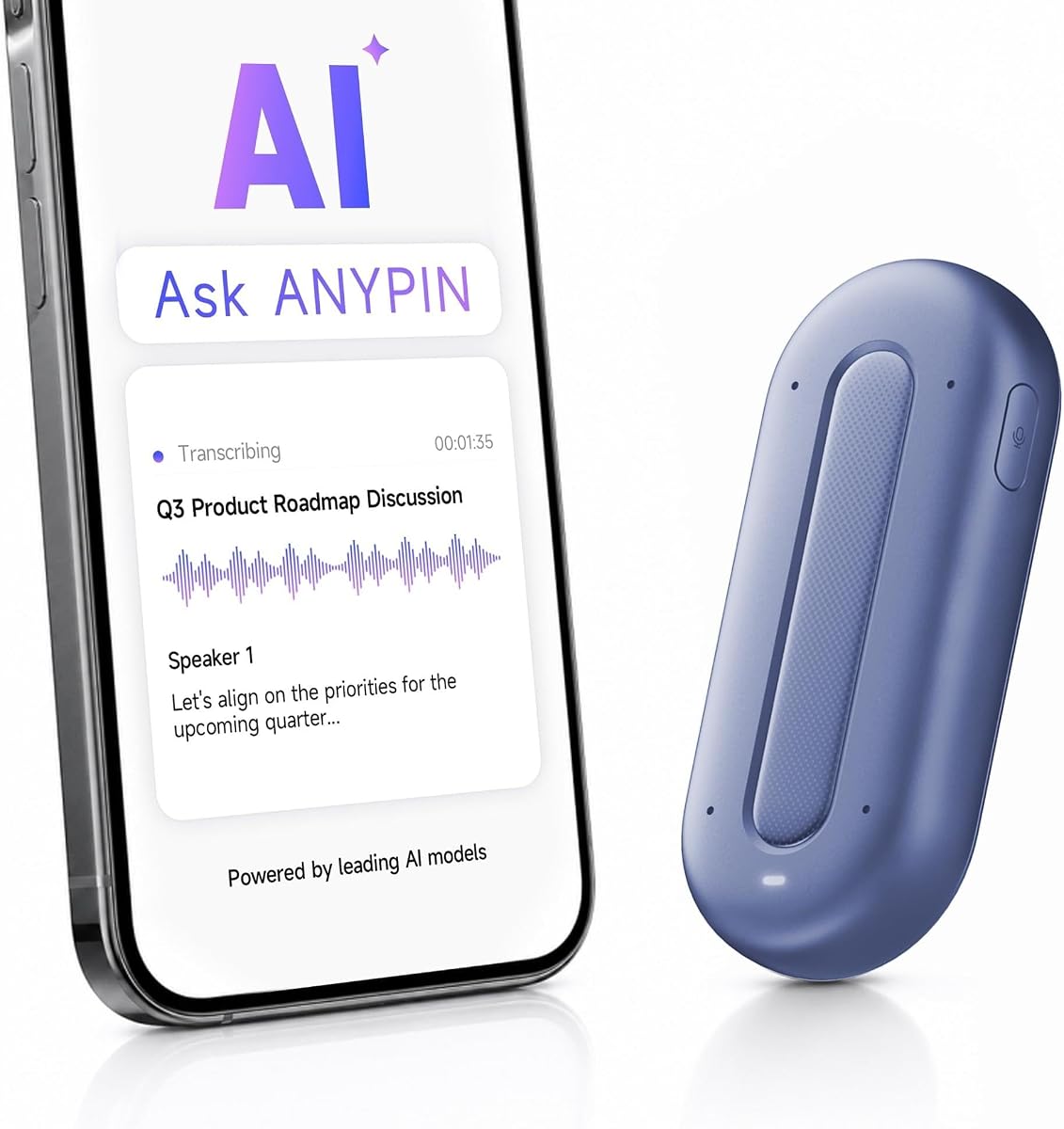
ANYPIN Note Pod offers a full year of unlimited transcription with your purchase. The 3.9 rating suggests basic functionality without premium features. It is a practical choice for those needing long term free usage without hidden fees.
We may earn a commission when you buy through this link, at no additional cost to you.
You get 64 GB of local storage and Wi-Fi sync for fast data transfer. It supports over 120 languages and uses acoustic design to separate speakers. You choose when it records with geo-fenced private zones.
The device does not support USB data transfer which limits offline access. After twelve months the free tier remains with core features. This avoids auto-renewal and keeps costs low. It suits casual users.
Buy this if you want a long term free transcription plan. The privacy settings give you control over recordings. It is ideal for travel or simple daily notes.
Enjoy a full year of unlimited AI transcription with no monthly fee or auto-renewal.
You choose when ANYPIN records with auto-pause in geo-fenced private zones.
We may earn a commission when you buy through this link, at no additional cost to you.
The Z01 PRO Badge functions as a wearable AI companion for daily tasks. It supports 102 languages and operates without needing Wi-Fi for basic features. The 4.2 rating shows utility for specific use cases like travel and practice.
We may earn a commission when you buy through this link, at no additional cost to you.
Privacy is ensured because all processing happens on the device with no cloud uploads. The HD touch screen allows customization with your own photos. It connects via Bluetooth to your smartphone for seamless integration.
Translation features do require internet connection which is a limitation. It works best as a local tool for queries and reminders. The compact size ensures it is always accessible in transit.
Choose this if you value privacy and offline capabilities. It is unique among devices for its local data security. Ideal for users needing a pocket encyclopedia.
All processing happens on the device with no cloud uploads for complete peace of mind.
Upload your own photos to create unique custom wallpapers reflecting individuality.
We may earn a commission when you buy through this link, at no additional cost to you.
Z02 is an all-in-one wearable digital badge for recording and translating. It features real-time speaker distinction and dual recording modes. The 5.0 rating reflects high satisfaction for meeting productivity and translation.
We may earn a commission when you buy through this link, at no additional cost to you.
Eight powerful AI tools include meeting minutes mind maps and summaries. You can upload custom images to personalize the wallpaper. The intuitive gestures allow double-tap to record and swipe to wake the AI.
Network access is required for dialogue minutes and memo features. This is a standard requirement for cloud based tools. The device supports daily tasks like alarms and life encyclopedia chatbot.
Buy this if you want an all-in-one badge for meetings. The AI tools automate key points sorting. It is perfect for business and travel scenarios.
Eight powerful AI tools automatically sort out key points keywords and action items.
Upload custom static images or short videos to match your style.
We may earn a commission when you buy through this link, at no additional cost to you.
SYNCO AI Mini is designed for Android content creators needing clear voice capture. It uses AI noise reduction and voice enhancement to reduce distractions. The 4.2 rating highlights solid performance for mobile content creation and recording.
We may earn a commission when you buy through this link, at no additional cost to you.
Auto voice leveling balances volume automatically when you move. The SYNCO AI app organizes speech into summaries and mind maps. Lifetime free AI tools mean no monthly fees or limited trials.
It is built for USB-C phones and tablets that support OTG. Plug in the receiver and clip on the mic for quick setup. This makes it ideal for vlogs interviews and mobile video.
Choose this if you create content on Android and need budget tools. The free features offer great value. It is perfect for everyday mobile creation.
Use AI-powered summaries and translation without monthly fees or limited trial pressure.
Designed for Android USB-C phones and tablets that support OTG audio input.
We may earn a commission when you buy through this link, at no additional cost to you.
Selecting the right AI lapel device depends on your specific needs and workflow. Here are key factors to consider before making a purchase.
Look for devices with multiple microphones and AI noise reduction. More mics help capture clearer speech in crowded rooms. This ensures your transcripts are accurate and usable.
Prioritize models with omnidirectional or directional options based on where you speak.
Evaluate the AI tools offered such as summaries action items or document generation. Advanced models provide deeper insights than basic transcription. This saves time organizing your notes.
Check if the device supports Ask AI for interactive queries.
Long battery life is essential for all day use or travel. Devices range from 20 hours to over 70 hours. Faster charging times are also beneficial for busy schedules.
Opt for USB-C charging for universal compatibility and convenience.
Some devices include basic features free but charge for advanced tools. Others offer unlimited plans for a fee. Calculate the long term cost of ownership carefully.
Look for lifetime free options if you want to avoid recurring bills.
Ensure the device meets encryption standards like ISO or HIPAA. Local processing is safer than cloud uploads for sensitive data. This protects your business or personal conversations.
Choose vendors with clear privacy policies and data controls.
Check if the device works with your phone OS or MagSafe. Wi-Fi syncing is faster than Bluetooth for large files. Ensure you can transfer data easily.
Select models that fit your existing ecosystem and workflow needs.
Lightweight devices are easier to wear without distraction. Look for magnetic clips or pins for secure attachment. Slim designs fit better in pockets or wallets.
Prioritize comfort for all day recording sessions.
If you work globally choose models with 100 plus language support. Some devices offer real time translation features. This helps bridge communication gaps instantly.
Verify specific language accuracy for your required dialects.
Start by fully charging the device before your first use. Pair it with your smartphone via the dedicated app to enable AI features. Ensure you are in a well lit area for any screen interaction.
Keep the microphone area clean from dust or fabric to maintain audio quality. Store the device in its magnetic case when not in use to prevent scratches. Regularly update the app to access new features.
Always inform participants before recording to respect privacy laws. Download your summaries and files regularly to avoid storage issues. Proper care ensures long lasting performance for your daily needs.
Some models offer offline recording and local processing for privacy. However most AI transcription and summaries require an internet connection. Check specific device specs for offline capabilities before buying.
High end devices claim 95 percent accuracy in quiet environments. Noise reduction helps improve clarity in busy settings. Factors like accents or background noise can affect results slightly.
Many devices include basic features free but charge for advanced plans. Some offer unlimited transcription for a monthly fee. Others provide lifetime free starter plans to reduce ongoing costs.
Yes several devices support call recording mode for capturing phone conversations. Ensure you have permission to record calls in your jurisdiction. Some apps integrate directly with call systems.
Battery life varies from 20 hours to over 70 hours per charge. This depends on usage mode and active recording time. Fast charging options help restore power quickly for daily use.
Most models support over 100 languages for transcription and translation. Some offer real-time translation during conversations. Accuracy may vary depending on the specific language dialect.
The Plaud Note Pro remains our top pick for its overall reliability and audio quality. It balances features like multimodal input and strong privacy standards effectively. Professionals will find it worth the investment for sensitive data.
For those on a budget the SYNCO AI Mini offers great value with lifetime free tools. It suits Android creators needing noise reduction. Comu Action Pro leads for users needing document generation.
Always check current prices and plans before buying to ensure you get the best deal. Technology updates frequently so verify the latest specs. Choose the device that aligns best with your daily recording needs.