
Rosewill Helium NAS Duo
2.6Editor score
Supports eight 3.5 inch drives
Mesh panel ensures excellent airflow
Compatible with ATX motherboards
Explore our expert guide comparing the top ATX NAS computer cases for storage builds. We review drive bays cooling airflow and compatibility features to help
Finding the right storage solution for your home or office network begins with a solid foundation. An ATX NAS computer case provides the necessary space and cooling for multiple hard drives and powerful components needed for reliable data management.
We analyzed ten top-rated cases based on drive capacity cooling efficiency and build quality. Our team reviewed user feedback and technical specifications to ensure each recommendation meets the demands of serious storage enthusiasts and server builders.
Each pick highlights key strengths and potential limitations for informed decisions. Prices and availability may change over time so verify current details before purchasing. This guide aims to simplify your search for the perfect storage chassis.
2.6Editor score

4.7Editor score

4.2Editor score
This side-by-side comparison highlights key specifications across all ten selected cases. Use this table to quickly identify drive capacity cooling options and compatibility factors that matter most for your specific network storage needs.



The DARKROCK Classico Storage Master stands out as a powerful contender for serious NAS builders. With a rating of 4.4 stars it offers ample space for up to thirteen hard drives ensuring you never run out of storage room.
We may earn a commission when you buy through this link, at no additional cost to you.
Its design prioritizes cooling with a mesh front and side panel that promotes efficient airflow. This is critical for keeping multiple drives and high-performance components cool during long hours of operation. The vertical GPU mount adds a stylish touch while preventing sagging.
While the case is spacious it requires a larger footprint than standard towers. You should ensure your desk or shelf can accommodate its dimensions before purchasing. The vertical mount is great but check your specific GPU model for compatibility.
This case is ideal for users needing maximum drive capacity without sacrificing cooling. If you are building a media server or home cloud storage system this chassis provides the robust foundation needed for reliable performance.
Accommodating thirteen drives allows for extensive media libraries or data archives without needing external enclosures.
Dual mesh panels ensure fresh air reaches all components reducing heat buildup inside the chassis.
We may earn a commission when you buy through this link, at no additional cost to you.
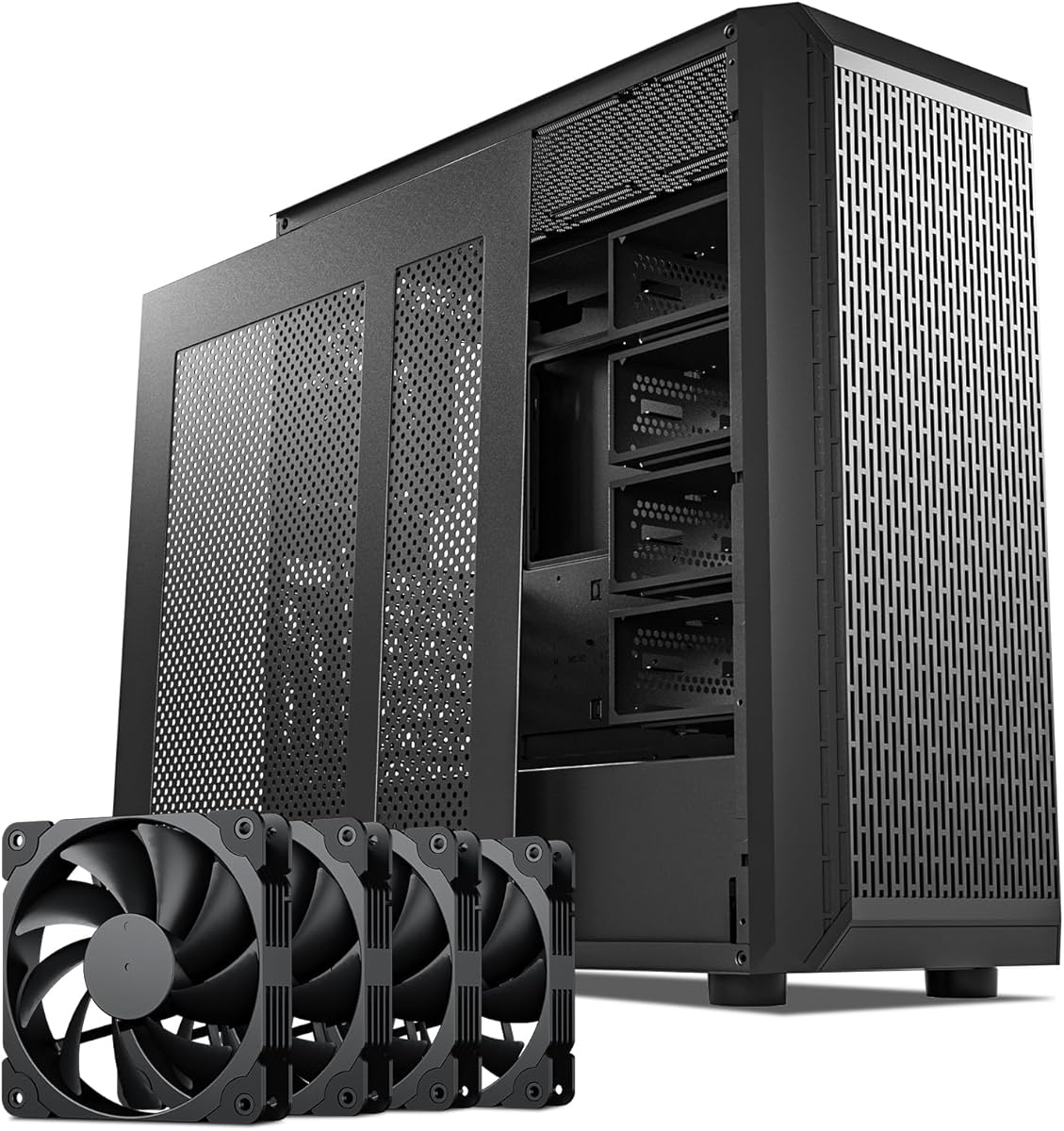
The Rosewill Helium NAS Duo offers a cost-effective solution for those starting a home server project. With a focus on essential NAS features it supports up to eight 3.5 inch hard drives making it versatile for various storage needs.
We may earn a commission when you buy through this link, at no additional cost to you.
Cooling is handled by four 140mm PWM fans which provide consistent airflow throughout the case. The mesh front panel ensures air can enter freely while the USB 3.2 Type-C port adds modern connectivity for peripherals.
It is important to note that this product has a lower rating which may indicate inconsistencies in build quality or assembly. Prospective buyers should weigh the savings against potential compromises in materials or customer support.
For budget-conscious users who need immediate storage expansion this case delivers key functionality without breaking the bank. It serves as a practical entry point into building a custom NAS system at home.
Provides essential NAS features at a competitive price point for new builders.
USB 3.2 Type-C port allows for fast external data transfers without adapters.
We may earn a commission when you buy through this link, at no additional cost to you.
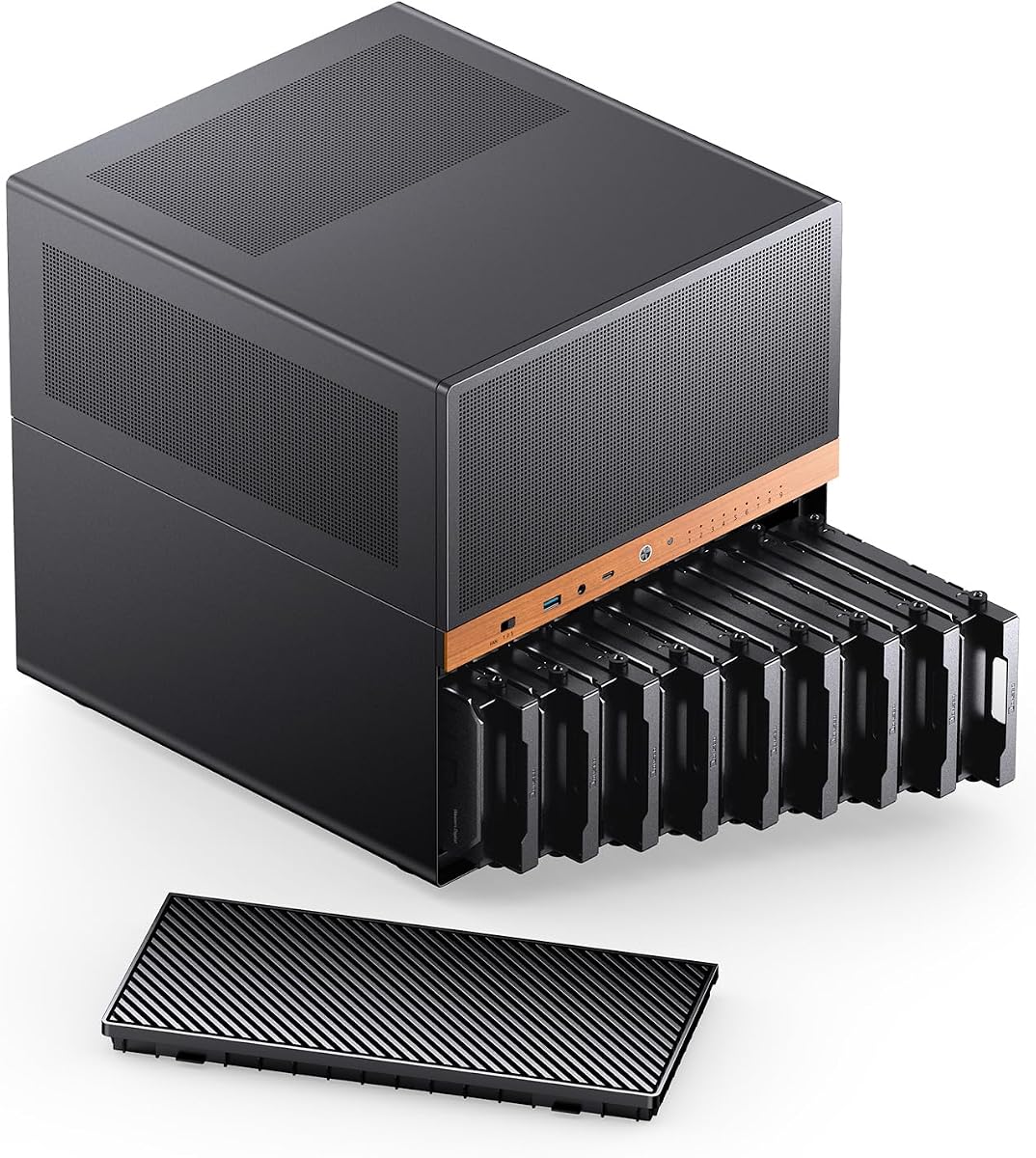
The JONSBO N5 represents the pinnacle of NAS chassis design with a blend of performance and aesthetics. Rated 4.7 stars it supports twelve 3.5 inch drives plus four SSDs making it perfect for enterprise-level or high-end home storage.
We may earn a commission when you buy through this link, at no additional cost to you.
Its solid wood veneer finish gives it a distinctive look that fits well in living rooms or offices. The internal layout supports up to four GPUs allowing for powerful compute tasks alongside storage duties. Removable cages simplify drive installation significantly.
While it offers superior build quality the price is higher than average. Additionally the power supply requirements must be carefully managed to support the number of drives and potential GPUs. Planning your power budget is essential before buying.
This case is ideal for enthusiasts who want a workstation-class NAS that looks as good as it performs. If you need maximum capacity and premium materials the N5 is a top recommendation for your next build.
The walnut veneer adds a touch of class missing from typical industrial server chassis.
Supporting four GPUs allows for AI or rendering tasks alongside data storage.
We may earn a commission when you buy through this link, at no additional cost to you.
This 8 Bay NAS Case has earned a perfect 5.0 rating by delivering reliable features for data storage. It offers eight hot-swappable 3.5 inch drives plus two 2.5 inch slots ensuring flexibility for your storage needs.
We may earn a commission when you buy through this link, at no additional cost to you.
The dual-chamber design helps separate power and storage zones which can improve airflow and reduce noise. Constructed with galvanized and cold-rolled steel it feels sturdy and built to last. The magnetic front panel adds to ease of use.
Compatibility is somewhat limited as it supports only Micro-ATX and Mini-ITX motherboards. If you have a larger board or need a taller CPU cooler this case may not fit. Verify your component dimensions before purchase.
For users prioritizing easy drive maintenance and a compact form factor this is an excellent choice. It provides a solid balance of capacity and convenience for a home media server setup.
Swap drives without powering down the system which is essential for critical storage systems.
Fits comfortably on a desk or shelf without taking up excessive space.
We may earn a commission when you buy through this link, at no additional cost to you.
The JONSBO N6 is a versatile Micro ATX case designed for diverse storage scenarios. With a rating of 4.6 it provides nine drive bays that support hot-swapping for easy maintenance and upgrades.
We may earn a commission when you buy through this link, at no additional cost to you.
One standout feature is the flexibility in power supply placement. It supports both ATX and SFX units in three different positions allowing you to optimize internal space for drives or cables. The walnut wood finish adds a premium look.
However the power supply configuration requires careful attention to cabling and current requirements. Connecting multiple drives may need more than one power connector. Ensure you plan your power distribution carefully to avoid boot issues.
This case is great for users who want flexibility in component selection without sacrificing style. If you prefer a compact build with room for nine drives the N6 offers a compelling mix of form and function.
Choose between standard ATX and small SFX units to fit your budget and space needs.
Walnut wood accents give the case a warm and sophisticated appearance.
We may earn a commission when you buy through this link, at no additional cost to you.
The KM7B Full Tower is designed for those who need maximum storage density. With support for thirteen HDD bays and two SSD slots it is perfect for building a large-scale server or NAS.
We may earn a commission when you buy through this link, at no additional cost to you.
It supports Micro ATX ATX and E-ATX motherboards which is rare for dedicated NAS cases. The magnetic front panel allows easy access to internal components. Fans can be mounted extensively for custom cooling solutions.
The sheer size of this case means it will dominate a desk or floor space. You must ensure you have a suitable location for it. It is also heavy so moving it once built could be difficult.
This case suits users who want to build a professional-grade storage system at home. If you have the space and need extensive storage the KM7B offers the capacity to grow your system significantly.
Thirteen bays provide room for RAID arrays or massive media collections.
E-ATX support allows for high-end workstation boards with more expansion slots.
We may earn a commission when you buy through this link, at no additional cost to you.
For enterprise-level storage at home this Generic ZhenLoong case offers 15 hot-swap drive bays. It supports EEB and EATX motherboards making it suitable for high-end workstation configurations. A 4.6 rating indicates user satisfaction with its features.
We may earn a commission when you buy through this link, at no additional cost to you.
It supports redundant power supplies which is critical for uptime in critical data environments. The chassis also includes eight full-height expansion slots for networking or GPU cards. It is built to handle serious server loads.
Shipping times are long ranging from 30 to 40 days via sea. If you need the part quickly this might be a drawback. The weight of 16kg also means it requires a sturdy desk and careful handling.
This case is best for professionals needing massive capacity and redundancy. If you are building a home lab or small business server the ZhenLoong provides server-grade features in a DIY package.
Dual power support ensures your server keeps running if one unit fails.
Fifteen bays allow for unparalleled local storage expansion options.
We may earn a commission when you buy through this link, at no additional cost to you.
The Silverstone SST-TJ04B-E offers a classic and durable design for storage builds. With a 7mm aluminum front panel it looks elegant and robust. A 4.2 rating reflects its reliability and build quality over time.
We may earn a commission when you buy through this link, at no additional cost to you.
It supports graphics cards up to 17 inches which is rare in storage cases. The built-in hard drive cooler helps keep mechanical drives at safe temperatures. Positive pressure design reduces dust buildup inside the chassis.
The main drawback is the high price point compared to newer models. It is also an older design so you might miss out on modern features like USB Type-C. Check if you need the specific cooling features before buying.
This case is ideal for retro builds or users who value durability and aesthetics. If you have long GPUs and need reliable cooling for drives the TJ04B-E remains a strong option for your setup.
Accommodates large graphics cards that typically fit in standard ATX cases only.
Positive pressure keeps dust out extending the life of your components.
We may earn a commission when you buy through this link, at no additional cost to you.
The JONSBO N4 is a compact Micro ATX case with a sophisticated walnut wood finish. It offers six drive bays with four hot-swappable slots making it a balanced choice for home offices. A 4.1 rating suggests solid user satisfaction.
We may earn a commission when you buy through this link, at no additional cost to you.
Its small dimensions fit easily on a desk without looking out of place. The wood veneer adds a touch of elegance missing from standard metal cases. USB 3.2 Type-C ensures fast data transfer for external drives.
Limitations include limited drive capacity and small CPU cooler clearance. You should verify your CPU cooler height before purchase. It is best suited for smaller NAS builds rather than large servers.
If you want a NAS that blends into a living space this is an excellent choice. The N4 combines practicality with style for users who want a storage system that looks as good as it works.
The walnut finish allows it to sit next to other home electronics without clashing.
Small size hides robust storage capabilities for daily tasks.
We may earn a commission when you buy through this link, at no additional cost to you.
The Silverstone CS382 is designed for professional environments needing reliable hot-swappable storage. It supports both SAS and SATA drives giving you flexibility in hardware choices. A 4.2 rating indicates it meets expectations for stability.
We may earn a commission when you buy through this link, at no additional cost to you.
Each drive tray has LED indicators showing status making troubleshooting easier. The compact chassis fits well in racks or on desks. It supports Micro-ATX motherboards which is standard for many storage servers.
The main requirement is a SAS controller card for full functionality which adds to cost. Home users may not need SAS drives making this extra step unnecessary. It is best for users needing enterprise features.
For small business or advanced home labs the CS382 provides robust storage management. If you need hot-swappable SAS drives and professional reliability this chassis is a strong candidate for your network.
Hot-swappable trays allow for drive changes without downtime.
LED indicators let you check drive health at a glance.
We may earn a commission when you buy through this link, at no additional cost to you.
Selecting the right NAS case involves balancing drive capacity cooling and physical size.
The most critical factor is how many drives you need now and in the future. Check if the case supports 3.5 inch or 2.5 inch drives and if it offers hot-swap bays for easy maintenance.
Prioritize cases that offer more bays than you currently need to allow for future expansion without replacing the case.
Hard drives generate significant heat which can reduce their lifespan. Look for cases with mesh panels and multiple fan mounts to ensure air circulates effectively around the drives.
Adequate cooling is essential for maintaining performance and reliability over long periods of operation.
Ensure the case fits your motherboard size whether it is ATX Micro-ATX or Mini-ITX. Some NAS cases may restrict board size to save space so verify dimensions before buying.
Confirm that the backplate aligns with your motherboard layout for proper ventilation and installation.
A NAS build may require a larger power supply to drive many drives. Check the case length limits and PSU positioning options to accommodate high-wattage units if needed.
Support for SFX or redundant PSUs can offer flexibility for specific builds or compact designs.
Steel or aluminum construction ensures durability and reduces vibration. Vibration can damage hard drives so a rigid chassis is preferable to plastic alternatives.
Invest in a case with robust mounting rails for drives to prevent movement during operation.
Look for USB 3.0 or Type-C ports on the front panel for quick access to external storage. These ports are useful for backups or connecting peripherals without opening the case.
Audio jacks may also be included if you plan to run a media server system.
Clean cable routing ensures airflow is not obstructed by messy wiring. Cases with multiple tie points or hidden channels help keep your build organized and safe.
Good management also makes future upgrades and maintenance significantly easier to perform.
Measure your desk or rack space to ensure the case fits physically. Large towers may not fit in tight spaces so check width and depth carefully.
Consider the weight of the case especially when filled with heavy drives for stability.
Before installation ensure your power supply and motherboard are compatible with the drive bays. Verify that the front panel cables match your motherboard headers for proper functionality.
When mounting drives use the provided screws or trays to secure them firmly. Avoid over-tightening screws as this can damage the drive casing or the mounting rails.
Regularly clean the case filters and fans to prevent dust buildup. Dust can insulate heat and cause components to overheat so maintenance is vital for long-term reliability.
While a regular case works a NAS case usually offers better drive mounting and cooling. NAS cases often have more drive bays and better airflow to handle multiple hard drives which generate heat.
Hot-swap bays allow you to remove or install hard drives without shutting down the system. This feature is vital for servers that need to run 24/7 without interruption.
Most ATX NAS cases support standard ATX motherboards but some compact models restrict to Micro-ATX. Always check the motherboard support listed in the product specifications before purchasing.
Effective cooling comes from a combination of case fans and airflow design. Mesh panels help intake cool air and fan mounts should be positioned to blow air over the drive cage.
NAS cases can be louder due to multiple fans running to cool the drives. However many models use larger lower RPM fans to reduce noise while maintaining high airflow.
Choose a power supply with enough wattage to handle all drives and components simultaneously. NAS builds often benefit from standard ATX PSUs for better capacity and reliability.
We explored ten top choices ranging from budget-friendly to premium enterprise-grade options. Each case offers unique strengths in capacity cooling and design to suit various build needs.
When choosing prioritize drive capacity and airflow to ensure long-term reliability for your storage system. A solid chassis prevents vibration damage and ensures your data remains safe.
Prices and availability change frequently so verify current details before purchasing. Check reviews for real-world feedback to confirm the case matches your specific expectations.