
GETPALS Wireless Charger iPhone Charging Station
4.2Editor score
3-in-1 Wireless Charging
Foldable Portable Design
Multiple Safety Protections
Discover the top charging dock for multiple Apple devices in October 2026. Our guide compares features, speed, safety, and design to help you choose the right
Finding a reliable charging dock for multiple Apple devices simplifies your daily routine significantly. You can keep your iPhone, Apple Watch, and AirPods organized in one place without cluttering your nightstand or desk with tangled cables.
We evaluated ten top-rated charging stations based on power output, compatibility, safety features, and build quality. Each product offers unique advantages whether you need travel-friendly portability or a high-powered hub for your entire family's gadgets.
Each pick highlights specific strengths like fast charging speeds, magnetic alignment, or extra USB ports for non-Apple devices. Remember that prices and availability change frequently, so check current details before making your final purchase decision today.
4.2Editor score

4.6Editor score

5.0Editor score
This side-by-side comparison highlights key specifications across all ten charging docks to help you quickly identify the best fit for your specific device ecosystem and charging speed requirements.
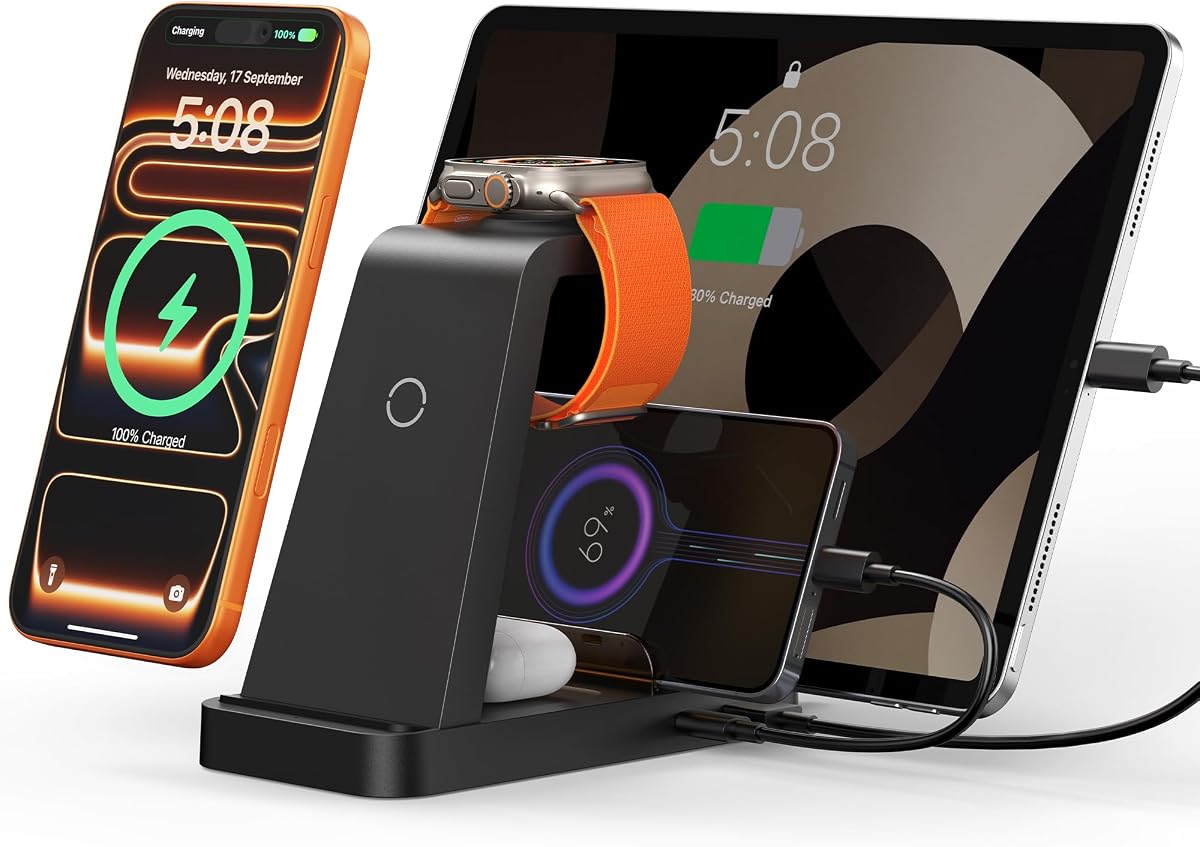


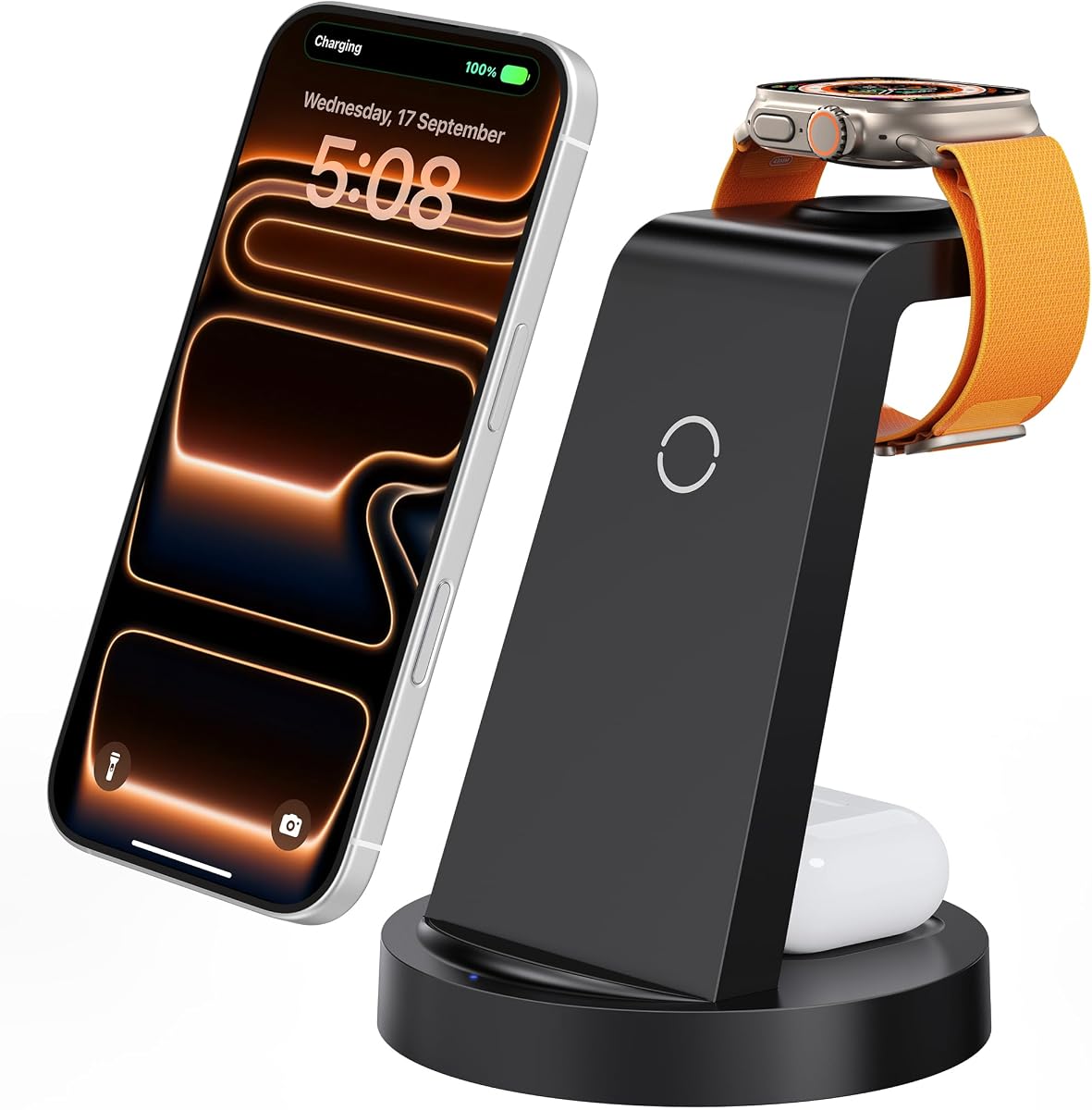


The GETPALS Wireless Charger is a solid entry-level option for those needing a basic 3-in-1 station. It supports iPhone 16 down to 8, various Apple Watch series, and AirPods with a MagSafe case.
We may earn a commission when you buy through this link, at no additional cost to you.
Its foldable design makes it exceptionally portable for travel or office use. The 7.5W output for phones ensures steady power delivery without overheating, while the non-slip base keeps devices secure during charging cycles.
While it lacks magnetic alignment found in premium models, the centering guide helps position devices correctly. The case-friendly design works with cases up to 4mm, though metal rings may interfere with wireless charging efficiency.
This station is ideal for budget-conscious users who prioritize functionality over advanced features. It handles daily charging needs reliably while keeping your nightstand tidy and organized.
The compact foldable structure fits easily into bags for travel convenience.
Built-in overcurrent and overvoltage protection safeguard your expensive devices.
We may earn a commission when you buy through this link, at no additional cost to you.
This 5-in-1 station expands beyond Apple ecosystem needs to include Android and iPad support. It delivers fast charging via a 36W adapter that powers five devices simultaneously within hours.
We may earn a commission when you buy through this link, at no additional cost to you.
The inclusion of USB-C and Lightning cables adds significant versatility for mixed-device households. You can charge power banks, toothbrushes, and other accessories alongside your main phones and watches.
Safety is prioritized with FCC certification and built-in protection against over-temperature and foreign objects. However, you may need to remove phone cases thicker than 5mm to ensure optimal wireless charging speeds.
It suits families with mixed operating systems who want one centralized charging point. The partitioned design keeps cables organized and prevents devices from sliding off the surface during use.
Comes with Type-C and Lightning cables to start charging immediately.
Sixteen air vents prevent overheating during long charging sessions.
We may earn a commission when you buy through this link, at no additional cost to you.
For households with many gadgets, this 10-port station offers unmatched capacity. It supports 65W PD charging for laptops and 30W for tablets, ensuring fast power delivery across all connected devices.
We may earn a commission when you buy through this link, at no additional cost to you.
The package includes eight complimentary cables covering Type-C, Lightning, and Micro-USB needs. This eliminates immediate cable clutter and provides a tidy solution right out of the box.
Safety chips automatically detect devices to prevent overcharging and adjust current accordingly. The flame-retardant ABS construction and raised slots accommodate thick protective cases without removal.
It is perfect for family setups where everyone needs power at the same time. While the watch charger cable is separate, the main unit handles phones, tablets, and laptops efficiently.
Smart chips adjust power output automatically for each connected device.
Flame-retardant materials ensure long-term safety and durability.
We may earn a commission when you buy through this link, at no additional cost to you.
This unique station adds functional features like Bluetooth time sync and ambient lighting to basic charging. It keeps your iPhone and Apple Watch synchronized automatically while providing a warm glow for bedtime.
We may earn a commission when you buy through this link, at no additional cost to you.
The clock displays day and indoor temperature, making it useful for bedside monitoring. It supports wireless charging for phones and wired ports for extra accessories like earbuds or shavers.
Safety is maintained through overcurrent and overvoltage protection systems. However, the 2mm case limit requires thin cases for reliable wireless charging which might be inconvenient for some users.
Ideal for tech-savvy users who want style and utility combined. The lighting customization adds a nice touch to any room decor while keeping your devices organized.
Bluetooth connection keeps the clock accurate without manual updates.
Adjustable colors help set the mood for your space.
We may earn a commission when you buy through this link, at no additional cost to you.
The Anlmz station provides a straightforward 3-in-1 experience for iPhone, Watch, and AirPods. It uses a single USB-C cable to keep wire clutter minimal on your nightstand.
We may earn a commission when you buy through this link, at no additional cost to you.
With support for cases up to 5mm it works well with most standard protective shells. The 18W adapter ensures stable power delivery while smart chips switch to trickle mode when full.
A soft blue LED indicates charging status without harsh glare at night. Foreign object detection pausing if metal is near to prevent overheating or damage to your devices.
This is best for users who prefer simple reliable charging without complex features. It handles daily needs well while keeping your sleep environment dark and calm.
Accommodates cases up to 5mm thick for convenience.
ABS housing helps dissipate heat effectively during use.
We may earn a commission when you buy through this link, at no additional cost to you.
Designed for travelers, this charger folds flat to fit easily in bags. It features magnetic suction for iPhone 12 and above ensuring precise alignment and efficient wireless charging every time.
We may earn a commission when you buy through this link, at no additional cost to you.
The 180-degree folding mechanism allows it to stand as a phone holder for media consumption while charging. This dual function saves space and improves usability on the go.
Safety certifications and temperature control protect against overheating during use. While it lacks extra ports it does exactly what it promises for Apple users who move frequently.
If portability and magnetic convenience are your priority this is a strong choice. It eliminates cable mess in hotels while keeping your essential devices powered up.
Auto-aligns iPhone for optimal charging efficiency.
Can adjust to horizontal position for entertainment.
We may earn a commission when you buy through this link, at no additional cost to you.
This GaN-based station is built for power delivery rather than wireless charging. It offers dual 65W ports capable of charging laptops like MacBook Pro alongside phones and tablets.
We may earn a commission when you buy through this link, at no additional cost to you.
The construction is solid and non-disassemblable with wide slots for thicker devices. This sturdy build ensures stability and protection against physical damage during heavy daily use.
Safety features include overheat and short circuit protection to keep devices safe. While it lacks wireless pads it excels at replacing multiple wall bricks with one high-capacity unit.
Perfect for workstations where wired power is preferred for stability. It reduces desk clutter significantly while providing fast reliable power for all essential electronics.
Uses GaN technology for compact high-power performance.
Accommodates thick cases and bulky tablets easily.
We may earn a commission when you buy through this link, at no additional cost to you.
This premium station combines high-power USB ports with Apple wireless charging. It handles up to 13 devices simultaneously using dual 100W ports that can charge MacBooks efficiently.
We may earn a commission when you buy through this link, at no additional cost to you.
The GaN 5 technology ensures the unit stays cool even under heavy load. Wireless sections for iPhone and Watch keep your nightstand clean while other ports handle Switches or Kindles.
Lighting automatically dims after charging to avoid disturbing sleep. Safety circuits protect against over-charging and over-temperature to maintain battery health over long periods.
It is the top choice for power users with many devices to manage. While pricey it consolidates an entire home office into one single efficient charging hub.
Advanced GaN ensures efficiency and cool operation.
Indicators turn off automatically to save night sleep.
We may earn a commission when you buy through this link, at no additional cost to you.
Anker brings the new Qi2 standard to this premium station ensuring consistent 15W speeds. The magnetic alignment works perfectly with iPhone 12 and newer models for easy placement.
We may earn a commission when you buy through this link, at no additional cost to you.
It is officially certified for Apple Watch charging delivering full power in about one hour and thirteen minutes. The adjustable angle allows for StandBy mode use which enhances functionality.
Build quality is exceptional with a solid feel that justifies the higher price. The included 40W adapter and long cable add convenience for any desk or nightstand.
This is the top recommendation for Apple fans wanting reliability and speed. It balances performance and style better than most alternatives in its price range.
Standardizes wireless charging for consistent full speeds.
Tilt view to perfect viewing and mode.
We may earn a commission when you buy through this link, at no additional cost to you.
This station offers unmatched capacity with fifteen ports for every gadget you own. It includes a wide slot for tablets or laptops with thick cases to ensure they fit securely.
We may earn a commission when you buy through this link, at no additional cost to you.
The GaN III chipset maintains low temperatures despite the high power load. Dual 100W ports support fast charging for laptops while other ports handle phones and accessories.
Safety features include eight layers of protection against various electrical risks. LED lights turn off automatically after connection to prevent any light disturbance at night.
It is ideal for tech enthusiasts needing every possible connection type available. The minimalist design blends into modern interiors while handling heavy charging loads.
Designed for thick cases and larger devices easily.
Third generation tech keeps charging cool and fast.
We may earn a commission when you buy through this link, at no additional cost to you.
Selecting the right charging dock requires considering device compatibility, power output, and design features.
Ensure the station supports your specific iPhone models, Apple Watch series, and AirPods generation. Some models require specific MagSafe cases or have limited compatibility with older devices.
Check product descriptions for supported device lists to avoid buying incompatible hardware.
Look for adapters with sufficient wattage to charge all connected devices simultaneously. Standard wireless charging is 7.5W but Qi2 or MagSafe can reach 15W for faster results.
Higher wattage adapters reduce charging time significantly for phones and tablets.
Materials like flame-retardant ABS and aluminum improve durability and heat management. Avoid flimsy plastic housings that may crack or overheat during continuous use.
Sturdy bases with non-slip pads prevent the station from sliding on your desk.
Verify that the charger has FCC or similar safety certifications. Protections against overcurrent, overvoltage, and overheating are essential for device safety.
Safety chips that detect foreign objects prevent metal items from causing fires.
Choose between wired ports and wireless charging based on your needs. Some hubs include USB-C and USB-A ports for non-Apple devices alongside wireless Apple spots.
More ports mean more versatility but can increase the overall footprint.
Consider whether you need a fixed desktop model or a foldable travel one. Compact designs save space but might offer fewer charging capabilities.
Adjustable angles help with viewing your phone while it charges.
Wireless charging works best with thin cases under 5mm thick. Check product specifications to ensure your protective case won't block charging signals.
Metal rings on cases often interfere with wireless charging functionality.
Some stations add value with features like Bluetooth clocks, ambient lighting, or cable organizers. These can enhance usability but may add to the cost.
Decide which features matter most to your daily workflow before purchasing.
Place the station on a flat, stable surface to prevent devices from sliding off during charging. Ensure proper ventilation around the unit to avoid heat buildup.
Connect the power adapter securely to the station and plug it into a wall outlet. Wait for LED indicators to confirm the unit is ready before placing devices.
Regularly wipe the charging pads with a soft cloth to remove dust. Avoid liquid cleaners and keep metal objects away to prevent interference with wireless charging.
Most charging docks work with cases up to 5mm thick. However, metal rings or thick cases may block wireless signals and require removal for charging to work correctly.
Generally no unless the case is too thick or has metal. Always check the product specs for specific thickness limits before leaving your case on.
Yes MagSafe provides faster charging up to 15W with perfect alignment. Standard wireless usually caps at 7.5W and relies on centering the phone manually.
Wireless pads support many Android devices if they are Qi compatible. USB ports on some models work with any device using appropriate cables.
Some models come with adapters while others require you to buy one separately. Using the recommended wattage adapter ensures fastest and safest charging speeds.
Yes most modern chargers have overcharge protection. They switch to trickle charge when full preventing battery damage during overnight use.
We recommend the Anker MagGo for pure speed and compatibility with newer Apple devices. It delivers consistent 15W Qi2 power which is ideal for daily charging needs.
If you need more ports for family use consider the 320W or 600W models that handle laptops and tablets easily. These hubs consolidate multiple chargers into one efficient unit.
Always verify current pricing and availability before buying as these change frequently. Select a model that fits your specific device mix to maximize efficiency and reduce clutter.