
VEVOR 45W CO2 Laser Engraver
5.0Editor score
12 x 8 in work area
300 mm/s engraving speed
Compatible with LightBurn
Choosing the right CO2 laser engraver means balancing power, work area, and software compatibility. Whether you are cutting acrylic or engraving wood, a good machine delivers clean edges and reliable performance without burning materials or wasting time.
We evaluated ten real products based on laser wattage, cutting speed, safety features, and user feedback. Our analysis includes desktop units for hobbyists and larger commercial bundles, ensuring you see how each model handles different materials and project sizes.
Each pick shows key specs and standout features to help you decide quickly. Prices change frequently and availability varies by region, so always check the current listing before purchasing to confirm the latest offers and support terms.
5.0Editor score

4.4Editor score

4.5Editor score
As an Amazon Associate we earn from qualifying purchases.
This side-by-side comparison highlights the key differences between ten popular CO2 laser engraver models to help you select the machine that fits your workspace and material needs.

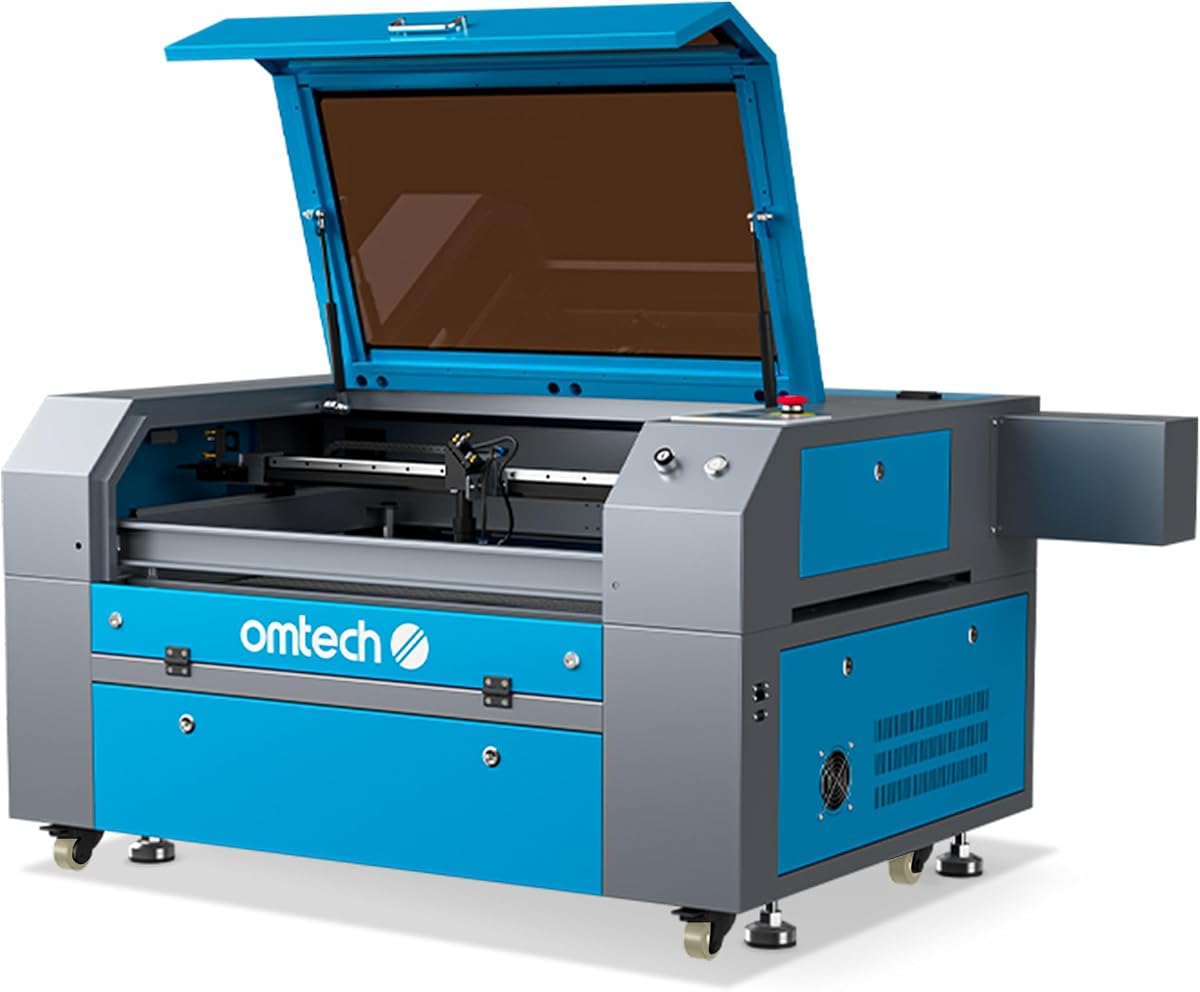


The VEVOR 45W CO2 laser engraver is designed for small desktop projects with reliable cutting and engraving performance. It earns a strong rating for delivering burr-free edges on acrylic and wood up to specific thickness limits.
We may earn a commission when you buy through this link, at no additional cost to you.
Its high-efficiency laser tube supports speeds up to 300 mm/s, making it suitable for both hobby and small business tasks. The built-in air assist system keeps the lens clean and reduces smoke during operation.
While the 12 x 8 in work area limits large projects, it remains ideal for phone cases and keychains. Users note that manual focusing is straightforward with the provided precision knob and red-dot positioning.
This machine is best for makers who need a compact CO2 laser engraver that works seamlessly with LightBurn and CorelDRAW. It delivers clean results without requiring frequent adjustments or complex setup.
Plug-and-play USB connection and compatibility with Windows, macOS, and Linux simplify the integration into existing design workflows for faster project turnover.
The pull-out waste tray and water pump cooling help maintain a tidy workspace while ensuring stable thermal management during extended engraving sessions.
We may earn a commission when you buy through this link, at no additional cost to you.
The OMTech K40+ offers upgraded 45W performance that slices through thicker acrylic and wood than older models. It is a top choice for users who need professional results with strong local and global support.
We may earn a commission when you buy through this link, at no additional cost to you.
Its integrated 45° air assist auto-adjusts airflow to reduce carbonization and lower fire risk. The honeycomb bed handles flat items well, while the detachable base supports taller objects with optional rotary accessories.
Though it shares a compact workspace with other desktop units, the 300 mm/s engraving speed helps handle bulk orders efficiently. Safety features like door protection and flame-retardant panels add confidence during operation.
Ideal for DIY enthusiasts and small businesses, this CO2 laser engraver balances power and safety. It supports LightBurn and LaserGRBL for smooth design execution without steep learning curves.
Features like door and water protection along with an emergency stop function ensure users can pause or halt operations quickly if needed.
The upgraded 45W laser boosts cutting depth and speed significantly, enabling reliable cuts on 10mm acrylic and 8mm wood in fewer passes.
We may earn a commission when you buy through this link, at no additional cost to you.
The OMTech Maker 60W is a commercial bundle that comes with a water chiller and LightBurn software for consistent performance. It simplifies setup with autofocus that finds the right focal distance automatically.
We may earn a commission when you buy through this link, at no additional cost to you.
Its 20 x 28 in work area accommodates larger items, and four-way pass-through doors make it easy to handle long materials without repositioning. The widened viewing window ensures safe monitoring during engraving.
While it costs more than entry-level units, the automation and size justify the investment for serious makers. The air assist system keeps smoke and dust away to protect lenses and improve cut quality.
This CO2 laser engraver suits users ready to scale up project sizes and reduce manual adjustments. It balances safety, capacity, and ease of use in a single streamlined package.
Autofocus removes the guesswork from focusing by adjusting the bed up and down with a button press for repeatable accuracy every time.
The generous workbed dimensions and pass-through doors allow seamless handling of oversized panels or extended runs without constant manual intervention.
We may earn a commission when you buy through this link, at no additional cost to you.
The OMTech Maker 90W delivers powerful cutting and engraving capable of 0.4 inch deep cuts in wood. It supports speeds up to 600 mm/s, making it suitable for high-volume production environments.
We may earn a commission when you buy through this link, at no additional cost to you.
With a 28 x 20 inch workspace and four-way pass-through doors, it handles both delicate and large-scale designs comfortably. The automatic cover interlock shuts off the laser when the lid opens for added safety.
Its 90W DC laser tube promises up to 12000 hours of reliable operation when used efficiently. This longevity supports consistent workflow without frequent tube replacements or downtime.
Ideal for businesses that need throughput and safety, this CO2 laser engraver offers strong performance. Always ensure proper ventilation and alignment to maintain cut quality and protect components.
The 600 mm/s engraving speed combined with deep cutting capacity allows for faster turnaround on bulk orders and complex design batches.
The high-performance DC laser tube and integrated air assist maintain consistent output while reducing smoke and debris buildup on optics.
We may earn a commission when you buy through this link, at no additional cost to you.
The xTool P3 is a flagship CO2 laser cutter with intelligent automation that simplifies production workflows. Its Class 1 safety design and LiDAR autofocus reduce manual setup time significantly.
We may earn a commission when you buy through this link, at no additional cost to you.
With a 36 x 18 inch workspace and dual HD cameras for precise positioning, it supports large panels and micro-accurate alignment. The 1200 mm/s speed enables rapid cuts on materials like clear acrylic.
AI-powered smart nesting optimizes material use, reducing waste during bulk jobs. The system includes an active detection and suppression system to manage fire risk and alert on scrap buildup.
Best for professional users, this CO2 laser engraver balances speed, safety, and automation. While expensive, it delivers industrial-grade efficiency and quality for high-demand environments.
LiDAR ranging and dual cameras automate focus and positioning to ensure perfect results without manual calibration or repeated test cuts.
With speeds up to 1200 mm/s and smart nesting, the P3 maximizes material utility and throughput while maintaining clean edge quality on all materials.
We may earn a commission when you buy through this link, at no additional cost to you.
This OMTech K40+ variant provides 45W performance at a competitive price, making it a strong contender for hobbyists and small shops. It cuts 10mm acrylic and 8mm wood reliably with good speed.
We may earn a commission when you buy through this link, at no additional cost to you.
The integrated air assist reduces carbonization and smoke, improving visibility during operation. A high-powered exhaust fan keeps the workspace clean, while door protection adds safety during active engraving.
Although the work area is compact, it handles standard projects well. The honeycomb bed and optional rotary axis expand versatility for cylindrical items without requiring major modifications.
For users seeking a cost-effective CO2 laser engraver with solid safety features, this model delivers. It supports mainstream software for smooth integration into existing production pipelines.
Delivers 45W cutting power and 300 mm/s engraving speeds at a price point that suits budget-conscious makers and small business starters.
Integrated air assist and exhaust fan keep the laser path clear of debris, protecting optics and reducing the risk of burns or smoke residue.
We may earn a commission when you buy through this link, at no additional cost to you.
The OMTech Pronto 100W offers unmatched efficiency with engraving speeds up to 1000 mm/s. Its 100W tube and autofocus technology enable precise results on a wide range of non-metal materials.
We may earn a commission when you buy through this link, at no additional cost to you.
The 40 x 24 inch work area and two-way pass-through doors accommodate long panels and large items effortlessly. This setup supports bulk production runs without frequent material repositioning.
Its air pump and turbo exhaust fan improve cut quality and reduce burn risk. Temperature alarms and water protection features keep operations safe even during extended use cycles.
This CO2 laser engraver is best for shops needing speed and size. It delivers consistent results when properly maintained and offers room for growth in production capacity.
The 1000 mm/s engraving speed combined with advanced autofocus ensures quick turnaround on complex designs with minimal manual setup time.
High-performance air pump and turbo exhaust maintain clean cuts by clearing debris and smoke during operation to protect lenses and mirrors.
We may earn a commission when you buy through this link, at no additional cost to you.
The OMTech Maker 90W comes with a water chiller and LightBurn software for consistent performance. Its 20 x 28 inch work area fits most commercial projects comfortably.
We may earn a commission when you buy through this link, at no additional cost to you.
Safety features like flame retardant windows and automatic interlock reduce operational risks. The 90W Yongli H2 tube delivers reliable output and supports 8000 hours of usage at lower settings.
Four-way pass-through doors make it easy to load and unload large sheets. This setup is ideal for shops that need to switch between small engravings and larger cuts frequently.
This CO2 laser engraver suits businesses needing capacity and safety. It offers stable performance for varied materials while minimizing downtime through automated safety protocols.
Includes water chiller and LightBurn to provide consistent performance and intuitive navigation for production workflows without extra purchases.
Automatic cover interlock and flame retardant viewing window ensure safe monitoring of the engraving process while preventing accidental exposure to the beam.
We may earn a commission when you buy through this link, at no additional cost to you.
The OMTech 100W cuts and engraves materials up to 0.8 inch acrylic with accurate autofocus. It offers a 28 x 20 inch workspace and speeds up to 1000 mm/s for quick bulk projects.
We may earn a commission when you buy through this link, at no additional cost to you.
V-wheel guide rails and axis motors ensure steady movement to prevent shaking. Air pressure and temperature sensors add protection by pausing operations when needed to avoid damage.
This unit integrates with multiple software options to support varied workflows. The air pump and turbo exhaust fan keep the workspace clean while protecting the laser components from buildup.
For users needing power and capacity, this CO2 laser engraver delivers. It supports a variety of materials and ensures clean, consistent output when properly maintained.
Smart autofocus fine-tunes the focal point with a single press, removing manual steps and ensuring every engraving is crisp and precise.
Seamless integration with RDWorks, CorelLaser, and LightBurn lets users design and engrave with their preferred software tools and file formats.
We may earn a commission when you buy through this link, at no additional cost to you.
The OMTech Maker 90W CO2 laser engraver & cutter offers powerful cutting and engraving with a water chiller included for stability. It supports 0.4 inch deep wood cuts and 600 mm/s speeds.
We may earn a commission when you buy through this link, at no additional cost to you.
Its 28 x 20 inch workspace and four-way pass-through doors handle large-scale designs effortlessly. The automatic cover interlock ensures the laser shuts off if the lid opens, improving safety.
The 90W DC tube provides up to 12000 hours of operation, supporting long production cycles. Integrated air assist keeps the work area free from dust and smoke for sharper engraving.
Ideal for serious makers and small businesses, this CO2 laser engraver combines size and power. It delivers consistent performance while protecting users through automatic safety protocols.
The 90W power and spacious workspace enable deep cuts on wood and large engraving jobs with fewer passes and better edge quality.
Using the tube efficiently at lower settings extends its lifespan, while global support ensures reliable technical help and localized demos.
We may earn a commission when you buy through this link, at no additional cost to you.
This guide outlines the key factors to consider when selecting a CO2 laser engraver for your specific needs and workspace.
Laser power determines how quickly you can cut thicker materials. Higher wattage like 90W or 100W enables deeper cuts on wood and acrylic, while 45W units work best for thinner sheets and engraving.
Choose higher power if you need speed and depth, or lower wattage if you focus on detailed engraving on small objects.
The work area defines the maximum size of material you can process at once. Desktop units like 12 x 8 inches suit phone cases, while 28 x 20 inch models support full panels.
Measure your projects before buying to ensure the bed dimensions match your typical material sizes.
Engraving speed affects how fast you finish jobs. Models with speeds over 600 mm/s are ideal for bulk production, while slower units work fine for occasional hobby use.
Prioritize faster speeds if you run high-volume batches to reduce cycle times.
Autofocus and camera systems reduce setup time and improve repeatability. Advanced models use LiDAR or dual cameras to align designs automatically.
Automation helps new users get precise results and saves time on calibration.
Look for features like door interlocks, air assist, and emergency stops. Class 1 safety designs prevent accidental exposure to the beam during operation.
Robust safety features reduce fire risks and protect your eyes and workspace.
Ensure the machine works with design software you already use. Many models support LightBurn, CorelDRAW, and RDWorks for seamless file imports.
Compatible software simplifies workflow integration and reduces learning curves.
Water chillers or pumps keep the laser tube at stable temperatures. Regular cleaning of lenses and mirrors maintains cut quality and extends life.
Select models with built-in cooling for stable performance and easy upkeep.
Strong vendor support helps solve setup or technical issues quickly. Look for multi-year warranties and access to remote or local demos.
Good support ensures minimal downtime and faster onboarding for new users.
Start by leveling the machine and connecting the exhaust and power systems. Set your material thickness in the software to align the focus properly before starting.
Run test cuts on scrap material to tune speed and power settings. Clean the lens and mirrors after each session to maintain consistent beam quality.
Monitor temperature during long jobs and check air assist flow regularly. Store your machine in a dry environment to prevent rust or electrical issues over time.
CO2 lasers cut wood, acrylic, leather, and glass. They can also mark coated metals but cannot cut raw metals like steel.
A desktop unit requires at least 3 x 4 feet for operation. Larger machines need a dedicated room with ventilation for airflow and safety.
Most units work with LightBurn or RDWorks. Check compatibility before buying to ensure your design tools match the machine's interface.
Tubes typically last 8000 to 12000 hours. Regular cleaning and moderate usage help extend the lifespan.
Only coated metals like anodized aluminum can be marked. Raw metals need fiber lasers for effective engraving.
Always wear appropriate eyewear and ensure proper ventilation. Use the machine in a well-ventilated area with a fire extinguisher nearby.
Higher wattage units require chillers for stability. Small desktop models may use water pumps or passive cooling depending on design.
The top picks cover needs from budget-friendly 45W desktop units to high-end 100W commercial systems. Each model balances speed, size, and safety for specific project scales.
Prioritize work area and laser power when deciding on a CO2 laser engraver. Automation features help reduce manual steps and improve repeatability.
Always verify current pricing and availability before purchase. Regular maintenance and proper ventilation ensure consistent results and long-term machine performance.