
Corsair RS120 ARGB Triple Pack
4.6Editor score
Daisy chain PWM and ARGB
AirGuide anti vortex vanes
Low noise magnetic dome bearing
This guide compares the top 10 Corsair case fans for cooling performance and RGB aesthetics to help you find the ideal solution for your PC build today.
Choosing the right airflow is critical for maintaining optimal system temperatures and ensuring long component longevity in modern gaming PCs. Corsair offers a diverse lineup of fans designed to balance performance noise and aesthetics.
We compared ten distinct Corsair models across airflow efficiency static pressure noise levels and connectivity features to determine which units deliver the best value. This list covers RGB options thick designs and specialized reverse blade configurations.
Each pick highlights key strengths and ideal use cases so you can match the fan to your specific chassis or radiator needs. Prices may fluctuate frequently so check current listings before finalizing your purchase decision.
4.6Editor score

4.6Editor score

4.5Editor score
This side by side comparison highlights the critical specifications and unique features of each model so you can quickly identify the right fan for your cooling needs.


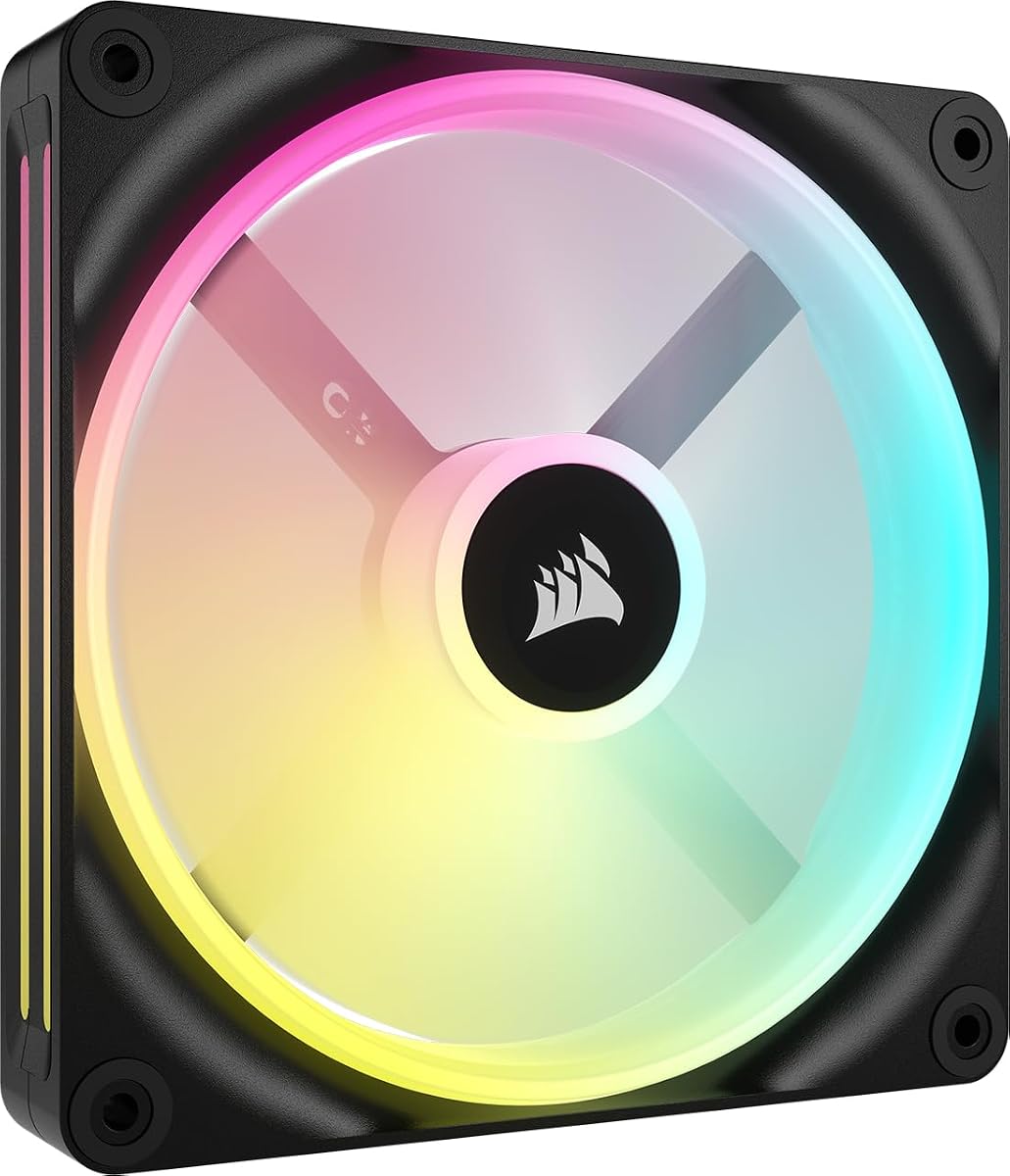


The RS120 ARGB Triple Pack delivers excellent cooling and aesthetics at a competitive price point making it a standout choice for most builds. It holds a strong rating for reliability and performance consistency.
We may earn a commission when you buy through this link, at no additional cost to you.
It features AirGuide technology with anti-vortex vanes that direct airflow efficiently to hot components or radiators. The daisy chain design simplifies cabling significantly by reducing header usage to one PWM and one ARGB connector.
While the RGB lighting is vibrant it requires a compatible motherboard controller for customization. Some users might prefer more advanced hub features found in higher end kits.
This fan is ideal for budget conscious builders or those seeking a clean look without excessive clutter. It offers a solid foundation for daily gaming or workstation use.
Daisy chain connectors allow you to link multiple fans together using a single header reducing internal clutter.
AirGuide vanes focus airflow to where it is needed most improving cooling efficiency on radiators or heatsinks.
We may earn a commission when you buy through this link, at no additional cost to you.
This Triple Pack includes the iCUE Link System Hub which provides a seamless way to manage all connected fans without complex wiring. It is rated highly for its integration with Corsair software.
We may earn a commission when you buy through this link, at no additional cost to you.
The dual light loop design offers more intricate RGB patterns than standard single ring fans. With high static pressure it excels at pushing air through dense radiators while maintaining quiet operation.
The requirement for the Hub means you must have space in your case and budget for the extra cost. However the convenience of a single cable connection is worth it for many enthusiasts.
Ideal for those building a high end system who want unified lighting control and reliable cooling. The included hub makes this a complete solution out of the box.
The included Hub simplifies setup by connecting all fans to one port while enabling advanced control features.
Dual loops allow for more complex and vibrant lighting patterns that stand out in any build.
We may earn a commission when you buy through this link, at no additional cost to you.
The RX140 MAX features a thick five millimeter blade that pushes significantly more air than standard fans. This design reduces noise by allowing slower speeds for the same airflow volume.
We may earn a commission when you buy through this link, at no additional cost to you.
Its unique windowed frame lets you see the RGB lighting from the side creating a modern aesthetic. It integrates seamlessly with the iCUE Link ecosystem for easy management and synchronization.
The thickness means it may not fit all standard cases so check clearance before buying. The price is higher but the performance justifies the cost for demanding builds.
Perfect for enthusiasts needing maximum cooling for high performance CPUs or GPUs. It delivers exceptional airflow while keeping noise levels low during heavy loads.
The thicker blade design moves more air efficiently which lowers RPM needs for the same cooling effect.
The windowed frame allows light to shine through from the side offering a fresh look for your build.
We may earn a commission when you buy through this link, at no additional cost to you.
Reverse rotor fans solve the common problem of visible motor hubs blocking RGB light when mounted as intakes. This White pack ensures your front lighting looks flawless from the outside.
We may earn a commission when you buy through this link, at no additional cost to you.
Each fan has eight vibrant RGB LEDs that provide bright customizable effects. The design maintains strong airflow and static pressure for effective cooling in intake positions.
The motor hub is hidden behind the blades which may reduce visibility for those preferring traditional designs. It requires standard PWM headers and ARGB connectors for operation.
Recommended for builders who prioritize clean intake looks over traditional fan aesthetics. It delivers great performance while eliminating visual obstruction.
Reverse blades hide the motor hub so RGB lighting shines clearly through the front of your case.
Despite the design changes airflow remains strong enough for daily gaming and general cooling needs.
We may earn a commission when you buy through this link, at no additional cost to you.
This Black variant offers the same reverse blade benefits as the White version but suits darker chassis designs better. It ensures the RGB ring remains fully visible for intake mounts.
We may earn a commission when you buy through this link, at no additional cost to you.
The eight LEDs per fan provide ample brightness and color control. Static pressure is optimized for pushing air through obstructions like radiators or filters.
Users may find the dark frame reduces contrast with RGB but it blends well into stealth builds. Performance is consistent with other RS models in the lineup.
Choose this for dark builds where traditional fans would block the front view. It offers a balanced mix of aesthetics and cooling efficiency.
The black finish blends into dark cases while still allowing RGB to shine through clearly.
Airflow remains sufficient for most cases ensuring intake air reaches components quickly.
We may earn a commission when you buy through this link, at no additional cost to you.
This single 140mm fan offers higher airflow capacity than 120mm models thanks to its larger blade surface. It is designed for those needing quiet efficient cooling without a full triple pack.
We may earn a commission when you buy through this link, at no additional cost to you.
The Time Warp lighting mode adds a unique visual flair when connected to the iCUE Link Hub. At low loads the Zero RPM mode stops the fan entirely for silent operation.
Without the Hub the advanced lighting features are limited but basic RGB works. It is ideal for adding a rear exhaust or top exhaust without clutter.
Recommended for upgrades where a larger fan fits and space is limited. It balances size and quietness effectively for mid range builds.
A 140mm fan moves more air than 120mm models which helps with overall chassis cooling.
Zero RPM mode stops fans during light tasks so you enjoy near silent system usage.
We may earn a commission when you buy through this link, at no additional cost to you.
This kit combines reverse blade aesthetics with the advanced iCUE Link ecosystem for maximum control. It provides a clean look for intakes while delivering high static pressure for radiators.
We may earn a commission when you buy through this link, at no additional cost to you.
The included QuikTurn screws simplify installation significantly reducing the need for tools. Dual loops offer more lighting options than standard single ring designs.
Cost is higher due to the advanced features and triple pack count. It is best for those who already use iCUE software or want a complete solution.
Perfect for those seeking silent cooling with advanced visual effects. It is a strong choice for high end custom water cooling loops.
QuikTurn screws allow for quick secure mounting without needing additional screwdrivers.
High static pressure ensures air can push through dense radiators or intake filters efficiently.
We may earn a commission when you buy through this link, at no additional cost to you.
The RS120 MAX features a 30mm thickness which increases blade size for better pressure. This makes it ideal for high density radiators where pushing air is difficult.
We may earn a commission when you buy through this link, at no additional cost to you.
Its Liquid Crystal Polymer frame is strong and rigid reducing vibration during operation. This durability ensures long term reliability under high load conditions.
Standard cases may not accommodate the extra thickness so check clearance. It is not designed for aesthetic RGB focus but pure performance.
Recommended for custom loop builders who need maximum pressure. It delivers efficient cooling for dense radiators without excessive noise.
Increased thickness allows fans to push air through dense fins more effectively than thin fans.
Polymer construction reduces blade vibration which improves longevity and overall quietness.
We may earn a commission when you buy through this link, at no additional cost to you.
This White 140mm fan combines high airflow with a windowed frame for modern aesthetics. It integrates well with iCUE Link for advanced control and synchronization.
We may earn a commission when you buy through this link, at no additional cost to you.
The windowed frame allows side lighting visibility enhancing the look of the fan. Airflow is higher than 120mm options which helps with overall thermal management.
Without the Hub full lighting features are limited. It is ideal for adding a single rear or top exhaust to a white themed build.
Perfect for enthusiasts who want high flow and modern aesthetics. It is a solid choice for mid range cooling upgrades.
140mm fans move more air than 120mm models helping to cool components more efficiently.
The window allows light to shine through from the side creating a unique visual effect.
We may earn a commission when you buy through this link, at no additional cost to you.
This Renewed kit offers two fans and a Hub at a lower price than buying new. It provides an entry point into the iCUE Link ecosystem for synchronized lighting.
We may earn a commission when you buy through this link, at no additional cost to you.
The white finish matches modern case designs. As a Renewed item it may have minor cosmetic imperfections but functions like new.
Limited to two fans it is a great start but may need expansion later. The Hub allows future scalability to add more compatible fans.
Perfect for budget builds needing advanced lighting control. It is a smart way to get the Hub without the full cost.
Renewed kits save money while still providing a full hub and multiple fans.
Start with two fans and easily add more using the same Hub for a unified system.
We may earn a commission when you buy through this link, at no additional cost to you.
Selecting the right fans involves considering size, noise, and connectivity to match your build goals and budget.
Most cases support standard 120mm and 140mm fans. Verify your case clearance especially for thick models that may obstruct drive cages.
Choose 140mm for higher airflow or 120mm for tighter spots to ensure a perfect fit.
PWM allows speed control for better cooling management. ARGB adds customizable color effects to match your setup.
Look for fans that support both for optimal control and aesthetics.
Airflow is best for open cases while static pressure is needed for radiators or dust filters.
Check the CFM and mm-H2O values to match your specific cooling needs.
Loud fans can disrupt a quiet workspace. Look for models with magnetic bearings and low dB ratings.
Prioritize models with Zero RPM modes for silent idle usage.
Daisy chain allows simple connection while hubs offer unified control and lighting modes.
Decide if you need advanced software control or prefer simple daisy wiring.
Consider if you want standard or dual loop RGB for better visual effects.
Check if your motherboard supports 5V ARGB to control the lights.
Reverse blades hide motor hubs for a clean look on intakes. They are useful for front panel aesthetics.
Ensure you need the aesthetic benefit before paying a premium for reverse designs.
Liquid Crystal Polymer frames or magnetic bearings increase durability and reduce vibration.
Invest in higher build quality for long term reliability.
Connect PWM and ARGB cables carefully to motherboard headers or hubs ensuring correct orientation.
Use software like iCUE to set fan curves and RGB effects matching your performance needs.
Clean dust from blades regularly using compressed air to maintain performance and quiet operation.
Standard ARGB fans can connect to motherboard headers but hubs provide unified control and advanced lighting modes. Without a hub you may lose some software features.
A reverse rotor fan hides the motor hub behind the blades so RGB lighting shines through cleanly on intake mounts.
Thick fans have higher static pressure for radiators but require specific case clearance. They are worth it for custom loops.
They allow you to link multiple fans using one header reducing cable clutter. Each fan connects to the next in a chain.
Zero RPM mode stops the fans when the system is cool ensuring silent operation during light tasks.
You can mix models but try to match lighting for consistency. Different sizes can coexist for better airflow.
The Corsair RS120 ARGB Triple Pack offers great value for most users looking for balance.
Consider the iCUE Link series for advanced lighting and simplified wiring options.
Always check current listings and clearance to ensure the best deal for your specific build.