
Creality Falcon 10W Laser Engraver Machine
4.2Editor score
72W effective power
15.7×16.3 inch area
LightBurn compatible
Finding the right laser engraver can transform your creative projects into professional products with precision and speed. Creality offers a range of models designed for hobbyists and professionals alike, balancing power with safety features.
We evaluated ten top Creality laser engraver machines based on their output power, engraving speed, safety certifications, software compatibility, and overall ease of use to provide an honest overview of their capabilities.
Each pick below highlights key strengths and trade-offs so you can match a machine to your specific needs, but remember that prices and availability can change frequently on retail platforms.
4.2Editor score

4.7Editor score

4.2Editor score
As an Amazon Associate we earn from qualifying purchases.
The following table provides a side-by-side look at the core specifications and features of each Creality laser engraver model to help you quickly identify the right fit.




The Creality Falcon A1C 10W AI Laser Engraver stands out as a top choice for creators who value speed and ease of use in a compact desktop machine. It holds an impressive 4.7 rating and brings AI-driven tools to the forefront, making professional-quality engraving accessible to beginners while still offering robust features for experienced users.
We may earn a commission when you buy through this link, at no additional cost to you.
This machine excels in its intelligent AI workflow, allowing you to create stunning engravings with just a few clicks. The AI One-Tap Engraving feature converts photos into engraving-ready artwork instantly, while AI Background Removal and Smart Fill help optimize layouts without manual tweaking. Additionally, the interchangeable laser platform means you can swap heads for different tasks, and the built-in AI HD camera ensures precise positioning with up to 0.1mm accuracy.
While the A1C is powerful, it does come with trade-offs. The work area is relatively compact at 150 x 150 x 148 mm, which limits larger projects unless you plan carefully. Also, note that laser modules like the 5W or 1.2W IR versions are not always included depending on the package, so check specifications before buying. However, the speed of 15,000mm/min and the safety of a fully enclosed Class 1 design make these compromises acceptable for most hobbyists.
If you are looking for a laser engraver that balances advanced AI features with portability and safety, the Falcon A1C is an excellent pick. It is ideal for home users, classrooms, and small studios where space is limited but quality matters. With its expandable ecosystem and beginner-friendly software, it offers a smooth entry point into laser engraving while providing room to grow.
AI tools simplify design and layout so you can focus on making rather than configuring settings.
A fully enclosed Class 1 structure blocks laser exposure, making it safe for home and classroom environments.
We may earn a commission when you buy through this link, at no additional cost to you.
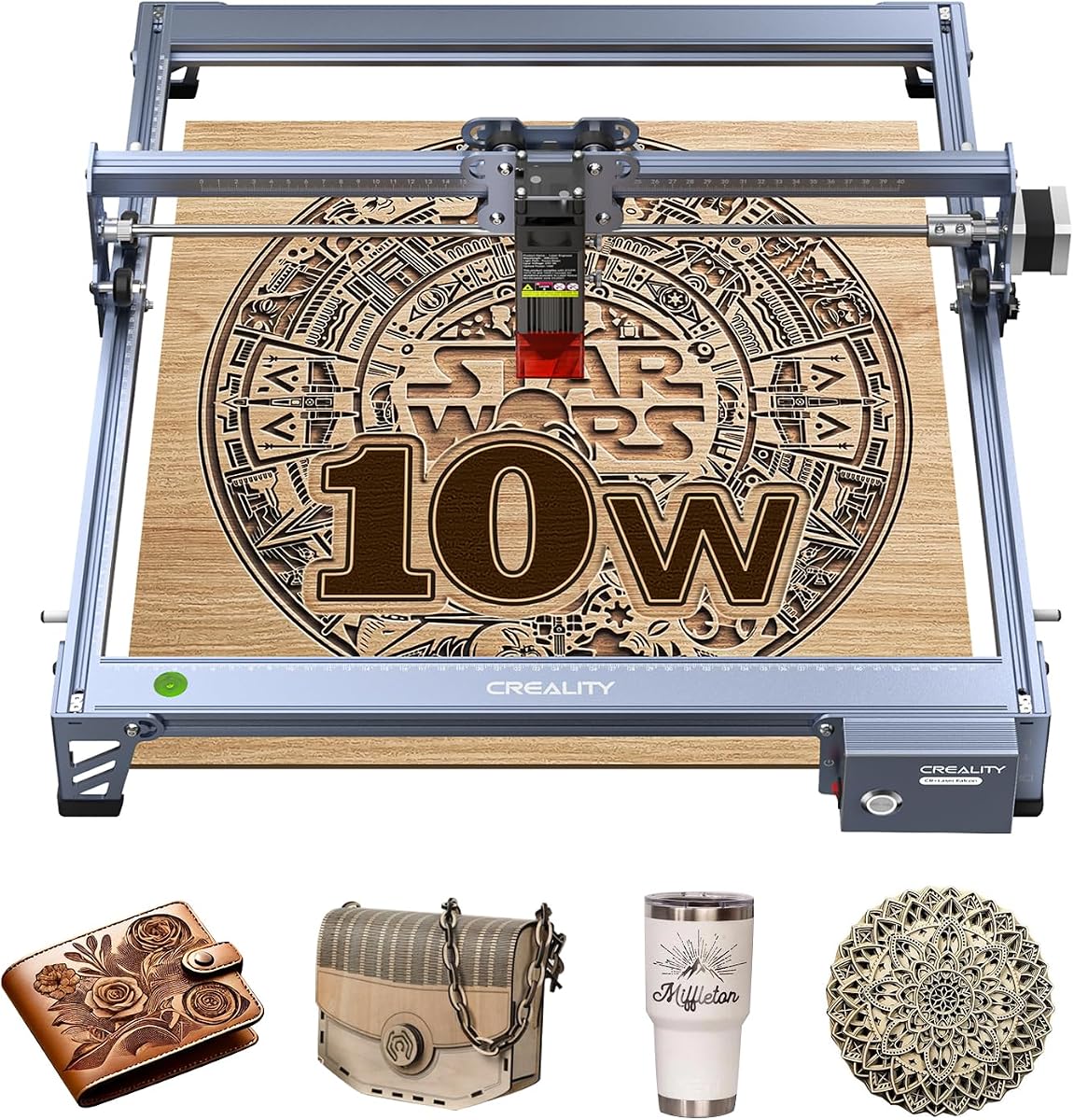
The Creality Falcon 10W Laser Engraver Machine is a standout option for those seeking a powerful and precise tool without breaking the bank. With a solid 4.2 rating, it delivers an effective power of 72W, allowing it to cut through 12mm wood and 5mm black acrylic in one pass, which is impressive for its class.
We may earn a commission when you buy through this link, at no additional cost to you.
Its key strengths lie in its versatility and precision. The 0.06mm high precision spot and 15.7×16.3 workspace give you ample room for diverse projects, from leather goods to acrylic signs. It also supports offline creation with SD cards and integrates well with LightBurn and LaserGRBL, giving you flexibility whether you are on Windows or Mac. Safety features like an anti-UV filter and included goggles add peace of mind.
One downside is that it is not fully enclosed, meaning you will need to rely on the provided goggles and filters for eye safety. This can be less convenient than enclosed models if you want a safer setup for shared spaces. However, for hobbyists and makers willing to take standard precautions, the performance and value it offers are hard to beat.
If you need a reliable engraver that handles tough materials and supports flexible software, the Falcon 10W is a smart budget pick. It works well for small businesses and serious hobbyists who want high performance at an accessible price point. Just be sure to follow safety protocols when operating this open design machine.
The 72W effective power lets you cut thick wood and acrylic quickly, speeding up production batches.
Compatibility with LightBurn and LaserGRBL means you can use the tools you already know and trust.
We may earn a commission when you buy through this link, at no additional cost to you.
The Creality Falcon A1 Pro 20W Laser Engraver is a premium powerhouse designed for users who demand speed and precision. It earned a 4.2 rating by delivering 180W output power and speeds up to 600mm/s, making it three times faster than many traditional models. This machine is perfect for professional makers and small businesses needing high efficiency.
We may earn a commission when you buy through this link, at no additional cost to you.
Its standout features include a smartphone-style touchscreen and app control, allowing cable-free operation and real-time monitoring from anywhere. The high-definition camera and AI vision system provide precise positioning and automatic focusing in just 3 seconds. Plus, the fully enclosed Class 1 safety design blocks smoke, noise, and light, ensuring a clean and safe workspace without goggles.
The main trade-off is the higher price and the fact that the advanced 2W infrared laser module for metals is sold separately. While the 20W blue laser handles wood and acrylic well, metal engraving requires extra investment. However, for most users, the speed, safety, and ease of use justify the cost, especially if batch production is a priority.
If you want the fastest and most feature-rich Creality machine, the Falcon A1 Pro is the top premium choice. It is ideal for professionals who need to turn out high-quality work quickly without sacrificing safety. With minimal setup and intuitive controls, it streamlines the engraving process from design to finish.
With 600mm/s speeds, you can process batches faster, reducing production time for commercial projects.
The touchscreen and app control let you monitor and manage projects remotely for added convenience.
We may earn a commission when you buy through this link, at no additional cost to you.
The CREALITY FALCON A1 10W Laser Engraver brings professional features like Air Assist and smart material recognition to a compact enclosed unit. With a 4.2 rating, it is praised for its ease of use and high-quality cuts. The machine is ready to use out of the box, with preset parameters that let you skip trial and error.
We may earn a commission when you buy through this link, at no additional cost to you.
One of its biggest strengths is the Air Assist feature, which helps produce clean cuts and edges on materials like wood and acrylic. Combined with the smart HD camera and graphic outline extraction, you get precise positioning and creative flexibility. It also supports popular software like LightBurn and LaserGRBL, making it versatile for different workflows.
However, the working area is 381 x 305mm, and it is not compatible with larger 500mm honeycomb panels, limiting its size options. Additionally, it does not support cutting acrylic, which some users may need. Despite this, the speed of 600mm/s and Class 1 safety make it a strong contender for detailed engraving projects.
For hobbyists wanting high precision and clean cuts without complex setup, this model is a great fit. It is best suited for those focused on smaller items like coasters, tags, or decorative pieces. The Air Assist feature adds a professional touch that elevates the final output quality significantly.
Air Assist helps reduce burning and produces smoother edges, improving the look of finished projects.
Graphic outline extraction automatically converts designs into paths, saving time on manual adjustments.
We may earn a commission when you buy through this link, at no additional cost to you.
The Creality Laser Engraver Machine with 10W output power is a robust DIY kit that offers impressive speed and precision for the price. Rated 4.2, it features a 72000mW machine power and a 0.06mm spot size, ensuring sharp and detailed work on a variety of materials from wood to metal and leather.
We may earn a commission when you buy through this link, at no additional cost to you.
Its key strengths include a fast 10000mm/min speed and a spacious 17 x 16 inch work area. The all-aluminum alloy structure provides stability, while belt tension adjustment keeps accuracy consistent. You can transfer data via Wi-Fi, USB, or SD card, making it flexible to use anywhere. Plus, it ships with a focusing plate to simplify adjustments.
On the downside, it lacks an enclosure, so you must be careful with UV exposure and smoke. Manual focus means you need to adjust for different materials, though the included plate helps. It is best for users who are comfortable with DIY assembly and want a versatile machine with good connectivity options.
If you want a reliable engraver that offers strong performance and flexible data options without a high price, this model is a solid choice. It is great for makers who value customization and have the space for an open frame unit. Just remember to use safety gear when operating it.
The new laser head comes with a focusing plate, making setup fast and easy without tools.
All-aluminum structure and steel shaft guide rails ensure stability and long-term durability.
We may earn a commission when you buy through this link, at no additional cost to you.
The Creality Falcon2 Pro S 22W Laser Engraver is a professional-grade machine designed for high-efficiency batch production. With a 3.8 rating, it stands out for its 22W optical output and Auto Cut Through path compensation, which helps achieve consistent cuts on thicker materials like 15mm basswood and 10mm black acrylic.
We may earn a commission when you buy through this link, at no additional cost to you.
This model features an integrated enclosure with a fireproof fiber cover to isolate smoke and noise. The built-in camera and Z-Axis Auto Focus make setup fast, often ready in 10 minutes or less. A built-in debris drawer keeps the workspace clean, and multiple safety features like a flame detector ensure secure operation.
One issue noted is the lower rating, which may reflect occasional software quirks or setup nuances. Also, the fireproof cover is essential for safety but adds complexity. For users who need a machine capable of professional batch work and value safety, these drawbacks are often acceptable.
If you run a small studio and need a machine that can handle tough cutting tasks quickly, the Falcon2 Pro S is worth considering. Its automation features reduce manual effort, and the enclosure makes it safer for shared workspaces. Just take time to learn the software fully to get the most from it.
22W optical output allows one-pass cutting on thick materials, saving time on layered jobs.
The enclosed design with debris drawer keeps residue off the workspace, improving workflow.
We may earn a commission when you buy through this link, at no additional cost to you.
The Creality Falcon A1C 10W Mini Laser Engraver is a compact powerhouse that brings AI features and modularity to small spaces. With a 4.6 rating, it is loved for its 15,000mm/min speed and quick-swap laser design. It supports 300+ materials and offers safety without goggles thanks to its Class 1 enclosed structure.
We may earn a commission when you buy through this link, at no additional cost to you.
Its standout benefit is the ability to swap laser modules in 15 seconds, letting you switch between diode and IR lasers for different materials. The smart camera and auto focus streamline setup, while the free Falcon Design Space software uses AI to simplify image generation and material recognition. This makes it versatile for various creative projects.
The workspace is limited to about 5.9 x 5.9 inches, so larger items won't fit. Also, the advanced IR module for metals is sold separately. Despite these limits, its speed and AI tools make it a favorite for personalization and small crafts. It is perfect for classrooms, homes, and retail counters.
For users who want a portable and safe engraver with fast performance, this Mini model is ideal. It balances compact size with powerful features that adapt to your needs. If you focus on small gifts or accessories, the flexibility and ease of use will impress you.
Swap laser heads quickly to match materials, from wood to metal, without complex tools.
Free AI software helps generate images and set materials so beginners can create easily.
We may earn a commission when you buy through this link, at no additional cost to you.
The Creality Falcon A1 Pro 20W Laser Engraver with Touchscreen brings advanced control to a safe and enclosed unit. Rated 4.0, it combines 180W output power with a smart touchscreen that simplifies daily tasks. You can access files and preview work quickly without messy cables, making it user-friendly.
We may earn a commission when you buy through this link, at no additional cost to you.
Key strengths include the 600mm/s speed for batch productivity and Air Assist for clean, smooth edges. The HD smart camera offers precise auto-focus, and the enclosure blocks 99% of radiation, ensuring safety without goggles. It handles 10mm wood and 8mm acrylic cleanly, proving its power for real-world use.
While it is highly capable, it comes at a higher price point and the IR module for detailed metal work is sold separately. However, the touchscreen interface and safety features make it a great shop machine. It reduces complexity and keeps your workspace clean, which is valuable for long sessions.
If you want a balance of speed, safety, and easy control, this A1 Pro model is a strong option. It suits small shops or makers who prefer intuitive interfaces. With minimal setup and reliable performance, it makes engraving efficient and stress-free.
The touchscreen lets you manage projects and history with one tap, reducing setup time.
Air Assist and enclosure work together to reduce smoke and keep your area tidy.
We may earn a commission when you buy through this link, at no additional cost to you.
The Creality Falcon A1C 10W Mini Laser Engraver is designed for portability and everyday ease of use. With a 4.6 rating, it is a compact desktop unit that moves easily between rooms or workshops. It combines AI software, Auto Focus, and high-speed engraving to deliver a smooth experience for creators of all levels.
We may earn a commission when you buy through this link, at no additional cost to you.
Its key strengths include a rigid frame and high-motion accuracy that produce crisp details at 15,000mm/min. The built-in HD smart camera ensures precise positioning, and flame detection adds an extra layer of safety. With PC and App control, you can start projects quickly without complex calibration.
The main limitation is its small workspace, which restricts larger designs. Also, advanced features like IR laser require separate purchases. Yet for most users, the speed and safety features outweigh these limits. It is an ideal choice for classrooms and makerspaces where flexibility and safety are priorities.
If you value a machine that is easy to move and use daily, this Mini A1C is a top pick. It makes professional engraving accessible without taking over your workspace. Just set up your projects and let the auto features handle the rest for reliable results.
Intuitive controls and Auto Focus let you start creating immediately without calibration delays.
Flame detection alerts instantly, protecting your space from accidents during operation.
We may earn a commission when you buy through this link, at no additional cost to you.
The Creality Laser Engraver Falcon A1 10W is perfect for beginners seeking speed and safety in one package. With a 4.5 rating, it requires zero assembly and offers instant acceleration to 600mm/s. Its compact design is 47% more efficient in footprint, making it easy to place on desks or shelves.
We may earn a commission when you buy through this link, at no additional cost to you.
It delivers precise engraving with a 0.01mm precision level and includes six safety features like emergency stop and eye-protection cover. The smart camera allows drag-and-drop positioning, and the intuitive three-step operation simplifies the whole process. It is designed for accessibility, letting you start immediately after unboxing.
Trade-offs include limitations on cutting acrylic and a smaller working area compared to open models. However, for personalization and intricate designs, it excels. The software includes tools like Free Line Drawing Pen that encourage creativity. This makes it a reliable choice for those new to engraving.
If you are looking for a safe and fast machine that requires no setup, this Falcon A1 is a great start. It works well for hobbyists and small home studios. With its compact build and smart features, you can create detailed work right away.
Zero assembly and simple steps let you create instantly, perfect for quick projects.
A smaller footprint saves space while still offering professional speed and precision.
We may earn a commission when you buy through this link, at no additional cost to you.
Choosing the right Creality laser engraver depends on your specific needs and projects. Consider these key factors to find a machine that matches your skills and goals.
Higher output power and faster speeds allow you to cut thicker materials and complete projects quicker. Models like the Falcon A1 Pro offer 180W power and 600mm/s speeds, while others may focus on precision at lower speeds.
Look for power levels above 20W for cutting applications and speeds over 600mm/s if batch efficiency is key.
The workspace size determines the maximum object you can engrave without moving the material. Some models like the Falcon 10W offer larger areas for signs, while mini versions suit small tokens.
Measure your typical project sizes and choose a machine with a working area that accommodates them comfortably.
Safety is critical for home and shared spaces. Enclosed Class 1 designs block radiation and smoke, reducing the need for protective goggles during use.
Prioritize models with fully enclosed designs, emergency stops, and flame detection if safety is your top concern.
HD cameras with auto-focus streamline setup by capturing your material and adjusting the laser height automatically. This reduces manual calibration and improves positioning accuracy.
Choose a model with a camera system if you value convenience and precision over manual adjustments.
Support for popular software like LightBurn and LaserGRBL gives you more control and creative options. Some models come with proprietary tools that are beginner-friendly but less flexible.
Ensure the machine supports the software you prefer or offers easy integration with third-party applications.
Pre-assembled units save time and reduce frustration. Touchscreens, app controls, and auto recognition features make operations simpler for beginners.
If you want to start creating immediately, look for machines that are fully pre-assembled and intuitive to operate.
Some machines come with interchangeable modules for wood and metal, while others focus on specific materials. Consider what you plan to engrave most often.
Select a model that supports your primary materials or offers upgrade options like IR modules for metal work.
Start by setting up your machine on a stable surface and connecting it to power and your computer or mobile app. Use the camera to position your material and run auto-focus if available.
Select or design your project in the software, choose the correct material settings, and start the engraving process. Monitor progress through the window or camera to ensure safety and quality.
After each session, clean out debris using the built-in drawer and check the lens and filters for residue. Store the machine in a dry place and keep firmware updated for optimal performance.
Yes, most modern Creality models feature Class 1 fully enclosed designs that block laser radiation and smoke, making them safe for home use without goggles. Always follow safety guidelines and avoid reflective materials that could cause damage.
You can engrave wood, leather, acrylic, paper, rubber, and some plastics. Metals usually require an optional infrared module. Always test materials to avoid damage or hazardous fumes.
Many models like the Falcon A1 come pre-assembled and ready to use out of the box. Others may require basic setup. Check the product details to confirm assembly requirements before buying.
Speed varies by model, with high-end units reaching up to 600mm/s. Standard models may run slower but still offer fast engraving for hobby projects.
Yes, most Creality engravers support LightBurn and LaserGRBL software for advanced design and control. This gives you flexibility beyond built-in tools.
Air Assist helps produce cleaner edges and reduces burning, especially on wood and acrylic. It is recommended for cutting but may not be essential for light engraving.
The Creality Falcon A1C AI and Falcon 10W models lead the pack for innovation and value, offering features like AI tools, safety, and power across different budgets.
Prioritize safety features, material compatibility, and software flexibility when selecting a machine to ensure it fits your creative workflow and workspace.
Remember that prices and availability change, so check current offers before purchasing to secure the best deal for your next project.