
Frameo Digital Picture Frame 10.1 Inch
4.6Editor score
32GB Built-in Memory
WiFi and Non-WiFi Support
HD Touch Screen Display
Choosing the right digital picture frame for grandparents can transform how families share memories. These devices allow loved ones to receive photos instantly from anywhere in the world without needing complex tech skills.
We have carefully evaluated ten leading models based on ease of use, screen quality, connectivity options, and storage capacity. Our goal is to highlight devices that prioritize simplicity for seniors while offering rich features for senders.
Each pick below showcases specific strengths like large touchscreens or dedicated apps. Please note that product details and availability may change over time so verify current information before purchasing your final choice.
4.6Editor score
4.7Editor score

4.7Editor score
As an Amazon Associate we earn from qualifying purchases.
The following table provides a side-by-side overview of each model's core specifications to help you quickly identify which frame fits your specific needs and budget requirements.


This frame stands out with its massive 15.6 inch display making it easy for seniors to view photos clearly without squinting. It has a solid rating reflecting user satisfaction with its large memory capacity.
We may earn a commission when you buy through this link, at no additional cost to you.
The Frameo app allows unlimited family members to send photos securely which keeps grandparents connected without them needing to manage complex settings. The 64GB internal storage holds thousands of images so you never run out of space.
While it offers non-WiFi options via USB or SD card the setup requires careful handling of the Type-C power port to avoid damage. Users should ensure cards are formatted correctly to prevent read errors during transfer.
Ideal for grandparents who want a wall mounted or table display that feels like a real photo album. It balances modern connectivity with physical controls that many older users find reassuring.
The large IPS screen ensures vivid colors and wide viewing angles so grandchildren see memories from any seat in the room.
Grandparents can reply with emojis instantly showing appreciation for photos shared which strengthens emotional bonds across distances.
We may earn a commission when you buy through this link, at no additional cost to you.
This model offers excellent value for families seeking a reliable connection without overspending. It maintains high ratings for usability and design making it a top contender in the budget category.
We may earn a commission when you buy through this link, at no additional cost to you.
It supports both WiFi and direct file transfer options giving flexibility depending on internet availability. The included stand allows easy switching between portrait and landscape modes for versatile placement.
Video sharing is limited to short clips which may restrict full video messages but is sufficient for quick updates. Ensure the USB-C cable is used correctly for computer transfers to avoid connectivity issues.
Perfect for parents or grandparents who want a straightforward device that does not overwhelm them with too many features. It is an ideal choice for housewarmings or retirement gifts.
Users can choose between app sharing or physical drives ensuring flexibility whether internet is stable or absent at home.
The smaller screen size fits easily on shelves or nightstands without taking up too much space in a living room.
We may earn a commission when you buy through this link, at no additional cost to you.
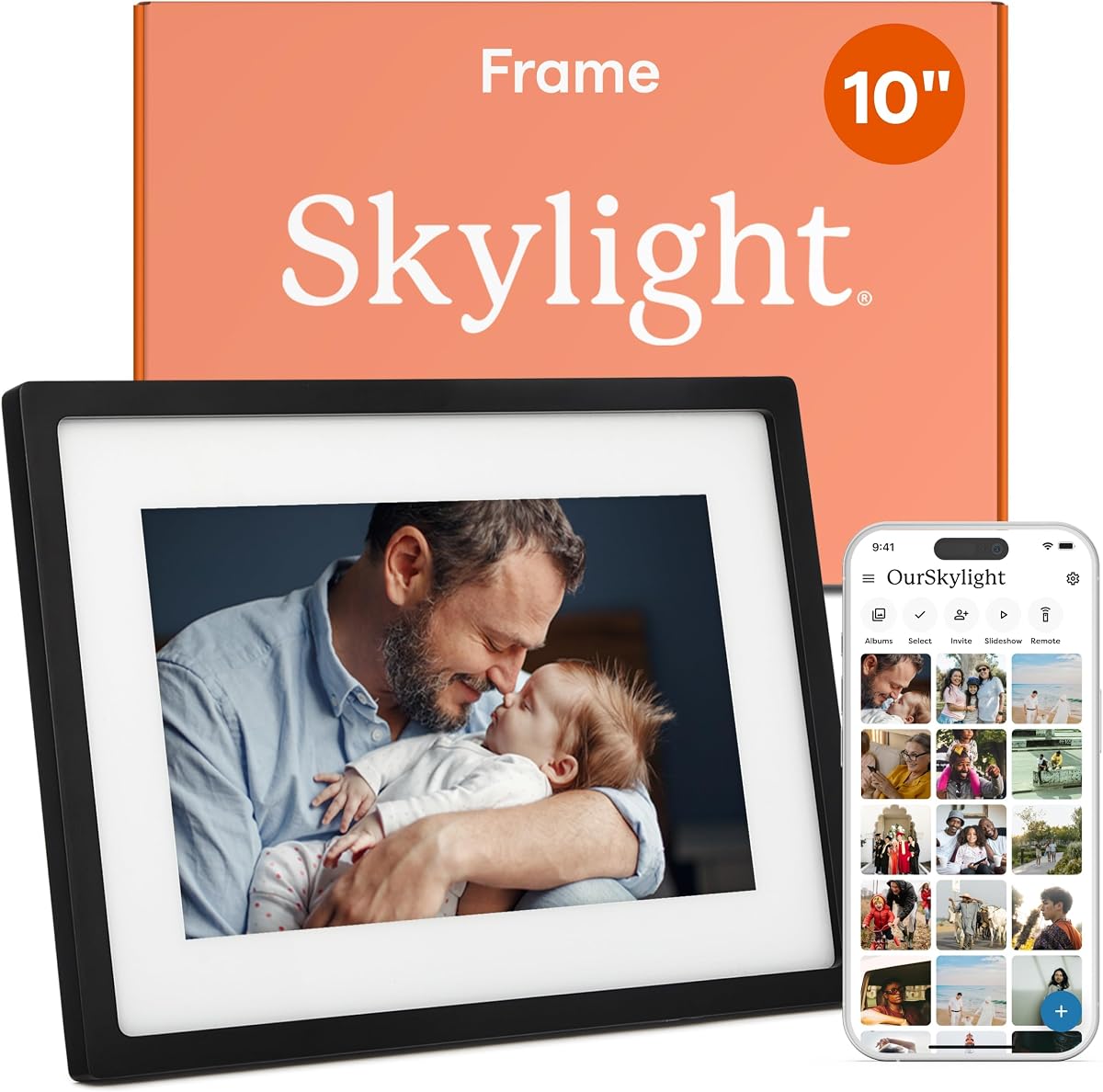
Skylight is renowned for its plug and play simplicity allowing senders to share photos via email without downloading apps. It holds a very high rating reflecting trust among families looking for reliability.
We may earn a commission when you buy through this link, at no additional cost to you.
The unique email address system means anyone can send photos even if they are not tech savvy. The frame arrives ready to use with minimal configuration required right out of the box.
While it relies heavily on cloud features which may incur costs later it eliminates the need for SD card management. Users should review subscription terms to ensure long term value meets expectations.
This is the ideal choice for grandparents who struggle with smartphone apps or complex menus. It offers a clean straightforward experience that keeps the focus on viewing memories.
Email based sharing allows anyone with an address to send photos making it accessible for all family members regardless of device.
The sleek black finish and gift mode make it perfect for birthdays and holidays without needing extra packaging.
We may earn a commission when you buy through this link, at no additional cost to you.
Aura is often cited by reviewers as a top tier option with a beautiful frame that blends seamlessly into home decor. It maintains high satisfaction ratings for its premium build and lack of recurring fees.
We may earn a commission when you buy through this link, at no additional cost to you.
Unlimited free storage ensures grandparents never have to delete old photos to make room for new ones. The automatic brightness adjustment keeps the screen comfortable to view at any time of day.
While it requires app usage for sharing the interface is polished and intuitive for senders. The lack of SD card slots means all photos must come through the cloud which relies on internet access.
Recommended for families who want a high quality device with a sophisticated look. It is a thoughtful gift that emphasizes quality over quantity in its feature set.
Support for iCloud and Google Photos means memories sync automatically without manual uploads for senders.
The calibrated display ensures colors remain true to life which is crucial for preserving precious family memories.
We may earn a commission when you buy through this link, at no additional cost to you.
This frame offers a large screen comparable to the top pick but at a slightly different price point. It has consistent ratings for performance and ease of sharing photos via the Frameo ecosystem.
We may earn a commission when you buy through this link, at no additional cost to you.
The responsive touchscreen allows grandparents to navigate albums easily without needing physical buttons. It supports various image formats ensuring compatibility with most digital photos taken on phones.
Users should note that non-WiFi transfers require specific formats and hardware which can be a hurdle for some setups. The video limit via app may restrict showing longer family clips directly from the phone.
Great for living rooms where a larger frame serves as a focal point. It balances size and functionality well for families who prioritize visibility.
Touch capabilities empower seniors to manage their own view settings without needing assistance from younger family members.
Adjustable sleep mode saves energy when the room is empty which is practical for busy households.
We may earn a commission when you buy through this link, at no additional cost to you.
AEEZO focuses on smart features like auto-rotation and light sensors that adapt to the room. It has solid ratings for its responsive touch screen and practical utility for daily use.
We may earn a commission when you buy through this link, at no additional cost to you.
The built-in gravity sensor ensures photos always display in the correct orientation whether the frame is vertical or horizontal. This reduces the need for manual adjustments by the end user.
Note that videos cannot play directly from SD cards requiring import to internal memory first which adds a step. Users should check warranty terms for peace of mind when purchasing online.
Ideal for tech-forward grandparents who appreciate automated features. It offers a modern experience with enough manual controls to feel accessible.
Gravity and light sensors reduce manual work for the user allowing them to focus on enjoying photos instead of fixing orientation.
Displaying time and weather alongside photos adds utility turning the frame into a useful home accessory.
We may earn a commission when you buy through this link, at no additional cost to you.
This model stands out for unique features like calendar sync and collage mode which offer more than just standard photo slideshows. It holds strong ratings for build quality and user satisfaction.
We may earn a commission when you buy through this link, at no additional cost to you.
The calendar feature pulls events from major services to show schedules alongside photos helping grandparents stay organized. Collage mode allows multiple photos on one screen which maximizes the display area.
Video uploads are short which limits detailed family updates but is fine for quick clips. The detachable stand offers flexibility for table use but wall mounting might require additional hardware.
A strong candidate for grandparents who enjoy organizing their digital memories. It offers more interactivity than basic models making daily use more engaging.
Calendar and collage features add a layer of organization that helps users manage large photo libraries more effectively.
Emoji reactions allow quick feedback on photos which fosters a sense of active participation in family communication.
We may earn a commission when you buy through this link, at no additional cost to you.
This Frameo model offers a large screen experience with unique greeting modes for special occasions. It maintains high ratings for its reliable app performance and versatile display options.
We may earn a commission when you buy through this link, at no additional cost to you.
The greeting mode allows sending themed pictures for birthdays which adds a personal touch to daily viewing. Non-WiFi transfer ensures photos can be added even if internet access is unavailable.
Users must ensure they are on 2.4GHz networks as dual band routers may cause connection issues. The touch interface is smooth but requires occasional cleaning to maintain responsiveness.
Perfect for grandparents who want a central display that feels like a gallery. It combines size with thoughtful features that make special days stand out.
Greeting mode turns the frame into a celebratory tool for birthdays and holidays enhancing emotional connection.
Non-WiFi support provides a reliable backup method ensuring memories are always accessible regardless of internet status.
We may earn a commission when you buy through this link, at no additional cost to you.
This listing lacks specific details in our current dataset so please check the product page for updated specifications. Ratings are unavailable which means relying on recent user reviews is essential.
We may earn a commission when you buy through this link, at no additional cost to you.
Since information is incomplete we recommend verifying memory size and connectivity options before purchasing. Ensure the seller is reputable to avoid compatibility issues with your devices.
If you find similar specs to other models it may offer competitive value but proceed with caution. Always confirm warranty terms and return policies when buying from less documented listings.
This option is for those willing to do extra research before buying. It may be a hidden gem if current specs align with your needs.
Always check recent customer feedback to ensure the product meets current quality standards before placing an order.
Compare prices across different sellers to ensure you are getting the best deal for the features provided.
We may earn a commission when you buy through this link, at no additional cost to you.
Choosing the right frame requires considering connectivity, display size, and ease of use. This section breaks down the key factors to help you make an informed decision.
A larger screen like 15 inches allows seniors to view photos clearly without straining their eyes. High resolution ensures images remain sharp and vibrant over time.
Look for at least 10 inches for tabletop use and Full HD for best clarity in any lighting condition.
WiFi is essential for remote sharing but frames with USB or SD card slots offer flexibility if internet is unstable. Some models support both apps and direct file transfers.
Choose a frame with non-WiFi options if your grandparents have difficulty managing network settings.
Touchscreens should be responsive and intuitive with large buttons for easy navigation. Avoid complex menus that require multiple steps to view a photo.
Prioritize models described as plug and play or with simple setup instructions for seniors.
Internal memory of 32GB or more ensures thousands of photos can be stored without needing constant deletions. External storage support via SD cards adds future-proofing.
Ensure the frame supports sufficient capacity for your family's photo volume to avoid running out of space.
Apps allow senders to share photos privately and securely. Look for features like reaction emojis or calendar sync that add value to the experience.
Ensure the app works on both iOS and Android to accommodate all family members easily.
Many frames support short video clips with sound which adds a dynamic element to viewing memories. Check limits on video length and file size for uploads.
Prioritize frames that support videos up to 30 seconds if sharing motion content is important.
Frames should look elegant enough to fit home decor with options for wall mounting or table stands. Matte finishes reduce glare which improves viewing angles.
Choose a design that matches your home aesthetic to ensure it complements the room nicely.
Reliable customer support and clear warranty terms protect your investment against defects. Look for brands offering responsive help channels.
Verify that technical support is accessible and responsive to ensure a smooth setup experience.
Plug the frame into a power outlet and connect it to your home WiFi network using the provided app. Follow on-screen instructions to set up your unique email or app ID.
Invite family members to send photos directly to the frame via the app or email. Regularly check the settings to adjust brightness or slideshow speed.
Dust the screen gently with a soft cloth and avoid using chemical cleaners that may damage the surface. Store the frame away from direct sunlight to prevent screen fading over time.
Most frames like Aura and Skylight offer free storage without subscriptions but some may have optional cloud plans. Always check the specific model details to confirm any ongoing costs.
Yes many models support USB drives or SD cards for direct transfer without needing internet. This is useful if WiFi is unavailable or difficult to manage.
Many frames are designed for plug and play simplicity with guided setup steps. Look for ones described as easy setup for seniors to minimize confusion.
Frames with local storage will still display photos already stored on the device even if internet is off. However you cannot receive new photos until the connection is restored.
Some advanced models allow sending emojis or reactions back to family members through the app. Check for reaction features if two-way communication is a priority.
Frames with 32GB to 64GB storage can hold tens of thousands of photos depending on file size. Expandable memory options also allow for future expansion.
Our top picks range from budget-friendly options like the Frameo 10.1 inch to premium choices like Aura. Each offers unique features to suit different needs and connectivity preferences.
Prioritize ease of use and screen size when selecting a frame for grandparents. The goal is to create a seamless experience that keeps them connected with loved ones effortlessly.
Always verify current prices and specifications on the product page before buying since availability may change. Choose a model that fits your budget while ensuring reliability for long-term use.