
2026 WiFi Extender Signal Booster for Home
5.0Editor score
Covers up to 15000 square feet
1-Tap WPS setup in seconds
4 adjustable external antennas
This guide compares the top distance WiFi extender models for 2026, evaluating range, speed, and features to help you choose the best long-range wireless
Finding a reliable distance WiFi extender is crucial for modern homes where signal dead zones disrupt streaming and work. The right device bridges gaps between your router and distant rooms, ensuring consistent connectivity throughout your property without expensive infrastructure changes.
We evaluated ten leading models based on range capabilities, throughput speeds, and ease of installation. Our analysis covers indoor and outdoor solutions, comparing antenna designs, security protocols, and compatibility with various router systems to provide a comprehensive overview for buyers.
Each selection highlights unique strengths for different environments, from rural estates to multi-story residences. While specific pricing fluctuates, these picks represent the most effective solutions for extending wireless coverage. Always verify current availability and deals before making your final purchase decision today.
5.0Editor score

4.1Editor score
4.5Editor score
This side-by-side comparison breaks down the key specifications and capabilities of each top-rated long-range wireless repeater available in the market today.


The TP-Link AX3000 stands out as the premier choice for modern homes needing robust range extension. Its WiFi 6 capabilities ensure efficient data handling, making it ideal for households with multiple connected devices. The device consistently delivers stable signals even in challenging environments.
We may earn a commission when you buy through this link, at no additional cost to you.
Its standout feature is the combination of dual-band speeds totaling 3 Gbps and beamforming technology. This setup directs signals towards connected devices rather than broadcasting uniformly, enhancing strength and reducing interference. Consequently, streaming and gaming remain smooth without drops.
While the device promises significant coverage, it is important to note that wireless extenders generally do not increase raw internet speed from your ISP. They optimize local signal reliability which can improve throughput. Additionally, it works with EasyMesh routers but not standalone mesh systems like Deco.
This model is perfect for users seeking a balance of performance and ease of use. It is highly recommended for families relying on 4K streaming and smart home ecosystems. The inclusion of a gigabit port allows for direct wired connections where needed.
Beamforming ensures the signal focuses directly on your devices for a stronger connection.
Support for WiFi 6 ensures compatibility with the latest phones and laptops.
We may earn a commission when you buy through this link, at no additional cost to you.
This affordable booster offers an impressive coverage area of up to 15000 square feet which is rare at this price point. It eliminates dead zones effectively and provides a steady network for various activities. The ease of setup makes it accessible for non-technical users immediately.
We may earn a commission when you buy through this link, at no additional cost to you.
The device features four external antennas that can be adjusted to optimize signal direction. It supports four different modes including repeater and access point which adds versatility. Security is also a priority with bank-level encryption protocols to protect your data effectively.
While it lacks some advanced features found in premium models, it excels in basic range extension tasks. The setup is simplified to a single tap using WPS buttons which saves time. It is an excellent choice for large homes needing simple connectivity.
We recommend this unit for renters or those on a budget who need immediate results. It handles streaming and browsing well without complex configuration. The robust antenna system ensures the signal penetrates walls better than many competitors.
Switch between repeater bridge access point and router modes as needed.
Connect quickly by pressing the WPS button on your router and extender.
We may earn a commission when you buy through this link, at no additional cost to you.
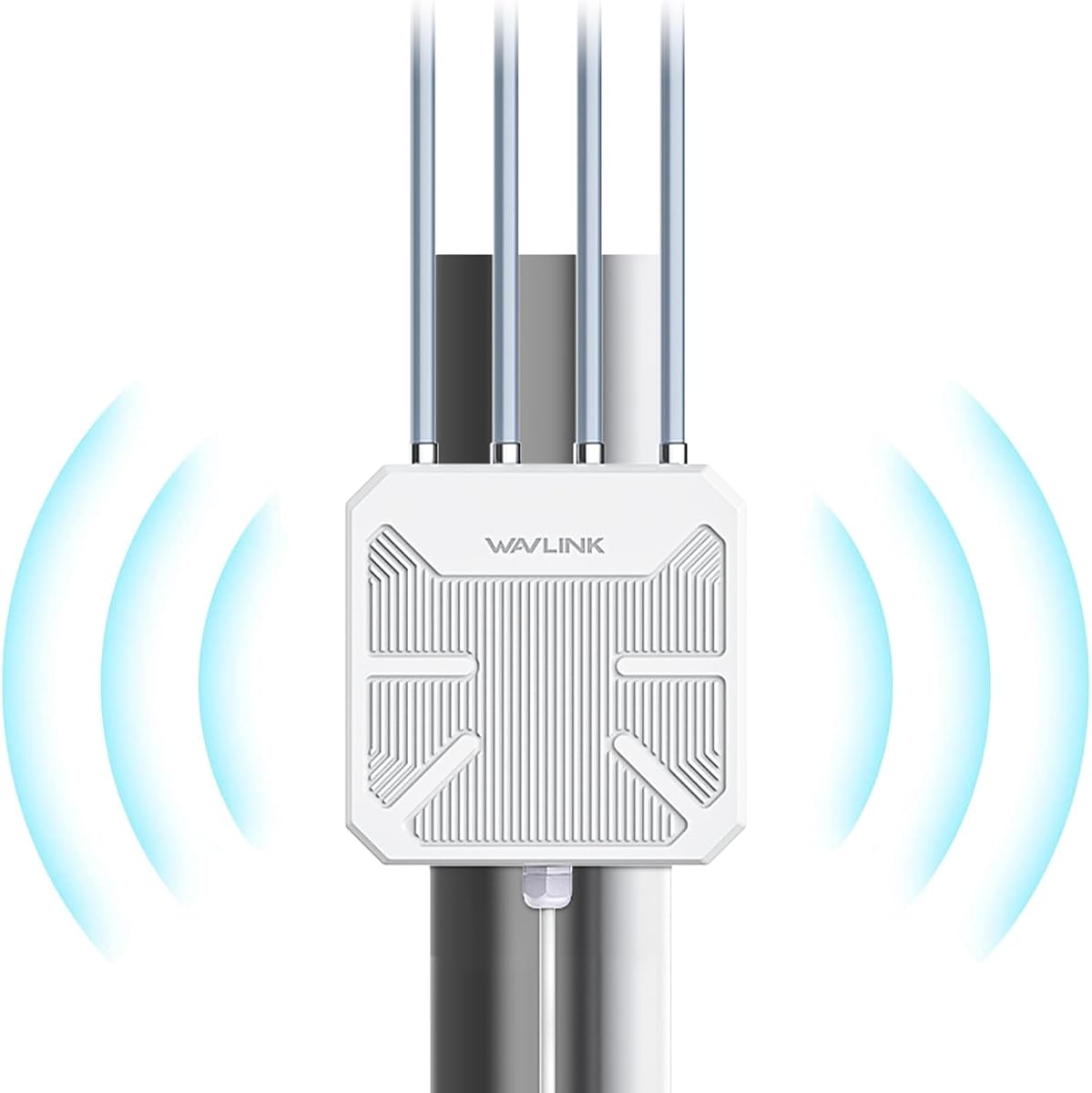
Designed specifically for outdoor environments this extender stands out for its rugged durability and long-range performance. It handles harsh weather conditions with an IP67 rating ensuring reliable operation in rain or snow. The coverage radius extends up to 300 meters in open areas.
We may earn a commission when you buy through this link, at no additional cost to you.
Its compatibility with Starlink adapters makes it a unique solution for remote properties relying on satellite internet. The four high-gain antennas focus signals effectively over distances that standard indoor units cannot reach. PoE support allows for flexible installation without nearby power outlets.
Installation requires careful placement and alignment of the antennas for best results. The unit must be mounted securely to maintain signal integrity over long distances. While it is an investment it solves connectivity issues that indoor extenders simply cannot address.
This device is ideal for large estates farms or remote work sites needing reliable wireless access. It bridges the gap between buildings without laying cables. The comprehensive support warranty adds peace of mind for professional deployments.
Sealed casing protects against moisture dust and extreme temperatures.
Power via Ethernet cable using PoE technology for easy installation.
We may earn a commission when you buy through this link, at no additional cost to you.
The AC1900 model provides a solid mid-range option for users who do not need the latest WiFi 6 technology. It offers speeds up to 1.9 Gbps which is sufficient for most streaming needs. The three external antennas are adjustable to optimize placement for specific dead zones.
We may earn a commission when you buy through this link, at no additional cost to you.
Its design focuses on stability and ease of management through the Tether app. You can quickly find the best location using the intelligent signal indicator. It also supports EasyMesh compatibility allowing for seamless whole-home network expansion easily.
While it lacks the latest generation standards it remains a reliable performer for general tasks. The gigabit port ensures that wired devices connected to it receive maximum speed. It is a practical choice for upgrading older routers without full replacement.
We suggest this unit for households with mixed devices that do not require cutting-edge speeds. It balances cost and performance well. The security pledge ensures your data is protected as you extend your network.
Use the Tether app to monitor performance and update firmware easily.
Move around your home as the device automatically connects to the strongest signal.
We may earn a commission when you buy through this link, at no additional cost to you.
Representing the next generation of wireless this extender supports the new WiFi 7 standard for maximum efficiency. It pairs with WiFi 7 routers to deliver speeds up to 3.2 Gbps. The multi-link operation technology combines frequencies to reduce latency significantly.
We may earn a commission when you buy through this link, at no additional cost to you.
Its design ensures that even high-bandwidth activities like 8K streaming or AR gaming remain smooth. The four antennas use beamforming to focus energy where it is needed most. This creates a robust network that can handle many simultaneous connections without slowdowns.
To fully utilize its capabilities you must have a compatible WiFi 7 router. The investment is higher but justified for tech enthusiasts wanting the best performance available. It does not support the 6 GHz band but still offers significant improvements over previous models.
We recommend this for users building a future-proof smart home ecosystem. It is ideal for those who demand the highest possible throughput. The setup is straightforward via the app ensuring you get started quickly.
Combines bands to deliver faster throughput and lower latency for apps.
Designed for AR VR gaming and 8K streaming without buffering.
We may earn a commission when you buy through this link, at no additional cost to you.
This booster is designed to work with almost any router on the market ensuring easy integration. It promises coverage up to 10000 square feet which suits large apartments or houses. The setup is incredibly simple requiring only a few seconds to configure.
We may earn a commission when you buy through this link, at no additional cost to you.
Its stability is highlighted by its ability to handle over 65 devices simultaneously. This makes it suitable for families with multiple smart devices and phones. The four external antennas ensure that signals penetrate walls effectively to reach distant rooms.
While it lacks brand prestige it focuses on core functionality without unnecessary complexity. The five modes allow you to customize its use for various needs. Security features are included to keep your network safe from threats.
We see this as a practical solution for households needing immediate range extension. It is cost-effective and performs well for streaming and browsing. The compatibility ensures you do not need to replace your existing router.
Connect over 65 devices including cameras consoles and smart home gear.
Use Repeater Bridge or Access Point modes to fit your setup.
We may earn a commission when you buy through this link, at no additional cost to you.
With a massive coverage capacity this booster is built to handle the largest residential spaces. It pushes signals through thick walls ensuring connectivity in garages and basements. The chip ensures consistent performance without buffering during video calls.
We may earn a commission when you buy through this link, at no additional cost to you.
Users appreciate the simplicity of setup which often takes minutes. The built-in Ethernet port adds flexibility for connecting TVs or consoles directly. Security protocols protect your personal data as you browse or work securely online.
It is a popular choice among many families who have tested it across various layouts. The signal strength remains high even at the edges of the coverage area. It solves the frustration of dropped connections during critical moments effectively.
We recommend this for homes where other extenders failed to reach distant corners. It is reliable and works well with existing equipment. The focus on stability makes it great for daily use without interruptions.
Maintains stable connections for 4K streaming and clear voice calls.
Advanced encryption keeps your data safe from unauthorized access.
We may earn a commission when you buy through this link, at no additional cost to you.
This extender emphasizes speed with a design that claims to be six times faster than standard repeaters. It utilizes a high-performance chip to process data quickly reducing lag. The antenna arrangement allows for superior penetration through floors and walls.
We may earn a commission when you buy through this link, at no additional cost to you.
The coverage area reaches up to 15000 square feet which is impressive for the price. You can manage it via WPS or browser setup depending on preference. It supports multiple operational modes to fit both home and office needs.
Security is integrated into the design to protect your network from threats. It connects seamlessly to most existing routers without configuration. The device ensures that gaming and streaming remain smooth even with many users.
We suggest this for users looking for a high-performance booster without premium costs. It handles high traffic well and is easy to deploy. The variety of modes makes it adaptable to different network layouts.
Bionic chip ensures fast speeds for competitive gaming and streaming.
Signals penetrate every room for consistent connectivity throughout.
We may earn a commission when you buy through this link, at no additional cost to you.
This compact unit brings WiFi 6 technology to homes needing efficient range extension. It offers a solid coverage area of 2100 square feet which fits most apartments. The two antennas are directional to enhance signal focus and reliability.
We may earn a commission when you buy through this link, at no additional cost to you.
Setup is handled through the familiar Tether app ensuring a user-friendly experience. It connects to EasyMesh routers to expand your network seamlessly. The gigabit port allows for wired connections to maintain high speeds for desktops or TVs.
While smaller than some competitors it performs well within its limits. It is not compatible with standalone mesh systems but works great with others. This makes it a great choice for upgrading specific dead zones easily.
We recommend this for users wanting a clean design with modern standards. It is reliable and easy to install. The security pledge ensures your data remains safe during transmission.
Handles multiple devices efficiently without slowing down the network.
Find the best spot for connection using the intelligent signal indicator.
We may earn a commission when you buy through this link, at no additional cost to you.
This outdoor bridge is designed for connecting buildings over long distances without cables. It uses a focused 5.8GHz signal to reach up to 3 kilometers effectively. The system is pre-paired to simplify installation and setup for users.
We may earn a commission when you buy through this link, at no additional cost to you.
It includes mounting brackets to help align the antennas properly. The IP65 rating protects it from rain and dust ensuring year-round reliability. It is ideal for farms or shops that need network access across properties.
While it requires a clear line of sight it delivers stable data transmission. The dual ports allow for flexible wired connections. It is a robust solution for extending internet to remote areas cost-effectively.
We suggest this for industrial or rural settings where running cables is impossible. It bridges the gap securely and efficiently. The included accessories make installation manageable with some technical skill.
Connect buildings up to 3KM apart with clear alignment.
Devices are ready to work out of the box to save time.
We may earn a commission when you buy through this link, at no additional cost to you.
Selecting the right extender involves evaluating several factors to match your specific environment and needs.
The coverage area indicates how large a space the device can effectively service. You should estimate the total square footage of your home and look for a model that exceeds it slightly to ensure no dead zones remain.
Choose a unit with a rated coverage higher than your actual home size for best results.
Newer standards like WiFi 6 and 7 offer better efficiency and speeds for multiple devices. Older AC models may suffice for basic tasks but lack the capacity for modern smart home ecosystems.
Opt for WiFi 6 or 7 if you have many connected devices and want future-proofing.
External antennas allow for better signal direction and penetration through walls. Fixed internal antennas may be convenient but offer less control over where the signal is focused.
Look for multiple external antennas to adjust the signal direction for better reach.
A built-in gigabit port allows you to connect wired devices like consoles or PCs directly. This ensures those devices get maximum speed without relying on the wireless connection.
Ensure the extender has a gigabit port if you need stable wired connections.
Check if the extender is compatible with your existing router or mesh system. Some models work with specific ecosystems while others are universal to all standard routers.
Verify compatibility with your current router to ensure seamless network expansion.
Models with WPS buttons or dedicated apps simplify the installation process significantly. Complex setups requiring manual web interface entry can be time-consuming for non-technical users.
Choose a model with a simple setup method to get online quickly.
Encryption protocols like WPA2 or WPA3 protect your network from unauthorized access. This is crucial when extending your network into different areas where physical security may vary.
Ensure the device supports modern encryption to keep your data safe.
If you need coverage outside, look for weatherproof ratings like IP67. Standard indoor units will fail quickly when exposed to rain or extreme temperatures.
Select a weatherproof unit for any outdoor installation to ensure durability.
For optimal placement locate the extender halfway between your router and the dead zone. Avoid hiding it inside cabinets or behind metal objects as this blocks signal transmission.
Use the setup app or WPS button to pair the device with your existing network. Update the firmware immediately after setup to ensure you have the latest security patches.
Monitor signal strength regularly using the LED indicators or app tools. If performance drops check for environmental changes or interference from new devices nearby.
No, it improves coverage and signal reliability. You may experience better speeds in weak zones but the total bandwidth from your ISP remains the same.
Place it roughly halfway between the router and the target area. It must still receive a strong signal from the router to repeat it effectively.
Yes, but avoid overlapping coverage areas to prevent interference. Mesh systems are better for multiple nodes to ensure seamless handover.
It works with older routers but performs best with a WiFi 6 router. You can still use it but you won't get full generation benefits.
It extends your network so security depends on the device settings. Ensure it uses WPA3 or WPA2 encryption to maintain safety.
Outdoor models have sealed casings for weather resistance. Indoor units are not weatherproof and should only be used inside.
We selected the TP-Link AX3000 as the top pick for its balance of speed and reliability. It covers most home needs well while supporting modern standards effectively.
Prioritize coverage area and security features to ensure long-term satisfaction with your network. The right choice depends on your specific layout and device count.
Remember to check current availability and deals as prices and stock fluctuate. This guide helps you find the best solution for your property today.