
Antool Wired Earbuds
4.3Editor score
Wired connection for reliability
Clear calls without battery
Compatible with most laptops
This guide compares the top ten earbuds for laptop conference calls focusing on microphone quality and connectivity for seamless professional meetings.
Finding the right earbuds for laptop conference calls is essential for professionals who work remotely or need clear communication during meetings. The ideal pair should offer reliable Bluetooth connectivity, excellent microphone performance, and comfortable design for long wear periods.
We analyzed ten real products based on their specifications, user ratings, and specific features tailored to conference calling. Our selection covers a wide range of options from budget friendly wired choices to premium wireless models with advanced noise cancellation.
Each pick highlights key strengths like battery life, call clarity, and ease of use with laptops. Keep in mind that product availability and pricing can change frequently, so check the latest details before making your final decision.
4.3Editor score

4.9Editor score

4.1Editor score
The following table provides a side-by-side comparison of the top ten earbuds selected for their performance in laptop conference call scenarios.



The XIAOWTEK Wireless Earbuds stand out as a top choice for laptop conference calls. With a high user rating, these buds offer reliable Bluetooth 5.4 performance and a clear call experience. Their long playtime ensures you stay connected through lengthy meetings without frequent charging.
We may earn a commission when you buy through this link, at no additional cost to you.
These earbuds feature a 4 mic design with ENC noise cancelling technology to block out background noise during calls. The stable connection within 15 meters allows you to move around your workspace without disconnection issues. The touch controls make it easy to manage calls and playback without touching your laptop.
While they lack active noise cancellation for listening, the passive fit and microphone performance are solid for professional use. The battery life is impressive at 50 hours total. Users appreciate the value they get for the price compared to more expensive brands.
Anyone needing reliable earbuds for work from home calls will find these suitable. The combination of connectivity, battery, and clear audio makes them a strong recommendation for budget conscious professionals seeking quality.
The Bluetooth 5.4 chip ensures a stable signal that prevents dropouts during important conference calls.
Advanced ENC technology and four microphones work together to isolate your voice from room noise effectively.
We may earn a commission when you buy through this link, at no additional cost to you.
These wireless earbuds deliver strong performance for laptop conference calls with a focus on audio clarity. The Bluetooth 5.4 technology ensures stable connectivity for seamless communication during meetings. The build quality and ergonomic fit make them comfortable for extended wear.
We may earn a commission when you buy through this link, at no additional cost to you.
Powered by dual 14.2 mm drivers and a high resolution decoder, these buds provide immersive sound. The built in ENC call noise cancellation ensures crystal clear voice quality even in noisy environments. This feature is crucial for professional calls where background noise can be distracting.
With up to 36 hours of total battery life, you can rely on them for daily work without constant charging. The Type-C fast charging is a convenience feature. However, some users might find the touch controls too sensitive when adjusting the fit during calls.
Ideal for professionals seeking a balance of sound quality and call clarity. The noise cancellation and Bluetooth performance make them a reliable choice for conference calls in various settings.
The composite dynamic drivers deliver immersive audio that enhances both call and media experience.
Smart LED display and easy touch controls allow you to manage calls and music without your phone.
We may earn a commission when you buy through this link, at no additional cost to you.
The Soundcore P30i offers advanced noise cancelling capabilities ideal for noisy office environments. With an active noise cancelling system that reduces noise up to 42dB, you can focus on your conversation without distractions. The AI enhanced calls feature ensures your voice is transmitted clearly.
We may earn a commission when you buy through this link, at no additional cost to you.
These earbuds support Bluetooth 5.4 for seamless pairing and connection with laptops. The 4 microphones work with an algorithm to pick up your voice precisely. Battery life reaches up to 45 hours with the case, though active noise cancelling usage will reduce the duration per charge.
The transparency mode lets you hear your surroundings when needed, which is useful in shared workspaces. The Soundcore app allows you to personalize EQ and ANC settings for better fit to your preferences. However, the ANC feature requires more power and shortens the single charge duration.
Suitable for professionals who prioritize noise isolation during calls. The combination of active ANC and AI enhanced calls makes it a strong contender for conference calls in busy settings.
Adaptive technology detects external sound and automatically adjusts noise cancelling levels for optimal focus.
Built in microphones with AI algorithms ensure precise voice pickup even in noisy environments.
We may earn a commission when you buy through this link, at no additional cost to you.
The Panasonic ErgoFit Wired Earbuds provide a straightforward solution for laptop conference calls. As a wired model, they do not require charging or Bluetooth pairing which eliminates connection issues. The ergonomic custom fit design ensures they stay securely in place during extended use.
We may earn a commission when you buy through this link, at no additional cost to you.
With an integrated microphone and call controller, these headphones are compatible with most laptops with a 3.5mm jack. The tonally balanced audio provides crisp highs and deep notes for clear communication. The three sets of earpads allow you to find the perfect seal for your ear canals.
While they lack wireless convenience, the reliability and audio quality are excellent for calls in a fixed workspace. The cord is durable and designed to stay in your ears while blocking surrounding noise. It is a simple option for those who prefer wired audio.
Best for users who want a dependable call device without battery concerns. The fit and audio clarity make it a practical choice for daily conference calls where mobility is not the primary requirement.
Ultra soft Ergofit earbud design conforms to your ears instantly for a secure and comfortable seal.
The 3.5mm connection ensures consistent audio transmission without the risk of Bluetooth signal dropouts.
We may earn a commission when you buy through this link, at no additional cost to you.
The Antool Wired Earbuds are an affordable choice for clear conference calls on laptops. Weighing only 3 grams per ear, they are designed to be comfortable for long periods. The wired design ensures there is no need to charge or pair, simplifying your workflow.
We may earn a commission when you buy through this link, at no additional cost to you.
These earphones feature a multifunction remote control for managing calls and music without touching your device. The microphone filters out noise to deliver clear conversations which is essential for professional meetings. They are compatible with various devices via a 3.5mm internationally certified plug.
Built with high-quality TPE, they are durable and tangle-free. The 45 degree inclined design fits your ears perfectly and reduces sound leakage. With a 2-year warranty, you get reliable support. The lack of charging requirements makes them ideal for quick and consistent call sessions.
Perfect for budget-conscious professionals who need reliable call quality. The lightweight design and clear voice transmission make it a practical option for frequent online meetings.
The ergonomic design offers excellent noise-canceling and reduces discomfort during extended call sessions.
High-quality TPE material and wear-resistant copper ensure the earbuds withstand thousands of bending tests.
We may earn a commission when you buy through this link, at no additional cost to you.
The JLab Work Buds offer a unique design with a detachable boom mic for optimal call clarity. With up to 55 hours of total playtime and a USB-C charging dock, they are built for extended work sessions. The boom mic uses noise-canceling technology to ensure your voice is heard clearly.
We may earn a commission when you buy through this link, at no additional cost to you.
Bluetooth multipoint allows you to connect to your laptop and phone simultaneously. The compact dock keeps earbuds and mic organized and charges them efficiently. The MEMS microphone in the earbud and condenser mic in the boom work together to eliminate background noise during calls.
While the overall rating is lower than some competitors, the specialized features make it useful for conference calls. The design allows for a comfortable fit and easy switching between calls and music. However, the dock adds bulk and the connectivity can be complex for some users.
Ideal for professionals needing a dedicated headset experience with earbuds. The long battery life and boom mic are strong assets for frequent callers who value clear audio over small form factor.
The detachable boom mic uses noise-canceling technology to ensure your voice is heard loud and clear.
Providing an additional 45 plus hours of playtime, the USB-C Charging dock keeps your earbuds organized.
We may earn a commission when you buy through this link, at no additional cost to you.
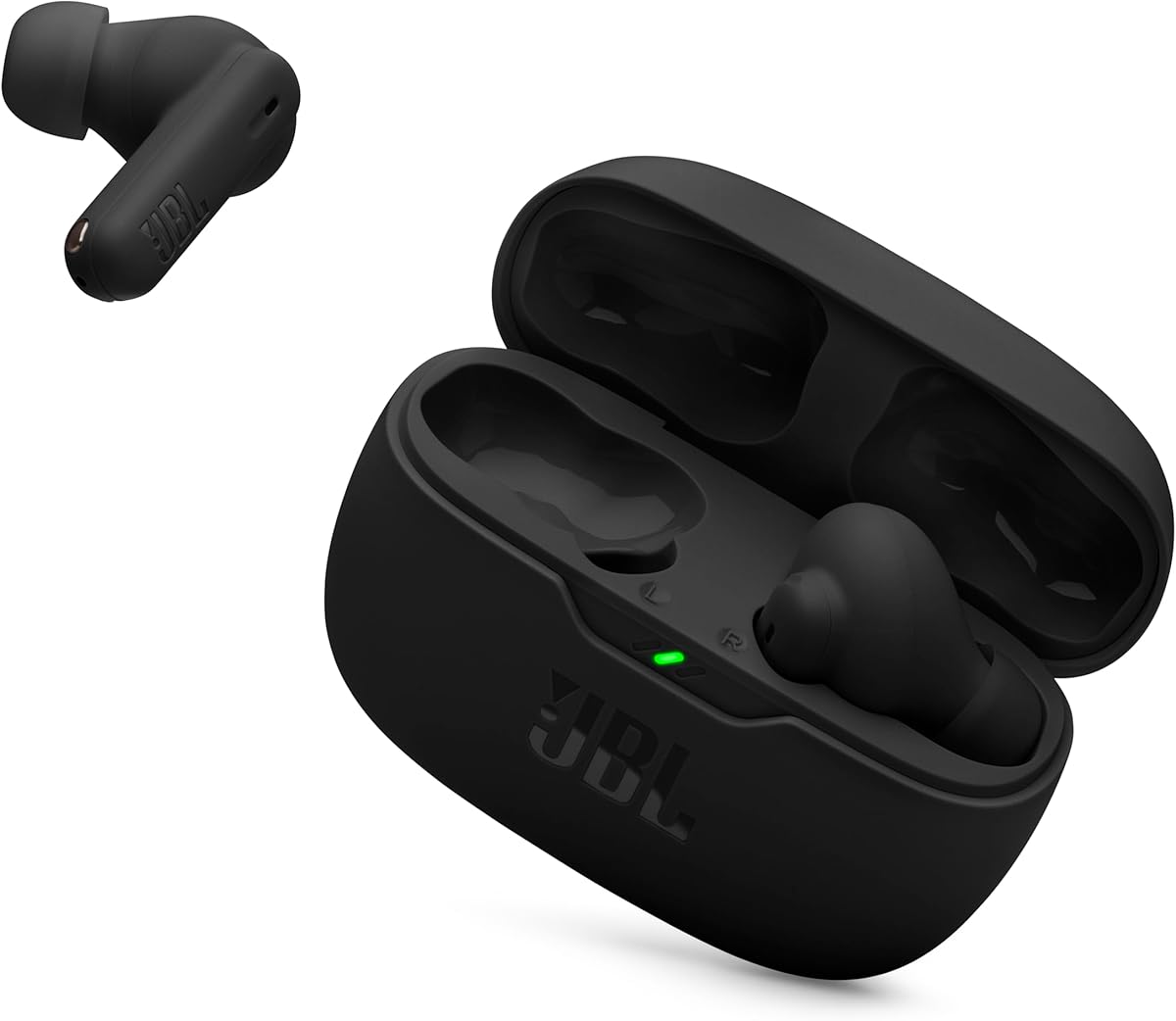
The JBL Vibe Beam 2 combines JBL Pure Bass sound with features for clear conference calls. Active Noise Cancelling helps filter out distracting noise so you can focus on meetings. Four microphones on each earbud pick up and transmit your voice clearly even in busy environments.
We may earn a commission when you buy through this link, at no additional cost to you.
You get up to 40 hours of total playback with the case. Quick charging via USB-C gives you hours of playtime in minutes. The Smart Ambient feature lets you control how much outside world you hear for awareness when needed.
These earbuds are suitable for users who want brand reliability and solid audio performance for calls. The ANC helps maintain focus but may reduce battery life. The app supports customization of EQ to tailor sound to your preference.
Best for those seeking a balance of bass and clarity in calls. The four mic setup and ANC make it a strong contender for professional meetings in noisy settings.
8mm dynamic drivers deliver exciting JBL Pure Bass sound for an immersive audio experience.
Listen to your surroundings and filter out distracting noise with adjustable Smart Ambient modes.
We may earn a commission when you buy through this link, at no additional cost to you.
The Dell Pro Plus Earbuds EB525 are engineered for distraction free communication in professional settings. An AI based noise-cancelling mic recognizes your voice and filters out background noise for clear calls. The comfortable fit is designed for any workspace usage.
We may earn a commission when you buy through this link, at no additional cost to you.
Adaptive ANC lets you switch between deep focus and heightened awareness with a simple pinch. On-device touch controls make it easy to handle calls and manage music volume. The Bluetooth 5.3 ensures a stable connection with laptops for seamless meeting participation.
While the price is higher, the technology offers best-in-class call quality based on internal analysis. The ability to filter noise intelligently helps maintain professionalism during conferences. These buds are built for professionals who prioritize communication over casual listening.
Ideal for enterprise users needing premium call clarity. The AI mic and adaptive features make it a top choice for demanding conference call environments.
Experience unmatched voice clarity with an AI-based noise-cancelling mic that intelligently filters out noise.
Switch between deep focus and heightened awareness with a simple pinch to activate Adaptive ANC.
We may earn a commission when you buy through this link, at no additional cost to you.
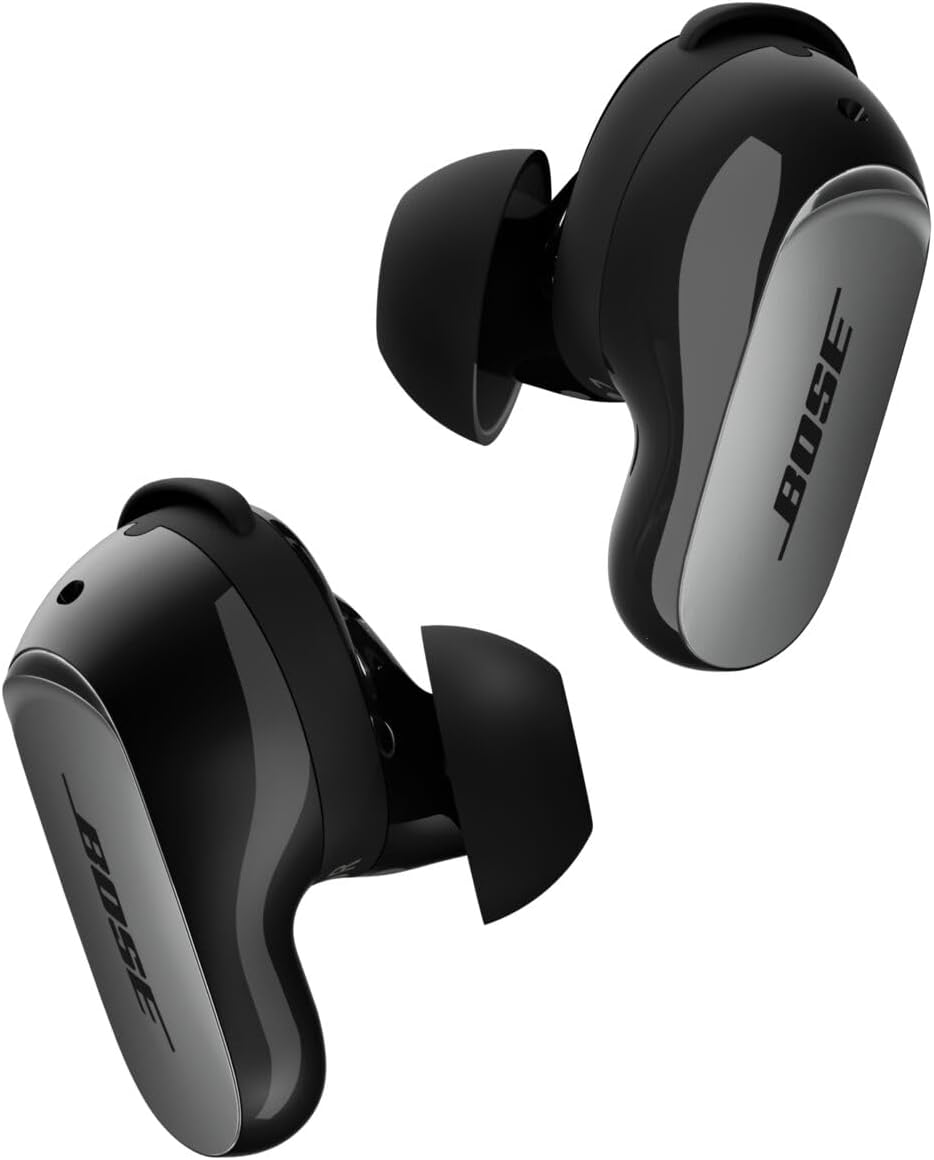
The Bose QuietComfort Ultra Earbuds offer world-class noise cancellation for professional calls. CustomTune technology adapts the sound and noise cancellation to your ears for optimal performance. Noise-rejecting mics focus on your voice and filter out background noise during calls.
We may earn a commission when you buy through this link, at no additional cost to you.
Bluetooth multipoint connectivity allows you to switch between your phone and laptop seamlessly. Immersive Audio adds a spatial experience to content but can reduce battery life. The case supports wireless charging which is convenient for desk setups. Battery life is up to 6 hours in Quiet Mode.
These earbuds are suitable for those who value the highest quality noise isolation and audio. The fit is secure with stability bands for comfort. However the battery life is shorter than some competitors which might require more frequent charging.
Perfect for professionals who need top tier noise cancellation for focus. The call quality and seamless connectivity make it a strong choice for high value users.
ActiveSense technology smooths spikes in surrounding sound so distractions do not get in your way.
SpeechClarity technology uses noise-rejecting mics to filter out background noise and focus on your voice.
We may earn a commission when you buy through this link, at no additional cost to you.
The Soundcore Liberty 5 Pro Max is certified by Guinness World Records for highest speech quality. With 10 sensors and the Thus AI Chip, it delivers whisper-clear calls even in noisy environments. Instant Pure Silence blocks chaos effectively for focus during meetings.
We may earn a commission when you buy through this link, at no additional cost to you.
The charging case includes an AI Note-Taker feature that records in-person meetings and transcribes them. While this does not capture online calls, it adds value for hybrid work setups. Lag-free voice control and a large AMOLED display on the case offer modern control options.
Privacy is ensured with AES-256 encryption and compliance standards. Battery life is up to 6.5 hours with ANC on. The features are extensive but the AI Note-Taker requires a subscription for extended use. The call quality remains top tier regardless of subscription status.
Best for tech-savvy professionals needing premium call clarity and recording tools. The 10 sensor system makes it a standout for voice quality in loud offices.
Equipped with 10 sensors, enjoy crystal-clear calls in 100 dB plus noisy environments or quiet rooms.
100 percent more effective noise cancellation blocks subway, office, or street chaos for instant silence.
We may earn a commission when you buy through this link, at no additional cost to you.
Selecting the right earbuds requires understanding several key factors that impact call quality and usability.
The microphone is the most critical component for conference calls. Look for earbuds with multiple microphones or ENC (Environmental Noise Cancellation) technology to ensure your voice is clear even in noisy rooms.
Prioritize models with AI-enhanced call processing if you work in a busy environment.
Bluetooth version affects connection stability. Choose earbuds with Bluetooth 5.3 or higher to prevent dropouts during meetings. Wired options avoid Bluetooth issues entirely but limit mobility.
Ensure the earbuds support multipoint connectivity if you switch between devices frequently.
Long battery life ensures you do not run out of power during extended conference sessions. Check both single charge duration and total playtime with the case to plan for your workday.
Fast charging is a valuable feature for quick top-ups between calls.
Active Noise Cancellation (ANC) helps you focus by blocking external noise. Some models offer Transparency Mode to hear your surroundings when needed. This feature can improve call quality by reducing distractions for both you and the listener.
Consider models with adjustable ANC levels for flexible control.
Comfort is essential for long calls. Ergonomic designs and multiple ear tip sizes ensure a secure and comfortable fit. Lightweight materials reduce ear fatigue during extended usage.
Try different sizes to find the perfect seal for your ears.
Ensure the earbuds are compatible with your laptop system and conferencing software. Most Bluetooth earbuds work with Windows and macOS but checking driver requirements is wise.
Wired options with 3.5mm jacks are universally compatible with laptops that have the port.
Touch controls or physical buttons make it easy to manage calls without reaching for your laptop. Voice assistant support can also be useful for hands-free operations.
Look for intuitive controls to minimize accidental activation.
IPX ratings indicate water resistance which protects against sweat or light rain. Durable materials ensure the earbuds withstand daily use and wear.
A good warranty adds peace of mind for long-term usage.
Pair your earbuds with your laptop by enabling Bluetooth and selecting the device from the available list. Ensure you are within range for a stable connection.
Manage calls using the provided controls on the earbuds to answer or end calls quickly. Adjust the volume to a comfortable level for clear listening and speaking.
Clean the earbuds regularly with a soft cloth to maintain hygiene. Charge them before long sessions and store them in a case to prevent damage.
Yes most wireless and wired earbuds work with MacBooks. Bluetooth models pair directly while wired ones use a 3.5mm jack or adapter. Check compatibility before purchasing to ensure seamless connection.
Earbuds with multiple microphones and noise cancelling technology provide the best call clarity. Models with AI enhancement filter background noise effectively making them ideal for noisy office environments.
Many wireless earbuds support multipoint connectivity which allows connection to two devices simultaneously. This is useful for switching between your laptop and phone during meetings without re-pairing.
Battery life varies by model typically ranging from 5 to 10 hours per charge. Check specifications for talk time specifically as active noise cancellation may reduce total duration.
Wired earbuds offer stable connectivity and no charging but lack mobility. Wireless models provide convenience and flexibility. Choose based on your need for movement versus consistent audio quality.
ENC microphones noise cancelling and AI voice processing improve clarity significantly. Transparency modes also help if you need to interact with people around you during calls.
Most require no software beyond Bluetooth drivers. Some apps allow customization of settings like EQ or ANC levels but standard functionality works without additional downloads.
Wipe earbuds regularly with a dry cloth and replace ear tips as needed. Avoid using harsh chemicals and store them in a clean case to prevent bacteria buildup.
We reviewed ten top earbuds for laptop conference calls highlighting models like the XIAOWTEK Wireless Earbuds and Dell Pro Plus EB525 for their call clarity and connectivity.
Prioritize microphone quality and stable Bluetooth connectivity when selecting earbuds for professional work. Comfort and battery life are also critical factors for long sessions.
Check current availability and specifications before purchasing to ensure you choose the best option for your specific needs and workspace setup.