
Anker USB C Adapter
4.8Editor score
Premium scratch-resistant aluminum
10000 plug cycles durability
Ultra-slim space-saving form
This guide compares the top female USB adapter options for 2026, evaluating durability, transfer speed, and compatibility across various modern devices and
In today digital connected world, modern laptops often lack traditional ports. A female USB adapter bridges this gap, allowing you to connect legacy peripherals like flash drives and mice to sleek devices without hassle.
We evaluated ten top-rated models based on build quality, data transfer speeds, and device compatibility. Each option was scrutinized for durability and ease of use to ensure reliable performance for daily tasks and professional workflows.
Every selection highlights specific strengths such as compact designs or high-speed capabilities. Keep in mind that availability and deals fluctuate frequently, so verify current details before making your final purchase decision for your setup.
4.8Editor score

4.7Editor score

4.6Editor score
The following table provides a side-by-side overview of the leading female USB adapters available today. Compare key specifications and features to find the right match for your specific connectivity needs.




This JSAUX adapter stands out as a top choice for users needing reliable connectivity. It boasts a 4.7 rating and features high-speed data transfer capabilities that streamline workflow efficiency.
We may earn a commission when you buy through this link, at no additional cost to you.
The adapter utilizes USB 3.0 technology to enable transfer speeds up to 5Gbps. Its nylon braided design prevents tangles while the aluminum body ensures long-lasting durability against daily wear.
While it offers excellent data performance, note that it does not support video output signals. This limitation is typical for standard OTG adapters but may require a separate hub for display needs.
Ideal for professionals with MacBook Pro or Samsung Galaxy devices, this adapter provides a robust connection for peripherals. It is a recommended pick for those prioritizing speed and build quality.
Transfer files and media quickly with the full USB 3.0 super speed capability included in this adapter.
The premium nylon braided cable and aluminum body ensure the adapter withstands frequent plug and unplug cycles.
We may earn a commission when you buy through this link, at no additional cost to you.
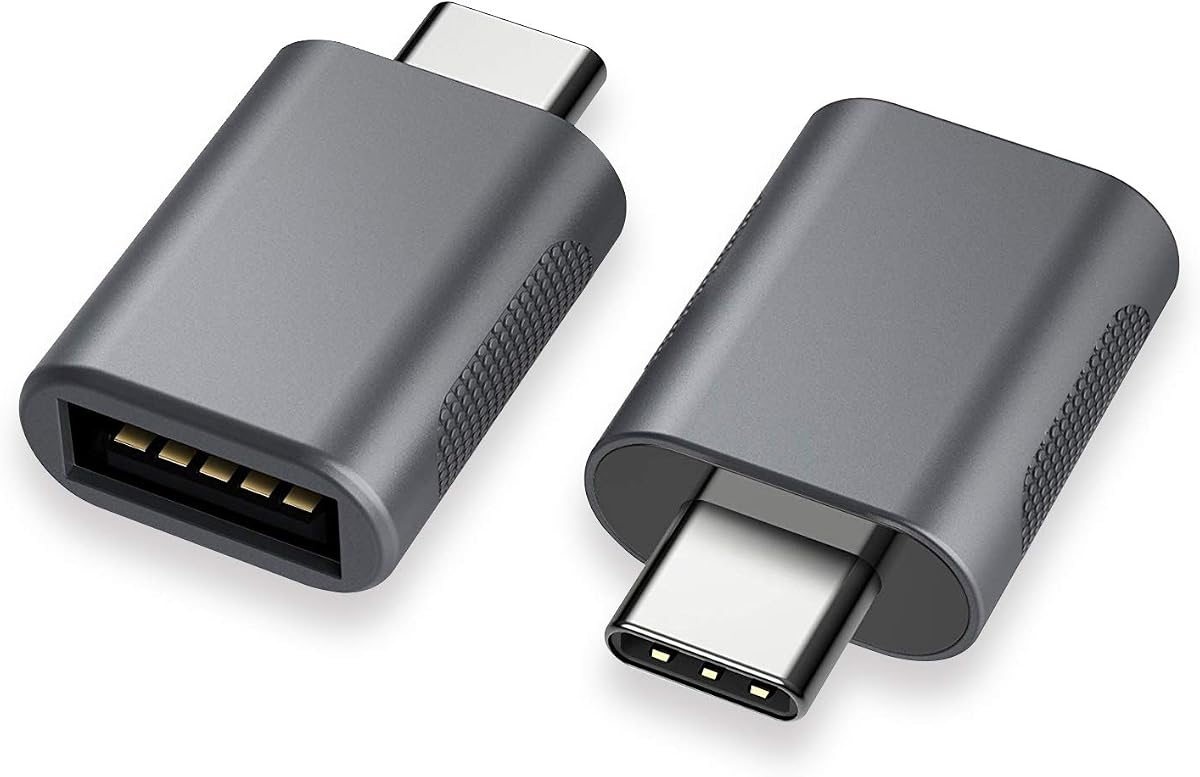
Anker is a trusted name in tech accessories, and this adapter reflects their commitment to quality. With a 4.8 rating, it delivers premium performance for users who value aesthetics and durability.
We may earn a commission when you buy through this link, at no additional cost to you.
The adapter is finished in Space Gray aluminum to match modern laptops like the MacBook Pro. It supports high-speed data transfer and features connectors engineered to last up to 10,000 plugging cycles.
Although it comes at a higher price, the build quality justifies the cost for long-term use. The slim design ensures it does not block adjacent ports when multiple adapters are used simultaneously.
This option is perfect for Apple users seeking a seamless look and feel. It combines style with practical performance for connecting standard USB devices to modern systems.
The Space Gray aluminum finish blends seamlessly with premium laptops for a unified and professional look.
Engineered connectors ensure reliable connectivity over years of daily use without signal degradation.
We may earn a commission when you buy through this link, at no additional cost to you.
Value seekers will appreciate this 3-pack option from Duyasurs. It provides essential connectivity features at a budget-friendly price while maintaining a 4.6 rating for general satisfaction.
We may earn a commission when you buy through this link, at no additional cost to you.
The adapter enables high-speed data transfer and features a lightweight design perfect for carrying on the go. It includes LED indicators to confirm successful connections without needing software drivers.
While it lacks advanced video capabilities, it excels at file transfers and charging. The inclusion of three adapters allows for convenient backups across home, office, and travel setups.
This is an excellent choice for students or casual users needing versatile connectivity. It offers a practical solution for bridging USB-C and USB-A devices without breaking the bank.
Receive three adapters in one purchase to ensure you always have a backup available wherever you are.
The compact form factor makes it easy to carry in a pocket or small bag for travel.
We may earn a commission when you buy through this link, at no additional cost to you.
UGREEN offers a robust solution for those needing high-speed data transfer. With support for up to 10Gbps, this adapter handles large files and media efficiently for power users.
We may earn a commission when you buy through this link, at no additional cost to you.
The 4-pack ensures you have multiple units for different locations. Its ultra-thin design fits snugly alongside other ports on laptops like the MacBook Pro for a tidy setup.
Durability is reinforced through aluminum alloy construction that withstands frequent plugging. However, users should ensure ports are dust-free to maintain optimal connection quality.
This adapter is ideal for tech enthusiasts who need speed. It provides excellent value with four units and high performance for data-heavy tasks like video editing.
Experience rapid file transfers with the 10Gbps speed capability suitable for large media libraries.
The slim design allows multiple adapters to be used side-by-side without blocking adjacent ports.
We may earn a commission when you buy through this link, at no additional cost to you.
Pastall provides a reliable connector for bridging USB C and A interfaces. This 4-pack is designed to handle high-speed data and charging needs effectively for diverse device types.
We may earn a commission when you buy through this link, at no additional cost to you.
The adapters support up to 10Gbps data transfer and fast charging up to 5V/3A. Metal alloy connectors ensure signal clarity and durability against everyday wear and tear.
Note that audio output is not supported with this adapter. Users should focus on data transfer and charging tasks to get the most utility from these versatile units.
This is a great choice for office environments needing multiple connections. It offers a practical solution for syncing and charging various devices efficiently.
Power your devices quickly with the fast charging capability included in this adapter design.
Metal alloy construction ensures stable data transmission and resistance to interference during transfers.
We may earn a commission when you buy through this link, at no additional cost to you.
This adapter is built for modern Thunderbolt 4/3 systems. It delivers supespeed data transfer and is rated for reliability across various laptops and tablets.
We may earn a commission when you buy through this link, at no additional cost to you.
The zinc alloy body prevents scratches and adds a premium feel. Users can enjoy simple plug-and-play functionality without needing to install additional drivers or software.
It provides a robust connection for legacy devices on new hardware. While it does not support video output, it excels at file transfer and peripheral connection tasks.
Ideal for MacBook and Samsung users looking for a durable connection. It offers a straightforward way to access USB A devices on newer ports.
Works seamlessly with Thunderbolt 4 and 3 ports to ensure broad compatibility with modern devices.
The zinc alloy body resists wear and keeps the adapter looking great over time.
We may earn a commission when you buy through this link, at no additional cost to you.
Safety is a key feature of this adapter model. It includes a built-in resistor to protect devices during charging and data transfer operations effectively.
We may earn a commission when you buy through this link, at no additional cost to you.
The 4-pack allows for versatile use across multiple devices. It supports 3A power output which ensures efficient charging for various smartphones and tablets.
While data speeds are standard for USB 2.0, the focus is on reliability and safety. Users can connect legacy USB devices to their phones without worry.
This is a good choice for users concerned about device safety. It offers a practical way to charge and sync devices using standard ports.
A 56KΩ resistor ensures safe charging and data transfer for connected devices and ports.
Supports up to 3A power output for fast and efficient charging capabilities.
We may earn a commission when you buy through this link, at no additional cost to you.
This adapter set offers a blend of style and functionality. Available in multiple colors, it matches various device aesthetics while providing reliable connectivity for daily tasks.
We may earn a commission when you buy through this link, at no additional cost to you.
Constructed with spacecraft-grade aluminum alloy, it is durable and sleek. The slim design ensures it does not block adjacent ports on laptops or tablets.
It supports USB 3.0 high-speed transfer for efficient file syncing. The 3-pack ensures you have a unit at home, work, and in your travel bag.
Great for users who value design along with performance. It offers a reliable connection for USB devices on modern Type-C laptops and phones.
Made from spacecraft-grade aluminum alloy for excellent durability and a premium feel in hand.
Available in multiple colors to match your personal style and device aesthetics perfectly.
We may earn a commission when you buy through this link, at no additional cost to you.
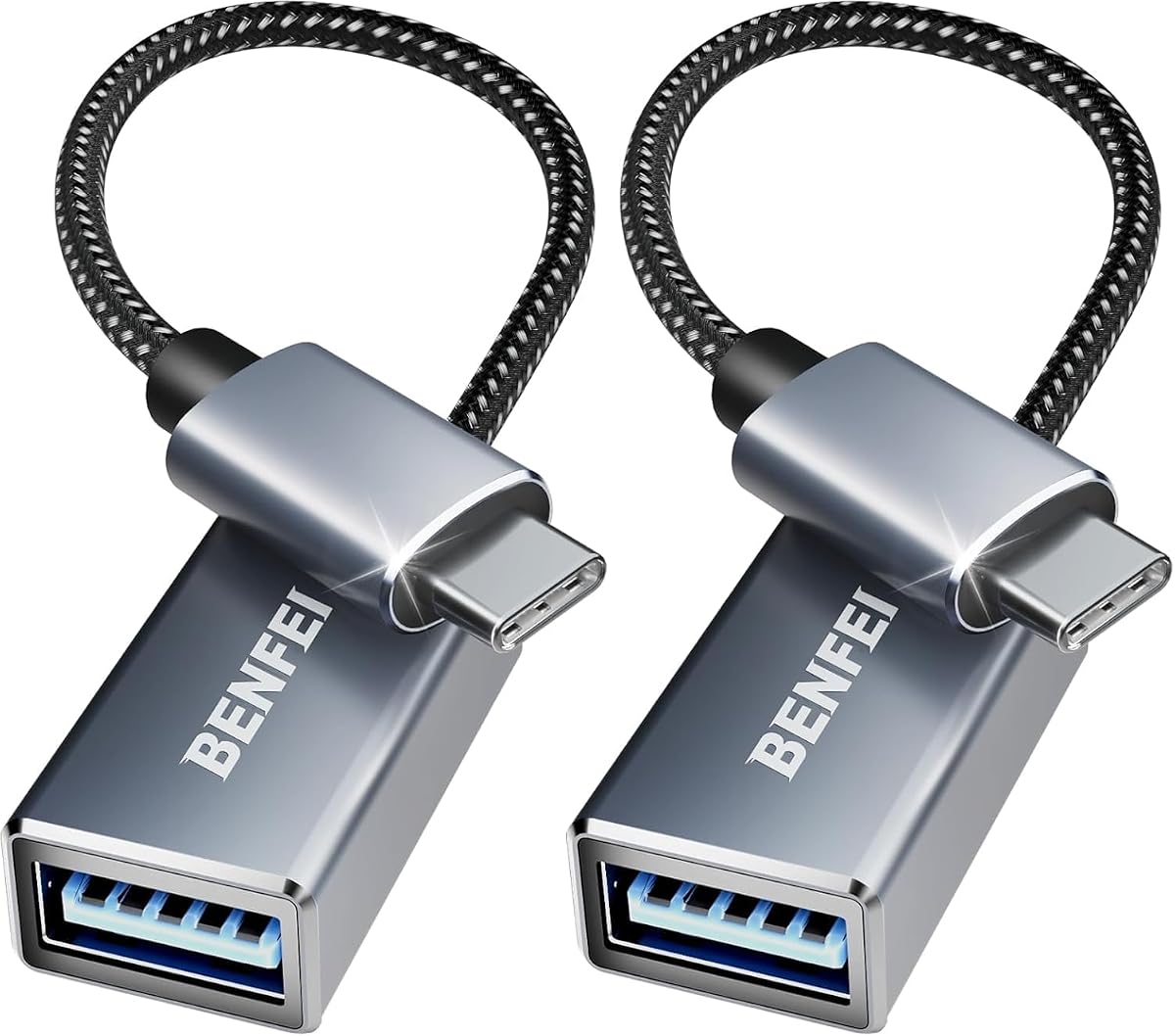
BENFEI offers a compact solution for connecting legacy devices. This adapter features durable nylon braiding and nickel-plated connectors for enhanced longevity and performance.
We may earn a commission when you buy through this link, at no additional cost to you.
It provides 5Gbps transfer speeds for quick file syncing. The non-slip design makes it easier to plug and unplug without straining your ports.
An 18-month warranty adds peace of mind for buyers. The braided cable reduces tangling and adds flexibility for everyday use cases.
This is a solid choice for users wanting durability. It delivers consistent performance for transferring data between modern and older devices.
Nickel-plated connectors resist corrosion and ensure reliable signal transmission over time.
Includes an 18-month warranty to guarantee customer satisfaction and product reliability.
We may earn a commission when you buy through this link, at no additional cost to you.
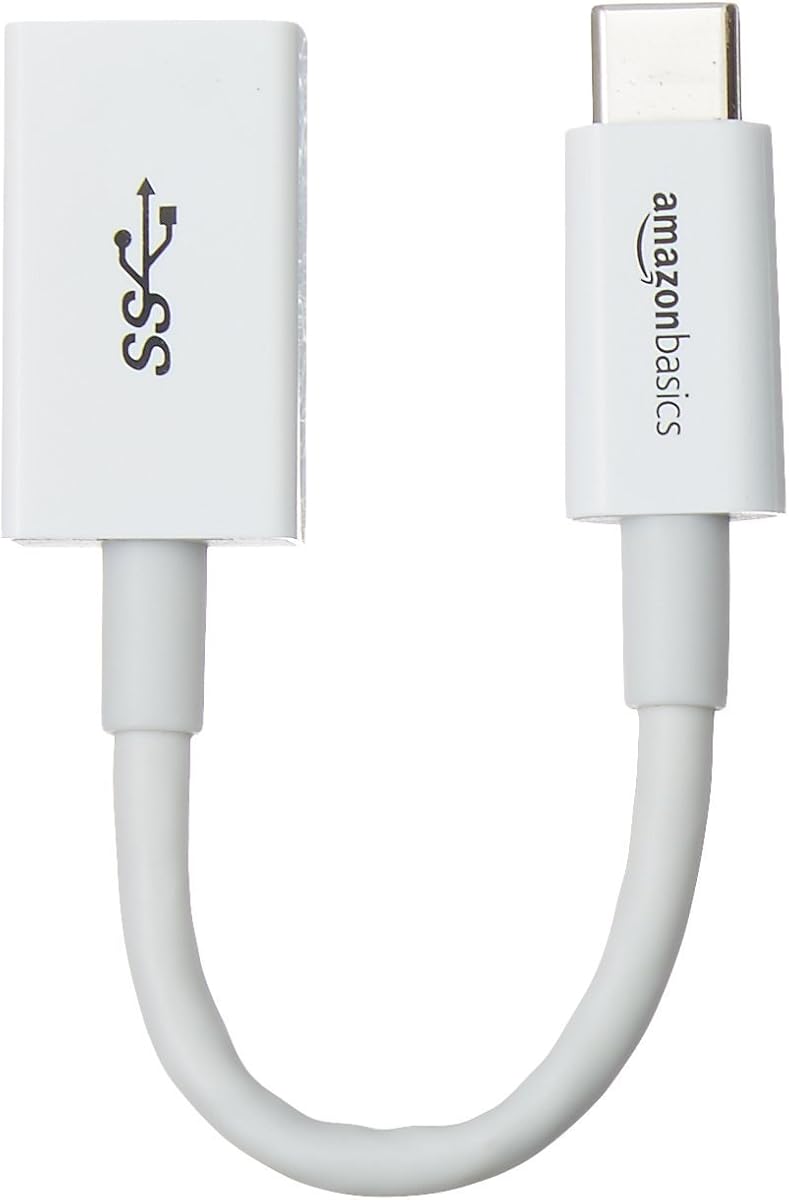
Amazon Basics brings a certified standard to this adapter. It meets USB-IF requirements ensuring compliance with industry standards for safety and performance.
We may earn a commission when you buy through this link, at no additional cost to you.
The adapter supports 15W fast charging and 5Gbps data transfer. Its compact design fits well with modern devices and provides a reliable connection point.
Users can trust the brand for consistent quality and warranty support. It is a straightforward choice for basic connectivity without unnecessary complexity.
Great for general users needing a certified solution. It offers reliable performance for connecting accessories and charging devices efficiently.
USB-IF Certified to ensure compliance with safety and performance standards.
Backed by Amazon Basics for reliability and customer support.
We may earn a commission when you buy through this link, at no additional cost to you.
Selecting the right female USB adapter requires understanding your specific connectivity needs. This guide breaks down the essential factors to consider for an informed purchase.
The speed at which files move between your computer and external drives is critical. Look for adapters that support USB 3.0 or higher standards to ensure quick transfers without bottlenecks.
Prioritize adapters labeled with 5Gbps or 10Gbps capabilities for large media files and professional workflows.
Connectors and casings endure significant wear from plugging and unplugging. Materials like aluminum alloy or zinc alloy offer better protection against scratches and breakage than plastic.
Choose units with reinforced connectors or braided cables to ensure they withstand daily use.
Ensure the adapter matches the ports on your devices. Modern laptops like MacBook Pro or Samsung Galaxy use USB-C, so verify the adapter fits your specific model.
Check for compatibility lists to avoid issues with charging or data synchronization on your specific hardware.
Not all adapters support video output or audio transmission. If you need to connect a monitor, ensure the adapter supports video standards like DP or HDMI.
For simple data transfer and charging, a basic USB-A to USB-C adapter will suffice.
Buying in multi-packs can be cost-effective for homes or offices. Having spares ensures you always have a working connection available without needing to buy new ones constantly.
Consider buying a pack of two or more to cover home, work, and travel needs.
Slim adapters are better for laptops with tightly spaced ports. A bulky design might block adjacent slots or make it difficult to use multiple connections.
Look for low-profile or thumb-sized options for better ergonomics.
A warranty indicates manufacturer confidence in the product's durability. Brands offering 12 to 18-month warranties provide extra security against manufacturing defects.
Prioritize brands with responsive customer support to resolve any technical issues quickly.
Certifications like USB-IF ensure the product meets safety and performance standards. Certified products are less likely to cause damage to your device's internal components.
Always check for official certification marks to guarantee reliable performance.
To use your adapter, simply insert the male USB-C end into your device's port. Then plug the female USB-A end into your flash drive or peripheral to establish a connection.
Avoid forcing the adapter into the port; ensure it aligns correctly to prevent damage. Gently wiggle it in if it feels tight but do not apply excessive pressure.
Store the adapter in a dry place away from dust. If using it frequently, wipe it occasionally to remove debris from the contact points.
Most standard female USB adapters do not support video output. They are designed for data transfer and charging. For video, you will need a specific USB-C to HDMI adapter.
Yes, these adapters typically support charging. Ensure your power source provides sufficient amperage for fast charging and that the adapter supports the necessary voltage.
USB 3.0 and 3.1 Gen 1 often share the same speed of 5Gbps. USB 3.1 Gen 2 offers up to 10Gbps. Check the adapter specifications to confirm the speed you need.
Yes, recent iPhones like the iPhone 15 series use USB-C. Older models require specific Lightning adapters. Verify the specific model compatibility before purchasing.
Most modern adapters are plug-and-play and do not require drivers. They work automatically with Windows, macOS, and Android systems once connected.
Yes, they work with most external hard drives. Ensure the drive does not require more power than the adapter can provide to avoid connection issues.
We have reviewed ten top options ranging from budget to premium choices. Each adapter offers unique benefits tailored to different user needs and budgets.
Prioritize build quality and speed based on your daily usage. A durable adapter ensures reliability for important tasks and prevents interruptions.
Remember to check current availability and offers before purchasing. Prices and stock levels can change rapidly depending on market demand.