
HP x900w USB 3.0
4.5Editor score
Compact lightweight design
USB 3.0 interface
2-year limited warranty
This guide compares the top 10 flash drives for HP laptops focusing on speed capacity compatibility and durability to help you choose the perfect portable
Finding the right flash drive for your HP laptop is essential for efficient data management and seamless file transfers. A quality drive ensures rapid access to your files while maintaining security and reliability during daily use or travel.
We evaluated ten top-rated USB drives based on speed capacity build quality and compatibility with HP systems. Our analysis focuses on real-world performance metrics and user feedback to highlight the most versatile options available today.
Each pick below highlights key strengths ideal use cases and notable limitations to guide your decision. Please note that availability and pricing may fluctuate so verify current details before purchasing to ensure you get the best value.
4.5Editor score

4.6Editor score

4.3Editor score
The following table provides a side-by-side comparison of all ten selected flash drives highlighting their core specifications and unique features to simplify your selection process for HP laptop compatibility.


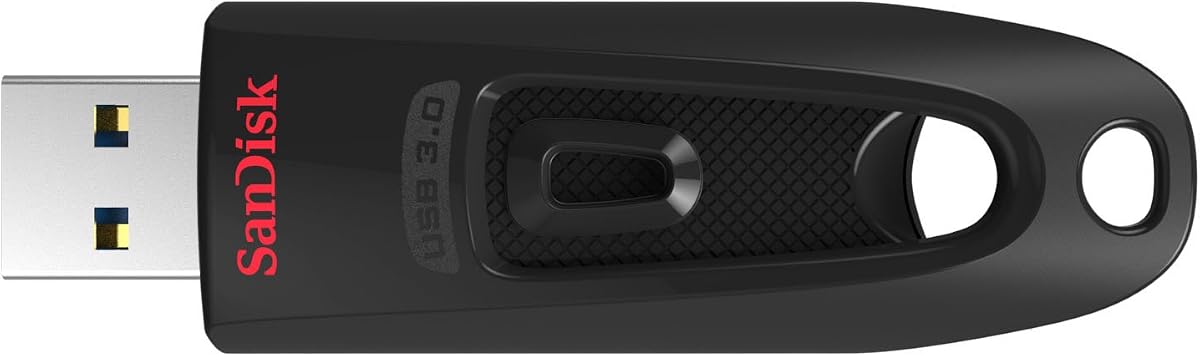


The SanDisk 128GB Ultra Flair stands out as a top performer with its impressive 150MB/s read speed and robust metal design. Rated highly by users it delivers reliable performance for transferring large files to your HP laptop efficiently.
We may earn a commission when you buy through this link, at no additional cost to you.
Its USB 3.0 interface ensures you can move movies and heavy datasets quickly without waiting around. The included SecureAccess software provides peace of mind by allowing you to lock sensitive documents with encryption.
While the price is slightly higher than basic options the durability and speed justify the investment for professionals. The metal casing also helps dissipate heat during extended data transfer sessions ensuring longevity.
This drive is ideal for users who prioritize speed and security in a portable package. If you need a dependable drive for daily backups or presentations this is a strong recommendation.
Experience rapid file movements with read speeds up to 150MB/s which is significantly faster than older USB 2.0 drives.
Protect your private files using included 128-bit AES encryption software available for Windows and Mac operating systems.
We may earn a commission when you buy through this link, at no additional cost to you.
The Lexar D40E offers the versatility of dual connectors allowing seamless connectivity between your HP laptop and modern USB-C devices. With 256GB of space it handles massive media libraries and professional documents with ease.
We may earn a commission when you buy through this link, at no additional cost to you.
Its metal enclosure provides excellent durability and heat resistance making it suitable for travel and demanding environments. The 360-degree swivel design ensures you never lose a cap while switching between connector types.
While it costs more than standard drives the dual interface eliminates the need for extra adapters which simplifies your tech setup. This is particularly useful if you use both older and newer peripherals regularly.
Highly recommended for power users who need high capacity and cross-device compatibility. The included security software adds an extra layer of protection for your valuable data stored on this drive.
Connect directly to USB-C smartphones tablets and laptops without adapters ensuring smooth file access across all your devices.
Secure your sensitive data with advanced 256-bit AES encryption software to prevent unauthorized access to your files.
We may earn a commission when you buy through this link, at no additional cost to you.
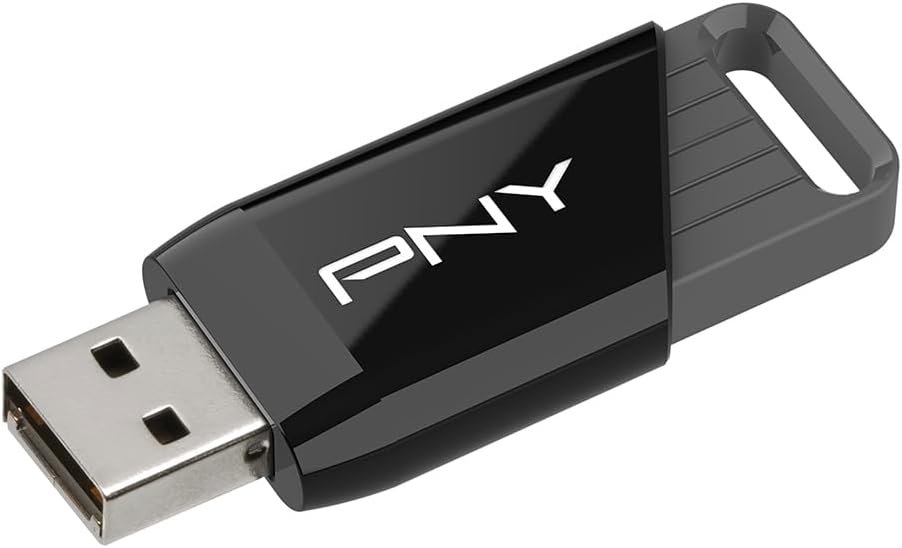
Designed specifically with HP users in mind the x900w delivers solid USB 3.0 performance at a budget-friendly price point. Its compact form factor makes it easy to slip into a pocket or bag for on-the-go access.
We may earn a commission when you buy through this link, at no additional cost to you.
Despite the lower price it supports rapid transfer speeds that are up to ten times faster than USB 2.0 drives. This makes it a practical choice for students or casual users needing reliable storage.
The lightweight design ensures it does not add bulk to your setup while the gray and blue colors match many HP laptop finishes. It is a straightforward no-frills drive that gets the job done effectively.
Ideal for those seeking a cost-effective solution for basic file storage and transfers. If you need simple and fast storage without breaking the bank this drive is an excellent starting point.
Benefit from USB 3.0 technology that significantly reduces transfer times for large files compared to older USB standards.
Enjoy peace of mind with a 2-year limited warranty backing the durability and reliability of this HP branded drive.
We may earn a commission when you buy through this link, at no additional cost to you.
The JOIOT dual drive bridges the gap between legacy USB ports and modern Type-C devices seamlessly. It supports read speeds up to 130MB/s making it efficient for transferring photos and videos across different platforms.
We may earn a commission when you buy through this link, at no additional cost to you.
Its compact design fits easily into tight spaces on your laptop while the protective caps prevent dust accumulation on the connectors. The compatibility with iPhone 15 models adds significant value for mobile users.
While the plastic housing is not as rugged as metal options it remains lightweight and effective for daily use. The plug-and-play functionality ensures you can start using it immediately without any software setup.
This drive is perfect for users who switch between laptops and phones frequently. If you need a single solution for both desktop and mobile storage this versatile option delivers great flexibility.
Work seamlessly across Windows Android Linux and Mac systems without needing additional drivers or software downloads.
Directly connect to USB-C smartphones and tablets to transfer media quickly without adapters or cables.
We may earn a commission when you buy through this link, at no additional cost to you.
The PNY Attaché X offers a generous 256GB of storage ideal for archiving large projects or extensive media collections. Its USB 3.2 Gen 1 interface ensures you achieve consistent high-speed data transfers with your HP laptop.
We may earn a commission when you buy through this link, at no additional cost to you.
The sliding cap design is convenient as it protects the connector without the risk of losing a separate cap. This thoughtful feature adds to the overall usability and durability of the drive during travel.
While it lacks built-in encryption software the reliability and speed make it a strong contender for general storage needs. It remains compatible with both Windows and Mac systems ensuring wide accessibility.
Best suited for users needing substantial space without the complexity of dual connectors. If you want a reliable high-capacity drive for backups and storage this model is a practical choice.
Store thousands of photos videos and documents with the ample 256GB capacity suitable for heavy file users.
The integrated sliding collar protects the USB connector from damage and eliminates the hassle of losing caps.
We may earn a commission when you buy through this link, at no additional cost to you.
Getting two drives in one package offers excellent value for users needing redundancy or sharing storage across multiple devices. Each drive features dual USB-A and Type-C connectors for flexible connectivity options.
We may earn a commission when you buy through this link, at no additional cost to you.
Although it operates on the USB 2.0 standard it provides reliable performance for documents and smaller media files. The bundle allows you to keep one drive at home and one for travel ensuring your files are always accessible.
The compact and lightweight design makes them easy to carry in a pocket or attach to a keychain. While not the fastest option on the list the sheer storage volume and dual-pack utility are compelling.
Perfect for students or families who need shared storage solutions without spending much. If you prioritize capacity and quantity over raw speed this bundle is a smart economical decision.
Two drives mean you can back up critical data in two locations to prevent accidental loss or device failure.
The dual connector design works with PCs Macs tablets and phones ensuring seamless access everywhere.
We may earn a commission when you buy through this link, at no additional cost to you.
The SanDisk 256GB Ultra delivers solid speed and storage making it a reliable partner for HP laptop users. It offers read speeds up to 130MB/s which ensures smooth playback of high-definition videos and quick file access.
We may earn a commission when you buy through this link, at no additional cost to you.
In addition to performance it includes file encryption and password protection tools to keep your data safe. This balance of speed and security makes it a versatile choice for both personal and business tasks.
While it uses a standard USB-A port which is common on laptops it lacks the newer Type-C flexibility. However the proven reliability and high capacity make it a strong contender for traditional setups.
Recommended for users who want a secure high-capacity drive without the complexity of dual connectors. If you need to store large archives securely this drive meets those needs effectively.
Keep your private files safe with built-in password protection and encryption to prevent unauthorized access.
Benefit from fast read speeds that allow you to open and view large files quickly on your laptop.
We may earn a commission when you buy through this link, at no additional cost to you.
The Cruzer Blade is a compact drive designed for simple tasks like carrying documents or music files. Its ultra-compact profile allows it to fit discreetly in a pocket while still providing reliable data storage capabilities.
We may earn a commission when you buy through this link, at no additional cost to you.
Despite being USB 2.0 it remains a popular choice for low-capacity needs where speed is not the primary concern. The included SecureAccess software adds a layer of security even for this smaller model.
It is an excellent secondary drive for quick transfers or sharing files with friends. The price point makes it easy to stock up on multiple units for different purposes or emergency use.
Ideal for users needing a small budget-friendly backup for essential documents. If you require basic storage without extra features this drive is a practical and efficient option.
The slim contoured design makes it easy to carry anywhere without adding bulk to your daily carry items.
Protect your private data with included password protection software available for Windows and Mac systems.
We may earn a commission when you buy through this link, at no additional cost to you.
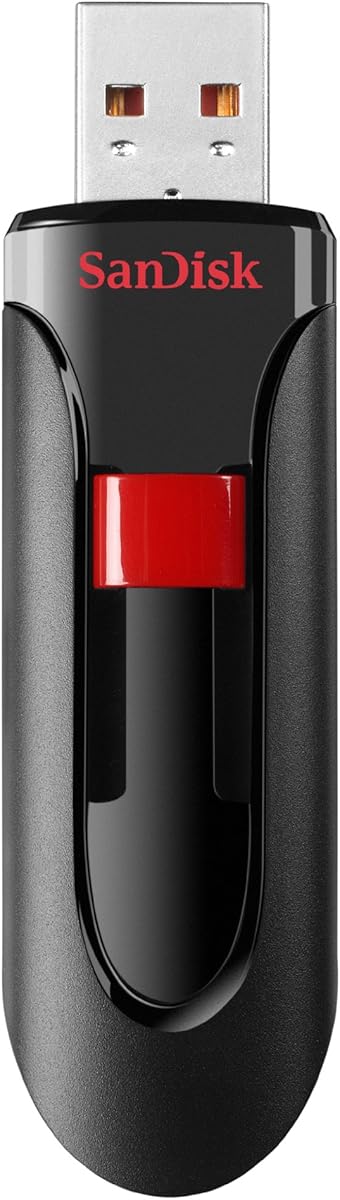
The Cruzer Glide combines USB 3.0 speed with a retractable design that protects the connector from damage. It is highly rated for its reliability making it a solid choice for regular use in office or home environments.
We may earn a commission when you buy through this link, at no additional cost to you.
With 128GB of space it accommodates most typical storage needs including photos videos and work documents. The included SecureAccess software allows you to secure sensitive information with encryption for peace of mind.
While the retractable mechanism can be less durable than a cap over years of heavy use it offers convenience and portability. It remains a popular choice for users who want a simple all-in-one design.
This drive is perfect for everyday file transfers and backups requiring durability and speed. If you value convenience and proven reliability this model is a safe and efficient pick.
The retractable design keeps the USB connector safe from dust and damage without needing to attach a separate cap.
Enjoy consistent performance and reliability backed by a trusted brand known for quality storage solutions.
We may earn a commission when you buy through this link, at no additional cost to you.
This older model still offers strong value with a five-year limited warranty that exceeds many competitors standards. It supports USB 3.0 speeds allowing you to access large files much faster than older USB 2.0 options.
We may earn a commission when you buy through this link, at no additional cost to you.
The SecureAccess software helps protect your private files from unauthorized access making it suitable for sensitive documents. While capacity is limited to 32GB it is ideal for essential files and backups.
The build quality remains consistent with SanDisk standards ensuring reliability during daily transfers. For users who prioritize warranty support and basic speed this drive remains a dependable choice.
Best for those needing a compact drive with excellent warranty coverage for critical data. If long-term reliability is your priority this model offers solid value and peace of mind.
Benefit from a robust five-year limited warranty that provides long-term protection and confidence in your purchase.
Access photos and videos up to four times faster than standard USB 2.0 drives for improved workflow speed.
We may earn a commission when you buy through this link, at no additional cost to you.
Selecting the right flash drive involves considering several key factors to ensure compatibility performance and durability for your HP laptop setup.
Choose a capacity that matches your typical file sizes and needs. For documents a 32GB drive may suffice but for photos and videos consider 128GB or higher.
Ensure you select enough space to avoid running out of room during important transfers or backups.
Look for USB 3.0 or USB 3.1 interfaces to ensure fast data transfer speeds. USB 2.0 drives are slower and may hinder productivity with large files.
Read speeds are critical for accessing files quickly while write speeds affect how fast you can save data to the drive.
Verify whether your HP laptop uses standard USB-A or newer USB-C ports. Dual connector drives offer flexibility if you connect to multiple device types.
Choose a drive with the correct connector to avoid needing extra adapters which can be cumbersome.
Metal enclosures offer better heat resistance and physical protection than plastic ones. Consider your travel needs when selecting the build material.
A sturdy design helps protect data integrity during drops or exposure to rough conditions.
If you store sensitive data look for drives with built-in encryption or password protection software. This prevents unauthorized access to your personal or business files.
Always check if the security software is compatible with your operating system before purchasing.
A longer warranty period often indicates higher product quality and manufacturer confidence. Check for terms that cover manufacturing defects and data loss where applicable.
Ensure the warranty is easy to claim if the drive fails unexpectedly during normal use.
Confirm the drive works with your HP laptop operating system whether Windows or macOS. Most drives are plug-and-play but some software may require installation.
Universal compatibility ensures you can share files with others using different systems without issues.
A compact and lightweight drive is easier to carry daily. Retractable designs or low-profile casings reduce the risk of losing caps.
Choose a size that fits comfortably in your pocket or bag without adding bulk.
To use your drive simply plug it into an available USB port on your HP laptop. Windows will recognize the device automatically allowing you to access files through File Explorer.
Always use the Safely Remove Hardware feature before unplugging the drive to prevent data corruption. This ensures all write operations are complete before disconnecting the device.
Keep your drive in a cool dry place to avoid overheating or moisture damage. Avoid exposing it to extreme temperatures or direct sunlight which can affect performance.
Most standard USB flash drives will work with HP laptops provided they have the correct USB port. Check if your laptop uses USB-A or USB-C ports to select the compatible drive type for seamless operation.
USB 3.0 offers significantly faster data transfer speeds compared to USB 2.0. It also provides better power efficiency making it ideal for transferring large files quickly on modern HP laptops.
Many drives include built-in encryption software that lets you set passwords for folders. Alternatively you can use third-party tools to encrypt data before saving it to the drive for added security.
Yes most flash drives work on both Mac and Windows computers. Ensure you format the drive to FAT32 or exFAT for full cross-platform compatibility between different operating systems.
Slower speeds can be caused by using a USB 2.0 port or transferring many small files. Always connect to a USB 3.0 port and avoid overloading the drive with excessive fragmentation.
You can check available space by right-clicking the drive icon and selecting properties. This shows total used and free space so you can manage storage effectively before new transfers.
It is generally safe but unplugging when not in use reduces wear and the risk of accidental data loss. Always eject the drive properly to prevent corruption of files stored on it.
Selecting the right flash drive depends on your specific needs regarding speed capacity and security. The top picks offer excellent balance across different use cases and budgets.
Prioritize USB 3.0 or higher interfaces to ensure your HP laptop runs efficiently without transfer bottlenecks. Security features are also vital if you handle sensitive information regularly.
Prices and stock levels change frequently so verify current availability before finalizing your purchase. With the right choice you will enjoy reliable storage and seamless file management on your HP system.