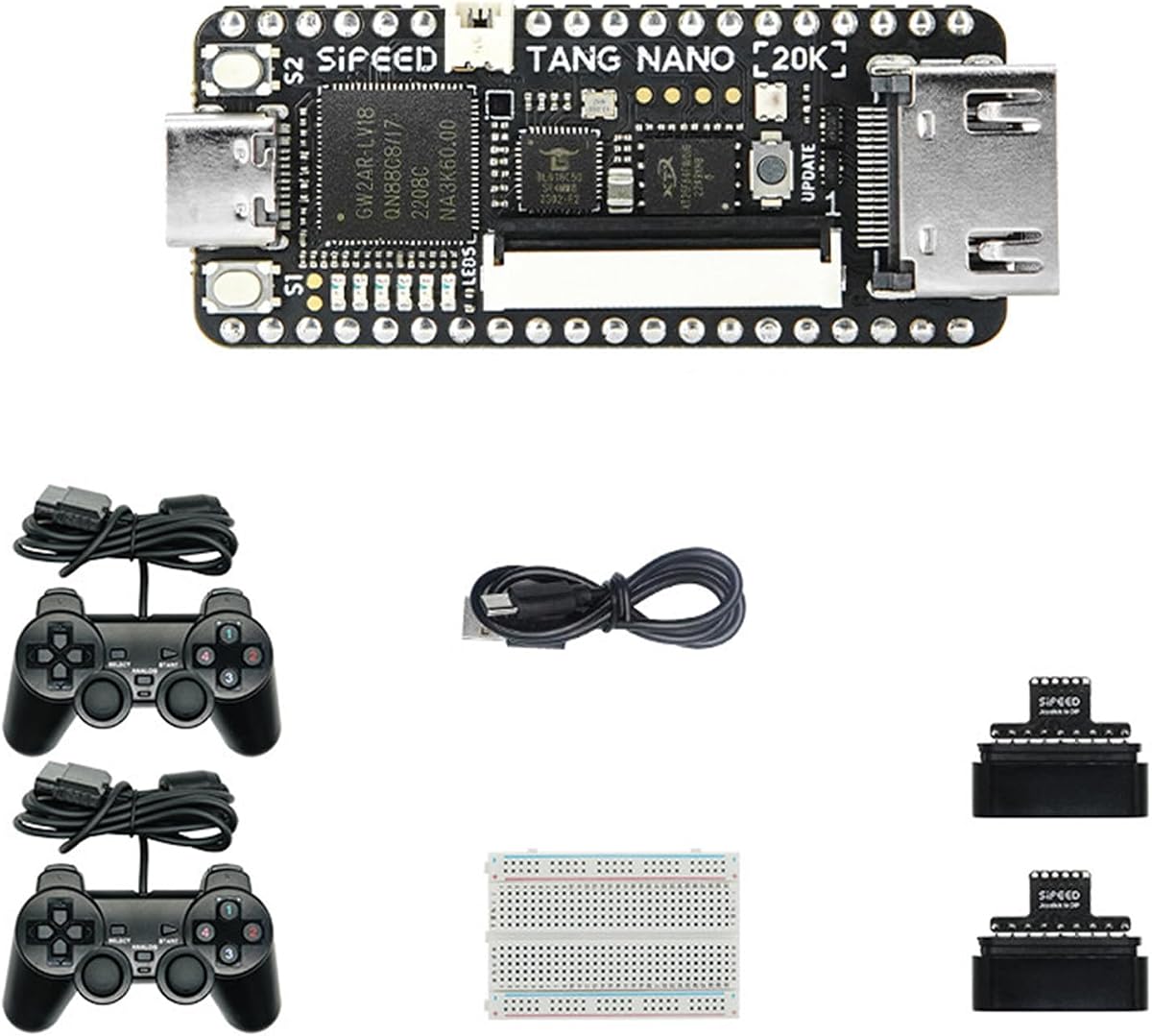
Sipeed Tang Nano 20K Kit
4.1Editor score
20K LUT4 FPGA Chip
Open Source Linux Support
HDMI and microSD Ports
Discover the top FPGA retro consoles for authentic gaming. Our guide compares hardware specs, emulation quality, and portability to help you find the perfect
FPGA retro consoles offer authentic hardware emulation for classic gaming experiences. These devices use field programmable gate arrays to replicate original system logic with near perfect accuracy for enthusiasts.
We evaluated ten top models based on performance, expandability, and ease of use. Our analysis covers development boards, handhelds, and dedicated consoles to help you choose the right fit for your setup.
Each pick highlights unique strengths like HDMI output, open source software, and battery life. Prices and availability change frequently so check the linked product pages for current details before purchasing your next console.
4.1Editor score
4.5Editor score

5.0Editor score
This side by side comparison highlights key specifications across all ten selected FPGA retro consoles. Review each model's hardware capabilities, screen type, and connectivity options to determine which best meets your gaming and development needs.


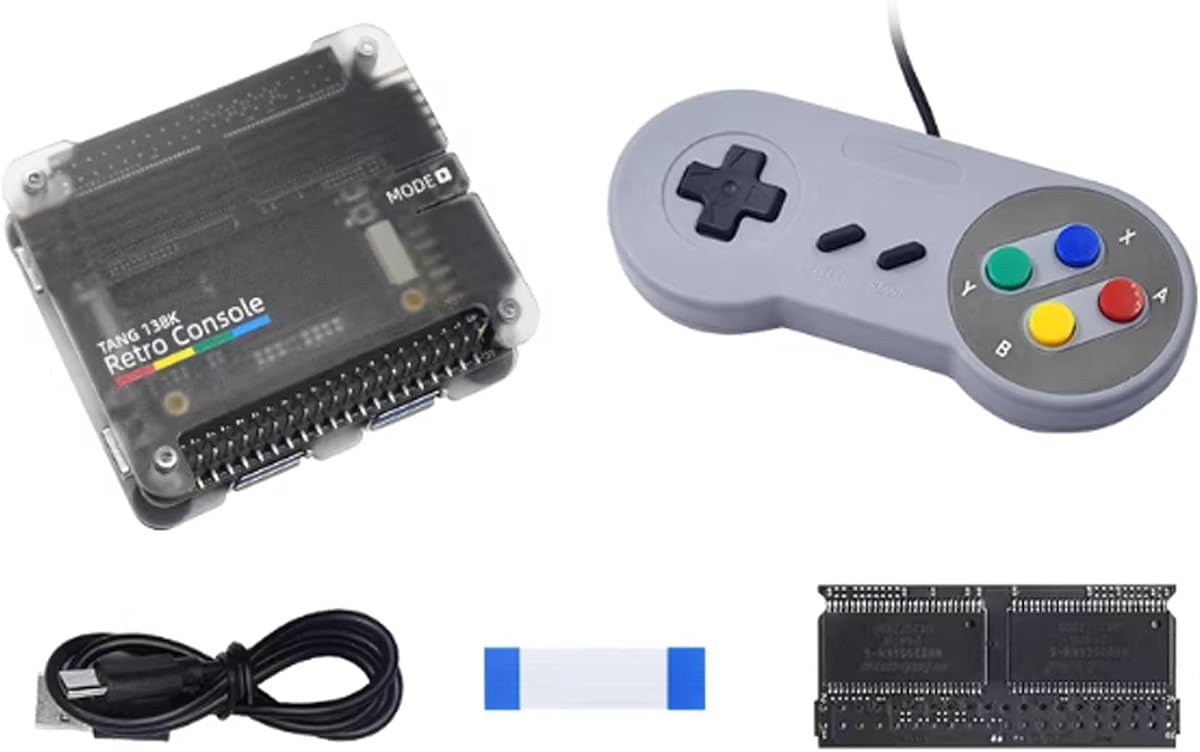
The Sipeed Tang Console 138K ranks as our top pick for developers seeking high performance FPGA retro consoles. It features a massive 138K LUT4 configuration that supports complex emulator cores without compromise.
We may earn a commission when you buy through this link, at no additional cost to you.
This board includes HDMI output and dual PMOD ports for versatile connectivity. Its ability to function as a Raspberry Pi 5 PCIe HAT adds extra value for multi-purpose setups.
While it lacks pre-installed games, the hardware is robust enough for custom projects. The silent operation makes it ideal for quiet gaming environments or long development sessions.
Buy this if you need maximum flexibility and raw power for building your own retro console from scratch.
The 138K LUT4 configuration ensures smooth emulation of demanding systems like Amiga or 3D consoles.
With HDMI and PMOD ports, you can easily connect to TVs or expand with custom peripherals.
We may earn a commission when you buy through this link, at no additional cost to you.
The Sipeed Tang Console FPGA offers a balanced mix of power and affordability for retro gaming enthusiasts. It supports both 60K and 138K configurations allowing users to scale based on their project needs.
We may earn a commission when you buy through this link, at no additional cost to you.
Features like USB 3.0 and HDMI output provide fast data transfer and crisp visuals. The onboard BL616 MCU runs Linux smoothly for additional versatility beyond just gaming.
Though it does not come with a protective case, its small size fits easily into any travel kit. It requires some setup to get fully operational which may deter casual users.
This console is perfect for hobbyists who want a robust development platform that doubles as a high-quality retro gaming device.
Choose between 60K or 138K versions depending on your emulation requirements and budget.
The BL616 MCU supports Linux enabling rich features like web browsing or custom UI development.
We may earn a commission when you buy through this link, at no additional cost to you.
This version of the Tang Console 138K stands out for its strong connectivity and silent operation. It delivers 1080P HDMI output ensuring your retro games look sharp on modern displays.
We may earn a commission when you buy through this link, at no additional cost to you.
With 1GB DDR3 memory and robust GPIO options this board handles complex emulation tasks effortlessly. It is designed specifically for developers who need flexibility and high performance in a small package.
The lack of internal storage means you must use an external SD card for game files. However, the TF card slot is easily accessible for quick media swaps.
It is an excellent choice for those prioritizing performance and silence while building a custom retro gaming solution.
Enjoy uninterrupted gaming without the noise of a fan thanks to efficient heat dissipation design.
PCIe Gen3 and RGB LCD connections allow for advanced peripheral integration and display control.
We may earn a commission when you buy through this link, at no additional cost to you.
The Tang Nano 20K is an excellent entry point into FPGA retro consoles for beginners and casual users. It provides enough logic capacity for 8-bit emulation like NES and GB with smooth performance.
We may earn a commission when you buy through this link, at no additional cost to you.
Features like microSD support and RGB LCD connectivity make it versatile for portable setups. Linux support and RISC-V compatibility add extra utility for development projects.
While it struggles with more complex 3D systems it handles classic 2D games flawlessly. The price point makes it very accessible for students and hobbyists alike.
This model is ideal for anyone looking to dip their toes into FPGA retro gaming without a major investment.
Access community libraries and tutorials easily to learn FPGA programming and game development.
MicroSD slots allow you to store large libraries of ROMs without needing extra hardware.
We may earn a commission when you buy through this link, at no additional cost to you.
This kit version of the Tang Nano 20K offers a complete package for those ready to build their own console. It runs a RISC-V Linux system out of the box for immediate usability.
We may earn a commission when you buy through this link, at no additional cost to you.
HDMI and LED ports ensure you can connect to standard monitors or custom displays easily. The affordable price makes it a low-risk option for testing FPGA capabilities.
However, it may require additional power adapters or cases for long-term daily use. Beginners should expect a small learning curve when configuring the initial setup.
Choose this if you want a ready-to-use development platform that supports both gaming and general computing tasks.
The pre-installed system reduces setup time letting you focus on game development immediately.
This bundle offers great value by including necessary components to start your project right away.
We may earn a commission when you buy through this link, at no additional cost to you.
The Sipeed Tang Nano 20K serves as a reliable budget option for Linux-based FPGA retro gaming. It supports multiple display outputs giving you flexibility in how you visualize your games.
We may earn a commission when you buy through this link, at no additional cost to you.
Features like the BL616 debugger and NES emulator support make it great for educational and hobby use. Linux support ensures access to a wide ecosystem of open source tools.
Processing power is limited compared to higher end models but it handles 8-bit retro titles well. Expect to provide your own case and power solution for portability.
This console is best suited for students or beginners exploring FPGA technology on a tight budget.
Access to Linux software and drivers ensures long term support and community help for your projects.
Built-in emulator cores provide smooth playback for classic Nintendo Entertainment System games out of the box.
We may earn a commission when you buy through this link, at no additional cost to you.
The Arduboy FX-C is a unique pocket sized FPGA console that emphasizes coding and multiplayer fun. With over 300 preloaded games it is ready to play immediately without setup.
We may earn a commission when you buy through this link, at no additional cost to you.
Its credit card size makes it incredibly portable for travel or commuting. The USB-C multiplayer feature allows friends to battle head-to-head locally without internet.
While the OLED screen is limited in color and size it saves power effectively. The small buttons may take getting used to for players with larger hands.
This device is perfect for STEM learners or anyone wanting a tiny retro device that encourages creativity and coding.
Learn C++ via Arduino IDE to create your own games and share them with the community.
Connect two units via I2C cable for thrilling local multiplayer battles anywhere.
We may earn a commission when you buy through this link, at no additional cost to you.
The Trimui Brick Pro boasts one of the best screens in the handheld retro market with its 3.95 inch IPS display. Colors are vibrant and viewing angles are excellent for shared gaming sessions.
We may earn a commission when you buy through this link, at no additional cost to you.
Hall Effect joysticks prevent drift over time while the 5000mAh battery ensures long play. It supports fast charging via USB-C which is essential for modern gamers.
It does not include a memory card so you must source your own SD card for games. This is a minor inconvenience for the high quality hardware provided.
Choose this console if screen clarity and battery life are your top priorities for portable retro gaming.
The 1024×768 resolution makes sprites and text look incredibly sharp and detailed on any size.
Hall Effect joysticks use magnetic sensors to ensure smooth control without mechanical wear over time.
We may earn a commission when you buy through this link, at no additional cost to you.
The RG40XXV offers a straightforward experience with games ready to play right out of the box. It runs a Linux system that handles common retro console titles efficiently.
We may earn a commission when you buy through this link, at no additional cost to you.
Its handheld design fits well in the pocket and is easy to carry around. Setup is minimal as the manufacturer has already configured the system for you.
Build quality is average compared to premium models but it gets the job done for casual play. Limited upgrade options mean you should pick it for its out of box convenience.
This console is best for gamers who want to start playing immediately without technical hassle or configuration.
No complex configuration needed; simply turn on and enjoy the built-in library of classics.
A stable Linux environment ensures compatibility with a wide range of emulator software available.
We may earn a commission when you buy through this link, at no additional cost to you.
The Trimui Brick PRO is our premium pick for handheld FPGA retro consoles due to its superior hardware and display. It supports open source Linux for total control over your gaming library.
We may earn a commission when you buy through this link, at no additional cost to you.
Dual USB-C ports provide flexibility for charging and connecting accessories simultaneously. The 3.95 inch screen with 1024×768 resolution delivers stunning visuals for classic games.
It includes a vibration motor and hall effect joysticks for tactile feedback. While it lacks pre-installed games the hardware is ready for you to load your own ROMs.
If you want the best screen and battery life available this model delivers a premium handheld gaming experience.
Charge while playing or connect controllers to the host port for expanded play options.
Reduces glare and improves contrast making outdoor gaming much more enjoyable and visible.
We may earn a commission when you buy through this link, at no additional cost to you.
Selecting the right FPGA retro console depends on your needs for performance, portability, and software support. Consider these key factors before making a purchase.
LUT4 count determines how complex emulation cores you can run. Higher numbers like 138K support advanced systems while 20K is great for 8-bit classics.
Choose a capacity that matches the systems you want to emulate most often.
Some units run Linux while others rely on bare metal. Linux offers more features like web browsing but requires more setup.
Linux is recommended for power users who want more than just gaming.
Handhelds vary from small OLED to large IPS screens. Higher resolution screens improve clarity but consume more battery.
Prioritize IPS screens for better color accuracy and viewing angles.
Look for HDMI output, USB-C, and PMOD ports for flexibility. These enable connecting to TVs or external controllers easily.
Multiple ports ensure your console works in both portable and fixed setups.
Battery capacity ranges from 2000mAh to 5000mAh. Larger batteries support longer play sessions but add weight.
For portability choose models with 5000mAh or fast charging capabilities.
Internal storage is limited on some boards. Ensure microSD support is present for storing large ROM libraries.
External storage expansion is essential for modern retro gaming collections.
Some consoles come with games loaded while others require manual setup. Ready-to-play options save time for casual gamers.
Check if the system includes games to decide if setup effort is acceptable.
Active communities provide firmware updates and game packs. Open source projects usually have better long-term support.
Look for boards with active forums and regular community updates.
Start by downloading the latest firmware from the manufacturer website. Use a reliable USB-C cable to connect your console to a computer for initial setup and file transfers.
Transfer game files to the microSD card using the included tool or manual drag and drop. Organize your ROMs into folders to help the system index them correctly.
Clean the ports regularly to prevent dust buildup. Store the console in a protective case when not in use to avoid physical damage to buttons and screen.
Yes FPGA consoles are legal hardware devices. You must obtain ROMs from games you own or use public domain software to stay within copyright laws.
Some models require basic technical skills for setup while others are plug and play. Beginner friendly options exist but development boards demand more patience.
These consoles are designed for retro emulation up to 32-bit systems. Modern 3D games are generally too demanding for standard FPGA retro hardware.
High speed cards like Class 10 or UHS-I work best to prevent lag during emulation. Larger capacity cards support bigger game libraries.
Many support local multiplayer via USB or custom cables. Some models offer built-in features while others need external controllers for multiplayer modes.
Battery life varies from 3 to 8 hours depending on usage and model. Brighter screens consume more power while lighter games preserve energy.
Most FPGA consoles support firmware updates for new features. Always back up your game files before updating to prevent data loss.
Common parts like USB cables and SD cards are standard. Specialized components may require contacting the manufacturer or community forums.
Our top picks offer a range of performance levels from budget boards to premium handhelds. The Sipeed Tang Console 138K leads for developers while the Trimui Brick PRO shines for handheld gamers.
Prioritize hardware features that match your specific use case. Portability matters for travel while raw power is key for complex emulation tasks.
Prices fluctuate frequently so verify current availability before purchasing. Check product links for the latest deals and stock status to ensure a smooth buying experience.