
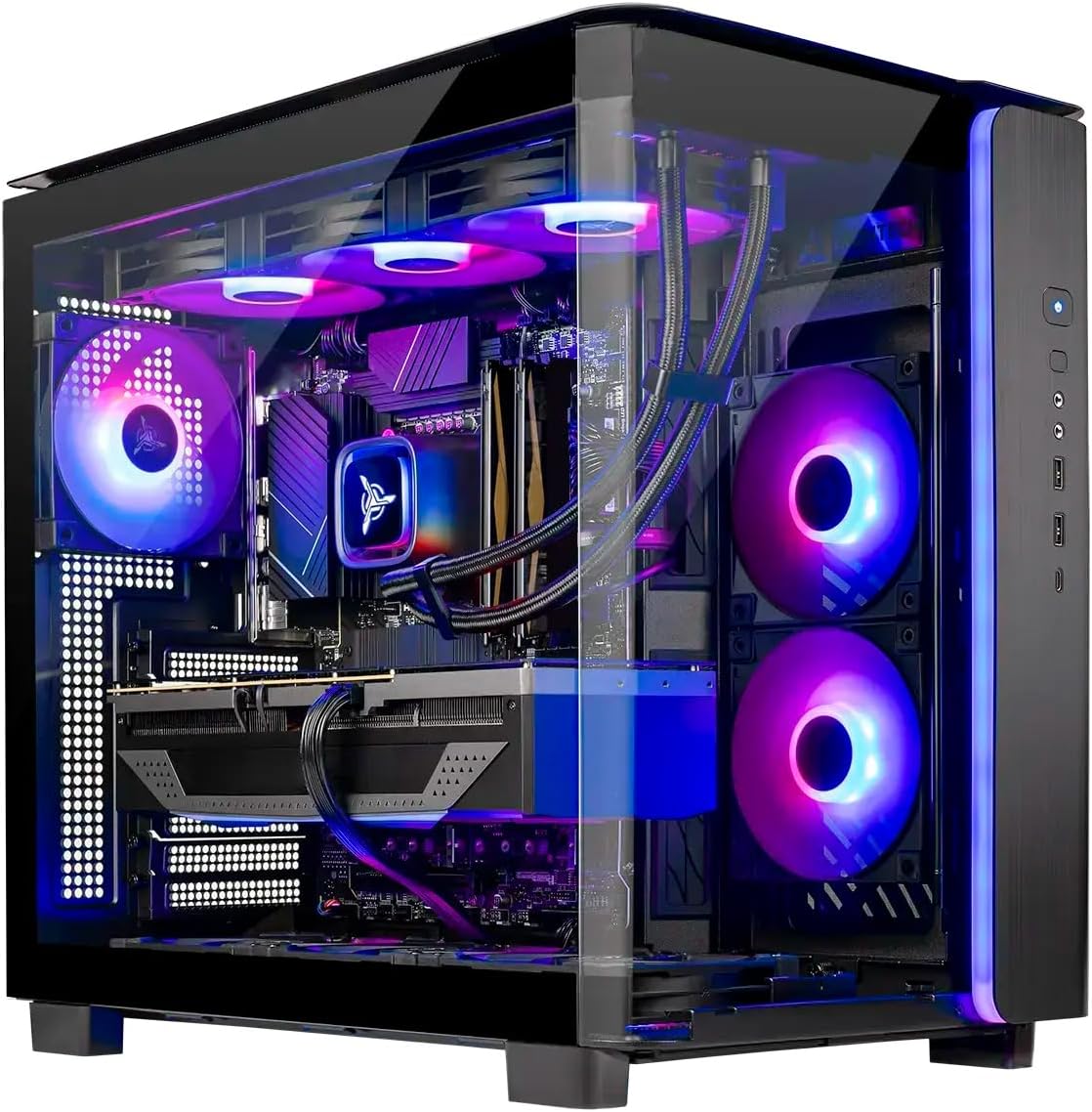
YAWYORE Gaming PC
4.5Editor score
AMD Ryzen 7 5700X CPU
RTX 5060 8GB GPU
32GB DDR4 RAM 3200MHz
This guide compares the top ten gaming PCs for playing Kenshi, evaluating CPU power, GPU performance, and cooling systems to help you choose the perfect rig.
Finding the right gaming PC for playing Kenshi requires careful consideration of hardware capabilities. This sprawling sandbox game demands robust processing power to handle its complex simulations and vast open world without lag or stuttering during intense battles.
We evaluated ten top-rated systems based on processor speed, graphics card performance, and memory capacity. Our analysis focuses on machines that can sustain high frame rates while managing the heavy computational load of dynamic NPC interactions and environmental physics in Kenshi.
Each pick showcases specific strengths tailored to different budgets and performance needs. Prices fluctuate frequently so please verify current costs before purchasing. These selections represent the best value and performance options available for immersive sandbox gaming experiences today.
4.5Editor score

4.5Editor score
4.8Editor score
This side-by-side comparison highlights the key specifications and performance capabilities of each system. We focus on processors, graphics cards, memory, and storage to show which machines deliver the smoothest gameplay for demanding sandbox titles.


This Skytech desktop ranks first for its powerful Ryzen 7 9850X3D processor and RX 9070 XT graphics card. It earns an excellent 4.5 rating from users who praise its ability to handle complex simulations without frame drops.
We may earn a commission when you buy through this link, at no additional cost to you.
The 32GB of DDR5 RAM ensures smooth multitasking while streaming or running background applications. The 2TB Gen4 NVMe SSD loads games quickly and provides ample space for extensive library storage including mods.
While the price is premium, the build quality and component selection justify the investment. The 360mm AIO liquid cooler maintains low temperatures during extended sessions preventing thermal throttling effectively.
Gamers seeking top-tier performance for Kenshi and other demanding titles should choose this system. It delivers reliable high-frame-rate gameplay essential for managing large battles and intricate game mechanics smoothly.
The 9850X3D processor excels at calculations required for dynamic NPC behavior in sandbox games ensuring fluid gameplay.
Liquid cooling keeps temperatures low allowing the CPU to sustain boost clocks during prolonged gaming sessions without throttling.
We may earn a commission when you buy through this link, at no additional cost to you.
The YAWYORE system offers great value with its Ryzen 7 5700X and RTX 5060 combination. It holds a strong 4.5 rating making it an accessible entry point for new gamers targeting 1080p resolution.
We may earn a commission when you buy through this link, at no additional cost to you.
While not built for ultra settings the hardware handles moderate graphics well. The 32GB RAM allows for comfortable multitasking which is useful when running voice chat or browser tabs alongside games.
The RTX 5060 supports DLSS technology helping boost frame rates in supported titles. This feature is crucial for maintaining smooth gameplay in CPU-intensive scenes like large city battles.
Budget-conscious buyers will appreciate this balanced configuration. It provides a solid foundation for Kenshi without breaking the bank ensuring enjoyable experiences even at lower graphical fidelity.
This system delivers the best bang for your buck allowing entry into PC gaming with capable hardware for standard settings.
Built-in WiFi and Bluetooth simplify setup by removing the need for extra cables or adapters for peripherals.
We may earn a commission when you buy through this link, at no additional cost to you.
This configuration stands out with a 4.8 rating reflecting exceptional user satisfaction. It combines the best available CPU and GPU for maximum performance in any gaming scenario including heavy mods.
We may earn a commission when you buy through this link, at no additional cost to you.
The RTX 5080 ensures smooth rendering at 4K resolution with ray tracing enabled. This is ideal for players who want visually stunning environments while maintaining high frame rates during combat.
With 6000MHz DDR5 RAM data transfer speeds are incredibly fast. This reduces load times and improves system responsiveness significantly when switching between applications or reloading save files quickly.
Serious enthusiasts seeking the absolute best performance will love this machine. It future-proofs your setup for years ensuring you never face hardware limitations even as game demands increase over time.
The RTX 5080 pushes visual fidelity to the limit enabling realistic lighting and textures without compromising smoothness or stability.
Absence of bloatware means the system runs lean and fast immediately after setup without unnecessary background processes slowing you down.
We may earn a commission when you buy through this link, at no additional cost to you.
The msi Codex Z2 offers impressive power in a smaller chassis. Its Ryzen 7 8700F and RTX 5070 deliver consistent performance suitable for most modern titles without requiring massive physical space.
We may earn a commission when you buy through this link, at no additional cost to you.
Users note the clean design and customizable RGB lighting enhance the setup aesthetics. This appeals to those who value style alongside raw power in their gaming environment significantly.
The cooling system includes multiple fans for balanced airflow. While generally efficient some users mention slight noise during peak loads which is typical for compact high-performance systems.
Ideal for gamers with limited desk space this unit provides solid performance. It handles Kenshi well offering stable frame rates without taking up excessive room in your gaming corner.
The compact footprint fits easily on desks or shelves freeing up valuable space for other peripherals or accessories.
Mixing strong CPU with modern GPU creates a balanced system that avoids bottlenecks in most gaming scenarios including simulation heavy titles.
We may earn a commission when you buy through this link, at no additional cost to you.
This KOTIN model features a unique 11.3-inch smart display showing real-time system stats. It has a 4.2 rating and appeals to users who enjoy monitoring temperatures and usage instantly.
We may earn a commission when you buy through this link, at no additional cost to you.
The Ryzen 7 9700X provides robust processing power for complex calculations. Pairing it with the RTX 5070 ensures smooth frame rates even during resource-intensive gaming sessions.
WiFi 7 offers the latest wireless connectivity for low latency connections. This is beneficial for online gaming where stable network performance prevents lag or disconnections significantly.
Gamers who value tech novelty will love the integrated screen. While storage is modest the performance core remains solid for handling sandbox games like Kenshi effectively.
The built-in screen provides instant feedback on system health helping you track performance without opening software windows.
WiFi 7 ensures your PC connects at the fastest possible speeds available on wireless networks today.
We may earn a commission when you buy through this link, at no additional cost to you.
This system pairs the 9800X3D CPU with the RTX 5070 Ti for excellent mid-range performance. Users give it a 4.1 rating noting its capability to handle high refresh rate gaming reliably.
We may earn a commission when you buy through this link, at no additional cost to you.
The 16GB of VRAM on the GPU ensures stable texture loading in large open worlds. This is critical for Kenshi where massive maps can otherwise cause stuttering or frame drops.
Free peripherals like keyboard and mouse add immediate value. This saves buyers money on essential accessories making it a complete package right out of the box.
Those wanting high performance without top-tier pricing should consider this option. It balances cost and power effectively providing a smooth gaming experience for most users.
The 3D V-Cache technology improves latency for gaming workloads ensuring snappier responses during intense interactions.
16GB VRAM handles high-resolution textures without issues making it ideal for detailed graphics settings.
We may earn a commission when you buy through this link, at no additional cost to you.
This KOTIN PC focuses on aesthetics with its glass side panel and ARGB lighting. It carries a 4.3 rating from users who appreciate its polished look and strong performance metrics.
We may earn a commission when you buy through this link, at no additional cost to you.
The Ryzen 7 9800X3D ensures smooth gameplay in demanding scenarios. Its high cache helps maintain stability in open-world games where many elements are processed simultaneously.
A digital display on the cooler shows CPU temperature instantly. This visual element adds functionality and style making system monitoring easy without software interference or distractions.
Visual enthusiasts will love the clean unified design. It blends performance and beauty seamlessly offering a premium experience for those who value presentation as much as power.
The glass side panel showcases internal components beautifully while protecting them from dust and accidental contact.
Synced lighting options let you personalize the look to match your room's theme or favorite color.
We may earn a commission when you buy through this link, at no additional cost to you.
The O11 Vision case offers a unique view of internal components. With a 4.5 rating this system stands out for its design and reliable cooling performance in demanding gaming conditions.
We may earn a commission when you buy through this link, at no additional cost to you.
The Ryzen 7 7700X provides solid power for general gaming needs. While older than other models it still performs well for most titles without bottlenecking current GPU options significantly.
Liquid cooling ensures temperatures remain low even during peak usage. The Gold certified power supply delivers stable energy efficiency ensuring consistent performance across various workloads.
Design-focused gamers will enjoy this aesthetic choice. It combines visual appeal with practical performance making it a strong contender for those wanting style alongside utility.
The special case design allows clear visibility of the build showcasing the hardware with elegance.
A high-quality power supply protects components from voltage spikes ensuring longevity and reliable operation.
We may earn a commission when you buy through this link, at no additional cost to you.
This system stands out with 5TB total storage and 64GB RAM. A 4.7 rating highlights user satisfaction with its massive capacity for extensive game libraries and large data files.
We may earn a commission when you buy through this link, at no additional cost to you.
The Core i9 processor offers high core counts beneficial for multitasking. This allows smooth streaming while gaming without sacrificing performance or causing system slowdowns.
VR readiness ensures compatibility with emerging technologies and advanced gaming experiences. The overclocked GPU helps maintain consistent frame rates even during demanding rendering tasks.
Content creators and heavy storage users will love this unit. It provides room for everything you need without constant drive management or data deletion requirements often.
5TB total capacity means you never need to delete games to make room for new ones.
64GB RAM handles heavy multitasking and large data sets without any slowdowns or lag.
We may earn a commission when you buy through this link, at no additional cost to you.
The Legion Tower 5i features AI-powered optimizations for better performance tuning. With a 4.6 rating it is favored for its innovative approach to gaming efficiency and user friendly design elements.
We may earn a commission when you buy through this link, at no additional cost to you.
Its transparent side panel allows easy upgrades without tools. This convenience appeals to users who want to customize or upgrade components quickly without technical difficulty or hassle.
Included GamePass gives access to new titles immediately. This adds extra value and entertainment options making the overall purchase more versatile and rewarding for players.
Gamers valuing innovation and flexibility should consider this system. It combines modern features with solid performance offering a unique experience compared to standard prebuilt machines available.
AI optimization adjusts system settings automatically to maximize frame rates and stability during gameplay.
The tool-less side panel design simplifies maintenance and component swaps for easier future upgrades.
We may earn a commission when you buy through this link, at no additional cost to you.
Selecting the right PC for Kenshi requires balancing CPU strength, graphics power, and memory capacity. Below are key factors to consider before making your purchase decision.
Kenshi relies heavily on the central processing unit to simulate thousands of individual characters and environmental factors simultaneously. A powerful multi-core processor like Ryzen 7 or Intel Core i7 ensures smooth calculations without frame drops during intense encounters.
Prioritize CPUs with high core counts and fast clock speeds to maintain steady gameplay.
A strong GPU is essential for rendering detailed environments and complex visual effects. Aim for at least an RTX 5070 or equivalent to handle high-resolution textures and lighting without stuttering.
Higher VRAM allows for better performance in large open-world scenes with many textures loaded.
With extensive mod support and large save files Kenshi benefits from ample RAM. 32GB DDR5 memory is ideal for multitasking and ensuring smooth transitions between scenes or menus.
Ensure your system has enough RAM to handle background applications while gaming.
Fast storage like NVMe SSDs drastically reduces loading times for maps and save files. Gen4 NVMe drives provide the quickest data transfer rates essential for immediate access to your game world.
Avoid mechanical hard drives for game installation to prevent long loading screens.
Extended gaming sessions generate significant heat which can throttle performance if not managed. High-quality liquid cooling or robust air cooling solutions keep components running at optimal speeds.
Choose a system with proven thermal management to ensure longevity and stability.
A reliable power supply is crucial for stable operation and component safety. Look for Gold certified units that provide sufficient wattage for your GPU and CPU without risking overloads.
Quality PSUs protect your investment by delivering consistent power to all hardware components.
Prebuilt PCs should offer some room for future upgrades like additional storage or RAM. Check if the case and motherboard support extra drives or memory slots.
Easy expansion ensures your PC stays relevant as your gaming needs grow.
Ensure your chosen GPU supports your monitor's resolution and refresh rate. HDMI 2.1 or DisplayPort connections are necessary for high-quality output in 1440p or 4K.
Match your hardware to your display settings for the best visual experience.
Upon receiving your PC remove all packaging and internal foam inserts before powering on. Connect your monitor to the graphics card ports not the motherboard ports to ensure proper display output.
Install the latest drivers for your CPU and GPU to optimize performance. Use software like MSI Center or GPU vendor tools to monitor temperatures and adjust fan speeds according to your preference.
Regularly clean dust from fans and vents to prevent overheating. Ensure your PC sits in a well-ventilated area and avoid blocking intake or exhaust vents during operation.
To play Kenshi smoothly you should aim for a quad-core CPU like Ryzen 5 or better combined with 16GB of RAM and a modern mid-range GPU. While the game can run on lower specs these components ensure stable frame rates during complex simulations.
Yes Kenshi benefits significantly from higher core counts because it simulates many individual NPCs and processes environmental physics simultaneously. More cores allow the CPU to handle these calculations efficiently without causing lag.
While 16GB can run the base game 32GB is recommended if you use heavy mods or run background apps like Discord or web browsers. It ensures smoother multitasking without performance dips during gameplay.
An SSD is highly recommended for Kenshi to drastically reduce loading times and improve world transitions. Mechanical hard drives can cause long loading screens when loading new areas or save files.
Yes prebuilt PCs can handle modding well as long as they have enough storage and RAM. Most modern prebuilts with SSDs and 32GB RAM support extensive mod installations without issues.
Throttling usually happens due to insufficient cooling or high ambient temperatures. Check if fans are working properly and ensure the room is cool. Cleaning dust from vents often resolves overheating issues.
Choosing the right PC for Kenshi involves balancing performance needs with your budget constraints. The top picks like the Skytech Gaming PC Desktop offer excellent power for handling complex simulations without issues.
Prioritize CPU strength and memory capacity to ensure smooth gameplay during large battles. These factors are critical for maintaining frame stability in a simulation-heavy game like Kenshi.
Remember to check current prices before purchasing as deals change frequently. Selecting the best fit for your needs ensures years of enjoyable gaming experiences.