
MOKiN 70W USB C Charger with Smart Display
4.4Editor score
70W total output power
Interactive HD touch display
Ultra compact design for travel
This expert guide compares the top Gan chargers with digital displays for fast, safe, and efficient power delivery across laptops, phones, and tablets in
Finding the right charging solution is essential for modern tech users who need speed and reliability. A Gan charger with display offers real-time monitoring, making it easier to track power usage and ensure safe operation for all your devices.
We compared ten top-rated models based on power output, port variety, display features, and safety certifications. Each product was evaluated for its ability to handle multiple devices simultaneously while maintaining compact designs suitable for travel or desk use.
Each pick highlights unique strengths like smart power distribution, temperature control, and device compatibility. Please note that availability and pricing may change over time, so verify current details before making your final purchase decision online.
4.4Editor score

4.7Editor score

4.6Editor score
The following table provides a side-by-side comparison of all ten featured chargers, highlighting their key specifications and unique features to help you identify the best match for your specific power needs.




The UGREEN Nexode Pro Charger stands out as a top contender in the fast charger category. With a 4.7 rating from users, it delivers impressive performance. Its standout quality is the high wattage combined with real-time display monitoring.
We may earn a commission when you buy through this link, at no additional cost to you.
This charger provides up to 160W total power, allowing you to charge laptops and phones simultaneously. The smart rotatable touch display shows wattage and temperature data. This helps you manage power distribution efficiently across five ports.
While it is powerful, the price is higher than average options. However, the ability to replace multiple chargers justifies the cost for many users. The design is compact enough for travel despite the high power output.
Users needing a desktop solution or travel station for multiple devices should buy this. It balances power and monitoring features well. We recommend checking compatibility with your specific laptop model before purchasing online.
The display shows per-port power data and total output, making it easy to track consumption without apps.
With four USB-C ports and one USB-A port, it can handle most common devices including phones, tablets, and laptops simultaneously.
We may earn a commission when you buy through this link, at no additional cost to you.
The Anker Prime Charger offers a premium experience with its high power density. Rated 4.6, it delivers 160W across three ports. Its standout quality is the smart power distribution managed via an app.
We may earn a commission when you buy through this link, at no additional cost to you.
This model supports 140W single-port output, ensuring laptops charge at max speed. The AnkerSense View allows real-time monitoring on the display. You can switch modes instantly through the Bluetooth connection on your phone.
The requirement to use an app for custom modes might be a minor hassle for some. Additionally, having only three ports may limit multi-device setups compared to others. However, the performance is top-tier.
Users who prioritize app control and maximum speed for a single laptop should buy this. It fits well in modern smart home setups. Ensure your devices support the fast charging protocols it uses.
PowerIQ 5.0 technology ensures that power is allocated efficiently based on the devices connected to the ports.
Despite the 160W output, the charger remains compact enough to fit in a small bag for travel or daily carry.
We may earn a commission when you buy through this link, at no additional cost to you.
The MOKiN 70W USB C Charger is an excellent choice for budget-conscious buyers. With a 4.4 rating, it offers essential features like a smart display. Its standout quality is the interactive screen at a lower price.
We may earn a commission when you buy through this link, at no additional cost to you.
This charger provides 70W total power, suitable for laptops and phones. The HD display allows you to view temperature and port details. You can rotate the display for flexible viewing angles on your desk.
While cost-effective, it lacks a USB-C cable in the box, which means extra purchase. The 70W limit might not be enough for large gaming laptops. It is best for standard ultrabooks and smartphones.
Students or travelers on a budget should buy this for its portability. It offers a good balance of features without the high cost. Check your laptop power requirements to ensure 70W is sufficient.
The touch screen allows you to switch views between total output and per-port details easily with a tap.
With foldable prongs and a mini form factor, it slips easily into backpacks or laptop bags for daily commutes.
We may earn a commission when you buy through this link, at no additional cost to you.
The Anker 140W Max 4-Port charger is built for heavy users. Rated 4.4, it supports four devices at once. Its standout quality is the combination of high power and safety monitoring.
We may earn a commission when you buy through this link, at no additional cost to you.
Each USB-C port can deliver up to 140W for single devices. The high-definition color display provides a detailed view of status and temperature. You can track charging progress without guessing the power flow.
This model is slightly bulkier than minimal options, which might matter for tight pockets. The price reflects the premium build and included cable. However, the versatility is worth the extra space for many users.
Professionals who need to charge multiple laptops or tablets at once should buy this. It simplifies setups significantly. Verify the port distribution settings to maximize efficiency.
The Activeshield 4.0 system checks temperatures millions of times daily to protect devices from overheating issues.
Comes with a 5 ft 240W USB-C to USB-C cable, ready for immediate high-speed charging without extra purchases.
We may earn a commission when you buy through this link, at no additional cost to you.
The Anker 100W Max USB C Charger is a reliable daily driver. With a 4.7 rating, it sustains peak performance well. Its standout quality is the travel-sized design with clear visual feedback.
We may earn a commission when you buy through this link, at no additional cost to you.
Advanced GaN technology ensures steady 100W output on any USB-C port. The high-definition smart display shows real-time details on status and temperature. Low-current mode protects small devices like earbuds effectively.
While excellent for travel, it might not be powerful enough for dual high-end laptops. The number of ports is limited compared to others. It suits users with fewer simultaneous charging needs.
Commuters who need a small charger for home and travel should buy this. It fits easily into bags and works reliably. Ensure your device supports 100W charging protocols for best results.
This charger sustains peak performance up to twice as long compared to average chargers in similar power ranges.
Automatically switches to 95W + 5W Low-Current Mode for small devices to prevent overcharging or damage.
We may earn a commission when you buy through this link, at no additional cost to you.
The Smart Charging Butler focuses on battery health. Rated 4.5, it adjusts speed based on battery levels. Its standout quality is the AI care mode for overnight charging.
We may earn a commission when you buy through this link, at no additional cost to you.
This model keeps your battery up to 9°F cooler than standard chargers. It displays device models on screen for supported iPhones. The dynamic charging assistant updates you on current status automatically.
The 45W limit means it is not suitable for laptops. It is designed for phones and tablets primarily. The included cable adds value. However, the display functionality is limited for complex devices.
iPhone users prioritizing long-term battery health should buy this. It protects your device over time. Verify compatibility with your specific phone model for full display features.
AI adjusts charging speed gently when full, reducing heat and extending overall battery lifespan significantly.
Incredibly compact, this charger is 47% smaller and 36% lighter than the original 30W chargers for easy transport.
We may earn a commission when you buy through this link, at no additional cost to you.
The Anker Prime Charging Station is a desktop powerhouse. Rated 4.6, it offers 250W across six ports. Its standout quality is the personalized charging control with a smart dial.
We may earn a commission when you buy through this link, at no additional cost to you.
This station charges a 16-inch MacBook Pro to 50% in just 25 minutes. The LCD display provides clear updates on speed. You can adjust energy output for optimal speed on each device.
This unit is designed for desktop use and is not recommended for travel. It is quite large compared to portable chargers. If you need a central charging hub, it is excellent.
Home office users needing a central hub for all devices should buy this. It simplifies cable management and power delivery. Ensure you have enough desk space for the footprint.
Experience the convenience of high-capacity charging with four USB-C and two USB-A ports to power all essentials.
Monitor charging in real time on the 2.26 inch LCD display for clear updates on charging status and speed.
We may earn a commission when you buy through this link, at no additional cost to you.
The MOKiN 140W USB C Charger offers strong multi-device performance. Rated 4.4, it uses PD3.1 efficiency. Its standout quality is the live screen that displays real-time data clearly.
We may earn a commission when you buy through this link, at no additional cost to you.
Either of the high-speed USB-C ports can deliver up to 140W for laptops. The high-definition color display shows power output details per port. Safety system monitors temperatures millions of times daily for protection.
While functional, it may not have the same brand reputation as others. The display size is smaller than desktop models. However, the included cable and compact design make it a strong contender.
Users needing a compact block for fast laptop and phone charging should buy this. It balances cost and power well. Verify port sharing protocols before connecting multiple high-power devices.
The charger delivers optimal performance without bulk, allowing you to power work and travel needs simultaneously.
Instantly view real-time charging status, power output details per port, and temperature for the charger and devices.
We may earn a commission when you buy through this link, at no additional cost to you.
The DJI Power 140W GaN Combo is the highest rated at 4.9. It uses a digital display cable for visibility. Its standout quality is the specialized support for DJI devices.
We may earn a commission when you buy through this link, at no additional cost to you.
This combo delivers up to 140W charging power. The digital display cable shows charging status instantly. It supports PD 3.1 for fast charging on laptops and phones while monitoring temperature effectively.
The display is on the cable rather than the charger body, which is unique. It is ideal for DJI users but works generally too. The cable is durable and resists wear and dust.
Users wanting high reliability and a unique cable display should buy this. It offers peace of mind for safety. Ensure you have the ports you need on the charger itself.
The digital display cable shows charging status instantly, supporting up to 7A current for fast charging visibility.
High-density braided material makes this cable lightweight, flexible, and resistant to wear, tangling, and daily dust.
We may earn a commission when you buy through this link, at no additional cost to you.
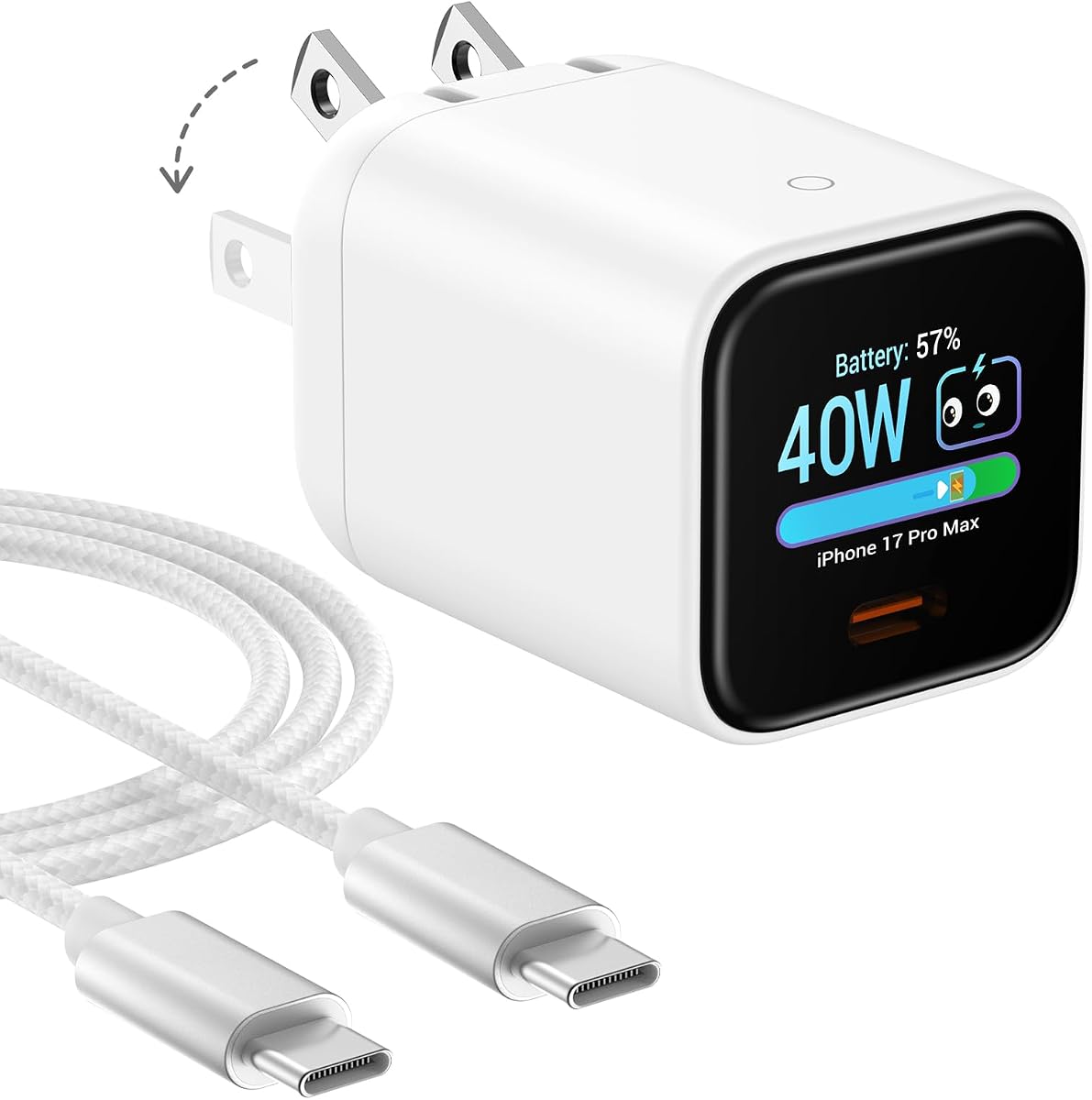
The Anker Nano Smart Display Charger is optimized for iPhones. Rated 4.7, it recognizes supported models automatically. Its standout quality is the Care Mode for overnight battery health.
We may earn a commission when you buy through this link, at no additional cost to you.
This charger delivers up to 45W of fast charging. The smart display shows real-time status with simple taps. It lowers charging temperature by up to 9°F compared to standard chargers.
The display is not a touchscreen, which might be a drawback for some users. It is also not suitable for large laptops. However, for phones and small tablets, it is excellent.
iPhone owners wanting a small charger with battery protection should buy this. It fits easily into pockets and bags. Confirm your device is supported for full display features.
TUV-certified Care Mode lowers charging temperature significantly, ideal for overnight charging to extend battery lifespan.
Features both 90 and 180 foldable prongs for easy use in tight spaces like hotel outlets or power strips.
We may earn a commission when you buy through this link, at no additional cost to you.
Choosing the right charger involves balancing power needs with features like display visibility and port count. This guide explains key factors to consider before purchasing.
Power output determines how fast your devices charge. For laptops, look for 65W or higher, preferably up to 140W for max performance. For phones, 30W to 45W is usually sufficient.
Ensure the total output meets your simultaneous charging needs without excessive slowdown.
More ports allow you to charge multiple devices at once. Count your current devices and plan for future needs. A mix of USB-C and USB-A is often useful for compatibility.
Check if the charger maintains high wattage on all ports when used together.
Displays vary from simple LEDs to color touch screens. Touch screens offer more interactive data like temperature and per-port wattage. Simple displays just show basic status lights.
Choose a display that gives you the information you value most without adding complexity.
Safety features like overheat and overcurrent protection are crucial for device longevity. Look for certifications like PSE or CE. Advanced systems may monitor temperature millions of times a day.
Prioritize chargers with robust protection to prevent damage to expensive electronics.
Travel chargers should be compact with foldable prongs. Desktop chargers can be larger but may need more ports. Consider where you will use the charger most often.
A travel-sized unit is essential for frequent flyers, while a desktop unit suits home setups.
Check that the charger supports your device's charging protocol such as PD or PPS. Some models work best with specific brands like Apple or Samsung. Universal compatibility is generally better.
Verify that the charger can handle your laptop or phone at full speed.
High-quality materials ensure longevity. Look for GaN tech for efficiency and heat reduction. Check reviews for reliability over time and durability of the casing and ports.
Investing in a well-built charger saves money in the long run.
Consider the value proposition of the charger. Higher prices often bring better features or reliability. Compare what you get for the cost before deciding.
Ensure the price matches the features and performance you require.
Plug the charger directly into a wall outlet to ensure proper power flow and avoid extension cords that may limit performance. The display should light up immediately showing your charging status.
Keep the charger in a well-ventilated area to prevent overheating. Do not cover it with fabrics or place it under pillows during use. Clean the display gently with a soft cloth to maintain clarity.
Avoid exposing the charger to moisture or extreme temperatures. Store it in a protective case when traveling to prevent scratches to the display or body. Regularly inspect the ports for dust and debris.
The display typically shows real-time information such as current output wattage, device temperature, and active charging protocol. Some models also show per-port details to help manage power distribution effectively.
Yes, GaN chargers generally run cooler and are more efficient than traditional silicon chargers. They include advanced safety systems that monitor heat and protect devices from voltage spikes or overcurrent.
Yes, high-wattage models like 160W or 140W units are suitable for gaming laptops. Ensure the charger supports enough wattage for your specific laptop model to avoid slow charging.
Yes, most models support standard fast charging protocols like PD or PPS for phones. They adjust output automatically to suit the device connected, ensuring safe and quick charging.
Yes, multi-port models allow you to charge multiple devices simultaneously. They allocate power intelligently so laptops, phones, and tablets can share the total wattage efficiently.
It is normal for chargers to feel warm during high load operation. GaN technology reduces heat but does not eliminate it. Ensure the charger has adequate airflow around it.
We reviewed ten top options for chargers with digital displays, ranging from budget models to high-end stations. Each offers unique strengths depending on whether you prioritize power, port count, or smart features.
Prioritize your specific needs such as total wattage, device compatibility, and display clarity. A desktop setup may differ greatly from a travel requirement, so choose accordingly to get the best value.
Always check current prices and availability before purchasing. Models vary in stock and offers, so verifying details ensures you get the right charger for your devices today.