
Galphi 4K Dash Cam Front
4.4Editor score
4K 2160P Resolution
5GHz WiFi App Control
Includes 32GB Card
This guide compares top Garmin Dash CAM models and competitors, evaluating resolution, features, and performance to help drivers choose the best recording
Finding the right dashboard camera ensures you capture vital footage during your daily drives. A quality unit offers high resolution, reliable storage, and smart features like parking guard to protect your investment on the road.
We evaluated ten leading models based on video quality, connectivity, ease of use, and value. Our analysis covers compact designs, multi-channel options, and advanced safety alerts to help you find the perfect fit for your needs.
Each pick highlights key strengths and potential trade-offs so you can decide with confidence. Note that product availability and pricing may change over time, so verify details before purchasing your new dash cam.
4.4Editor score

4.4Editor score

3.8Editor score
Explore the detailed specifications of all ten selected models side by side to see how they stack up in resolution, field of view, and connectivity options.

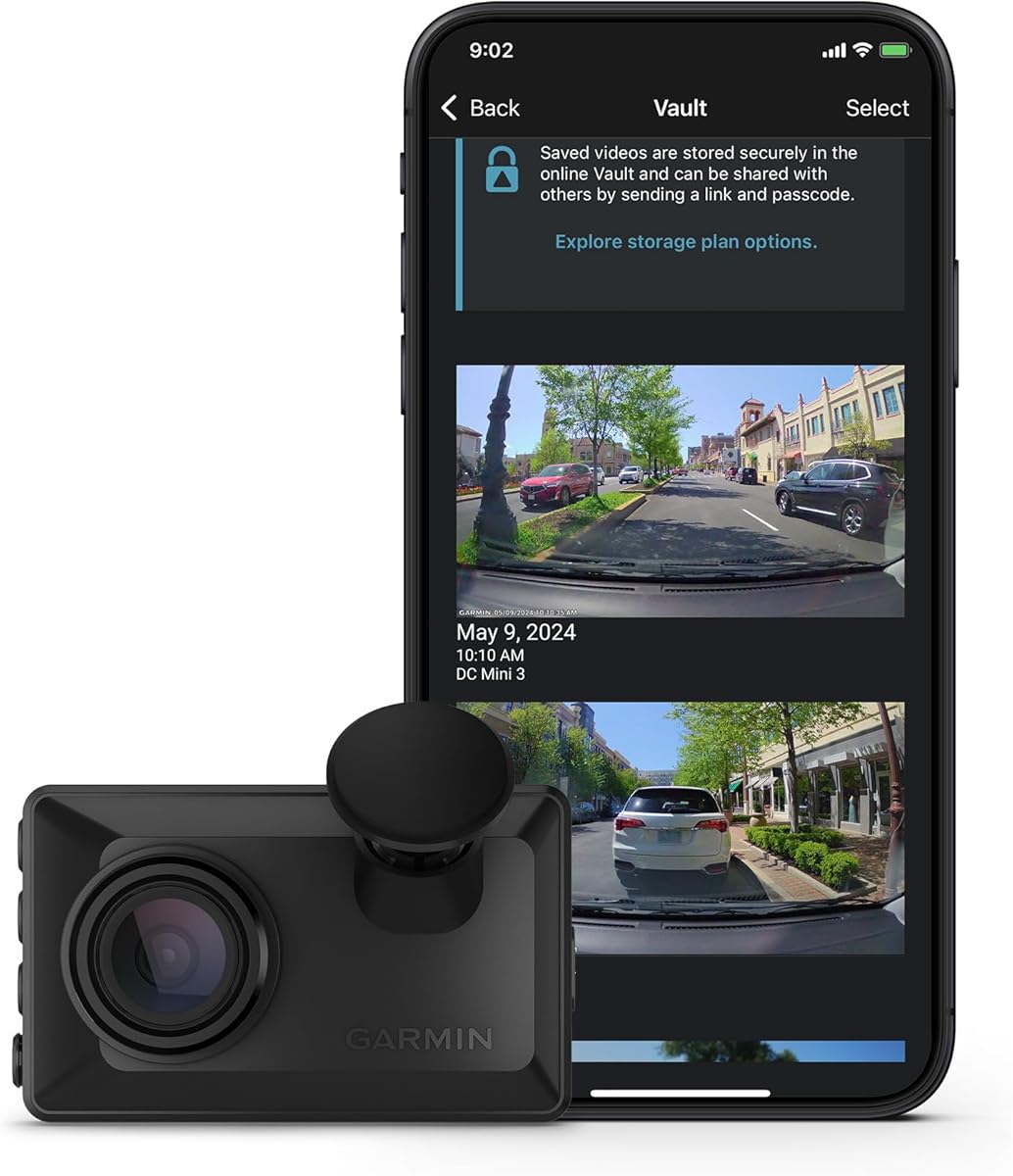




The Garmin Dash Cam Mini 3 delivers reliable 1080p recording with a tiny form factor that stays out of sight. It earns a 4.0 rating for balancing essential features like voice control with cloud connectivity through the Vault service.
We may earn a commission when you buy through this link, at no additional cost to you.
Its key strength is the compact design paired with a 140-degree wide lens that captures clear details day and night. The built-in polarizer reduces glare effectively, and the app makes sharing clips seamless for insurance claims.
However, premium features like live view and remote parking alerts depend on a paid subscription and Wi-Fi connection. This adds ongoing cost, though basic recording remains free without needing constant internet access.
This model suits drivers who want a discreet cam that is easy to use daily. It remains a solid top pick for those valuing simplicity and smart connectivity over raw video resolution.
The key-sized camera mounts cleanly on the windshield, minimizing distraction and preserving your view while still capturing wide-angle footage.
Stored clips upload to the secure Vault online, allowing remote access and easy sharing via the Drive app without manual file transfers.
We may earn a commission when you buy through this link, at no additional cost to you.
The X310 offers premium 4K video quality with an intuitive touchscreen interface for quick playback and setting adjustments. It holds a 3.8 rating reflecting strong imaging capabilities alongside advanced connectivity features.
We may earn a commission when you buy through this link, at no additional cost to you.
Its standout traits include the high-definition sensor that captures fine details like license plates and a wide field of view that reduces blind spots during daily commutes or long trips.
Some users may find the ongoing subscription costs for cloud features like live view and remote parking guard add up over time. Also, availability of driver alerts varies by region and signal conditions.
Buy this if you want top-tier video and built-in GPS tracking with smart safety alerts. It remains a compelling choice for those prioritizing clarity and modern dash camera functions.
Records crisp 4K footage that reveals road details clearly, even in challenging lighting conditions with the polarizer lens reducing glare.
Driver warnings for forward collision and lane departure help maintain situational awareness while navigating busy highways and city streets.
We may earn a commission when you buy through this link, at no additional cost to you.
This compact unit records crisp 1440p video with a 2.4-inch screen for easy playback right on the device. It scores a 4.3 rating for balancing performance with smart features like GPS and parking alerts.
We may earn a commission when you buy through this link, at no additional cost to you.
Its main advantages are the higher resolution than basic 1080p units and the inclusion of driver alerts that enhance safety during routine driving. The wide lens captures ample detail for evidence collection.
Cloud features like remote viewing require a paid subscription and constant Wi-Fi power, which might not suit all users. Local playback works fine though, keeping basic functionality accessible without extra costs.
Choose this model for a balance of resolution and convenience features without jumping to top-tier pricing. It fits drivers who want reliable recording with smart safety tools built in.
View recorded clips instantly on the built-in screen without needing to connect to a phone or computer for quick reviews.
Receive notifications when activity is detected near your parked vehicle, adding an extra layer of protection while you are away.
We may earn a commission when you buy through this link, at no additional cost to you.
The 67W stands out with an extra-wide 180-degree lens that captures more of the surrounding traffic for better situational awareness. It has a 4.2 rating for excellent coverage and sharp 1440p imaging with HDR optics.
We may earn a commission when you buy through this link, at no additional cost to you.
Its broad field of view reduces blind spots effectively, while voice commands simplify control while driving. The package includes a memory card, making it ready to use out of the box immediately.
Continuous parking monitoring and remote live view demand constant power and stable Wi-Fi connectivity, which can be challenging in some setups. Also, cloud uploads are subscription-based for full remote access.
Ideal for drivers needing maximum road coverage and sharp video quality. This unit delivers strong performance for recording incidents and protecting your vehicle with smart connectivity options.
The 180-degree lens captures side lanes and surroundings comprehensively, reducing blind spots and providing broader context during accidents.
Use spoken commands to save clips or start audio recording without taking your hands off the wheel or eyes off the road.
We may earn a commission when you buy through this link, at no additional cost to you.
This 3-channel model records 4K front and rear plus 1080p interior coverage for complete vehicle protection. It earns a high 4.8 rating for delivering comprehensive monitoring at a competitive price point.
We may earn a commission when you buy through this link, at no additional cost to you.
Its strengths include the triple-lens setup covering all angles, combined with advanced night vision for clarity in low light. The free 128GB card and WiFi 6 ensure ample storage and fast file transfers.
Installation involves running cables to all cameras and a hardwire kit for parking modes, which can be tricky for beginners. Also, features rely on app settings that some users may find detailed.
Buy this if you need total interior and exterior visibility for security or rideshare use. It offers impressive value with high-end specs and robust recording capabilities.
Front, rear, and cabin cameras ensure all angles are captured, minimizing blind spots and providing full evidence in any incident.
Dual-band WiFi 6 enables quick video downloads and app control, making reviewing footage and sharing clips efficient and easy.
We may earn a commission when you buy through this link, at no additional cost to you.
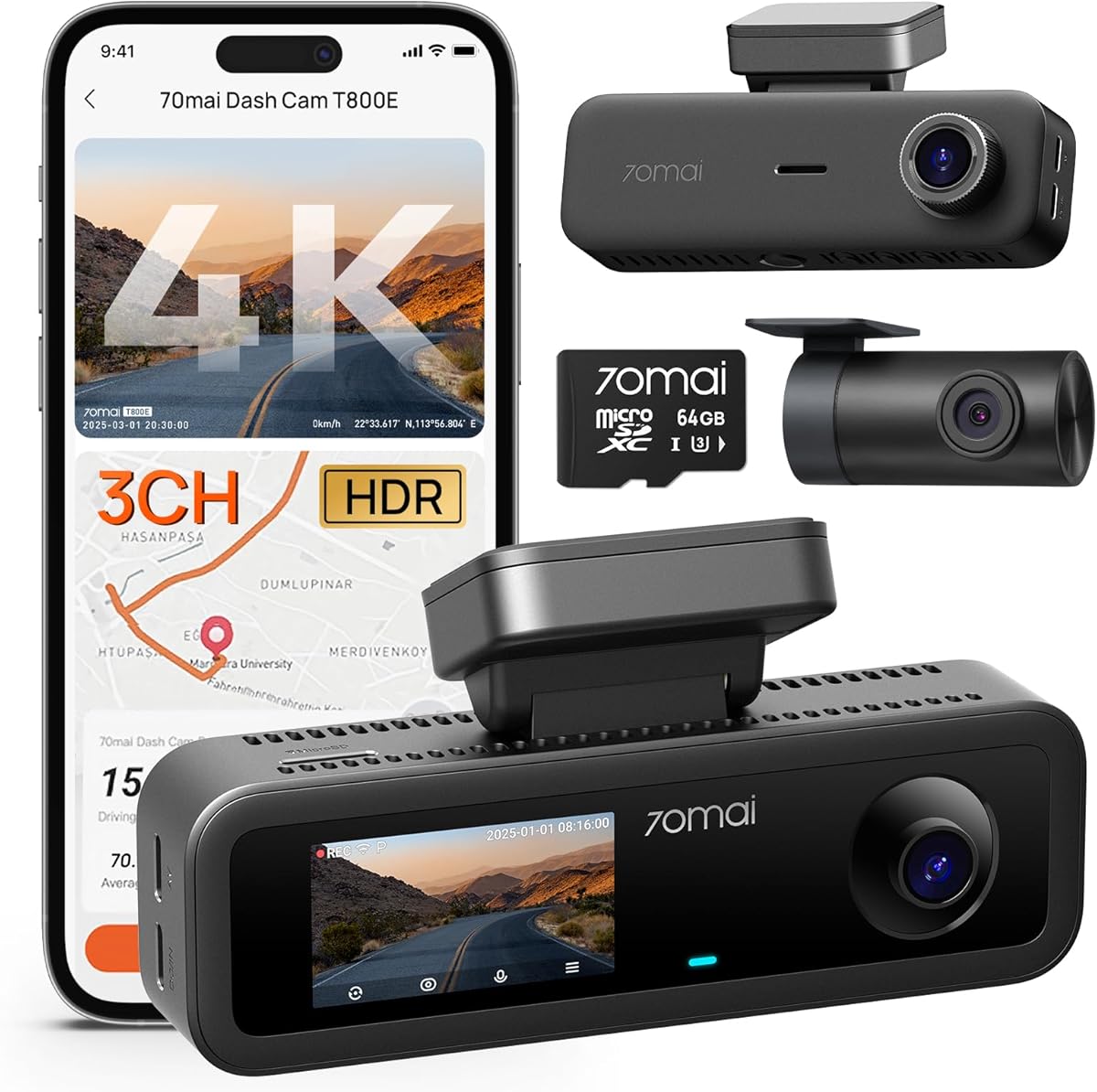
The T800E combines 4K front, 1080p rear, and 1080p interior cameras for total safety coverage in rideshare or family use. It holds a 4.5 rating for solid performance with smart parking and night features.
We may earn a commission when you buy through this link, at no additional cost to you.
Its interior camera with switchable IR ensures clear footage at night, while fast WiFi 6 makes file access smooth. The super capacitor ensures stable performance even under extreme heat or cold conditions.
Users should note that 4G connectivity is not supported, limiting remote features without local Wi-Fi. Also, only a 64GB card is included, so consider upgrading for longer continuous recording.
This model suits drivers seeking reliable protection with strong night vision and fast app connectivity. It balances high-end specs with practical features for daily use and security.
Switchable IR lights provide clear cabin recording in the dark, ensuring interior visibility without distracting glare or visible lighting.
The super capacitor design maintains reliable operation across wide temperature ranges, reducing failure risks in hot or cold climates.
We may earn a commission when you buy through this link, at no additional cost to you.
This budget-friendly unit offers stunning 4K resolution and 5GHz WiFi for quick transfers without breaking the bank. It earns a 4.4 rating for strong imaging and essential features like loop recording and G-sensor.
We may earn a commission when you buy through this link, at no additional cost to you.
Its main benefits are the compact design that avoids distraction and included 32GB card for immediate use. Fast app downloads and HDR night vision ensure clear footage day or night for insurance needs.
However, it lacks a display so setup requires app connection, and parking mode needs a separate hardwire kit. Some users may find the included storage a bit limited for extended recording sessions.
Choose this if you need high-resolution recording at an entry-level price. It delivers excellent value for drivers seeking reliable evidence without complex setups or screens.
Without an on-screen display, the unit blends into the windshield view, keeping focus on the road while recording essential details.
5GHz WiFi enables quicker video downloads compared to standard bands, making it easy to share clips or review footage promptly.
We may earn a commission when you buy through this link, at no additional cost to you.
The A800SE delivers 4K front and rear recording with a bright 3-inch IPS screen for instant playback. It holds a 4.4 rating for balanced performance and practical features like ADAS alerts and parking mode.
We may earn a commission when you buy through this link, at no additional cost to you.
Its strengths include flexible rear camera placement, dual HDR for night clarity, and a large 128GB card for extended use. The app makes quick previewing simple without removing the memory card.
However, parking mode requires constant power and optional hardware, which might be too much for simple setups. Also, remote features rely on app connectivity rather than direct LTE access.
This model suits those wanting clear on-screen control and advanced safety warnings. It provides strong video quality and practical tools for daily driving protection and security.
Adjustable rear lens allows recording behind or inside cabin for adaptable monitoring based on your specific vehicle needs and preferences.
ADAS systems warn of forward collision or lane departure helping maintain focus and safety while navigating busy roads regularly.
We may earn a commission when you buy through this link, at no additional cost to you.
The Live model offers always-on LTE connectivity for remote viewing and vehicle tracking without relying on Wi-Fi. It has a 3.5 rating for its advanced connectivity features alongside solid recording and safety tools.
We may earn a commission when you buy through this link, at no additional cost to you.
Its standout capability is real-time access to your car via the app, with theft alerts and parking monitoring available anytime. High-definition video and GPS tracking add strong evidence for insurance or police use.
However, maintaining the connection requires an ongoing LTE subscription and constant power which increases total cost. Some drivers may also find the setup steps involved for proper LTE configuration.
Buy this if you need continuous remote monitoring and live access to your vehicle. It suits high-security needs where instant alerts and live feeds are top priorities.
LTE connection provides constant access to live view and alerts anywhere, removing reliance on nearby Wi-Fi networks for remote monitoring.
Receive notifications when activity is detected near your vehicle, offering proactive protection and peace of mind when parked.
We may earn a commission when you buy through this link, at no additional cost to you.
The X210 delivers crisp 4K video in a compact design with a touchscreen for intuitive control. It holds a 3.8 rating for strong imaging paired with smart features like alerts and parking guard.
We may earn a commission when you buy through this link, at no additional cost to you.
Its advantages include high-resolution capture and clear on-device playback making it easy to review footage without extra steps. Voice commands simplify operation while driving, and GPS logs your route for records.
Remote features depend on paid subscriptions and constant Wi-Fi which might be too limiting for some users. Basic recording and storage work locally though, ensuring core functions are always available.
This model fits drivers seeking a balance of resolution and smart connectivity in a portable frame. It remains a reliable pick for daily recording with modern safety and access features.
Review clips and adjust settings easily via the screen without needing a phone, making quick access straightforward during any drive.
Get notified of incidents while parked when connected, adding peace of mind and security during overnight stops away from home.
We may earn a commission when you buy through this link, at no additional cost to you.
Selecting the right model depends on your specific needs like video quality, coverage, and connectivity. Consider these factors to find the perfect fit.
Higher resolution like 1440p or 4K captures clearer details such as license plates and road signs. This improves evidence quality for insurance claims or police reports.
Opt for 1440p or higher if you need maximum clarity during day and night driving.
A wider lens range like 140 to 180 degrees covers more lanes and reduces blind spots. This ensures broader context for capturing accidents or near misses effectively.
Choose at least 140 degrees to keep surrounding traffic visible in your recordings.
Built-in memory or included cards provide immediate recording while support for larger cards allows longer loops. Some models offer cloud storage options for remote access and backup.
Ensure support for high-capacity SD cards to avoid frequent overwriting of important clips.
Wi-Fi or LTE connectivity enables remote viewing, app control, and instant alerts. LTE provides always-on access while Wi-Fi depends on local network availability.
Select based on whether you prioritize remote live access or local convenience.
Parking guard modes monitor your vehicle when off and alert you of incidents. Some require constant power and hardwiring while others work with battery packs.
Look for built-in parking alerts if you need overnight protection against break-ins.
ADAS features like lane departure or collision warnings promote safer driving habits. These alerts vary by region but add value for situational awareness on highways.
Check regional availability before expecting safety alerts to work consistently.
Compact units like mini models stay discreet while multi-camera setups need more wiring and effort. Screen-free designs reduce distraction but need app setup for controls.
Pick a size and install type that matches your windshield space and tech comfort level.
Cloud access and live views often require paid plans adding to total cost. Local recording remains free but premium remote features may incur monthly fees.
Review subscription terms to budget for ongoing costs beyond the initial purchase.
Mount the camera securely on the windshield using the adhesive mount so it faces forward without obstructing your view. Position it near the rearview mirror for best coverage.
Format the memory card before first use via the app or menu to prevent errors. Enable loop recording and G-sensor settings so important footage is protected during drives.
Clean the lens regularly with a microfiber cloth to maintain clarity and remove dust or smudges. Store the device in a cool place when not in use to avoid heat damage.
For clear evidence, 1440p or 4K resolution is ideal because it captures fine details like license plates. Lower resolutions like 1080p work for basic recording but may miss small text.
Most models require a paid subscription for full cloud access and remote live views. Local playback and basic file sharing often work without a paid plan.
Parking guard monitors movement around your vehicle and records if an incident occurs. It needs constant power and Wi-Fi or LTE to send alerts to your phone.
Yes most units operate within broad temperature ranges but extreme cold can impact battery performance. Models with super capacitors handle temperature swings better than those with batteries.
A card of 128GB or larger supports longer recording and loop times. Always use high-endurance Class 10 or V30 cards for reliable video recording.
ADAS alerts vary by region due to laws and map data. Check local availability before assuming collision or speed warnings will function in your area.
Most units record audio with the video. Voice commands are supported for saving clips and managing settings hands-free while driving.
Yes some models allow syncing up to four cameras for multi-angle views via the app. Each additional unit must be purchased separately.
Our top picks include the Garmin Dash Cam Mini 3 for smart compact features and the AProX 3 Channel for complete coverage. Each offers unique strengths in resolution or connectivity.
Consider your priorities such as cloud access or parking protection before buying. A unit matching your daily routine and security needs will deliver the most value over time.
Prices and availability may change so check current listings before purchasing your dash camera today. This guide helps you select a model that keeps your drives safe and documented.