
Seagate 8TB BarraCuda Internal Hard Drive
4.7Editor score
Proven reliability for PCs
190MB/s transfer rate
Frustration free packaging
Selecting the right hard drive for RAID 0 requires balancing speed capacity and reliability. This guide helps you find drives optimized for performance-intensive tasks without compromising data integrity.
We evaluated ten top-rated models based on RPM cache capacity and workload ratings. Our analysis focuses on drives proven to handle the demands of striped storage configurations effectively.
Each pick highlights key strengths and trade-offs for different use cases. Prices fluctuate often so check current listings before purchasing to ensure you get the best value today.
4.7Editor score

4.7Editor score

4.6Editor score
As an Amazon Associate we earn from qualifying purchases.
This side-by-side comparison highlights key specifications for every selected drive. Use it to quickly identify capacity RPM and cache differences across the lineup.





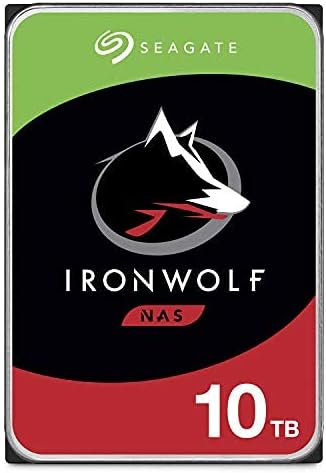

This IronWolf drive earns top marks for its balanced performance and reliability. With a strong rating and CMR technology it suits striped storage needs well.
We may earn a commission when you buy through this link, at no additional cost to you.
Its AgileArray features ensure consistent operation under heavy RAID loads. The 256MB cache helps smooth out data transfers during intense workloads.
While priced higher than consumer drives its workload rating justifies the cost. It delivers stability that prevents bottlenecks in multi-drive arrays.
Buyers needing a reliable primary storage solution should consider this model. It stands out for professional environments requiring sustained throughput.
Dual-plane balancing and error recovery optimize RAID operations effectively.
IronWolf Health Management provides proactive alerts to prevent drive failures.
We may earn a commission when you buy through this link, at no additional cost to you.
The BarraCuda offers a budget friendly entry into high capacity storage. Its performance metrics make it suitable for lightweight RAID setups.
We may earn a commission when you buy through this link, at no additional cost to you.
With speeds up to 190MB/s it handles typical PC applications well. The drive builds on decades of innovation for reliable operation.
It lacks specific NAS features but remains viable for single user use. Consider it for less critical striped storage configurations.
Users seeking cost effective storage for non server environments will appreciate this choice. It delivers value without sacrificing basic performance.
Ideal for building powerful desktop setups with diverse capacities.
Consistent transfer rates support video editing and photo workflows.
We may earn a commission when you buy through this link, at no additional cost to you.
This enterprise drive delivers unmatched capacity and reliability for heavy duty RAID. Its rating reflects consistent performance in demanding server workloads.
We may earn a commission when you buy through this link, at no additional cost to you.
With 24TB of space it supports extensive data requirements efficiently. The CMR tech ensures no performance drops during sustained writes.
Designed for 24/7 operation it minimizes risk of downtime. However it is best suited for large scale environments rather than home use.
Organizations needing massive storage pools should prioritize this model. It sets the standard for enterprise RAID storage solutions.
2.5M hours MTBF ensures long term dependability for data centers.
Engineered specifically for massive scale out and high density needs.
We may earn a commission when you buy through this link, at no additional cost to you.
IronWolf Pro delivers powerhouse performance for smaller NAS arrays. Its design focuses on stability and speed for shared storage environments.
We may earn a commission when you buy through this link, at no additional cost to you.
The drive offers 214MB/s speeds and includes recovery service for peace of mind. It reduces wear and tear during heavy file sharing.
While capacity is limited it remains a solid choice for focused needs. Consider it for compact RAID 0 configurations requiring reliability.
Users prioritizing low noise and data protection will find this appealing. It strikes a good balance for professional use.
Designed specifically for 24 bay server environments requiring stability.
Integrated IronWolf Health Management tracks drive health over time.
We may earn a commission when you buy through this link, at no additional cost to you.
This 16TB drive brings enterprise grade features to NAS RAID. It supports massive workloads with consistent performance for any time access.
We may earn a commission when you buy through this link, at no additional cost to you.
With a 550TB/year rating it handles heavy traffic without lags. The AgileArray features ensure top RAID performance in multi-bay setups.
While it requires specific hardware its dependability is unmatched. Use it for systems needing extensive storage reliability.
Professional environments should consider this for critical data. It delivers reliability for total cost of ownership.
All-CMR portfolio enables industry leading 24/7 availability.
Rotational vibration sensors optimize operation in multi-drive enclosures.
We may earn a commission when you buy through this link, at no additional cost to you.
WD Red Plus is tailored for small business NAS with consistent speeds. Its firmware ensures optimum performance across compatible systems.
We may earn a commission when you buy through this link, at no additional cost to you.
With a 512MB cache it supports efficient data transfer. The 180TB/year workload rating makes it suitable for daily use.
Though rated lower than pro models it meets essential RAID needs. Consider it for standard NAS arrays needing stability.
Buyers seeking verified compatibility should favor this drive. It is built for 24×7 environments.
NASware ensures compatibility with various NAS system vendors.
Specific uses for small or medium business systems.
We may earn a commission when you buy through this link, at no additional cost to you.
WD Red Pro handles high intensity workloads across unlimited bays. Its design focuses on sustained operation for multi user systems.
We may earn a commission when you buy through this link, at no additional cost to you.
With 550TB/year rated capacity it supports heavy traffic efficiently. The drive undergoes extensive testing with vendors for compatibility.
While pricing is steep it supports demanding enterprise environments. Use it where performance and uptime matter most.
Organizations needing large scale storage should consider this. It supports intense daily operations.
Western Digital partners with wide range of vendors for testing.
Maximum workload specified for typical temperature of 40C.
We may earn a commission when you buy through this link, at no additional cost to you.
This IronWolf model ensures optimized operation for striped arrays. Its high rating reflects consistent performance and reliability.
We may earn a commission when you buy through this link, at no additional cost to you.
With RV sensors it minimizes vibration related risks effectively. The AgileArray features ensure balanced operations across bays.
While specific to NAS it provides strong RAID performance. It is a dependable choice for shared data.
Users prioritizing health management will appreciate its tools. It offers peace of mind for critical data.
Designed for multi-user NAS workloads up to 180TB/year.
Includes 3-Year Rescue Service with 95% success rate.
We may earn a commission when you buy through this link, at no additional cost to you.
This IronWolf variant suits NAS enclosures up to 8-bay. Its focus is on performance and minimizing downtime during use.
We may earn a commission when you buy through this link, at no additional cost to you.
With health management integration monitoring is straightforward and effective. It provides increased file-sharing capabilities for teams.
While an older version it maintains strong reliability standards. Consider it for compact RAID setups needing stability.
Users seeking straightforward NAS solutions will appreciate its tools. It is built for multi-user environments.
Purpose built for enclosures increasing file-sharing performance.
Delivers little to no noise during operation.
We may earn a commission when you buy through this link, at no additional cost to you.
WD Red Plus offers quiet performance for smaller NAS arrays. Its 5400 RPM class provides stable operation for home users.
We may earn a commission when you buy through this link, at no additional cost to you.
The CMR technology ensures consistent speeds and longevity. NASware compatibility ensures it works with most enclosures.
While slower than 7200 RPM models it is efficient. Consider it for non intensive RAID storage needs.
Buyers seeking low noise and solid reliability should choose this. It fits well in 24×7 environments.
5400RPM class offers balanced speed and quiet operation.
Supports annualized data transfer rates effectively.
We may earn a commission when you buy through this link, at no additional cost to you.
Selecting the right drive involves evaluating RPM, cache, and workload ratings to match your setup.
Choose a drive with sufficient TB to handle your total data needs plus future growth.
Prioritize high capacity for extensive media libraries and project files.
Look for 7200 RPM drives to ensure faster access times and transfer rates.
Higher RPM reduces latency critical for RAID striped configurations.
Select drives with larger buffers like 256MB or 512MB for smoother data flow.
Adequate cache prevents bottlenecks during multi-drive writes.
Verify annualized workload ratings like 180TB or 550TB/year for 24×7 usage.
High ratings indicate durability for constant access environments.
Ensure Conventional Magnetic Recording is used to avoid SMR performance degradation.
CMR guarantees consistent speeds during sustained writes.
Check Mean Time Between Failures numbers to gauge long term reliability.
Higher MTBF means fewer chances of failure in critical arrays.
Confirm firmware like NASware or AgileArray matches your RAID controller.
Optimized firmware prevents timeouts during rebuilds.
Prioritize drives offering multi-year warranties and data recovery services.
Coverage protects your investment against unexpected failures.
Install drives in matched pairs to ensure uniform performance across the array.
Enable AHCI mode in BIOS for best data throughput without latency.
Regularly monitor SMART status to detect early warning signs of failure.
Yes SATA drives are widely compatible with RAID 0 setups due to standardized interfaces. Ensure they have similar specs to avoid performance bottlenecks in the array.
CMR ensures consistent write speeds during stripe operations. SMR may introduce delays which can disrupt striped performance and reliability.
RAID 0 stripes data across drives providing higher throughput speeds. This setup doubles read/write rates compared to single disks.
Use built-in monitoring tools like IronWolf Health Management or SMART utilities. Regular scans help detect bad sectors early before failure.
Most NAS and enterprise drives offer five year warranties. Some include data recovery services for added protection against loss.
Mixing brands is possible but matching capacities and speeds is recommended. Mismatched drives can cause performance issues and uneven wear.
Basic RAID setups require a RAID controller or motherboard support. Ensure BIOS is configured for AHCI to utilize full potential.
NAS drives have better vibration and multi-drive handling features. They are built for 24×7 operation reducing risk of early failure.
Our top picks cover every budget and capacity need from IronWolf Pro to Ultrastar models.
Focus on CMR technology and workload ratings to ensure sustained speeds in striped arrays.
Verify current stock and compatibility before purchasing to optimize your setup today.