
OREI 4×2 HDMI Matrix Switch 4K
4.1Editor score
Affordable 4K@60Hz performance
Built-in 1080p downscaler
Includes ARC and IR remote
This guide compares the top 10 HDMI Matrix Switch models for 2026, evaluating features like 8K support, audio extraction, and scaling for optimal AV setups.
Choosing the right HDMI Matrix Switch ensures seamless connectivity between multiple sources and displays. A good model supports high resolutions, manages audio routing, and maintains signal integrity across your entire home or commercial AV system without degradation.
We evaluated ten leading HDMI Matrix Switches based on resolution support, audio capabilities, control options, and build quality. Our analysis covers everything from compact 4×2 units to expansive 8×8 systems designed for professional installations requiring advanced management.
Each pick highlights specific strengths like 8K readiness or budget-friendly 4K performance. While prices fluctuate due to market demand, these models offer reliable performance. Check current listings for the best deals before finalizing your AV infrastructure investment today.
4.1Editor score

4.3Editor score

4.7Editor score
This side-by-side comparison breaks down the key specifications of each HDMI Matrix Switch to help you decide which model fits your specific resolution and routing needs.

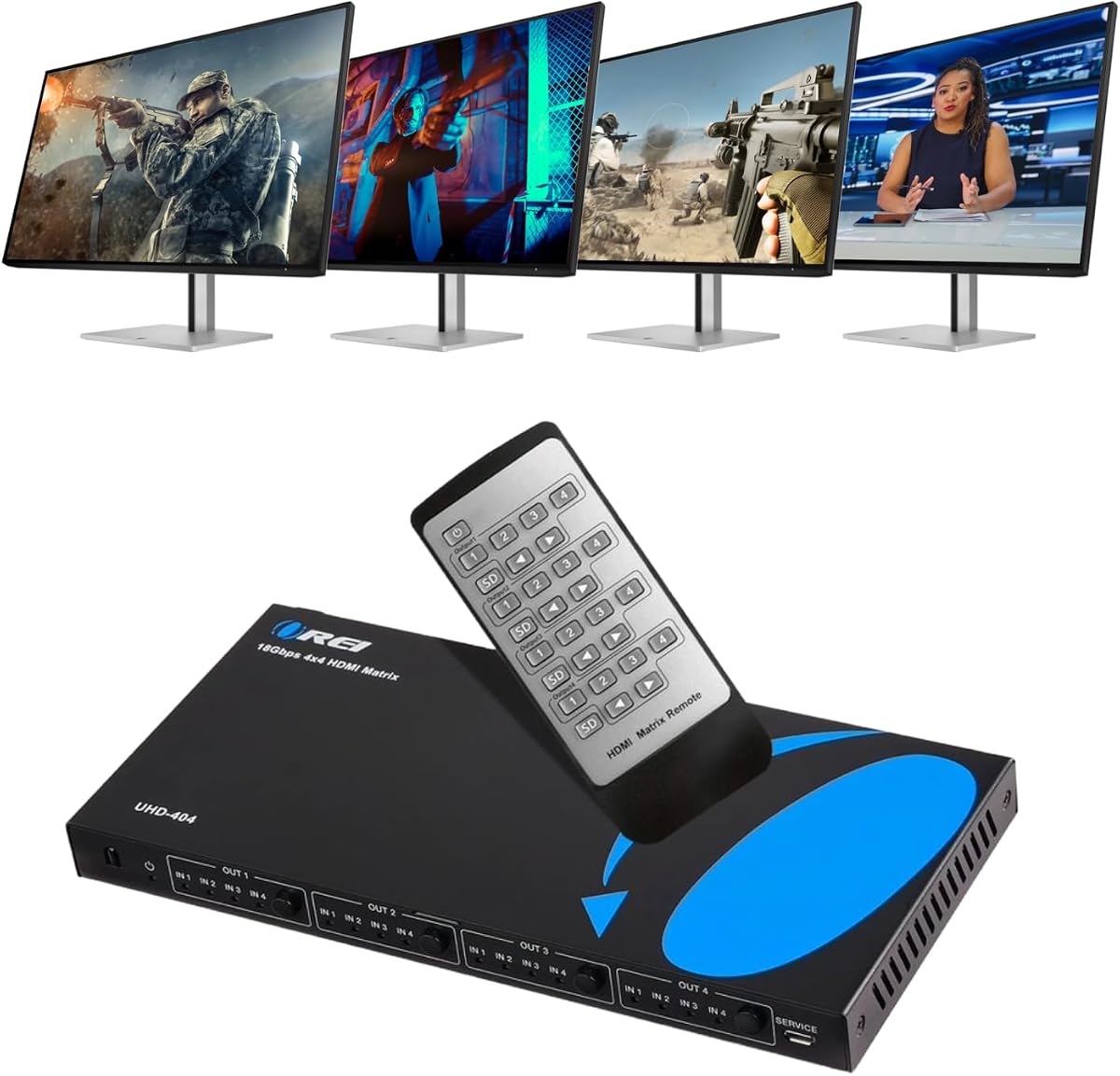


The OREI 4×2 HDMI Matrix Switch stands out as the premier choice for future-proof AV setups. With a rating of 4.3, it delivers professional-grade distribution that supports the latest 8K standards.
We may earn a commission when you buy through this link, at no additional cost to you.
Its standout feature is the support for 8K@60Hz with 40Gbps bandwidth, making it ideal for next-gen consoles and high-end projectors. The inclusion of HDMI 2.1 features like VRR and ALLM ensures smooth gaming experiences without screen tearing.
While it excels in video performance, the audio capabilities are equally strong. It supports eARC between Input 1 and Output 1, and offers extraction via Optical and Analog outputs. This allows you to route sound to a soundbar independently of the video signal.
If you need a reliable 2 for high-end home theaters or commercial displays, this model is the top recommendation. It ensures your system remains compatible with upcoming hardware without needing an upgrade soon.
Supports resolutions up to 8K@60Hz with 4:2:0 10-bit color depth for stunning visual clarity.
De-embeds audio via Optical SPDIF and 3.5mm outputs while maintaining full surround sound format compatibility.
We may earn a commission when you buy through this link, at no additional cost to you.
This OREI 4×4 Matrix Switch is a strong contender for users needing symmetrical routing options. With a 4.5 rating, it offers solid performance for home theaters and digital signage applications.
We may earn a commission when you buy through this link, at no additional cost to you.
The device supports 4K@60Hz with 18Gbps bandwidth, ensuring crisp visuals across all four output displays. It includes ARC support on Output A, allowing audio to return from the TV to the matrix for external speakers.
Audio extraction is handled via Optical and 3.5mm outputs on specific ports. This flexibility is great for environments where sound needs to be separated from the visual feed entirely.
Ideal for commercial setups or larger home systems, this switch balances cost and performance effectively. It is a dependable choice when you need four independent inputs and outputs without extra complexity.
Route any of four sources to any of four displays independently for maximum layout customization.
Constructed with a durable metal enclosure to ensure long-lasting performance and reliable heat dissipation.
We may earn a commission when you buy through this link, at no additional cost to you.
The OREI 4×4 Matrix Switch with Downscale is perfect for setups mixing 4K and 1080p displays. It handles resolution conversion automatically to keep all screens active without errors.
We may earn a commission when you buy through this link, at no additional cost to you.
Its downscaling capability allows 4K content to convert to 1080p on specific outputs. This ensures you can use an older projector alongside a modern 4K TV seamlessly.
The unit comes with a dual-voltage power supply, making it suitable for international travel or diverse power environments. This is a rare feature in consumer AV gear that adds significant value.
If you manage a conference room or classroom with older displays, this model offers the versatility you need. It ensures stable handshaking across different device generations without signal drops.
Automatically converts 4K signals to 1080p for compatible displays without affecting the main output.
Dual-voltage power supply included with adapter for worldwide use in various power outlets.
We may earn a commission when you buy through this link, at no additional cost to you.
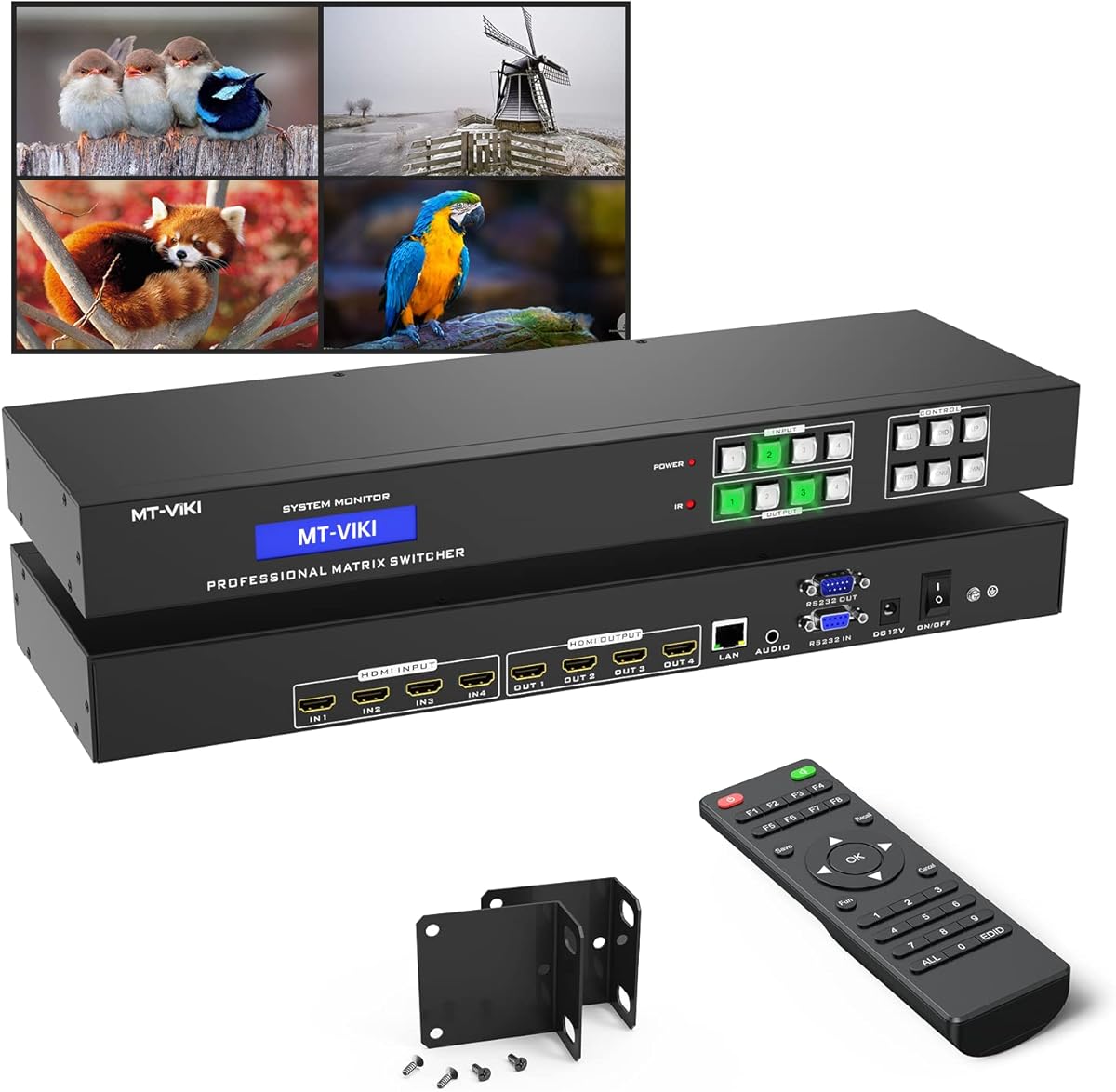
This MT-VIKI matrix excels in environments requiring centralized control. The Web GUI and LAN port allow operators to switch sources remotely using a computer or smartphone app.
We may earn a commission when you buy through this link, at no additional cost to you.
It is designed for professional spaces like churches and conference rooms where reliability is key. The RS232 port enables integration with third-party automation systems for seamless event management.
Audio extraction is available on Output 4 via 3.5mm. While limited to one port, this is often sufficient for directing sound to a central speaker system in a room.
For IT managers or AV integrators, this switch offers the connectivity tools needed for robust installations. It fits standard 1U racks and includes all necessary cables for setup.
Includes Web GUI and LAN control for easy switching from any location on the network.
Fits standard 1U 19-inch cabinets with included ears and screws for professional installation.
We may earn a commission when you buy through this link, at no additional cost to you.
This OREI 4×2 Switch offers excellent value for budget-conscious buyers needing 4K performance. It supports 4K@60Hz and includes useful features like ARC and downscaling.
We may earn a commission when you buy through this link, at no additional cost to you.
The device uses a USB power supply, which simplifies cable management compared to bulky external adapters. This makes it a clean addition to any media console setup.
It includes ARC support, allowing audio to return from a TV to the matrix for external speakers. The front-panel buttons and IR remote ensure easy control without needing a complex interface.
Ideal for home entertainment centers, this unit provides essential routing without unnecessary frills. It is a practical choice for those who prioritize cost-effectiveness and core functionality.
Includes USB power charger and cable for simplified connection to existing power sources.
Connect four sources to two displays with independent switching via remote or front panel buttons.
We may earn a commission when you buy through this link, at no additional cost to you.
This upgraded 4K@60Hz matrix offers a straightforward solution for basic switching needs. It supports 4 inputs and 2 outputs with dedicated optical and stereo audio extraction options.
We may earn a commission when you buy through this link, at no additional cost to you.
The metal shell ensures durability and heat dissipation. It also includes built-in amplification functions to maintain signal quality over longer cable runs without loss.
Audio can be extracted via SPDIF or 3.5mm ports, providing flexibility for different speaker systems. The remote control allows quick input changes without accessing the device directly.
A good option for offices or small conference rooms, this unit handles standard AV distribution efficiently. It is easy to install and provides reliable performance for everyday use.
Extract audio via Optical SPDIF or 3.5mm analog outputs for various speaker setups.
Built-in automatic equalization and amplification functions ensure best transmission without loss.
We may earn a commission when you buy through this link, at no additional cost to you.
This OREI 4×2 Switch is a solid mid-range option for home theater enthusiasts. It supports up to 4K@60Hz with HDR10+ and offers versatile EDID management for stable connections.
We may earn a commission when you buy through this link, at no additional cost to you.
The device allows independent downscaling, meaning one display can be 4K while another is 1080p. This is useful for mixed-resolution setups where all screens should remain active.
It includes mounting ears for rack installation and supports ARC for audio return. The reliable handshake ensures that devices stay connected without flickering or signal loss.
Perfect for living room entertainment systems, this matrix handles standard high-definition content effortlessly. It balances price and features well for users needing consistent 4K performance.
Compatible with Dolby Vision, HDR10+, and HLG for enhanced picture quality on supported displays.
Includes AUTO, COPY, and STD EDID modes to ensure stable handshaking and optimal performance.
We may earn a commission when you buy through this link, at no additional cost to you.
This OREI 8×8 Matrix is built for complex installations needing extensive routing. It supports eight inputs and eight outputs with WebGUI and RS-232 control options for advanced management.
We may earn a commission when you buy through this link, at no additional cost to you.
While limited to 4K@30Hz, it is sufficient for professional signage or monitoring systems where refresh rate is secondary to content distribution. The device ensures every source can be viewed on any screen.
The unit supports HDCP 2.2 for protected content and includes comprehensive IR control. It is designed for environments like control rooms or corporate offices requiring reliable long-term operation.
For large-scale projects, this model offers the necessary port count and control flexibility. It is an investment in a system that can grow with your connectivity needs over time.
Control routing and settings via a web interface for easy remote management of the matrix.
Includes RS-232 port for seamless integration with third-party automation and control systems.
We may earn a commission when you buy through this link, at no additional cost to you.
This OREI 8×8 Extender distributes sources to sixteen displays using eight HDMI and eight CAT outputs. It is ideal for installations where devices are far from the control center.
We may earn a commission when you buy through this link, at no additional cost to you.
Using CAT6/7 cabling, it extends signals up to 230 feet without degradation. The 12V PoC feature powers receivers directly through the network cable, eliminating extra adapters.
Video quality remains at True 4K60Hz 4:4:4 with HDR10+ support. This ensures premium displays receive uncompressed high-fidelity content even over long distances.
For large venues or multi-room systems, this extender provides unmatched flexibility. It simplifies wiring and keeps high-definition signals intact across wide spaces.
Extend HDMI up to 230 feet over standard CAT6 or CAT7 network cabling.
Each port provides 12V PoC to power receivers without needing extra power adapters.
We may earn a commission when you buy through this link, at no additional cost to you.
The OREI 8×8 HDMI Matrix Switch represents the top tier of matrix technology. It combines 8K HDMI 2.1 support with an extensive eight input and eight output design.
We may earn a commission when you buy through this link, at no additional cost to you.
This model supports advanced audio extraction and EDID management for perfect compatibility with all connected devices. It is built for high-end commercial AV and large home theaters.
With a 4.7 rating, users praise its stability and performance. The device handles complex routing tasks smoothly and ensures every display receives the correct signal without latency.
If budget is not a constraint and you need maximum capability, this is the definitive choice. It sets the standard for what a professional HDMI Matrix Switch should be.
Handles 8K resolution via HDMI 2.1 to future-proof your high-end AV infrastructure.
Designed for professional environments with features ensuring stable long-term operation.
We may earn a commission when you buy through this link, at no additional cost to you.
Selecting the right HDMI Matrix Switch involves matching specifications to your specific setup needs. This guide covers the critical factors to consider for a successful installation.
Check if the matrix supports your display's maximum resolution. 4K models are common, but future-proofing may require 8K HDMI 2.1 models to handle next-gen devices.
Ensure the bandwidth matches your needs. 18Gbps supports 4K@60Hz, while 40Gbps is required for 8K resolutions.
Count your input sources and output displays to choose the right X by X layout. Common configurations include 4×2, 4×4, and 8×8 depending on system size.
More outputs allow for flexible multi-room setups, but ensure you only purchase what you need to avoid unnecessary costs.
Look for matrices with audio extraction if you need separate sound output. Optical and 3.5mm analog outputs are standard for connecting external speakers.
Advanced models may include ARC or eARC support for returning audio from a TV to an external amplifier system.
Consider how you want to control the switch. Basic models use IR remotes, while professional units offer WebGUI, RS-232, or LAN control for integration.
Remote web access is valuable for managing displays in different rooms or for automated commercial setups.
EDID management ensures displays and sources agree on resolution. Look for Auto, Copy, or Standard modes to prevent handshake errors.
This feature is critical when mixing different types of displays to ensure all screens stay active without issues.
Metal enclosures offer better heat dissipation and durability compared to plastic. This is vital for devices that will be mounted in racks for long periods.
Check for cooling designs and sturdy connectors to ensure the device survives continuous operation without overheating.
If your system uses mixed resolutions, downscaling ensures compatibility. It allows a 4K source to display on 1080p screens without errors.
Not all matrices support independent downscaling, so verify this feature if you plan to use older monitors.
Determine the power requirements. Some models use USB or low-voltage adapters, while others need dedicated high-output supplies for stable signals.
Long cable runs may require power injection or specific adapters to maintain signal strength over distance.
Connect all HDMI sources to the input ports and displays to the output ports using high-speed cables. Ensure cables are seated firmly to prevent connection drops during use.
Use the remote or front buttons to select your desired source. Some models require EDID settings to be adjusted if displays do not light up immediately after connection.
Keep the device in a well-ventilated area to prevent overheating. Dust buildup can restrict airflow in metal enclosures, so clean vents periodically to maintain performance.
Quality matrix switches do not degrade signal quality when using certified cables. They are designed to maintain the integrity of high-bandwidth data streams like 4K or 8K.
A splitter sends one input to multiple outputs. A matrix allows any input to be routed to any output independently. This gives you full control over what displays on each screen.
No. A 4K matrix will likely downgrade 8K signals to 4K or fail to display. You need an HDMI 2.1 matrix to pass through 8K resolutions correctly.
Adjust the EDID settings on the matrix to match your largest display. Using the Copy mode often resolves handshake issues between different display models.
Only if you want to connect multiple consoles to multiple TVs. For a single console and one TV, a simple switch is sufficient without needing full matrix routing.
Yes, many models support audio extraction via Optical or 3.5mm ports. This allows you to send sound to a soundbar while keeping video on the screen.
WebGUI or RS-232 control is best for large offices. It allows IT staff to manage sources remotely without needing physical access to the device.
You should use high-speed HDMI cables rated for your resolution. 4K requires High Speed cables, while 8K requires Premium High Speed cables.
We reviewed ten HDMI Matrix Switches ranging from affordable 4×2 units to professional 8×8 extenders. Our top pick is the OREI 4×2 8K Matrix for its future-proof capabilities.
When choosing, prioritize resolution support and port count to match your current and future needs. Consider audio extraction if you need independent sound routing for your system.
Always check current availability before purchasing as inventory fluctuates frequently. A reliable matrix ensures your displays work smoothly for years to come.