
HDMI Splitter 1 in 3 Out, 4K HDMI Distributor for Triple Monitors
4.6Editor score
Doubles source to three displays simultaneously
Aluminum alloy casing ensures stability
Independent LED indicators for each port
This guide compares the top HDMI splitter for 3 monitors options based on resolution support, reliability, and features to help you choose the right triple
Finding a reliable HDMI splitter for 3 monitors can transform your workspace or entertainment setup significantly. Whether you need extended displays for productivity or mirrored screens for presentations, the right device ensures stable connections. We evaluated dozens of models to bring you the most capable options available today.
Our team analyzed technical specifications, user feedback, and real-world performance to curate this list. We focused on devices supporting high resolutions like 4K and offering robust build quality. Each product was assessed for compatibility with various source devices and ease of setup for daily use.
Each pick highlights specific strengths such as bandwidth capacity, cooling design, and audio support. Keep in mind that availability and pricing may shift over time due to market dynamics. We recommend verifying current stock and deals before finalizing your purchase decision for your specific needs.
4.6Editor score

4.4Editor score

4.2Editor score
The following table provides a side-by-side overview of the top ten models. It highlights key specifications to help you quickly identify the device that matches your display requirements and budget constraints.



The UANTIN DisplayPort to HDMI Splitter stands out as a top choice for users needing triple-screen expansion. With a rating of 4.4 stars, it delivers reliable performance for work and gaming scenarios requiring high resolutions. Its ability to handle 4K at 60Hz makes it suitable for modern displays needing smooth refresh rates.
We may earn a commission when you buy through this link, at no additional cost to you.
This device connects via DisplayPort to split one signal into three HDMI outputs. The all-aluminum casing ensures efficient heat dissipation during extended use. Gold-plated interfaces and a tin-plated copper core reduce signal interference significantly. High-density braided nylon cables enhance durability and prevent wear and tear over time.
However, the device only supports one-way signal conversion from DisplayPort to HDMI. It is not compatible with Mac OS systems or reverse connections. You must ensure your graphics card supports multi-screen output functions before setup. Despite these limitations, it offers strong value for Windows users needing reliable dual or triple displays.
If you need a stable solution for design or multitasking offices, this splitter is ideal. Its durable build and plug-and-play nature simplify installation. We recommend checking GPU compatibility to ensure smooth operation across all three monitors. It remains a trusted option for expanding your workstation efficiently.
The device supports 18Gbps bandwidth to enable 4K at 60Hz across three monitors.
An all-aluminum casing and gold-plated interfaces protect against heat and interference.
We may earn a commission when you buy through this link, at no additional cost to you.
The NEWCARE HDMI Splitter excels at duplicating content across three screens simultaneously. It mirrors input signals to all connected monitors or TVs without lag. This makes it perfect for presentations or home entertainment where synchronized visuals are key. The unit supports 4K at 60Hz for sharp and vibrant image quality.
We may earn a commission when you buy through this link, at no additional cost to you.
Built with HDMI 2.0 compatibility, it handles high-resolution video well. It supports HDR10 and Dolby Vision for enhanced color and contrast. The auto downscaler feature ensures mixed-resolution displays work together smoothly. Included accessories like the 4-foot HDMI cable simplify the initial setup process significantly.
Keep in mind that this device does not support extended display modes. It is limited to mirroring the same content on all screens. Audio output via external speakers is not supported through the splitter ports. These limitations make it less suitable for productivity tasks requiring separate workspace screens.
For users needing reliable synchronized displays, this model is a strong contender. The hardware supports common sources like PCs and game consoles. Check your source device requirements before purchasing to ensure full functionality. It provides a straightforward way to expand your viewing setup efficiently.
This splitter duplicates HDMI input to three screens with zero lag for smooth playback.
HDR10 and Dolby Vision ensure enhanced color and brightness across all outputs.
We may earn a commission when you buy through this link, at no additional cost to you.
The MT-ViKI HDMI Splitter is designed for users needing to connect multiple displays to one source. It splits one HDMI input into four identical outputs simultaneously. This feature is ideal for retail displays or home theater setups. The unit supports 4K at 30Hz for clear and detailed visuals.
We may earn a commission when you buy through this link, at no additional cost to you.
Stability is a key strength of this device due to its AC power adapter. Unlike USB-powered alternatives, it prevents signal drops over long distances. The built-in amplifier supports transmission up to 100 feet total. This ensures consistent performance even with lengthy cable runs in large rooms.
The metal housing provides superior heat dissipation during extended use. It is built to withstand daily operation in commercial environments. However, the device is limited to mirroring content across screens. It cannot extend your desktop to create separate workspaces for productivity tasks.
This model is best suited for broadcast or monitoring setups. The robust construction ensures reliability for 24/7 operation. If you need to connect more than three screens, its four output ports offer extra flexibility. Verify your source device compatibility before integrating it into your system.
Built-in amplifier allows signal transmission up to 100 feet total distance.
AC adapter prevents screen flickering and signal drops during operation.
We may earn a commission when you buy through this link, at no additional cost to you.
This DisplayPort to HDMI Splitter is a powerful MST Hub for expanding desktop screens. It allows extended display modes rather than just mirroring content. This capability is essential for users needing independent workspaces across three monitors. The device supports triple 4K at 60Hz for high clarity and refresh rates.
We may earn a commission when you buy through this link, at no additional cost to you.
Compatibility covers a wide range of DP-enabled devices like HP and Dell desktops. It also works with AMD and NVIDIA graphics cards. The nylon braided cable and aluminum alloy shell enhance durability and heat management. Gold-plated ports ensure stable signal transmission without significant loss.
Setup requires a 5V 1A power supply which is included via USB-C. Ensure your graphics card has enough bandwidth for multi-monitor output. Note that it is not compatible with Mac OS or most laptop DP ports. These constraints may limit its utility for some users with specific setups.
For Windows users seeking a versatile solution, this hub is a strong option. The ability to extend screens adds significant productivity value. Check your GPU specifications carefully before installation. It offers reliable performance for demanding professional environments.
Allows driving three monitors in extended mode for independent workspaces.
Supports up to three monitors at 4K resolution with 60Hz refresh rate.
We may earn a commission when you buy through this link, at no additional cost to you.
This HDMI Splitter offers excellent value for users needing triple display support. It duplicates a single HDMI input to three identical displays. The 4.6 rating highlights its reliability and ease of use. It is an ideal budget choice for home entertainment or small office setups.
We may earn a commission when you buy through this link, at no additional cost to you.
The unit supports 4K at 30Hz for high-definition visuals. Its full aluminum alloy casing ensures heat dissipation during continuous operation. LED indicators for each output help you quickly identify active channels. This feature simplifies troubleshooting if one screen loses signal unexpectedly.
Users should note that 4K resolution is capped at 30Hz for this model. High refresh rate gaming may require lowering the resolution to 1080p. The USB-C power cable must remain connected for the splitter to function. These trade-offs are acceptable for most standard viewing tasks.
For those seeking an affordable way to expand screens, this model is a top pick. Its compact design fits easily on desks without clutter. Verify your source device supports HDMI standards before setup. It delivers consistent performance for synchronized viewing.
One of the most affordable options for splitting HDMI to three displays.
LED indicators let you see the status of each output port instantly.
We may earn a commission when you buy through this link, at no additional cost to you.
This model focuses on delivering perfect synchronization across three screens. It mirrors input sources with zero lag or dropouts. This makes it reliable for trading desks or retail displays. The zero latency ensures that content is visible instantly on all connected devices.
We may earn a commission when you buy through this link, at no additional cost to you.
The device supports 36-bit deep color for vibrant visuals. Its aluminum alloy build keeps the unit cool during long sessions. LED lights indicate which ports are active for quick troubleshooting. The compact design fits neatly into any workspace setup.
Setup requires connecting the included USB-C power cable to a source. The adapter is not included so you need a separate 5V power brick. This adds a small step to the installation process. However, the performance stability is worth the extra effort.
For users prioritizing sync reliability, this splitter is a strong choice. The warranty provides peace of mind for long-term use. Ensure your input device matches the resolution requirements. It handles most gaming and streaming needs effectively.
Zero latency ensures content appears instantly on all three displays.
36-bit deep color ensures rich and vibrant image display.
We may earn a commission when you buy through this link, at no additional cost to you.
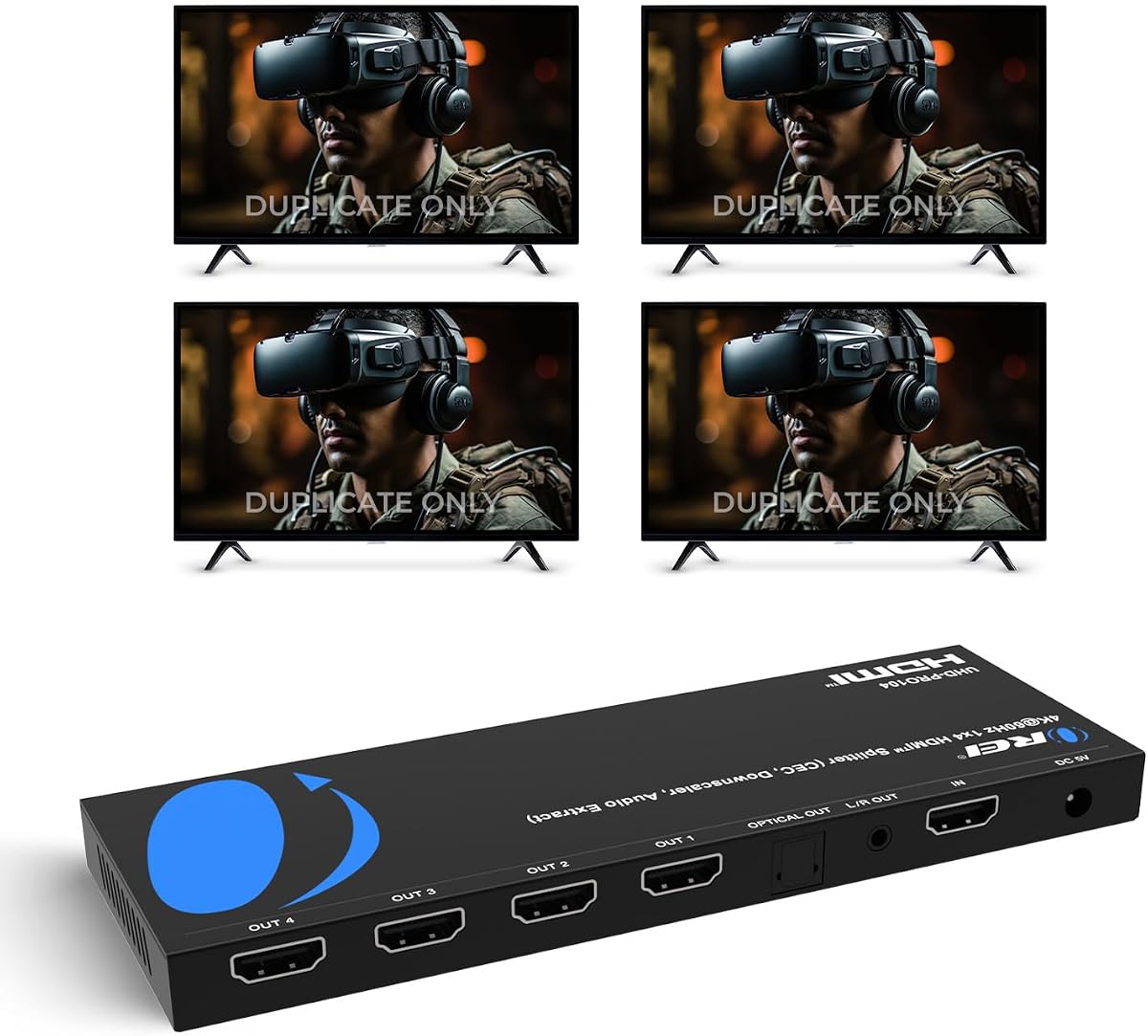
OREI UltraHD HDMI Splitter provides high-quality mirroring for multiple displays. It supports up to 4K at 60Hz for detailed visuals. This makes it a robust choice for high-end home theaters or presentations. The 4.5 rating reflects its reliability in critical setups.
We may earn a commission when you buy through this link, at no additional cost to you.
The heavy-duty metal enclosure improves durability and heat management. It handles HDMI signals up to 30 feet for stable connections. Audio format support includes LPCM and Dolby TrueHD for immersive sound. These features ensure a premium viewing experience across all screens.
Users should note that this device mirrors the same content only. It cannot create extended desktops for multitasking. Also, audio extraction is not supported directly through this unit. If audio routing is needed, external hardware may be required.
For setups prioritizing video quality and stability, this is a great option. The metal build ensures longevity in commercial environments. Verify source compatibility to avoid HDCP issues. It delivers solid performance for demanding mirror tasks.
Heavy-duty metal enclosure ensures durability and better heat dissipation.
Supports Dolby TrueHD and DTS-HD Master Audio for rich sound.
We may earn a commission when you buy through this link, at no additional cost to you.
This model stands out with its built-in audio extraction capabilities. It routes audio separately to optical or analog outputs. This is useful for setups needing separate speaker systems. Video support includes HDR10+ and Dolby Vision for high contrast images.
We may earn a commission when you buy through this link, at no additional cost to you.
The downscaling feature ensures compatibility between 4K and 1080p screens. Advanced EDID management helps avoid black screens during boot. These features make it ideal for complex AV installations. The unit supports up to 4K at 60Hz for clarity.
The price is higher than basic splitters but offers significant extra features. It is suitable for home theaters needing flexible audio routing. Ensure your HDMI cables support the required bandwidth for full performance. This investment adds versatility to your display setup.
For users requiring audio extraction, this splitter is a top choice. It combines high-resolution video with flexible audio options. Check your device requirements before purchasing. It is a premium solution for professional AV needs.
Optical and analog outputs allow separate sound routing from video.
Downscaling helps different resolution displays work together seamlessly.
We may earn a commission when you buy through this link, at no additional cost to you.
This splitter is built for next-generation display needs with HDMI 2.1. It supports resolutions up to 8K at 60Hz for stunning clarity. Gamers will appreciate the VRR support which reduces tearing and stuttering. The 4.2 rating confirms strong performance in high-end scenarios.
We may earn a commission when you buy through this link, at no additional cost to you.
Smart EDID management allows flexible resolution settings across outputs. Dolby Atmos support ensures immersive audio for home theaters. The 48Gbps bandwidth capacity handles large data streams efficiently. These features make it a premium option for AV enthusiasts.
Keep in mind it only mirrors screens and does not extend them. Source devices must support HDMI 2.1 for full functionality. This limits its use to compatible gaming consoles or PCs. Ensure your setup matches these requirements before buying.
For users wanting future-proof technology, this model is excellent. It delivers top-tier video and audio capabilities. The EDID modes help optimize compatibility across displays. It is a high-value choice for advanced setups.
VRR and 8K support deliver smooth gameplay for modern consoles.
Flexible EDID modes optimize output settings for different displays.
We may earn a commission when you buy through this link, at no additional cost to you.
UGREEN HDMI Splitter provides reliable 4K distribution for multiple screens. It offers 18Gbps bandwidth for smooth high-definition transmission. The 4.4 rating highlights its consistent performance in typical setups. This model is versatile for home and office environments.
We may earn a commission when you buy through this link, at no additional cost to you.
EDID settings help prevent black screens and flickering issues. USB power ensures stable video transmission without extra adapters. The unit supports HDR and 3D for enhanced viewing experiences. It works well with consoles and streaming devices.
The unit requires connection to a power source for stable use. Keep the power cord connected at all times during operation. If using mixed resolutions, connect high-resolution displays to the first port. These details help ensure reliable operation across all screens.
For general multi-screen needs, this is a trusted choice. Its compatibility with various devices makes it easy to integrate. Check your resolution requirements before finalizing setup. It offers reliable performance for standard display tasks.
USB power ensures stable video transmission during continuous use.
EDID control prevents flickering and black screen issues during boot.
We may earn a commission when you buy through this link, at no additional cost to you.
Choosing the right splitter involves understanding your specific display and source needs. This guide helps you identify key factors to ensure reliable performance.
Resolution compatibility is critical for ensuring your monitors display images correctly. Look for devices supporting at least 4K@30Hz or 4K@60Hz depending on your refresh rate needs. Ensure your source device also supports the required HDMI version for full resolution output.
Choose a splitter that matches your highest resolution display for best results.
Most HDMI splitters only mirror content across all connected screens. If you need extended desktops for productivity, check if the splitter supports MST or extended modes. This distinction is vital for multitasking workstations versus presentations.
Confirm whether you need to mirror or extend your display setup before purchasing.
Bandwidth determines how much data can be transmitted to all monitors. Models with 18Gbps bandwidth handle 4K@60Hz smoothly. For gaming or fast-paced content, higher refresh rates like 120Hz may be necessary.
Higher bandwidth ensures smooth visuals for high refresh rate gaming.
Some splitters require external power adapters for stable performance. USB-powered models are convenient but may struggle with longer cables. Always check the power requirements and ensure your setup can support them.
Ensure the device has a stable power source to prevent signal drops.
HDMI versions dictate features like HDR, VRR, and maximum resolution. HDMI 2.0 supports 4K@60Hz while HDMI 2.1 supports 8K and advanced gaming features. Ensure your cables and source support the splitter's HDMI version.
Match HDMI versions across all components for full feature support.
Metal casings dissipate heat better than plastic enclosures. Look for devices with aluminum or steel housing to prevent overheating. Proper cooling ensures long-term reliability for continuous operation.
Select a model with a durable casing to maintain stable operation.
Audio handling varies between models. Some support advanced formats like Dolby Atmos while others do not. If you need audio extraction, look for dedicated audio output ports.
Check audio format support to ensure it meets your sound system needs.
Reputable brands often provide better support and warranties. Check customer feedback and warranty terms before buying. A good warranty protects your investment against defects.
Opt for brands with positive reviews and solid warranty coverage.
Connect the power adapter first to ensure the splitter is receiving stable electricity. This prevents flickering or black screens that occur when power is unstable during operation.
Connect your source device to the input port using a high-quality HDMI cable. Ensure the cables are firmly plugged into both the source and the splitter to avoid signal loss.
Plug your three monitors into the output ports. Turn on the monitors after the source device is connected. This sequence ensures the device detects all displays correctly and sets up the resolution.
Most basic HDMI splitters only mirror content across all screens. However, some models support MST to extend desktops. Check if the device supports extended display modes if you need separate workspaces.
Modern splitters often support up to 4K@60Hz. Check the specifications for maximum supported resolution. Ensure your source and monitors match the splitter capabilities for best results.
Yes, splitters work with consoles but may be limited by HDCP rules. For 4K gaming, ensure the splitter supports HDMI 2.0 or later. Verify compatibility with your specific console model.
Flickering can be caused by insufficient power or bad cables. Ensure the splitter is connected to a power adapter. Try replacing HDMI cables with higher quality ones to resolve the issue.
Some splitters support different resolutions via EDID settings. Others require all monitors to match resolution. Check the product specs to see if mixed-resolution support is available.
High-quality splitters generally do not reduce image quality. Avoid cheap models that may introduce signal loss. Use good HDMI cables to maintain the original resolution and clarity.
We have reviewed the top HDMI splitters for 3 monitors in this guide. Options like the UANTIN and NEWCARE offer reliable performance for most users.
Prioritize resolution support and build quality when selecting your device. Ensure the model fits your specific needs for mirroring or extended displays.
Prices and availability can change frequently so check current listings before buying. We hope this guide helps you find the perfect splitter for your setup.