
Roku Ultra
4.4Editor score
Fastest Roku interface available
Dolby Vision and Atmos support
Rechargeable remote with finder
This guide compares the top 10 HDMI streaming devices for October 2026, analyzing performance, picture quality, and features to help you choose the right
Finding the perfect HDMI streaming device can transform your living room into a personal cinema without the need for expensive cable subscriptions. Modern players offer stunning 4K resolution, HDR support, and access to thousands of apps, making it easier than ever to enjoy your favorite content on demand.
We have evaluated the leading models on the market based on streaming performance, interface ease of use, remote functionality, and overall value. Our analysis focuses on real-world usability and the ability to handle high-quality video streams smoothly across various network conditions and TV setups.
Each selection below highlights specific strengths whether you need budget-friendly basics or premium features like Dolby Atmos and Wi-Fi 6. Keep in mind that availability and specific configurations can vary by region and retailer, so check the latest details before making your final purchase decision.
4.4Editor score

4.6Editor score
4.1Editor score
The following table provides a side-by-side comparison of the top ten streaming devices available in November 2026, highlighting key specifications and standout features for each model to assist in your selection process.



The Roku Streaming Stick 4K offers a powerful streaming experience in a compact form factor. With its strong 4.7 rating it delivers sharp visuals and smooth performance that rivals larger devices. The long-range Wi-Fi ensures reliable connections even in rooms far from your router.
We may earn a commission when you buy through this link, at no additional cost to you.
Its ability to support HDR10+ and Dolby Vision means you get rich colors and deep contrast on compatible TVs. The interface is intuitive and simple to navigate without overwhelming menus or complex settings. You can easily find your favorite apps and shows through the voice remote.
While it lacks an Ethernet port for wired connections the wireless performance is generally robust. The compact design ensures it does not block other HDMI ports which is a common issue with larger dongles. It stays hidden behind the TV for a clean look.
This device is ideal for users who want high-quality streaming without cluttering their entertainment center. It is perfect for secondary TVs or for those who travel frequently. We recommend it as the top pick for balanced performance and usability.
Enjoy lifelike clarity with Dolby Vision and HDR10+ that bring out rich detail in your entertainment.
Long-range Wi-Fi ensures your favorite entertainment plays smoothly even in rooms farther from your router.
We may earn a commission when you buy through this link, at no additional cost to you.
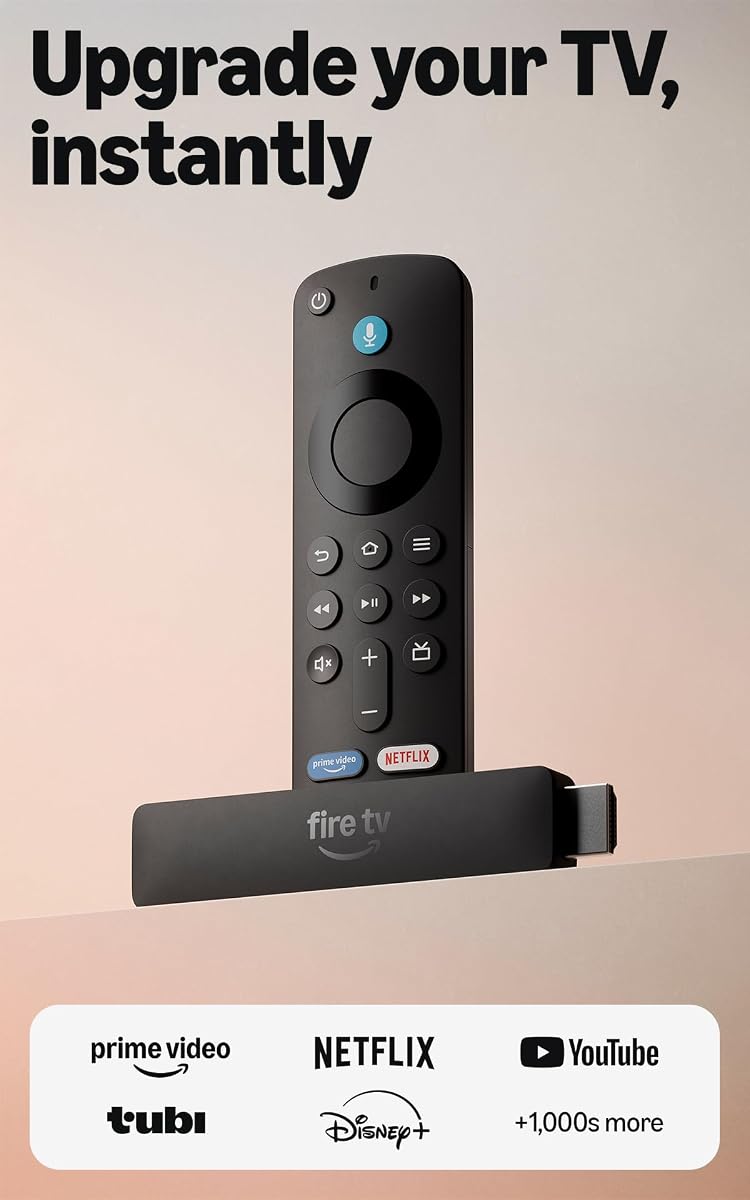
The Amazon Fire TV Stick HD brings modern streaming to affordable TVs without breaking the bank. Its latest 2026 update provides a streamlined navigation experience that helps you find content faster. The ability to power directly from the TV simplifies cable management significantly.
We may earn a commission when you buy through this link, at no additional cost to you.
With Wi-Fi 6 support you get efficient wireless performance even in crowded networks. The Alexa Voice Remote offers powerful search capabilities and can control your TV and smart home devices. You access thousands of apps including major services like Netflix and Prime Video.
Since it only supports Full HD it may not be the best choice for new 4K TVs. The interface includes ads on the home screen which some users might find distracting. However for the price it delivers solid performance and ease of use.
This stick is perfect for bedrooms or guest rooms where 4K is not a priority. It is also great for first time users who want a simple entry into streaming. We suggest it for budget-conscious buyers needing basic entertainment features.
Now with Direct Power, it is powered by your TV with the included USB-C cable eliminating the need for a wall adapter.
Alexa checks the weather and your Ring cameras, dims the lights, and more directly from the remote.
We may earn a commission when you buy through this link, at no additional cost to you.
The Roku Ultra stands out as the ultimate streaming player offering the fastest interface in the lineup. It delivers spectacular 4K visuals and immersive Dolby Atmos audio for a cinematic home theater experience. The included Ethernet port ensures stable connections for high bitrate streaming.
We may earn a commission when you buy through this link, at no additional cost to you.
Its rechargeable Voice Remote Pro features backlit buttons and a lost remote finder which are highly practical additions. You can pair headphones directly to the device for private listening without waking others. The 2026 update includes enhanced recommendations and smoother navigation.
While more expensive than sticks the extra features justify the cost for power users. The larger box may not hide as easily behind small TVs but it offers better ventilation. It is designed for those who want top tier performance and reliability.
This model is recommended for home theater enthusiasts who demand the best audio and video quality. It works well in large living rooms where connection stability is crucial. We rank it as the best premium option available for serious streamers.
Watch in awe as colors pop off your screen with lifelike clarity in spectacular Dolby Vision picture alongside immersive Dolby Atmos audio.
Keep your remote powered for months on a single charge without worrying about changing batteries constantly.
We may earn a commission when you buy through this link, at no additional cost to you.
The Roku Ultra LT combines high performance with value offering 4K resolution and HDR support at a competitive price. It features a strong Wi-Fi connection that is important for streaming the highest picture quality. The device includes all essentials for setup and control.
We may earn a commission when you buy through this link, at no additional cost to you.
You get access to channels like Disney+, HBO Max, and Netflix that launch quickly on the interface. The included Voice Remote allows you to control your TV and adjust volume easily. It is a reliable choice for everyday viewing without extra bells and whistles.
While it lacks the Pro remote features it still provides a smooth user experience. The design is practical and includes cables that save you from buying extras. It performs similarly to the full Ultra in most daily streaming scenarios.
This player is ideal for users who want 4K streaming and a wired option without high costs. It fits well in main living rooms where content quality matters. We recommend it as a solid mid-range option for quality seekers.
A strong steady Wi-Fi connection is important for streaming the highest picture quality especially in rooms farther from your router.
Power up your TV adjust the volume and control your Roku streaming device with the included Roku Voice Remote.
We may earn a commission when you buy through this link, at no additional cost to you.
The Amazon Fire TV Stick 4K Plus elevates entertainment with optimized 4K streaming and cloud gaming capabilities. It brings next-generation performance to your TV allowing you to stream high-end games without a console. The Wi-Fi 6 support ensures smooth playback even with multiple connected devices.
We may earn a commission when you buy through this link, at no additional cost to you.
You can access titles like Hogwarts Legacy and Call of Duty through services like Xbox Game Pass and Luna. The Alexa+ feature helps you find what you love across apps using natural language. It also supports Dolby Atmos for immersive audio during movies.
While cloud gaming requires a compatible controller and subscription it opens new doors for interaction. The device is fast but relies heavily on the Alexa ecosystem for search. It is a modern choice for gamers who stream too.
This stick is perfect for households that want versatile entertainment options in one place. It is highly rated for its balance of media and interactive features. We recommend it for users looking beyond passive video watching.
Stream Call of Duty Black Ops 7 Hogwarts Legacy and hundreds of games on your Fire TV Stick 4K Plus with Xbox Game Pass.
Watch in vibrant 4K Ultra HD with support for Dolby Vision HDR10+ and immersive Dolby Atmos audio.
We may earn a commission when you buy through this link, at no additional cost to you.
The Amazon Fire TV Stick 4K Select provides essential 4K streaming with High Dynamic Range 10+ support. It gives instant access to a world of content with instant made recommendations from Alexa. The setup process is straightforward allowing you to start watching quickly.
We may earn a commission when you buy through this link, at no additional cost to you.
You get access to major apps and hundreds of thousands of movies and TV episodes easily. The Alexa+ feature makes finding shows faster with natural language commands. It also allows you to manage smart home tasks directly from the TV.
While it offers similar gaming capabilities it focuses more on media consumption efficiency. The interface is modern and updated for 2026. It is a straightforward choice for 4K without the extra costs of the Max model.
This device suits users who prioritize picture quality and ease of use over advanced gaming. It integrates well with existing Amazon accounts and smart home setups. We suggest it for those needing reliable 4K streaming basics.
Fire TV gives you instant access to a world of content tailor-made recommendations and Alexa all backed by fast performance.
Alexa checks the weather dims the lights streams music and more to keep your home connected.
We may earn a commission when you buy through this link, at no additional cost to you.
The Amazon Fire TV Stick 4K Max leads the line with powerful processor and Wi-Fi 6E support. It delivers lightning-fast app starts and fluid navigation for a seamless experience. The device offers 16GB of storage which is double that of other sticks.
We may earn a commission when you buy through this link, at no additional cost to you.
You can enjoy the show in 4K Ultra HD with support for Dolby Vision and immersive audio. Fire TV Ambient Experience allows you to display museum-quality art when not watching videos. The upgraded remote includes buttons for recent apps and channels.
While it is expensive the extra storage and speed justify the cost for heavy users. The graphics rendering supports popular games for a fun interactive option. It is built for users who want the latest tech in a small form factor.
This stick is recommended for power users and gamers who need speed and storage. It handles multiple tasks well without lag. We rate it as the best Amazon option for performance and versatility.
Fire TV Stick 4K Max has 16GB of storage double that of Fire TV Stick 4K Plus for even more apps and downloads.
Fire TV Ambient Experience lets you display over 2000 pieces of museum-quality art and photography.
We may earn a commission when you buy through this link, at no additional cost to you.
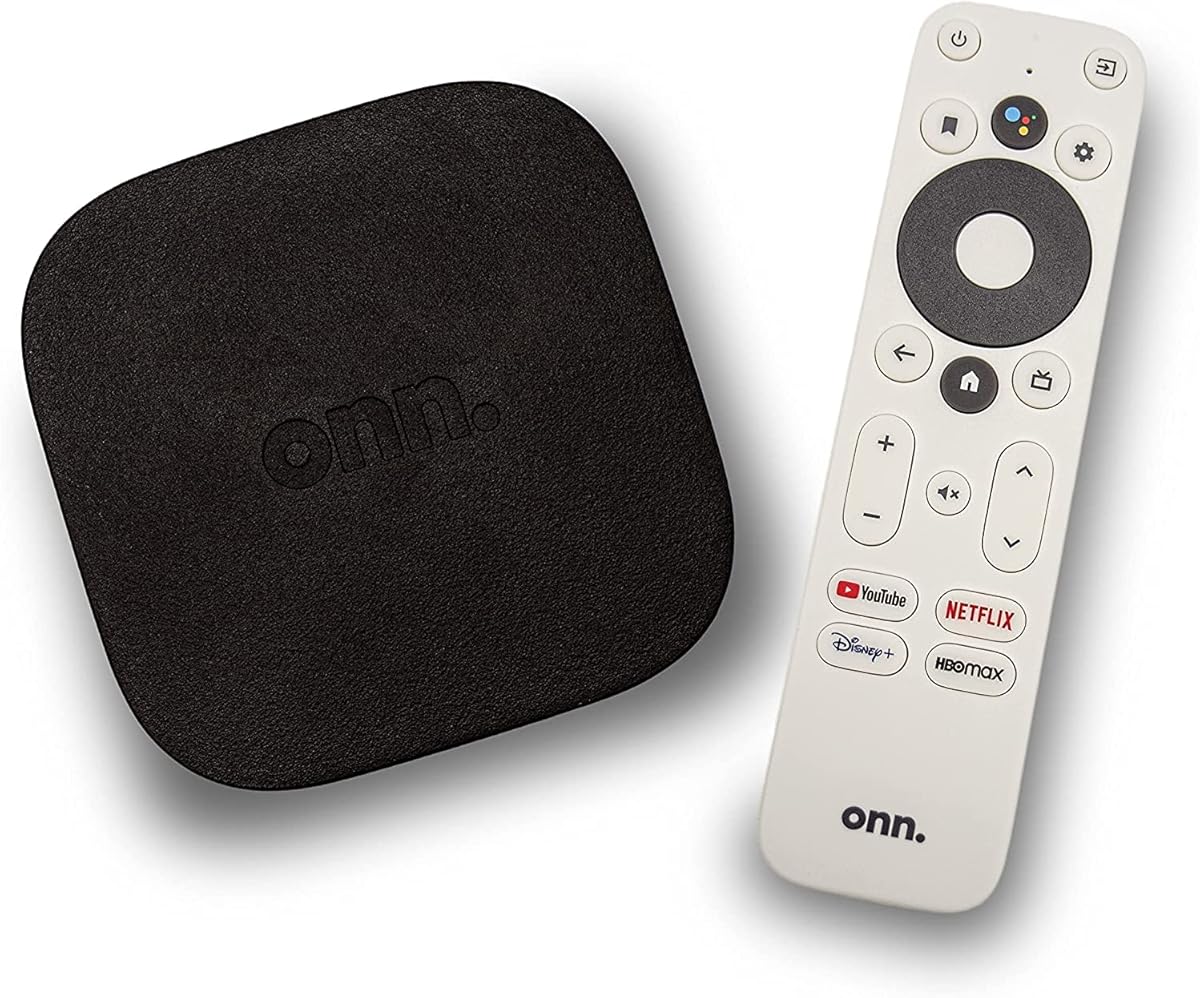
The ONN Android TV 4K device offers the flexibility of the Android TV operating system. You have access to the best content and can download infinite applications from the Google Play Store. It supports casting movies and photos directly from your phone.
We may earn a commission when you buy through this link, at no additional cost to you.
The voice remote allows you to ask Google Assistant to find and play content instantly. It includes a high-speed HDMI cable for easy setup with most modern TVs. The audio output is enhanced for clearer dialogue and volume.
This device is great for those invested in the Google ecosystem who want mobile integration. It works with many TV brands but is specific to ONN hardware. It provides a robust alternative to proprietary platforms with broad app support.
This player is ideal for users who prefer Android apps and casting features. It is a solid choice for those wanting direct mobile control. We suggest it for Google users needing a reliable 4K option.
With the Android TV operating system you will have access to the best content download the infinity of applications available through the Google Play Store.
Chromecast Built-in allows you to easily cast movies shows and photos from your Android or iOS device to your Android TV.
We may earn a commission when you buy through this link, at no additional cost to you.
The Roku Ultra LT (2023) provides a powerful quad-core player with a focus on connectivity. It allows you to plug headphones directly into the remote for private listening without waking others. The Ethernet port ensures you have a stable and fast connection for streaming.
We may earn a commission when you buy through this link, at no additional cost to you.
You enjoy fast smooth TV streaming in any room in the house with the best Wi-Fi available. The voice remote includes a headphone jack which is a unique convenience feature. It supports HD and 4K UHD with Dolby Vision for rich visuals.
While an older model it remains highly rated for reliability and performance. The included Ethernet cable and headphones offer added value over other devices. It is a practical choice for those who need private audio options.
This player is recommended for users who listen to media late at night. It provides stable streaming for long sessions. We suggest it for those who value private listening and wired reliability.
No more juggling remotes power up your TV adjust the volume and control your streaming device.
Enjoy fast smooth TV streaming in any room in the house with our best Wi-Fi or choose Ethernet for reliability.
We may earn a commission when you buy through this link, at no additional cost to you.
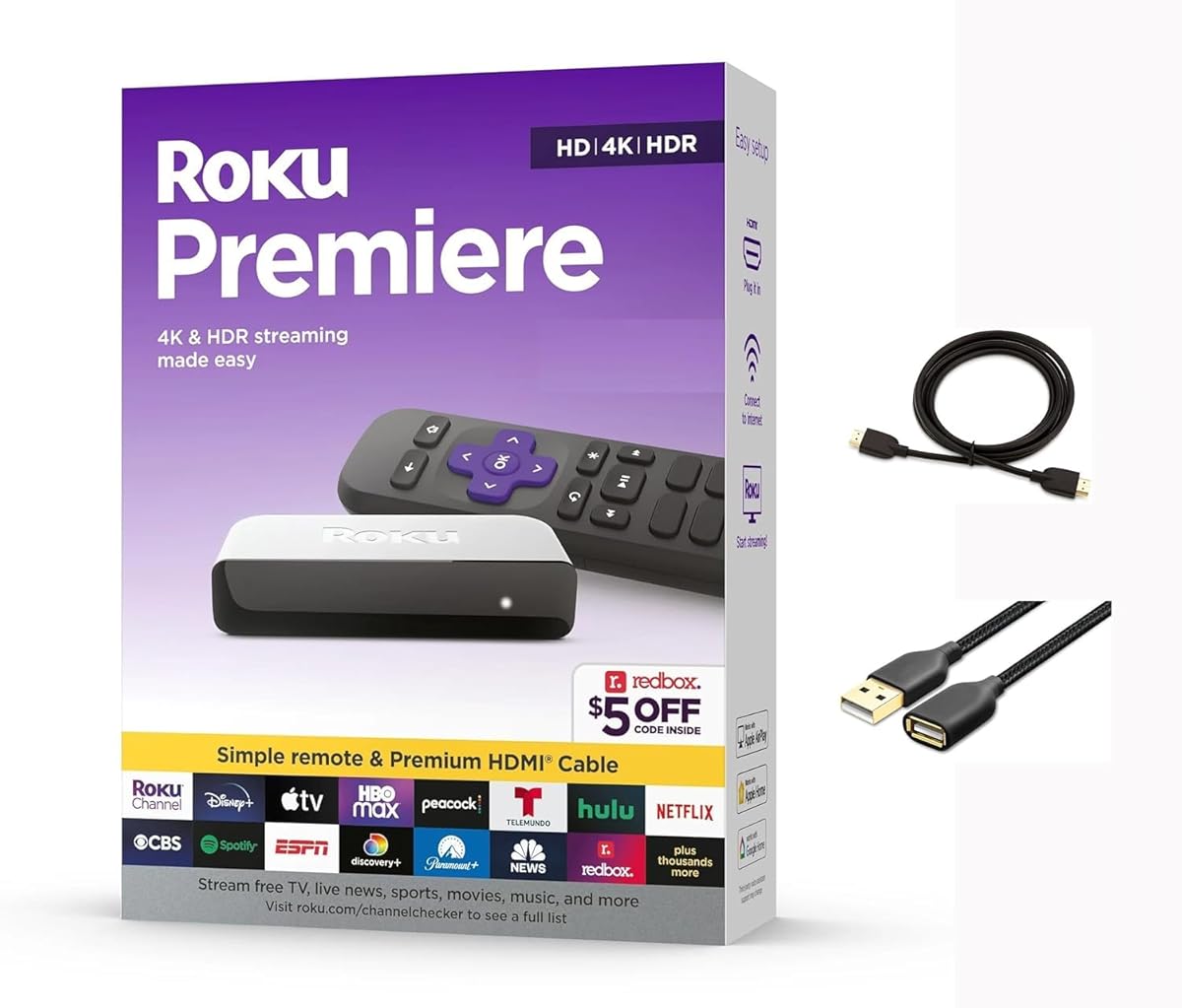
The Roku Premiere upgrades your streaming with a massive selection of free and premium TV. It delivers incredible picture optimized for your TV with sharp resolution and vivid color. You can enjoy movies and series on major platforms with ease.
We may earn a commission when you buy through this link, at no additional cost to you.
The guided setup is simple just plug in with the included HDMI cable and connect to the internet. The standard remote includes shortcut buttons to popular channels for quick access. It supports AirPlay so you can share content from Apple devices.
While the remote is basic it covers all essential functions for a great experience. The device gets automatic updates to keep it always up to date. It is a reliable value for those who need core 4K features.
This device is ideal for families who want easy access to diverse content. It is a great starting point for 4K streaming. We recommend it for simple high-value entertainment needs.
Watch what you love with 400+ free live TV channels on The Roku Channel and Roku Originals.
Share it with Apple AirPlay to effortlessly share videos photos music and more from your Apple devices to your TV.
We may earn a commission when you buy through this link, at no additional cost to you.
Selecting the right streaming device involves considering resolution support, connectivity options, and the features that matter most to your viewing habits.
Look for devices that support 4K Ultra HD and High Dynamic Range (HDR) standards like HDR10+ and Dolby Vision. These technologies ensure sharper images and richer colors on modern TVs, making a significant difference in visual enjoyment.
Always match the device resolution to your TV capabilities to avoid bottlenecking performance or wasting money on unused features.
Check if the device offers Wi-Fi 6 or Ethernet support for stable connections. A reliable network is essential for buffering-free streaming, especially when watching high bitrate content in HD or 4K.
Opt for models with advanced Wi-Fi standards or wired ports to maintain speed and consistency throughout your home.
Choose a platform that supports your favorite streaming apps like Netflix, Prime Video, and Disney+. Some systems like Roku and Fire TV have robust ecosystems that make finding and launching content easier.
Verify that the OS is updated regularly to support new channels and ensure a smooth user experience over time.
Voice control and dedicated buttons for power and volume can enhance usability. Rechargeable remotes or those with lost finders add convenience and reduce hassle in daily use.
Prioritize a remote that offers intuitive navigation and voice search capabilities to save time and effort.
Devices with more internal storage can hold more apps and games which is helpful if you plan to install many titles. A powerful processor ensures apps launch quickly and navigation remains fluid.
Higher specs often correlate with a faster interface which improves overall satisfaction during daily usage.
Some players act as central hubs for controlling lights, cameras, and other smart devices via voice assistants. This integration can simplify managing your home setup without needing separate apps.
Check for compatibility with your existing smart home ecosystem like Alexa or Google Assistant for seamless control.
Immersive audio formats like Dolby Atmos provide a theater-like sound experience. If you have a soundbar or surround system, ensure the device supports the audio output you desire.
Good audio capabilities are essential for a complete home theater setup and enhance the overall quality of your media.
Prices vary widely from budget sticks to premium boxes. Determine which features are non-negotiable for your usage to avoid overspending on extras you will not use.
Select a model that balances cost with the performance and features you need for your specific entertainment goals.
Connect the device to an available HDMI port on your TV and plug the power adapter into a wall outlet or USB port. Follow the on-screen setup to choose a language, connect to your Wi-Fi network, and sign in to your preferred streaming accounts.
Use the remote to navigate the home screen and launch apps. You can customize your layout to pin favorite channels or enable voice commands for quicker search results. Regularly check for software updates to ensure optimal performance and security.
To maintain longevity, avoid touching the HDMI port with bare hands to prevent static damage. Clean the exterior with a dry cloth and ensure good ventilation by keeping the device away from enclosed spaces or direct sunlight.
No, the device itself does not require a subscription to function. However, access to most streaming apps like Netflix or HBO Max requires individual paid subscriptions. Some apps offer free ad-supported content that you can use without any monthly fees.
Yes, most devices offer companion mobile apps that let you control the player using your smartphone. You can use the phone as a keyboard for typing, voice a, and even a touch remote for navigation. This is especially helpful when the physical remote is misplaced.
Wi-Fi 6E operates on the 6GHz band which is less congested than standard bands used by Wi-Fi 6. This can offer lower latency and higher speeds in crowded networks. Not all devices support 6E so check compatibility with your router for the best results.
They work with older TVs that have an HDMI port. If your TV only has component or composite inputs, you will need an HDMI converter adapter. For the best experience, ensure your TV supports the resolution you plan to stream like 4K or HD.
To improve speed, move closer to your router or use a wired Ethernet connection if available. Close unused apps and restart your network equipment to refresh the signal. Also ensure your software is up to date to benefit from performance optimizations.
Yes, most devices include apps like The Roku Channel or Pluto TV that offer hundreds of free live TV channels. These services cover news, sports, and entertainment. You can find them easily in the apps section without needing a paid subscription.
We have explored a range of HDMI streaming devices from budget sticks to premium boxes. Each offers unique strengths in terms of picture quality, interface, and connectivity. The Roku Ultra and Fire TV Stick 4K Max stand out for performance and features.
When choosing, consider your TV type and network needs first. If you need high-end audio or private listening options, look for devices with those specific capabilities. Prioritize what matters most to your daily viewing habits over extra features you may not use.
Remember that availability and features change over time. Always check the latest specifications and user reviews before purchasing to ensure you get the best deal. Your perfect player depends on balancing price with the features you require.