
TP-Link Dual-Band BE3600 Wi-Fi 7 Router
4.2Editor score
WiFi 7 Technology
Dual 2.5G Ports
2000 Sq Ft Coverage
Discover the top 10 High Bandwidth WiFi Router models for 2026, comparing speed, range, and features to find the perfect router for your home network needs.
In today's connected world, a High Bandwidth WiFi Router is essential for handling multiple devices, 4K streaming, and remote work without lag. Modern routers use advanced technologies like WiFi 6E and WiFi 7 to deliver faster speeds and lower latency than ever before. Choosing the right model ensures your home network remains stable and responsive during peak usage times.
This guide compares ten top-rated routers based on performance, coverage, security features, and ease of use. We analyzed technical specifications, user feedback, and real-world testing data to rank each option. Whether you need a budget-friendly model or a premium powerhouse, our list covers the best High Bandwidth WiFi Router options available in November 2026.
Each pick highlights key strengths and trade-offs to help you make an informed decision for your specific setup. Prices and availability can change frequently, so verify current details before purchasing. With the right High Bandwidth WiFi Router, you can enjoy seamless connectivity across all your smart devices and applications.
4.2Editor score

4.3Editor score

4.3Editor score
This side-by-side comparison highlights the key specifications and strengths of each High Bandwidth WiFi Router on our list, helping you identify the best fit for your home network requirements.




The TP-Link AXE5400 is a high-performance WiFi 6E router designed for modern homes with many connected devices. It has received recognition as a PCMag Editors' Choice for its ability to deliver fast, reliable internet across multiple bands. With a rating of 4.3 out of 5 stars, users praise its speed and stability during heavy usage.
We may earn a commission when you buy through this link, at no additional cost to you.
This router provides up to 5400 Mbps total speed using tri-band technology, which includes a dedicated 6 GHz band for compatible devices. The 6 GHz band reduces congestion significantly, offering near-zero latency for gaming and video calls. OFDMA technology increases network capacity by four times, allowing more devices to connect simultaneously without slowing down.
While it offers excellent performance, it does require a separate modem for most internet service providers. The EasyMesh compatibility is a significant advantage for expanding coverage without losing functionality. However, advanced VPN features may require some technical knowledge to set up correctly.
This router is ideal for households with multiple users streaming, gaming, or working from home. Its robust hardware and security features make it a solid long-term investment. For those seeking a balance of speed and reliability, the AXE5400 is a top recommendation in 2026.
The 6 GHz band offers more channels and less interference, ensuring faster speeds for devices that support it.
OFDMA technology allows more devices to communicate simultaneously, reducing lag during peak hours.
We may earn a commission when you buy through this link, at no additional cost to you.
The TP-Link BE6500 features the latest WiFi 7 technology, designed to handle the most demanding home network tasks. It supports Multi-Link Operation and 4K-QAM for optimized performance on newer devices. Users rate it 4.3 out of 5, noting its fast speeds and reliable connection.
We may earn a commission when you buy through this link, at no additional cost to you.
This router delivers up to 6500 Mbps total bandwidth with 6 streams, perfect for 4K and 8K streaming. The 2.5G ports allow integration with multi-gig modems for faster wired connections. Multi-Link Operation transfers data across bands simultaneously, reducing latency for gaming and VR.
While powerful, it does not support Deco mesh systems, limiting flexibility for some users. To get the full benefit of WiFi 7, you need compatible devices like the iPhone 16 Pro or Samsung Galaxy S24 Ultra. For early adopters, however, the performance gains are significant.
Ideal for tech enthusiasts and gamers, this router future-proofs your home network. Its security features and easy setup make it accessible for most users. If you want the latest WiFi tech at a competitive price, the BE6500 is a strong choice.
Multi-Link Operation allows data transmission across multiple bands at once, improving speed and reliability.
2.5G WAN and LAN ports support internet plans faster than traditional 1G Ethernet connections.
We may earn a commission when you buy through this link, at no additional cost to you.
The NETGEAR Nighthawk WiFi 7 router is built for busy homes that need fast and reliable connections. With a tri-band setup and 9.3 Gbps total speed, it handles streaming, gaming, and smart home devices effortlessly. It covers up to 2,500 sq ft and connects up to 100 devices.
We may earn a commission when you buy through this link, at no additional cost to you.
The dedicated 6 GHz band ensures your fastest devices get their own lane for reduced congestion. Wired connections include 2.5G ports for multi-gig internet plans, making it ready for high-speed ISPs. The Nighthawk app simplifies management, allowing you to run speed tests and pause devices easily.
Some security features like Advanced Router Protection require a separate subscription after a trial period. Larger homes may still need a mesh system for full coverage. Despite the cost, its performance and flexibility make it a top contender.
This router is best for large homes needing both speed and range. The included security tools provide peace of mind. For users who want a reliable, high-performance router without a mesh system, this is an excellent pick.
With up to 2,500 sq ft coverage, this router ensures strong signals in every room.
The Nighthawk app provides intuitive controls for network setup and maintenance from anywhere.
We may earn a commission when you buy through this link, at no additional cost to you.
The NETGEAR Nighthawk RS90 brings WiFi 7 technology to smaller homes at a more accessible price. It offers up to 3.6 Gbps across dual bands, which is faster than most WiFi 6 routers. With coverage up to 2,000 sq ft and support for 50 devices, it handles typical family needs well.
We may earn a commission when you buy through this link, at no additional cost to you.
Features like MU-MIMO and OFDMA let multiple devices send data simultaneously, reducing congestion. The 2.5G WAN port unlocks multi-gig internet plans without extra hardware. Security features are enabled out of the box, with a free trial for Advanced Router Protection.
Being dual-band, it lacks the 6 GHz band found in tri-band models, but remains highly capable for most uses. The app-based setup is straightforward, requiring no technical expertise. For mid-sized homes, it strikes a great balance.
This router is perfect for households upgrading to WiFi 7 without breaking the bank. Its compatibility with existing internet services makes it easy to switch. If you need reliable performance without tri-band complexity, the RS90 is worth considering.
WiFi 7 is 1.2x faster than WiFi 6, providing noticeable improvements for daily tasks.
The 2.5G WAN port ensures your router can handle internet plans exceeding 1G speeds.
We may earn a commission when you buy through this link, at no additional cost to you.
The TP-Link BE9300 offers top-tier speeds with WiFi 7 tri-band technology, reaching up to 9300 Mbps. It includes advanced features like Multi-Link Operation and 320 MHz channels for maximum performance. Users rate it 4.0 out of 5, citing excellent speed and flexibility for future needs.
We may earn a commission when you buy through this link, at no additional cost to you.
With one 2.5G WAN port and four 2.5G LAN ports, it supports peak device performance and future-proofing. The private IoT network feature enhances security by isolating smart devices. EasyMesh compatibility ensures you can expand coverage easily if needed.
Its advanced features may be overwhelming for casual users, but enthusiasts will appreciate the control. While the price is higher, the performance justifies it for power users. The setup process is simple via the Tether App.
This router is ideal for homes with high-speed internet and many devices. Its robust security and wired options make it versatile. For those who want the fastest available speeds today, the BE9300 is a leading choice.
All LAN and WAN ports support 2.5G speeds, eliminating bottlenecks for wired devices.
A separate WiFi network for IoT devices protects your main network from potential threats.
We may earn a commission when you buy through this link, at no additional cost to you.
The TP-Link AX5400 is a solid WiFi 6 router known for reliability and high user ratings of 4.5 out of 5. It delivers up to 5400 Mbps, suitable for 8K streaming and multiple devices. The design focuses on reducing heat and improving airflow for long-term performance.
We may earn a commission when you buy through this link, at no additional cost to you.
Equipped with 4T4R and HE160 technologies, it enables ultra-fast connections on the 5 GHz band. The USB 3.0 port allows easy media sharing and private cloud storage. Its coverage extends up to 2,000 sq ft with high-power FEM and six antennas.
While it lacks WiFi 7, it remains a great option for those with current devices. The HomeShield security features provide essential protection. Its simplicity makes setup and management very easy for all users.
This router is perfect for homes wanting strong performance without extra complexity. The USB sharing is a nice bonus for media users. For a proven, stable router, the AX5400 is highly recommended.
Improved vented areas help keep the router cool, ensuring consistent performance over time.
The USB 3.0 port lets you connect drives for easy file access across devices on your network.
We may earn a commission when you buy through this link, at no additional cost to you.
The TP-Link BE3600 brings WiFi 7 technology to budget-conscious buyers without sacrificing key features. It offers speeds up to 3600 Mbps with Multi-Link Operation and increased data capacity. At 4.2 out of 5 stars, users praise its value and performance.
We may earn a commission when you buy through this link, at no additional cost to you.
It includes dual 2.5G ports, which is rare at this price point, allowing for faster wired connections. The quad-core processor ensures fast connections with minimal latency. Coverage reaches 2,000 sq ft, suitable for most homes.
While dual-band limits peak wireless speeds, it remains highly capable for streaming and gaming. The setup is simple via the Tether App, making it accessible for non-techies. For those entering WiFi 7, this is an ideal starting point.
This router is best for small to medium homes needing modern tech on a budget. Its future-proofing features are impressive for the cost. If you want WiFi 7 without spending a fortune, the BE3600 is the top pick.
This model makes next-gen WiFi 7 features accessible to more users at a lower price point.
Having two 2.5G ports allows flexible wired connections for faster devices or internet plans.
We may earn a commission when you buy through this link, at no additional cost to you.
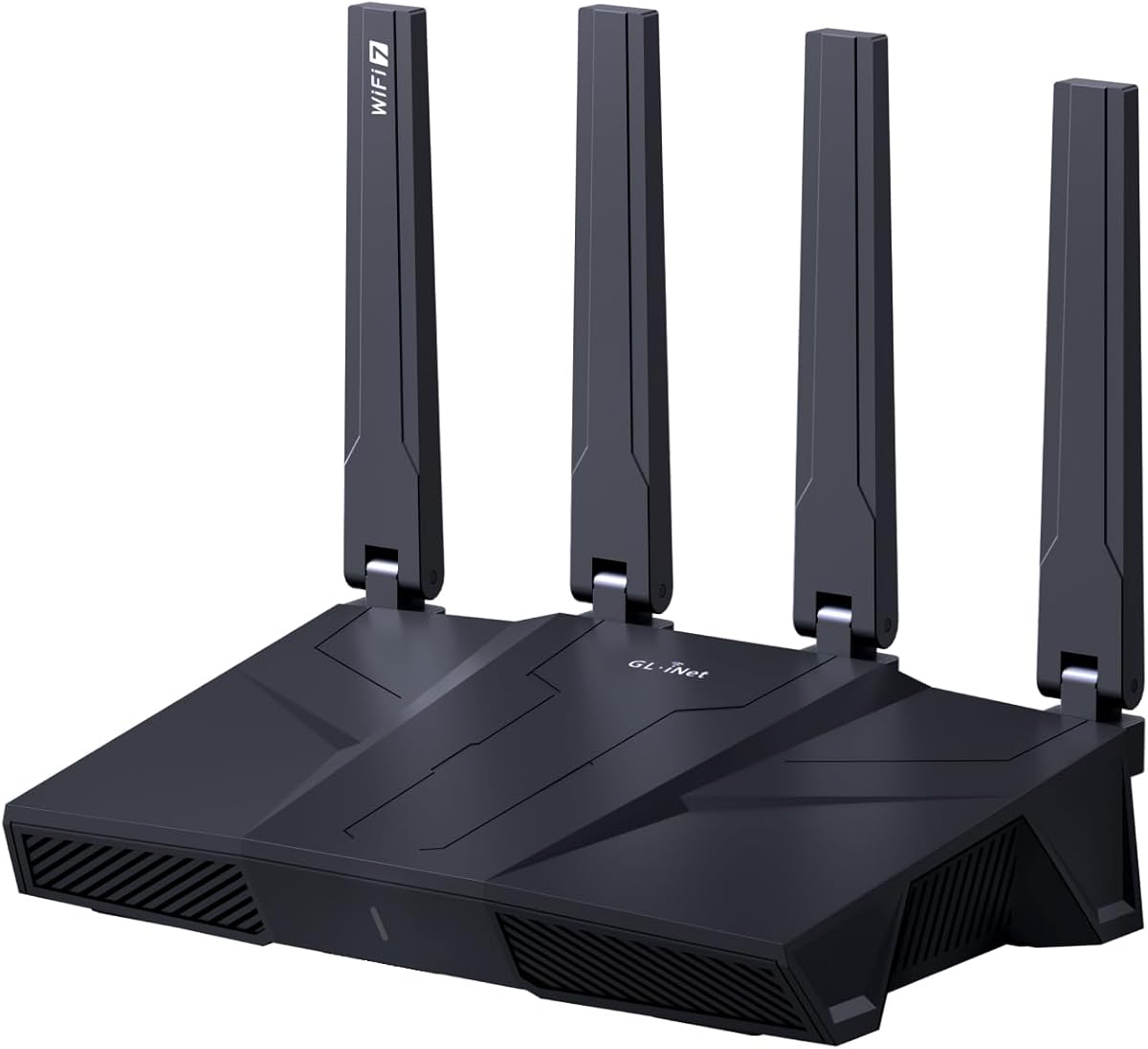
The GL.iNet Flint 3 is a unique WiFi 7 router focused on security and customizability. It supports OpenVPN and Wireguard at high speeds, giving users control over their connection. With 9 Gbps speeds and five 2.5G ports, it offers impressive hardware for the price.
We may earn a commission when you buy through this link, at no additional cost to you.
AdGuard Home is supported, allowing users to block ads and tracking directly on the router. Parental controls are integrated for safer browsing. Its coverage is up to 2,000 square feet with strong signal strength.
Firmware updates are needed initially for full performance, which may require a bit of effort. The setup is guided but leans slightly more technical. For privacy-conscious users, this is a strong advantage.
This router is ideal for users who value VPN capabilities and ad blocking. It handles high device connectivity well. If security and customization are top priorities, the Flint 3 is an excellent choice.
Built-in VPN clients allow secure connections to remote servers without extra software.
Integrated ad blocking improves privacy and speeds up browsing by removing unwanted content.
We may earn a commission when you buy through this link, at no additional cost to you.
The ASUS ROG Rapture GT-BE98 Pro is a top-of-the-line gaming router with unmatched speeds of up to 30 Gbps. It uses quad-band WiFi 7 to maximize network capacity for demanding applications. Rated 4.3 out of 5, it is favored by serious gamers and power users.
We may earn a commission when you buy through this link, at no additional cost to you.
Dual 10G ports provide unmatched wired flexibility for high-speed networks. Triple-Level Game Acceleration prioritizes gaming traffic for smoother play. External antennas boost coverage with high efficiency and enhanced signal strength.
Its cost is high, making it unsuitable for typical households. However, the features justify the price for those who need maximum performance. The mesh compatibility allows further expansion if needed.
This router is perfect for gaming setups or offices needing multi-gig speeds. The advanced tools give precise control. If budget is not a constraint, the GT-BE98 Pro delivers the ultimate WiFi experience.
This feature optimizes traffic to reduce ping and lag during intense gaming sessions.
Dual 10G ports allow blazing-fast wired connections for servers or NAS devices.
We may earn a commission when you buy through this link, at no additional cost to you.
The NETGEAR Nighthawk X10 is a legacy router with unique features like 60GHz WiFi support and a 10G SFP+ port. It delivers up to 7200 Mbps total speed across tri-bands. With a 4.3 rating, users appreciate its advanced connectivity options.
We may earn a commission when you buy through this link, at no additional cost to you.
The 60GHz band allows ultra-fast transfers for compatible devices, though support is limited. The 10G SFP+ port is rare for consumer routers, offering high-speed wired links. USB ports enable easy file sharing across your network.
Given its age, compatibility with modern devices can be less consistent. It may not offer the same efficiency as newer standards. However, it remains a versatile option for specific wired needs.
This router suits users needing niche features like SFP+ connectivity. For most, newer models are better, but it still holds value for tech-savvy users. If you need those specific ports, it is a strong legacy choice.
The 10G SFP+ port supports high-speed fiber connections for advanced networking setups.
Two USB 3.0 ports allow you to create a personal cloud or share printers easily.
We may earn a commission when you buy through this link, at no additional cost to you.
Selecting the right router requires considering several factors to ensure it meets your home's specific needs and future growth.
WiFi 7 offers the fastest speeds and lowest latency, while WiFi 6E provides excellent performance for most homes. Older WiFi 6 is still capable but may not be future-proof. Choose based on your current devices and internet plan speed.
Look for WiFi 7 if you want the latest tech; otherwise, WiFi 6E is a solid middle ground.
Total speed ratings like 9 Gbps or 30 Gbps represent theoretical maximums. Real-world performance depends on device compatibility and network congestion. Ensure the router supports at least your ISP's plan speed.
Match the router's rated speed to your internet plan to avoid bottlenecks.
Coverage area is usually listed in square feet. Larger homes may need mesh systems or high-power routers. Antennas and beamforming improve signal strength through walls and obstacles.
Choose a router with coverage that matches or exceeds your home's size.
Ethernet ports allow wired connections for gaming rigs or smart TVs. Look for 2.5G or 10G ports if you have a multi-gig internet plan. USB ports enable storage sharing.
Verify the number and type of ports match your wired device needs.
Built-in security like WPA3 and parental controls protect your network. Some routers require subscriptions for advanced protection. Free features often include basic scanning and controls.
Prioritize routers with strong default security to keep your devices safe.
Many routers come with mobile apps for quick setup. Look for guided installation and firmware update tools. Simple interfaces make management easier for all users.
Opt for models with intuitive apps if you prefer user-friendly management.
Prices vary significantly based on features and brand. Consider what you need versus what is advertised. A mid-range router may offer the best balance of performance and cost.
Don't overpay for features you won't use; focus on your essential requirements.
Place your router in a central location, elevated from the floor and away from walls or metal objects. This helps maximize coverage and reduces signal interference from obstacles. Keep it in a well-ventilated area to prevent overheating.
Regularly update the router's firmware to ensure security patches and performance improvements. Use the manufacturer's app to check for updates easily. These updates often fix bugs and add new features.
Manage connected devices through the app or web interface. Remove unused devices to free up capacity and improve security. Enable guest networks for visitors to keep your main network secure.
Yes, most routers require a separate modem to connect to your internet service provider. The router manages your local network, while the modem brings in the internet signal. Some modem-router combos exist, but standalone routers offer better performance.
WiFi 6 is the standard for fast home networks. WiFi 6E adds a dedicated 6 GHz band for less congestion. WiFi 7 offers even faster speeds and lower latency with features like Multi-Link Operation. Choose based on your device compatibility and internet speed.
You can use a mesh system or add range extenders compatible with your router. Many modern routers support EasyMesh or similar technologies for seamless expansion. Alternatively, place the router in a central location for better coverage.
Most routers include basic security like WPA3 encryption and parental controls. Advanced features may require a subscription. Always check the included free features and trial periods for full protection.
Yes, routers work with all major ISPs like Comcast, AT&T, and Verizon. You just need a compatible modem. The router does not affect your internet service provider directly.
A modem that supports multi-gig speeds is ideal to get the most out of WiFi 7. Traditional 1G modems will limit your total speed. However, standard modems still work for basic internet needs.
Our top picks cover a range of needs, from the budget-friendly TP-Link BE3600 to the premium ASUS ROG GT-BE98 Pro. Each router offers distinct advantages depending on your home size, device count, and internet plan.
Prioritize speed, coverage, and security features that align with your daily usage. For most households, the TP-Link AXE5400 offers the best balance of performance and value in 2026.
Prices and availability may change, so check current details before purchasing. With the right High Bandwidth WiFi Router, you can enjoy smooth and reliable connectivity for years to come.