
Video Conference Lighting & Computer Light
4.1Editor score
Plug-and-play USB connection
Three color modes available
Compact clip or magnetic mount
Internal PC work lights are essential tools for anyone spending long hours at a computer. They provide focused illumination that reduces eye strain and creates a comfortable environment for productivity and gaming setups.
We compared ten top-rated models based on brightness, adjustability, eye-care features, and mounting options. Our analysis covers desk lamps, monitor bars, and specialized webcam lights to suit various needs.
Each pick highlights specific strengths like dimming ranges, color temperature options, and ease of installation. Remember that availability and stock levels change frequently so verify details before purchasing your chosen model today.
4.1Editor score

4.2Editor score

4.5Editor score
As an Amazon Associate we earn from qualifying purchases.
This side-by-side comparison highlights the key specifications and features of ten leading internal PC work lights to help you find the perfect fit for your desk or monitor setup.




This monitor light bar delivers focused illumination that reduces eye strain during long work sessions. With a rating of 4.2 it stands out for its balanced light output and easy setup.
We may earn a commission when you buy through this link, at no additional cost to you.
The 11.8 inch bar covers a wide area with 800 lux of brightness ensuring even light across your desk. Stepless dimming and three color temperatures let you adjust to any task comfortably.
While the mechanical switch is simple it works reliably for all functions without complex pairing. The clip mounts securely without tools and fits most screen thicknesses including curved models.
Choose this light if you want a reliable solution that saves desk space and protects your eyes. It is an excellent choice for home offices and gaming setups requiring consistent lighting.
The 45 degree lighting angle ensures light hits your desk and screen without shining directly into your eyes for reduced fatigue.
Mounting directly on your monitor leaves your desk surface clear for keyboards and accessories keeping your workspace organized and tidy.
We may earn a commission when you buy through this link, at no additional cost to you.
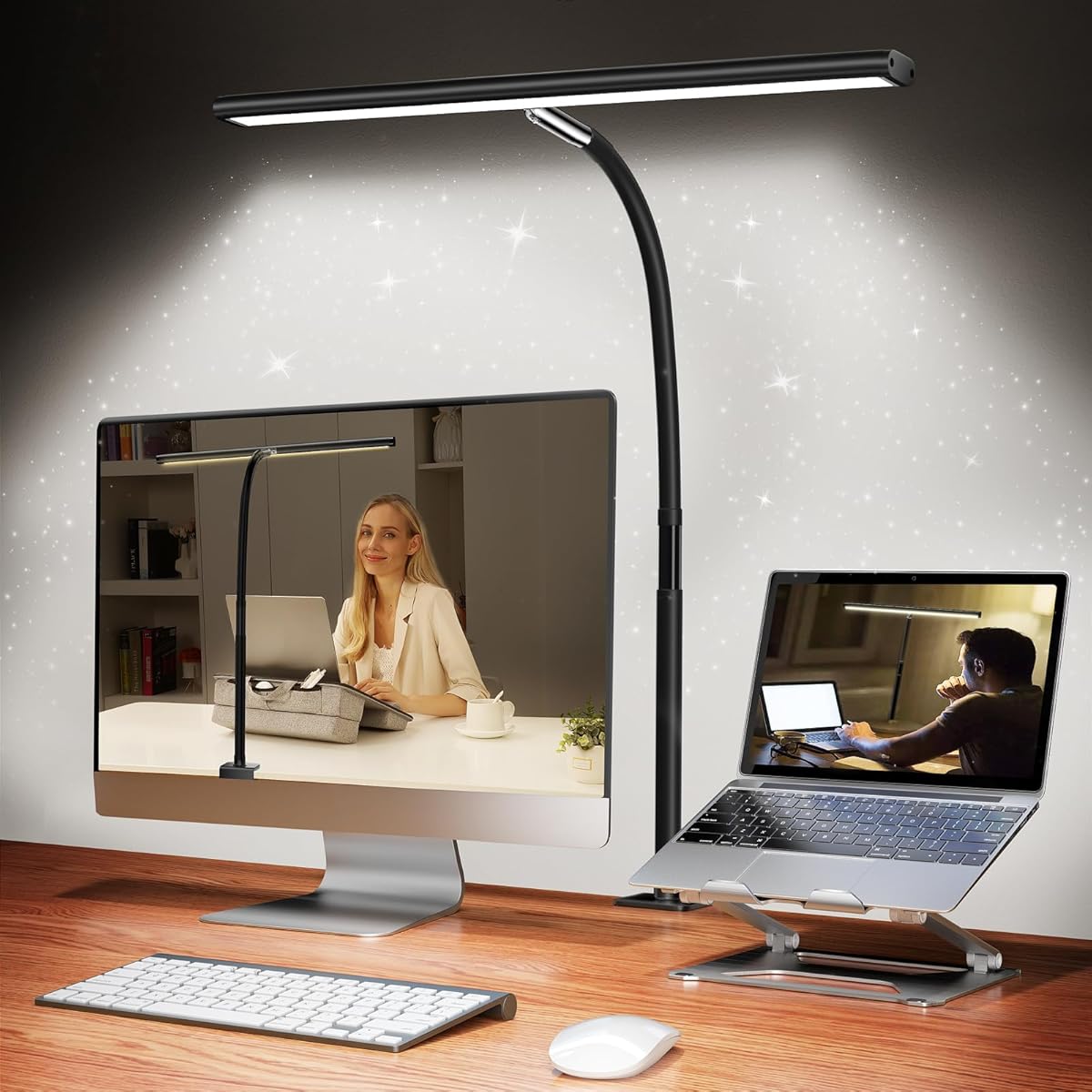
This desk lamp offers exceptional flexibility with a long gooseneck that allows precise light positioning. Rated at 4.5 it is ideal for users needing adjustable task lighting.
We may earn a commission when you buy through this link, at no additional cost to you.
The 17 inch bar provides ample coverage for large desks and fits monitors up to 30 inches. Stepless dimming and color temperature control help match any workflow requirement seamlessly.
Installation involves a sturdy metal clamp that supports up to 2.36 inch thick desks. Wire management features keep cables neat ensuring a clean professional look on your workspace.
Select this lamp for crafting drawing or detailed work where light direction matters. Its energy saving design and reliable construction make it a practical long-term desk addition.
The 360 degree flexible gooseneck lets you aim light exactly where needed whether reading sewing or working on technical projects.
Built-in wire management helps conceal cables so your desk remains organized and free from tangled cords cluttering your workspace.
We may earn a commission when you buy through this link, at no additional cost to you.
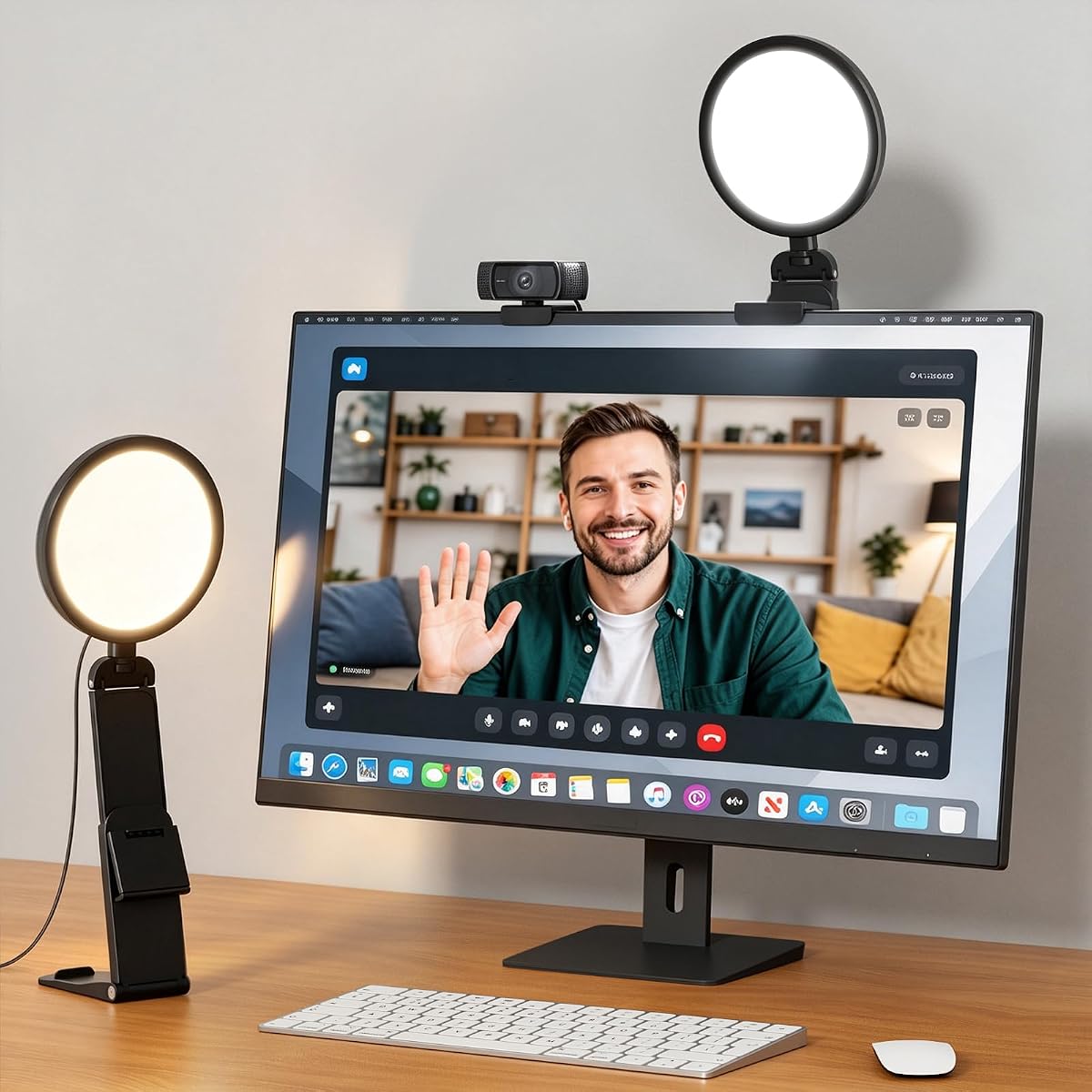
Designed for video conferencing and streaming this light ensures you look your best on camera. With a 4.5 rating it delivers balanced lighting that enhances natural features.
We may earn a commission when you buy through this link, at no additional cost to you.
TrueSoft technology provides cinematic color accuracy while the frameless diffuser eliminates harsh shadows. Adjustable settings let you fine-tune brightness and temperature for any environment.
The patent-pending 3-way monitor mount offers flexible positioning to find the ideal angle. Its lightweight USB powered design makes it easy to transport between setups.
Invest in this light if you need professional results for meetings or online content. It is a solid upgrade for anyone wanting polished visuals in video calls.
Cinematic color accuracy ensures you appear natural and professional during Zoom or Teams meetings enhancing your overall presentation quality.
The frameless diffuser radiates soft wide light that flatters your face and removes unflattering shadows from your video image.
We may earn a commission when you buy through this link, at no additional cost to you.
This lamp offers diverse lighting options suitable for various tasks from drafting to reading. Its wireless remote adds convenience for adjusting settings without reaching the base.
We may earn a commission when you buy through this link, at no additional cost to you.
Five color temperatures and five brightness levels create 25 modes to match any mood or task. The swing arm and rotatable head allow precise positioning for detailed work.
Built with LED technology it provides uniform light without flicker or glare. If the remote fails the seller offers a free replacement ensuring satisfaction.
Choose this lamp if you need flexibility for creative projects or studying. The remote and adjustable design make it adaptable for multiple users in a workspace.
Wireless control lets you switch modes and brightness from across the desk without touching the lamp base directly.
The swing arms and rotatable head let you direct light to specific areas for focused task lighting where needed.
We may earn a commission when you buy through this link, at no additional cost to you.
This dual-mode bar combines practical task light with vibrant RGB backlight for immersive gaming. Rated 4.1 it balances eye comfort with atmospheric lighting effectively.
We may earn a commission when you buy through this link, at no additional cost to you.
The front light focuses on the desk reducing glare while the RGB modes add color behind your screen. Independent buttons let you control each mode separately.
It installs quickly with a retractable clip that grips screens without damage. Memory function recalls your last settings so you resume instantly every time.
Perfect for gamers wanting ambiance without losing functional desk light. The USB-C power and compact design make it easy to integrate into any setup.
Nine RGB backlight modes cast vibrant colors behind your monitor creating a dynamic atmosphere for gaming or watching movies.
Front light aims at your desk with a 45 degree angle avoiding direct eye exposure to reduce fatigue during long sessions.
We may earn a commission when you buy through this link, at no additional cost to you.
This dual head lamp spans 31.5 inches to cover large desks or dual monitor setups comfortably. Rated 4.5 it offers versatile modes and reliable long-term performance.
We may earn a commission when you buy through this link, at no additional cost to you.
Fifty lighting modes let you fine-tune color and brightness to suit work or reading. The 360 degree gooseneck provides precise directional control for targeted tasks.
Auto-off timers help save energy by turning the lamp off after 10 or 45 minutes. The clamp secures desks up to 2.9 inches thick with protective padding.
Ideal for home offices requiring broad illumination without cluttering desk space. Its durable build and easy assembly make it a practical choice for daily use.
The expandable dual head design spans 31.5 inches providing even light across large desks and multi-monitor workspaces.
Auto-off timers allow you to set limits so lights don't stay on overnight saving energy and extending device life.
We may earn a commission when you buy through this link, at no additional cost to you.
This two-pack ensures you have lighting for multiple devices or backup. Rated 4.3 it delivers high color accuracy and even light for video calls.
We may earn a commission when you buy through this link, at no additional cost to you.
With CRI over 97.8 colors appear natural on camera making video presentations look professional. Fifty modes let you adjust color and brightness precisely.
The screen-safe clip avoids damage while the adjustable stand fits laptops and tablets. Foldable design and lightweight build make it easy to carry for travel.
Choose this if you need reliable lighting for remote work on various devices. High CRI ensures your image remains true to life during meetings.
High CRI ratings ensure your skin tones and environment look natural on camera during video calls and streaming.
Foldable components and light weight allow you to carry the light easily in a bag for meetings on the go.
We may earn a commission when you buy through this link, at no additional cost to you.
This premium light bar attaches to your monitor saving desk space while providing quality illumination. Rated 4.4 it features high color rendering for natural light.
We may earn a commission when you buy through this link, at no additional cost to you.
Asymmetric design prevents screen glare and the wireless remote simplifies adjustments. USB-C automatic on means it powers on with your computer seamlessly.
Ra95 color rendering ensures objects look true to life on your screen. The solid metal build and refined finish fit modern minimalist workspaces well.
Opt for this if you value premium materials and convenience. It is an excellent choice for professionals seeking high-quality desk lighting without clutter.
Asymmetric optical design ensures light reflects away from the screen reducing glare for comfortable viewing during long work sessions.
USB-C connection turns the light on automatically when your computer starts saving time and ensuring you always have light.
We may earn a commission when you buy through this link, at no additional cost to you.
This gaming light delivers professional-quality illumination to elevate your setup and presence. Rated 4.5 it combines sleek design with powerful lighting features.
We may earn a commission when you buy through this link, at no additional cost to you.
TrueSoft technology provides full-spectrum light for natural color accuracy. The 3-way adjustable stand offers endless angles to shape and direct light exactly.
Save presets via G HUB app or on-board controls for quick access. It is UL tested for safe continuous use so you never fear overheating.
Invest in this if you stream regularly or want premium lighting aesthetics. Its compact size fits tight desktops while offering high-end performance.
Adjustable light direction lets you shape shadows and highlights to match your specific gaming style and aesthetic preferences.
UL testing guarantees the light can run continuously without risk making it safe for long gaming sessions or overnight streaming.
We may earn a commission when you buy through this link, at no additional cost to you.
This simple USB panel improves your appearance in meetings without complicating your setup. Rated 4.1 it offers practical lighting for basic remote work needs.
We may earn a commission when you buy through this link, at no additional cost to you.
Three color modes and ten brightness levels provide decent control for different environments. Mount options include clip or magnetic base for monitor or webcam use.
The compact design saves space while the inline controller simplifies adjustments. It works plug-and-play so no drivers or apps are required.
Select this for budget-conscious users seeking clear video lighting. It is a straightforward solution for anyone needing better face illumination quickly.
Plug-and-play USB design allows you to start using the light immediately without installing any software or drivers.
Low price point makes it accessible for students or home office users who want clear lighting without high costs.
We may earn a commission when you buy through this link, at no additional cost to you.
Choosing the right light involves balancing coverage, adjustability, and eye-care features. We outline key factors to consider before purchasing to ensure the best fit.
Coverage area determines how much of your desk or screen the light can reach. Wider bars or dual heads are better for multiple monitors or large desks while compact bars suit single screen setups.
Look for wide beams that cover your keyboard and monitor evenly to reduce eye strain and maintain a clear workspace.
Flexible goosenecks or adjustable mounts allow you to direct light exactly where needed. This is essential for tasks like drafting reading or working with specific objects on the desk.
Ensure the mount and angle adjustments are sturdy enough to hold position without constant readjustment during use.
Adjustable color temperatures let you switch between warm relaxing light and cool focused light. This versatility helps match your task whether studying or winding down for the evening.
Choose models with multiple color options to reduce strain and maintain productivity throughout different times of day.
A broad dimming range ensures you can lower brightness for night use or raise it for detailed tasks. Stepless dimming offers smoother transitions than fixed levels.
Check for memory functions that recall your last dimming settings to save time every time you power the light on.
Clips magnetic bases or desktop stands vary in stability and desk space usage. Monitor bars save desk space but require specific screen thickness compatibility.
Verify clamp width limits and mounting safety features to avoid damaging your monitor or desk surface during installation.
Controls may include physical switches remotes or smartphone apps. Physical switches are reliable while apps offer advanced features like scheduling.
Select controls that align with your preference for simplicity or advanced customization to manage your lighting efficiently.
Features like flicker-free operation and glare reduction minimize eye fatigue during extended use. Look for lights designed to avoid direct exposure to your eyes.
Prioritize models with eye-care technology if you spend many hours daily at your computer to protect your vision.
USB or USB-C powered lights connect directly to your computer or adapter simplifying setup. Ensure the cable length and power source are accessible.
Choose a power source that matches your available ports to avoid needing extra hubs or adapters.
Mount your light securely on your monitor or desk ensuring it is stable and aligned with your screen center. Adjust the angle so light spreads across your workspace without reflecting into your eyes.
Set your preferred color temperature and brightness levels at the start of your workday. Use dimming features to adjust as natural light changes throughout the day.
Clean your light regularly with a soft dry cloth to maintain clear illumination. Keep cables organized and avoid bending them sharply to preserve functionality.
Yes these lights provide focused even illumination that minimizes contrast between screens and surrounding areas. This reduces eye fatigue especially during long work or gaming sessions.
Many models come with clips or mounts compatible with curved screens. Verify the mounting mechanism supports your monitor thickness and curvature for secure attachment.
Most LED lights are energy efficient and generate minimal heat making them safe for extended use. Look for models that pass safety certifications like UL testing for continuous operation.
Basic models use physical switches or remotes requiring no software. Advanced models may include apps for presets but typically function fully without installation.
Select brightness based on your environment. Use higher brightness for dark rooms or detailed work and lower levels for ambient lighting during evening use.
Many models are lightweight and compact enough to move between workstations. USB powered designs make transport easy as long as a power source is available.
Cooler whites between 4000K and 6000K promote focus for tasks while warmer tones around 3000K help relaxation. Choose adjustable options for versatility across different times.
Some wide bars provide enough illumination to replace a traditional desk lamp. Check coverage area and brightness ratings to ensure sufficient task lighting for your needs.
We reviewed ten top options covering budget to premium choices for various needs. Each offers unique features from wide coverage to adjustable angles ensuring there is a right fit for every workspace.
Prioritize eye-care features and mounting compatibility to maximize comfort and utility. Balancing brightness control and ease of use will enhance your daily productivity.
Verify current availability and details before purchase as stock and features may change. Select the model that aligns best with your lighting goals and workspace setup.