
MOSDART 16GB USB C & USB A
4.5Editor score
Dual connector support
Affordable price
Compact swivel design
This guide compares the top keychain USB flash drives for reliability, speed, and portability to help you choose the best storage solution for your daily needs.
In today's digital world, carrying important files requires reliable storage. A keychain USB flash drive offers a compact solution to keep data safe and accessible. These devices combine durability with convenience, ensuring you never lose critical documents or media.
We evaluated ten top models based on build quality, transfer speeds, and compatibility. Each product was selected for its ability to withstand daily wear while providing fast access to files. Our list covers various capacities and connector types to suit different devices.
Each pick highlights specific strengths like waterproofing or dual connectivity. We focus on real-world performance to help you make an informed decision. Please note that availability and terms may change, so verify details before purchasing.
4.5Editor score

4.7Editor score

4.4Editor score
This table provides a side-by-side overview of all ten selected keychain USB flash drives. Compare their key specifications to find the model that best fits your storage requirements and device compatibility needs.



This USB flash drive stands out for its massive 230GB storage capacity. It receives solid ratings for holding large media files and documents easily. The metal shell and keychain design ensure it remains secure and durable during travel.
We may earn a commission when you buy through this link, at no additional cost to you.
The drive uses a robust chip to support fast data transfers across various devices. Its waterproof and shockproof features protect your data from physical damage and environmental hazards. You can plug it directly into computers or TVs without extra software.
While it offers exceptional capacity, the physical size is slightly bulkier than standard models. Transfer speeds are adequate but may not match ultra-high-speed premium options. These trade-offs are acceptable given the sheer amount of storage provided.
Ideal for users needing extensive offline storage for movies and projects. This drive is a reliable choice for keeping large libraries safe and portable. It suits those who prioritize capacity over extreme speed or compactness.
Holds thousands of photos and videos with 230GB of space for all your media needs.
Waterproof and shockproof construction keeps data safe from drops and spills.
We may earn a commission when you buy through this link, at no additional cost to you.
The MOSDART 64GB drive is praised for its waterproof metal casing. Users appreciate the reliability of the build quality for protecting sensitive files. The key ring design helps prevent loss while keeping data accessible.
We may earn a commission when you buy through this link, at no additional cost to you.
It supports broad compatibility across Windows and Mac systems with ease. The default exFAT format allows large files, but reformatting is possible. Its small size makes it easy to carry in pockets or bags.
Transfer speeds are limited by the USB 2.0 interface compared to newer standards. The lack of a cap means the connector is always exposed, though the design minimizes this risk. These factors are balanced by its sturdy construction.
Best for users prioritizing physical protection over raw transfer speed. It works well for general file backups and sharing documents. This model is a solid choice for daily portability and safety.
Metal construction shields internal components from dust, water, and shocks effectively.
Works with almost all operating systems and devices without special setup steps.
We may earn a commission when you buy through this link, at no additional cost to you.
This pack offers two 128GB drives for shared or backup purposes. The vacuum-sealed metal casing provides strong protection against elements. The capless design prevents loss of parts while maintaining a sleek profile.
We may earn a commission when you buy through this link, at no additional cost to you.
Data transfer relies on a reliable grade A+ chip for stability. It connects easily to various systems without needing additional software. The keychain included ensures you can attach it securely to keys or bags.
Performance is limited to USB 2.0 speeds which may feel slow for large batches. The slim design might not fit tightly in some ports on older devices. These drawbacks are minor given the value of getting two drives.
Perfect for families or teams needing multiple reliable storage units. It is a great option for backups and sharing files. This pack provides excellent value for those needing redundancy.
Internal components are sealed for protection against water and solid debris.
Available in general or custom designs to match professional branding needs.
We may earn a commission when you buy through this link, at no additional cost to you.
This dual flash drive connects to both USB C and A ports easily. It boasts fast transfer speeds up to 150MB/s for efficient file movement. The rotating metal design protects ports while keeping the device compact.
We may earn a commission when you buy through this link, at no additional cost to you.
The longer type C port allows use without removing phone cases. A sturdy keychain ensures it stays with you on backpacks or keys. Protective caps keep the USB C end clean from scratches and dust.
The rotating mechanism may have a longer lifespan than sliding versions. The weight is slightly higher due to the dual connector structure. These trade-offs are acceptable for the flexibility offered.
Ideal for users switching between modern smartphones and older computers. It simplifies data transfer across different ecosystems. This drive is a versatile tool for mobile professionals.
Transfers files between Android devices and PCs without needing extra adapters.
USB 3.2 performance speeds up transfers to 150MB/s for large files.
We may earn a commission when you buy through this link, at no additional cost to you.
This portable drive offers a lightweight metal body for easy carrying. It features a Class-A chip for stable data transmission and reliable performance. The compact size makes it ideal for slipping into small pockets.
We may earn a commission when you buy through this link, at no additional cost to you.
Users can access files on most devices without installing software. It supports Windows and Mac systems with broad compatibility. The metal keychain design adds a touch of durability and portability.
Speed is standard for USB 2.0 which might feel slow for huge files. It lacks advanced software features found in premium models. These are expected limitations for a basic storage tool.
Great for students and travelers needing quick file access. It serves well for sharing documents and backups. This drive is a practical choice for everyday use.
Class-A chip ensures reliable and consistent performance across sessions.
Start working immediately without needing drivers or complicated setup steps.
We may earn a commission when you buy through this link, at no additional cost to you.
The SAMSUNG BAR Plus delivers impressive speeds up to 300MB/s for quick file transfers. Its rugged metal casing protects data from physical damage and environmental stress. Users rate it highly for reliability and build quality.
We may earn a commission when you buy through this link, at no additional cost to you.
It includes a key ring to prevent loss during travel or storage. The drive maintains compatibility with USB 3.0 and 2.0 ports easily. Four-proof features safeguard your data from water and shocks.
It may cost more than basic models due to its premium features. Capacity options are limited to standard sizes compared to custom drives. These factors are minor compared to its robust performance.
Best for professionals needing speed and durability in one package. It excels at handling large files efficiently. This model is a top choice for demanding work environments.
USB 3.1 technology allows you to move files faster than ever.
Four-proof design keeps your important photos and videos safe everywhere.
We may earn a commission when you buy through this link, at no additional cost to you.
This affordable drive offers dual connectors for phones and laptops. Its swivel design protects connectors while keeping the device compact. The longer USB-C port means you can plug in without removing cases.
We may earn a commission when you buy through this link, at no additional cost to you.
It works seamlessly with iPhones and Android devices without Wi-Fi. A protective cap keeps the USB-C end clean and scratch-free. The keyring hole ensures you can attach it to keys or bags.
Storage is limited to 16GB which suits small backups only. USB 2.0 speeds are slower than newer 3.2 options. These trade-offs are acceptable for the low entry price.
Ideal for casual users needing emergency storage transfers. It is perfect for moving photos between phones and PCs. This model offers great value for budget-conscious buyers.
Works with many devices instantly without requiring apps or Wi-Fi.
Helps creators transfer work and media without running out of space.
We may earn a commission when you buy through this link, at no additional cost to you.
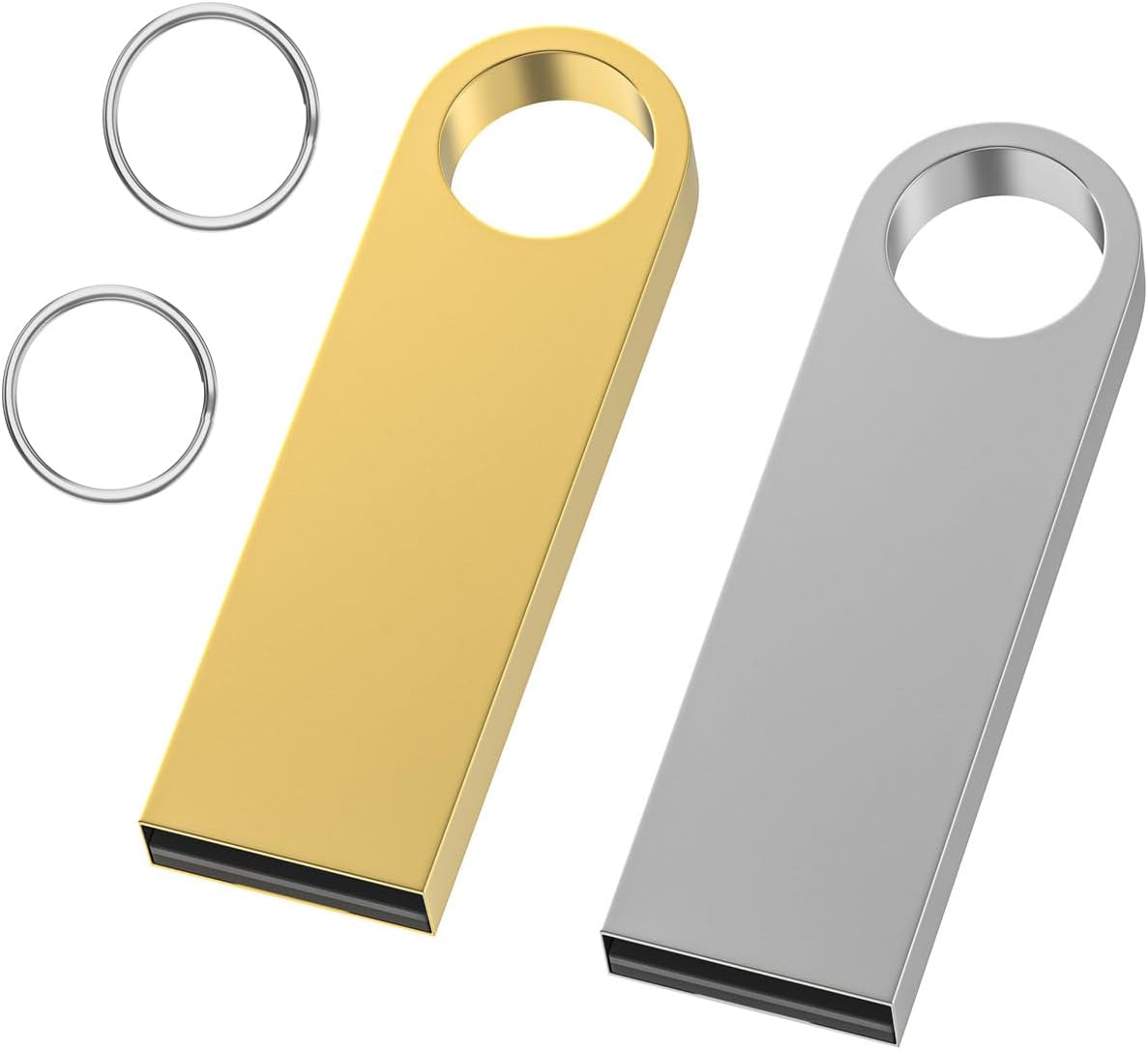
This set includes two sleek metal drives for simple backup needs. The aluminum body adds durability and a premium look to the device. Each drive has a dedicated hole for a matching keychain.
We may earn a commission when you buy through this link, at no additional cost to you.
It supports a wide range of systems including Windows and Mac. The minimalist size allows you to store them nearly anywhere easily. Write and read speeds are adequate for basic document files.
Performance is slower than USB 3.0 models for large batches. Storage is limited to 16GB which restricts video use. These limitations are expected for a budget-friendly set.
Perfect for general office tasks and simple file sharing. It is great for having a spare drive ready. This pack is a practical choice for low-demand storage.
Aluminum body provides a premium look and better protection for data.
Dedicated hole on every drive makes attaching to keys easy.
We may earn a commission when you buy through this link, at no additional cost to you.
This premium drive combines high speed with data protection software. It offers read speeds of 150MB/s for efficient file access. The design is both stylish and durable for everyday carry.
We may earn a commission when you buy through this link, at no additional cost to you.
USB 3.2 Gen 1 ensures compatibility with older USB 2.0 systems. Lexar DataShield helps safeguard your files from unauthorized access easily. It works well with both PC and Mac operating systems.
The focus on read speeds means write speeds might be slower. It comes at a higher price point than basic options. These factors are minor for those valuing security and speed.
Best for users prioritizing data security and performance. It excels at handling large projects safely. This drive is a top choice for professional workflows.
USB 3.2 Gen 1 performance keeps your workflow smooth and fast.
Lexar DataShield offers reliable data protection for your sensitive info.
We may earn a commission when you buy through this link, at no additional cost to you.
This drive features a capless slide-out design for quick access. Its lightweight build makes it comfortable to carry in pockets or bags. The USB 3.0 interface ensures reliable data transfer speeds.
We may earn a commission when you buy through this link, at no additional cost to you.
It includes a lanyard or keyring loop to prevent accidental loss. Transcend Elite software helps manage data and organize files better. The design allows for easy use without removing protective covers.
The slide-out mechanism may expose connectors to dust if not stored well. It lacks a metal shell for heavy physical protection. These trade-offs are acceptable for the convenience offered.
Ideal for users who want fast access without losing caps. It serves well for regular office and home backups. This model is a strong contender for practical daily use.
Slide-out connector prevents cap loss and speeds up access times.
Transcend Elite software helps manage and organize your files easily.
We may earn a commission when you buy through this link, at no additional cost to you.
Choosing the right keychain USB flash drive involves several key factors. Understanding these elements will help you find a model that suits your storage needs and device compatibility.
Storage capacity determines how many files you can carry on the device. Consider your typical file sizes such as photos, videos, or documents when selecting. Larger capacities like 128GB are better for media, while 16GB suffices for documents.
Always choose a size slightly larger than your current needs to allow for future growth.
The interface type like USB 2.0 or 3.2 affects transfer speeds significantly. USB 3.0 and higher offer faster movement of large files compared to older standards. Check your devices to ensure the port matches the drive for optimal performance.
Prioritize USB 3.0 or higher if you regularly move large media files quickly.
Build quality impacts how well the drive withstands daily wear and accidental drops. Look for metal casings and waterproof features to protect your data from physical damage. A durable shell adds years to the lifespan of your storage device.
Select models with shockproof or waterproof claims if you travel frequently.
Modern devices may require USB-C or dual connectors for versatility. A dual drive with USB-A and USB-C allows you to switch between phones and PCs easily. Verify your most used devices to decide on the right connector type.
Opt for dual-head drives if you use both old and new technology regularly.
Design features like keychains and compact shapes prevent loss during travel. A built-in key ring allows you to attach the drive securely to your keys or bag. Slim designs fit better in pockets but might be harder to remove from ports.
Ensure the drive includes a keyhole or loop for easy attachment to keys.
Compatibility ensures the drive works across different operating systems like Windows or Mac. Most drives work universally but some may require formatting for specific file systems. Check support details to avoid issues with your primary computer.
Confirm system support for Windows and Mac before purchasing for broad use.
Budget varies significantly based on capacity and features included in the drive. Basic models are affordable but may lack speed or advanced protection features. Determine your priority areas to find a model that balances cost and performance.
Allocate more budget for features like dual connectivity if you need versatility.
Data security features such as passwords or software help protect sensitive files. Some models include management tools that add an extra layer of protection. Ensure your drive has these options if you store confidential information regularly.
Look for drives with included software if protecting sensitive data is a priority.
Always eject the drive safely before unplugging to prevent data corruption. Use the 'Safely Remove Hardware' option in your operating system settings. This simple step ensures files are fully written and your data remains intact.
Store the drive in a cool, dry place away from direct sunlight. Excessive heat or moisture can damage internal components over time. Keeping it in a protective case or pouch helps maintain its condition.
Avoid forcing the connector into ports as this may bend the pins. Ensure the drive is aligned correctly before insertion to preserve longevity. Regular cleaning of the connector prevents dust buildup that could affect performance.
Yes, most modern keychain USB flash drives are compatible with Mac computers. They typically work with macOS versions without needing extra drivers. Some drives may need to be formatted to exFAT for full read and write access on Macs.
To check if your drive is working, insert it into a computer port. If it appears in File Explorer or Finder, it is recognized. You can also check the properties to see the storage space and file count.
Recovery depends on the type of damage to the drive. If the hardware is physically broken, professional services might be required. For logical errors, specialized software can often recover lost files if the drive is still detected.
USB 3.0 offers significantly faster transfer speeds compared to USB 2.0. It is also typically blue inside the port to distinguish it visually. USB 3.0 is backwards compatible with USB 2.0 devices for broader use.
The lifespan varies based on usage and build quality. Most drives last several years with regular use. Proper handling and avoiding physical stress help maximize the number of write cycles it can handle.
New drives usually come pre-formatted for general use. However, you might need to format it to a specific file system for your needs. Formatting clears existing data, so back up files before changing formats.
Many models claim waterproof resistance for accidental spills. However, prolonged submersion may still cause damage depending on the depth. Always check the specific IP rating for detailed protection levels before submerging.
We reviewed ten top options including the SAMSUNG BAR Plus and MOSDART dual drives. Each model offers unique strengths depending on your storage speed and device needs.
Prioritize speed and durability if you work with large files daily. For budget-friendly options, consider the dual packs or USB 2.0 models for basic needs.
Always verify current availability and compatibility before making a purchase. Checking recent updates ensures you get the most reliable performance for your workflow.