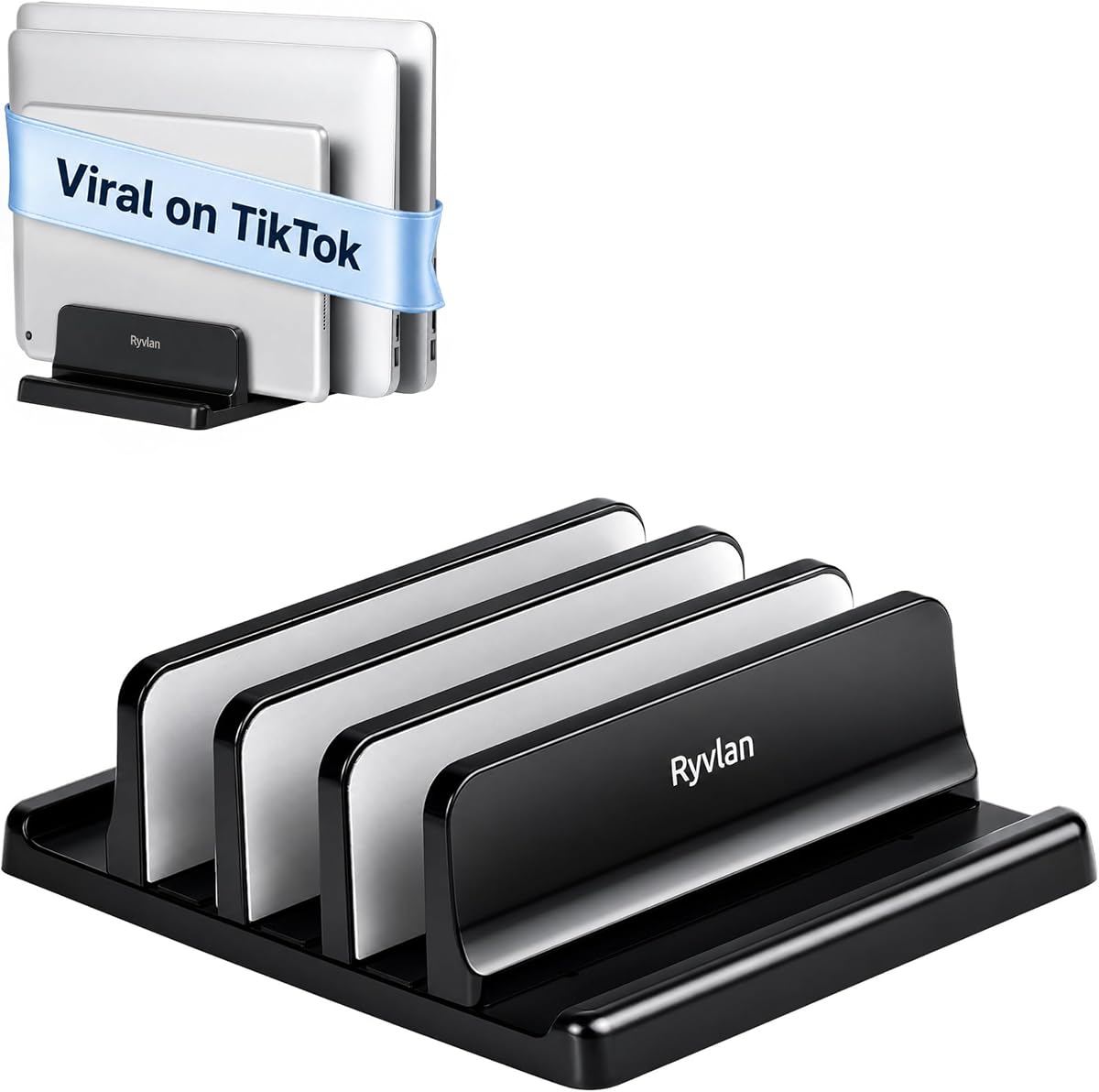
Ryvlan Vertical Laptop Stand
4.6Editor score
Affordable price point for all
Three slots for laptops and tablets
Adjustable width slots included
Managing multiple devices can clutter your workspace and reduce productivity. A dedicated laptop rack for multiple laptops helps keep your desk tidy and your equipment safe while ensuring easy access to all your essential tools throughout the day.
We evaluated ten top-rated solutions based on capacity, build quality, and compatibility. Our selection includes vertical stands, charging stations, and floor racks designed to handle everything from slim ultrabooks to heavy gaming machines securely and efficiently.
Each pick highlights specific strengths like adjustable slots or built-in power management. While we focus on long-term value and design, please note that product availability and pricing may change, so verify details before making your final purchase decision today.
4.6Editor score

4.2Editor score

4.5Editor score
As an Amazon Associate we earn from qualifying purchases.
Below is a side-by-side comparison of the top ten laptop racks. This overview highlights key specifications and design elements to help you identify the model that best fits your specific storage and charging needs.




The Ryvlan Vertical Laptop Stand is a highly rated option for organizing multiple devices efficiently. With a 4.6-star rating, users appreciate its ability to hold up to three laptops plus tablets in a single footprint. Its adjustable design ensures stability across different device thicknesses.
We may earn a commission when you buy through this link, at no additional cost to you.
This stand excels in versatility. The width of each slot adjusts from 0.47 inches to 1.2 inches, accommodating everything from thin ultrabooks to thicker gaming machines. The silicone padding across all six walls keeps devices secure and prevents scratches during storage.
While the ABS construction is durable and lightweight, it lacks the premium feel of aluminum alternatives. However, the adjustable width mechanism works smoothly with the included wrench. The stable base ensures it remains put even when accessing devices frequently.
This rack is ideal for home offices and shared workstations where space is at a premium. Its ability to clear the desk while keeping devices accessible makes it a practical choice for daily use across various professional environments.
The adjustable slots ensure a snug fit for any laptop or tablet regardless of thickness or protective case.
With a footprint of roughly 7.3 by 5.9 inches, it maximizes vertical space to clear clutter from your workspace.
We may earn a commission when you buy through this link, at no additional cost to you.
The Elestoria 10-Slot Vertical Laptop Stand is designed for users needing high-density storage. It holds up to ten laptops, MacBooks, or tablets securely. The premium aluminum construction ensures longevity and provides superior cooling through 360-degree airflow.
We may earn a commission when you buy through this link, at no additional cost to you.
Its adjustable design allows for a wide range of device sizes. You can adjust the width from 0.24 inches up to 5.83 inches to fit even heavy gaming laptops. The heavy weighted base keeps the rack stable on any surface.
The open-side design offers unobstructed access to charging ports. However, the larger footprint and higher cost may not suit every budget or workspace. It remains the top choice for those prioritizing capacity and material quality.
Ideal for offices or classrooms managing multiple devices, this stand combines style with functionality. It reclaims desk space while ensuring every device stays cool and secure within a professional clamshell mode setup.
The aluminum alloy construction and vertical orientation promote passive convection to prevent overheating during storage.
Wide adjustment ranges allow secure fitting for devices with or without protective cases and sleeves.
We may earn a commission when you buy through this link, at no additional cost to you.
The Elestoria 5-Slot Vertical Laptop Stand offers a balance between capacity and desk footprint. It holds up to four laptops and one mobile device securely. The premium aluminum finish matches devices like the MacBook Pro and Surface effectively.
We may earn a commission when you buy through this link, at no additional cost to you.
Its three sliding brackets adjust easily to accommodate different thicknesses. This flexibility ensures even gaming laptops up to 17.3 inches sit snugly. The closed design prevents tipping, keeping devices safe from accidental knocks or spills.
While it lacks the massive capacity of the 10-slot version, its size is often more practical for home offices. The adjustable width ensures a perfect fit for various devices without the need for tools.
This stand is a solid investment for professionals needing organized desktop access. It streamlines your tech ecosystem while protecting devices from surface scratches and maintaining airflow for optimal performance.
The sturdy aluminum build supports clamshell setups securely, ideal for docking with external monitors.
Vertical orientation maximizes available desktop square footage for a cleaner workspace.
We may earn a commission when you buy through this link, at no additional cost to you.
The Unittype Bamboo Multi Device Organizer brings a natural aesthetic to your workspace. With six slots, it holds laptops and tablets neatly. Its natural wood color complements modern office furniture beautifully.
We may earn a commission when you buy through this link, at no additional cost to you.
Beyond electronics, it can store mail or folders, making it a dual-purpose organizer. The robust stability provided by sturdy bamboo ensures devices remain secure. Non-slip rubber feet protect both the stand and your desk from scratches.
However, the fixed slot design may not accommodate very thick protective cases. Additionally, wood surfaces require more care than metal to maintain their appearance. It is best suited for those prioritizing style.
Ideal for home offices or creative studios, this organizer offers efficient organization while maintaining visual appeal. It is a practical choice for keeping daily tech essentials within easy reach.
The design supports storage for books and folders alongside electronics for a tidy desk.
Bamboo is a renewable resource that offers durability and a warm visual finish.
We may earn a commission when you buy through this link, at no additional cost to you.
The 10-Device Laptop & Tablet Charging Station solves both storage and power needs. Designed for classrooms and offices, it holds ten devices securely. The integrated AC outlets and USB ports simplify the charging process significantly.
We may earn a commission when you buy through this link, at no additional cost to you.
Surge protection is a key feature ensuring device safety during charging. Cable management helps reduce clutter on desks and counters. This unit keeps everything neat without compromising accessibility to individual devices.
It is less flexible if you only need storage without immediate charging. Also, it requires a nearby power source to function fully. Despite this, it is a comprehensive solution for shared environments.
Ideal for training rooms or reception areas, this station manages high-density charging efficiently. It ensures every device stays powered and organized, making it a vital tool for educational or corporate settings.
The built-in surge-protected power strip reduces the need for external extension cords.
Vertical slots allow quick insertion and removal of devices for daily use.
We may earn a commission when you buy through this link, at no additional cost to you.
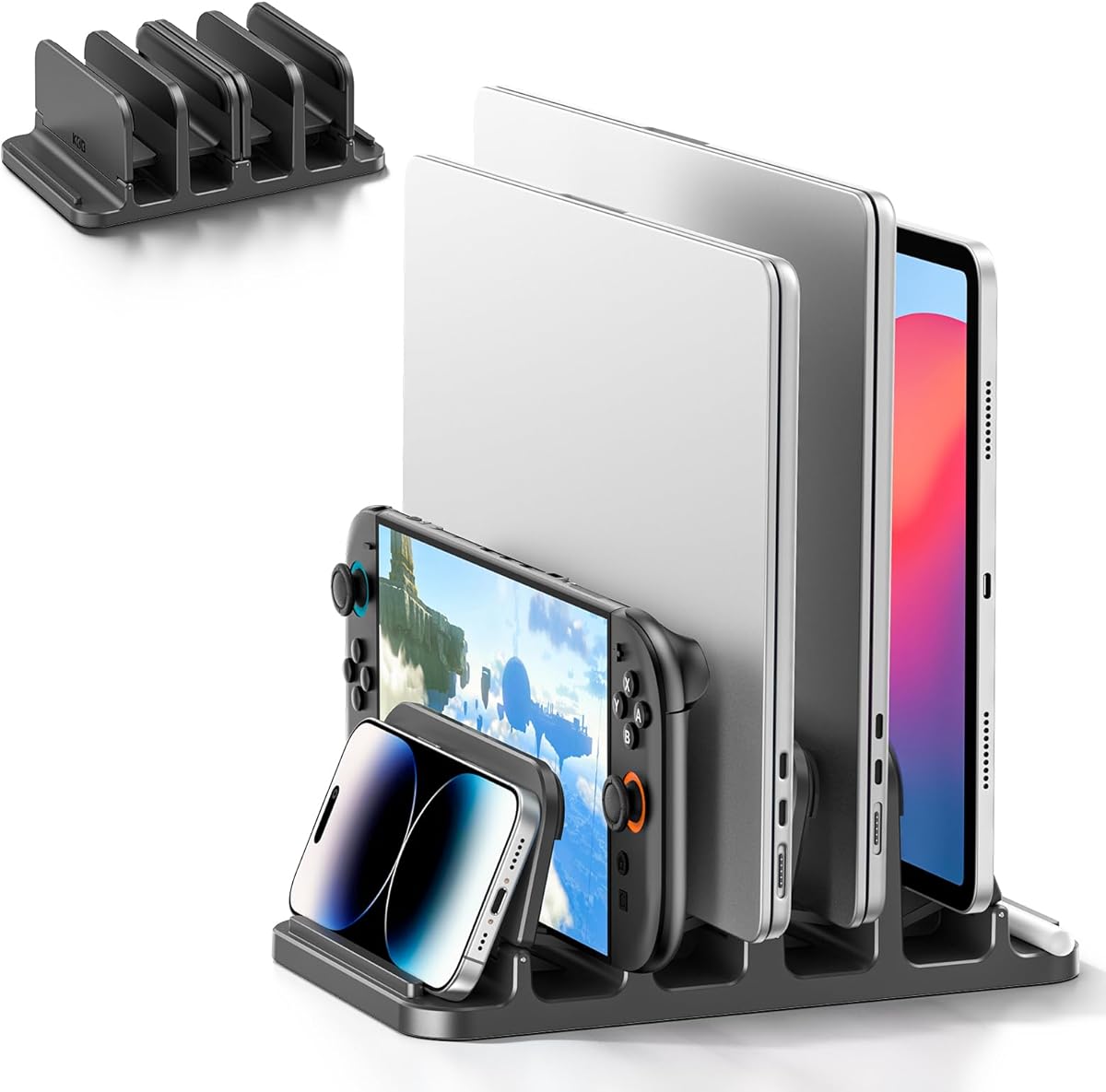
The KDD 4-Slot Vertical Laptop Stand features a unique gravity locking design. It holds up to six devices securely without extra clamps. Simply placing the device locks it into position, ensuring stability during use.
We may earn a commission when you buy through this link, at no additional cost to you.
Its versatility allows for storing keyboards alongside laptops. The silicone pads on the base and slots prevent any sliding. This design is ideal for organizing essential items like books or game consoles.
The plastic construction is lightweight but less robust than metal alternatives. Compatibility extends to most electronics, but very thick cases may not fit within the 1.1-inch limit. Still, it offers strong value.
This stand is perfect for home offices needing a versatile organizer. It keeps your equipment upright and organized, creating a productive working environment with minimal setup effort.
The gravity mechanism locks devices automatically without the need for manual tightening.
Accommodates laptops, phones, books, and even keyboards in one unified stand.
We may earn a commission when you buy through this link, at no additional cost to you.
The Vertical Laptop Stand Holder 5 Slots is crafted from premium aluminum alloy. It matches the aesthetic of high-end devices like the MacBook Pro. The brushed finish adds a professional look to any desk setup.
We may earn a commission when you buy through this link, at no additional cost to you.
Its five slots provide ample room for various devices. The adjustable design allows for a perfect fit using the included hex key. Silicone padding ensures devices stay secure without risk of scratching.
While adjustments require a tool, the stability provided is superior. The vertical design promotes airflow, keeping laptops cool when not in active use. This makes it ideal for clamshell setups.
This stand is perfect for professionals seeking both style and function. It keeps devices organized and protected while maximizing available desk space efficiently for a cleaner workspace.
The CNC-machined aluminum matches premium devices ensuring a cohesive look.
Vertical orientation prevents overheating by allowing air to circulate freely around devices.
We may earn a commission when you buy through this link, at no additional cost to you.
The POCHAR 8-Device Universal AC Laptop Charging Station accommodates a wide range of devices. Its wide-angle slots are designed for laptops up to 14 inches. This makes it suitable for both large and small devices easily.
We may earn a commission when you buy through this link, at no additional cost to you.
No assembly is needed, making setup instant. The durable design ensures it withstands daily high-demand environments. Surge protection is included to avoid voltage spikes during operation.
While versatile for larger devices, the open slots may be too wide for very small tablets. Additionally, it lacks USB ports found in some competitors. However, it remains a reliable choice.
Ideal for schools or offices managing mixed device fleets, this station keeps things organized efficiently. It offers a straightforward solution for storing and charging laptops without complicating the workspace.
No assembly required means you can start using the station immediately upon unboxing.
Designed for laptops and tablets up to 14 inches with thick cases.
We may earn a commission when you buy through this link, at no additional cost to you.
The 10 Device Laptop Storage Rack is a floor-standing solution for high-capacity storage. It holds ten laptops securely and is built from durable steel. The two-tier design maximizes vertical capacity efficiently.
We may earn a commission when you buy through this link, at no additional cost to you.
Lockable wheels make it easy to move and secure in place. The open design ensures devices stay cool during charging. A bottom shelf offers extra space for printers or other items.
It requires floor space which may not fit small rooms. Additionally, it lacks an integrated power strip. However, its mobility and capacity are ideal for larger shared spaces.
This rack is perfect for large offices needing organized storage. It keeps devices accessible while maintaining a clean environment and ensuring long-term durability through robust construction.
Lockable wheels allow easy movement across rooms and secure placement when needed.
High-temperature baking finish ensures resistance to rust and deformation over time.
We may earn a commission when you buy through this link, at no additional cost to you.
The MobileVision Bamboo Multi Device Organizer is a compact solution for home offices. It holds five devices securely with a durable bamboo build. Its small footprint saves significant desktop space while keeping essentials within reach.
We may earn a commission when you buy through this link, at no additional cost to you.
Integrated rubber feet ensure the organizer stays stable. The design prevents devices from scattering. However, the 1-inch slot gaps may not fit devices with thick cases. This is a key limitation for some users.
Despite this, the material quality and stability are impressive. It promotes a tidy environment without taking up excessive space. Ideal for those seeking a natural look.
This organizer is great for small workspaces. It keeps devices safe and organized efficiently, making it a practical choice for personal or shared use.
Measuring 10 by 6.5 by 7 inches, it fits easily on small desks.
Crafted from sturdy high-quality bamboo for eco-friendly durability.
We may earn a commission when you buy through this link, at no additional cost to you.
Selecting the right laptop rack requires considering capacity, build quality, and compatibility with your existing devices. This guide outlines key factors to help you find a solution that fits your workspace perfectly.
The number of slots determines how many laptops or tablets you can store simultaneously. If you manage a small team or personal fleet, a 3 to 5 slot stand may suffice. For larger environments like classrooms or IT departments, look for racks with 10 or more slots to meet high-density needs.
Ensure the rack can accommodate your heaviest devices without tipping or wobble. Higher capacity models often require a sturdier base or floor standing design to maintain stability.
Devices vary in thickness, especially with protective cases or different screen sizes. Adjustable slots ensure a snug fit for everything from slim ultrabooks to bulky gaming machines. Look for racks that allow width adjustment without requiring complex tools.
Fixed slots may work if all your devices are similar, but adjustable options offer better long-term flexibility. This prevents damage and ensures secure placement during daily use.
Materials range from plastic to bamboo and aluminum. Plastic is lightweight and affordable, while aluminum offers premium durability and better heat dissipation. Bamboo adds a natural aesthetic but may require more care. Choose based on your aesthetic preference and usage environment.
A sturdy base prevents tipping when accessing devices. Weighted bases or lockable wheels in floor models enhance stability significantly.
Vertical stands promote passive cooling by allowing air to circulate around devices. This is crucial if you store laptops for long periods without use. Materials like aluminum conduct heat away better than plastic.
Open rack designs facilitate unrestricted airflow. Avoid enclosed cabinets unless necessary for privacy, as they may trap heat.
Charging stations combine storage with power delivery. Look for models with AC outlets and USB ports if you need to charge multiple devices simultaneously. Surge protection is vital to prevent damage during power fluctuations.
Integrated cable management keeps wires organized and reduces clutter. This feature is essential for professional environments where aesthetics matter.
Measure your desk or floor space before buying. Vertical stands save significant desk space compared to laying devices flat. Floor-standing models free up desks entirely but require floor space.
Choose a compact design if you have limited room. Ensure the rack does not obstruct other workspace elements.
Check if the rack supports your specific device types and thickness. Open sides or front-access slots allow easy access to ports without removing devices. This is critical for daily charging and usage.
Ensure the design supports clamshell mode if you use external monitors. This setup helps maximize productivity while keeping devices organized.
Look for non-slip silicone pads to protect devices from scratches. Ensure the base prevents sliding on smooth surfaces. For classrooms, surge-protected power is essential for safety.
Regular maintenance ensures longevity. Dust and clean the rack regularly to keep devices safe from debris.
Place the rack on a flat, stable surface to prevent tipping. Ensure the base is clean and free of debris before loading devices. Adjust the slot widths if applicable to match your devices' thicknesses.
Insert devices gently into the slots, ensuring they sit firmly. For charging stations, route cables through the management channels to avoid tangling. Keep devices oriented vertically to maintain airflow.
Clean the rack regularly with a damp cloth to remove dust. Check silicone pads periodically for wear. Avoid placing heavy objects on top of the rack to prevent structural strain.
The best rack depends on your needs. For high capacity, consider the Elestoria 10-Slot Stand. For charging, the 10-Device Charging Station is ideal. Always check compatibility with your devices.
No, if it has protective silicone padding and adjustable slots. Ensure devices sit securely without pressure on ports. Choose high-quality materials to prevent scratches during storage.
Many racks feature adjustable slots to accommodate thick cases. Check the width range specifications. For fixed slots, measure your device thickness before purchasing.
Vertical stands promote airflow naturally. Ensure open designs are used. Do not stack devices horizontally inside the rack. Clean dust from vents periodically.
Yes, charging stations with surge protection are ideal for classrooms. Ensure they have enough slots for student devices. Lockable wheels add security and mobility.
Some organizers allow storage for books or files. Check the slot size. If using bamboo or wood, ensure items are dry to prevent damage.
Most stands come pre-assembled. Charging stations may require plugging in. Floor racks often include wheels. Check the product description for setup requirements.
Look for non-slip rubber feet or silicone pads. These prevent scratches on your desk or floor. Ensure the base is clean to avoid debris damage.
The Ryvlan Vertical Laptop Stand offers excellent value for budget-conscious users, while the Elestoria 10-Slot stands provides high capacity for demanding environments. For integrated power, the 10-Device Charging Station is unmatched.
Prioritize adjustable widths and protective padding to ensure device safety. Consider your workspace size and device types before deciding on a floor or desktop solution.
Always verify current availability and details before purchasing. Proper organization enhances productivity and extends the life of your valuable equipment.