
HP Ultrabook 14 Laptop Computer Business Study & Home 2025
4.1Editor score
Quad-Core Intel N150 Processor
8GB RAM and 628GB Storage
Lifetime Office 2024 Included
Finding a laptop with lifetime Microsoft Office included can save you money on software subscriptions. These machines come pre-installed with the productivity suite, ready for work or school. They often feature solid specs like RAM and SSD storage to handle daily tasks smoothly without lag.
We evaluated ten top models based on processor power, display clarity, and included accessories. Each option offers a unique blend of performance and value for different user types. Our analysis focuses on real-world usability and how well the hardware supports long-term productivity needs.
Every pick highlights specific strengths like portability, screen size, or bundled tools to match your workflow. Prices may fluctuate so check current listings before buying. We aim to provide clear insights so you can invest confidently in a reliable device for years to come.
4.1Editor score

4.3Editor score

5.0Editor score
As an Amazon Associate we earn from qualifying purchases.
Compare these ten laptops side by side to see how their specs and features stack up against each other. Each model brings unique strengths whether you need raw power, a large screen, or budget-friendly performance with essential software pre-installed.



This HP 17 Laptop Business 2025 stands out as a top contender with its balanced specs and software value. It earns a solid 4.3 rating for delivering strong multitasking power and a spacious screen suitable for long work sessions.
We may earn a commission when you buy through this link, at no additional cost to you.
The 8-Core i3-N305 processor paired with 16GB RAM handles heavy workloads smoothly. Users benefit from the 1TB storage split between SSD and external drive ensuring ample space for files and media without cluttering the main system.
While the display is HD+ rather than Full HD it offers comfortable viewing for documents and browsing. The included docking station and external drive add immediate utility making it ready for business use right out of the box.
Ideal for students and professionals needing reliable performance and pre-installed productivity tools this laptop offers great value. It delivers a complete package for those who prioritize software convenience and hardware capability over ultra-portability.
The combination of 8 cores and 16GB RAM ensures smooth operation even with many browser tabs and apps open simultaneously for efficient workflow.
Included items like a USB-C hub and wireless mouse enhance connectivity and ease of use reducing the need for additional purchases upon arrival.
We may earn a commission when you buy through this link, at no additional cost to you.
The HP 14 Laptop 2025 Business Student Slim Computer delivers excellent value with its high RAM and included software suite. It is designed for users who need a reliable device for daily tasks without breaking the budget.
We may earn a commission when you buy through this link, at no additional cost to you.
Its 16GB RAM allows for seamless multitasking across educational apps and productivity tools. The integrated Copilot AI feature enhances efficiency by assisting with writing and data organization tasks directly within the workflow.
Storage is handled via a mix of UFS and external drive which may be slower than full NVMe SSDs but remains adequate for general use. The slim form factor makes it easy to carry between classes or meetings.
This model is perfect for students or home office workers seeking affordability without sacrificing memory capacity. It provides a strong foundation for productivity with essential software already activated and ready to use.
Featuring 16GB of RAM at a budget-friendly cost allows for smooth performance when running multiple applications together without slowdowns.
Copilot AI integration helps automate routine tasks and generate ideas saving time and effort for users focused on creative or analytical work.
We may earn a commission when you buy through this link, at no additional cost to you.
This HP 2025 17.3" HD+ Laptop offers top-tier specifications for users who demand extensive memory and storage. With a perfect 5.0 rating it excels in providing a seamless experience for demanding workflows and large file management.
We may earn a commission when you buy through this link, at no additional cost to you.
The 32GB RAM ensures that even the most intensive applications run without interruption while the 2TB SSD offers plenty of room for media and backups. This configuration supports heavy usage over long periods without degradation in speed.
While the display is HD+ the screen size and resolution provide comfortable space for multi-tasking windows. The inclusion of a USB hub and pouch adds convenience for travel and connectivity needs beyond standard ports.
Best for power users or professionals handling large datasets this laptop combines high-end hardware with essential software. It represents a robust long-term investment for those who need reliable performance and ample storage capacity.
With 32GB of RAM this device can handle dozens of browser tabs and resource-heavy software concurrently without any lag or slowdowns.
The 2TB SSD ensures you can store thousands of files and media projects without needing external drives or worrying about running out of space.
We may earn a commission when you buy through this link, at no additional cost to you.
The HP 15.6" Business Laptop features a versatile touchscreen display ideal for interactive work and note-taking. It balances performance with usability thanks to its 16GB RAM and generous 1TB SSD storage.
We may earn a commission when you buy through this link, at no additional cost to you.
This model includes the Copilot AI Chat assistant for enhanced productivity across various tasks. The HD Touchscreen allows for intuitive navigation and is useful for presentations or creative design work.
Users should note the display is HD resolution which may lack sharpness compared to FHD screens but remains functional for general use. Battery life is sufficient for most workdays but may require charging for extended travel.
It suits professionals who prefer touch input and need a reliable office machine. The pre-installed Office suite and Windows 11 Pro make it a ready-to-use solution for business environments.
The HD Touchscreen display enables direct interaction with content which can improve workflow for note-taking or visual adjustments in documents.
Built-in Copilot AI offers smart assistance for writing and data tasks enhancing user productivity through automated insights and recommendations.
We may earn a commission when you buy through this link, at no additional cost to you.
This HP 15.6" FHD Laptop combines portability with a crisp Full HD display for clear visuals. It boasts a perfect 5.0 rating from users who appreciate its balance of power and mobility.
We may earn a commission when you buy through this link, at no additional cost to you.
The i3-N305 processor and 16GB RAM handle daily tasks efficiently while the 1TB SSD provides fast access to files. Its lightweight frame and long battery life make it ideal for students or travelers.
While it lacks a touchscreen the screen quality is sharp enough for detailed work. The device is pre-configured with Lifetime Office and Windows 11 Pro ensuring immediate usability upon setup.
Perfect for on-the-go professionals it offers a reliable computing experience without extra bulk. It delivers strong performance and visual clarity at a competitive price point.
The 1920×1080 resolution provides crisp text and vibrant images enhancing the viewing experience for media and detailed document work.
Weighing just 3.52 lbs and offering up to 10 hours of battery life this laptop is easy to carry for all-day productivity.
We may earn a commission when you buy through this link, at no additional cost to you.
This HP 15.6" Business and Student Laptop offers a practical option for those needing a touchscreen on a budget. It features 12GB RAM and a reliable processor for everyday computing needs.
We may earn a commission when you buy through this link, at no additional cost to you.
The 256GB SSD is smaller than other models but sufficient for basic documents and apps. Users get a Lifetime License for Office 2021 which includes essential apps like Word and Excel.
The HD touchscreen allows for direct input but may require more frequent cloud storage management due to limited local space. It is a functional choice for students or light business use.
Ideal for budget-conscious buyers it delivers core features without unnecessary extras. The included Office suite adds significant value for anyone needing productivity tools.
With 12GB RAM and a responsive processor this laptop handles standard workloads effectively for students and entry-level professionals.
The touchscreen provides intuitive navigation allowing users to interact directly with the screen for faster browsing and content viewing.
We may earn a commission when you buy through this link, at no additional cost to you.
The HP 2025 Premium 17 Laptop delivers a large viewing area suitable for multitasking with its 17.3-inch screen. It earns a perfect 5.0 rating for balancing screen size with performance effectively.
We may earn a commission when you buy through this link, at no additional cost to you.
With 16GB RAM and a 512GB SSD it manages daily tasks and moderate storage needs well. The pre-installed Office 2024 suite ensures users can start working immediately upon setup.
Connectivity includes Wi-Fi 6 for faster internet speeds and HDMI for external display options. While storage is moderate it works for those who utilize cloud storage or external drives.
Best for users needing a bigger screen without excessive weight it offers a comfortable workspace. It is a solid choice for home offices or remote work setups.
The 17.3-inch display provides ample room for side-by-side windows making it easier to reference documents while typing emails.
Wi-Fi 6 ensures stable and fast internet connections which is essential for video calls and large file downloads.
We may earn a commission when you buy through this link, at no additional cost to you.
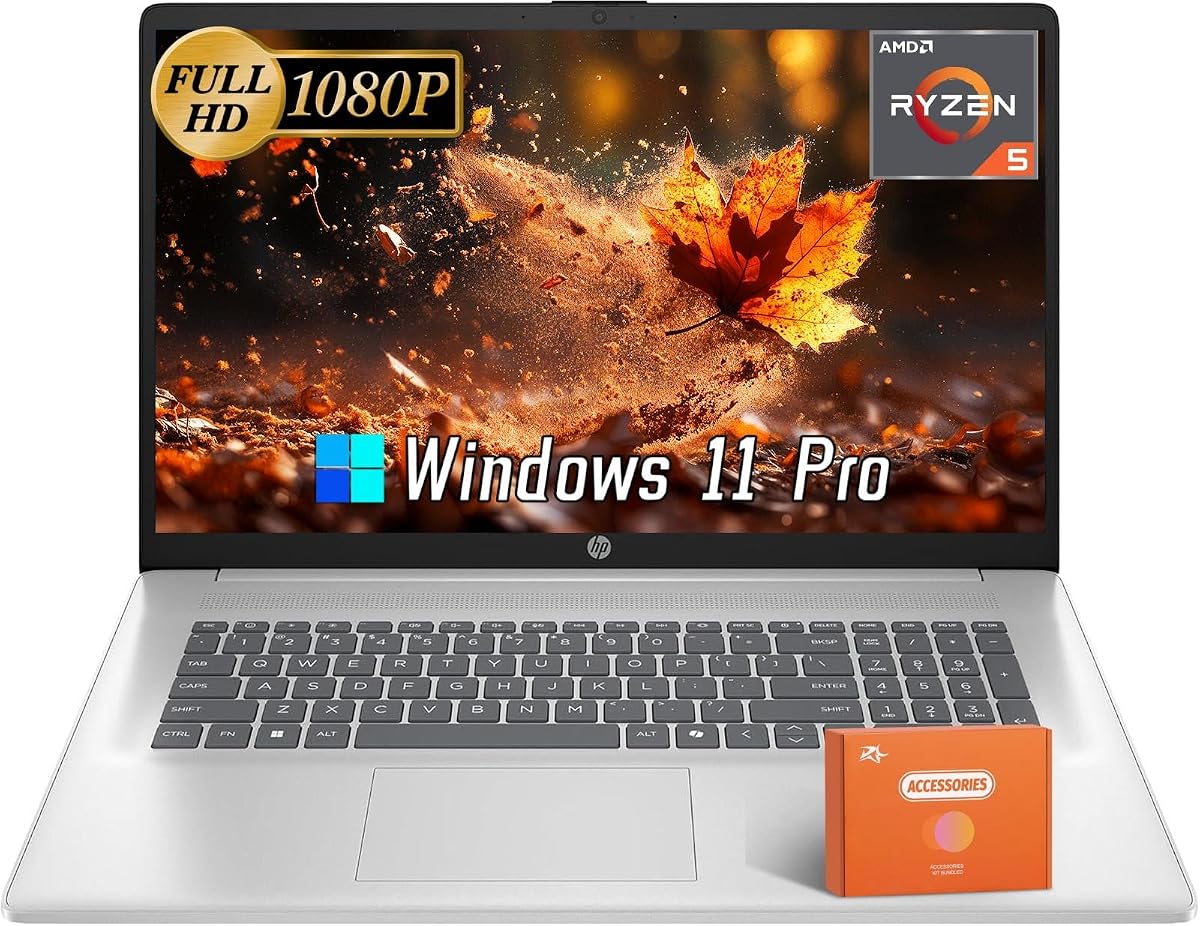
This HP 17 inch Laptop stands out for its AMD Ryzen 5 processor and Full HD display. It offers strong performance with 16GB RAM and an anti-glare screen suitable for bright environments.
We may earn a commission when you buy through this link, at no additional cost to you.
The 512GB SSD ensures fast boot times while the Radeon Graphics provide smooth visuals for media tasks. Lifetime Office is included allowing immediate access to essential productivity apps.
While reviews are limited the hardware specs suggest robust capabilities for multitasking. It is well-suited for users who prefer AMD efficiency and a larger viewing area.
Ideal for those seeking a balance of power and screen quality it delivers reliable operation. The included accessories add extra value for connectivity and comfort.
The Ryzen 5 7430U processor offers efficient power usage and strong multitasking capabilities for daily professional workloads.
The anti-glare display reduces eye strain and reflections making it comfortable to use in varied lighting conditions.
We may earn a commission when you buy through this link, at no additional cost to you.
The HP 17.3" HD+ Laptop features the Intel Core i5-1334U for enhanced processing power and efficiency. It is designed for users needing a balance of speed and affordability with essential software.
We may earn a commission when you buy through this link, at no additional cost to you.
Iris Xe Graphics deliver smooth visual performance while 16GB RAM handles multiple applications efficiently. The USB hub simplifies connectivity for peripherals which is useful for expanded workspaces.
Storage is at 512GB SSD which supports fast access but may require management for large media files. Users benefit from the pre-installed Office 2024 suite for immediate productivity.
Perfect for business users it combines reliable hardware with essential software. It offers strong multitasking capabilities for professional workflows.
The i5-1334U provides faster processing speeds than entry-level chips ensuring quick task completion for complex applications.
Intel Iris Xe Graphics enhance visual performance for media editing and rendering without needing a dedicated GPU.
We may earn a commission when you buy through this link, at no additional cost to you.
This HP 2025 17.3" HD+ Laptop offers top-tier performance with 32GB RAM and 2TB SSD storage. It receives a perfect 5.0 rating for its exceptional value and capability.
We may earn a commission when you buy through this link, at no additional cost to you.
The i3-N305 processor ensures efficient multitasking while the massive storage accommodates large datasets effortlessly. Users get Copilot AI and Lifetime Office 2024 for enhanced productivity and automation.
While the display is HD+ the large screen size supports effective window management. This device is built for professionals who need extensive memory and storage for demanding tasks.
Best for high-end users it delivers a premium experience with essential software. It is a future-proof choice for long-term computing needs.
With 2TB of SSD storage you can store all your projects and media files locally without worrying about space constraints.
Copilot AI assists with writing and analysis tasks helping users work smarter and faster on daily assignments.
We may earn a commission when you buy through this link, at no additional cost to you.
Selecting the right laptop involves weighing hardware specs against your specific needs and budget. This guide outlines key factors to consider when comparing models with pre-installed Office.
The CPU determines how fast your laptop runs tasks. Look for modern multi-core processors like the Intel i3-N305 or AMD Ryzen 5 for smooth performance.
Prioritize CPUs with higher core counts and boost speeds to ensure longevity and responsiveness during daily use.
Random Access Memory affects multitasking ability. Aim for at least 8GB but 16GB or more is ideal for running multiple apps simultaneously.
Choose models with 16GB or 32GB RAM if you plan to use resource-heavy software or many browser tabs at once.
SSD storage provides faster boot times than traditional hard drives. A minimum of 256GB is recommended but 512GB or 1TB offers better convenience.
Opt for PCIe NVMe SSDs for the best speed and ensure total capacity suits your file storage requirements without external drives.
Screen resolution impacts clarity. Full HD displays offer sharper text than HD+ but larger screens can compensate for lower resolution.
Consider size and anti-glare coatings to reduce eye strain during long working sessions especially in bright environments.
Lightweight laptops under 4 lbs are easier to carry for students or frequent travelers. Larger 17-inch models are heavier but offer better ergonomics.
Choose a weight that matches your mobility needs and ensure battery life supports your typical usage duration away from power sources.
Lifetime Microsoft Office offers significant savings over subscription models. Verify the version is Office 2024 LTSC and pre-installed to avoid extra costs.
Ensure the license is genuine and includes essential apps like Word Excel and Outlook for immediate productivity upon purchase.
Bundled items like USB hubs docking stations or external drives add value. Check what is included to reduce additional spending on peripherals.
Look for accessories that match your workflow needs such as wireless mice or HDMI cables for external displays.
Modern laptops should include Wi-Fi 6 and multiple USB ports for flexible connectivity. A USB-C port supports faster data transfer.
Ensure there are enough ports for your peripherals or consider models with included hubs to expand functionality.
When setting up your new laptop ensure you do not reinstall Office 365 as it may conflict with the included lifetime license. Use the provided guide to activate Office 2024 properly upon arrival.
To maintain optimal performance keep your SSD free of unnecessary files and clear temporary cache regularly. Avoid overloading the system with too many browser tabs to prevent slowdowns during daily use.
Handle the device carefully and store it in a protective case when traveling. Use a cooling stand if working for extended periods to prevent overheating and extend the hardware lifespan.
The lifetime license is a one-time perpetual activation that does not require renewal fees. It remains valid indefinitely for that specific device as long as you do not reset the system or reinstall different Office versions.
Yes these laptops are designed for business and student use with sufficient RAM and SSD storage for productivity software. The included Office suite supports document editing spreadsheets and presentations for professional workflows.
USB hubs expand connectivity allowing you to connect multiple devices like mice drives or external monitors simultaneously. They enhance workflow efficiency especially for laptops with limited built-in USB ports.
Some models allow RAM upgrades but many are soldered and fixed at the factory. Check specific model specs for expandability before purchasing to ensure future flexibility if needed.
You can verify the Office version by opening Word or Excel and selecting Account from the menu. The product information screen will display the specific version and license status for verification.
Hardware warranties cover physical defects but software licensing issues are typically supported by Microsoft. Contact the laptop support channel for installation assistance with the pre-installed Office suite.
Resetting the system may invalidate the Office license so proceed with caution. Follow the included user guide for safe resets to avoid losing the pre-installed software activation.
Our top picks range from budget-friendly options to premium models with high memory and storage. Each offers a complete solution with essential software included to streamline your productivity setup.
Prioritize RAM and storage capacity based on your workload needs while considering display size for comfort. The included lifetime Office adds substantial value to any of these selected machines.
Prices and availability may change so check current listings before purchasing to secure the best deal. We recommend reviewing the detailed comparisons to match the device to your specific requirements.