
Canon imageCLASS LBP6030w
3.8Editor score
Compact wireless design
19 pages per minute
Low energy consumption
This guide compares the top 10 laser printers with cheap toner options for home and office use, evaluating speed, connectivity, and long-term supply costs.
Finding a reliable laser printer with cheap toner is essential for maintaining productivity without breaking the bank. These machines offer sharp monochrome output and low cost per page for daily document needs.
We analyzed ten top-rated models based on print speed, connectivity options, and toner availability. Each entry includes real-world performance data and official manufacturer specifications for accuracy.
Each pick highlights key strengths and potential trade-offs to help you decide. Prices and availability change frequently, so verify current details before making your final purchase decision online.
3.8Editor score

4.1Editor score

4.3Editor score
The following table provides a side-by-side comparison of all ten selected laser printers. Review the key specifications and features to identify the model that best fits your specific office requirements and budget constraints.


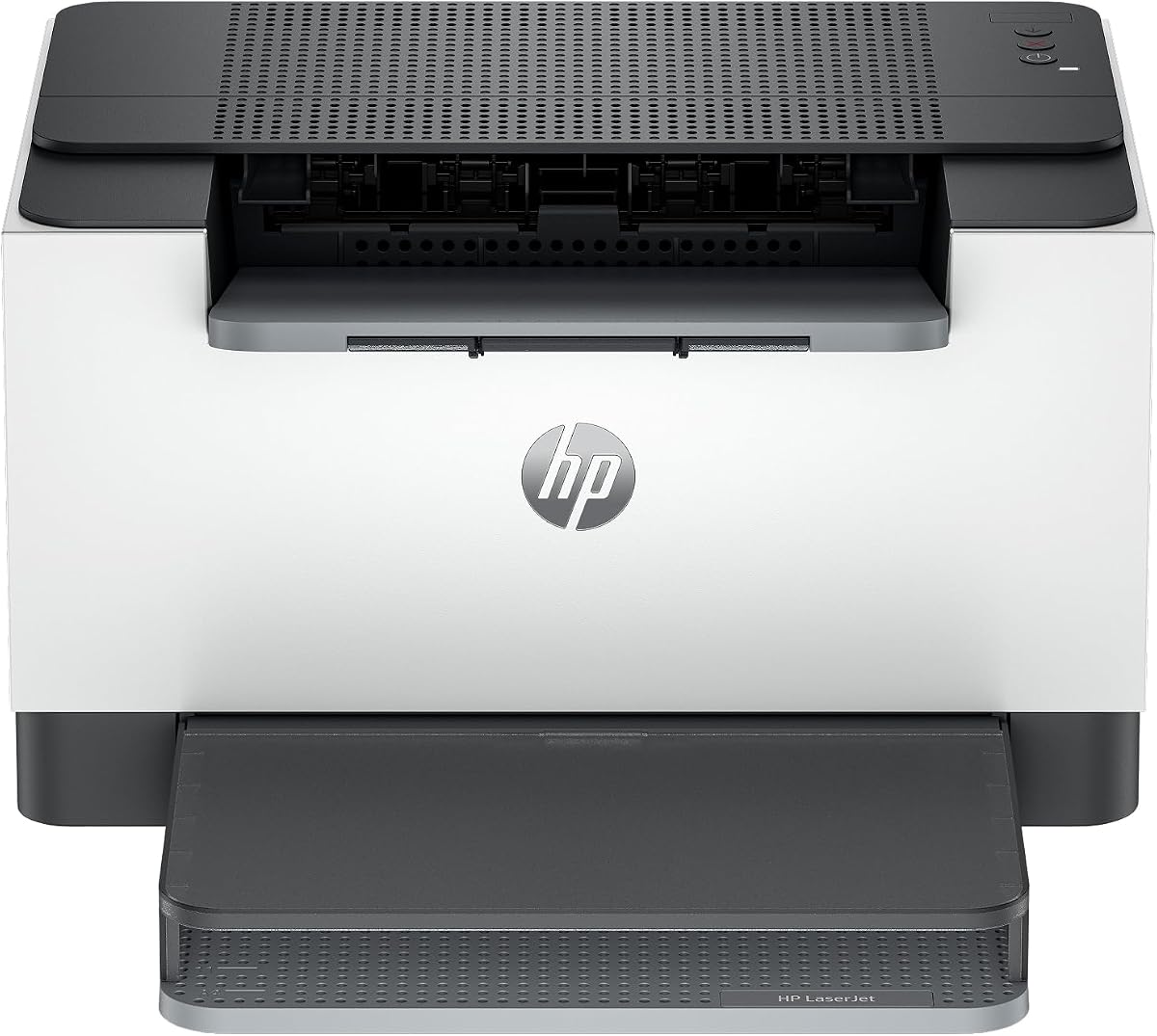



The Brother HL-L2405W stands out as a top choice for home offices needing reliable performance. It delivers sharp black and white prints at speeds up to thirty pages per minute.
We may earn a commission when you buy through this link, at no additional cost to you.
Its dual-band wireless connectivity ensures stable connections across various devices. The Brother Mobile Connect app allows you to manage supplies and print remotely with ease.
While it lacks automatic duplex printing, the speed and connectivity options make up for it. The included subscription trial helps manage ongoing toner costs effectively.
This model is ideal for users who prioritize speed and ease of use. Its balance of features makes it a strong candidate for daily document tasks.
The built-in dual-band wireless allows seamless connection to home networks. The mobile app tracks toner usage and orders genuine supplies directly.
Choosing Brother Genuine TN830 toner ensures consistent quality. The Refresh EZ Print Subscription Service can offer significant savings on supplies.
We may earn a commission when you buy through this link, at no additional cost to you.
This Canon model offers an affordable entry point into laser printing for small spaces. It prints up to nineteen pages per minute with a compact design.
We may earn a commission when you buy through this link, at no additional cost to you.
Wireless connectivity makes it easy to print from mobile devices around the home. Its energy-saving mode helps reduce electricity usage during idle times.
The lower print speed means it might lag during high-volume bursts. However, the low upfront cost and small size are significant benefits for tight budgets.
It suits individuals with light printing needs who want wireless convenience. If speed is less critical than cost, this remains a solid selection.
The space-saving design fits easily on desks or shelves. It is ideal for home offices where space is at a premium.
Uses Canon Genuine Toner 125 with a reasonable page yield. This toner is widely available and fits various Canon printers.
We may earn a commission when you buy through this link, at no additional cost to you.
The Brother MFC-L2820DW combines printing, scanning, copying, and faxing in one unit. It offers fast speeds up to thirty-six pages per minute with duplex support.
We may earn a commission when you buy through this link, at no additional cost to you.
The large touchscreen makes navigation intuitive for complex tasks. Its auto document feeder simplifies scanning multi-page documents efficiently.
The higher price tag reflects the added functionality and speed. This investment pays off for users needing versatile office capabilities in one device.
Ideal for small offices requiring full multifunction support. Its robust features make it a top contender for serious productivity needs.
The all-in-one design replaces multiple devices on your desk. Scan and fax directly from the touchscreen without needing a PC.
Thirty-six pages per minute ensures quick turnaround for large jobs. Automatic duplex printing saves paper and reduces waste significantly.
We may earn a commission when you buy through this link, at no additional cost to you.
This Canon printer offers scanning and copying alongside printing via a wired connection. It includes a generous starter toner supply right in the box.
We may earn a commission when you buy through this link, at no additional cost to you.
The ID card copy feature is particularly useful for quick document duplication. Its compact design keeps it from dominating your workspace.
The lack of wireless connectivity may limit flexibility in modern setups. However, the included toner and multifunction features add significant value.
It is a practical choice for desktop users who do not need mobile printing. The solid build and included supplies make it a reliable option.
The printer comes with a starter toner cartridge. This reduces immediate costs and ensures you can start printing immediately.
A wired USB connection ensures a stable link to your computer. This avoids potential wireless dropouts common in home environments.
We may earn a commission when you buy through this link, at no additional cost to you.
The HL-L2460DW brings high-speed duplex printing to a compact wireless unit. It handles thirty-six pages per minute with automatic two-sided output.
We may earn a commission when you buy through this link, at no additional cost to you.
Its connection options include dual-band wireless and Ethernet for flexibility. The mobile app provides remote management of print jobs and supplies.
While it lacks a touchscreen, the setup remains straightforward. The automatic duplex feature helps reduce paper usage significantly over time.
This model suits teams needing efficiency and speed without extra functions. Its balanced feature set makes it a strong workhorse for daily use.
Two-sided printing happens automatically without manual intervention. This saves time and reduces paper consumption for documents.
Dual-band wireless ensures stable connections even in busy networks. Ethernet support offers a backup for wired stability needs.
We may earn a commission when you buy through this link, at no additional cost to you.
This HP model is designed for small teams needing quick wireless printing. Its compact size allows it to fit in tight spaces easily.
We may earn a commission when you buy through this link, at no additional cost to you.
Setup is straightforward with support for various devices including tablets. The HP Smart app streamlines repetitive tasks and cloud scanning.
Be aware that it only works with original HP chips or circuitry. This may affect long-term toner costs compared to more open models.
It is best for those prioritizing size and ease of setup. If cartridge restrictions are acceptable, it remains a convenient choice.
The smallest laser printer in its class saves valuable desk space. It is ideal for shared workspaces with limited room.
Self-reset wireless helps stay connected without constant reconfiguration. This ensures printing is always available when needed.
We may earn a commission when you buy through this link, at no additional cost to you.
This HP unit delivers fast two-sided printing suitable for small teams. It prints up to thirty pages per minute with automatic duplex functionality.
We may earn a commission when you buy through this link, at no additional cost to you.
Eligibility for Instant Ink can simplify cartridge replacement with home delivery. Its built-in security features protect against potential cyber threats.
The subscription model for ink might not suit everyone's preferences. However, the speed and security features offer significant advantages for offices.
It is a strong choice if you value speed and security. Just weigh the benefits of the ink subscription against traditional purchasing.
You can subscribe to receive cartridges when needed automatically. This helps avoid running out of toner unexpectedly during work.
Dual-band Wi-Fi detects and resolves connectivity issues automatically. This minimizes downtime and keeps your workflow smooth.
We may earn a commission when you buy through this link, at no additional cost to you.
The Canon LBP122dw offers duplex capabilities in a compact wireless form. It prints up to thirty pages per minute with ease.
We may earn a commission when you buy through this link, at no additional cost to you.
The Canon PRINT app facilitates easy printing from mobile devices remotely. This is useful for home users needing quick access without cables.
Its design prioritizes functionality without extra screens or controls. This keeps it simple to operate though it lacks advanced features.
It is a solid pick for simple wireless duplex printing. The balance of speed and simplicity makes it suitable for personal use.
Automatic two-sided printing saves paper and time. It is essential for reducing costs on long documents regularly.
The Canon PRINT app allows seamless printing from smartphones. This adds flexibility for users managing tasks on the go.
We may earn a commission when you buy through this link, at no additional cost to you.
This HP multifunction printer combines scanning, copying, and printing. It offers fast two-sided printing speeds suitable for office workflows.
We may earn a commission when you buy through this link, at no additional cost to you.
Built-in security features help protect your data and printer from attacks. Ethernet connectivity provides a stable network connection option.
It is a powerful tool for small offices needing full scanning capability. The setup may be more complex due to the extra features.
Choose this if you need reliable multifunction performance. The security features are a major plus for shared environments.
Scanning and copying are integrated into the same device. This streamlines workflows for teams needing document digitization.
Ethernet ensures a stable network connection for offices. Strong security protects your printer from potential cyber attacks.
We may earn a commission when you buy through this link, at no additional cost to you.
The Brother HL-L2480DW offers multifunction capabilities with fast speeds. It combines scanning and copying with thirty-six pages per minute output.
We may earn a commission when you buy through this link, at no additional cost to you.
The intuitive touchscreen simplifies navigation for scanning and cloud apps. Automatic duplex printing reduces paper waste during heavy use.
It balances high output with a compact footprint for most desks. The mobile app adds further control over your print environment.
Ideal for users needing a reliable office workhorse. Its combination of speed and functionality makes it a top-rated option.
The all-in-one design saves space by combining multiple devices. It handles print, copy, and scan tasks seamlessly.
Fast print speeds ensure documents are ready quickly. Wireless connectivity allows you to print from anywhere in the office.
We may earn a commission when you buy through this link, at no additional cost to you.
Selecting the right laser printer involves evaluating various factors beyond just the upfront cost. Here are the key elements to consider when shopping for a model.
The initial price of the printer is only part of the total cost. Consider the price per page and availability of genuine or compatible toner cartridges.
Look for models with high-yield toner options to reduce the frequency of replacements.
Print speed measured in pages per minute (PPM) affects how quickly you get your documents. High-volume users should look for speeds of 30 PPM or higher.
Ensure the monthly duty cycle matches your expected workload to avoid wear and tear.
Modern offices often need wireless or networked printing capabilities. Check if the printer supports Wi-Fi, Ethernet, or USB connections.
Mobile printing support ensures you can print from smartphones or tablets easily.
A larger paper tray means fewer refills throughout your work day. Look for models with at least 250 sheets for efficient workflow.
Check if the printer supports different paper types like envelopes or cardstock.
Automatic duplex printing saves paper and is more eco-friendly for daily tasks. Manual duplexing can be tedious and time-consuming for large jobs.
If environmental impact matters, ensure the model has built-in two-sided print support.
All-in-one units include scanning and copying which might replace separate devices. This can save space and reduce overall hardware costs significantly.
Evaluate if you need these extra features before paying the premium for an AIO.
For business environments, built-in security protects your printer from cyber attacks. Check for features like secure boot or firmware updates.
These measures ensure your network data remains safe while printing sensitive documents.
A solid warranty provides peace of mind if hardware issues arise later. Look for at least a one-year limited warranty and accessible customer support.
Some brands offer free phone or chat support for the life of the printer.
Set up your printer on a flat surface with adequate ventilation. Avoid placing it near heat sources or direct sunlight to maintain performance.
Regularly clean the rollers and glass scanner using a dry cloth to prevent dust jams. This extends the life of the internal components.
Update the firmware periodically to fix bugs and improve connectivity. Manufacturers often release updates that enhance security and reliability.
To reduce toner costs, consider purchasing high-yield cartridges or joining a manufacturer's subscription service. Using draft mode for internal documents can also significantly extend the life of your toner.
While non-genuine cartridges are cheaper, they may void your warranty or damage the printer. Some brands like HP actively block cartridges without original chips, making genuine supplies necessary.
PPM stands for pages per minute. It indicates the speed of the printer and how fast it can output a single-sided document. Higher PPM values mean faster printing.
Laser printers generally consume less energy during printing tasks compared to inkjets but may use power in sleep mode. Energy saver modes help keep electricity costs low when idle.
Yes most models listed support mobile printing via apps or AirPrint. Check the specific connectivity options to ensure compatibility with your device before purchasing.
Wireless printing connects via Wi-Fi usually to a single device or small group. Networked printing uses Ethernet or Wi-Fi to connect the printer to a larger office network.
The Brother MFC-L2820DW and HL-L2405W offer excellent value for performance and features. They provide reliable speed and connectivity for most home office needs.
Prioritize models with good toner availability and duplex capabilities to save money over time. Security and connectivity options also play a key role in daily efficiency.
Always check current prices and reviews before finalizing your purchase. Deals and stock levels change frequently so verifying details helps you get the best deal.