
BOSGAME E4 Air
4.2Editor score
Affordable Price Point
Triple 4K Output
Quiet Operation
Discover the top Linux Mini Pcs for developers and businesses. This guide compares performance, expandability, and OS compatibility to help you choose.
Linux Mini Pcs offer powerful compact computing for developers and enthusiasts. They provide open-source flexibility while saving significant desk space in modern offices.
We evaluated ten leading models based on processor power, memory capacity, and Linux compatibility. Our analysis highlights real-world performance for servers and workstations.
Each pick showcases specific strengths like triple 4K output or dual NICs. Prices fluctuate often, so verify current deals before purchasing your ideal system.
4.2Editor score

4.5Editor score

4.7Editor score
The following table provides a side-by-side comparison of all ten selected Linux Mini Pcs. Review key specs like CPU architecture, RAM capacity, and port selection to find the best match for your workflow.


The TK Node Mini PC stands out as a top choice for Linux enthusiasts. It ships with Zorin OS Core preinstalled, making immediate productivity easy without complex setup steps.
We may earn a commission when you buy through this link, at no additional cost to you.
Its AMD Ryzen processor delivers solid performance for daily tasks. Dual NVMe slots allow massive storage expansion which is rare in compact desktops of this size.
While the base RAM is modest, upgrade paths are open. The only trade-off is ensuring you select the right processor variant at purchase for your specific workflow needs.
Developers needing reliable hardware for Linux environments should buy this. Its US warranty and clean OS make it a standout recommendation for professionals.
Zorin OS provides a familiar interface that eases the transition from Windows to Linux for new users effortlessly.
Dual NVMe slots let you configure up to 4TB of storage for large datasets or local backups easily.
We may earn a commission when you buy through this link, at no additional cost to you.
The Beelink SER3 offers excellent value for budget-conscious Linux users. Its 16GB DDR4 RAM ensures smooth multitasking without needing immediate upgrades.
We may earn a commission when you buy through this link, at no additional cost to you.
Performance from the 3200U is sufficient for web development and office work. Dual HDMI ports support multi-monitor setups ideal for productivity tasks.
Though the CPU is older, stability remains high. The only downside is limited peak processing power for heavy compilation or virtualization workloads.
Users seeking affordable hardware for basic Linux tasks should buy this. It balances cost and performance effectively for entry-level development needs.
16GB DDR4 RAM comes standard ensuring you run multiple applications without slowdowns out of the box.
Multiple USB ports and Gigabit Ethernet allow flexible peripheral connections for versatile workstation setups.
We may earn a commission when you buy through this link, at no additional cost to you.
The ASUS NUC 14 Pro is a powerhouse for advanced Linux workflows. Its Intel Ultra 7 processor brings cutting-edge AI acceleration capabilities to desktop computing.
We may earn a commission when you buy through this link, at no additional cost to you.
64GB DDR5 RAM and 2TB PCIe storage handle heavy virtualization tasks with ease. Thunderbolt 4 ensures fast data transfer for external drives and displays.
The main trade-off is the significant cost. For most users, the premium features might be overkill unless you specifically need AI or cloud-native development tools.
Power users and researchers should buy this for top-tier performance. It justifies the price with professional-grade components and Linux Mint compatibility.
The Ultra 7 processor includes neural engines to accelerate machine learning tasks directly on the device.
Thunderbolt 4 offers 40Gbps speeds for rapid data transfers and daisy-chaining high-res displays.
We may earn a commission when you buy through this link, at no additional cost to you.
The Beelink Mini S12 Pro excels in efficiency for Linux home servers. The Intel N100 processor offers a great balance of performance and low power draw.
We may earn a commission when you buy through this link, at no additional cost to you.
16GB RAM and dual HDMI ports allow basic multimedia and server tasks. Upgraded cooling ensures stable operation even during continuous 24/7 usage cycles.
However, the single SODIMM slot limits RAM expansion compared to dual-slot systems. You must plan storage carefully as options are fixed for this model.
Home lab enthusiasts looking for efficient NAS or soft router builds should buy this. It delivers stable performance without excessive heat.
Deep cooling mechanisms keep noise low while maintaining optimal temperatures for continuous operation.
AV1 decoding support ensures smooth playback of modern streaming content without CPU strain.
We may earn a commission when you buy through this link, at no additional cost to you.
The KAMRUI Pinova P2 is designed for users needing multiple screens. Its triple 4K output capability creates an immersive workspace for Linux developers.
We may earn a commission when you buy through this link, at no additional cost to you.
The Ryzen 7 3300U provides solid multi-threaded performance for coding and data tasks. It outperforms older Intel chips while staying remarkably cool and quiet.
The main limitation is the soldered RAM which cannot be upgraded. Storage slots allow expansion but the base configuration is modest for heavy users.
Professionals needing multi-monitor setups should buy this. It delivers impressive graphical throughput in a compact footprint easily.
Support for three 4K displays simultaneously enhances productivity without needing a bulky desktop tower.
Zen 3 architecture provides strong single-core performance essential for responsive development environments.
We may earn a commission when you buy through this link, at no additional cost to you.
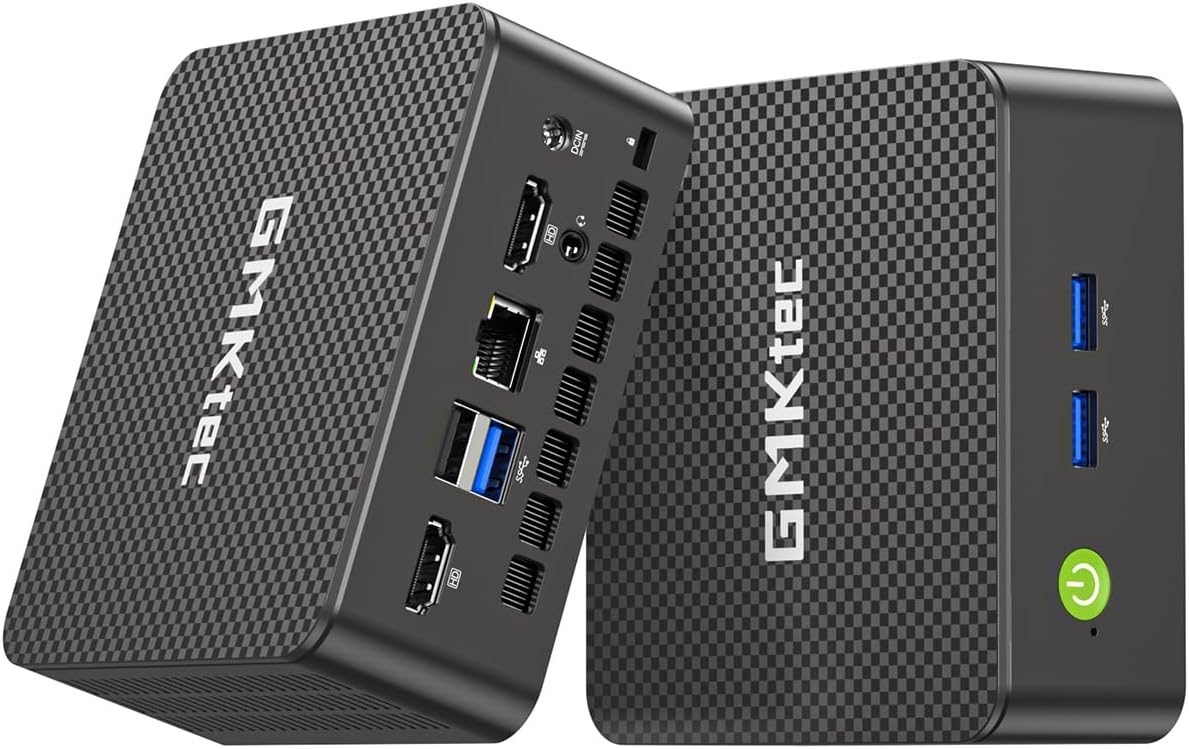
The GMKtec G11 targets network enthusiasts and Linux admins. Dual 2.5GbE Ethernet ports make it perfect for building firewall or router appliances.
We may earn a commission when you buy through this link, at no additional cost to you.
Its Ryzen Embedded GPU outperforms typical integrated graphics for media tasks. Dual-channel memory ensures smooth performance for virtualization environments like Proxmox.
While not intended for heavy gaming it handles daily workstation tasks well. The specialized networking ports add significant value for specific infrastructure needs.
Users building homelabs or enterprise network nodes should buy this. It offers unique connectivity features found in few other Mini PCs.
Dual high-speed ports allow advanced routing and firewall setups using open source Linux software.
Built for continuous operation this unit maintains stability even during intensive virtualization workloads.
We may earn a commission when you buy through this link, at no additional cost to you.
The CyberGeek Mini PC brings serious power to Linux desktops. The Core i9 processor handles demanding compilation and rendering tasks without hesitation.
We may earn a commission when you buy through this link, at no additional cost to you.
It supports triple 4K displays and includes extensive USB options. Ubuntu Linux preloading ensures you can start coding or designing immediately upon boot.
However, high power usage can generate heat during sustained workloads. You may need a well-ventilated space to prevent thermal throttling effectively.
Users needing desktop-class performance in small cases should buy this. It is a rare compact choice for heavy Linux workloads.
The 8 core i9 processor matches full-sized towers allowing complex Linux development workflows.
Triple display support enables immersive multitasking across multiple screens for maximum productivity.
We may earn a commission when you buy through this link, at no additional cost to you.
The BOSGAME E5 is an excellent choice for storage flexibility. Dual NVMe slots let you add drives easily without opening the chassis complexly.
We may earn a commission when you buy through this link, at no additional cost to you.
Its networking features include dual 2.5G LAN ports ideal for advanced Linux configurations. The processor handles daily workloads smoothly without excessive power use.
Wireless connectivity uses older Wi-Fi 5 standards which are slower than Wi-Fi 6. This is acceptable for wired setups but limits wireless throughput speed.
Enthusiasts needing storage or network options should buy this. It offers great hardware flexibility at a competitive price point.
Dual NVMe slots allow you to configure separate drives for system and data storage efficiently.
Dual high-speed LAN ports support complex firewall setups or NAS configurations with ease.
We may earn a commission when you buy through this link, at no additional cost to you.
The BOSGAME E4 Air offers basic Linux computing for a minimal cost. It supports triple 4K displays which is rare at this price tier.
We may earn a commission when you buy through this link, at no additional cost to you.
Performance covers web browsing and office tasks effectively. Dual Ethernet ports add extra utility for networked applications or home labs.
The 8GB RAM and SATA SSD limit performance for heavy multitasking or large files. However, for simple tasks it remains reliable and quiet.
Budget buyers needing basic Linux features should buy this. It provides essential multi-monitor support without a high price tag.
Triple 4K output support provides visual workspace flexibility usually found only on expensive systems.
Quiet cooling ensures comfortable use in home environments without distracting operational noise.
We may earn a commission when you buy through this link, at no additional cost to you.
The GMKtec G3S is a compact choice for light Linux tasks. Its Intel N95 processor is efficient for basic media and office workflows.
We may earn a commission when you buy through this link, at no additional cost to you.
Dual HDMI ports support dual 4K displays which helps with productivity. The SSD provides fast boot times for daily operations easily.
Memory is limited to 8GB which restricts heavy app usage. It is best suited for specific single-purpose or low-intensity computing roles.
Users needing simple basic Linux machines should buy this. It balances cost and modern display features effectively.
The N95 processor offers improved efficiency over older low-power chips for daily tasks.
Dual HDMI 4K support ensures clear visuals for connected monitors or projectors.
We may earn a commission when you buy through this link, at no additional cost to you.
Choosing the right Linux Mini Pc requires understanding your workflow needs. Consider these key factors to ensure compatibility and performance.
Modern processors like Intel Core Ultra or AMD Ryzen offer better performance for Linux workloads. Look for multi-core CPUs if you run virtual machines or compilers.
Prioritize newer architectures for long-term software support and efficiency.
Linux systems often benefit from higher RAM. 16GB is a sweet spot. Check if RAM is soldered or upgradeable.
Choose models with open SO-DIMM slots for future upgrades.
Fast NVMe SSDs are crucial for responsive Linux boot times. Dual slots allow separating OS from data.
Select models with dual M.2 slots for maximum storage flexibility.
Server users need multiple Ethernet ports. Dual 2.5GbE LANs support firewall or router tasks.
Ensure Gigabit or higher speeds for efficient data transfer.
Productivity often requires multiple monitors. Check for HDMI and DisplayPort combinations supporting 4K.
Look for triple output support if you need three screens.
Compact cases need efficient cooling to prevent throttling. Aluminum chassis or heat sinks help.
Prioritize systems with proven cooling designs for 24/7 use.
Some units ship with Zorin or Ubuntu preinstalled. This saves setup time.
Choose preloaded Linux systems to get started immediately.
Warranties vary from 1 to 3 years. Check vendor support regions.
Prioritize US-based support for easier service claims.
Place your Mini Pc on a flat ventilated surface. Avoid enclosed cabinets that trap heat during extended Linux sessions.
Connect peripherals using high-speed USB ports. Keep cables organized to reduce clutter and maintain airflow.
Regularly update your Linux kernel to ensure security patches are applied. Schedule updates during maintenance windows for best results.
Yes most models support Ubuntu. Some ship with Zorin or Mint. You can install Ubuntu freely from official sites.
It depends on the model. Many like Beelink S12 support upgrades. Some like KAMRUI P2 have soldered RAM. Check specs first.
Yes especially models with dual Ethernet like GMKtec G11. They handle 24/7 Linux server tasks efficiently without noise.
Zorin OS Core is preinstalled. It offers a familiar desktop interface ideal for Linux newcomers transitioning from Windows.
Yes models like BOSGAME E4 and KAMRUI P2 support triple 4K. HDMI and USB-C ports handle multiple video outputs.
GMKtec G11 or BOSGAME E5. Both have dual LAN ports essential for virtualization and network management in Linux.
We reviewed ten powerful options with top picks including TK Node and ASUS NUC 14 Pro. Each offers unique benefits for diverse Linux workloads.
Prioritize processor speed and memory flexibility for long-term value. Ensure network and display needs match your intended usage scenarios.
Prices for these Mini Pcs change often. Always check current deals and verify specifications before finalizing your purchase decision.