
TP-Link Archer AXE75
4.3Editor score
Tri-Band WiFi 6E
6 GHz low latency band
EasyMesh network expansion
Compare the top low latency WiFi routers for gaming and streaming in October 2026 to find the fastest network gear for your home.
Modern online activities demand instant responses from your network. Whether you are playing competitive games or attending important video conferences, even tiny delays can ruin the experience. You need hardware designed to minimize lag and prioritize data flow for real time applications.
We evaluated ten top routers based on their wireless standards, processor speed, and ability to handle multiple devices. Our analysis focuses on models that deliver consistent performance under load. We looked at features like OFDMA and beamforming to ensure stable connections.
Each pick includes detailed specs and real world benefits. You will see why certain models excel in high traffic homes. Prices and availability change often so verify current offers before buying to ensure you get the best deal for your needs.
4.3Editor score

4.6Editor score

4.3Editor score
This table compares the core specifications of each router to help you decide quickly. Look at the wireless standard, speed ratings, and unique features to match your internet plan and gaming needs.
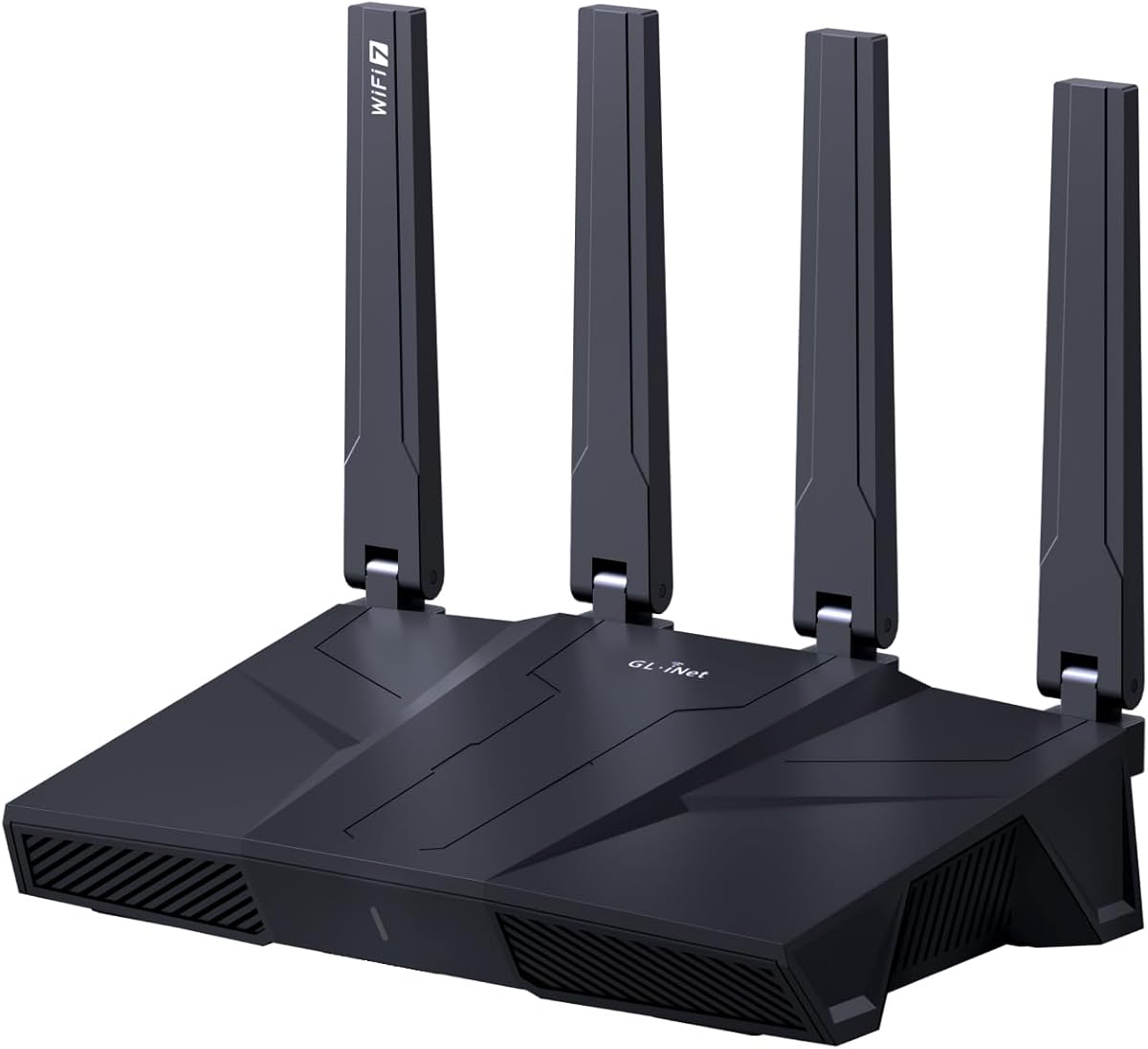



The GL.iNet Flint 2 is a top choice for those who need reliable performance without compromising on speed. It scores highly for its ability to handle intense gaming sessions with minimal lag. Users appreciate the clean interface and powerful hardware inside.
We may earn a commission when you buy through this link, at no additional cost to you.
Its 8-stream Wi-Fi 6 technology ensures that you get fast speeds even when multiple devices are connected. The dual 2.5G ports allow for wired connections that are crucial for high bandwidth tasks. You can also secure your traffic with rapid VPN speeds.
While the initial firmware update is a necessary step, it greatly improves performance. Some users might find the web panel slightly technical compared to consumer brands. However, the control it offers is worth the extra setup time for power users.
This router is perfect for gamers and tech enthusiasts who want a secure and fast network. It handles streaming and video calls with ease. We recommend it for anyone seeking a balance between advanced features and stable performance.
The low latency ensures your inputs reach the server instantly.
OpenVPN and Wireguard support keep your data safe.
We may earn a commission when you buy through this link, at no additional cost to you.
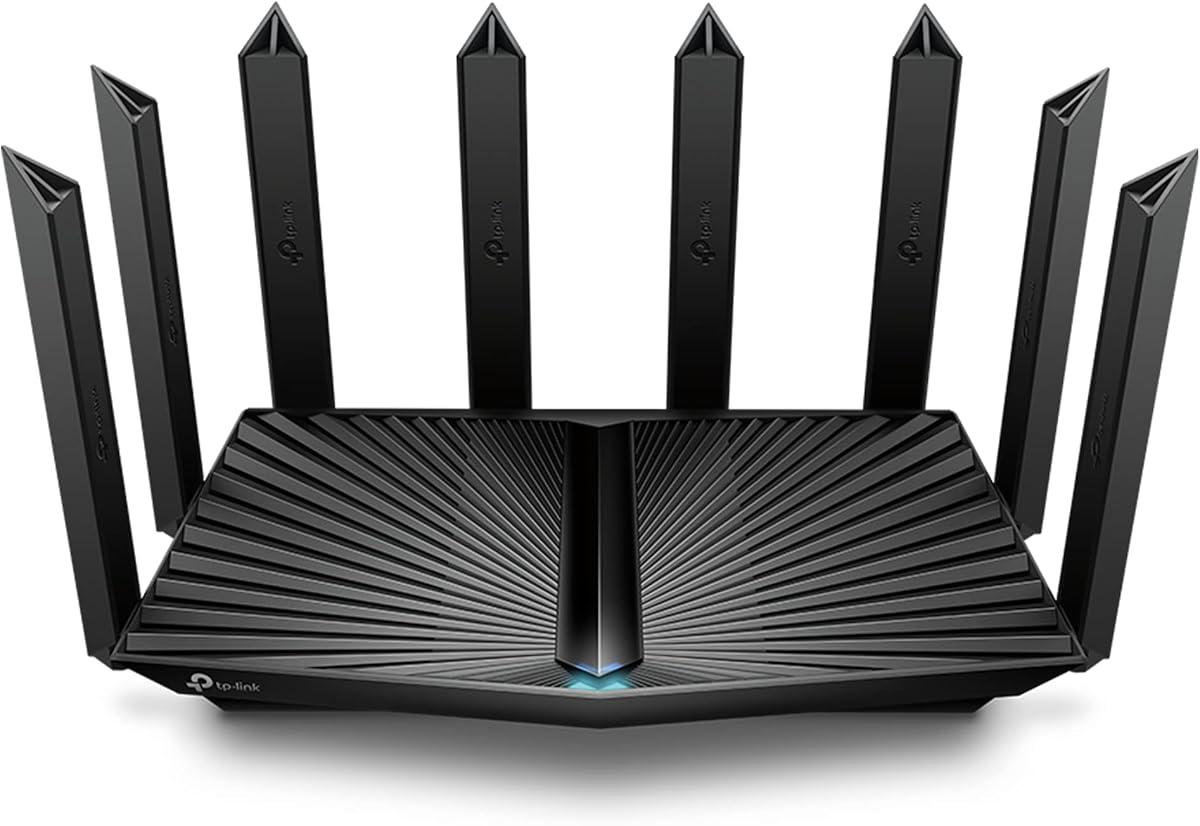
The TP-Link AXE75 brings the benefits of the 6 GHz band to a more accessible price point. This makes it an excellent entry into low latency networking for households that do not need enterprise-grade specs. It is highly rated for gaming and video calls.
We may earn a commission when you buy through this link, at no additional cost to you.
Its Tri-Band design allows you to dedicate the 6 GHz band to your most critical devices. This reduces congestion and ensures smooth performance. The 1.0 GHz dual-core CPU helps manage traffic efficiently without overheating due to its unique housing.
The main limitation is the lack of 2.5G wired ports which limits maximum throughput for wired devices. However, for most wireless connections the Wi-Fi 6E performance is outstanding. The HomeShield security is a great addition for families.
This model is ideal for budget conscious users who want modern tech. It works seamlessly with your existing internet setup. We suggest it for small to medium homes needing reliable performance.
Less interference means faster and more stable connections.
Expand your network easily with other Mesh compatible devices.
We may earn a commission when you buy through this link, at no additional cost to you.
The ASUS ROG GT-BE98 Pro represents the pinnacle of router technology with its Quad-Band design. It offers speeds up to 30 Gbps which is future proof for next generation internet plans. Gamers will love the specialized acceleration features built in.
We may earn a commission when you buy through this link, at no additional cost to you.
Its ability to link multiple bands simultaneously ensures stable connections even in crowded environments. The 320MHz channels in the 6 GHz band provide massive capacity for data. You get dual 10G ports for extreme wired performance.
The cost is significant and you need a multi-gig internet plan to see full benefits. It is also a large unit that needs space. But for those who want the absolute best performance, it delivers without compromise.
This router is best for enthusiasts and high bandwidth homes. It handles everything from 8K streaming to competitive gaming. We recommend it if you need top tier hardware.
It separates traffic effectively to reduce congestion.
Optimizes your gaming traffic to the server.
We may earn a commission when you buy through this link, at no additional cost to you.
The Flint 3 pushes the limits of what home routers can do with its Wi-Fi 7 standard. It provides exceptional connectivity with five 2.5G ports which is rare at this tier. It is designed for users who need to connect many wired devices.
We may earn a commission when you buy through this link, at no additional cost to you.
MLO technology allows for lower latency by using multiple bands at once. This is crucial for responsive gaming and video calls. The high storage capacity ensures you can run plugins and custom apps easily.
While powerful, the setup requires attention to detail and firmware updates. Some users may find the admin panel dense with options. However, the control and speed it offers are unmatched in its price range.
This device is ideal for tech savvy households needing high throughput. It supports 8K streaming and heavy data usage. We suggest it for those who need serious hardware.
Reduces lag by combining bands efficiently.
Multiple 2.5G ports eliminate wired bottlenecks.
We may earn a commission when you buy through this link, at no additional cost to you.
The NETGEAR Nighthawk WiFi 7 brings next gen speed to a large area easily. It covers up to 2500 sq ft ensuring strong signals in every room. The dedicated tri-band design helps keep connections stable during busy times.
We may earn a commission when you buy through this link, at no additional cost to you.
Its 9.3 Gbps speed is a significant jump from older standards. The 2.5G WAN port allows you to take full advantage of fast internet plans. You can manage settings and test speeds easily from your phone.
The main drawback is the limited free features for security which require a subscription. However the core network performance is solid and reliable. The app makes setup accessible for non technical users.
This router is great for large homes needing reliable Wi-Fi 7. It handles streaming and gaming well. We recommend it for families looking for coverage and speed.
It provides faster speeds and lower latency than Wi-Fi 6.
The app guides you through the whole process easily.
We may earn a commission when you buy through this link, at no additional cost to you.
The RS900 focuses on delivering solid performance in a dual-band package. It is suitable for homes that need modern features without tri-band complexity. The 2.5G WAN port ensures your wired connection is never a bottleneck.
We may earn a commission when you buy through this link, at no additional cost to you.
With MU-MIMO technology it handles multiple devices simultaneously without slowing down. This helps reduce lag when everyone is online at once. The setup is straightforward via the mobile app which simplifies network management.
The absence of a 6 GHz band means you miss out on some low latency benefits. But for most users the 5 GHz performance is sufficient. The security features provide peace of mind for your home network.
This model is a good fit for budget minded users. It offers a balance of speed and simplicity. We suggest it for small to medium homes.
MU-MIMO helps keep all connected devices running fast.
Netgear Armor protects your devices from threats.
We may earn a commission when you buy through this link, at no additional cost to you.
The BE230 is a compelling entry into the world of Wi-Fi 7 at a low cost. It includes a 2.5G port which is rare in budget models. The processor helps maintain low latency even during heavy data transmissions.
We may earn a commission when you buy through this link, at no additional cost to you.
Its MLO support allows devices to use multiple channels for better reliability. The 4K-QAM increases capacity so your network can handle more data. This makes it great for streaming and gaming in one home.
While it lacks the 6 GHz band the performance is still impressive. The setup app makes management simple and intuitive. For the price you get modern tech that will last.
This router is perfect for those upgrading on a budget. It supports 4K streaming and gaming well. We recommend it for cost conscious buyers.
They allow for faster wired connections than standard gigabit.
Improves reliability by linking multiple bands.
We may earn a commission when you buy through this link, at no additional cost to you.
The Flint 3e combines Wi-Fi 7 speed with powerful security tools. It is designed for those who need safe access to their network. The VPN speeds are exceptional allowing you to work securely without lag.
We may earn a commission when you buy through this link, at no additional cost to you.
With MLO it ensures stable connections even when interference is high. The coverage is strong reaching up to 2500 sq ft effectively. You can manage content with integrated parental control tools.
Setup requires a firmware update which improves stability significantly. Some users may find the options complex at first. But the performance and security it offers are top notch.
This device suits families needing robust protection and speed. It handles streaming and gaming well. We suggest it for secure home networks.
VPN support keeps your data private on any network.
Integrated tools help manage screen time safely.
We may earn a commission when you buy through this link, at no additional cost to you.
The AX80 brings high capacity Wi-Fi 6 to a dual-band platform. It is a reliable choice for those who need consistent performance. The high gain antennas provide excellent coverage across a range home.
We may earn a commission when you buy through this link, at no additional cost to you.
Its 2.5G port ensures that wired devices do not slow down your network. MU-MIMO and OFDMA help you handle multiple devices efficiently. This makes it great for busy households with many users.
The lack of 6 GHz is a trade off but the 5 GHz is powerful. The OneMesh system allows you to add extenders easily. It works well with major ISPs and offers good value.
This router is great for those wanting high speed without complexity. It supports streaming and gaming well. We recommend it for practical home setups.
They focus signals to reach every corner of your home.
The 2.5G port supports faster wired speeds.
We may earn a commission when you buy through this link, at no additional cost to you.
The GT-AXE11000 is a powerhouse designed for heavy users and gamers. It leverages the 6 GHz band for low latency connections without interference. Its tri-band architecture splits traffic to keep your network fast.
We may earn a commission when you buy through this link, at no additional cost to you.
The 2.5G LAN port prioritizes traffic for top performance. Game acceleration optimizes your connection to game servers automatically. The quad-core processor handles data processing efficiently without dropping packets.
The size and cost are higher but the performance justifies it. It is ideal for homes needing high capacity and speed. The cooling system ensures it runs reliably for long periods.
This router is best for gaming enthusiasts with high speed plans. It supports streaming and gaming with ease. We recommend it for dedicated gaming setups.
It routes gaming traffic for faster response times.
Less interference means cleaner signals for gaming.
We may earn a commission when you buy through this link, at no additional cost to you.
Selecting the right router requires understanding key features that impact speed and delay. We break down the essential factors to help you find the perfect match for your home.
Wi-Fi 7 offers the lowest latency with MLO and 6GHz bands. Wi-Fi 6E is great for lower cost. Older Wi-Fi 6 works but has less capacity. Choose the latest standard for future proofing.
Select Wi-Fi 7 or 6E for best low latency performance.
Dual-band routers share bandwidth between devices. Tri-band routers add a dedicated 6GHz band to reduce congestion. This is critical for gaming when many devices are active. More bands mean better flow.
Opt for tri-band if you have many active users.
Look for 2.5G ports if you have fast internet plans. Standard gigabit ports limit speed for wired devices. Gaming PCs benefit from wired connections. More high speed ports give you flexibility.
Ensure you have enough high speed ports for key devices.
A strong CPU manages data traffic efficiently. Weak processors cause delays and lag. Quad-core options handle heavy loads well. This ensures your router keeps up with demand.
Choose models with multi-core processors for stability.
Security keeps your network safe from threats. Some brands include VPN support or built-in firewalls. Parental controls help manage content access. Ensure the tools fit your needs.
Check for included security tools like parental controls.
Consider the size of your home and the router range. Larger homes need more power or mesh support. Beamforming helps focus signal in one direction. Ensure the coverage matches your space.
Pick a model that covers your entire living space.
Easy apps and updates are vital for smooth use. Check for regular firmware support and customer service. Good software makes management easier. Look for user friendly interfaces.
Prefer brands with good app support and updates.
Set up your router in a central open spot away from walls. Place it on a flat surface to allow airflow and cooling. Keep it away from devices like microwaves to avoid signal interference.
Update the firmware regularly via the app or web interface. This ensures you have the latest security patches and performance fixes. Follow the instructions provided by the manufacturer for a smooth process.
Reboot your router periodically to clear memory and refresh connections. This simple step can improve speed and reduce lag. Use the restart function in the app or unplug the power for a minute.
Wi-Fi 7 is the best option currently available for low latency because it introduces MLO and wider channels. If your devices do not support Wi-Fi 7, Wi-Fi 6E is a strong alternative that uses the 6 GHz band to reduce interference.
You need a 2.5G port if your internet plan exceeds 1 Gbps speed. It ensures your wired devices like gaming consoles can handle the full speed of your connection. For standard plans it is not strictly necessary.
Wi-Fi 7 reduces latency by allowing devices to use multiple bands at once through MLO. It also uses wider channels and 4K-QAM to send more data faster. This reduces wait times for your devices.
Yes these routers are backward compatible with older devices like Wi-Fi 5 consoles. They work on 5 GHz bands which most older consoles support. You will get the best performance with newer gear though.
High latency can be caused by your internet service provider or server issues. Check your connection speed and ensure you are using Ethernet for gaming. A new router helps but does not fix external line issues.
A mesh system is better for large homes where one router cannot cover the whole space. It helps maintain consistent speed and low latency throughout your house. But for small homes a single high-end router works well.
We reviewed ten top routers including the GL.iNet Flint 2 and ASUS ROG GT-BE98 Pro. Each offers unique strengths depending on your budget and needs. The top picks deliver fast speeds and stable connections.
Prioritize the wireless standard and number of bands to get the best performance. Make sure you have enough high speed ports for your gaming setup. A strong processor is also key for handling traffic.
Prices and models change often so check current offers before buying. Verify that your ISP supports your chosen router model. With the right hardware your home network will handle any demand smoothly.